Today's mini PCs offer enough power for remote work, advanced office applications, web development, light editing, online store management, and working with multiple monitors.
This selection prioritizes modern processors, 16 GB or more of RAM, fast SSDs, up-to-date connectivity, and a realistic price-performance ratio.
10. CHUWI UBox Ryzen 5 6600H

The CHUWI UBox is one of the most affordable options for those looking for a well-balanced mini PC for working with Windows, multiple browser tabs, documents, video calls, and management applications.
Main specifications
-
Processor: AMD Ryzen 5 6600H, 6 cores and 12 threads
-
RAM Memory: 16 GB DDR5
-
Storage: 512 GB NVMe SSD
-
Graphics: AMD Radeon 660M
-
Connectivity: Wi-Fi 6 and Bluetooth 5.2
-
Video: 4K output and support for external monitors
-
Operating system: Windows 11 Pro
-
Indicative price: from €318.72
Why is it good for work?
The Ryzen 5 6600H is a six-core CPU that performs very well in everyday multitasking. It's a recommended option for users who manage email, spreadsheets, WordPress, social media, invoicing, browsing with many tabs, or attending Zoom and Google Meet meetings.
Its 16GB of DDR5 RAM is sufficient for most professional workflows. Furthermore, the 512GB SSD allows you to install tools like Microsoft Office, Adobe Photoshop, VS Code, XAMPP, Laravel, lightweight Docker, or content management systems without relying on external storage.
Purchase link: View CHUWI UBox on AliExpress
9. ACEMAGIC M1 Ryzen 7 7735HS
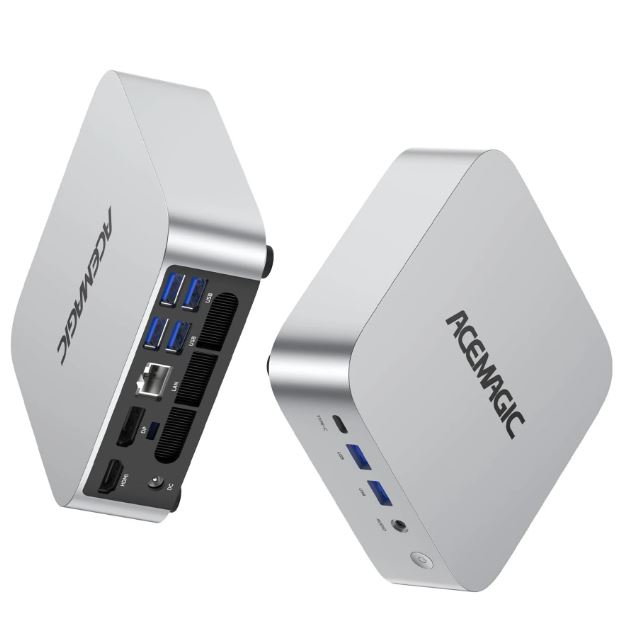
The ACEMAGIC M1 is a powerful alternative for users who want to upgrade from the Ryzen 7 7735HS without reaching the maximum budget. It stands out for its eight cores, 24 GB of RAM, and multi-monitor support.
Main specifications
-
Processor: AMD Ryzen 7 7735HS, 8 cores and 16 threads
-
RAM Memory: 24 GB DDR5
-
Storage: 512GB M.2 SSD
-
Graphics: AMD Radeon 680M
-
Connectivity: Wi-Fi 6 and Bluetooth 5.2
-
Video: Triple 4K screen
-
Operating system: Windows 11 Pro
-
Estimated price: €394.05
Why is it good for work?
Its main advantage is the combination of 8 cores and 16 threads with 24 GB of RAM. This configuration is especially recommended for web development, lightweight design, occasional video editing, automation, SEO tools, browsers with many open sessions, and simultaneous management of multiple applications.
The Radeon 680M also assists with graphics acceleration and multimedia playback. While 512 GB might not be enough for video libraries, large projects, or virtual machines, the system provides a solid foundation for demanding productivity tasks.
Purchase link: See ACEMAGIC M1
8. KAMRUI H1 Ryzen 7 7735HS

The KAMRUI H1 improves upon the ACEMAGIC M1 for those who need more storage from day one. Its configuration of 24GB of RAM and a 1TB SSD is well-suited for a professional workspace.
Main specifications
-
Processor: AMD Ryzen 7 7735HS, 8 cores and 16 threads
-
RAM Memory: 24 GB LPDDR5
-
Storage: 1 TB SSD
-
Graphics: AMD Radeon 680M
-
Connectivity: Wi-Fi 6 and Bluetooth 5.2
-
Video: Triple 4K screen
-
Estimated price: €404.23
Why is it good for work?
The combination of 24 GB of RAM and 1 TB of storage eliminates the need for upgrades immediately after purchase. This makes it a good choice for professionals working with multimedia files, local web projects, backups, development databases, analytics tools, or large resource folders.
The Ryzen 7 7735HS is a very solid CPU for parallel tasks: exporting images while working in the browser, using an IDE with local tools, or keeping messaging, management, and video calling applications open.
Purchase link: View KAMRUI H1 on AliExpress
7. Acer Gadget e10 ERBox Ryzen 7 6800H
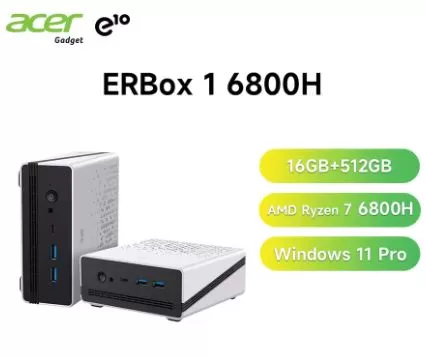
The Acer Gadget e10 ERBox is an attractive alternative for those who prefer a recognizable brand and a Ryzen 7 processor with Radeon 680M graphics. Despite being an older platform than the Ryzen 7 8745HS, it still offers great performance for productivity.
Main specifications
-
Processor: AMD Ryzen 7 6800H, 8 cores and 16 threads
-
RAM Memory: 16 GB LPDDR5
-
Storage: 512GB M.2 PCIe 3.0 SSD
-
Graphics: AMD Radeon 680M
-
Connectivity: Wi-Fi 6 and Bluetooth 5.3
-
Video: 4K output
-
Operating system: Windows 11 Pro
-
Estimated price: €357.34
Why is it good for work?
The Ryzen 7 6800H remains an excellent CPU for advanced office tasks, light graphic design, managing multiple websites, programming, occasional editing, and working with multiple monitors. Its eight cores ensure a smooth experience even when running demanding applications.
LPDDR5 memory provides good bandwidth, especially useful for the integrated Radeon 680M graphics. However, it's worth noting that LPDDR5 RAM is usually soldered, so it's best to choose a variant with sufficient memory from the start.
Purchase link: View Acer Gadget e10 ERBox on AliExpress
6. MLLSE G10 Ryzen 7 H 255
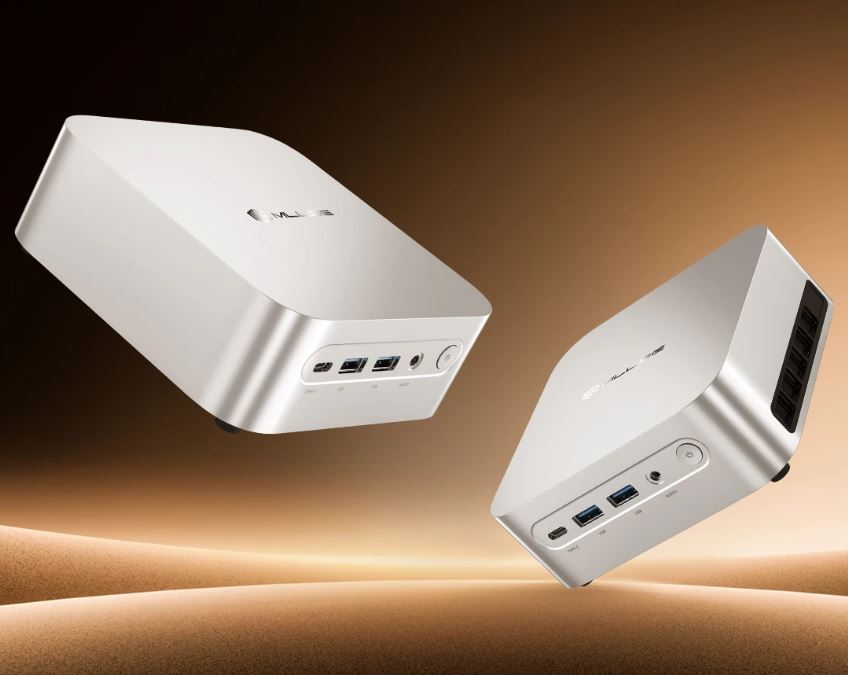
The MLLSE G10 offers one of the most interesting configurations for advanced work: Ryzen 7 H 255 processor, 24 GB of DDR5 RAM, 1 TB SSD and USB4 connectivity.
Main specifications
-
Processor: AMD Ryzen 7 H 255
-
RAM Memory: 24 GB DDR5
-
Storage: 1 TB NVMe SSD
-
Graphics: AMD Radeon 780M
-
Connectivity: Wi-Fi 6 and Bluetooth 5.2
-
Ports: USB4, USB 3.0, HDMI and USB-C
-
Operating system: Windows 11 Pro
-
Estimated price: €383.46
Why is it good for work?
It's one of the most well-rounded laptops on the list for professionals. Its 24 GB of RAM are very useful if you work with Chrome, several SaaS tools, local environments, IDEs, image editors, cloud-based AI tools, and communication applications simultaneously.
USB4 is a significant advantage: it allows you to connect high-speed external storage, multi-port docks, and, depending on the system configuration, additional monitors via USB-C. The 1TB SSD also makes it more suitable for professional use than many 512GB configurations.
Purchase link: View MLLSE G10 on AliExpress
5. CHUWI AuBox Ryzen 7 8745HS
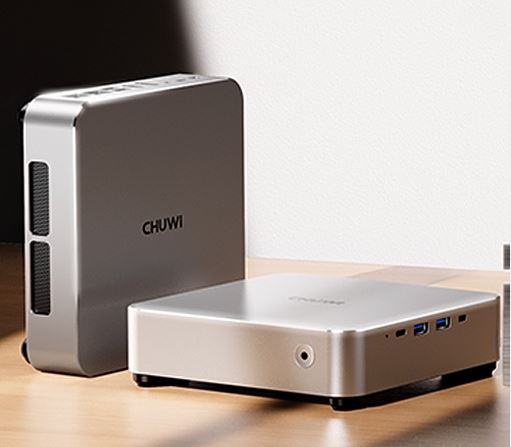
The CHUWI AuBox with Ryzen 7 8745HS is a very powerful option for professional work. Its modern platform combines eight cores, DDR5, Radeon 780M graphics, and connectivity superior to that of many similarly priced mini PCs.
Main specifications
-
Processor: AMD Ryzen 7 8745HS, 8 cores and 16 threads
-
RAM memory: 16GB or 32GB DDR5 configurations
-
Storage: 512GB or 1TB SSD
-
Graphics: AMD Radeon 780M
-
Connectivity: Wi-Fi 6 and Bluetooth 5.2
-
Ports: USB-C, HDMI, DisplayPort and M.2 expansion
-
Operating system: Windows 11 Pro, according to configuration
-
Estimated price: from €386.99
Why is it good for work?
The Ryzen 7 8745HS has enough power for development, intensive multitasking, light video editing, web design, automation, lightweight virtual machines, and everyday work with multiple monitors. The Radeon 780M also represents an improvement over the previous generation's Radeon 680M.
This mini PC makes sense for users who want a complete, ready-to-use system without having to buy RAM or an SSD separately. For professional use, the 32GB RAM and 1TB SSD configuration would be the most recommended.
Purchase link: View full CHUWI AuBox
4. FIREBAT F1 P Ryzen 7 H 255
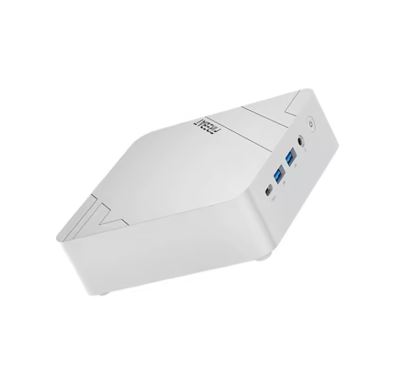
The FIREBAT F1 P is one of the mini PCs with the best balance of power, connectivity, and price. It uses the Ryzen 7 H 255 processor, includes DDR5 memory, and adds USB4, a particularly valuable feature in a productivity machine.
Main specifications
-
Processor: AMD Ryzen 7 H 255
-
RAM: 16 GB or 24 GB LPDDR5 at 5600 MHz
-
Storage: 512GB or 1TB SSD
-
Graphics: AMD Radeon 780M
-
Connectivity: Wi-Fi 6 and Bluetooth 5.2
-
Ports: USB4, HDMI, USB-A and USB-C
-
Operating system: Windows 11 Pro
-
Indicative price: from €345.65
Why is it good for work?
The FIREBAT F1 P is ideal for those who want modern performance without spending over €500. Its octa-core processor is suitable for demanding tasks such as programming, project management, SEO tools, analytics dashboards, image editing, occasional video editing, and intensive multitasking.
USB4 makes it easy to set up a compact yet complete desktop: compatible monitor, dock, NVMe external drives, and peripherals. The most appealing version is the one with 24GB of RAM and a 1TB SSD, as it offers a configuration better suited for several years of use.
Purchase link: View FIREBAT F1 P on AliExpress
3. GMKtec K12 Ryzen 7H 255/8745HS

The GMKtec K12 is one of the best options for advanced users who prefer to choose their own RAM and SSD modules. It's available as a barebone system, so the cheapest version doesn't include memory, storage, or an operating system.
Main specifications
-
Processor: AMD Ryzen 7 H 255 or Ryzen 7 8745HS, depending on the variant
-
RAM memory: two DDR5 slots, not included in barebone version
-
Storage: M.2 NVMe slots, not included in barebone version
-
Graphics: AMD Radeon 780M
-
Connectivity: Wi-Fi 6E and Bluetooth
-
Network: depending on the variant, high-speed Ethernet ports
-
Expansion: OCuLink for external graphics card
-
Operating system: not included in the barebone version
-
Estimated price: from €334.26
Why is it good for work?
The GMKtec K12 offers a very interesting foundation for creating a custom professional mini PC. You can install 32GB of DDR5 RAM and a 1TB or 2TB NVMe SSD, selecting higher-quality components than those typically included in some pre-configured models.
It's also an interesting option if you have specific needs: two SSDs, large local projects, virtual machines, development environments, test databases, or a future eGPU via OCULink. For a technical user, it might be a better buy than a closed-source model.
Purchase link:
View GMKtec K12 on AliExpress
View GMKtec K12 on Amazon
2. CHUWI AuBox Barebone Ryzen 7 8745HS
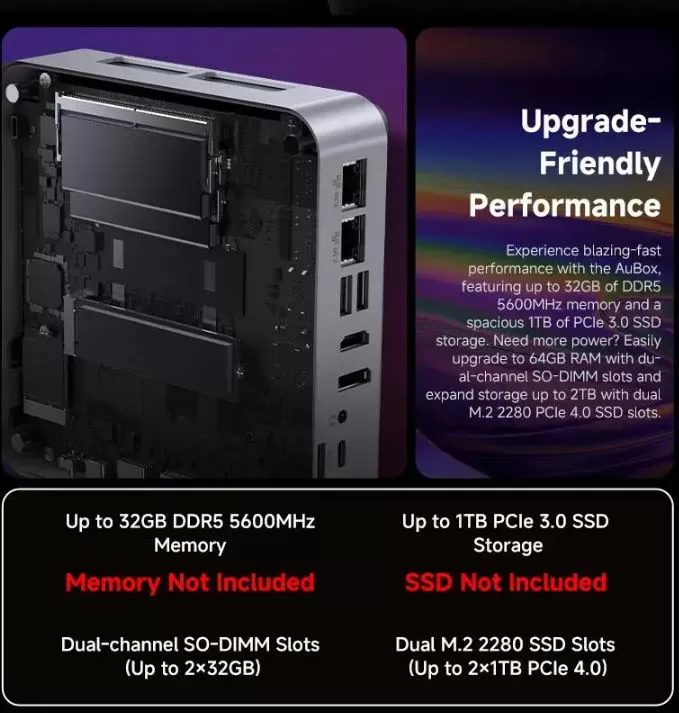
The CHUWI AuBox barebone is probably the most attractive option for users who want to build a powerful mini PC for under €500. Its base price is very low for a platform with a Ryzen 7 8745HS and OCuLink.
Main specifications
-
Processor: AMD Ryzen 7 8745HS, 8 cores and 16 threads
-
RAM: Expandable DDR5 memory, not included
-
Storage: M.2 NVMe SSD, not included
-
Graphics: AMD Radeon 780M
-
Connectivity: Wi-Fi 6 and Bluetooth 5.2
-
Expansion: OCuLink
-
Ports: HDMI, DisplayPort, USB-C and USB-A
-
Operating system: not included
-
Indicative price: from €223.61
Why is it good for work?
This setup allows you to dedicate your budget to the components that truly matter. For example, by adding 32 GB of DDR5 RAM and a 1 TB NVMe SSD, you can create a compact workstation for well under €500.
The Ryzen 7 8745HS offers power for programming, Docker, development tools, lightweight virtualization, photo editing, complex spreadsheets, intensive web browsing, and multi-monitor setups. OCuLink adds a rare advantage at this price: the ability to install an external graphics card in the future if your work evolves toward rendering, local AI, or more demanding video editing.
Purchase link:
CHUWI AuBox Barebone on AliExpress
CHUWI AuBox Barebone on Amazon
1. MINISFORUM AI X1 Ryzen 7 255
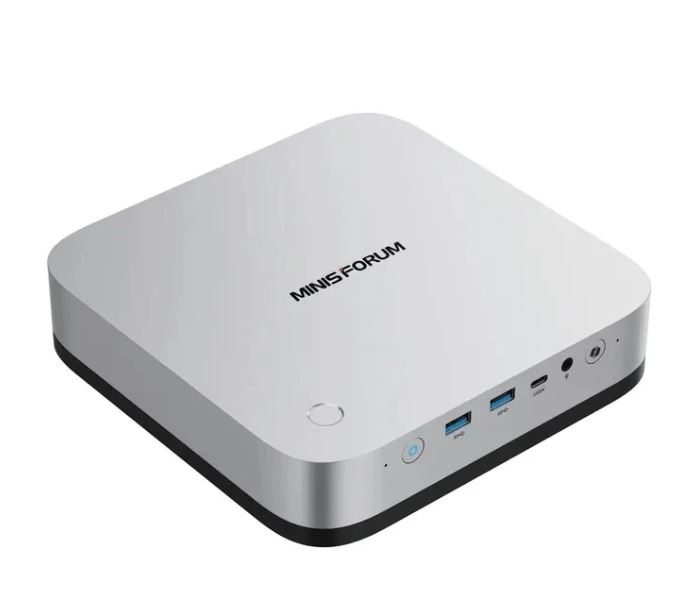
The MINISFORUM AI X1 is the best mini PC on this list for most users who want to buy a complete system and start working immediately. It combines ample memory, a large SSD, modern connectivity, and a platform ready for expansion.
Main specifications
-
Processor: AMD Ryzen 7 255
-
RAM Memory: 32 GB DDR5
-
Storage: 1 TB NVMe SSD
-
Graphics: AMD Radeon 780M
-
Connectivity: Wi-Fi 7 and Bluetooth
-
Video: DisplayPort 2.0 and multi-monitor outputs
-
Expansion: OCuLink for eGPU
-
Operating system: depends on configuration and vendor
-
Estimated price: €458.69
Why is it the best to work with?
Its 32GB of DDR5 RAM and 1TB SSD are the key difference. It doesn't require an immediate upgrade and allows you to work comfortably with large projects, browsers with many tabs, analysis tools, IDEs, Docker environments, design programs, local databases, and editing applications.
Furthermore, Wi-Fi 7, DisplayPort 2.0, and OCULink make it a device ideally suited for years of use. It can function as a powerful office computer, a lightweight home server, a development machine, or a compact content creation workstation.
Purchase link: MINISFORUM AI X1
Which mini PC to choose
-
Best complete mini PC: MINISFORUM AI X1, for its 32 GB DDR5, 1 TB SSD, Wi-Fi 7 and OCuLink.
-
Best mini barebone PC: CHUWI AuBox barebone, thanks to its Ryzen 7 8745HS and very low starting price.
-
Best value for money ready to use: FIREBAT F1 P in Ryzen 7 H 255 version with 24 GB of RAM and 1 TB SSD.
-
Best for development and expansion: GMKtec K12, thanks to DDR5, M.2 slots and OCuLink.
-
Best budget option: CHUWI UBox Ryzen 5 6600H, suitable for teleworking, office work and general productivity.