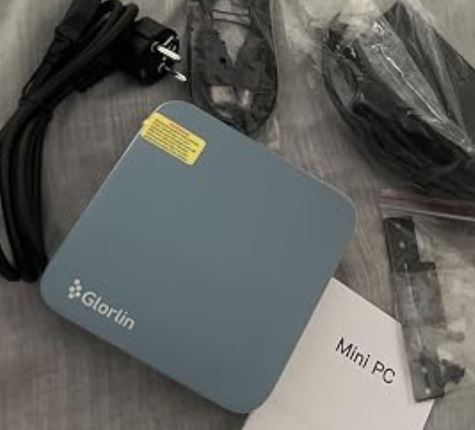
The ACEMAGIC K1 with Ryzen 5 7430U is a surprisingly capable machine for its price.
It performs more than adequately for office work, multimedia and household tasks, and can even handle light gaming with adjustments.
Its Achilles' heel is the single-channel RAM and the SATA SSD, which limit the chip's potential performance.
With minor optional upgrades, it becomes a hard buy to beat for under €300.
-
WiFi 6 / 6E (depending on the unit) with near-wired speeds
-
Triple 4K output (HDMI + DP + USB-C)
-
Very low standby power consumption (~6W)
-
Windows 11 Pro included and with an active license
-
Compact design (12×12×4 cm) with VESA mount
-
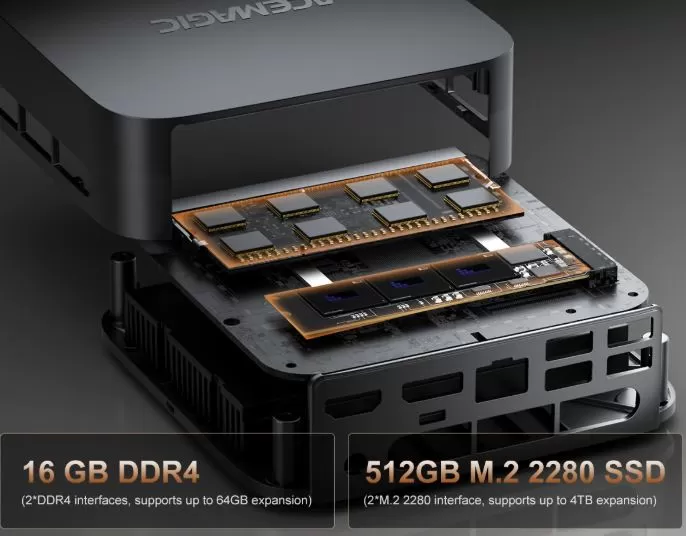
RAM and SSD easily expandable
📋 Technical Specifications
| Feature | Detail |
|---|---|
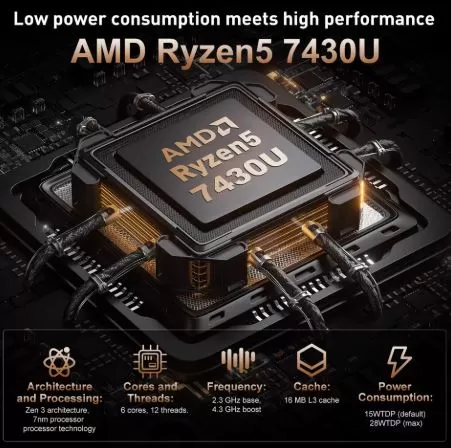
| CPU | AMD Ryzen 5 7430U (6C/12T, up to 4.3 GHz, Zen 3) |
| Integrated GPU | AMD Radeon RX Vega 7 (1800 MHz) |
| RAM | 16 GB DDR4-3200 (single channel, expandable to 64 GB) |
| Storage | 512 GB M.2 2280 SATA SSD (2 slots available) |
| Operating system | Windows 11 Pro (pre-installed) |
| Wi-Fi connectivity | WiFi 6 / 6E (MediaTek MT7902 depending on the unit) |
| Bluetooth | 5.2 |
| Ethernet | Gigabit RJ45 (1000 Mbps) |
| Video outputs | HDMI 2.0 + DP 1.4b + USB-C 3.2 Gen2 (triple 4K@60Hz) |
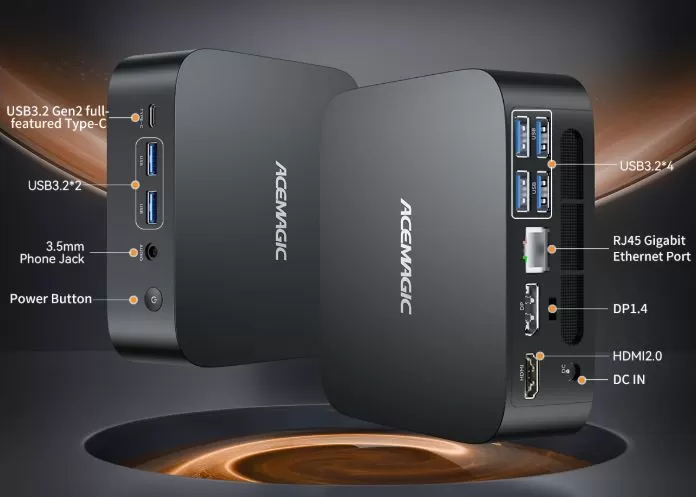
| USB ports | 2× USB-A 3.2 Gen2 (10 Gbps) + 4× USB-A 3.2 Gen1 (5 Gbps) + 1× USB-C |
| Audio | 3.5mm combo jack |
| Dimensions | 128.2 × 128.2 × 41 mm |
| Power supply | 19V / 6.3A (DC 5.5×2.1 mm) |
| Approx. weight | ~500 g |
🎨 Design and Construction Quality
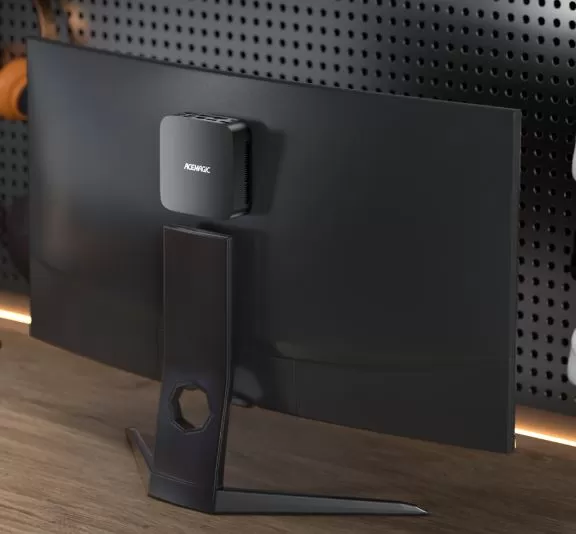
The K1 features a matte black finish with side ventilation holes. It feels solid in hand, with good-quality plastic for its price range. Its dimensions of just 12×12×4 cm allow it to be placed behind the monitor thanks to the included VESA mount, completely freeing up desk space.
The front panel includes two USB-A ports, one USB-C port, an audio jack, and a power button with LED indicator. The rear panel features HDMI, DisplayPort, Ethernet, four additional USB-A ports, and the power input. The layout is practical and well-designed for everyday use with multiple peripherals.
🖥️ Screen and Multimedia
The K1 supports up to three simultaneous monitors at 4K@60Hz resolution : one via HDMI 2.0, another via DisplayPort 1.4, and a third via USB-C 3.2. It's an ideal setup for traders, editors, or remote workers who need screen space without spending money on an expensive workstation.
4K video playback is smooth and seamless, even when streaming. The integrated audio system via the 3.5mm jack is adequate but unremarkable; for a serious multimedia experience, connecting external speakers or quality headphones is recommended.
⚙️ Performance and Software
The AMD Ryzen 5 7430U is technically a rebranded Ryzen 5 5600U (Zen 3 architecture), ensuring a solid and mature foundation. In Cinebench 2024, it outperforms the Intel Core i7-1280P in single-core testing, which is remarkable for its price. However, the single-channel RAM limits the integrated GPU by up to 68% in graphics tests compared to a dual-channel configuration.
For everyday use (office applications, browsing, video conferencing, photo editing in GIMP), performance is excellent and seamless. In video editing with Camtasia at 1080p/60fps, it finishes renders slightly faster than a mid-range laptop. In gaming , games like Fortnite, Borderlands 3, or League of Legends are playable with settings reduced to 1080p.
Windows 11 Pro comes activated and without excessive bloatware . It was detected that in some tests the system applies updates in the background during benchmarks, which may slightly affect the results.
🔋 Electricity Consumption
The K1 shines particularly in energy efficiency:
-
🟢 Standby: ~6W (virtually silent)
-
🟡 Average load: ~35W (stabilized)
-
🔴 Peak power: ~47W (initial boost of a few seconds)
For the full Cinebench test, it consumed a mere 9 Wh , which translates into a ridiculously low annual electricity cost compared to a conventional desktop PC. It is perfectly suitable as a 24/7 home server or a continuously connected PC.
🔌 Connectivity and Extras
The K1 offers very comprehensive connectivity for its class:
-
WiFi 6 / 6E (MediaTek MT7902): in transfer tests it reached 103 MB/s download (824 Mbps), almost at the level of the Ethernet cable
-
Bluetooth 5.2
-
Gigabit Ethernet (RJ45, 10/100/1000 Mbps)
-
7 USB ports in total (including USB-C 3.2 Gen2 at 10 Gbps)
-
Triple 4K output (HDMI + DP + USB-C)
-
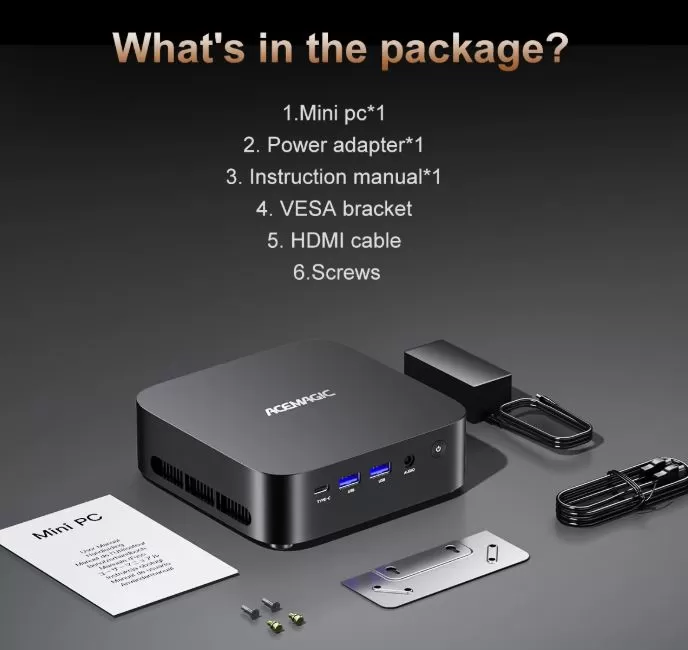
VESA mount included in box
-
Auto power-on (turns on automatically when power is restored)
❌ Does not include a fingerprint reader, NFC, 5G connectivity, IP certification, or USB4/Thunderbolt.
💬 Reviews on Well-Known Pages
User and reviewer opinions are mostly positive, with particular emphasis on the value for money:
📰 The Gadgeteer (review with an actual test unit): "For a PC under $300, I was very impressed. It ran everything I needed and even handled games I wouldn't consider light ." They also highlighted the ease of upgrading the RAM and SSD, with the only unit available being suitable for the reviewer's daughter as her main PC.
📰 Michael's Tinkerings (comprehensive technical analysis): He called the K1's WiFi 6E "a game-changer in this price segment ," noting that for small businesses, high-speed wireless connectivity eliminates the need for costly Ethernet cabling. The main shortcomings pointed out are the SATA SSD and single-channel RAM, with an explicit recommendation to upgrade both.
📰 Edy Werder (homelab/home server): Reported a maximum noise level of 42 dB under load, power consumption of "tens of watts," and recommended it for homelabs, light server tasks, and daily productivity. He criticized the scant BIOS and driver documentation on the official website.
🛒 Amazon (verified buyers):
-
"Excellent small computer with plenty of RAM. The price was fair and I use it for everyday tasks. "
-
"This thing is fast, has plenty of ports, and the out-of-the-box 3-monitor support is perfect for the price ."
-
"Good mini PC for the price. Very small footprint and very quiet ."
-
"I've run computationally intensive tasks on it and it outperforms my i7 desktop ."
📹 YouTube (AJ Science & Tech): Conducted gaming, 4K playback, and productivity tests. Conclusion: "Can such a small and affordable computer handle your favorite games, 4K streaming, and everyday tasks? Yes, and it goes beyond the specifications . "
🧪 Technical Tests
Benchmarks gathered from multiple independent sources provide a very clear picture of real-world performance:
🔵 CPU — Cinebench 2024
-
Single-core: beats the Intel Core i7-1280P
-
Multi-core: limited to a 15W TDP; stabilizes at ~3.25 GHz under sustained load
-
Maximum recorded temperature: 85°C (factory thermal limit)
🔵 GPU — GFXBench Aztec DX12 (1080p)
-
Single channel: 46.1 fps
-
Dual channel (RAM upgrade): 77.26 fps (+68%)
🔵 GPU — Unigine Heaven (Basic Preset)
-
Single channel: 37.3 fps
-
Dual channel: 62.4 fps (+67%)
🔵 Storage — CrystalDiskMark
-
Netac 512GB M.2 SATA SSD: typical slow performance for SATA; NVMe PCIe 4.0 replacement recommended.
🔵 Passmark (diskless)
-
Single channel: ~4,404 pts
-
Dual channel: ~5,397 pts (+23%) — outperforms equivalent Intel N150s by 35%
🔵 WiFi 6E — File transfer (direct line of sight)
-
Ping: 2–3 ms
-
Download from NAS: up to 103 MB/s (824 Mbps)
-
iperf3: up to 870 Mbps
🔵 Geekbench 6: CPU score in the high range for Zen 3 APUs
🔵 Real Gaming (1080p with reduced settings):
-
Fortnite: playable after configuration adjustment
-
Borderlands 3: Playable with slight initial stutters
-
Lightweight/indie games and retro emulation: no problems
🏁 Final Conclusion
The ACEMAGIC K1 Ryzen 5 7430U is ideal for:
-
🏢 Offices and remote workers looking for triple monitor setups without spending a lot
-
🎓 Students and educational use
-
🏠 Home multimedia center with 4K support
-
🖨️ Dedicated workstation for 3D printers, thin servers, or Plex
-
💰 Anyone who wants a complete PC for less than €250
Is it worth it? Absolutely for everyday use. If you plan to push the GPU to its limits, add a second stick of DDR4 RAM (the 68% improvement in graphics more than justifies it). Swapping the SATA SSD for an NVMe drive transforms it into a completely different machine.
Alternatives to consider:
-
Beelink SER5 Pro (Ryzen 5 5600H): More gaming power, slightly more expensive
-
Kamrui E3B (Intel N-series): quieter, less powerful, ~$279
-
ACEMAGIC K1 Ryzen 7 5700U : same platform, 8 cores, ideal if you need more multitasking.
🛒 Where to buy it?
Get the best price at these trusted stores:
-
🔴 AliExpress → ACEMAGIC K1 Mini PC on AliExpress
-
🔵 ACEMAGIC Official Website