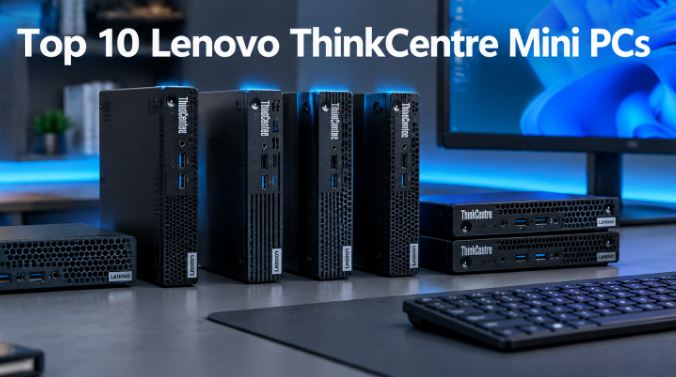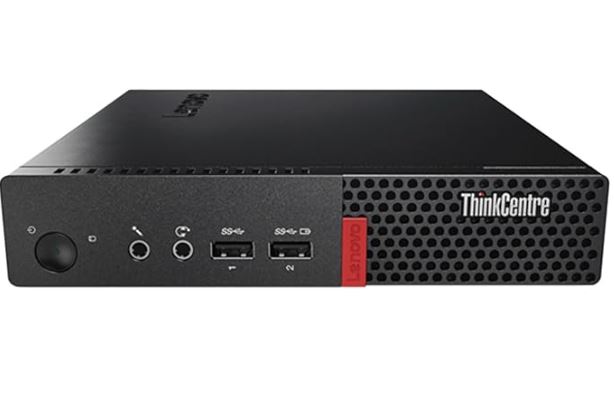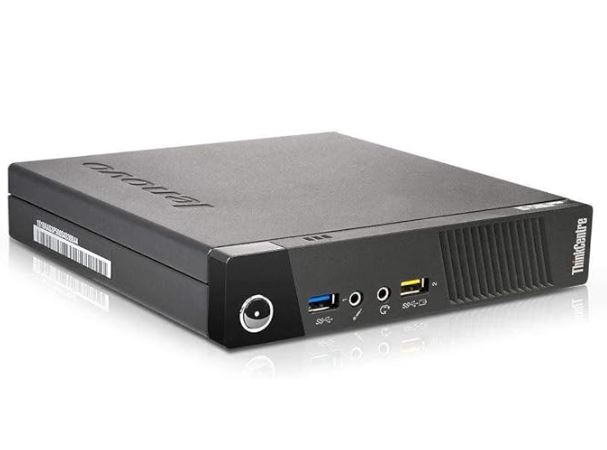
The Lenovo ThinkCentre M93p Tiny is undoubtedly one of the strongest options in the market for refurbished mini PCs under €200.
For €158.50 you get a business-grade, quiet, efficient and fully functional construction equipment for office work, education or even retro emulation.
✅ Pros:
-
Enterprise-level ThinkCentre construction quality
-
16GB DDR3 RAM + 512GB SSD: Excellent value for money
-
Ultra-low power consumption (~10-15W at rest)
-
Quiet in everyday tasks
-
Windows 10 Pro pre-installed and configured
❌ Cons:
-
Older generation processor (4th gen, 2013), no official support for Windows 11
-
No native HDMI output (requires DisplayPort to HDMI adapter)
-
DDR3 RAM not expandable beyond 16 GB
-
Wi-Fi 802.11 b/g/n (2.4 GHz) only, no 5 GHz band
🏁 Quick conclusion: For office work, browsing, light remote work, or as a home server, this mini PC is a smart buy. It's not for modern gaming or 4K video editing, but for everything else, it performs more than adequately.
🛒 Search Lenovo ThinkCentre M93p Tiny
📦 Unboxing and Box Contents
As it is a refurbished unit prepared by it-Versand-Com, the box contains the essentials:
-
🖥️ Lenovo ThinkCentre M93p Tiny Mini PC
-
🔌 Power cable (E/F type plug for Europe)
-
📄 Basic documentation of the reconditioner
Keyboard, mouse, and monitor are not included. The computer comes with Windows 10 Pro 64-bit pre-installed and configured, ready to use from the first boot. The visual condition is described as "good"—there may be minor surface scratches typical of previous office use, but no functional defects.
🔧 Technical Specifications Table
| Feature | Detail |
|---|---|
| Processor | Intel Core i5-4570T (2 cores, 4 threads, up to 3.6 GHz Turbo) |
| CPU Architecture | Haswell, 4th Generation (22nm) |
| RAM | 16 GB DDR3 SDRAM (maximum supported) |
| Storage | 512 GB SSD (SATA interface) |
| Graphics | Intel HD Graphics 4600 (integrated) |
| Operating System | Windows 10 Pro 64-bit (MAR) |
| Connectivity | Wi-Fi 802.11 b/g/n (2.4 GHz), Ethernet RJ-45 |
| Video ports | 2x DisplayPort + 1x VGA |
| USB | 5x USB 3.0 |
| Audio | 3.5mm combo jack (headphones/microphone) |
| Dimensions | 18.2 × 17.9 × 3.4 cm (~1 liter volume) |
| Consumption | ~10-15W standby, ~45W maximum load |
| Color | Black/Anthracite |
| Approx. weight | ~1.4 kg |
| Warranty | According to refurbisher (usually 12 months) |
🎨 Design and Construction Quality
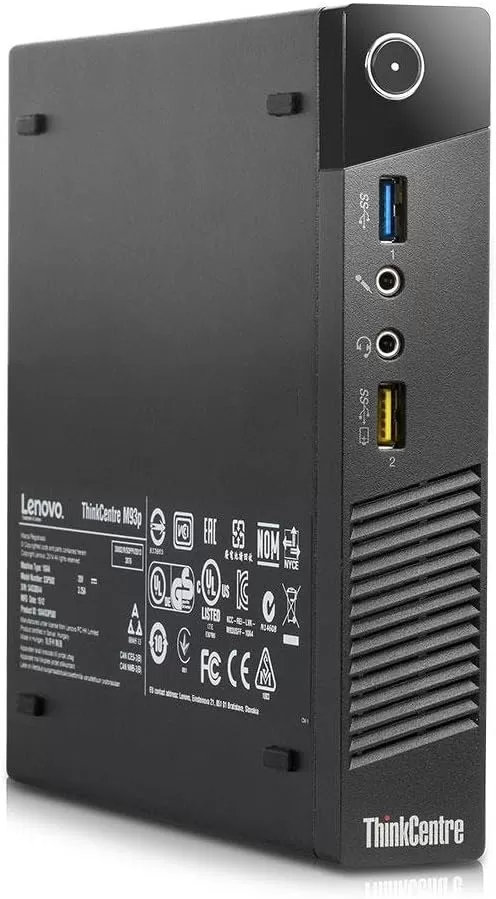
The ThinkCentre M93p Tiny measures just 18 × 18 × 3.4 cm and fits perfectly behind a monitor, in a desk drawer, or under a television. The casing is made of high-density ABS plastic with a matte black/anthracite finish—the typical understated, no-frills ThinkCentre design intended for professional environments.
The build quality is several steps above similarly priced Chinese mini PCs. The seams are precise, the hinges are firm, and the fan is barely audible during normal use. The "tiny" form factor occupies approximately 1 liter of volume, placing it in the same compact category as a Mac mini, but at a fraction of the price.
🖥️ Screen and Multimedia
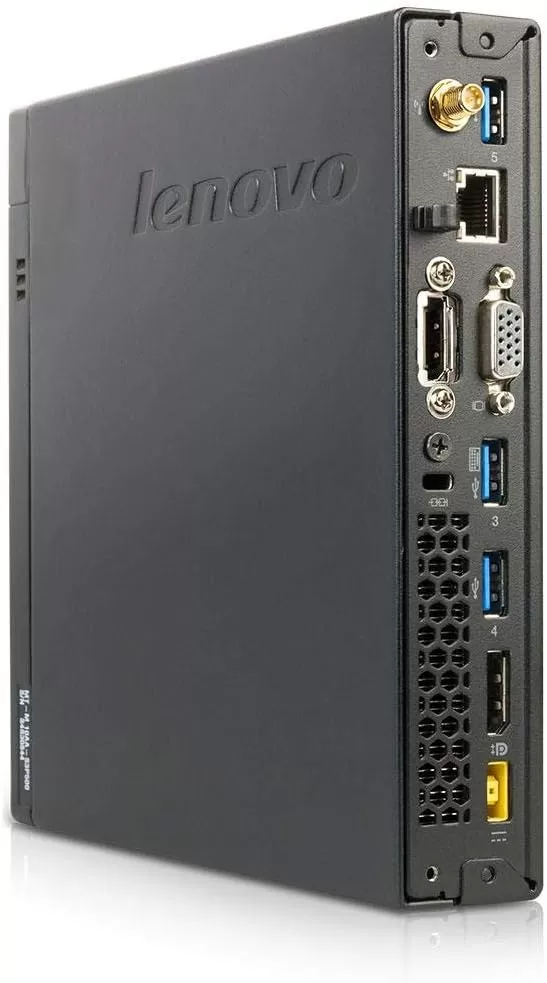
It features two DisplayPort outputs and one VGA output, allowing you to connect up to two or three monitors simultaneously—excellent for productivity. To use a standard HDMI monitor, you'll need a DisplayPort to HDMI adapter (available from €5-8 on Amazon).
🔊 Regarding audio, it includes a 3.5mm jack for headphones or external speakers. It does not have built-in speakers. The Intel HD Graphics 4600 card can also transmit digital audio via DisplayPort if your monitor supports it.
⚙️ Performance and Software
The Intel Core i5-4570T operates at a base clock speed of 2.9 GHz with Turbo Boost up to 3.6 GHz, boasting a TDP of just 35W. This dual-core processor with Hyper-Threading (4 threads) remains perfectly capable in 2025 for office tasks, multi-tab browsing, Zoom/Teams video calls, and document management. With 16 GB of RAM and a 512 GB SSD, the storage bottleneck—the biggest problem with these systems that use mechanical hard drives—is completely eliminated.
In Cinebench R15, this processor scores around 298 points, and in 3DMark Cloud Gate it reaches approximately 5,700 points. It's not a powerhouse, but for its price and energy consumption, the performance-to-price ratio is hard to beat.
Windows 10 Pro MAR (Microsoft Authorized Refurbisher) is a legitimate, activated license. The system comes clean, without any bloatware added by the original manufacturer. Keep in mind that Windows 10 will reach its end of life in October 2025 —you can continue using it, but you should consider upgrading to Windows 11 (although the hardware doesn't pass the official compatibility test, there are ways to install it).
🔌 Energy Consumption and Cables
One of the most outstanding features of this equipment is its energy efficiency:
-
🟢 At rest: ~10-13 W
-
🟡 Normal office use: ~20-30 W
-
🔴 Maximum load (CPU at 100%): ~45 W
For comparison, a standard desktop PC consumes between 100-300W. In practical terms, if you use this mini PC for 8 hours a day for a year, the approximate electricity cost is ~€10-15/year (at €0.18/kWh). That's a huge difference compared to conventional computers.
The included power cable is a standard E/F type (European 2-pin round plug), perfectly compatible in Spain. The power adapter is external and compact.
🌡️ Temperature and Noise (Actual Thermal)
The cooling system is air-cooled with a low-speed fan and a copper heatsink. During normal office use (browsing, documents, email), the fan is virtually inaudible. Only under sustained load (code compilation, video transcoding) is a slight hum noticeable.
CPU temperatures at idle hover around 35-45°C and under maximum load do not exceed 75-80°C, thanks to the processor's 35W TDP and Lenovo's excellent thermal design. No thermal throttling issues have been reported under normal use. The refurbished unit has been internally cleaned, further improving heat dissipation.
🔗 Connectivity and Extras
| Port/Function | Availability |
|---|---|
| USB 3.0 | ✅ 5 ports |
| DisplayPort | ✅ 2 ports |
| VGA | ✅ 1 port |
| Native HDMI | ❌ (requires DP→HDMI adapter) |
| Gigabit Ethernet RJ-45 | ✅ |
| Wi-Fi | ✅ 802.11 b/g/n (2.4 GHz only) |
| Bluetooth | ⚠️ It depends on the exact model |
| 3.5mm audio jack | ✅ |
| Card reader | ❌ |
| USB-C / Thunderbolt | ❌ |
| NFC / 5G | ❌ |
| Fingerprint reader | ❌ |
| IP Certification (dust/water) | ❌ Not applicable |
⚠️ Important note: The seller's listing mentions "3 HDMI ports" — this is inaccurate. The M93p Tiny has 2 DisplayPort and 1 VGA. With DisplayPort to HDMI adapters, you can get up to 3 video outputs.
🔧 Expansion and Upgrades
One of the great advantages of ThinkCentre PCs over Chinese mini PCs is their documented expandability:
-
RAM: It already comes with the system's maximum of 16 GB (2 x 8 GB SO-DIMM DDR3). Further expansion is not possible.
-
SSD: The 512GB drive can be replaced with a larger one (up to 2TB in 2.5" SATA or M.2 SATA format, depending on the model revision). The change is simple: just open the casing.
-
Second drive: It has space for a 2.5" SATA drive (where the main drive is usually located). Most revisions do not include an additional M.2 NVMe slot.
-
CPU: It is possible to upgrade the processor. The most popular upgrades are the i7-4765T (4 cores) or the i7-4785T, and with a 90W power supply, even the i7-4750HQ with Intel Iris Pro 5200 (graphics almost twice as powerful).
-
Wi-Fi: The Mini PCIe card can be replaced with a more modern 5 GHz band Wi-Fi module or even a compatible Wi-Fi 6 module.
🆚 Comparison with Direct Competitors
| Model | Approx. price | CPU | RAM | Storage | Wi-Fi | Windows |
|---|---|---|---|---|---|---|
| Lenovo M93p Tiny (east) | €158.50 | i5-4570T (2C/4T) | 16 GB DDR3 | 512 GB SSD | 2.4 GHz | 10 Pro |
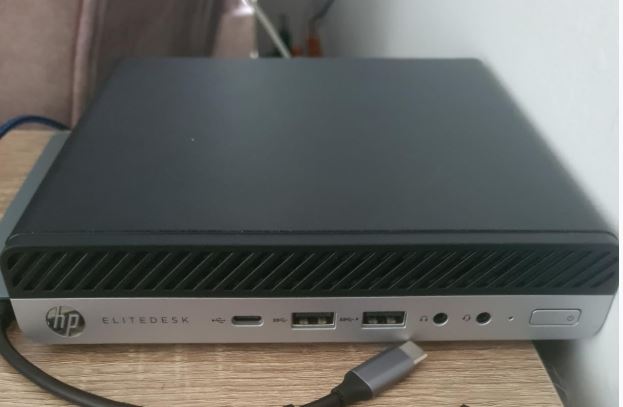
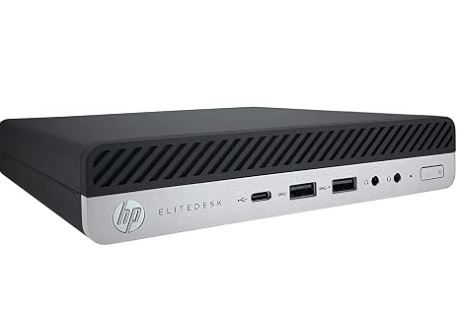
| HP EliteDesk 800 G1 Mini | ~150-170 € | i5-4570T / i7 | 8-16 GB DDR3 | SSD 256-512 GB | It varies | 10 Pro |
| Dell OptiPlex 3020 Micro | ~140-160 € | i5-4590T | 8-16 GB DDR3 | 256 GB SSD | Optional | 10 Pro |
| Intel NUC i5 (Haswell) | ~180-220 € | i5-4250U | 8-16 GB DDR3 | SSD 120-240 GB | Dual band | 10 Pro |
| Beelink Mini S12 Pro (new) | ~180-200 € | Intel N100 | 16 GB LPDDR5 | 500 GB SSD | Wi-Fi 6 | 11 Home |
💡 If 5 GHz Wi-Fi or Windows 11 compatibility are priorities for you, the Beelink Mini S12 Pro or similar with Intel N100 may be an alternative to consider, although without the robust, enterprise-grade build quality of the ThinkCentre.
💬 Reviews on Well-Known Pages
The Lenovo ThinkCentre M93p Tiny receives consistently positive reviews in forums and specialized stores:
-
🏆 PCMag awarded it the Editors' Choice distinction for business PCs, highlighting its compact size, multi-monitor support, and business versatility. The verdict was: "It can easily withstand the 3-5 year lifespan of a business PC. "
-
⭐ Newegg has accumulated user reviews emphasizing the good performance of the 4th generation i5 and the reliability of the equipment, although they point out the lack of native HDMI as a practical drawback.
-
💬 Reddit r/selfhosted users use it as a lightweight home server/NAS, highlighting the 10-13W idle power consumption and quiet acoustics.
-
🎮 JamesFMackenzie.com published a review dedicated to its use as a retro emulation PC, concluding that it is "hard to find better performance for ~$100 in this format", with perfect support up to GameCube/Dreamcast.
-
🔧 r/pcmasterrace documented one of the most extreme upgrades of the M93p, with improvements of up to 95% in Cinebench after changing the CPU.
🧪 Technical Tests
The actual benchmarks recorded for the i5-4570T in the M93p Tiny are as follows:
| Proof | Result |
|---|---|
| Cinebench R15 | ~298 points (multi-core) |
| Cinebench R20 | ~655 points |
| 3DMark Cloud Gate | ~5,717 points |
| 3DMark Sky Diver | ~3,025 points |
| 3DMark Ice Storm Extreme | ~36,999 points |
| PCMark 7 | ~2,789 points |
| Handbrake (video transcoding) | ~1:02 min (vs i7 in 0:35 min) |
| Adobe Photoshop CS6 | ~4:53 min |
Practical interpretation:
-
✅ Web browsing with 20+ tabs: smooth
-
✅ Office/LibreOffice, email, PDF: seamless
-
✅ Zoom/Teams HD video calls: working correctly
-
✅ Video playback up to 4K (H.264): functional
-
⚠️ 1080p video editing: possible, but slow
-
❌ Modern AAA Gaming: Not recommended
-
❌ Real-time 4K HEVC transcoding: insufficient
🎮 Gaming and Emulation
The M93p Tiny isn't the right machine for modern gaming. However, it shines as a retro emulation PC .
| Platform | Experience |
|---|---|
| NES, SNES, Mega Drive | 🟢 Perfect — full speed with filters |
| PlayStation 1, PSP | 🟢 Perfect — with resolution improvements |
| Dreamcast | 🟢 Perfect — with Redream emulator at 720p |
| GameCube / Wii | 🟡 Very good — smooth native resolution |
| Saturn | 🟡 Good — perfect in 2D, just okay in 3D |
| PlayStation 2 | 🟠 Acceptable — simple games run well, heavy games run at 70-80%. |
| PlayStation 3 / Wii U | 🔴 Not recommended |
For light PC gaming (indie games, 2D strategy games, titles up to approximately 2012) the performance is acceptable thanks to the Intel HD Graphics 4600. The recommended gaming resolution is 1080p.
❓ Frequently Asked Questions (FAQ)
Can it be upgraded to Windows 11?
Officially, it doesn't pass Microsoft's compatibility test (TPM 2.0 and CPU generation). However, tools like Rufus or Registry Bypass allow for installation. Long-term update support is not guaranteed.
Does it come with a genuine Windows license?
Yes. Windows 10 Pro MAR is a legitimate license issued by a Microsoft Authorized Refurbisher (MAR = Microsoft Authorized Refurbisher).
Can I connect it to my TV with HDMI?
Yes, but you'll need a DisplayPort to HDMI adapter (active or passive, depending on the resolution). You can find them on Amazon starting at €6.
Is it quiet?
In normal office use it's practically inaudible. Only under sustained load can you hear the fan slightly.
Does it support more than one monitor?
Yes, up to two simultaneous monitors using the two DisplayPort outputs (or VGA + DisplayPort). With adapters and a DisplayPort hub, it's possible to connect up to three monitors.
Does it have Bluetooth?
It depends on the specific model. Some M93p Tiny tablets include a Bluetooth 4.0 module, others don't. Check the seller's listing or verify with them before purchasing.
What SSD does it come with?
The ad says a 512GB SATA SSD. The brand isn't specified, but refurbishers usually use verified drives (Kingston, WD, Crucial, or similar).
🏁 Final Conclusion
The Lenovo ThinkCentre M93p Tiny, priced at €158.50, is an excellent purchase for specific users. Whether you're using it for office work, education, remote work, a home server, or even retro emulation, you'll get a reliable, quiet, energy-efficient machine with enterprise-grade build quality that many similarly priced Chinese mini PCs can't match.
🎯 Who is it ideal for?
-
👨💼 Self-employed workers and teleworkers
-
🏢 Small businesses and offices
-
🎓 Students and educational use at home
-
🏠 Home server or media center
-
🎮 Retro emulation enthusiasts
-
🌱 Users concerned about energy consumption
⚠️ This is not for you if you need:
-
Modern gaming or demanding graphic design
-
High-performance, unmodified 5 GHz Wi-Fi
-
Guaranteed compatibility with Windows 11
Possible alternatives: Dell OptiPlex 3020 Micro (similar price), HP EliteDesk 800 G1 Mini (similar range) or Beelink Mini S12 Pro if you prefer new hardware with Intel N100.
🛒 Where to buy it?
💡 Always check the condition of the refurbished item, the warranty offered, and the seller's ratings before buying.
🛒 Amazon:
🛒 Search Lenovo ThinkCentre M93p Tiny