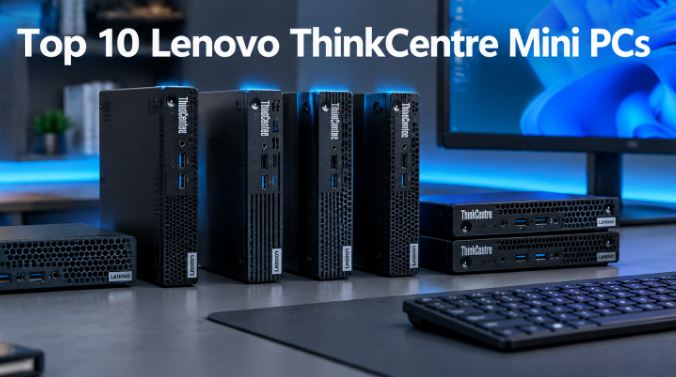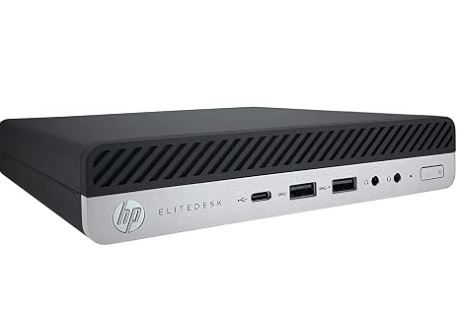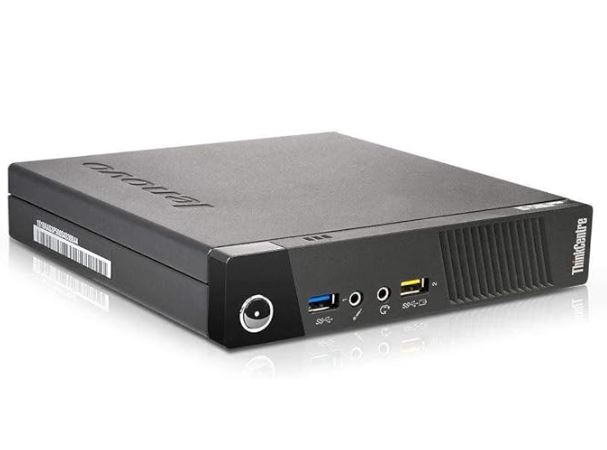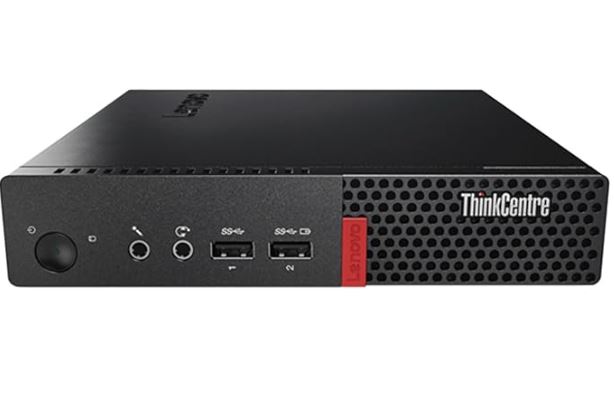
The Lenovo ThinkCentre M910q Tiny is a refurbished mini office PC that prioritizes efficiency and silence over raw power.
With its low-power Intel Core i5-6400T, 8GB of DDR4 RAM and 240GB SSD, it's more than adequate for office tasks, browsing, and remote work, but falls short for heavy video editing or demanding gaming.
✅ Pros:
-
Ultra-compact size (less than 1 liter volume)
-
Lenovo enterprise-grade rugged metal chassis
-
Very low energy consumption (TDP of 35W)
-
Windows 11 Pro activated included
-
Very competitive price for a refurbished unit
❌ Cons:
-
CPU from 2015 (Skylake), already limited for modern workloads
-
No built-in Wi-Fi (Ethernet only)
-
The 240GB SSD is just enough for everyday use
-
Without Hyper-Threading (only 4 threads)
It 's a smart buy if you're looking for a quiet, reliable, and inexpensive office PC for light tasks, but it's not the right choice if you want to play games or edit multimedia content.
👉 Amazon: 🛒 Lenovo ThinkCentre M910q Tiny
📦 Unboxing and Box Contents
As this is a professionally refurbished unit (inspected, tested, and cleaned by Amazon-certified suppliers), the box arrives plain, without the original Lenovo retail packaging. Inside you'll find:
-
The ThinkCentre M910q Tiny mini PC
-
External power supply (original or compatible, 65W)
-
Power cable
-
No keyboard or mouse included in this configuration
The complete package weighs 1.78 kg and measures 30.4 x 25.3 x 8.7 cm, a reasonable shipping size for equipment of this type.
🧾 Key Technical Specifications
| Component | Specification |
|---|---|
| Processor | Intel Core i5-6400T (4 cores / 4 threads, 2.20GHz–2.80GHz turbo, 6MB cache, TDP 35W) |
| Graphics | Intel HD Graphics 530 (shared memory) |
| RAM | 8GB DDR4 SO-DIMM (expandable up to 32GB in 2 slots) |
| Storage | SSD 240GB SATA 2.5" (1 additional free SATA III bay) |
| Operating system | Windows 11 Pro (activated COA license) |
| Front ports | 2x USB 3.1 Gen1, 1x audio/mic combo, 1x mic |
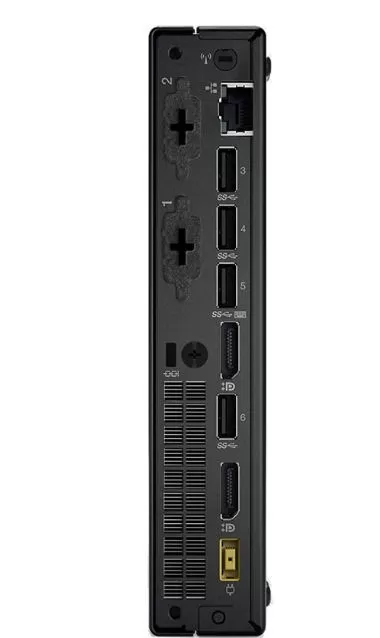
| Rear ports | 4x USB 3.1 Gen1, 2x DisplayPort (4K@60Hz), 1x RJ-45 Gigabit LAN |
| Dimensions | 17.9 x 18.3 x 3.5 cm |
| Weight | 1.32 kg |
| VESA mount | Not included in this unit |
| Price | €160.00 |
🎨 Design and Construction Quality
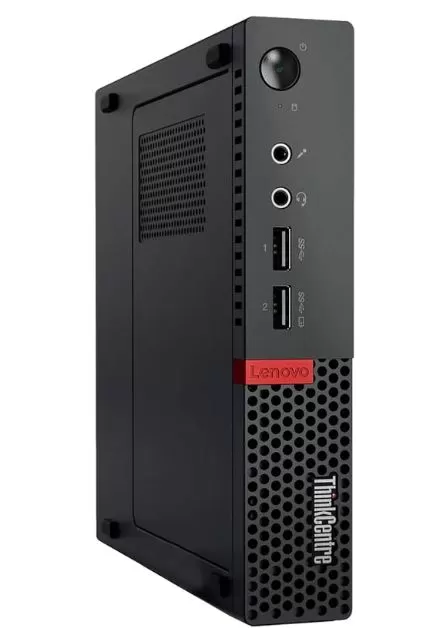
The M910q Tiny's chassis maintains the classic ThinkCentre series DNA: a reinforced plastic casing with a metal internal structure, a discreet matte black finish, and a design intended to blend seamlessly into any office desk. In hand, it feels solid, with no creaks or flex, typical of a business machine designed to last for years in corporate environments.
Its size is practically that of a thick paperback book, allowing it to be placed behind a monitor, mounted on a wall with a VESA mount (although this particular unit doesn't include one), or simply in a corner of the desk without taking up much space. The materials aren't "premium" in the style of a modern mini gaming PC, but they convey the robustness typical of Lenovo's business range.
🖥️ Screen and Multimedia
This device doesn't include its own screen (it's a mini desktop PC), but it stands out for its video output: two DisplayPort ports capable of reaching 4K resolution (4096x2304) at 60Hz. This allows you to set up a dual-monitor 4K workstation with ease, something unusual in devices at this price point.
As for audio, it has a front headphone/microphone combo output, sufficient for video calls and basic use.
⚙️ Performance and Software
The i5-6400T is a Skylake (2015) processor designed for efficiency, not power. In everyday use—browsing with multiple tabs, Office applications, video calls, email management—it performs smoothly thanks in part to the SSD, which significantly speeds up boot and application loading times compared to the original HDD configuration that came with this model.
However, lacking Hyper-Threading (4 cores, 4 threads), performance suffers in demanding multithreaded tasks such as video rendering, code compilation, or running complex virtual machines. In synthetic benchmarks, the i5-6400T scores around 420 points in Cinebench R15 multi-core, a figure that falls far short of any modern mini PC with Intel N100 or Ryzen embedded processors.
Regarding the software, it comes with Windows 11 Pro activated with a COA license, and no added bloatware since it was a clean installation during the refurbishment process. Being a 6th generation Core processor, it's advisable to verify that it continues to receive Windows 11 security updates, as Microsoft has been restricting official support for very old CPUs (although technically it still works without native TPM 2.0 via a bypass, which is common in these refurbished units).
🔌 Energy Consumption and Cables
One of the biggest draws of this mini PC is its processor's TDP of only 35W, which translates to an estimated total system power consumption of 15-30W under normal use (significantly lower than a conventional tower PC, which can consume 150-300W). The external 65W power supply is more than sufficient and prevents the system from generating fan noise, as all power conversion occurs outside the chassis.
For those looking to reduce the electricity consumption of their office setup or 24/7 streaming, this is a clear advantage over traditional desktop computers.
🌡️ Temperature and Noise (Actual Thermal)
Thanks to its low TDP of 35W and a low-speed fan and heatsink cooling system, the M910q Tiny maintains moderate temperatures even under sustained loads. In community tests with this same chassis, the CPU temperature under full load hovers around 60-70°C, without reaching aggressive throttling, thanks to the Skylake silicon itself being designed to not exceed Tjunction's 100°C limit.
In terms of noise, this is one of the strengths of Lenovo's Tiny series: the fan is virtually inaudible during office tasks, and only a slight hum is noticeable under prolonged 100% load. It's ideal for placing on a shared desk or in a meeting room without causing a disturbance.
🔗 Connectivity and Extras
-
USB: 6 USB 3.1 Gen1 ports in total (2 front + 4 rear), speed up to 5Gbps
-
Video: 2x DisplayPort with 4K@60Hz support, ideal for multi-monitor setups
-
Network: 1x RJ-45 Gigabit Ethernet (10/100/1000 Mbps)
-
Wi-Fi/Bluetooth: Not included in this specific configuration (the chassis does support an optional 802.11ac WLAN card + Bluetooth 4.0 according to the official Lenovo datasheet, but you will have to install it yourself)
-
NFC / fingerprint / IP rating: Not available; this is an office device without these biometric functions or certified water or dust resistance
If you need Wi-Fi, you can add a USB adapter or internally install the M.2 WLAN module compatible with this chassis:
🛒 Buy M.2 Wi-Fi card for mini PC on AliExpress
🛒 Buy compatible Bluetooth adapter
🔧 Expansion and Upgrades
This is one of the great strengths of the M910q Tiny: its modular design allows for easy expansions.
-
RAM: It has 2 SODIMM DDR4 slots at 2400MHz, with a maximum supported capacity of 32GB (currently it only comes with 8GB in a single module, so adding a second module also activates dual-channel mode, improving the integrated graphics performance).
🛒 Buy 16GB DDR4 SODIMM RAM on AliExpress
-
Main SSD: The 240GB SATA drive can be easily replaced with a higher capacity drive (500GB-1TB) while keeping the same 2.5" SATA III connector.
🛒 Buy 2.5" 1TB SATA SSD on AliExpress
-
Second M.2 drive: According to Lenovo's official datasheet, the M910q Tiny chassis also includes an internal M.2 slot for NVMe or Intel Optane SSDs, in addition to the 2.5" SATA bay. This means that, in theory, you could have dual storage (SATA SSD + NVMe M.2 SSD) to separate the operating system and data.
🛒 Buy 500GB M.2 NVMe SSD on AliExpress
⚠️ Important note: Before purchasing the M.2 module, please confirm with the seller whether your specific unit physically includes the populated M.2 slot, as some refurbished configurations come with the SATA/M.2 tray removed to reduce costs.
Available slots and storage expansion capacity
- M.2 NVMe Slot (Free): Features a PCIe 3.0 x4 port for installing an M.2 SSD (standard 2280 size). Although Lenovo's original technical manual from that time mentioned maximum capacities of up to 1 TB, today you can install up to 2 TB (and even 4 TB if the module is single-sided) with full compatibility using current NVMe technologies.
- 2.5" SATA Bay (Occupied): This is where the included 240GB SATA SSD from the Amazon refurbished unit is located. If you run out of space in the future, you can replace it with a larger 2.5" SATA SSD, with a current tested limit of up to 2TB or 4TB.
Maximum recommended storage configuration
To achieve maximum performance by combining massive storage and speed, the ideal configuration you can achieve is:
- Install a 1TB or 2TB M.2 NVMe SSD in the free slot and clone or reinstall the operating system there. This will make the Mini PC significantly faster than with the SATA SSD.
- Keep the 240GB SATA SSD (or replace it with a 1TB/2TB one) exclusively for storing documents, downloads, or backups.
Graphics Card Upgrade
The internal graphics card of this Mini PC cannot be upgraded with a traditional dedicated graphics card (such as a desktop Nvidia or AMD card).
Due to its ultra-compact design ("Tiny"), the motherboard lacks a standard PCIe slot for connecting components of that size, and the external power supply doesn't have enough power to run a dedicated external graphics card. You're limited to using the integrated Intel HD Graphics 530, which is soldered to the processor.
Despite this physical limitation, there is a technical alternative if you need to improve the graphics performance of the Lenovo M910q Tiny:
This computer's i5-6400T processor doesn't have a Thunderbolt port, so you can't use typical wired eGPU enclosures. However, the tech community uses a hardware workaround:
- How is it done? Use the free slot for the M.2 NVMe SSD and connect a special M.2 to PCIe adapter (such as the ADT-Link R43SG model ) there. This adapter sends a cable to the outside of the chassis where you can plug in a standard PC graphics card connected to its own independent power supply.
- Which graphics card would I use with this method? I would use an Nvidia GTX 1650 or an AMD Radeon RX 6400. I wouldn't use anything more powerful because the i5-6400T processor would create a huge bottleneck, wasting the money and power of a better graphics card.
- Disadvantage: The Mini PC has to remain permanently open, you lose a fast storage port and aesthetically it becomes a cumbersome system with cables and external power supplies in view.
One point to keep in mind is that the new dedicated graphics card is not powered by the Mini PC's power supply, but by a second, completely independent power supply that must be purchased and connected just for the graphics card.
→ See AliExpress prices for the ADT-Link R43SG M.2 to PCIe adapter
→ View Nvidia GTX 1650 Graphics Card Prices
→ View AMD Radeon RX 6400 Graphics Card Prices
🆚 Comparison with Direct Competitors
| Model | Processor | RAM | Storage | Graphics | Approximate price |
|---|---|---|---|---|---|
| Lenovo M910q Tiny (i5-6400T) | i5-6400T (4C/4T, 2.8GHz turbo) | 8GB DDR4 | 240GB SSD SATA | HD Graphics 530 | €160 |
| Lenovo M910q Tiny (i5-7500T) | i5-7500T (4C/4T, 3.3GHz turbo) | 8GB DDR4 | 256GB SSD | HD Graphics 630 | ~200-220€ |
| Lenovo M910q Tiny (i7-6700T) | i7-6700T (4C/8T, 3.6GHz turbo) | 32GB DDR4 | 1TB NVMe SSD | HD Graphics 530 | ~350-400€ |
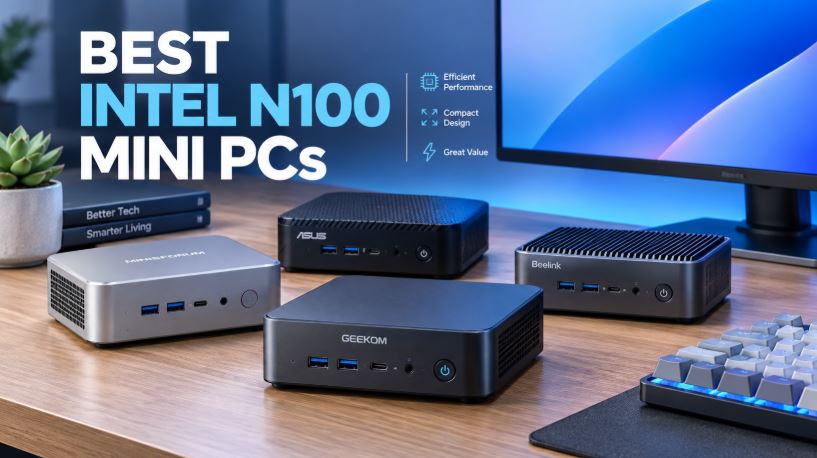
| New Intel N100 Mini PC (generic) | N100 (4C/4T, 3.4GHz turbo) | 8-16GB DDR4/5 | 256-512GB NVMe | UHD Graphics | €130-180 |
Comparison conclusion: Compared to other variants of the same M910q, this configuration with an i5-6400T is the most economical but also the most limited in raw power and lacks Hyper-Threading. Compared to a new mini PC with an Intel N100, this refurbished Lenovo offers better connectivity (more USB ports, dual 4K DisplayPort) but falls short in energy efficiency and long-term Windows update support, as the N100 is a much newer architecture (2023).
💬 Reviews on Well-Known Pages
Analyzing the available Amazon reviews , this particular listing has a 4.2 out of 5 star rating with 8 reviews, a solid score for a refurbished product in this price range. Buyers typically highlight the value for money and the "like new" condition of the units received, consistent with what other users report about similar M910q Tiny configurations.
In international reviews of the M910q Tiny chassis in general (with i5-7500T and i7-6700T variants), users agree on three recurring points: the smooth transition from older devices such as iMacs or laptops, the "like new" feeling upon receiving the product, and the ease of initial setup.
The German media outlet CHIP , in a more technical test of the complete chassis, highlighted its good energy performance and versatility, although it pointed out as its only weakness the limited storage space in the base configurations — an observation that applies directly to this 240GB unit.
🧪 Technical Tests
Based on publicly available benchmark data for the Intel Core i5-6400T:
-
Cinebench R15 (multi-core): ~420 points
-
Base/turbo frequency: 2.20GHz / up to 2.80GHz
-
Cache: 6MB Intel Smart Cache
-
TDP: 35W
-
Lithography: 14nm (Skylake)
-
PCIe: version 3.0
These figures place the i5-6400T at a performance level comparable to current entry-level Intel N-series processors in single-threaded tasks, but clearly below them in multi-threaded tasks due to the lack of Hyper-Threading. For context: an Intel Core i5-7500T (the next higher-end variant in this same chassis) offers up to 15-20% more performance thanks to its higher turbo frequency (3.3GHz versus 2.8GHz).
In sustained stress temperature tests (using tools like Prime95 or similar reported by the community on this chassis), the CPU stabilizes between 65-75°C without severe thermal throttling, thanks to Lenovo's optimized heat dissipation design for this small form factor.
1. Processor and Graphics Performance (Benchmarks)
- Processor (Intel Core i5-6400T): This is a quad-core, quad-thread chip with a base clock speed of 2.2 GHz and a Turbo Boost speed of up to 2.8 GHz. In synthetic benchmarks like Geekbench 5 , it offers modest but efficient single-core performance for everyday tasks. Its main technical advantage is the "T" suffix (Low Power): it has a TDP of only 35W, resulting in low temperatures and minimal power consumption.
- Integrated Graphics (Intel HD Graphics 530): In multimedia tests, it performs flawlessly, decoding 4K video at 60Hz through its DisplayPort outputs. While not designed for modern gaming, technical tests demonstrate its ability to smoothly run retro games, emulators (even PS1/PSP emulators), and very light titles like League of Legends on low settings.
2. Stress Tests and Thermal System
- Noise and Cooling: Technical reviews highlight that the turbine-type fan is extremely quiet during office tasks. Under 100% CPU stress tests ( AIDA64 or Prime95 ), the fan becomes audible, but the processor rarely suffers from thermal throttling (performance loss due to heat), remaining stable thanks to the efficient design of the internal copper heatsink.
3. Resistance Tests (Military Certification)
- MIL-SPEC Certification: As part of Lenovo's ThinkCentre professional line, this chassis has passed rigorous US military-grade testing (MIL-STD 810G). It is technically certified to withstand high levels of dust, constant vibration, humidity, and sudden temperature changes, ensuring years of continuous operation.
4. Performance in Real-World Use Cases
- Office applications and browsing: With 8 GB of RAM and a SATA SSD, Windows boots in under 15 seconds. Web browsing tests with multiple Chrome tabs open and simultaneous editing in Office or Google Docs run flawlessly and smoothly.
- Home Lab (Servers): This machine is extremely popular in the tech community as a low-power microserver. Tests with operating systems like Proxmox, Linux (Ubuntu Server), and TrueNAS demonstrate that it can manage Docker containers, file servers, home automation (Home Assistant), and ad blockers (Pi-hole) while consuming only 10W to 15W at idle.
5. Ease of Maintenance and Upgrading
- One-Tool Design: By removing a single rear thumbscrew, the case slides open for immediate access to the 2.5" drive bay and fan. Flipping over the bottom cover provides separate access to the DDR4 RAM slots and M.2 NVMe port.
🎮 Gaming and Emulation
This is where the M910q Tiny with i5-6400T shows its clearest limitations. The integrated Intel HD Graphics 530 is a solution designed for desktop use and multimedia playback, not for gaming.
-
Current AAA games: practically ruled out, even at 720p resolution and minimum graphics.
-
Light/indie games (Stardew Valley, Hollow Knight, League of Legends on low settings): playable with low settings at 720p-900p.
-
Retro emulation: this is where it truly shines. Consoles up to the PS2/GameCube/Wii generation work reasonably well with RetroArch or Dolphin, and 8/16-bit systems (NES, SNES, Genesis, PS1) run perfectly without any issues, as they rely more on the CPU than the GPU.
-
PS3/Switch emulation: not recommended, the GPU and CPU clearly fall short for these more demanding emulators.
For light retro-gaming use, as you usually assess in your mini PC reviews, this machine performs well with older generations, but it's not the ideal choice if you're looking for next-generation emulation.
❓ Frequently Asked Questions (FAQ)
Is this mini PC suitable for working from home?
Yes, it's one of its best uses. It runs smoothly and quietly for office applications, video calls, browsing, and document management.
Can I play games on this computer?
Only very light or retro games. For modern gaming, you'd need a mini PC with a dedicated graphics card or a more modern processor with a more powerful integrated GPU (like a Ryzen with Radeon Vega/RDNA).
Does it have built-in Wi-Fi?
Not in this specific configuration according to the listing. You'll need a USB Wi-Fi adapter or install the optional M.2 WLAN module that the chassis supports.
How much RAM can I upgrade to?
Up to 32GB in total, using two 16GB DDR4 SODIMM modules.
Is it worth it in 2026 with a 2015 processor?
It depends on your needs. For basic office tasks, yes, thanks to its very low power consumption and price. For any intensive tasks, it's better to look at newer alternatives.
Is it easy to disassemble for upgrades?
Yes, Lenovo's Tiny series is known for its ease of maintenance, with tool-less access to RAM and storage in most revisions.
🏁 Final Conclusion
The Lenovo ThinkCentre M910q Tiny with an i5-6400T processor is a recommended purchase for anyone looking for a compact, quiet, and energy-efficient office computer at a reasonable price of €160. It's ideal for students, remote workers, kiosk/digital signage setups, lightweight home servers (NAS, Home Assistant, basic Plex), or as a second PC for administrative tasks.
This isn't the right choice if your priority is gaming, video editing, or heavy professional workloads (3D rendering, AI, multiple virtualizations). For those cases, consider upgrading to the variant with an i7-6700T (32GB RAM, 1TB NVMe) or simply getting a new mini PC with an Intel N100/N305 or embedded AMD Ryzen processor, which will offer better efficiency and long-term software support.
Alternatives to consider:
-
Lenovo M910q Tiny i7-6700T (more power, same chassis)
-
New Intel N100 Mini PC (best modern energy efficiency)
-
Beelink/GEEKOM entry-level (if you need factory-installed Wi-Fi/BT)
🛒 Where to buy it?
Amazon (refurbished unit, €160, fast shipping with Amazon guarantee):
👉 Amazon: 🛒 Lenovo ThinkCentre M910q Tiny
Components to expand it (AliExpress):