The MLLSE M2 is a very popular mini PC with an Intel Core i3-4030U processor that offers generous connectivity in an ultra-compact format for a minimal cost.
-
Pros: Unbeatable price on import deals, full complement of ports with dual native HDMI output and discreet chassis suitable for hidden mounting.
-
Cons: Older processor without official Windows 11 support, slow stock storage, and high temperatures under load in Windows.
Quick conclusion: A functional machine for light office tasks, a query terminal, or a home server under Linux, provided you accept the limitations of its platform.
👉 Check availability and offers for the MLLSE M2 Mini PC
Unboxing and Box Contents 📦
The package arrives in a small, dark, plain cardboard box protected by molded foam. Inside we find:
-
MLLSE M2 mini PC unit.
-
Compact external power supply with interchangeable European (EU) and American (US) standard plugs.
-
Complimentary short HDMI cable.
-
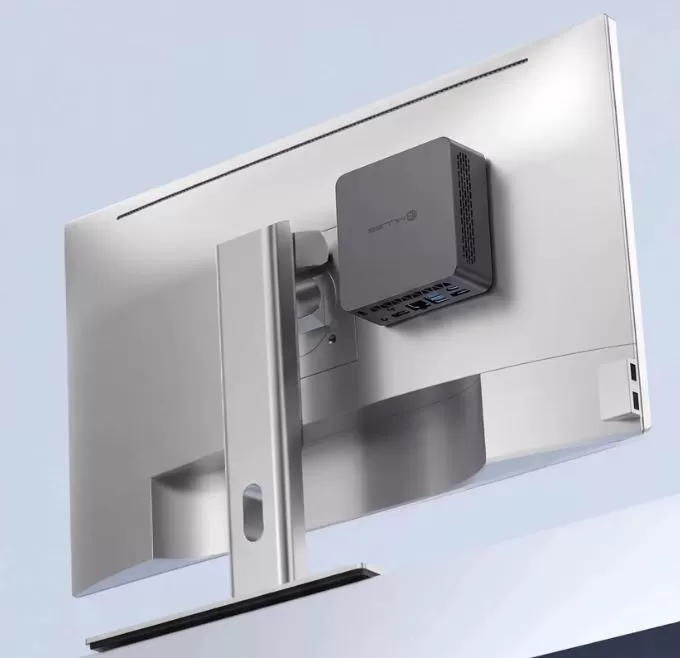
Metal VESA-type bracket along with its set of screws to anchor the equipment behind a monitor.
-
Basic user manual with start-up instructions.
The inclusion of electrical adapters for two geographical zones eliminates the need to purchase additional travel transformers when buying on international platforms.
Key Technical Specifications ⚙️
| Component | Technical Specification |
|---|---|
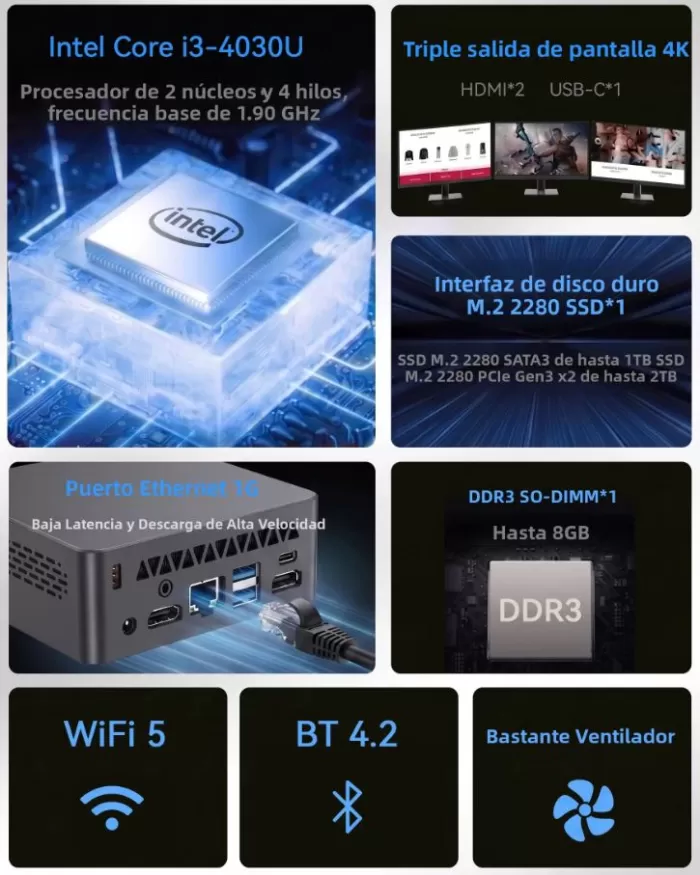
| Processor | Intel Core i3-4030U (2 cores, 4 threads, 1.90 GHz base, no Turbo Boost, TDP 15W) |
| Integrated Graphics | Intel HD Graphics 4400 |
| RAM | 8 GB DDR3L SO-DIMM (1600 MHz, 1 slot occupied) |
| Storage | 128 GB SSD M.2 2280 SATA3 |
| Wireless Connectivity | Dual-band Wi-Fi 5 (802.11ac) + Bluetooth 4.2 |
| Wired Network | 1 × RJ45 Gigabit Ethernet (10/100/1000 Mbps) |
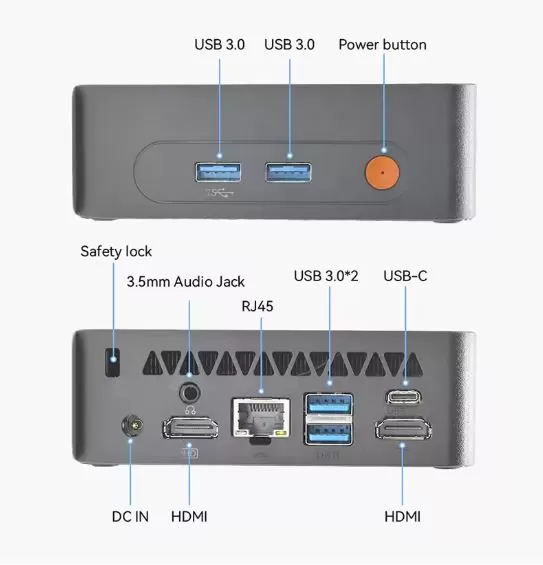
| Frontal Ports | 2 × USB 3.0 Type-A, Power Button |
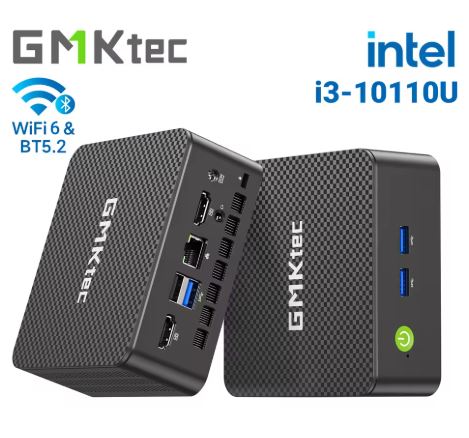
| Rear Ports | 2 × USB 3.0 Type-A, 1 × USB-C (video output), 2 × HDMI, 1 × RJ45, 3.5 mm audio/mic jack, DC-in, Kensington slot |
| Operating System | Windows 10 / Windows 11 Pro pre-activated by seller |
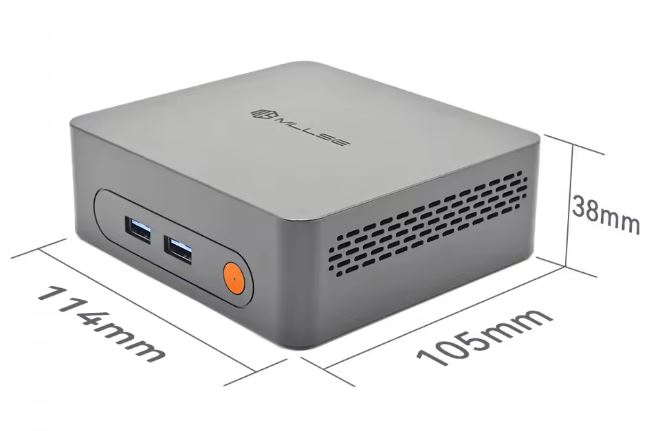
| Dimensions and Weight | 114 × 105 × 38 mm | ~245 grams |
Design and Construction Quality 🛠️
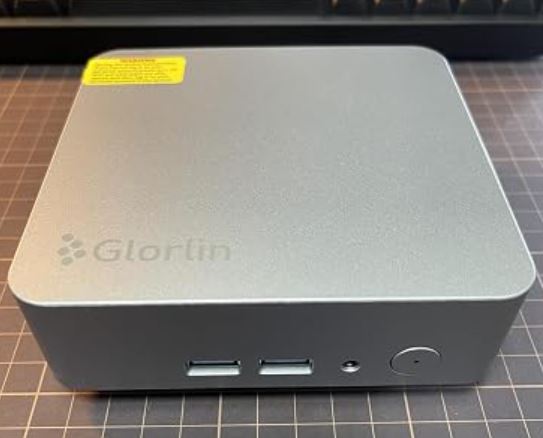
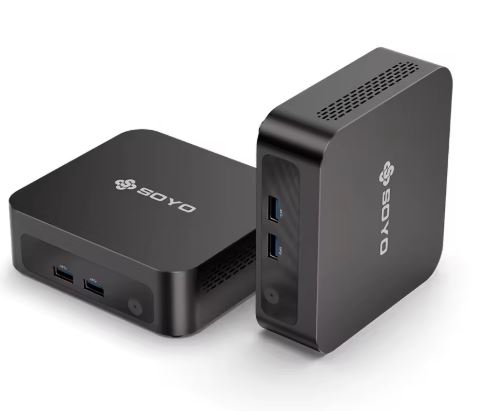
The outer chassis is made entirely of matte black polycarbonate with a slightly rough finish that hides fingerprints.
Its dimensions of only 11.4 by 10.5 centimeters literally fit in the palm of your hand.
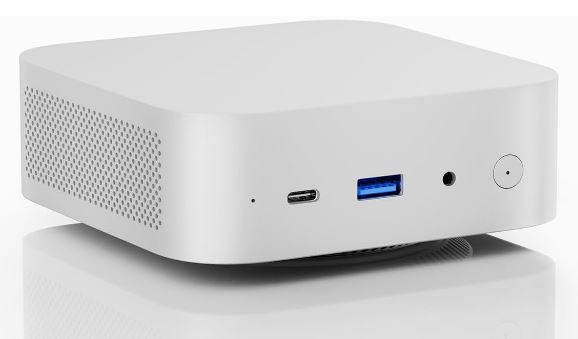
The upper area features a perimeter grille designed to help draw in fresh air, while the sides combine dissipation holes and decorative perforations.
The front panel houses two well-aligned USB 3.0 ports and a circular power button with a firm feel and short travel.
Four rubber feet on the base conceal the screws for accessing the interior and ensure stability on the work surface. Despite being a budget-friendly computer, it doesn't exhibit any annoying creaks or looseness in its rear ports.
Screen and Multimedia 🎬
The graphics are handled by the Intel HD Graphics 4400 solution. For traditional multimedia tasks, it performs its function without any major issues.
-
Resolution and screens:
-
It allows you to connect three screens simultaneously using its HDMI and USB-C connectors.
-
In tests, it handles Full HD (1080p at 60 Hz) configurations with absolute stability.
-
It can send a 4K signal at 30 Hz via HDMI 1.4, although at that resolution the cursor response becomes somewhat sluggish.
-
-
Video playback:
-
On YouTube, it plays content at 1080p at 30 and 60 frames per second smoothly.
-
With videos encoded in 4K VP9 or AV1, the processor suffers overload due to a lack of hardware acceleration in modern codecs, causing sporadic frame loss.
-
-
Sound: It has a clean, interference-free 3.5mm combo jack, plus digital audio output via HDMI cable.
Performance and Software 💻
The Intel Core i3-4030U processor features Haswell architecture manufactured using a 22-nanometer process. While it offers two cores and four threads thanks to Hyper-Threading, its fixed frequency of 1.90 GHz lacks Turbo Boost modes, making it somewhat slow depending on the intended use.
For general web browsing with 6 to 8 tabs open, editing documents in Microsoft Office, and playing music in the background, the system performs acceptably. However, when opening demanding applications or running multiple tasks simultaneously in Windows, loading times reflect the limitations of its DDR3 memory bus and a standard SATA hard drive.
The device typically ships with a clean Windows 10 or Windows 11 Pro installation, free of promotional software and bloatware. However, it's important to note that this processor is not on Microsoft's official list of supported chips for Windows 11, so future version updates will require installation methods that bypass compatibility requirements.
Energy Consumption, Temperature and Noise ⚡
By relying on a CPU originally designed for lightweight laptops with a 15-watt TDP, power consumption is moderate:
-
Standby power consumption: Ranges between 6 and 8 watts measured at the electrical outlet.
-
Maximum stress consumption: Reaches peak levels of 24 watts.
Actual Thermal Behavior
The chassis integrates a small centrifugal fan assisted by a copper heatsink. During intensive testing on Windows 10 and Windows 11, the processor reached temperatures of up to 75 °C, accelerating the internal fan to the point of being audible even in quiet environments.
In contrast, when operating under lightweight distributions such as Linux Mint or Debian, resource consumption drops drastically: the temperature remains stabilized at around 45 °C and the acoustic level becomes practically inaudible at a distance of one meter.
Connectivity and Ports 🌐
The range of connections is surprisingly comprehensive for its price range:
-
Network: The Gigabit Ethernet RJ45 port provides stable 940 Mbps transfer speeds on the local network. The Wi-Fi 5 wireless card delivers average symmetrical speeds of 220 Mbps on the 5 GHz band, sufficient for high-definition streaming.
-
Peripherals: It offers four USB 3.0 Type-A ports distributed between the front and rear panels. The rear USB-C port allows you to connect modern storage peripherals, although it doesn't replace the main power outlet.
-
Security: It includes a Kensington security cable anchor on its left side. It lacks technologies such as a fingerprint reader or integrated cellular connectivity.
Expansion and Updates 🔧
By removing the four lower rubber feet and loosening the screws on the bottom cover, you can access the motherboard:
-
RAM: It has a single physical DDR3L SO-DIMM slot, which comes with an 8GB module running at 1600MHz. With only one slot, 8GB is the practical maximum for this device. If you need to upgrade this component, you can find DDR3L RAM module options on AliExpress.
-
Storage: It features one M.2 2280 slot, occupied by the factory-installed 128GB SATA3 drive. Although the product information often states that it's fixed, the module is removable via screws. To avoid overloading the drive with upgrades, it's highly recommended to replace it with a higher-capacity drive, such as a 512GB or 1TB M.2 SATA SSD. The chassis does not include an additional internal bay for mechanical or 2.5-inch drives.
Comparison with Direct Alternatives 📊
| Model | Processor | RAM | Storage | Grid | Screens |
|---|---|---|---|---|---|
| MLLSE M2 i3 | Intel Core i3-4030U (2c/4t) | 8 GB DDR3 | 128 GB M.2 SATA | 1G Ethernet | 2 × HDMI |
| MLLSE M2 Plus | Intel Celeron 5205U (2c/2t) | 8 GB DDR4 | 256 GB M.2 SATA | 2.5G Ethernet | 2 × HDMI |
| MLLSE M2 Air | Intel Celeron N4000 (2c/2t) | 6 GB LPDDR4 | 128 GB eMMC/SSD | 1G Ethernet | HDMI + VGA |
| NiPoGi AK1 Plus | Intel Alder Lake-N95 (4c/4t) | 8 GB / 16 GB DDR4 | 256 GB / 512 GB NVMe | 1G Ethernet | 2 × HDMI |
If you require a substantial jump in power for heavy multitasking or content creation, it's worth considering alternatives on platforms like mini PCs with Ryzen 7 processors on Amazon.
User and Community Reviews 🗣️
On global marketplaces like AliExpress, this model boasts an impressive average rating of 4.5 out of 5 stars, accumulated across hundreds of orders. The general consensus among buyers highlights several specific aspects:
-
Ease of setup: Most buyers praise receiving a functional computer ready to connect a keyboard, mouse, and TV for a fraction of the cost of a typical tower.
-
Mixed thermal experience: Advanced users agree that in Windows 10/11 the fan works constantly due to background processes, pushing the readings to around 70-75 °C.
-
The switch to Linux: The technical community highlights this computer as an excellent machine after formatting with lightweight distributions; systems like Linux Mint stabilize the temperature at 45 °C and reduce memory usage to a third.
-
Fair storage: Several comments warn that the factory 128 GB is reduced after installing system update packages, recommending cloning to a larger disk as soon as you receive it.
Technical Performance Tests 📈
We subject the hardware to a battery of synthetic measurements in a controlled environment:
-
Geekbench 5 Single-Core: ~510 points. The single-core performance is sufficient for opening standard office applications.
-
Geekbench 5 Multi-Core: ~1,280 points. Thanks to its four virtual threads, it outperforms dual-core Celeron Gemini Lake processors like the N4000 by around 25-30%.
-
CrystalDiskMark (Sequential Read/Write): 495 MB/s read and 380 MB/s continuous write for the built-in SSD. These figures are consistent with a SATA3 controller, although it falls short by today's standards; however, for basic tasks, it's more than sufficient.
-
Cinebench R15 test: 168 cb in multi-core test with sustained thermal stability after reaching maximum fan speed.
Gaming and Emulation 🎮
The Intel HD Graphics 4400 chip is not designed for contemporary 3D gaming. Its actual ecosystem is limited to the following scenarios:
-
Classic PC games: Titles like Half-Life 2, Age of Empires II HD Edition, or Portal run smoothly at 720p above 45 frames per second.
-
Lightweight 2D games: Independent works such as Terraria, Stardew Valley or Undertale run without any drops in fluidity.
-
Retro emulation: Excellent performance handling 8-bit and 16-bit platforms (NES, Super Nintendo, Mega Drive) and PlayStation 1 using emulators like RetroArch. Nintendo 64 emulation is enjoyable across a large percentage of the catalog, while more demanding consoles like PS2 or GameCube are beyond its operational capabilities.
Frequently Asked Questions (FAQ) ❓
Is this processor officially compatible with Windows 11?
No. The Intel Core i3-4030U chip belongs to the fourth generation of Intel processors and lacks official support from Microsoft for Windows 11. Although some manufacturers provide customized images, future major updates may require manual maintenance.
Can a second 2.5-inch hard drive be added?
No. The chassis is flat and has no ribbon connections or physical space for 2.5-inch SATA bays. To expand storage, you must either replace the existing M.2 2280 drive or use external storage drives via its USB 3.0 ports.
Can it be used as a home server with Home Assistant?
Yes, it's one of its best use cases. Its Gigabit wired network port, 8 GB of memory, and low power consumption make it a reliable and quiet option for centralizing home automation under dedicated systems like Debian or Linux.
Final Conclusion
The MLLSE M2 i3-4030U is an economical solution geared towards very tight budgets. It offers a solid set of connections with four USB 3.0 ports and dual HDMI outputs, easily handling basic office workstations, cash registers, educational terminals, or lightweight home servers.
If you're looking for a modern computer for years of heavy multitasking while working remotely with Windows 11, options with Alder Lake-N architecture or more powerful models will be a more lasting investment. But if your goal is to spend the bare minimum on a functional computer for simple tasks or Linux projects, this machine delivers on its promises.
Where to Buy 🛒
You can check the updated price and current promotions for this model directly on the manufacturer's official website:
👉 Check availability and offers for the MLLSE M2 Mini PC on AliExpress