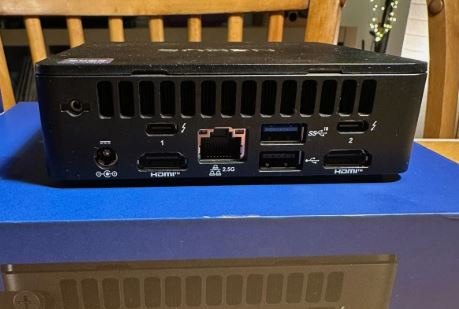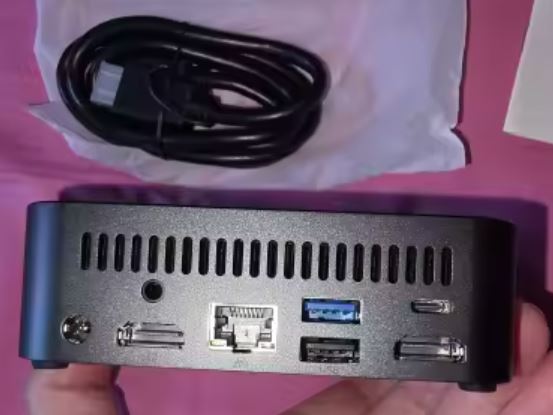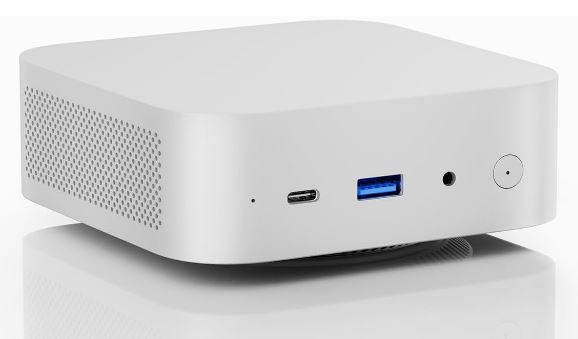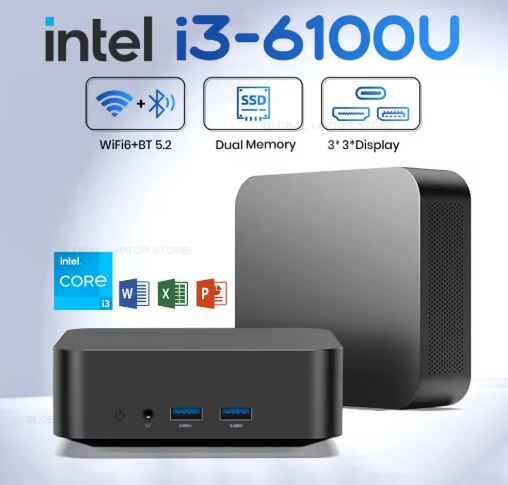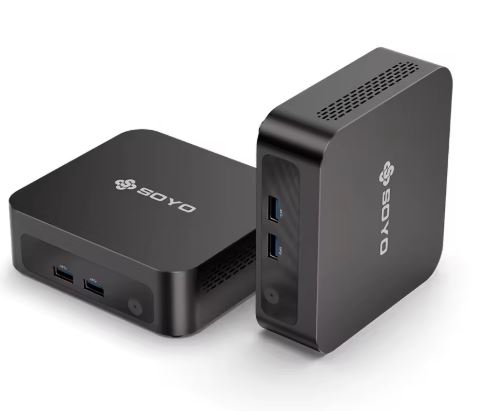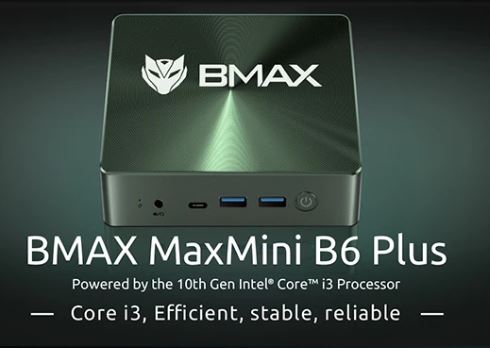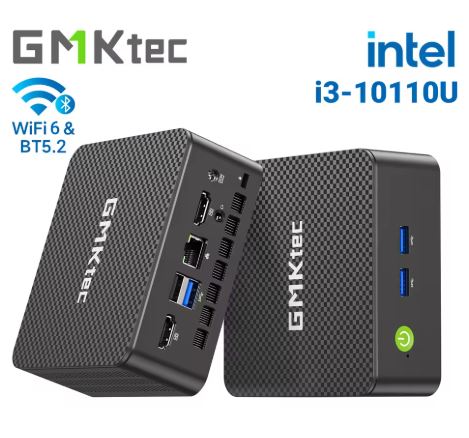
The GMKtec G3 Pro is a mini PC that has generated some controversy: it uses a 2019 (10th generation) Intel Core i3-10110U processor, which sounds like cheating in 2026, but in practice it offers comparable performance to the N100/N150 for everyday tasks, with the key advantage of two SO-DIMM slots (up to 64GB of RAM) and dual M.2 slots for up to 8TB of storage. If you can find it at the right price, it has its merits.
| ✅ Pros | ❌ Cons |
|---|---|
| 2 SO-DIMM slots → up to 64GB DDR4 | Old architecture CPU (2019, 14nm) |
| Dual M.2 slots (up to 8TB total) | Only 2 cores/4 threads (vs 4C of the N100) |
| WiFi 6 + BT 5.2 + 2.5G LAN | HDMI 1.4 max 4K@24Hz (not 60Hz) |
| Windows 11 Pro license included | |
| 3 configurable TDP modes (8/10/15W) | |
| Solid construction and quiet |
Quick conclusion: Ideal for users who need a lot of cheap RAM and large storage capacity (NAS, server, heavy multitasking) without spending on more expensive hardware. For general use, the GMKtec G3 with N100 offers better value for money.
👉 Check Prices — GMKtec G3 Pro
📦 Unboxing and Box Contents
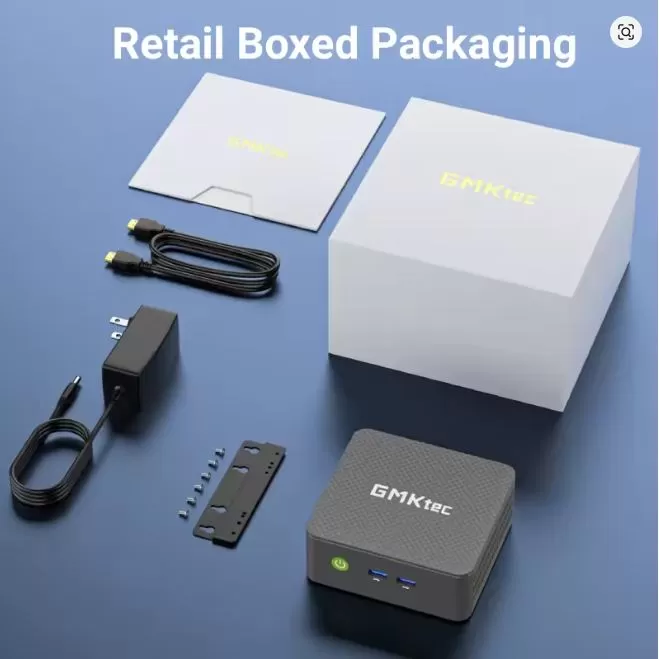
The GMKtec G3 Pro box arrives well protected with molded foam. Inside you'll find:
-
🖥️ GMKtec G3 Pro Mini PC
-
🔌 DC 12V/3A Power Adapter
-
📺 HDMI cable included
-
🔩 VESA mounting bracket (for attaching behind the monitor)
-
📄 User manual
-
🃏 Warranty card
One peculiar detail is the so-called "warranty card" mentioned in the official specifications, which is actually the after-sales support card. The included VESA mount is a welcome bonus if you want a clean desk.
🔧 Technical Specifications
| Feature | Detail |
|---|---|
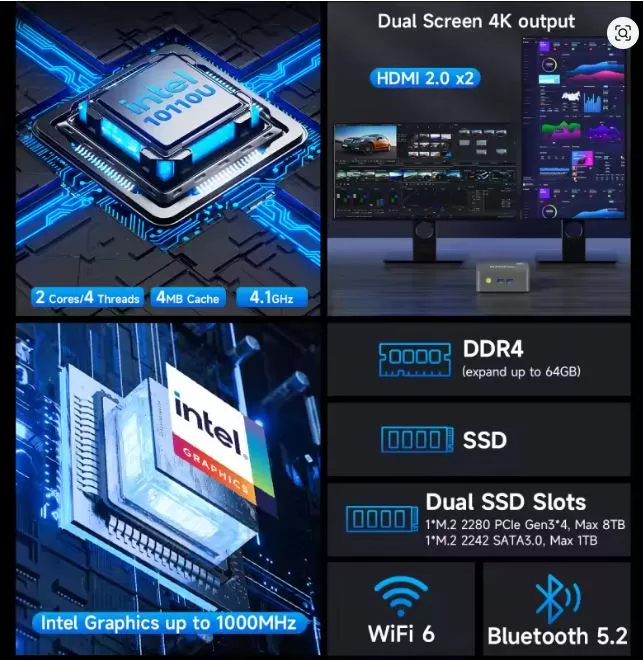
| Processor | Intel Core i3-10110U (10th Gen, Comet Lake) 2C/4T |
| Frequency | 2.1 GHz base / 4.1 GHz turbo |
| Cache | 4 MB |
| Graphics | Intel UHD 620 (300 MHz base / 1.0 GHz max) |
| RAM | 2x DDR4 SO-DIMM, up to 64GB (32GB×2) |
| RAM | 0 / 8 / 16 GB depending on the version |
| Storage | 2x M.2 (PCIe 3.0 NVMe + SATA), up to 8TB total |
| Video outputs | 2× HDMI 1.4 (4K@24Hz max.) |
| WiFi | WiFi 6 (RTL8852BE, up to 1201 Mbps) |
| Bluetooth | BT 5.2 |
| LAN | 1× RJ45 2.5G (Intel i226) |
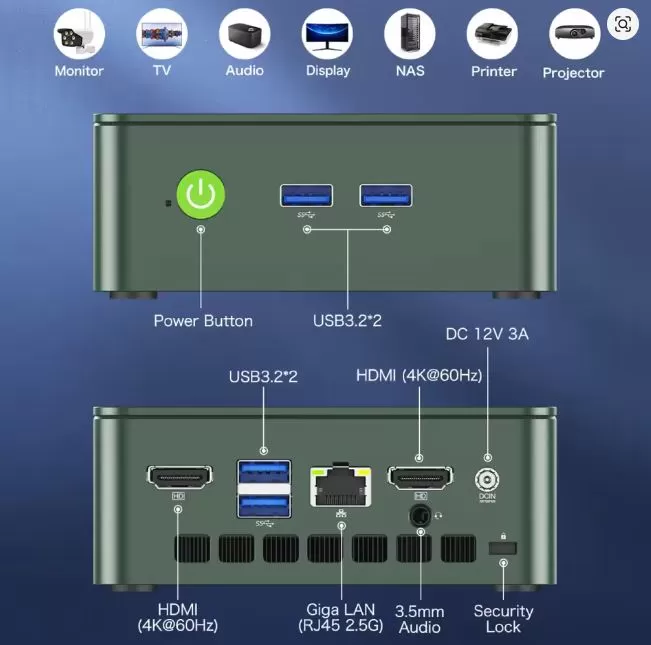
| Front USB | 2× USB 3.2 Gen1 (5 Gbps) |
| Rear USB | 2× USB 3.2 Gen1 (5 Gbps) |
| Audio | CTIA 3.5mm Jack (rear) |
| Configurable TDP | Silent 8W / Balanced 10W / Performance 15W |
| Operating system | Windows 11 Pro (multilingual, included) |
| Dimensions | 114 × 106 × 44 mm |
| Weight | ~280 g (device) |
| Feeding | DC 12V/3A (adapter included) |
🎨 Design and Construction Quality
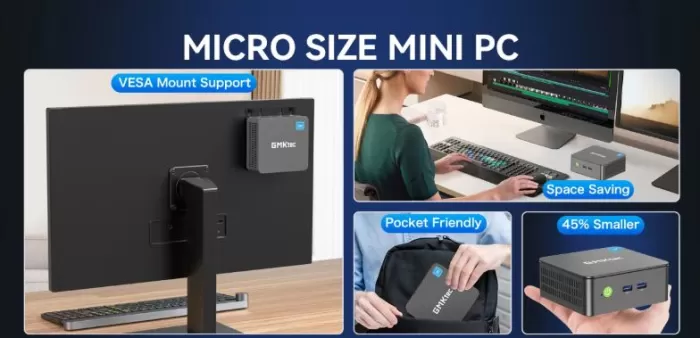
The GMKtec G3 Pro boasts a compact 114 × 106 × 44 mm chassis with a textured black plastic finish, a sleek and understated design that fits seamlessly into any desk or workspace. The front power button with a white LED adds a professional touch, and the well-placed side vents ensure optimal airflow.
Despite the affordable price, the build quality feels solid, with no creaks or looseness. The chassis isn't metal, but the plastic's rigidity is better than expected for a device in this price range. Weighing in at 280 grams, it fits easily into any backpack pocket. The Kensington lock slot on the back is a welcome feature for users in shared office environments.
🖥️ Screen and Multimedia
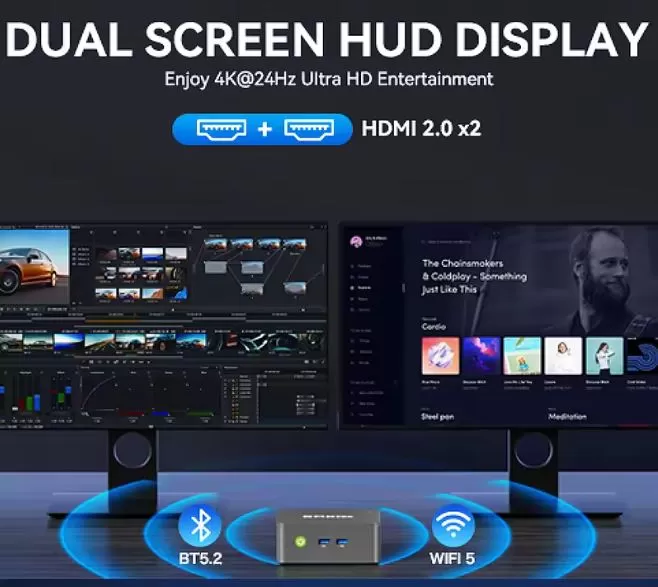
The G3 Pro includes two HDMI 1.4 outputs, allowing you to connect two monitors simultaneously. The important point to note: the maximum refresh rate is 4K at 24Hz, not 60Hz like the original G3 with HDMI 2.0. For office work, web design, or streaming, 4K@24Hz is perfectly adequate, but if you want smooth 4K at 60Hz, you'll have to stick with the standard G3.
For multimedia and streaming, the i3-10110U handles Netflix, YouTube 4K, and local video players smoothly thanks to its integrated hardware decoding. There are no built-in speakers, so you'll need to connect external ones or use the monitor's audio output via HDMI. The rear 3.5mm jack (CTIA) allows you to connect headphones or speakers with full compatibility.
⚡ Performance and Software
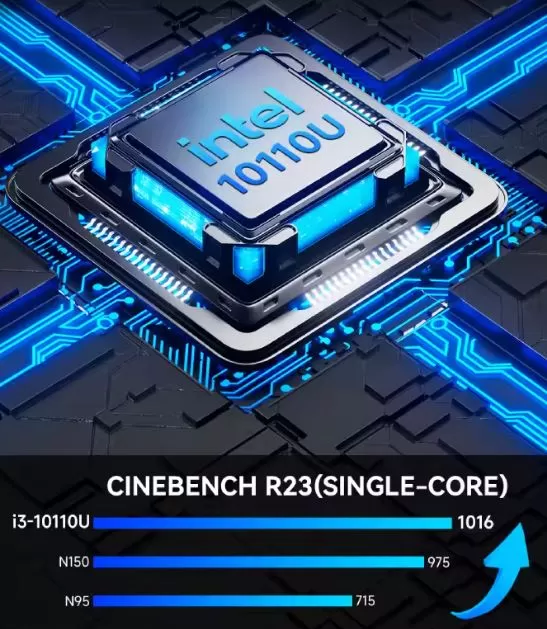
The Intel Core i3-10110U is a 2019 chip manufactured using a 14nm process, with only 2 cores and 4 threads, which seems outdated on paper in 2026. However, its 4.1 GHz turbo boost allows it to compete well in single-core performance with the more modern quad-core N100 and N150. In multi-core performance, the i3-10110U clearly falls short due to its limited physical cores.
In Cinebench R23 benchmarks, the single-core performance hovers around 1,016 points, practically on par with the N100/N150, but it falls noticeably behind in multi-core performance. For office applications, browsing, video conferencing, and light multitasking, performance is smooth and lag-free. With 16GB of RAM in dual-channel configuration (the recommended setting), performance in graphics tasks improves significantly compared to 8GB in single-channel.
The system comes with genuine Windows 11 Pro, a relatively clean installation, and minimal bloatware. It supports three TDP profiles configurable from the BIOS or system utility: Silent (8W), Balanced (10W), and Performance (15W), allowing you to adapt the system to your usage environment.
👉 Check Prices — GMKtec G3 Pro
🔋 Energy Consumption and Cables
One of the advantages of the i3-10110U's low TDP design is its low power consumption. In Silent mode (8W), it's perfect for 24/7 server use, and in Performance mode (15W), it delivers the processor's maximum performance. Under normal office use, power consumption hovers around 10-14W, significantly lower than any conventional desktop PC.
Power is supplied via an external 12V/3A DC adapter (36W max.), similar to a router adapter, which is compact and easy to replace if needed. There is no internal power supply, which contributes to the device's small size. The connector is a standard 5.5/2.5mm DC connector.
🌡️ Temperature and Noise (Actual Thermal)
The G3 Pro's cooling system consists of a single fan and a single copper heat pipe, a more basic configuration than the dual-pipe system of the original G3. Under normal use (office applications, streaming), the fan is virtually inaudible, and the chassis barely gets warm.
Under sustained load (prolonged multi-core benchmarking), CPU temperatures remain stable thanks to the TDP control mechanism. The system prevents thermal throttling (performance reduction due to overheating) in Balanced and Performance modes. For a quiet office or bedroom environment, the noise level is excellent and comparable to the G3 with N100.
🔌 Connectivity and Extras
Connectivity is one of the G3 Pro's strong points for its category:
-
📶 WiFi 6 (RTL8852BE): Up to 1201 Mbps theoretical, fast and stable
-
🦷 Bluetooth 5.2: for mouse, keyboard, wireless headphones
-
🌐 1× 2.5G LAN (Intel i226): High-speed wired network ⚠️ Only one, the original G3 has two
-
📺 2× HDMI 1.4: Dual display, up to 4K@24Hz per port
-
🔌 4× USB 3.2 Gen1 (2 front + 2 rear): all at 5 Gbps
-
🎧 1× CTIA 3.5mm Jack (rear)
-
🔒 Kensington Lock Slot: Physical security in shared offices
It does not include: USB-C with video, SD card reader, NFC, IP certification, or a second LAN port. For users who need a second network port, the standard G3 with N100 is still superior in that regard.
🔧 Expansion and Upgrades
This is where the GMKtec G3 Pro truly shines compared to its siblings:
-
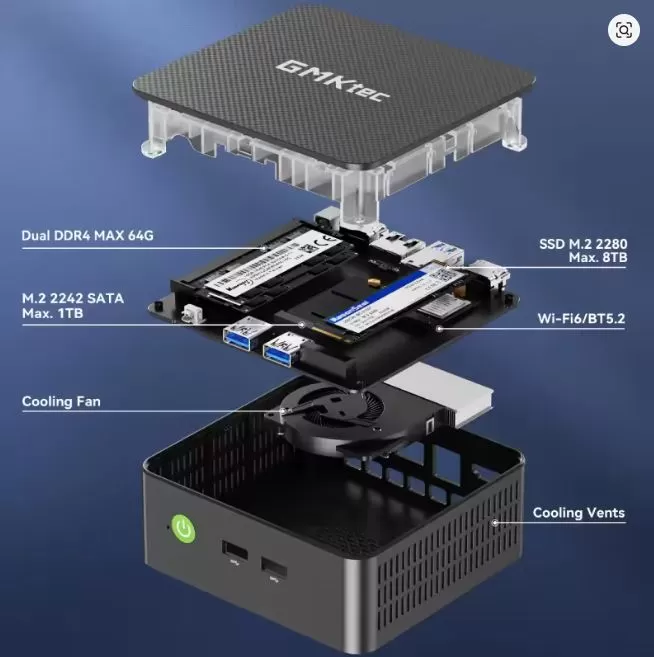
🐏 RAM: 2× SO-DIMM DDR4 slots, expandable up to 64GB (2×32GB). Active dual channel with two modules, which improves graphics and multitasking performance.
-
💾 Main SSD: M.2 2280 PCIe 3.0 NVMe — replaceable with any NVMe SSD up to 4TB.
-
➕ Second M.2 slot: supports a second additional M.2 SATA or NVMe drive, also up to 4TB, reaching up to 8TB of total storage.
-
❌ No 2.5" bay for conventional hard drive.
For a home server or lightweight NAS with a lot of storage capacity, the dual M.2 slot is a real advantage over the G3 and G3 Plus which only have one additional SATA 2242 slot.
👉 Check Prices — GMKtec G3 Pro
🆚 Comparison with Direct Competitors
| Mini PC | CPU | Nuclei | max RAM | M.2 slots | HDMI | LAN | Approx. price |
|---|---|---|---|---|---|---|---|
| GMKtec G3 Pro | i3-10110U (2019) | 2C/4T | 64GB (2 slots) | 2x | 2×HDMI 1.4 (4K@24Hz) | 1×2.5G | ~€230 |
| GMKtec G3 | N100 (2023) | 4C/4T | 32GB (1 slot) | 2x | 2×HDMI 2.0 (4K@60Hz) | 2×2.5G | ~€198 |
| GMKtec G3 Plus | N150 (2024) | 4C/4T | 32GB (1 slot) | 2x | 2×HDMI 2.0 (4K@60Hz) | 1×2.5G | ~€220 |
| Beelink EQ12 | N100 (2023) | 4C/4T | 16GB (1 slot) | 1x | 2×HDMI (4K@60Hz) | 1×2.5G | ~€185 |
| Minisforum UN100C | N100 (2023) | 4C/4T | 32GB | 2x | 2×HDMI (4K@60Hz) | 1×2.5G | ~€215 |
The G3 Pro stands out for its RAM and storage capacity, but falls short in multi-threaded performance and HDMI output quality compared to its cheaper siblings.
💬 Reviews on Well-Known Pages
Reviews of the G3 Pro are mixed but mostly positive when the price is right:
TechRadar (January 2026) describes it as a device that "feels outdated" due to its CPU, but acknowledges its generous connectivity options for its class. Their verdict: appealing only if the price is competitive with N100-based alternatives.
Gizchina (February 2026) highlights the expansion to 64GB of RAM as a real differentiator and recommends it for users who need a lot of memory at a low cost.
Win-tab.net (Japanese, February 2026) conducts a thorough test and concludes: "There is no performance advantage over the N95/N150/N100, and the dual-core design may cause increased latency in background processes such as Windows updates." Recommended for those who already know exactly what they want it for.
Vivid Repairs UK (May 2026) rates it as a solid choice for office productivity, highlighting the connectivity package as "genuinely above average for its price range".
YouTube – Miyconst Hardware (April 2026) publishes a detailed technical analysis with real performance results, confirming that the i3-10110U competes well in single-core but that for general use the N150 is a more balanced option.
YouTube – Office Suite Reviews (June 2026) describe it as "a practical and compact desktop solution focused on affordability," especially for home office and light business use.
🔬 Technical Tests
Performance data documented in independent tests:
CPU – Cinebench R23:
-
Single-Core: ~1,016 points (comparable to N100/N150)
-
Multi-Core: lower than N100 (2 cores vs 4 of the N100)
-
Under sustained multi-core load with active Windows updates, higher latencies are detected than in quad-core models.
Passmark CPU Mark (reference):
-
Single-thread: competitive with N95/N100/N150
-
CPU Mark total (multi): clearly inferior to the N100
Video output:
-
HDMI 1.4: max. 4K@24Hz per port — sufficient for static content but not suitable for 4K gaming or smooth 60fps video
Power consumption under the 3 TDP modes:
-
Silent: ~8W (ideal 24/7 server)
-
Balanced: ~10W (recommended daily use)
-
Performance: ~15W (demanding tasks)
Dual channel RAM (16GB = 2×8GB):
-
Notable improvement in graphics performance compared to single-channel configuration
-
It is always recommended to install in pairs to take advantage of the dual channel.
SSD:
-
PCIe 3.0 NVMe: typical read speeds ~400-520 MB/s in this generation
🎮 Gaming and Emulation
The Intel UHD 620 graphics in the i3-10110U are slightly higher in maximum frequency (1.0 GHz) but have fewer execution units (24 EUs) than some modern options. For modern gaming, it's not the right machine.
For retro emulation, the capabilities are similar to the G3 with N100:
-
✅ NES / SNES / GBA / PS1: no problems
-
✅ Nintendo 64 / PS2 (PCSX2): Works with most games
-
✅ GameCube / Wii (Dolphin): many titles work well
-
⚠️ PS3 / Xbox 360: Partial, depends on the title
-
❌ Nintendo Switch / PS4: Not recommended
For indie PC games (Minecraft, Stardew Valley, lightweight Steam games), performance at 1080p with low graphics settings is acceptable. The high single-core performance is helpful in games that rely on a single CPU thread.
❓ Frequently Asked Questions (FAQ)
Is the i3-10110U better than the N100?
In single-core performance, they're practically tied. In multi-core performance, the N100 wins because it has twice as many physical cores. The G3 Pro wins in maximum RAM (64GB vs. 32GB) and storage slots.
Can I install 64GB of RAM?
Yes, with two 32GB DDR4 SO-DIMM modules. Make sure to purchase DDR4-3200 for maximum compatibility.
Is 4K@24Hz enough for everyday use?
For office work, streaming movies, and browsing: yes. For gaming or 60fps 4K video content: no, you'd need the original G3 with HDMI 2.0.
Does it work with Linux?
Yes, Ubuntu, Debian, and other distributions are compatible with the i3-10110U hardware, a chipset widely supported by the Linux kernel.
Can it be used as a Plex server or NAS?
Absolutely, and this is where the G3 Pro shines: the low TDP (8W silent mode), the two M.2 slots for high capacity, and the possible 64GB of RAM make it ideal for this role.
Is the barebone version (without RAM or SSD) worth it?
If you already have spare DDR4 modules and an M.2 SSD, the barebone version (~€141) is an excellent option for reusing hardware.
🏁 Final Conclusion
The GMKtec G3 Pro is ideal for:
-
👨💼 Office users who need a lot of RAM (16-64GB) without paying for expensive hardware
-
🖥️ Dual monitor setups for productivity (with the limitation of 4K@24Hz)
-
🗄️ Small home servers, NAS or Plex with large disk capacity (up to 8TB)
-
💰 Buyers of the barebone version who already have RAM and SSD available
It is not ideal for: modern gaming, 4K@60Hz content, users who prioritize multi-threaded efficiency, or those who want the best overall value for money in 2026.
Alternatives to consider:
-
💡 GMKtec G3 (N100, ~€198) → Best overall value for money, dual 2.5G LAN, 4K@60Hz
-
💡 GMKtec G3 Plus (N150, ~€220) → More modern, faster GPU, 4K@60Hz
-
💡 Minisforum UN100C → If you want an N100 with two M.2 slots and more storage
In short, the G3 Pro has a clear niche: maximum RAM and storage expandability in an affordable mini PC. If that's your intended use case, it justifies its price. Otherwise, the G3 with the N100 chipset is the smarter choice. ⭐⭐⭐½
🛒 Where to buy the GMKtec G3 Pro?
👉 Amazon: 🛒 GMKtec G3 Pro 🚚 Prime Shipping Available
-
8GB + 256GB: from ~€260
-
16GB + 512GB: Recommended version for general use
-
Barebone (no RAM/SSD/OS): from ~€141 — ideal if you already have parts
👉 Buy on AliExpress — GMKtec G3 Pro 💰 Lowest price, shipping from China (10-20 days)
💡 Tip: If you're buying it with RAM, always choose the 2x8GB or 2x16GB dual-channel configuration instead of a single 16GB module. Graphics performance is noticeably improved with dual-channel enabled.