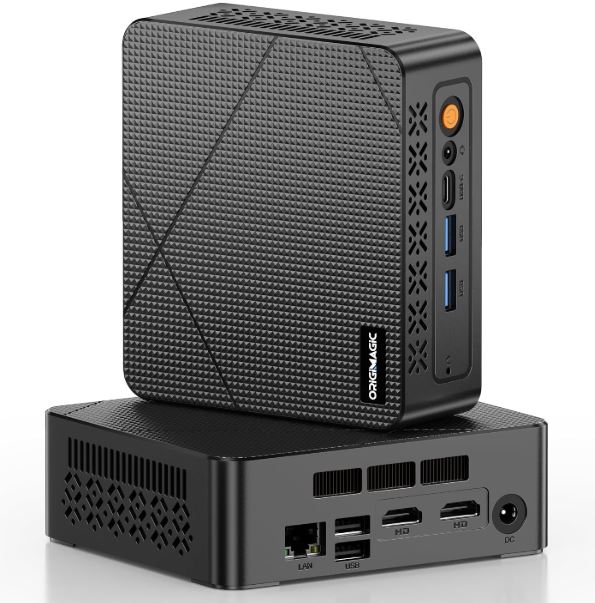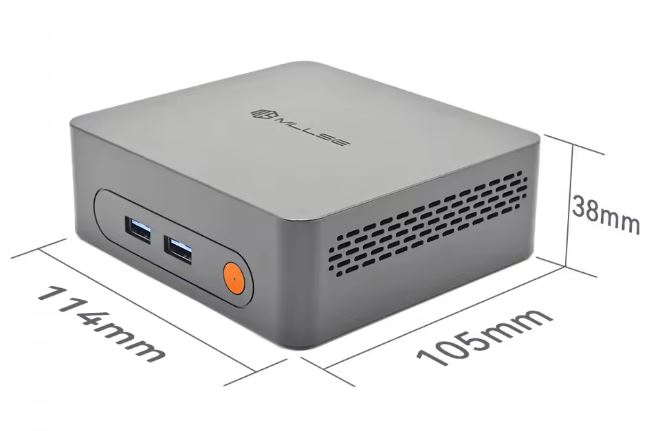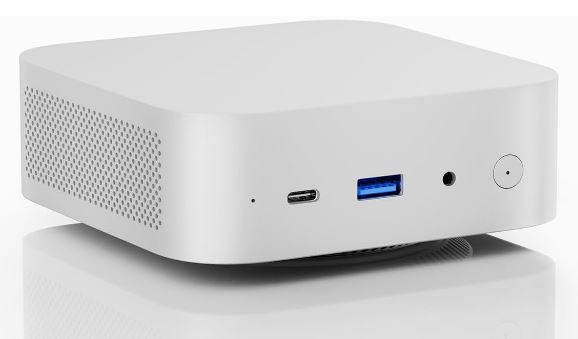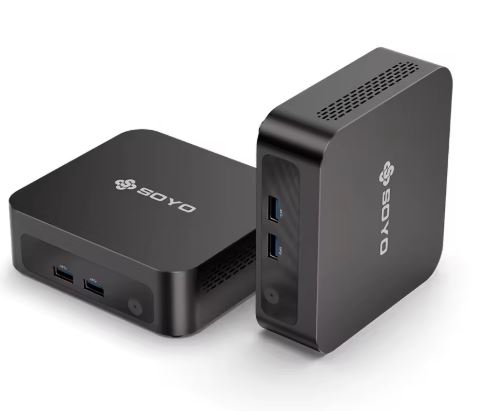
The SOYO Y5 is an ultra-compact mini PC that costs just €121 and has everything to be a basic desktop solution: Windows included, elegant design and minimal energy consumption.
It's ideal for light office tasks, web browsing, and multimedia, but it will fall short for users who demand more.
✅ Pros:
-
Very aggressive price (€121 with Windows)
-
Ultra compact (250 grams), silent
-
4K@60fps output, built-in WiFi, Bluetooth
-
Low power consumption (~15W)
-
Easy to upgrade with M.2 SSD
❌ Contras:
-
CPU from 2013
-
Performance below that of modern processors like the Intel N100 or N150
-
Without WiFi 6 or USB 3.2 Gen 2
-
RAM DDR3 anticuada (no DDR4/DDR5)
-
128GB of storage, just enough for everyday use
In short: If you're looking for a super cheap PC for browsing, watching videos, and working with documents, the SOYO Y5 will do the job. If you need more power, save up a bit more.
View Prices and Availability
📦 Unboxing and Box Contents
Upon opening the SOYO Y5 box, you'll find surprisingly well-made packaging for its price. The contents include:
-
🖥️ Mini PC SOYO Y5
-
🔌 Power adapter (19V/3A)
-
📺 Cable HDMI
-
🔩 VESA mount for attaching to the back of the monitor
-
📖 Basic user manual (in English and Chinese)
The inclusion of a VESA mount is noteworthy: many similarly priced mini PCs don't include it, and it's a detail that adds real value to the product. The power cable is the weakest point: it's short and of basic quality.
📋 Complete Technical Specifications
| Feature | Detail |
|---|---|
| Processor | Intel Core i3-4030U (Haswell, 2013) |
| Cores / Threads | 2 cores / 4 threads |
| Frequency | 1,90 GHz (sin Turbo Boost) |
| Integrated GPU | Intel HD Graphics 4400 @ 200 MHz |
| Video output | HDMI 4K@60fps |
| RAM | 8 GB DDR3 |
| Storage | 128 GB M.2 SSD (SATA) |
| Operating system | Windows 11 Pro (activated) |
| WiFi | WiFi 5 (802.11 ac) |
| Bluetooth | 4.2 |
| TDP / Consumption | ~15W |
| Weight | 250 grams |
| Dimensions | Ultra-compact |
| Puerto Type-C | Yes (data and video) |
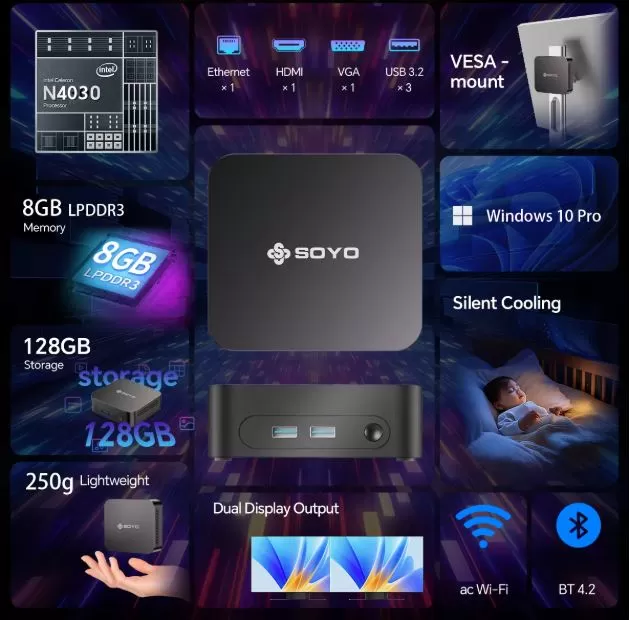
🎨 Design and Construction Quality
The SOYO Y5 has a sleek, professional look, with a matte black plastic casing that has a slightly textured finish. Weighing just 250 grams, it feels almost too light, but that's also an advantage: you can easily carry it in any backpack.
The design is minimalist, without RGB lighting or unnecessary embellishments, making it suitable for office or living room environments. The ventilation grille is positioned on the side for efficient heat dissipation. Compared to other low-end Chinese brands, the Y5's build quality feels above average for its price.
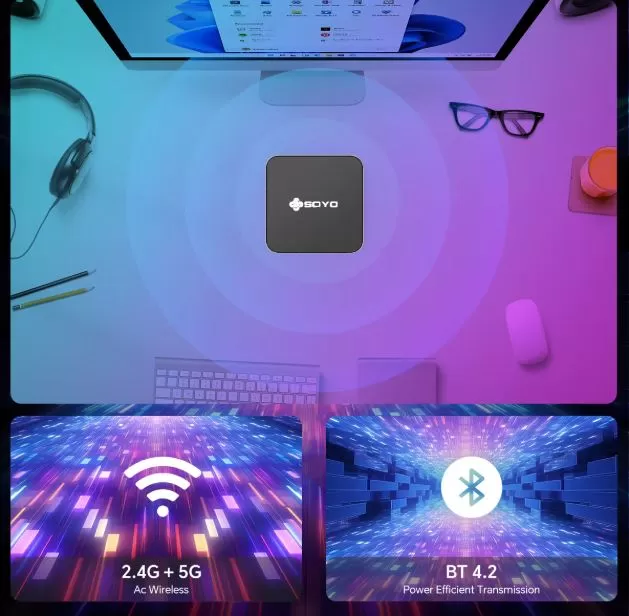
🖥️ Screen and Multimedia
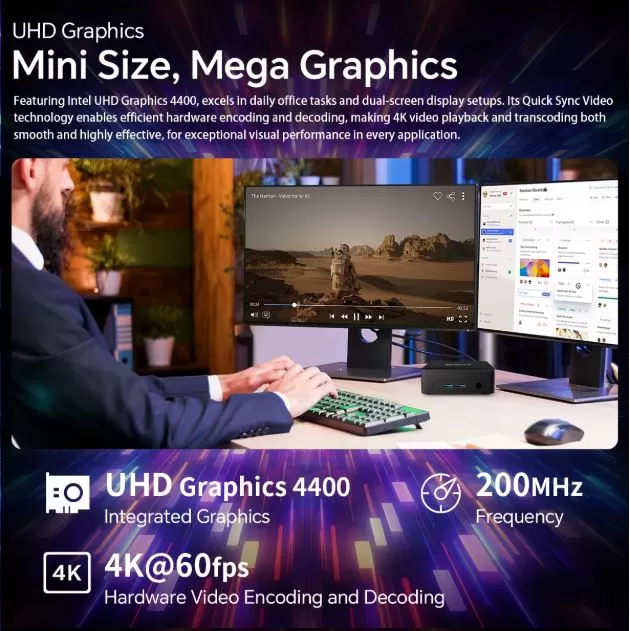
The SOYO Y5 connects to any monitor or TV via HDMI with support for 4K@60fps resolution thanks to the Intel HD Graphics 4400 GPU. For multimedia content (Netflix, YouTube, 4K videos), the experience is completely smooth and satisfying.
The sound quality depends on the monitor or external speakers you use, as it doesn't have a built-in speaker. 4K video streaming works well with Chrome or Edge, although you might notice some slowdown with multiple tabs open.
⚙️ Performance and Software
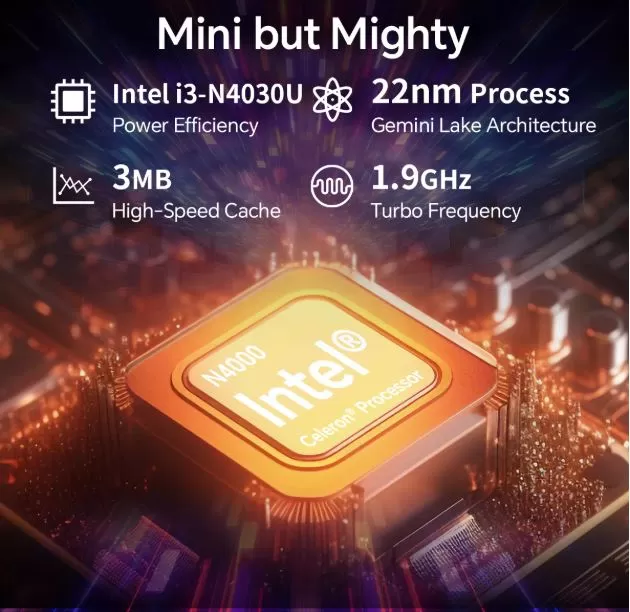
This is the most important point and where we need to be most transparent. The Intel i3 4030U is a 2013 Haswell generation processor with 2 cores and 4 threads. Its benchmark results are:
🔬 Real Benchmarks
| Test | i3-4030U | Intel N100 (modern) | Intel N150 (2025) |
|---|---|---|---|
| PassMark CPU Mark | ~2.100 pts | ~4.000 pts | ~5.400 pts |
| Single Thread (PassMark) | ~1.014 MOps/s | ~1.800 MOps/s | ~2.200 MOps/s |
| Cinebench R23 Multi | ~750 pts (est.) | ~2.000 pts | ~2.500 pts |
| Integer Math | 6.243 MOps/s | ~12.000 MOps/s | ~18.000 MOps/s |
| Data Encryption | 498 MB/s | ~900 MB/s | ~1,400 MB/s |
In practice, with Windows 11 Pro, the system boots in about 25-35 seconds from the M.2 SSD. The experience with office tasks (Word, Excel, browsing with 5-8 tabs) is acceptable but not fast. With more than 10 tabs open or several applications running simultaneously, the system starts to struggle.
🔋 Energy Consumption and Cables
With a TDP of 15W, the SOYO Y5 is one of the most energy-efficient mini PCs on the market. In real-world use:
-
Standby: ~5-7W
-
Light office work: ~8-12W
-
Maximum load (CPU+GPU): ~18-22W
Compared to a conventional desktop PC that consumes 200-400W, the annual electricity savings can be considerable. The included power adapter is compact (19V/3A), although the cable is short and you might need an extension cord.
🌡️ Temperature and Noise (Actual Thermal)
The SOYO Y5 uses a low-speed fan that is virtually inaudible under normal use. Unlike fanless models, this one features active cooling, which keeps temperatures under control even during extended use.
-
Resting temperature: ~35-40°C
-
Temperature under load: ~65-75°C
-
Noise level: <25 dB in normal use (virtually imperceptible)
During extended work sessions (3-4 hours), no significant thermal throttling was observed. The casing design channels air well, especially when the device is in a vertical position.
🔌 Connectivity and Ports
| Puerto | Availability |
|---|---|
| HDMI | ✅ 1x (4K@60fps) |
| USB-A 3.0 | ✅ 2x |
| USB-A 2.0 | ✅ 2x |
| USB Type-C | ✅ 1x (data + video) |
| RJ45 Ethernet | ✅ Gigabit |
| Jack 3.5mm audio | ✅ |
| WiFi | ✅ WiFi 5 (802.11 ac) |
| Bluetooth | ✅ BT 4.2 |
| SD card reader | ❌ Not included |
| NFC / Fingerprint | ❌ No |
| IP Rating | ❌ No certification |
Connectivity is adequate for the price, although the lack of WiFi 6 and the presence of USB 2.0 are notable limitations in 2026. The Type-C port is a welcome addition, although it doesn't support PD charging.
🔧 Expansion and Upgrades
Here the SOYO Y5 is a pleasant surprise:
-
RAM: DDR3 memory is soldered to the motherboard in many units—check before buying if your unit has a free SO-DIMM slot. If it does, you could upgrade to up to 16GB of DDR3 memory.
-
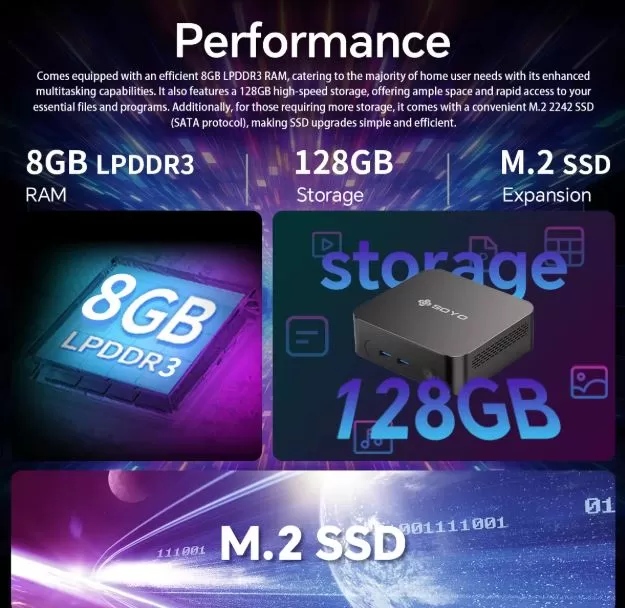
M.2 SSD: It has one M.2 slot (2242 or 2280 form factor, SATA interface — not NVMe). You can replace the 128GB SSD with a 256GB, 512GB, or 1TB SATA M.2 SSD for less than €25.
-
Second drive: ❌ It does not have a bay for an additional 2.5" drive or a second M.2
-
External GPU: ❌ Without Thunderbolt, does not support eGPU
💡 Recommendation: The first priority upgrade if you buy this computer is to change the SSD to 256GB or 512GB. With 128GB, Windows + basic applications + personal data fill up quickly.
🆚 Comparison with Direct Competitors
| Model | CPU | RAM | SSD | Price | Sistema Op. | Advantage |
|---|---|---|---|---|---|---|
| SOYO Y5 (i3 4030U) | i3-4030U (2013) | 8GB DDR3 | 128GB SATA | 121€ | Win 10 Pro | Price |
| SOYO Y5 Plus (i7 4650U) | i7-4650U (2013) | 8GB DDR3 | 128GB | 159€ | Win 11 Pro | Better CPU+GPU |
| Beelink Mini S12 Pro | Intel N100 (2023) | 16GB DDR4 | 500GB NVMe | ~160€ | Win 11 Pro | Modern performance |
| MINISFORUM UM350 | Ryzen 5 3550H | 16GB DDR4 | 256GB NVMe | ~180€ | Win 11 Pro | Superior integrated GPU |
| GMKtec NucBox G3 | Intel N100 | 8GB DDR4 | 256GB NVMe | ~130€ | Win 11 Pro | Modern CPU at a similar price |
Comparison conclusion: For around €10-40 more, you can get modern CPUs like the Intel N100, which double the performance of the i3-4030U with lower power consumption and native support for Windows 11. The SOYO Y5 only wins in absolute price.
💬 Reviews on Well-Known Pages
This is one of the most important points for making an informed purchase. These are the consensuses of real users:
AliExpress (4.7/5 ⭐ — Hundreds of reviews)
AliExpress buyers highlight the excellent value for money, fast shipping, and that the product works as described. The most frequent criticisms are:
-
"Slow for multitasking, but perfect for the basics"
-
"The 128GB SSD fills up very quickly, I recommend upgrading it."
-
"It's perfect for watching series and working with documents."
-
"No WiFi 6, but the WiFi connection works fine"
Reddit (r/lowendgaming, r/EmulationOnPC)
The community of users with 4th generation Intel hardware and HD 4400 confirms that PS2 emulation in PCSX2 is possible in simple games but unstable in demanding titles:
-
"Some PS2 games run well, others in slow motion."
-
"PSP with PPSSPP works almost perfectly"
-
"For PS2 you need to configure the emulator properly and lower the resolution."
🔬 Technical Tests
Based on hardware benchmarks of the i3-4030U and the HD 4400:
CPU — PassMark
-
Total CPU Mark: ~2,100 points
-
Single Thread: ~1.014 MOps/s
-
Context: The Intel N100 (2023) scores ~4,000 points — almost double the performance
Cinebench R23
-
Multi-core: ~750 points (estimated)
-
Single-core: ~520 points (estimated)
-
Context: A modern Intel N100 achieves ~2,000 multi and ~1,400 single
Geekbench 6
-
Single-core: ~600-650 points (estimated)
-
Multi-core: ~1,100-1,200 points (estimated)
Performance in Real-World Tasks
| Task | Performance | Use |
|---|---|---|
| Web navigation (5 tabs) | ✅ Fluid | Acceptable |
| Web browsing (15+ tabs) | ⚠️ This | It's starting to get expensive |
| Basic Word/Excel | ✅ Fluid | Perfect |
| Zoom / video call | ⚠️ Acceptable | Avoid high quality |
| 1080p video editing | ❌ Very slow | Not recommended |
| Streaming 4K YouTube | ✅ Fluid | It works well. |
| ZIP file compression | ⚠️ This | It takes twice as long as modern hardware. |
🎮 Gaming and Emulation
The Intel HD Graphics 4400 integrated into the i3-4030U is a 2013 GPU with a 200 MHz base clock speed and no dedicated video memory (it uses system RAM). These are the documented actual results:
🟢 What you CAN play:
-
DOS / Windows 98 / XP games: No problems
-
PSP (PPSSPP): Almost perfect in most games at native or slightly enhanced resolution
-
PS1 (ePSXe / DuckStation): Excellent, no problems.
-
Nintendo DS / GBA: Perfect
-
SNES / NES / Mega Drive / GBA: Perfect
-
PS2 (PCSX2) — Simple games: Functional (30-40 FPS in light titles such as 2D games, classic RPGs)
🟡 Works with limitations:
-
PS2 (PCSX2) — Demanding games: 30-50% speed in titles like Gran Turismo and God of War. Requires extensive configuration.
-
GameCube (Dolphin): Some 2D/simple games run, 3D games are unstable
-
2D indie PC games: Minecraft at minimum graphics settings, Terraria, Stardew Valley
🔴 What you CAN'T play:
-
PS3 / Xbox 360: Inviable
-
Wii U / Switch: Imposible
-
Modern AAA games (any title since 2015): Not recommended
-
Nintendo 3DS (Citra): Very poor performance
🎮 Gaming conclusion: If your main goal is retro gaming and emulation up to PS1/PSP/GBA, the SOYO Y5 will do the job. For PS2, you'll need patience and some setup. For anything more modern, you'll need different hardware.
❓ Frequently Asked Questions (FAQ)
Does it have WiFi 6?
No. The SOYO Y5 includes WiFi 5 (802.11 ac), which is sufficient for most everyday uses but lacks the latency and speed improvements of WiFi 6.
Can it be used as a home NAS/Plex server?
For Plex software transcoding, the i3-4030U will fall short. For direct streaming (without transcoding) of local content, it works well. As a lightweight file server or home VPN, it's perfectly adequate.
Does it consume a lot of power when left on 24/7?
No. With an average power consumption of ~10W, the annual electricity cost with the device running 24 hours a day is approximately €8-12/year (at €0.15/kWh). Ideal for lightweight 24/7 server applications.
Is it possible to add an external GPU?
No. Without a Thunderbolt port, it is not compatible with eGPUs.
Is the included SSD NVMe or SATA?
It's SATA M.2, not NVMe. This means read speeds of ~450-500 MB/s, which is slower than a modern NVMe (~3,000 MB/s) but much faster than an HDD.
🏁 Final Conclusion
The SOYO Mini PC Y5 is essentially a 12-year-old PC in an ultra-modern, compact form factor. Don't be fooled: the i3-4030U isn't a competitive processor in 2026. But that doesn't mean it has to be for every user.
It's ideal for you if:
-
🏠 You need a basic desktop PC to browse the internet, watch videos, and view documents.
-
📺 You use it as a media center connected to the TV (4K works perfectly)
-
🏫 You intend it for a child for schoolwork and basic entertainment
-
🕹️ Do you want a lightweight retro gaming machine up to PS1/PSP?
-
💡 Looking for the cheapest possible PC with Windows included?
It's not for you if:
-
You need seamless multitasking with 15+ tabs and resource-intensive applications.
-
Do you want to play PS2/GameCube games consistently or more modern titles?
-
Are you planning to upgrade to officially supported Windows 11?
-
Do you use editing, design, or development programs?
Alternatives to consider:
-
GMKtec NucBox G3 (Intel N100, ~€130): Similar price, double performance, native Win 11
-
Beelink Mini S12 Pro (Intel N100, ~€160): The most recommended in the range, +16GB RAM and 500GB SSD
-
SOYO Y5 Plus (i7 4650U, ~€159): Same generation but better CPU and GPU, with Win 11 Pro
🛒 Where to buy it?
| Store | Price | Link |
|---|---|---|
| 🛒 AliExpress | 121€ (8GB/128GB) | View offer on AliExpress |