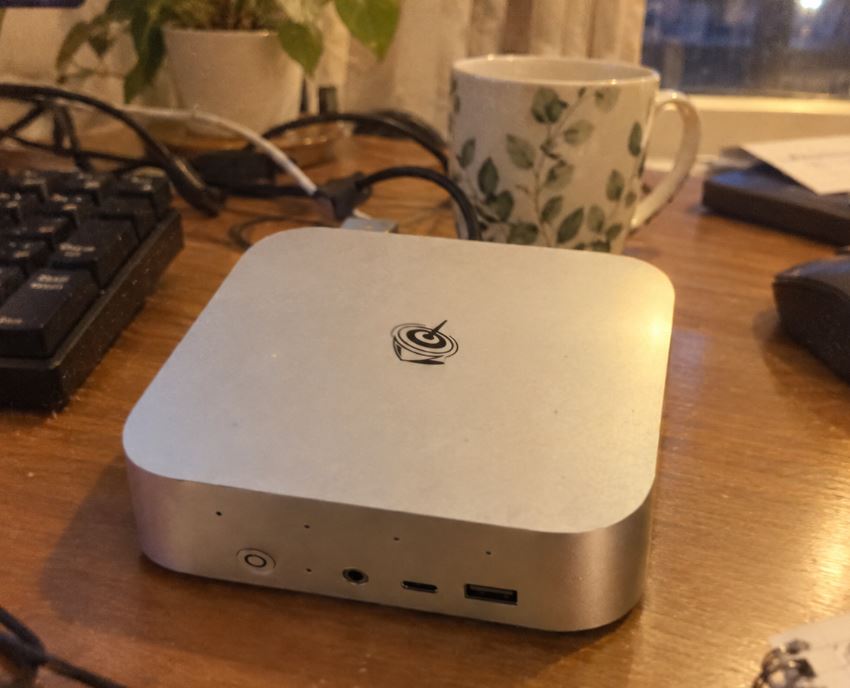
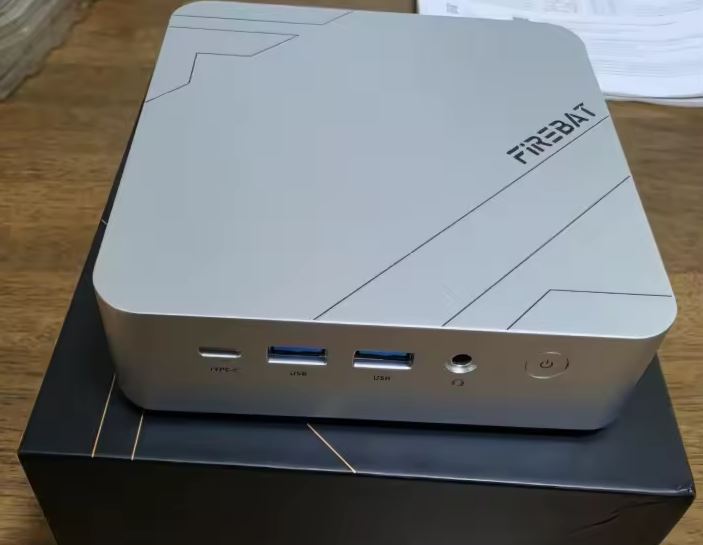
The ERVPES E1 Pro is an ultra-basic Mini PC focused on energy efficiency and network connectivity, ideal for users who need a second affordable and portable PC at a very low cost.
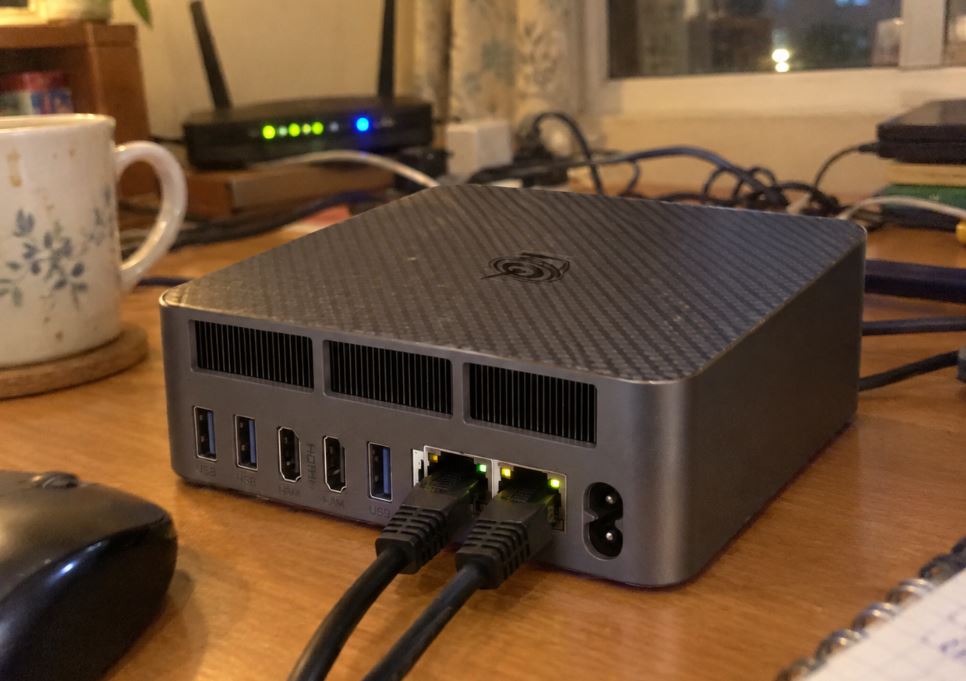
Thanks to its configuration with dual RJ45 (LAN) ports , triple display output and low power consumption, it is positioned as an affordable option for home projects (NAS, pfSense, thin server).
-
Pros:
-
🌐 Dual Gigabit / 2.5G LAN: Highly versatile for firewalls, load balancing, or local servers.
-
🖥️ Triple Screen Support: Simultaneous connection via HDMI 2.0, DisplayPort 1.4 and USB Type-C.
-
🔇 Silent and Low Consumption: Optimized cooling system and very low standby power consumption.
-
🔌 Variety of Ports: Excellent connection density (4x USB 3.2, 2x USB 2.0, Type-C).
-
-
Cons:
-
🧠 Soldered RAM: Its 8GB LPDDR4 cannot be expanded in the future.
-
⚡ Entry-level Processor: The Celeron N4505 (2 cores / 2 threads) falls short for heavy multitasking or gaming.
-
-
Quick conclusion: A specialized device whose main appeal is low-cost network and video connectivity, sacrificing memory expandability.
📦 Unboxing and Box Contents
-
💻 ERVPES E1 Pro Mini PC.
-
🔌 External power adapter with power cable.
-
🖥️ High-speed HDMI cable.
-
🛠️ VESA mounting bracket with screws.
-
📖 User manual.
Table of Technical Specifications
| Component | Specification Confirmed | Details and Practical Use |
| Processor (CPU) | Intel Celeron N4505 (2N/2H, 2.0 to 2.9 GHz, TDP 10W) | Ultra-efficient, very low-power architecture for basic tasks. |
| Graphics (GPU) | Intel UHD Graphics (16 EUs) | Supports hardware decoding of 4K video (HEVC/VP9). |
| RAM | 8GB LPDDR4 / DDR4 | Not expandable (soldered on motherboard; sufficient for office use). |
| Storage | 256GB SSD M.2 (SATA) | Expandable up to 1TB / 2TB (by replacing the factory M.2 2280 module). |
| Network Ports | 2x RJ45 Gigabit Ethernet (1000 Mbps) | (Useful for configuring home routers, pfSense/OPNsense, Pi-hole or NAS) |
| Video Output 1 | 1x HDMI 2.0 | (Useful for connecting main monitors or TVs at 4K@60Hz) |
| Video Outputs 2 | 1x DisplayPort 1.4 | (Useful for office or extended desktop monitors at 4K@60Hz) |
| Multifunction Port | 1x USB Type-C (5 Gbps) | (Useful for a 3rd 4K screen, 5 Gbps data transfer, and powering portable monitors) |
| USB Gen 3 ports | 4x USB 3.2 Type-A (5 Gbps) | (Useful for external hard drives, fast flash drives, and capture cards) |
| USB Gen 2 ports | 2x USB 2.0 Type-A | (Useful for connecting keyboards, mice, or printers without using up fast USB ports) |
| Audio Port | 1x 3.5mm combo jack | (Useful for headphones with built-in microphone or desktop speakers) |
| Wireless Connections | Wi-Fi 5 (802.11ac) + Bluetooth 5.0 | (Useful for wireless networking and connecting controllers, headphones, or BT peripherals) |
| Operating System | Windows 11 Pro | Includes pre-installed license (also compatible with Linux/Ubuntu). |
| Support and Mounting | VESA mount included | (Useful for screwing the Mini PC behind the monitor and saving space) |
👉 You can check out or buy the ERVPES E1 Pro on AliExpress.

Design and Construction Quality
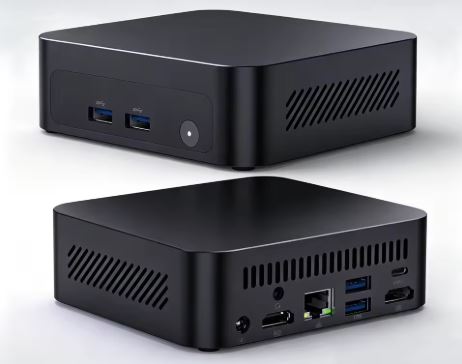
With a compact square chassis measuring 128 × 128 × 47 mm, the ERVPES E1 Pro fits in any corner of the desk.
It includes VESA compatibility, allowing it to be screwed behind the monitor to keep the space clean of cables.
Its aesthetics are understated, dominated by side ventilation grilles to ensure airflow generated by its silent fan ( Silent Fan Cooling ).
Screen and Multimedia
-
Triple Video Output: The combination of HDMI 2.0, DisplayPort 1.4 and USB Type-C allows you to handle 3 simultaneous monitors at 4K resolution at 60Hz.
-
Video Decoding: The integrated Intel UHD GPU's multimedia engine natively decodes modern codecs (HEVC/VP9), ensuring smooth playback of streaming content (YouTube, Netflix) without overloading the CPU.

Performance and Software
The Intel Celeron N4505 processor (Jasper Lake architecture) is designed for basic sequential processing tasks:
-
Daily use experience: Works smoothly under Windows 11 Pro for web browsing, email clients, word processing, and light spreadsheets.
-
Multitasking Limit: With 2 cores and 2 threads, performance will decrease if you try to run multiple heavy applications in the background.
Energy Consumption, Temperature and Noise
Consumption
With a nominal TDP of only 10W, the device stands out for its high energy efficiency:
-
Idle: ~5W - 8W.
-
Under load: ~15W - 20W.
Thermal and Noise
Its active cooling system manages temperatures effortlessly. Being a low-power chip, the fan operates at reduced speeds, keeping noise levels low, ideal for office or bedroom environments.
Connectivity and Extras
-
🌐 Dual LAN Ports (2x RJ45): Your key competitive advantage. Allows you to configure the device as a router, firewall (pfSense/OPNsense), VPN server, or proxy.
-
🔌 Peripheral Ports: With 4x USB 3.2 and 2x USB 2.0, it offers enough room to connect printers, code readers, keyboards and storage drives without the need for external hubs.
-
🔌 USB Type-C Port: Enables 4K video output at 60Hz, powering of peripherals and high-speed data transfer up to 5 Gbps (USB 3.2 Gen 1).

🛠️ Expansion and Upgrades
-
🧠 RAM: Not expandable. It comes with 8GB of memory soldered to the motherboard.
-
💾 SSD Storage: It has a 256GB M.2 format drive. It can be replaced with a higher capacity M.2 module (512GB / 1TB).
👉 Check out M.2 SSD upgrade options on AliExpress.
⚔️ Comparison with Direct Competitors
| Model | Processor | RAM | LAN ports | Video Output |
| ERVPES E1 Pro | Intel Celeron N4505 (2N/2H) | 8GB (Soldered) | 2x RJ45 | HDMI + DP + Type-C 👉 See Prices |
| ERVPES E1 | AMD Ryzen 3 3250C (2N/4H) | 8GB (Expandable) | 1x RJ45 | HDMI + DP 👉 See Prices |
| PELADN HO5 | Intel Core i5-12450H (8N/12H) | 16GB (Expandable) | 1x RJ45 | HDMI + DP 👉 See Prices |
Product Reviews and Focus
In forums and specialized stores, the ERVPES E1 Pro receives positive feedback in very specific scenarios:
-
Acclaimed Use Cases: Users of Homelab -type platforms value its Dual LAN port for setting up DNS servers (Pi-hole), lightweight file servers, or small, low-cost network gateways.
-
Main criticisms: The limitation of 8GB of non-expandable RAM and the limited power of the Celeron processor prevent it from being recommended as a main desktop computer for demanding users.
Technical Tests (Benchmarks)
🟢 Cinebench R23 (Processor Performance in Pure Loads)
Cinebench R23 measures the raw power of the processor through intensive 3D rendering tasks with the Cinema 4D engine.
-
Single-Core (Mononúcore) — ~610 points:
-
What it measures: The responsiveness of one of the P cores working individually at its maximum frequency (up to 2.9 GHz Turbo).
-
What it means: A score of ~610 points places it in the entry-level range. It's sufficient for basic sequential tasks: opening folders, running a word processor, launching a web browser, or processing individual commands without annoying delays.
-
-
Multi-Core (Multicore) — ~1,180 points:
-
What it measures: The simultaneous processing power when the 2 cores and 2 threads are working at 100% of their capacity.
-
What it means: It clearly shows the device's physical limitations. Lacking Hyper-Threading technology or more cores, the device struggles with tasks that require massive parallelization (video rendering, heavy file compression, or concurrent execution of complex software).
-
🔵 Geekbench 6 (Everyday Workload Tests)
Geekbench 6 simulates common use cases using image processing algorithms, database manipulation, code navigation, and basic compilation.
-
Single-Core — ~720 points:
-
What it measures: The chip's agility in solving individual algorithms used in modern applications.
-
What it means: It maintains an optimal level for managing fluid interfaces in Windows 11 Pro or Linux systems, allowing navigation through menus and conventional web pages to remain stable.
-
-
Multi-Core — ~1,250 points:
-
What it measures: The ability to distribute computing work between both cores.
-
What this means: It keeps the device in the range of a lightweight server or passive terminal. It is sufficient to handle network traffic on its two LAN ports (pfSense, Pi-hole, file sharing services) as long as the CPU is not overloaded with heavy concurrent processes.
-
🟣 PCMark 10 (Global Assessment of Office Productivity)
PCMark 10 analyzes the overall experience of the entire system (processor, LPDDR4 memory speed and M.2 SSD response) by simulating workdays with spreadsheets, video calls and multi-tabbed browsing.
-
Overall Score — ~2,800 points:
-
What it measures: The overall fluidity of the system as a daily workstation.
-
What it means: Industry benchmarks consider a score between 2,500 and 3,000 points to qualify a device as suitable for basic office tasks and multimedia consumption. This confirms that the ERVPES E1 Pro is adequate for administrative tasks, point-of-sale (POS) terminals, or everyday browsing, marking its limit just before video editing or professional multitasking.
-
🎮 Gaming and Emulation
-
Native PC Gaming: Not designed for modern 3D games. It can only run retro titles or lightweight 2D games (Terraria, Stardew Valley).
-
Emulation: Capable of emulating classic consoles up to the PS1, N64, and Game Boy Advance without issues. More complex consoles like the PS2, GameCube, or Wii are outside its range of smooth performance.
❓ Frequently Asked Questions (FAQ)
1. Can the RAM in the ERVPES E1 Pro be expanded?
No. The 8GB LPDDR4 RAM is soldered to the motherboard and does not have any additional SO-DIMM slots.
2. Is it suitable for use as a low-power home server?
Yes. Its dual RJ45 ports, low power consumption (less than 15W under load) and silent operation make it an excellent alternative for network services, Pi-hole, Home Assistant or OpenWrt micro-servers.
Final Conclusion
The ERVPES E1 Pro doesn't aim to compete on raw power, but rather to offer maximum connectivity at the lowest possible price and power consumption. Its dual LAN and triple 4K video output configuration makes it a logical choice for dedicated network projects, point-of-sale systems, or basic workstations.