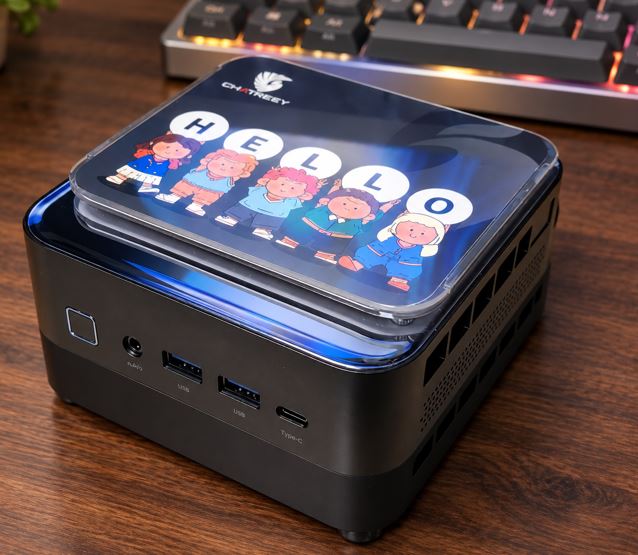
The SZBOX H58 is presented as a compact computer aimed at tight budgets looking for eight processing cores in just 0.42 liters of chassis.
-
Pros: Excellent price-to-performance ratio in its basic variant; multi-function USB Type-C connectivity with video output and charging; support for dual M.2 drives and dual-channel DDR4 memory.
-
Cons: The HDMI video outputs are limited to the 1.4 standard (limited to 30 Hz at 4K resolution); the secondary M.2 bay is restricted to the SATA 2242 bus; the 65W power adapter provides just enough headroom for the peak power consumption of the Ryzen 7 5800H.
-
Conclusion: On paper, it's a platform with solid specifications for heavy office tasks, multitasking, or workstations where minimal space is paramount.
📦 Unboxing and package contents
According to the product data sheet and the manufacturer's documentation, the package includes the essential elements for its start-up:
-
The SZBOX H58 Mini PC central unit.
-
External DC power adapter (DC 19V / 3.42A, 65W).
-
Standard HDMI video cable.
-
VESA mounting bracket with screw set for mounting behind monitor or on wall.
-
Basic user manual with guide to ports and connections.
⚙️ Key technical specifications table
The following table summarizes the official technical specifications:
| Component | Official specification |
|---|---|
| Processor (CPU) | Option AMD Ryzen 7 5700U (8C/16T, Zen 2, 15W) or AMD Ryzen 7 5800H (8C/16T, Zen 3, 45W) |
| Graphics card (GPU) | Integrated AMD Radeon Graphics (Vega 8 at 2000 MHz, 8 graphics cores) |
| RAM Memory | 2x SO-DIMM DDR4-3200 slots (supports up to 32GB in dual channel) |
| Primary storage | 1x M.2 2280 NVMe PCIe 3.0 x4 (supports up to 2 TB) |
| Secondary storage | 1x M.2 2242 NGFF SATA3 (supports up to 2 TB) |
| Video outputs | 2x HDMI 1.4 (4K@30Hz) + 1x USB Type-C (con DisplayPort alternativo) |
| Front ports | 2x USB 3.1 Type-A (10 Gbps) + physical power button with LED |
| Rear ports | 2x USB 3.0 Type-A (5 Gbps) + 1x Type-C multifunción + entrada DC |
| Network and connectivity | 1x RJ45 Gigabit Ethernet (10/100/1000 Mbps) + Wi-Fi 6 + Bluetooth 5.2 |
| Audio connection | CTIA 3.5mm Combo Jack Connector (Headphone/Microphone) |
| Official dimensions | 105 mm x 115 mm x 35 mm (pocket size) |
| Power supply | External DC transformer 19V / 3.42A (65W) |
| OS Compatibility | Designed for Windows 10 / Windows 11 Home and Linux distributions |
You can check the purchase options for this model at the official SZBOX H58 store on AliExpress.
If you prefer to compare with alternatives that offer immediate local delivery, check out the listings for Ryzen 7 Mini PCs on Amazon.
🛠️ Design and construction format
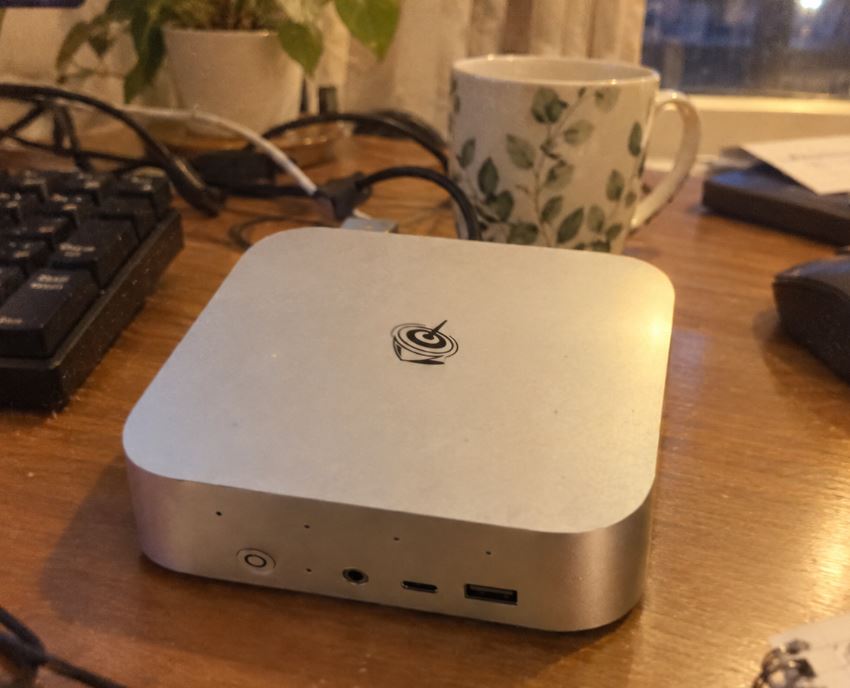
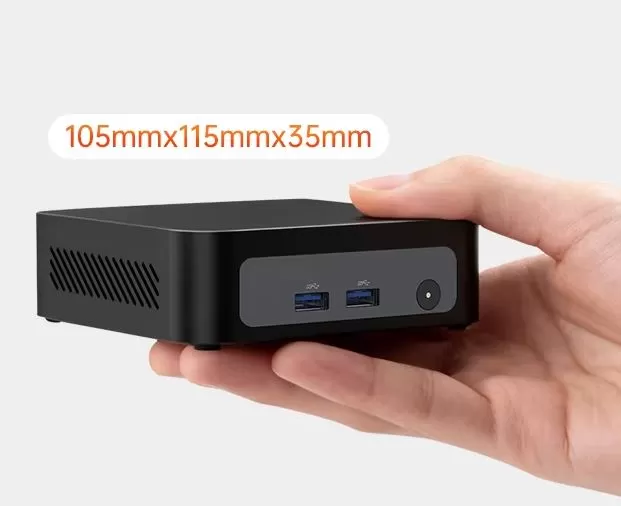
The SZBOX H58 stands out for its small chassis: it measures just 105 x 115 x 35 mm, which translates into a volume of approximately 0.42 liters.
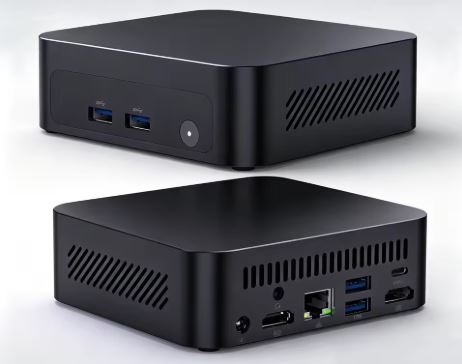
The chassis features a dark exterior finish with side vents designed for fresh air intake.
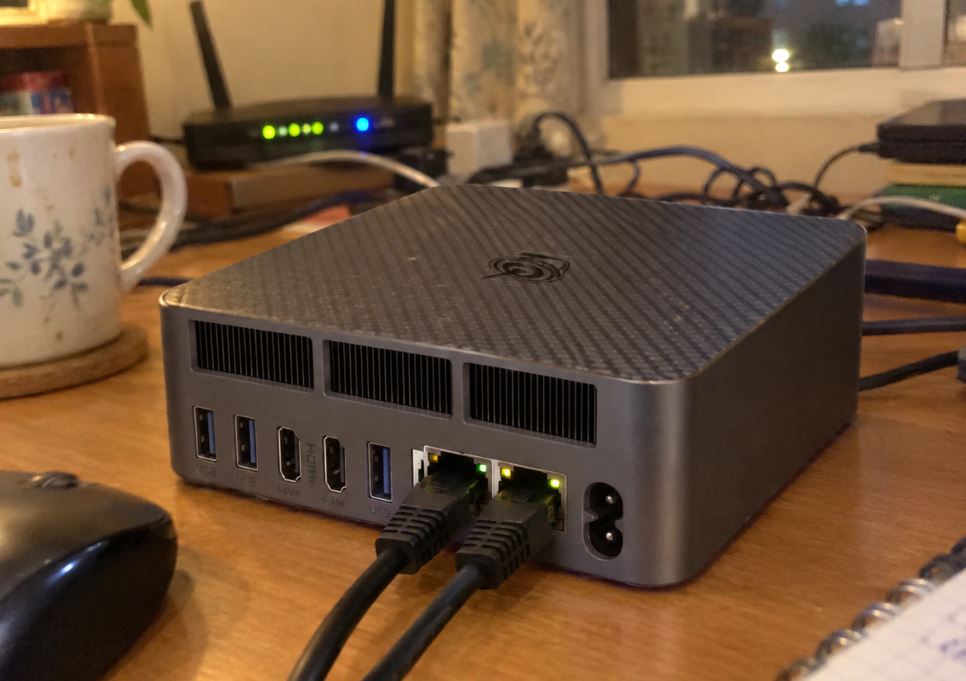
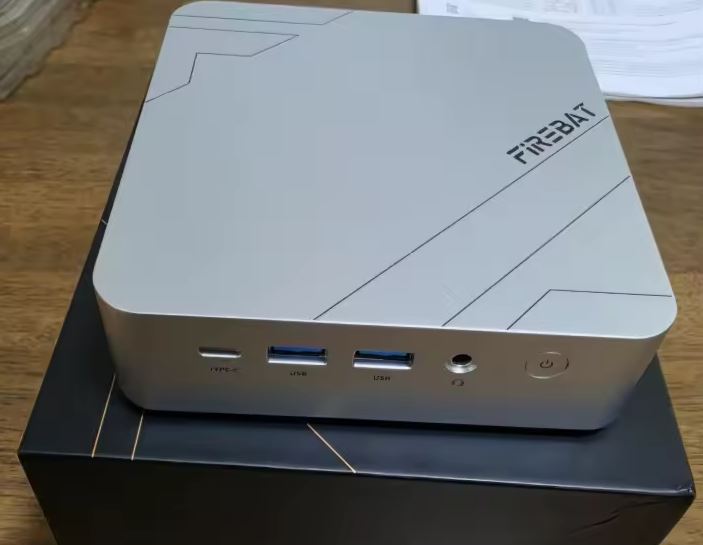
The rear panel integrates the static-use connections along with the top cooling slot, while the front panel features two easily accessible fast USB ports and the power button with integrated LED indicator to show the system's operating status.
🖥️ Screen and multimedia connectivity
Monitor management presents some key technical features in this chassis:
-
HDMI Resolution: The two dedicated connections correspond to the HDMI 1.4 standard. According to the technical specifications, this port delivers a maximum refresh rate of 4K at 30 Hz. For standard 1080p resolutions, it works at 60 Hz without limitation, but for 4K displays, the usual 60 Hz refresh rate requires connecting the monitor via the Type-C port with DisplayPort support.
-
Multi-screen setup: The device supports up to three monitors working simultaneously by combining the two HDMI 1.4 ports and the front/rear USB-C connector.
-
Audio and media playback: The integrated AMD Radeon graphics card includes dedicated decoders for modern compression formats such as VP9 and H.265, managing sound output through both the physical 3.5 mm jack and the digital video outputs.
🚀 Performance based on architecture and hardware specifications
The sales sheet allows you to select between two processors with clearly differentiated behavior:
-
Ryzen 7 5700U option: Integrates 8 cores and 16 threads under the Zen 2 microarchitecture with a base TDP of 15W. Being designed for moderate power consumption, it fits naturally into compact chassis with standard cooling.
-
Ryzen 7 5800H option: Advances to the Zen 3 architecture, raising the turbo frequency to 4.4 GHz and the base power consumption to 45 W. It offers higher performance per core in heavy computing, although its energy demand is noticeably higher.
-
Operating system: The technical specifications state compatibility and pre-installation with Windows 10 and Windows 11 Home.
⚡ Energy consumption and dissipation data
-
Electrical requirements: The product's technical specifications detail the supply of a 19V, 3.42A transformer, which sets the maximum power delivery at 65W. This value is ample for the Ryzen 7 5700U (15W base), but leaves a tighter margin for the 5800H when the processor and other peripherals are working simultaneously.
-
Dissipation: The equipment integrates active cooling with an internal fan and thermal ducts, expelling heat through the fin module located on the rear panel.
🔌 Physical and wireless connectivity
The distribution of connections follows the following scheme:
-
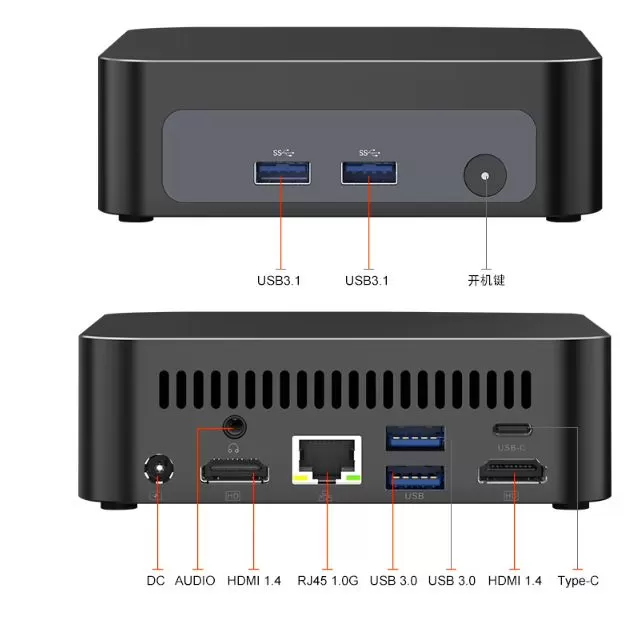
Front panel: Two USB 3.1 Type-A ports with bandwidth up to 10 Gbps for high-speed peripherals.
-
Rear panel: Two USB 3.0 Type-A ports (5 Gbps), one full USB Type-C connector (data, DisplayPort video and PD power), two HDMI 1.4 connectors, RJ45 Gigabit Ethernet connector and DC power socket.
-
Wireless network: Integrated Realtek RTL9852 module with dual-band Wi-Fi 6 (2.4 GHz and 5 GHz) and Bluetooth 5.2 connectivity.
🔧 Possibilities for internal expansion
The SZBOX H58 allows you to upgrade its key components using standard memory and storage sockets:
-
RAM Memory: It has two SO-DIMM DDR4 slots that support dual-channel configurations up to an official maximum of 32 GB at 3200 MHz.
-
If you purchase the barebone version, you can add compatible modules via this link for DDR4 SO-DIMM 3200MHz RAM.
-
-
Primary M.2 storage: Standard M.2 2280 bay under PCIe 3.0 x4 NVMe protocol with support for up to 2 TB.
-
You can check out units from this link for M.2 2280 NVMe SSD drives.
-
-
Secondary M.2 storage: A second M.2 2242 compact form factor slot that operates under NGFF SATA3 interface (up to 2 TB capacity).
-
This short bay requires a compatible drive such as those available at this link for M.2 2242 SATA NGFF SSDs.
-
🎮 Gaming and emulation performance (approximate, without technical testing)
The SZBOX H58 does not have a dedicated graphics card; it relies entirely on the integrated AMD Radeon RX Vega 8 graphics. Its performance is comparable to entry-level graphics cards like a GeForce GTX 750 Ti or MX350, so installing two RAM modules in dual-channel configuration is essential for the GPU to perform at its best.
The behavior of this hardware is clearly divided according to the graphics requirements:
1. eSports and competitive (native 1080p - Very smooth)
This is the terrain where this mini PC excels, achieving competitive refresh rates:
-
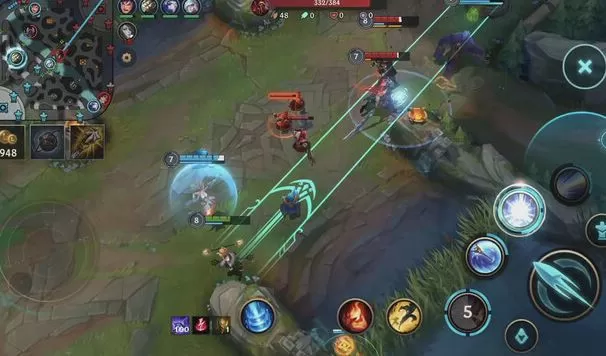
League of Legends: 90 – 120 FPS (High quality at 1080p).
-
Valorant: 80 – 100 FPS (Medium/Low quality at 1080p).
-
Rocket League: 60 – 75 FPS (Medium quality at 1080p).
-
CS:GO / Counter-Strike 2: 50 – 65 FPS (Low quality or 900p).
-
Fortnite: 50-60 stable FPS (1080p with Performance mode enabled).
2. Popular and indie titles (1080p / 720p - Playable at 30-60 FPS)
Previous generation games and graphic adventures run at stable frame rates by adjusting the quality:
-
GTA V: 45 – 55 FPS (1080p in Normal quality).
-
The Witcher 3: 35 – 45 FPS (720p/900p on Low settings).
-
Genshin Impact: 40 – 50 FPS (900p on Medium/Low settings).
-
Minecraft / Hades / Hollow Knight: Solid 60 FPS at 1080p without breaking a sweat.
3. Retro emulation (Its greatest strength)
Thanks to the computing power of the 8 Ryzen cores, the system excels as an emulation station:
-
PS1, N64, Dreamcast and PSP: 60 FPS with internal resolution upscaled to 1080p or 4K.
-
PlayStation 2 (PCSX2) and GameCube / Wii (Dolphin): Stable 60 FPS across the vast majority of the catalog upscaled to 1080p.
-
Nintendo Switch Light: It runs 2D titles and light games like Mario Kart 8 Deluxe, although it suffers drops below 30 FPS in complex 3D worlds like Zelda: Tears of the Kingdom.
⚠️ Games rejected (Not recommended)
Modern AAA titles with high graphical demands ( Cyberpunk 2077, Starfield, Alan Wake 2, or Black Myth: Wukong ) are stuck at between 15 and 25 FPS, making them unplayable. To achieve that level of performance, a jump to RDNA 2 or RDNA 3 graphics architectures (such as Ryzen 6000 or 7000 series processors) is required.
User Reviews
-
The fan and thermal management:
In models equipped with the Ryzen 7 5800H (45W), users report that the fan frequently spins up and generates noticeable noise under continuous load. In contrast, those who choose the Ryzen 7 5700U or 5600U (15W) highlight that it is a very quiet and cool system. -
The surprise of the second M.2 port (2242 SATA):
Several buyers have complained in forums after trying to install a second fast NVMe drive and discovering that the secondary 2242 slot only works under the SATA/NGFF protocol and does not recognize NVMe PCIe drives. -
Excellent compatibility with Linux and retro systems:
Users who install distributions such as Batocera, Proxmox VE, Debian or Bazzite report that it works on the first try: the Realtek network card and Wi-Fi are recognized without configuring manual drivers. -
The BIOS is basic but open:
It comes with a generic AMI BIOS. It doesn't allow fine-tuning RAM timings, but it does have virtualization (AMD-V), scheduled power-on (RTC wake), and automatic power-on after a power outage enabled for use as an unattended server.
Summary of buyer sentiment
| Aspect | Sentiment in forums | Common comment |
|---|---|---|
| Price / Power | ⭐⭐⭐⭐⭐ (Very positive) | "Nobody gives you 8 Ryzen cores for this money." |
| Using Linux / Homelab | ⭐⭐⭐⭐☆ (Positive) | "Ideal for Proxmox and retro emulation with Batocera" |
| Support / Warranty | ⭐☆☆☆☆ (Negative) | "Don't expect customer support or a driver website; you're on your own after the 15-day AliExpress return period." |
| Factory components | ⭐⭐☆☆☆ (Caution) | "Avoid the included hard drives and RAM; assemble your own components." |
📊 Comparison with market alternatives
| Model | Processor (CPU) | RAM / Base Storage | Video connectivity | Disk bays | Approximate price | Purchase link |
|---|---|---|---|---|---|---|
| SZBOX H58 | AMD Ryzen 7 5700U / 5800H | Barebone options: No RAM, No SSD | 2x HDMI 1.4 (4K@30Hz) + 1x USB-C | 1x M.2 2280 NVMe + 1x M.2 2242 SATA | 241,39 € / ~269,15 $ | Buy SZBOX H58 on AliExpress |
| Texhoo Mini ITX | AMD Ryzen 7 5700U / R5 5600H / 4600H | No RAM No SSD | HDMI + VGA + LVDS (legacy) | 1x M.2 NVMe + 2x SATA 2.5/3.5" | 202,39 € / ~225,66 $ | Buy Texhoo Mini ITX on AliExpress |
| PELADN WO-4 | AMD Ryzen 7 5700U (8C/16T) | 16 GB DDR4 / 512GB SSD | HDMI 2.0 + DisplayPort + USB-C (4K@60Hz) | 1x M.2 2280 NVMe | 429,99 € / ~479,44 $ | Buy PELADN WO-4 on AliExpress |
| GenMachine 5700U | AMD Ryzen 7 5700U (8C/16T) | 16 GB DDR4 / 256 GB SSD | 2x HDMI + Type-C | 1x M.2 2280 NVMe | 496,39 € / ~553,47 $ | Buy GenMachine 5700U on AliExpress |
💬 Manufacturer's market positioning
In the electronic import ecosystem, SZBOX operates as a commercial integrator that markets platforms based on standard ODM design boards.
ODM stands for Original Design Manufacturer, an industrial company that designs, develops and manufactures a product completely, so that another company can then buy it, put its commercial logo on it and sell it as its own.
The SZBOX H58 model offers high-specification hardware at a significantly lower cost compared to traditional brands. However, these devices lack official websites for centralized driver downloads or regular firmware updates, meaning technical support is limited to the retailer's store on the sales platform.
❓ Frequently Asked Questions (FAQ)
Is it possible to connect 4K monitors at 60Hz?
Yes, but it must be done via the USB Type-C port, as the integrated HDMI connectors are version 1.4 and are limited to 30Hz at that resolution.
Does it support 2.5-inch mechanical hard drives or SATA SSDs?
No. Due to its 35mm height profile, the chassis does not have physical space for traditional 2.5" drives; all expansion must be done via its M.2 2280 and M.2 2242 slots.
Does it come with included memory and storage?
The manufacturer sells complete pre-built options and also the Barebone variant (without RAM, storage drive, and operating system).
🏆 Final conclusion: Who is it suitable for?
The SZBOX H58 offers a solid technical configuration for its price range. It's a good option for users looking for a tiny desktop computer for office work, multitasking workstations, or compact local servers.
From a technical standpoint, the smartest and most balanced purchase of this model is the Barebone version (NO RAM / NO SSD / NO OS) equipped with the AMD Ryzen 7 5700U processor.
The reasons for recommending this specific combination are clear:
-
The thermal and electrical balance of the 5700U: While the 5800H is a 45W processor that pushes the official 65W power supply to its limits and forces the small internal fan to its maximum speed, the Ryzen 7 5700U operates with a base TDP of only 15W. It maintains the same 8 cores and 16 threads for heavy multitasking and office applications, but with much lower power consumption and noticeably cooler and quieter operation.
-
The advantage of buying in barebone format: Purchasing the unit without pre-installed components allows you to install DDR4 RAM modules and NVMe SSDs from reputable manufacturers (such as Crucial, Kingston, or Western Digital). This way, you avoid the generic Chinese drives that often come with complete kits and ensure maximum system speed and durability from day one.