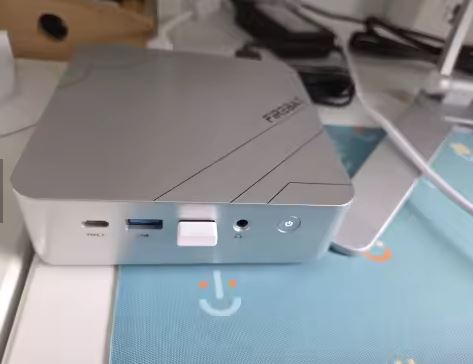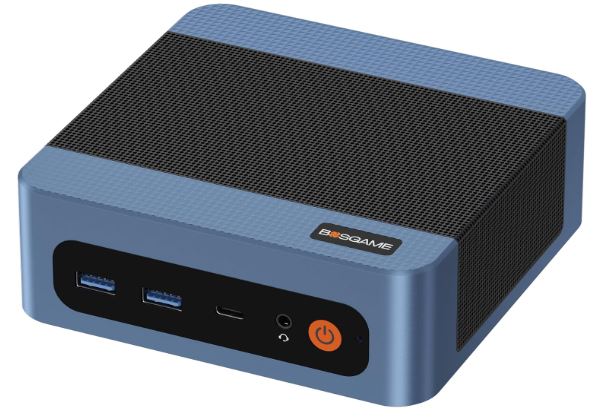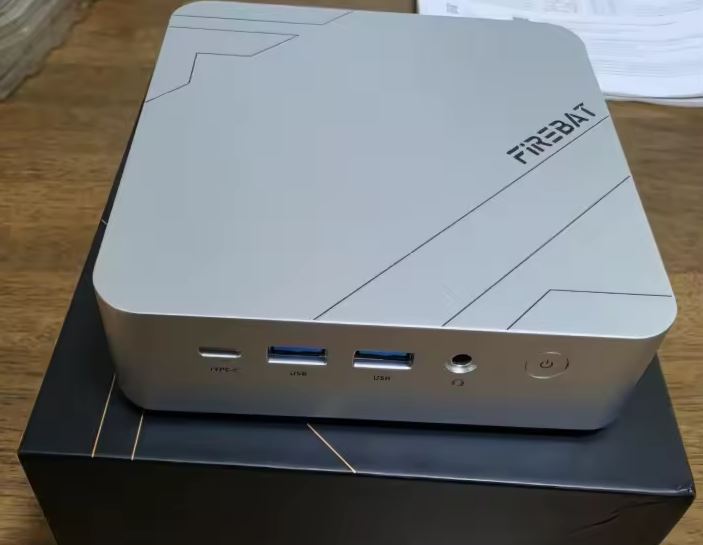
The Firebat F1P (along with its superior variant F1M ) is an ultra-compact computer that squeezes every last drop of performance from AMD's Zen 4 architecture at a groundbreaking cost.
It offers solid graphics power thanks to its Radeon 780M iGPU, 40 Gbps USB4 connectivity, and dual M.2 PCIe 4.0 slots. However, its soldered RAM requires careful selection of the initial configuration, and its heatsink works hard under prolonged loads.
It's one of the smartest buys on the market if you're looking for a tiny desktop computer for remote work, development, multimedia, or advanced emulation without spending a fortune.
-
Pros:
-
Single/multi-core performance with the AMD Ryzen 7 H 255 APU (8C/16T Zen 4).
-
Integrated Radeon 780M graphics (RDNA 3) far superior to Vega or Intel Iris Xe solutions.
-
Full connectivity: front USB4 port (40 Gbps) and 2.5 GbE network card.
-
Two M.2 2280 PCIe 4.0 slots for storage.
-
Ultra-thin format less than 40 mm thick and chassis with metallic finishes.
-
-
Cons:
-
LPDDR5 RAM soldered to the motherboard (impossible to upgrade in the future).
-
The 16 GB version reserves 4 GB for the iGPU, leaving only ~12 GB for Windows.
-
Audible fan under sustained 54W loads.
-
Windows 11 Volume Activated License (MAK) in some games.
-
Unboxing and box contents
Upon opening the package, we found a simple and functional design, aimed at protecting the hardware:
-
📦 Firebat F1P Mini PC (labeled as F1M if you buy the 24GB + 1TB version).
-
🔌 Power adapter with standard European plug (Type F / Schuko with earth connection).
-
🖥️ Short length braided/standard HDMI 2.0 cable (approx. 80cm to 1m).
-
🛠️ Metal sheet VESA mount along with its screws to anchor the equipment behind a monitor or television.
-
📖 Quick start guide in multiple languages.
Key technical specifications
| Component | Technical Specification |
|---|---|
| Processor (CPU) | AMD Ryzen 7 H 255 (8 cores / 16 threads, base 3.8 GHz, boost up to 4.9 GHz, 4 nm Zen 4) |
| Graphics (iGPU) | AMD Radeon 780M (RDNA 3, 12 CUs at 2600 MHz) |
| RAM | 16 GB or 24 GB LPDDR5 at 5600 MT/s (soldered, Samsung chips in quad channel 32-bit configuration) |
| Storage | 512GB or 1TB NVMe M.2 2280 SSD |
| Expansion bays | 2× M.2 2280 NVMe PCIe 4.0 slots (one occupied by the main drive) |
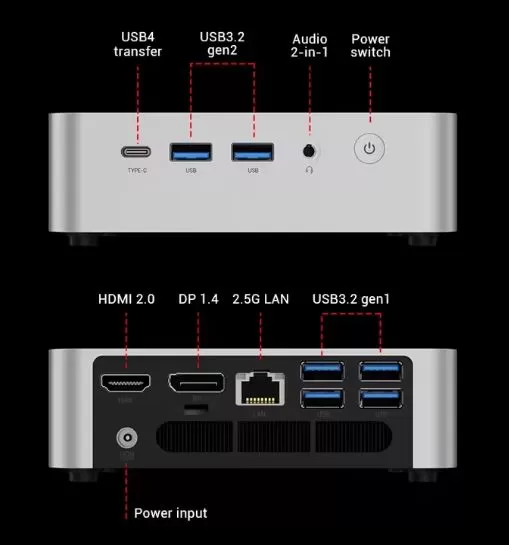
| Front ports | 1× USB4 Type-C (40 Gbps, DP Alt Mode), 2× USB 3.2 Gen 2 (10 Gbps), 3.5 mm 2-in-1 audio jack, power button |
| Rear ports | 1× HDMI 2.0, 1× DisplayPort 1.4, 1× RJ45 2.5 GbE LAN, 4× USB 3.2 Gen 1 (5 Gbps), 1× DC-in |
| Wireless network | Wi-Fi 6 (802.11ax) + Bluetooth 5.2 |
| Dimensions and weight | 128 × 128 × 40 mm (length × width × height), with a volume of ~0.66 liters and a weight of 520 g |
| Operating system | Windows 11 Pro pre-installed (natively compatible with Linux Mint/Ubuntu) |
Design and construction quality
The Firebat F1P's chassis is a pleasant surprise compared to typical budget mini PCs built entirely from polycarbonate. It combines a lightweight metal alloy outer casing with discreet geometric accents on the top cover, achieving a sleek and minimalist look on the desktop.
Less than 40 mm thick and weighing a mere 520 grams, it literally fits in the palm of your hand. Its structural rigidity is remarkable: there are no creaks when handled, and the four rubber feet on the base dampen vibrations and slightly raise the chassis to facilitate airflow.
Display and multimedia capabilities
Since it is a desktop computer without an integrated screen, its multimedia capabilities depend on its video outputs and internal decoders:
-
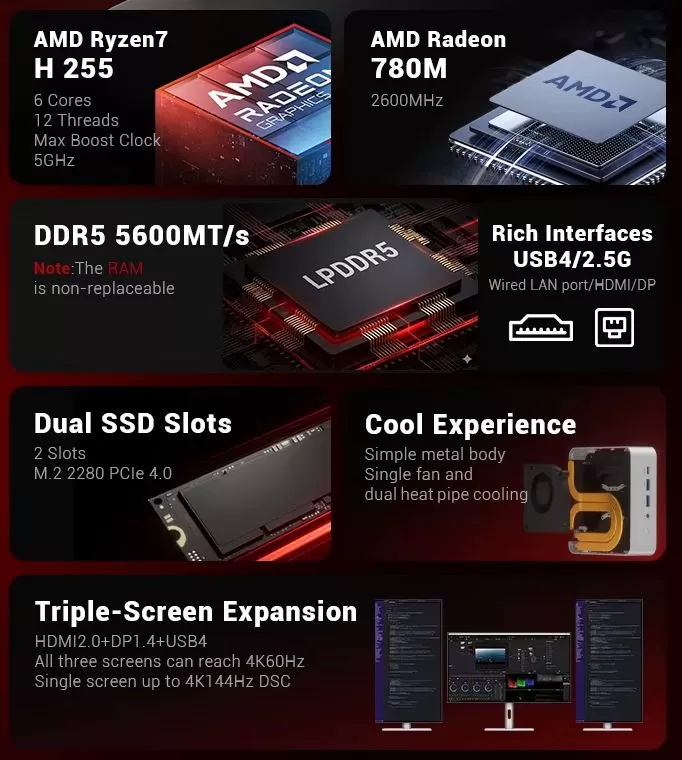
🖥️ Simultaneous triple display: Thanks to its HDMI 2.0 port, DisplayPort 1.4 and front USB4 port, you can connect up to 3 displays at 4K resolution and 60 Hz independently, or power a high frequency gaming monitor (up to 4K at 144 Hz with DSC via DP/USB4).
-
🎬 Next-generation hardware decoding: The Zen 4 / RDNA 3 architecture's multimedia engine incorporates full hardware acceleration for AV1, VP9, H.265 (HEVC), and H.264 codecs. It is capable of playing YouTube videos in 4K/8K at 60 fps with less than 5% CPU usage.
-
🔊 Sound: It has a front 3.5mm analog connector for headphones and microphone with a clean signal/noise ratio, without noticeable electromagnetic interference.
Performance and software
Desktop performance and development
The Ryzen 7 H 255 is a variant of the Hawk Point silicon (similar to the Ryzen 7 8745H) that retains its 8 cores and 16 threads of Zen 4 architecture. It moves with instant ease in demanding multitasking: browsing with dozens of open tabs, compiling software projects, Docker containers and photo/vector editing in design suites.
Internal speeds
The included SSD performs well, and the 5600 MT/s LPDDR5 memory provides outstanding bandwidth that feeds both the CPU cores and the integrated graphics.
Operating system and bloatware
It comes with Windows 11 Pro pre-installed. It doesn't include any invasive third-party bloatware, although it's advisable to verify the activation key version (some batches use corporate MAK keys). Furthermore, it's 100% compatible with recent Linux distributions like Ubuntu, Debian, and Linux Mint, where the 2.5 GbE network card, audio, and graphics acceleration work out of the box without needing to configure any additional drivers.
Energy consumption, temperature and noise
Consumption and food
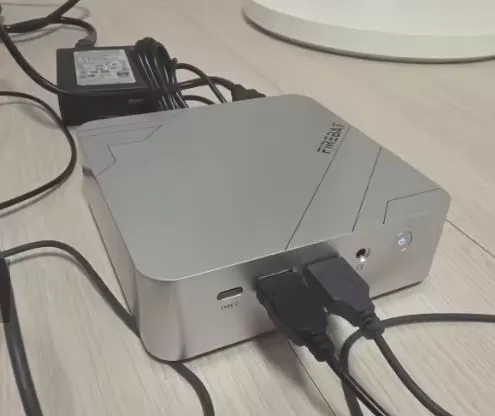
The device is powered by a compact external power adapter with a traditional barrel-type DC connector. This leaves the front USB4 port free for your accessories.
-
Idle: ~8 W to 12 W.
-
Average usage (office/streaming): ~20W to 30W.
-
Maximum load (stress test / gaming): Reaches its sustained 54W profile, squeezing every last drop out of the silicon.
Actual thermal and noise level
The cooling system combines two copper heat pipes and a turbine fan that expels airflow through the rear grille:
-
Thermal behavior: During everyday use, the device remains cool (external chassis below 40°C). Under prolonged 54W load, the processor reaches nearly 80–85°C internally. It is advisable to place it in an area with good rear ventilation.
-
Noise: At idle, it's virtually imperceptible. When the fan is running at full speed under heavy load, it generates a noise level of about 40 to 45 dB at a distance of 60 cm, similar to the continuous whirring of a compact gaming laptop.
Connectivity and extras
The port selection is one of the strong points of this chassis ( 6A1C scheme ):
-
⚡ 1× Front USB4 Type-C: Up to 40 Gbps transfer speed, DisplayPort Alt Mode graphics output and support for connecting universal expansion docks or external graphics cards (eGPU).
-
🚀 2× Front USB 3.2 Gen 2 (10 Gbps) ports: Ideal for high-speed flash drives and hard drives.
-
🔌 4× Rear USB 3.2 Gen 1 (5 Gbps) ports: Intended for fixed peripherals (keyboard, mouse, printers, webcams).
-
🌐 2.5 GbE Network (RJ45): Multiplies the speed of a conventional gigabit port by 2.5, making it perfect for transfers on local networks and NAS servers
-
📡 Wi-Fi 6 + Bluetooth 5.2: Stable, low-latency wireless connection.
-
Note on extras: It does not include a fingerprint reader, 5G modem or IP water resistance certification (standard in this type of desktop computer).
Expansion and upgrades
Before buying, it is essential to know the internal expansion possibilities of this chassis:
| Component | Can it be enlarged? | Limit / Format |
|---|---|---|
| RAM | ❌ NOT expandable | The LPDDR5 memory is soldered directly to the motherboard. You must choose from the start whether you need the 16GB or 24GB version. |
| Storage (Disk 1) | ✔️ Yes, replaceable | M.2 2280 NVMe PCIe 4.0 slot. You can replace the factory drive with one of greater capacity up to 2TB. |
| Storage (Disk 2) | ✔️ Yes, expandable | A second free M.2 2280 NVMe PCIe 4.0 slot allows you to add secondary storage without having to reinstall Windows up to 2TB. |
| 2.5" SATA Bay | ❌ Not available | Measuring less than 40 mm in height, it does not have space for 2.5-inch mechanical hard drives or SATA SSDs. |
💡 Upgrade Tip: If you need more space for your projects or game library, you can add a second high-performance internal drive via this purchase link for an NVMe PCIe 4.0 SSD on AliExpress. Please note that the RAM does not support SO-DIMM modules.
Comparison with direct competitors
| Model / Purchase Link | Processor (CPU) | Graphics (iGPU) | RAM | SSD storage | Graphics connectivity and eGPU | Price (EUR) | Price (USD approx.) |
|---|---|---|---|---|---|---|---|
| → Firebat F1P Mini PC | AMD Ryzen 7 H 255 (8C/16T, Zen 4) | Radeon 780M (12 RDNA 3 CUs) | 16 GB LPDDR5 5600 MT/s (soldered) | 512 GB NVMe (2× M.2 PCIe 4.0) | USB4 (40 Gbps) + HDMI 2.0 + DP 1.4 | €431.93 | $483.76 |
| → SOYO S4 PLUS (Store 1) | AMD Ryzen 7 H 255 (8C/16T, Zen 4) | Radeon 780M (12 RDNA 3 CUs) | 24 GB LPDDR5 (Samsung soldered) | 512 GB NVMe (2× M.2 PCIe 3.0/4.0) | USB4 (40Gbps) + HDMI + DP (8K Output) | €402.35 | $450.63 |
| → GMKtec K12 (Barebone) | AMD Ryzen 7 H 255 (8C/16T, Zen 4) | Radeon 780M (12 RDNA 3 CUs) | Without RAM (2× DDR5 SO-DIMM slots) | Without SSD (2× M.2 2280) | OCuLink (64Gbps) + USB4 + HDMI + DP | €317.39 | $355.48 |
| → AOOSTAR MACO | AMD Ryzen 7 H 255 (8C/16T, Zen 4) | Radeon 780M (12 RDNA 3 CUs) | 24 GB LPDDR5 | 1 TB NVMe SSD (Triple M.2) | OCuLink + Dual USB4 + Dual 2.5G LAN | €494.69 | $554.05 |
User reviews in stores and forums
Ratings on platforms like AliExpress and specialized communities agree on several key aspects:
-
Memory performance verified: Buyers who have tested the version with the latest BIOS firmware confirm that the LPDDR5 memory delivers the full promised bandwidth of 5600 MT/s in a 32-bit quad-channel equivalent configuration, allowing the Radeon 780M to perform at its optimal level.
-
The 24GB distribution: Several users have refuted the claim that the 24GB figure is a marketing error; the device uses four soldered 6GB Samsung LPDDR5 modules. By default, 4GB are reserved exclusively for the graphics card as VRAM, leaving exactly 20GB free and usable for Windows.
-
Availability and shipping: Those who have selected the option with local warehouse have received the product within 2 to 3 business days without customs problems.
-
Thermal alert under stress: More experienced users point out that, due to its 54W power profile, the device expels noticeable heat after prolonged gaming sessions, recommending not to enclose it and to use elevating bases or auxiliary heating pads if subjected to heavy tasks.
Technical tests: synthetic benchmarks
With its unlocked 54W thermal profile, the Ryzen 7 H 255 demonstrates its parity with high-end laptop processors such as the Ryzen 7 8745H or 8845HS:
-
Cinebench R23 (Multicore): ~15,800 – 16,300 points. The 8 cores and 16 threads of Zen 4 maintain consistently high frequencies.
-
Cinebench R23 (Single-core): ~1,750 points, guaranteeing an immediate response in the operating system and everyday applications.
-
3DMark Time Spy (Graphics Score): ~2,900 – 3,100 points with the Radeon 780M thanks to the speed of the LPDDR5 memory at 5600 MT/s.
-
CrystalDiskMark: The main SSD out of the box achieves typical figures of ~3,500 MB/s read and ~2,500 MB/s write on the PCIe interface.
Gaming and emulation
🎮 Native PC Games (1080p):
-
eSports and competitive titles: Valorant, CS2, Rocket League or League of Legends easily exceed 80–120 fps at 1080p with medium or high settings.
-
AAA and open-world titles: Games like GTA V, Forza Horizon 5, and Shadow of the Tomb Raider run smoothly at 1080p with medium settings and stable frame rates of 45 to 60 fps. For more demanding games like Cyberpunk 2077, enabling AMD FSR in balanced mode achieves 40–45 fps on low/medium settings.
🕹️ Emulation performance:
-
Classic systems up to PS2, GameCube and Wii: 100% speed performance with upscaling to 1440p or 4K resolution without breaking a sweat.
-
Modern systems (Wii U, PS3, Switch): The Radeon 780M combined with the 8 Zen 4 cores offers enough power to run the vast majority of compatible catalogs at 1080p and a stable 60 fps.
☁️ Cloud gaming:
Thanks to its 2.5 GbE network card and AV1 decoding, it is an ideal client for platforms such as GeForce Now Ultimate (taking advantage of servers with RTX 5080 at 4K and high frame rates) or local streaming via Moonlight.
Frequently Asked Questions (FAQ)
What is the difference between the F1P and F1M models?
It's the same chassis and processor, but the factory configuration changes: the F1P includes 16 GB of RAM and 512 GB of SSD, while the F1M goes up to 24 GB of RAM and 1 TB of SSD.
Is it compatible with portable monitors via USB4?
Yes. The front Type-C connector is USB4 compatible with DisplayPort Alt Mode and 40 Gbps data output.
Can I install Linux on this mini PC?
Yes, it works perfectly with modern Linux kernels (Ubuntu, Linux Mint, Fedora, etc.) without any compatibility issues with graphics or the 2.5 GbE network card.
Final conclusion: Is it worth it?
The Firebat F1P/F1M positions itself as one of the best options on the market for a price between €400 and €500. The combination of the powerful Ryzen 7 H 255, the capable Radeon 780M graphics card, the USB 4 port, and the two M.2 slots makes it a versatile machine for both work and gaming, including emulation, in the living room.
If your budget allows, the 24 GB variant (F1M) is the recommended option, as it ensures 20 GB usable for the system after reserving the 4 GB of VRAM of the graphics card.