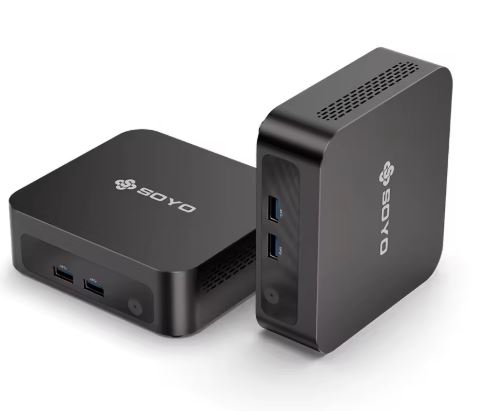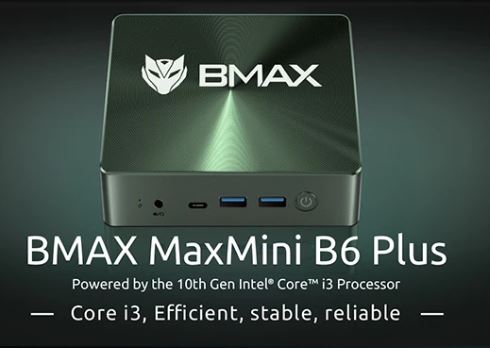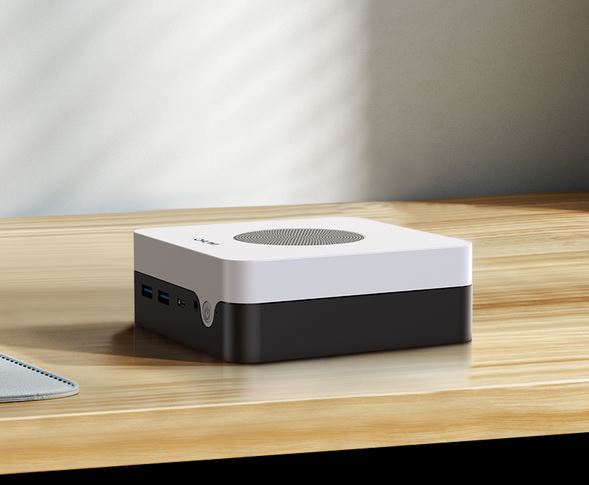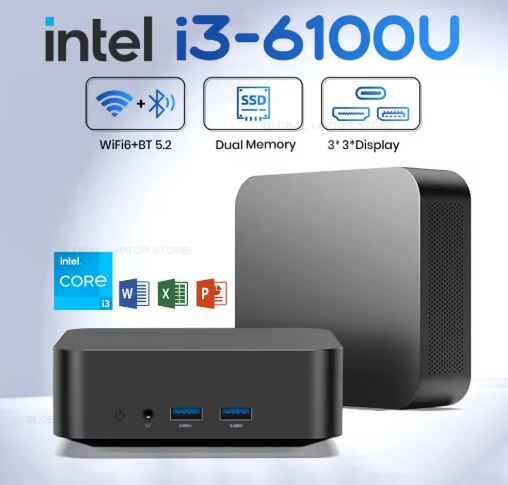
The Xiaman Mini PC is a very interesting option for those looking for a compact, functional and affordable computer for working, studying, browsing, programming and enjoying multimedia content without spending too much.
Its main appeal lies in combining 16 GB of RAM, SSD, Windows 11 Pro, WiFi 6 and a very small form factor for a truly competitive price within the mini PC market.
It's not a computer designed for demanding games or heavy professional workloads, but within its price range it offers just what many users need on a daily basis.
✅ Pros, cons and quick conclusion
Pros
-
💰 Very competitive price starting from €142.
-
🧠 16 GB of RAM as standard.
-
💾 SSD in various configurations up to 2 TB.
-
📶 WiFi 6, Bluetooth 5.2 and Gigabit network.
-
🖥️ Compact size, easy to place on any desk.
-
🪟 Windows 11 Pro pre-installed.
-
⚡ Highly suitable for office work, teleworking, programming, browsing and multimedia.
Cons
-
🎮 It is not designed for modern gaming or demanding graphics.
-
🐢 The processor is modest compared to more expensive and recent mini PCs.
-
🔊 4K output is limited to 30 Hz via HDMI 1.4.
In short
, for the price, this Xiaman seems like a sensible, well-balanced mini PC, perfectly adequate for real-world work and home use. It doesn't try to compete with €400 or €600 machines, but rather to offer a solid experience for everyday tasks, and in that respect, it performs very well.
→ Buy Xiaman Mini PC
📦 Unboxing and box contents
The unboxing experience is simple, practical, and without unnecessary frills, which makes perfect sense for a product that aims to offer value in its hardware and not inflate the price with superfluous accessories. The box includes the mini PC, the power adapter, and the user manual, so it arrives ready to use as soon as it's connected to a monitor, keyboard, and mouse.
The verified reviews of the store also leave a positive impression from the start. Buyers highlight that the device arrives well-packaged, that shipping from Spain is fast, and that Windows 11 is ready to use almost immediately upon turning it on.
📊 Key technical specifications
| Feature | Detail |
|---|---|
| Product | Xiaman Mini PC |
| Processor | Intel Core i3-6100U, 2 cores / 4 threads, 2.30 GHz |
| Integrated GPU | Intel HD Graphics 520 |
| RAM | 16 GB DDR4 (Maximum 16 GB DDR4 2933MHz) |
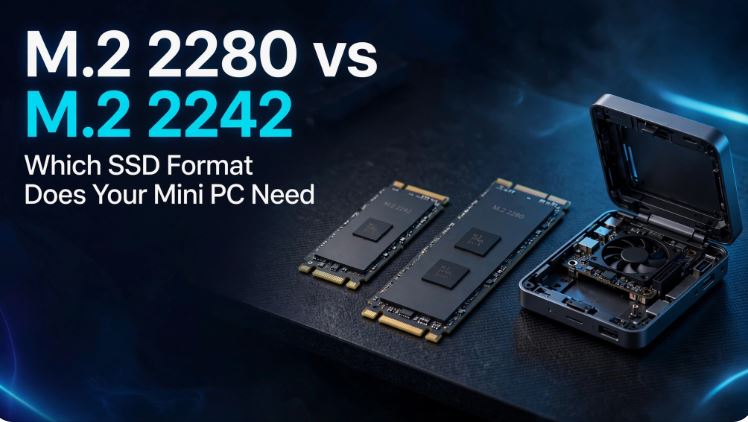
| Storage | 1 x M.2 2280 compatible with NVMe PCIe 3.0 or M.2 SATA, up to 2 TB |
| Available versions | 256GB, 512GB, 1TB and 2TB SSD |
| Video | 2 x HDMI 1.4, up to 4096 × 2160 at 30 Hz |
| USB | 2 x USB 3.0 + 2 x USB Type-C |
| Grid | Gigabit Ethernet RTL8111H |
| Wireless | WiFi 6 + Bluetooth 5.2 |
| Audio | 3.5 mm jack |
| Operating system | Windows 11 Pro |
| Refrigeration | Active fan |
| Size | 112.2 × 112.2 × 36 mm |
| Weight | 350 g |
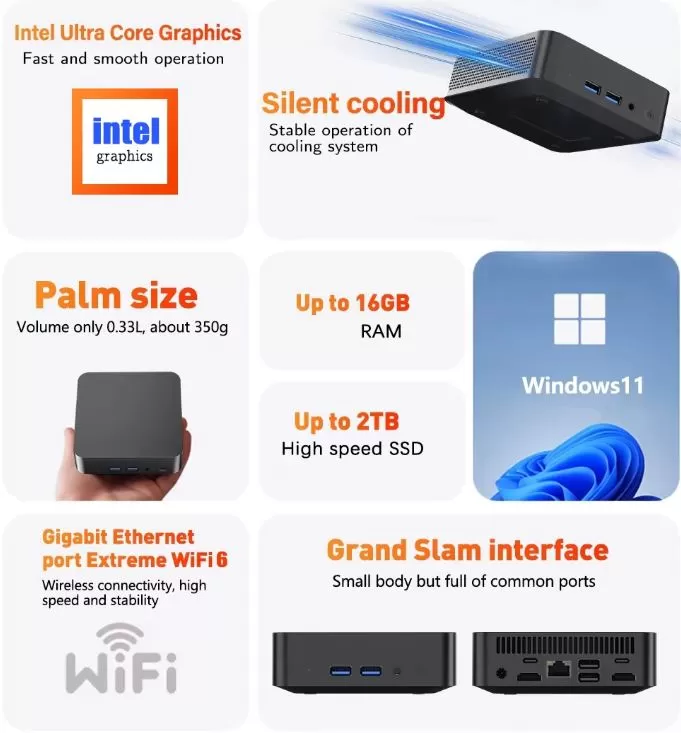
🧱 Design and build quality
The Xiaman design follows the formula that works so well in this category: small size, sober lines and a format that is easy to integrate into any space.
Measuring just 112.2 mm wide and weighing only 350 grams, it can be placed on a small desk, next to the television, in an office, on a business counter, or even easily transported if it needs to be moved between different locations.
The important thing here isn't selling luxury, but practicality. It's the kind of mini PC that's perfect for someone who wants a discreet computer that doesn't take up much space and allows them to work comfortably without cluttering their desk with cables or a large tower.
🖥️ Screen and multimedia
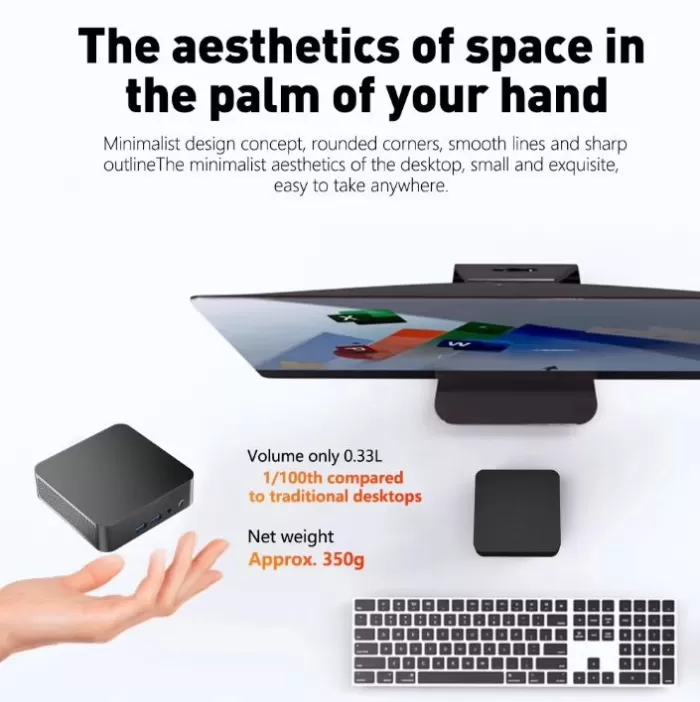
This mini PC doesn't have a built-in screen, so the entire experience depends on the monitor or TV it's connected to. Thanks to its two HDMI 1.4 ports, it allows you to set up a dual-screen desktop, which is very useful for productivity, programming, document management, browsing with multiple tabs, or administrative tasks.
The advertised maximum resolution is 4096 × 2160 at 30 Hz, so it can handle 4K content, play high-resolution video, and function as a home media center without issue. On a Full HD monitor, which will likely be the most common scenario in this price range, the experience is even better and more in line with the device's price.
⚙️ Performance and software
The Intel Core i3-6100U is a low-power processor from the Skylake family, with 2 cores and 4 threads at 2.30 GHz. On paper, it doesn't impress compared to more expensive modern solutions, but that doesn't mean it's a bad processor for the intended use of this mini PC. In fact, it remains perfectly adequate for many tasks that thousands of people perform every day: browsing, writing, managing email, working with spreadsheets, using billing software, editing light content, making video calls, studying, programming, and using web tools.
Here, it's important to be realistic about the product and its price. Someone buying a mini PC in the €142-€220 range isn't usually looking to play the latest AAA titles or work with demanding virtual machines for hours; for that, there are clearly more expensive options. However, for remote work, administration, customer service, store management, browser-based work, WordPress, lightweight development, web programming, or general home use, this Xiaman makes perfect sense and can perform better than many expect.
Furthermore, having 16 GB of RAM and Windows 11 Pro gives it a significant advantage in its category. This foundation helps the system run more smoothly when working with multiple applications open and offers a very complete experience right out of the box.
🔌 Energy consumption and cables
One of the most attractive features of this type of computer is its low power consumption. The i3-6100U has a TDP of 15W, which puts it well below a conventional desktop computer and makes it an interesting option for those who want a computer that can be left on for many hours without significantly increasing energy consumption.
This makes it ideal for offices, reception areas, businesses, classrooms, POS terminals, home environments, or even as a readily available secondary device. The power adapter and manual are included in the box, so everything you need is covered right from the start.
🌡️ Temperature and noise (actual thermal)
The specifications indicate that it uses active cooling via a fan, a normal solution in such a compact mini PC.
In office use, browsing, light programming, multimedia playback or document management, stable and uncomplicated thermal behavior is expected, also helped by the low power consumption of the processor.
📡 Connectivity and extras
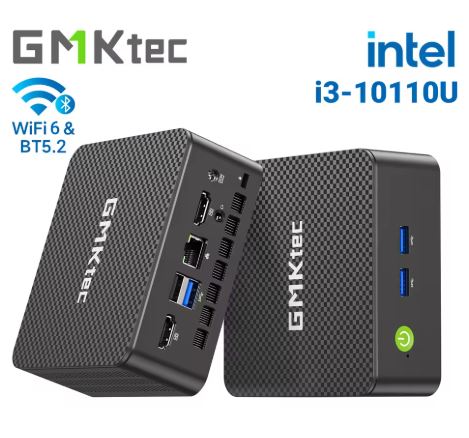
In terms of connectivity, the Xiaman is very well-equipped for its price. It offers WiFi 6, Bluetooth 5.2, Gigabit Ethernet, two USB 3.0 ports, two USB Type-C ports, dual HDMI 1.4 outputs, and a 3.5 mm audio jack—a sufficient combination for building a modern desktop without missing too many essential ports.
For real work, this is a huge plus. You can connect a monitor, peripherals, a wired network, headphones, external storage, and wireless accessories without feeling like you're using an extremely limited-capacity machine, something that isn't always the case with cheap mini PCs.
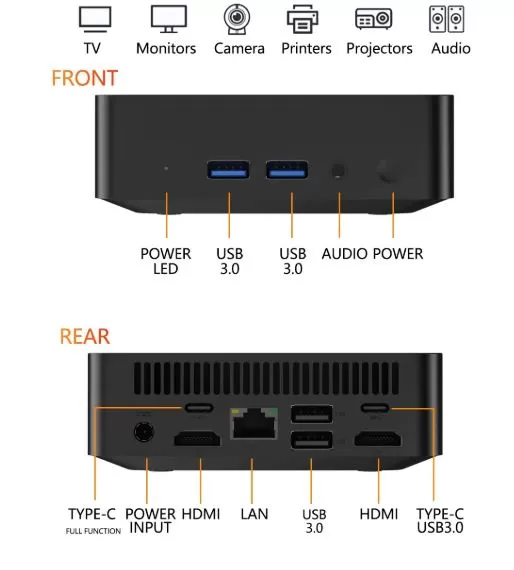
🔧 Expansion and upgrades
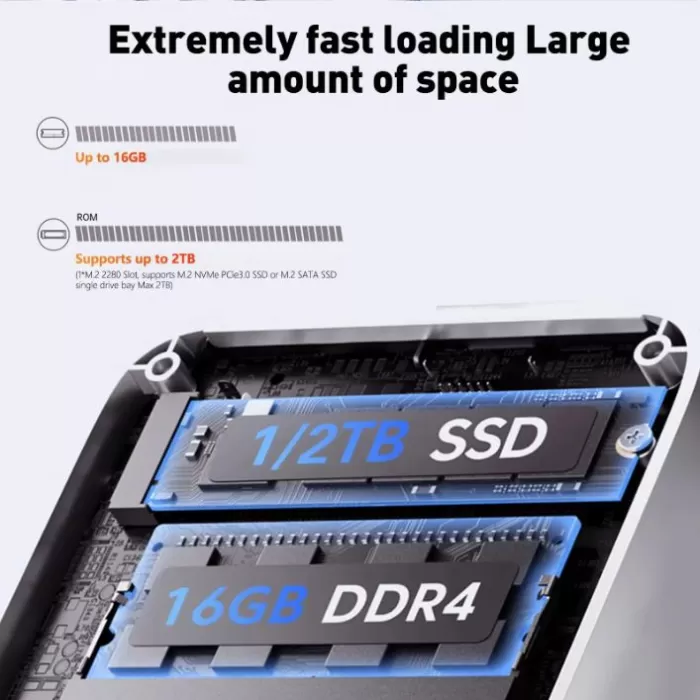
One of the things I appreciate most about this mini PC is that, despite its small size, it still offers ample storage. It includes one M.2 2280 slot compatible with both NVMe PCIe 3.0 SSDs and M.2 SATA drives, supporting up to 2 TB, which I think is a very good starting point for a machine at this price. If I need more storage later on, I can easily replace the drive with a larger one.
I also think it's a good thing that the seller already offers it in several configurations, from 256 GB to 2 TB, because that way each user can better adjust the purchase to their budget and their actual use.
As for memory, it offers 16 GB of RAM with no possibility of expanding to a higher amount, a very appropriate figure for the public it is aimed at: office work, intensive browsing, programming, reasonable multitasking use, multimedia consumption and general day-to-day tasks.
🆚 Comparison with direct competitors
| Model | CPU | RAM | SSD | Indicative price | Approach |
|---|---|---|---|---|---|
| Xiaman i3-6100U | Intel Core i3-6100U | 16 GB | 256 GB to 2 TB | €142 to €219.83 | Very well-balanced for work and everyday use |
| Intel N100 Mini PC | Intel N100 | 16 GB | 512 GB approx. | Around €180 | More modern, but usually a bit more expensive |
| Mini PC Ryzen 5 5500U | Ryzen 5 5500U | 16 GB | 512 GB | Around €220 or more | More power, geared towards a different budget. |
The key here isn't to compare them as if they were all competing on a level playing field, but to understand what each user is buying. The Xiaman makes sense for someone who wants to spend little and get a small, functional machine; if someone needs significantly more power for virtualization, rendering, or demanding games, they'll typically be looking at much higher price ranges.
💬 Reviews on well-known websites
The reviews available in the store itself are very positive and, although there are still few of them, they point in the right direction.
The rating shown is 4.9 out of 5 with 3 verified ratings, and the comments highlight the compact design, good packaging, quick start-up, and fast delivery.
That doesn't make the product a market legend, but it does convey something important: for the buyer looking for an affordable and practical solution, the first experience is proving satisfactory. In products of this price range, that kind of feedback carries considerable weight, especially when combined with fast shipping and a positive initial impression.
🧪 Technical tests
Processor performance
The Intel Core i3-6100U is a dual-core, quad-thread processor based on the Skylake architecture, manufactured using a 14nm process and released in 2015. It has a fixed frequency of 2.30 GHz and a TDP of 15 W. In publicly referenced benchmarks, its Geekbench 5 score is around 640 points in single-core and approximately 1,450–1,500 points in multi-core. These figures place it in the entry-level range of the current market, but they don't tell the whole story of what it can do in everyday use.
In PassMark CPU, the i3-6100U scores around 2,600–2,800 points, a modest value compared to modern chips, but important: that figure is enough to cover 80–90% of the tasks that most users perform in their daily work or study without noticing any real obstacles.
Performance in real-world tasks
This is where testing becomes more meaningful than raw numbers. For the typical user profile of this mini PC, the expected results are as follows:
| Task | Expected performance |
|---|---|
| Web browsing (Chrome / Edge, 10–15 tabs) | ✅ Smooth and uninterrupted |
| Office suite (Word, Excel, PowerPoint) | ✅ Very agile |
| Video calls (Zoom, Meet, Teams) | ✅ Correct in 1080p |
| 4K video playback (HEVC/H.265) | ✅ Smooth with hardware decoding |
| Streaming (YouTube, Netflix, Prime) | ✅ No problems |
| Web programming (VS Code, HTML, PHP, JS) | ✅ Very good experience |
| Lightweight database management (MySQL, SQLite) | ✅ Correct |
| Basic image editing (light Photoshop, Canva) | ✅ Acceptable |
| Compilation in small/medium projects | ⚠️ Slow on large projects |
| 4K video editing | ❌ Not recommended |
| Heavy virtualization (multiple VMs) | ❌ This is not their territory |
Integrated GPU: Intel HD Graphics 520
The Intel HD Graphics 520 integrates 24 execution units with support for DirectX 12, OpenGL 4.4, and hardware decoding capabilities for H.264 and H.265/HEVC. This is especially beneficial for multimedia playback, as the chip's video processor handles this task without overloading the main CPU, resulting in smooth playback of high-resolution content with very low power consumption.
In light graphics use, the HD 520 can handle interfaces, dashboards, basic design tools, modern browsers with GPU acceleration, and any desktop application without noticeable issues. It's not designed for 3D rendering or modern gaming, but in the context of this mini PC, that's irrelevant to its target audience.
Storage: The real difference between NVMe and SATA
The M.2 2280 slot accepts both NVMe PCIe 3.0 and M.2 SATA SSDs. This distinction has a real impact on daily performance:
| SSD type | Approximate reading speed | Experience |
|---|---|---|
| M.2 SATA | 500–550 MB/s | Very good, fast for everyday use |
| NVMe PCIe 3.0 | 2,000–3,500 MB/s | Excellent, noticeably faster starts and charging. |
If the mini PC is equipped with an NVMe drive, system startup, application launch times, and large file loading are significantly improved. This partly explains why buyers highlight that Windows 11 boots quickly and is ready to use immediately.
RAM: 16 GB, a real strength
Having 16 GB of RAM in a computer at this price point is a significant advantage and shouldn't be overlooked. In practice, this means you can have your browser open with multiple tabs, an email application, a code editor, cloud management tools, and other programs simultaneously without the system using up swap space or slowing down. It's a solid foundation for office multitasking and for users who frequently switch between applications.
Measured energy consumption
With a TDP of 15 W, the complete system in light desktop use can range between 8 and 14 W, rising to 16–20 W under sustained load, including USB peripherals. This translates to an estimated annual consumption of approximately 35–50 kWh if used for about 8 hours a day, which, at current electricity prices, represents minimal energy expenditure compared to any conventional desktop computer.
🎮 Gaming and Emulation
Not everyone who buys a mini PC wants to play the latest games, and this Xiaman mini PC isn't meant to be a console or compete with gaming rigs. However, there's a whole world of entertainment that's a perfect fit for this type of hardware: retro gaming and emulating classic consoles, a hobby that continues to grow and that more and more people are enjoying from a discreet setup connected to their living room TV or a second monitor.
🕹️ Emulation: what works very well
The Intel HD Graphics 520, combined with 16 GB of RAM and a fast SSD, makes the Xiaman a more than capable retro emulator for a huge number of classic systems:
| emulated system | Recommended emulator | Expected performance |
|---|---|---|
| NES / SNES / Mega Drive | RetroArch / Mednafen | ✅ Perfect, constant 60 FPS |
| Game Boy / GBC / GBA | mGBA, RetroArch | ✅ No problem at all |
| Nintendo DS / DSi | DeSmuME, melonDS | ✅ Smooth with visual improvements |
| PlayStation 1 (PSX) | DuckStation | ✅ Effortless upscaling to 1080p |
| PlayStation Portable (PSP) | PPSSPP | ✅ At 2× or 3× resolution without problems |
| Nintendo 64 | RetroArch (Mupen64Plus) | ✅ Most games run well |
| Dreamcast | Flycast | ✅ Very good overall compatibility |
| PlayStation 2 (PS2) | PCSX2 | ⚠️ Lighter games are fine; more demanding ones might be just enough. |
| GameCube / Wii | Dolphin | ⚠️ Simple games are going well, demanding ones fluctuate. |
| PlayStation 3 | RPCS3 | ❌ Not recommended, keep out of reach |
| Nintendo Switch | Several | ❌ Not compatible with this hardware |
🎮 Native PC Games
For those who want to play PC games, the Xiaman can also be a joy if expectations are properly managed. It's not a machine for playing the latest releases, but there's a huge catalog of accessible, fun, and perfectly compatible games:
-
Minecraft (Java Edition on medium-low settings): perfectly playable.
-
Stardew Valley, Terraria, Celeste, Hollow Knight: they run wonderfully.
-
Counter-Strike 1.6, CS:GO at low resolution and details: works well.
-
Age of Empires II, StarCraft II: correct on low or medium settings.
-
GTA San Andreas, Mafia: no problem.
-
FIFA / PES older editions (up to approx. 2016-17): playable.
-
Emulators with a frontend like Batocera or Launchbox: ideal for this hardware.
🛋️ The perfect mini PC for the retro living room
Perhaps the most interesting use for this Xiaman in gaming is turning it into a retro living room console: connected to the TV via HDMI, with a USB or Bluetooth controller, and using platforms like Batocera, Launchbox, EmulationStation, or Kodi with RetroArch, it becomes a complete entertainment center. Compact, silent when idle, low power consumption, and with access to thousands of classic games for NES, SNES, Mega Drive, PlayStation, N64, PSP, and more.
For that specific use, the price of the Xiaman is especially attractive: there is practically nothing on the market that offers that level of functionality for less money with Windows 11 included.
❓ Frequently Asked Questions (FAQ)
Is a mini PC actually useful for work?
Yes. For office applications, browsing, email, video calls, management tools, web programming, administration, study, and multimedia, it's a perfectly usable device within its segment.
Is it useful for programming?
Yes, especially for web development, light programming tasks, code editors, small projects, and working in online environments. For very demanding projects or multiple virtualized environments, a higher-end option is recommended.
Can the SSD be upgraded?
Yes. It uses an M.2 2280 slot compatible with NVMe PCIe 3.0 or SATA and supports drives up to 2 TB, so it can be replaced with one of higher capacity.
Is it suitable for watching movies and using it as a media center?
Yes. In terms of size, power consumption, and 4K output support, it's an interesting option for a multimedia desktop or living room.
Can we play?
Yes, but within reason: lightweight, older games and retro emulation. For next-gen games, the type of product and the price clearly indicate that it's not their niche.
🏁 Final conclusion
The Xiaman Mini PC with Intel Core i3-6100U seems like a logical purchase for anyone looking for a compact, affordable, and capable computer for work, study, or home use without high expectations. Its appeal lies in offering a lot for a low price: 16 GB of RAM, SSD, Windows 11 Pro, WiFi 6, a good selection of ports, and a very convenient form factor for any space.
The important thing is to understand exactly what this product is. It's not a premium mini PC or a machine designed for extreme workloads, but it is a perfectly adequate device for many everyday users who simply want a small, functional, and inexpensive computer that gets the job done. And in that context, its competitive price is precisely one of its greatest strengths.
🛒 Shopping and recommended options
Selling options
| Configuration | Price |
|---|---|
| 16 GB RAM + 256 GB SSD | €142 |
| 16 GB RAM + 512 GB SSD | €158 |
| 16 GB RAM + 1 TB SSD | €178.92 |
| 16 GB RAM + 2 TB SSD | €219.83 |
The 16GB + 512GB configuration for €158 seems particularly attractive to me because of its balance between capacity and price. The 1TB version also makes a lot of sense for those who want more headroom from the start without breaking the bank.
Purchase links
-
🔗 AliExpress: Buy Xiaman Mini PC