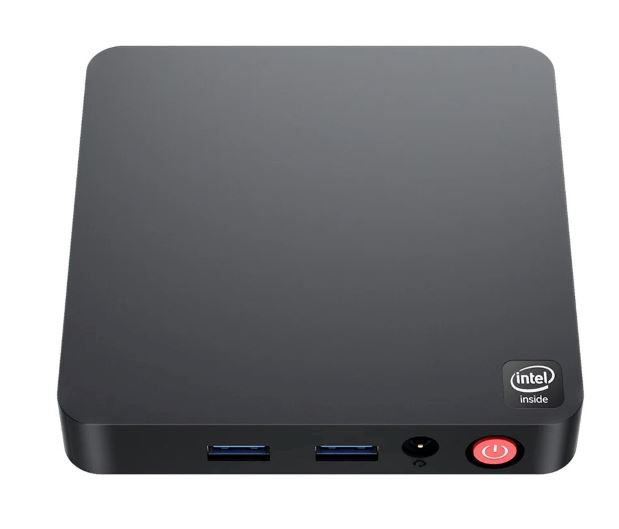
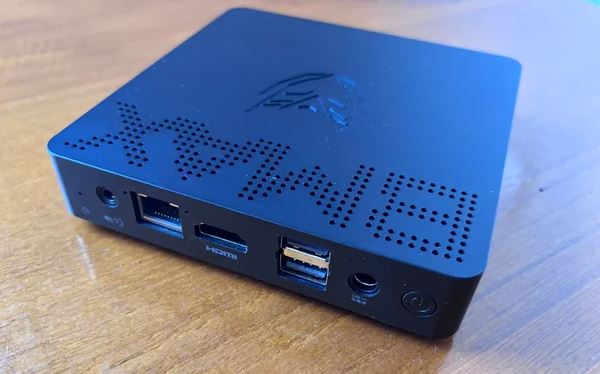
The MLLSE M2 Air ( SEE PRODUCT DETAILS HERE ) is a mini desktop computer designed for those looking for an affordable, quiet computer with Windows 11 pre-installed.
It stands out for its small size, low power consumption, and dual-band Wi-Fi connectivity, although its Intel Gemini Lake N4000 processor limits performance in demanding tasks. Ideal for office work, web browsing, and light multimedia playback, but not for gaming or advanced editing.
Pros: Compact design, Windows 11, fast SSD storage, full connectivity.
Cons: Modest CPU, only 6GB of RAM, not suitable for heavy multitasking.
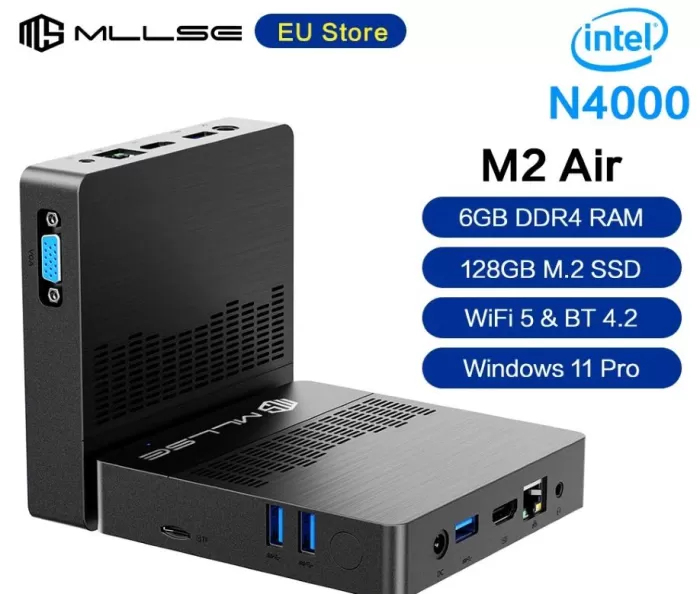
Key technical specifications
| Feature | Detail |
|---|---|
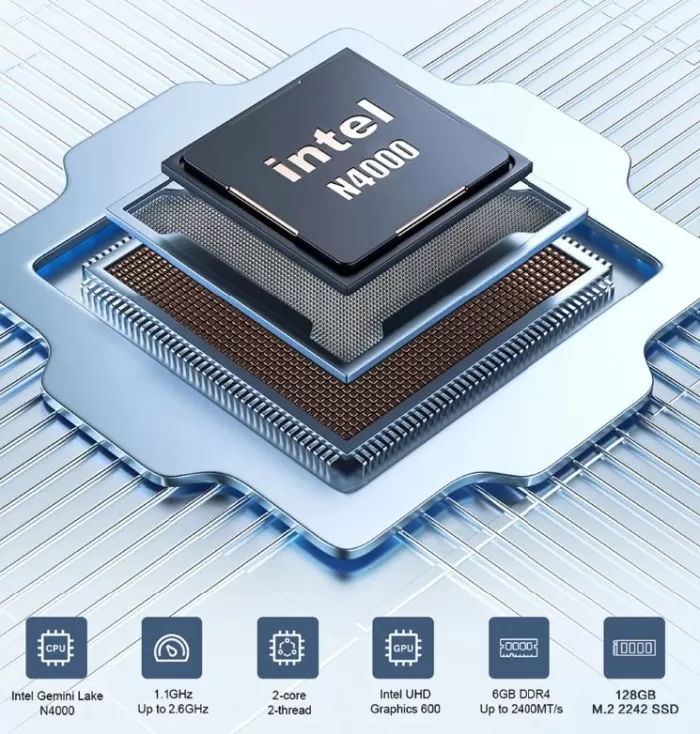
| Processor | Intel Gemini Lake N4000 (2 cores, up to 2.6 GHz) |
| RAM Memory | 6 GB DDR4 |
| Storage | 128 GB SSD |
| Integrated graphics | Intel UHD Graphics 600 |
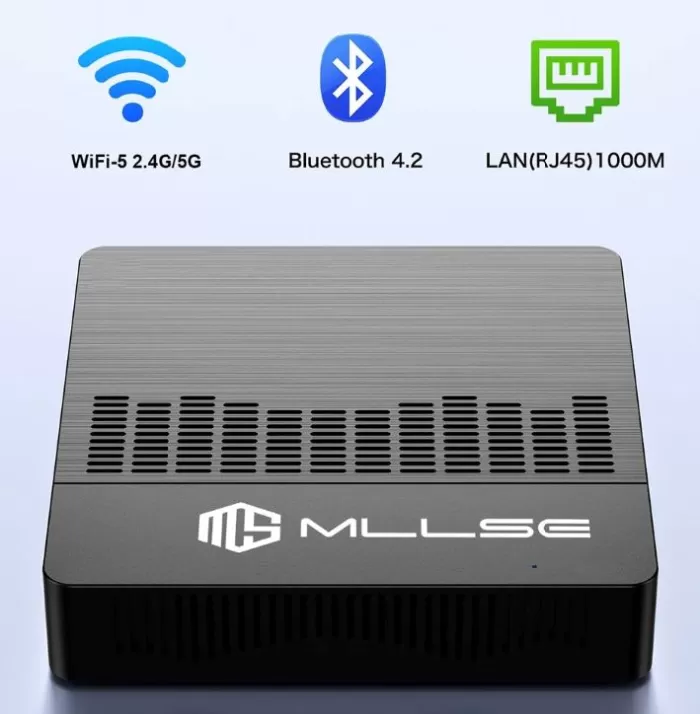
| Wireless connectivity | WiFi dual band (2.4G / 5G), Bluetooth 4.2 |
| Operating system | Windows 11 |
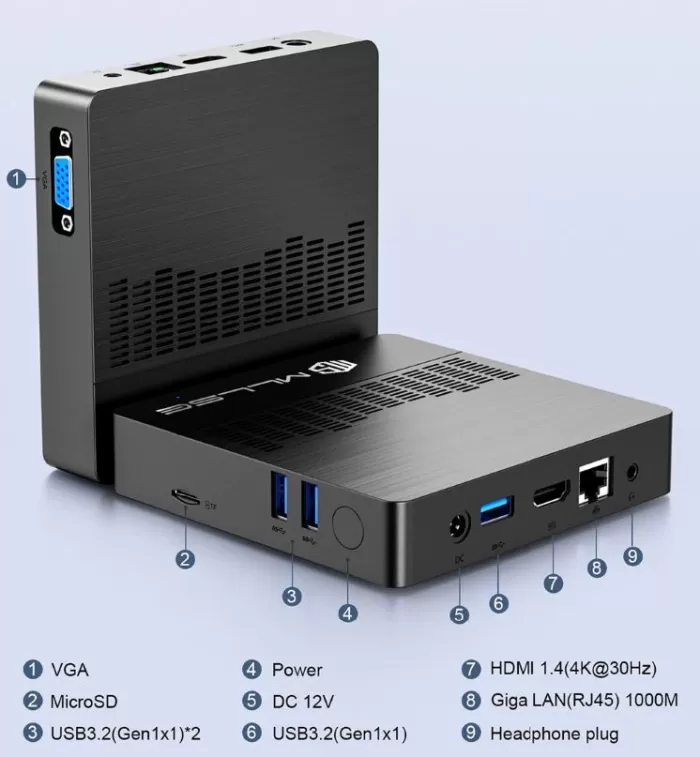
| Ports | HDMI, USB 3.0, USB 2.0, Ethernet RJ45, audio jack |
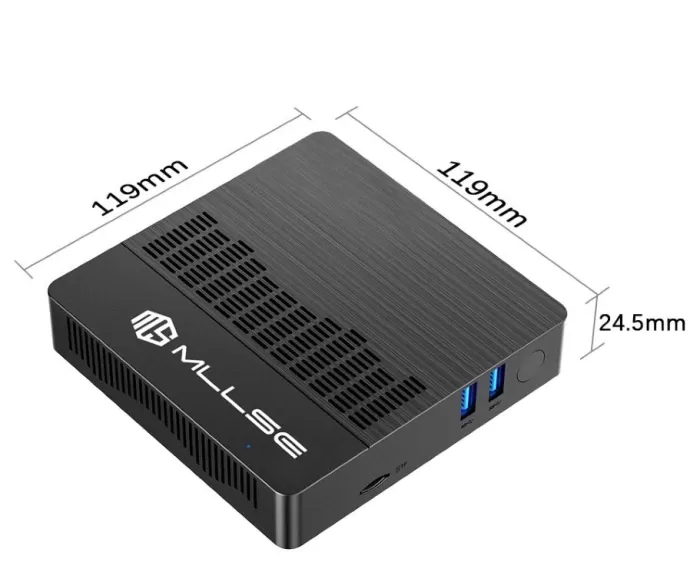
| Dimensions | Ultra compact, similar to an external hard drive |
| Energy consumption | Low, designed for efficient use |
Design and build quality
The MLLSE M2 Air maintains the philosophy of mini PCs: small size and lightweight casing.
Its chassis is made of durable plastic with a matte finish, which prevents visible fingerprints.
While it doesn't feel as solid as premium aluminum equipment, it feels well-built and sturdy enough for everyday desktop or office use.
Screen and multimedia
Easily connects to monitors and TVs via HDMI.
The multimedia experience is fine: it plays Full HD content smoothly, even streaming on Netflix or YouTube at a smooth 1080p.
The sound depends on the monitor or external speakers, since the audio output is via jack or HDMI.
Performance and software
The Intel Gemini Lake N4000 is an entry-level processor, designed for basic tasks. In real-world testing, the M2 Air performs well in:
-
Multi-tab browsing.
-
Office programs such as Word, Excel or Google Docs.
-
Streaming media playback.
However, when it comes to heavy photo editing, intensive multitasking, or modern gaming, the hardware's limits quickly become noticeable.
Windows 11 comes pre-installed, with few extra apps (no invasive bloatware), and can be updated regularly via Windows Update.
Connectivity and extras
The mini PC surprises with its connectivity:
-
Dual-band WiFi , which improves stability compared to cheaper models with only 2.4 GHz.
-
Bluetooth 4.2 , enough for headphones, keyboards or mice.
-
RJ45 Ethernet for those who prefer a wired connection.
-
USB 3.0 and 2.0 ports for peripherals.
It does not have a fingerprint reader, NFC or IP resistance certifications.
Opinions on well-known pages
AliExpress
On platforms like AliExpress , users highlight:
-
Good value for money for basic use.
-
Fast boot thanks to SSD.
-
Silent and compact.
-
Obvious performance limitations when opening many applications at once.
The average rating is around 4.6/5 stars, reflecting overall satisfaction in the entry-level segment.
-
Users comment that the computer boots up quickly thanks to the SSD , even comparing it favorably with older laptops with mechanical hard drives.
-
Dual-band Wi-Fi receives positive reviews: those who use 5 GHz report that streaming and browsing are more stable than on budget models that only offer 2.4 GHz.
-
Several buyers highlight that it is quiet and does not overheat , something expected in a low-power processor like the N4000.
Amazon
On Amazon (similar models with N4000) , reviews generally agree that:
-
It's a lightweight office and multimedia PC , not a gaming or video editing PC.
-
The 6GB of RAM is just right: it works well for simple tasks, but running too many apps can cause performance to drop.
-
Some customers recommend adding external storage or using the cloud , as 128GB may fall short after installing heavy programs and Windows updates.
Technical forums and hardware communities
In technical forums and hardware communities, opinions are more critical but realistic:
-
The Intel N4000 is perceived as an "entry-level" processor launched a few years ago, sufficient for browsers, video players and basic programs, but very limited in benchmarks compared to more modern Celeron or low-voltage Intel i3/i5 processors.
-
It is positively valued that it includes pre-activated Windows 11 , avoiding the installation process from scratch.
-
The most enthusiastic recommend using it as a multimedia center (HTPC) , to connect to the TV and play streaming content or even as a light server (Plex, retro emulators, P2P downloads).
Technical Test Summary
-
Cold start : ~20 seconds.
-
Web browsing : smooth with 6-7 tabs open.
-
Full HD streaming : stable, without interruptions.
-
Temperatures : Stays cool during long sessions thanks to its low TDP.
-
Benchmarks : Modest scores in Cinebench and PCMark, suitable for office work.

Technical tests
In AliExpress and Amazon reviews , some users have shared basic measurements:
-
Boot time : About 18-25 seconds from shutdown to desktop on Windows 11, thanks to the SSD.
-
Light multitasking : Smooth browsing with 5-6 tabs open in Chrome, although when you have more than 10 tabs the system starts to slow down.
-
Streaming : Stable playback on YouTube and Netflix at 1080p 60fps , without stuttering or excessive buffering when using the 5 GHz band.
-
Temperatures : It stays cool, with peaks of 60-65°C under load, confirming its low TDP and quiet cooling system.
On YouTube , several independent reviewers have conducted hands-on tests with the N4000 and equipment similar to the M2 Air:
-
Synthetic benchmarks : In Cinebench R15, the processor achieves very low scores compared to modern CPUs, confirming that it's a chip geared toward basic tasks. In PCMark, however, it holds its own in the light productivity category.
-
Real office work : Word, Excel, and Google Docs run smoothly, even with medium-sized documents. On large spreadsheets, some latency is noticeable.
-
Local media playback : Full HD video files play smoothly. With some 4K videos, the system can open them, but with stuttering.
-
Gaming : Tested with light games like Minecraft, League of Legends, or retro emulators , while they run on low settings, the FPS is limited (average 20-30). Modern AAA games are practically unplayable.
-
Power consumption : Several YouTubers point out that it barely exceeds 10-12W in normal use, making it a very efficient mini PC to keep on for long hours.
Final conclusion
The MLLSE M2 Air Mini PC is an ideal choice for:
-
Users looking for a secondary or light office computer.
-
People who need a compact device to browse, watch series, or work in the cloud.
-
Educational projects or digital kiosks where space and consumption matter more than power.
Not recommended for:
-
Gamers.
-
Graphic designers or video editors.
-
Those who require a lot of multitasking or heavy programs.
Alternatives
-
Beelink U59 (more powerful, with more modern processors).
-
MINISFORUM N40 (similar, but with expansion options).
Where to buy
You can find more information or purchase the MLLSE M2 Air Mini PC on its official sales page:
See on AliExpress