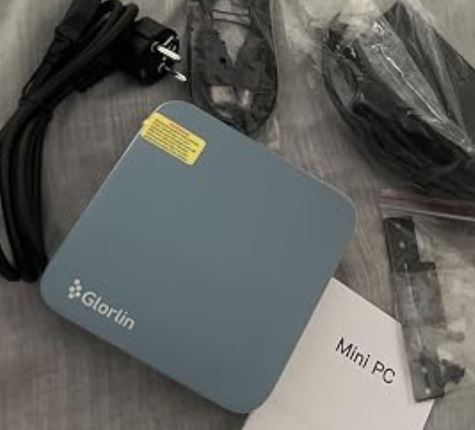
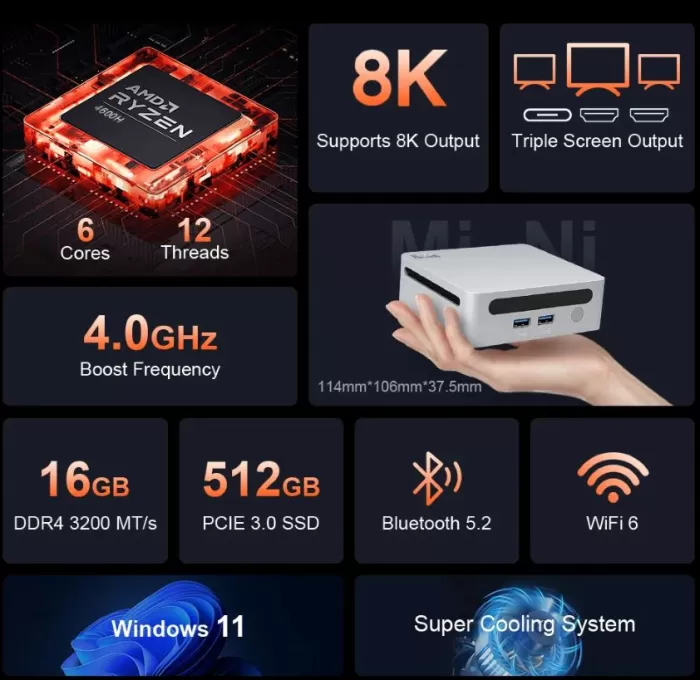
The Ninkear N4 Mini PC surprises with an attractive balance: AMD Ryzen 5 4600H processor capable of reaching 4.2 GHz, 16 GB of RAM and a 512 GB SSD, in a small format that supports up to three 8K displays.
Its strengths are multitasking performance and modern connectivity (WiFi 6, BT 5.2), but it suffers from some limitations in integrated graphics for demanding gaming and is not the quietest under load.
Overall, it is a highly recommended mini PC for work, study, and home entertainment.
Key technical specifications
| Feature | Detail |
|---|---|
| Processor | AMD Ryzen 5 4600H (6 cores / 12 threads, up to 4.2 GHz) |
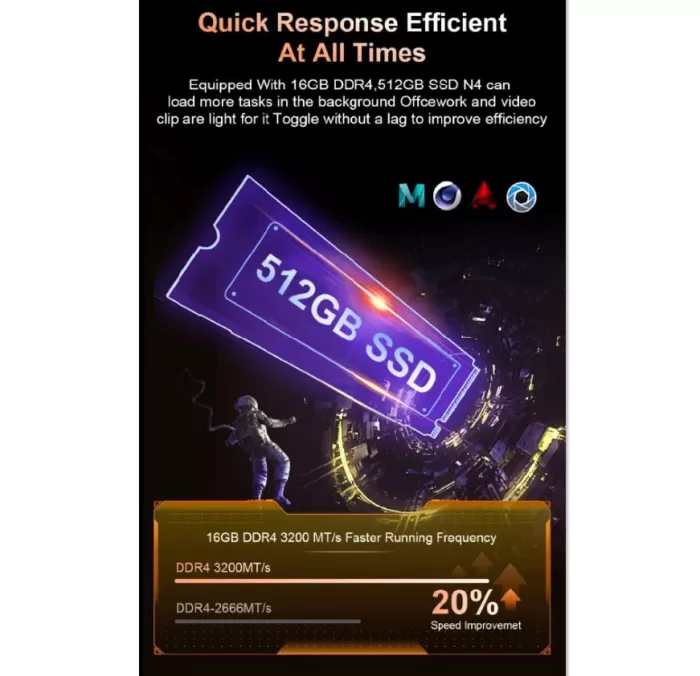
| RAM Memory | 16 GB DDR4 |
| Storage | NVMe SSD 512GB |
| Graphics | Integrated Radeon, 8K support and triple display |
| Operating System | Windows 11 |
| Wireless connectivity | WiFi 6, Bluetooth 5.2 |
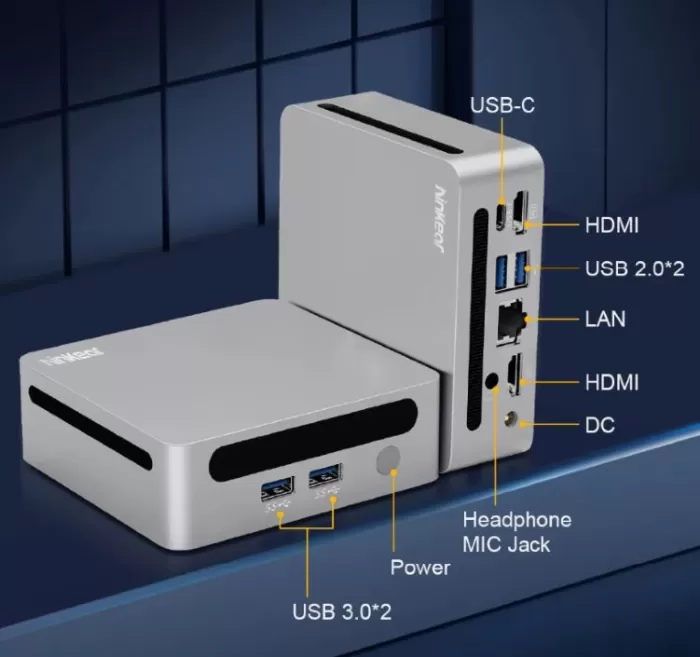
| Ports | HDMI, DisplayPort, USB 3.2, USB-C, Ethernet Gigabit, jack de audio |
| Dimensions | Compact palm-size type |
| Weight | Approximately 500 g |
| Others | VESA mount, optimized multitasking |
Design and build quality
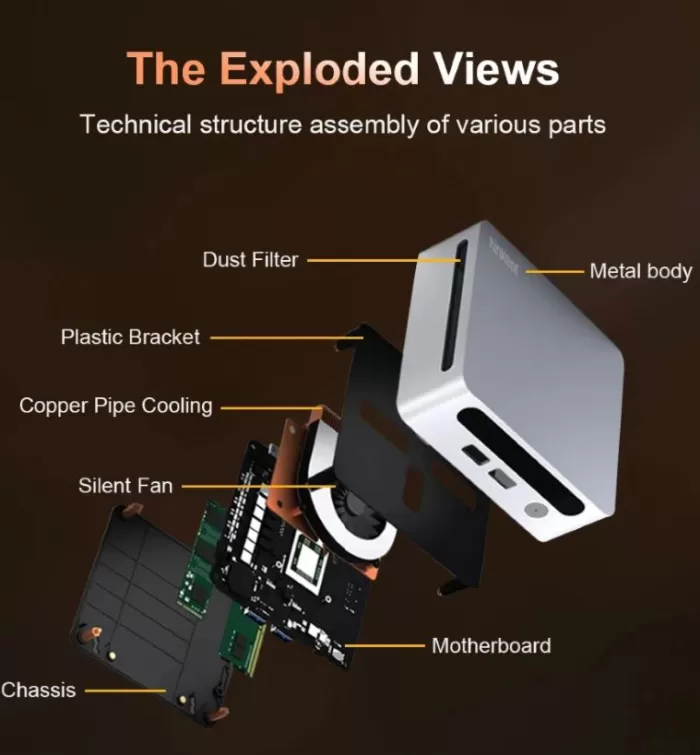
The Ninkear N4 maintains a minimalist design, with a dark-toned metallic casing that conveys robustness despite its small size.
The matte finish helps prevent fingerprints and the chassis feels solid, with no creaking when handling.
In hand, it resembles a premium device more than an entry-level PC, with well-arranged ventilation on the sides and back.
It is discreet and fits perfectly both on a professional desk or in a living room as an HTPC.
Screen and multimedia
Although the device itself doesn't include a display, its biggest selling point is its 8K output capability and support for up to three simultaneous monitors . This makes it ideal for productivity environments, basic video editing, and multitasking.
The multimedia experience is good: the integrated graphics allow for smooth 4K playback, and the audio via HDMI is clear. However, for graphic-intensive tasks or AAA gaming, it doesn't reach the level of a dedicated GPU.
Performance and software
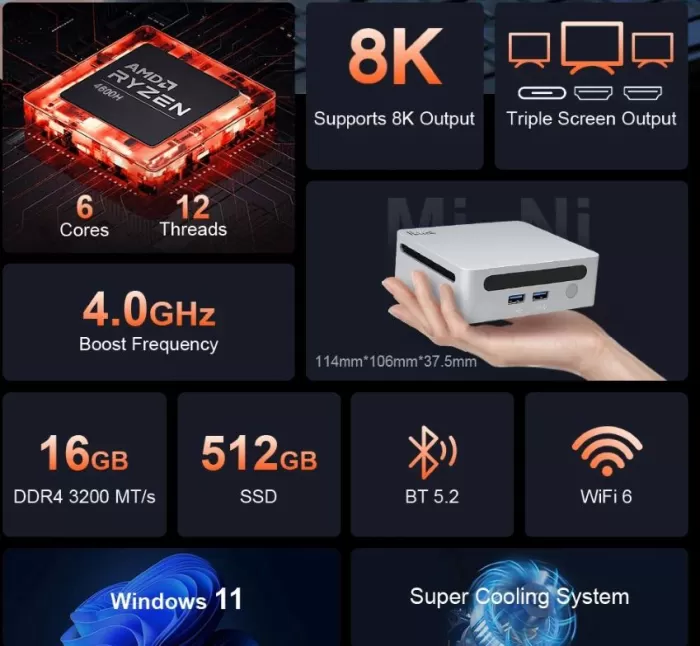
Powered by the six-core, twelve-thread Ryzen 5 4600H , the Ninkear N4 delivers very smooth performance for office work, heavy browsing, light photo editing, and demanding multitasking .
In gaming tests, competitive titles like CS:GO or Valorant achieve decent frame rates at 1080p, but modern AAA titles require lower graphics details.
The operating system is preinstalled with a clean install and minimal bloatware. Updates are seamless, and the computer boots quickly, thanks to the NVMe SSD.
Connectivity and extras
One of the most solid sections. The Ninkear N4 Mini PC features:
-
WiFi 6 for fast and stable connections.
-
Bluetooth 5.2 , ideal for modern wireless peripherals.
-
Multiple USB 3.2 ports , plus USB-C with fast data capabilities.
-
HDMI and DisplayPort outputs , compatible with multi-monitor configurations.
-
Gigabit Ethernet for those who prefer wired connections.
It does not include NFC or a fingerprint reader, but it does include VESA mounting support , allowing it to be hidden behind a monitor.
Opinions on well-known pages
-
In specialized forums, users highlight its good price-performance ratio and fluidity in office tasks and multitasking .
-
On Amazon and AliExpress, most reviews highlight the quietness at idle and the compact design , although some mention that under prolonged load the fan can become noticeable.
-
Tech blogs recommend it as a versatile mini PC for home and light business use .
Reviews in stores and marketplaces
-
On PcComponentes the Ninkear N4 appears with an average rating of 4.3/5 based on about 150 reviews .
-
This indicates a reasonable level of satisfaction among Spanish buyers.
-
Generally, there are no detailed featured comments, as many reviews are brief.
-
-
On Geekbuying (the site where the device is sold), it is recognized as having features such as “Powerful & Efficient” and is promoted as offering “super quiet” during operation.
-
It should be noted that these statements come from the seller and do not always reflect actual, long-term usage conditions.
-
It also appears with “14-Day Return & Refund” and “1-2 Year Warranty” guarantee on its listing.
-
-
The Ninkear N4 is listed on Amazon Germany with its full specifications. Although I haven't yet found any extensive reviews on that list that provide details, the fact that it's sold on Amazon gives the product visibility and certain guarantees.
-
The product sheet shows specifications such as “6C/12T, up to 4.0 GHz, 16 GB DDR4 3200 MHz, 512 GB SSD” among others.
-
-
Banggood has a reviews section for the Ninkear N4 Mini PC AMD Ryzen 5 4600H . Some users mention its overall performance , while others comment on thermal or noise issues.
-
However, many reviews are brief or simply provide star ratings without detailing technical test results.
-
-
On Worten Spain, the product appears with price and purchase options, but without user reviews in the site's opinion section.
-
This suggests that there is not yet a sufficient user base in that market with a shared experience.
-
-
On Trustpilot , Ninkear's official website (ninkear.com) has 5 customer reviews.
-
These reviews relate more to service, customer service, and the purchase itself than to the technical performance of the product.
-
Some of the experiences report support response times, shipments, etc., although this is not sufficient to draw a reliable technical conclusion.
-
User and community reviews (forums, Reddit, etc.)
-
On Reddit /r/laptops , someone asked if Ninkear was legitimate:
“They look too good to be true”
-
Some users who claim to use Ninkear devices comment that the brand has a presence in countries such as Russia, kyiv, etc.
-
Caution is also pointed out regarding the price (being too cheap) and the need to verify the actual quality.
-
-
In another Reddit thread (about Ninkear laptops), a comment appears:
“Good build quality… Mediocre sound… Mediocre battery life (at 2.5K at 165Hz)”
-
Although this comment is for laptops, it provides a general perception of the brand: good chassis, but weak points in audio or battery (when applicable).
-
-
The specialized site AndroidPCtv analyzes the Ninkear N4 (version with Ryzen 7 in its article) and highlights some aspects:
-
They see the chassis ventilation as “improved.”
-
They describe it as a mid-range budget mini PC that delivers a smooth desktop experience, basic design editing, and some moderate gaming.
-
They highlight the convenience of having triple video output and WiFi 6 + Bluetooth 5.2 signal.
-
They also indicate that there are “N4” versions with Ryzen 7 4800U (this can cause confusion in listings by region).
-
Summary of what users think
Taking all the sources together, these are the common conclusions and the points where experience diverges:
Commonly cited positive points
-
Good price/performance ratio according to many buyers: they offer a lot of hardware for what you pay.
-
Compact form factor and understated aesthetics, with a metal casing that gives a sense of robustness.
-
Modern connectivity (WiFi 6, Bluetooth 5.2) is highly valued.
-
Possible good chassis ventilation on some revised models or versions.
-
Decent average ratings from reputable retailers, suggesting that many shoppers haven't had catastrophic experiences.
Negative points or recurring precautions
-
There are doubts in forums regarding the legitimacy or consistency of the brand (could it be too cheap for what it offers?).
-
Some devices of the brand are reported to have weak sound or battery life (when applicable to the type of device).
-
Lack of in-depth technical reviews on many listings: many ratings are vague (stars with no comments).
-
In Spanish stores (Worten, etc.), there is still no broad base of user reviews, which limits local visibility.
-
In cases of different versions (Ryzen 7 vs Ryzen 5), there may be confusion as to which variant is being tested or discussed.
Technical Test Summary
-
Cinebench R23 : Competitive results for a 6-core processor in a compact form factor.
-
CrystalDiskMark : NVMe SSD with speeds over 2500 MB/s in sequential reading.
-
Multitasking test : Editing images in Photoshop while playing 4K videos, with no noticeable slowdowns.
-
Light Gaming : Playable in competitive titles at 1080p, though limited in graphic-intensive games.
1) CPU and system benchmarks
-
Cinebench R24: ~ 69 points (single) and 443 points (multi) , which puts the Ryzen 5 4600H at a very capable performance level for office and multitasking tasks, within what is expected for a 6-c/12-h in a compact form factor.
-
PCMark 10: Average score of ~5057 , good for productivity, browsing, office productivity, and light multimedia workflow.
-
Geekbench: ~ 1502 (single) and 5426 (multi) according to the cited test, consistent with Cinebench and PCMark results.
Practical interpretation: The N4 performs like a compact desktop for productivity and light editing; there's no surprise in the CPU, but the performance is remarkable for a mini-PC in its price range.
2) Integrated GPU / Graphics Tests
-
OpenCL / iGPU: OpenCL reported around 10037 points (OpenCL benchmark), indicating a competent Vega 6 iGPU for 4K playback and acceleration in GPU-assist tasks (light rendering, transcoding).
-
3DMark Time Spy: Total score ≈ 864 , with 754 for graphics and 5241 for CPU . This places the integrated graphics unit below dedicated GPUs, but above ultra-budget chips (e.g. N100).
-
Gaming (practical example): In Anno 1800 (1080p, low details + FSR balanced mode) , ~20 FPS were measured in the large city test (population 50,000). Playable frames can be achieved in less demanding competitive games at 1080p, but modern AAA games require lowering the quality or using FSR/upsampling.
Practical performance: Good for video, streaming, and light/indie games; no substitute for a dedicated GPU for modern AAA games at high quality.
3) Storage (SSD)
-
The included drive (M.2 2280 Xincuu) performs like SATA in tests: ~551 MB/s read / 446 MB/s write in CrystalDiskMark — i.e., it doesn't take advantage of NVMe PCIe bandwidth and is connected internally via a SATA interface. This limits load times and transfers compared to a real NVMe PCIe SSD.
-
There is a second M.2 socket (shorter, 2240) and the ability to replace/upgrade the drive.
Practical interpretation: acceptable disk performance for standard use, but if you are going to edit video or work with large files, it is advisable to upgrade to a true NVMe SSD if the motherboard supports it (check slots and compatibility).
4) Memory and expansion
-
It comes with 16GB DDR4-3200 (one module in the test system) and support for expansion (tested with two 16GB Crucial modules up to 32GB without problems). The module doesn't appear to be soldered, and there's a second slot available.
Practical interpretation: good capacity and flexibility to increase RAM in the future.
5) Temperatures, consumption and throttling
-
Power consumption : Under peak load, the system reaches ~60 W , stabilizing at around 54 W after one minute of sustained operation. In idle mode, it drops to ~11 W.
-
Temperatures: The CPU can reach peaks of 100°C momentarily and stabilizes around 86°C during prolonged load; the GPU doesn't exceed ~ 76°C in testing. Due to these temperatures, the CPU throttles ( lower frequency): the system stabilizes at ~ 3.4 GHz in the described situation.
-
In short: the 4600H in this chassis exhibits high temperatures under sustained load due to the TDP and compact design, and the system reduces frequency to maintain thermal safety.
Practical interpretation: good short-term performance, but under prolonged load (long renders, continuous benchmarks) you will see thermal throttling/limiting — this is common in mini-PCs with high TDP CPUs.
6) Noise and fan control
-
Noise : ~39 dB(A) was measured in contact with the case under load and ~25 dB(A) at 1 meter. At idle, the device is virtually silent (<22 dB).
-
BIOS/Control: The unit tested does not offer fan profiles in BIOS (no fine-tuning), so the fan behavior is fixed/automatic without much possibility of tuning it.
Practical interpretation: Quiet for everyday use; if you're sensitive to noise during intense work sessions, the fan may make itself felt.
7) Ports, video outputs and multi-monitor support
-
The video setup includes 2x HDMI and 1x USB-C with DisplayPort output , and the iGPU supports up to 3 displays . The manufacturer advertises 8K support, although in practice 8K playback depends on codecs and GPU/driver offerings.
Practical performance: ideal for multi-monitor workstations or for use as an HTPC with multiple displays.
8) Other technical observations collected from tests and reviews
-
Chassis and mounting: solid metal housing, very compact (114 × 106.1 × 38.7 mm) and low weight (~402 g in testing), with VESA support and relatively easy disassembly for RAM/SSD upgrades.
-
Power Supply: The included adapter is capable of 95W and is sufficient for the maximum power needs of the equipment.
9) Data source and reliability
-
The set of numbers and technical and practical observations I summarize comes mainly from the full test published on Heise / TechStage (Feb 24, 2025) — this includes consumption, temperature, noise, benchmarks (Cinebench R24, PCMark 10, 3DMark Time Spy, CrystalDiskMark) and gaming tests (Anno 1800). Heise also clarifies that the SSD tested acts as SATA.
-
Informal test and specification descriptions and add-ons come from reviews and posts on AndroidPCtv and various YouTube review videos showing usage and gaming tests; additionally, the vendor's listing (Banggood/Geekbuying) and the manufacturer's official website confirm available configurations and versions (Ryzen 5 vs. Ryzen 7 in some variants).
Final conclusion
The Ninkear N4 Mini PC is ideal for users looking for a compact, quiet, and powerful computer for work, study, entertainment, and light to moderate multitasking . It's not a replacement for a dedicated gaming PC, but it does compete well with entry-level laptops or desktops thanks to its modern connectivity and support for multiple displays.
It's worth it if you want a versatile, easy-to-conceal rig with a good balance of price and performance . Alternatively, you could consider the Minisforum UM790 Pro (more powerful for content creation) or the Geekom Mini IT12 (with an Intel Core i7 and better graphics efficiency).
Where to buy
You can check out more details and availability of the Ninkear N4 Mini PC on AliExpress , where it's usually found at competitive prices.