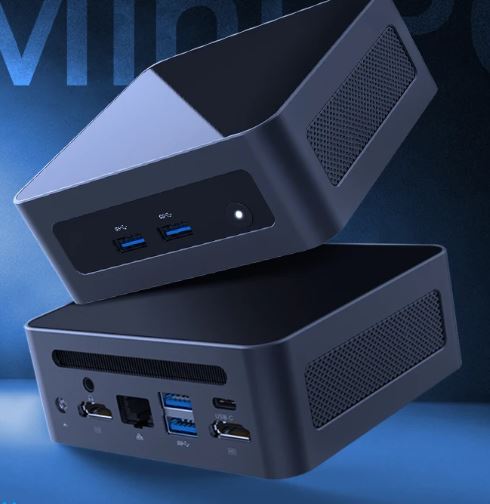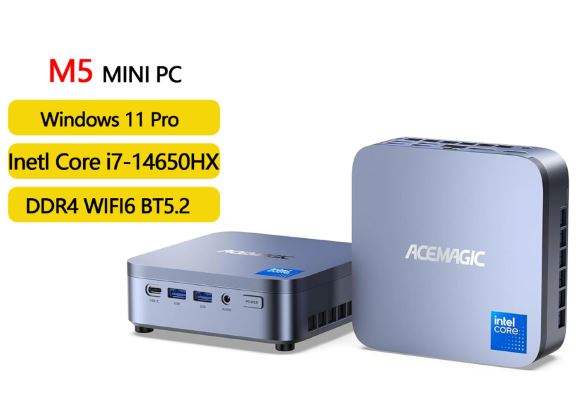
The ACEMAGIC M5 is a mini PC that is especially interesting for intensive productivity: programming, many tabs, photo editing, automation, advanced office applications, and use with multiple monitors.
Its 16 cores, 24 threads, 32 GB of RAM and two M.2 slots give it an unusual base for this size.
Pros: Very powerful CPU, 32GB of RAM as standard, dual M.2 drives, triple 4K60 display, plenty of USB ports, and Wi-Fi 6E.
Cons: Intel UHD graphics limited to AAA cards, USB-C only on the front, bulky external power supply, and confirmed lack of USB4/Thunderbolt.
Quick conclusion: It's a recommended purchase if you prioritize processor power and expandability in a compact form factor; for modern gaming, a model with a Radeon 780M/890M or dedicated GPU will be a more balanced choice.
🛒 Where to buy
AliExpress: See ACEMAGIC M5
Amazon: ACEMAGIC M5 Prices
📦 Unboxing and box
The standard package contents include the ACEMAGIC M5 mini PC, 120W external power adapter, HDMI cable, VESA mount, and documentation.
The VESA mount allows you to attach it behind a compatible monitor and leave your desk free.
The adapter supplies up to 19V and 6.32A, so you should allow space in a channel or tray under the table: the power supply is not integrated into the chassis.
Key Specifications and Available Options
| Feature | Core i5 | Core i7 | Core i9 |
|---|---|---|---|
| Model | ACEMAGIC Matrix M5 | ACEMAGIC Matrix M5 | ACEMAGIC Matrix M5 |
| Processor | Intel Core i5-14450HX | Intel Core i7-14650HX | Intel Core i9-14900HX |
| Architecture | Intel HX Series | Intel HX Series | Intel Raptor Lake HX |
| Cores / Threads | 10 cores / 16 threads | 16 cores / 24 threads | 24 cores / 32 threads |
| Distribution of nuclei | 8 performance cores + 16 efficient cores | ||
| Cache | 20 MB | 30 MB Intel Smart Cache | 36 MB Intel Smart Cache |
| Maximum frequency | Up to 4.8 GHz | Up to 5.2 GHz | Up to 5.8 GHz |
| Power indicated | 55 W | 55 W | |
| Installed RAM | 32 GB DDR4 | 32 GB DDR4 | 32 GB DDR4 |
| RAM configuration | Dual channel | Dual channel | Dual channel |
| maximum RAM | Up to 64 GB | Up to 64 GB | Up to 64 GB |
| Installed storage | 1 TB NVMe PCIe 4.0 SSD | 1 TB NVMe PCIe 4.0 SSD | 1 TB NVMe PCIe 4.0 SSD |
| SSD format | M.2 2280 | M.2 2280 | M.2 2280 |
| M.2 slot compatibility | SATA and NVMe | SATA and NVMe | SATA and NVMe |
| Maximum storage capacity | Up to 4 TB | Up to 4 TB | Up to 4 TB |
| Graphics | Integrated Intel UHD Graphics | 14th generation Intel UHD Graphics | Integrated Intel UHD Graphics |
| Video outputs | HDMI, DisplayPort and USB-C | HDMI, DisplayPort and USB-C | HDMI, DisplayPort and USB-C |
| Maximum resolution | Up to 4K | Up to 4K | Up to 4K |
| Monitor setup | Triple 4K screen | Triple 4K screen | Triple 4K screen |
| HDMI | 1 × HDMI 2.0 | 1 × HDMI 2.0 | 1 × HDMI 2.0 |
| DisplayPort | 1 × DisplayPort 1.4b | 1 × DisplayPort 1.4b | 1 × DisplayPort 1.4b |
| USB-C | 1 × USB-C, up to 10 Gbps and DisplayPort 1.4 | 1 × USB-C, 10 Gbps, DP 1.4, 4K at 60 Hz and 15 W PD | 1 × USB-C, up to 10 Gbps and DisplayPort 1.4 |
| USB-A | 6 × USB 3.2 Gen 2 Type-A | 6 × USB 3.2 Gen 2 Type-A | 6 × USB 3.2 Gen 2 Type-A |
| Total number of USB ports | 7 | 7 | 7 |
| wired network | Gigabit Ethernet | Gigabit Ethernet | Gigabit Ethernet |
| Wi-Fi | Wi-Fi 6 | Wi-Fi 6 | Wi-Fi 6 |
| Bluetooth | Bluetooth 5.2 | Bluetooth 5.2 | Bluetooth 5.2 |
| Audio | 3.5 mm audio jack | 3.5 mm audio jack | 3.5 mm audio jack |
| Operating system | Windows 11 Pro pre-installed | Windows 11 Pro pre-installed | Windows 11 Pro pre-installed |
| Alternative systems | Compatible with Linux and Ubuntu | Compatible with Linux and Ubuntu | Compatible with Linux and Ubuntu; suitable for dual booting |
| Refrigeration | Vapor chamber, heat pipes, fins, silent fan, SSD heatsink, and dustproof design | Vapor chamber, heat pipes, fins, silent fan, SSD heatsink, and dustproof design | Vapor chamber, heat pipes, fins, silent fan, SSD heatsink, and dustproof design |
| Announced noise | not specified | not specified | Up to 35 dB under favorable conditions |
| Dimensions | 5.03 × 5.03 × 1.62 inches | 5.03 × 5.03 × 1.62 inches | 5.03 × 5.03 inches |
| Weight | 1 kg | 1 kg | |
| Price shown (Amazon) | $599.99 | $699.99 | $769.00 |
Design and construction
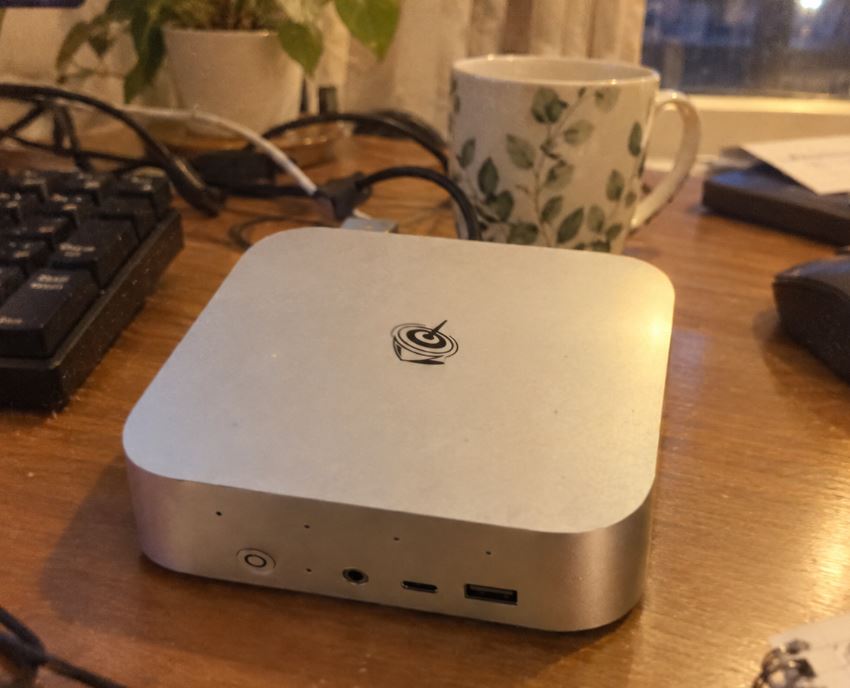
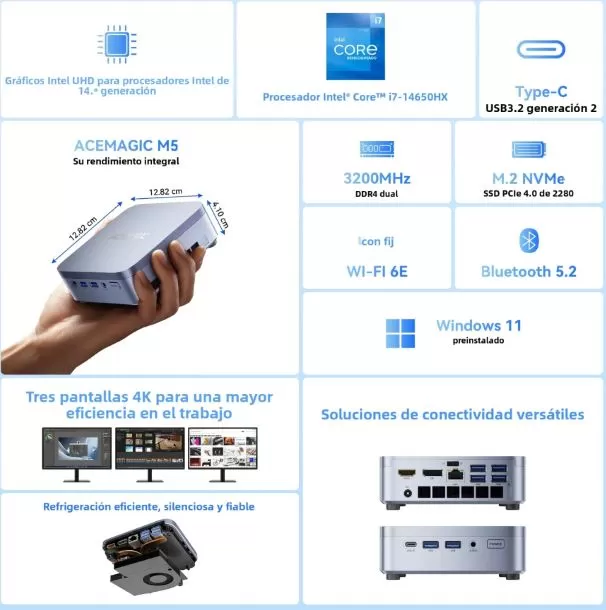
The M5 features a sleek, silver-blue design with a logo on top and a square shape measuring approximately 12.8 cm on each side. Although the exterior is made of plastic, the metallic finish softens the cheap feel and makes it a good fit for an office or studio.
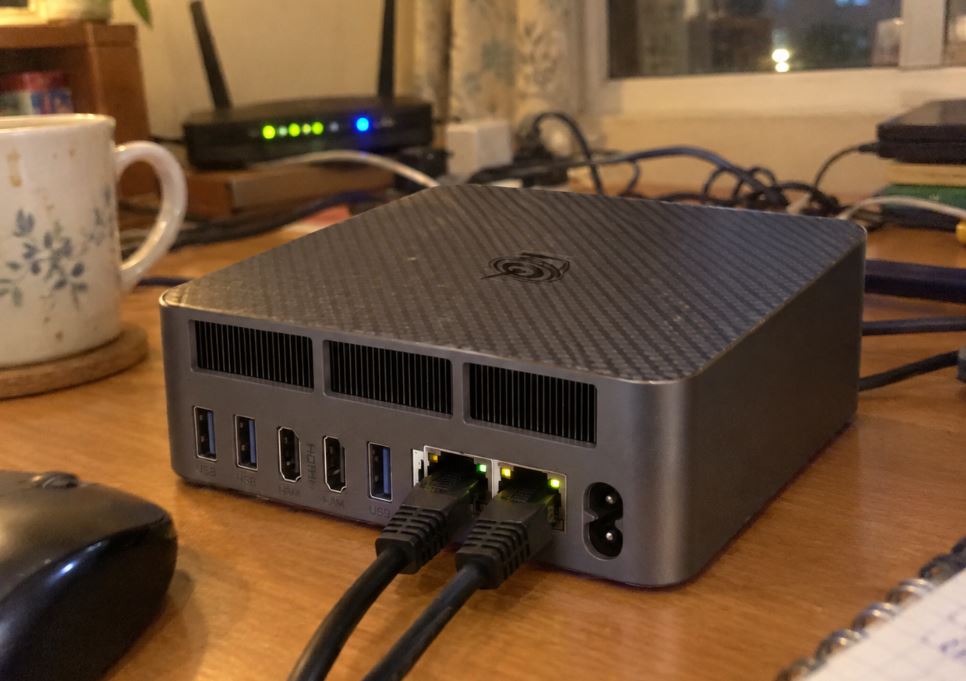
Its sides feature large ventilation grilles, which is to be expected in a device with a high-power HX processor. The compact design makes it easy to place on a desk, under a monitor, or behind a screen using the included VESA mount.
Screen and multimedia
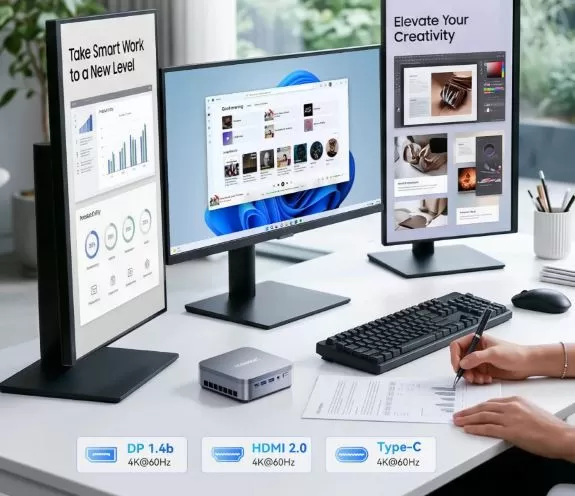
Your multimedia experience depends on the monitor, TV, and audio system you connect. It can handle up to three 4K displays at 60Hz simultaneously via HDMI 2.0, DisplayPort 1.4, and USB-C with DisplayPort 1.4.
For a productivity desktop, this combination works especially well with a main 4K display and two auxiliary monitors. The limitation lies in the integrated GPU: it's suitable for desktop use, 4K streaming, multimedia playback, and basic acceleration, but it's not designed for demanding 3D creation.
Performance and software (Core i7-14650HX model)
The Core i7-14650HX combines 16 cores and 24 threads with 32GB of dual-channel DDR4 RAM, a configuration that is well-suited for Laravel, lightweight Docker, IDEs, local databases, image editing, large spreadsheets, and intensive multitasking.
In tests, the M5 scored 2,664 points in Geekbench 6 single-core, 11,503 in multi-core, 14,586 in Cinebench R23 multi-core, and 1,943 in single-core. These figures are typical of a device that clearly excels in sustained CPU loads compared to many mini PCs with low-power U-series processors.
It comes with Windows 11 Pro pre-installed, and the manufacturer offers driver and Windows image downloads for the model. An independent review detected an OEM license and recommended checking the keyboard layout during the initial setup wizard if purchased from international markets.
Does it have bloatware?
There is no solid public evidence of a heavy promotional software load on this model. Even so, as a best practice for any emerging brand mini PC, I recommend updating Windows and drivers, removing unused software, and, for maximum peace of mind, performing a clean installation of Windows from an official Microsoft image before saving any sensitive data.
⚡ Energy consumption and cables (Core i7-14650HX)
The processor can operate in the 55W range, while the included external adapter reaches 120W. This margin is consistent with a system that needs to power the CPU, memory, SSD, fan, USB ports, and connected peripherals without relying on an internal power supply.
In practice, actual power consumption varies significantly between idle, browsing, compiling, rendering, and benchmarking. If you're looking to reduce power consumption and heat, Windows' Balanced mode is recommended; if you prioritize compiling or rendering, the Best Performance mode will utilize the CPU more efficiently at the expense of increased power consumption and fan speed.
🌡️ Temperature and noise
An independent test with maximum load on all threads for 20 minutes observed most cores at around 70 °C, with some reaching values in the 80 °C range. The chassis got warm, but not to a level that made it untouchable.
The acoustic performance seems reasonable for its power output: it's very quiet during light tasks, while under prolonged load the fan becomes audible as a continuous whirring noise. It's not described as annoying at a normal distance, but it's not the kind of completely silent mini PC you might expect from a 15W model.
Interpretation: ACEMAGIC has prioritized maintaining HX CPU performance within a small chassis. For development, editing, and sustained productivity, this approach makes sense; for quiet living rooms, there are more appropriate lower-power alternatives.
🔌 Connectivity and extras
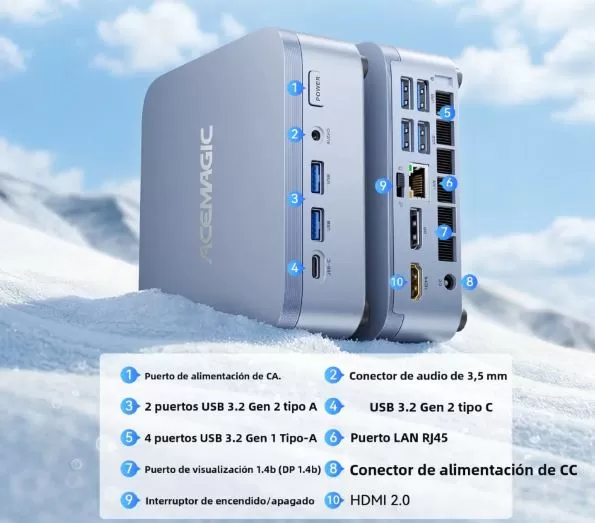
Connectivity is one of the M5's strong points:
-
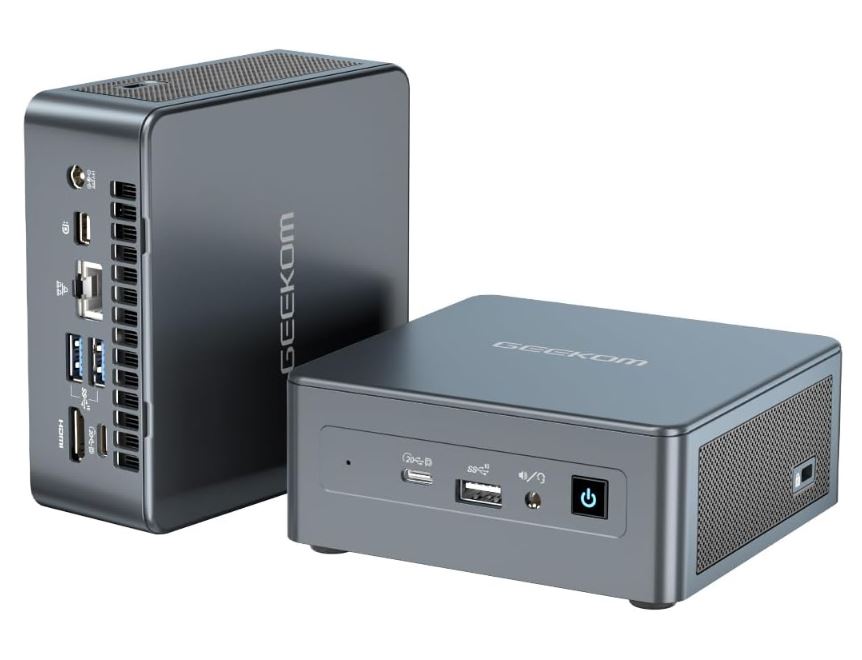
2 × USB-A 3.2 Gen 2 on the front, designed for fast external SSDs, pen drives or frequently used peripherals.
-
1 × Front USB-C 3.2 Gen 2 with transfer speeds up to 10 Gbps, DisplayPort 1.4 output and 4K at 60 Hz.
-
4 × USB-A 3.2 Gen 1 rear ports, useful for keyboard, mouse, webcam, capture card or printer.
-
HDMI 2.0, DisplayPort 1.4b, Gigabit Ethernet and 3.5mm audio jack.
-
Wi-Fi 6E and Bluetooth 5.2 for wireless networks and peripherals.
🔧 Expansion and upgrades
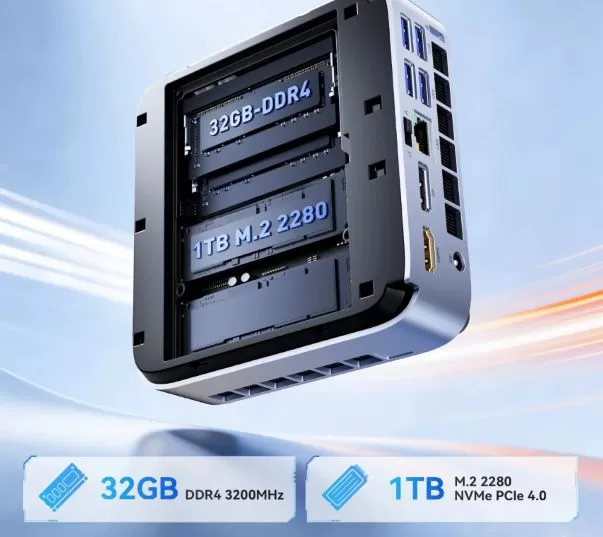
The ACEMAGIC M5 offers superior upgradeability compared to many compact mini PCs.
| Component | Configuration | Odds |
|---|---|---|
| RAM | 2 × 16 GB DDR4-3200 SO-DIMM | Replaceable and expandable up to 64 GB in two 32 GB modules |
| primary SSD | 1TB M.2 2280 NVMe PCIe 4.0 x4 | It can be replaced with a higher capacity unit |
| Second SSD | Additional M.2 2280 slot compatible with SATA/NVMe PCIe 3.0 x4 | A second SSD can be added; maximum of 4 TB total for both slots |
To access the interior, you must remove the rubber feet, beneath which the screws are hidden. Upgrading is possible, but it's advisable to wear an anti-static wrist strap, clone the SSD before replacing it, and keep the original screws and feet.
🆚 Direct competitors
| Model | CPU / GPU | Strengths | Limitations | Best for |
|---|---|---|---|---|
| ACEMAGIC M5 i7-14650HX | 16C/24T; Intel UHD | High CPU power, 32GB/1TB, dual M.2, 3 × 4K60 | Basic integrated GPU for gaming | Development, productivity and multitasking |
| Mini PC Ryzen 7 7840HS | 8C/16T; Radeon 780M | Integrated GPU clearly more balanced for eSports, emulation, and accelerated editing | Fewer CPU cores than the i7-14650HX | Mixed training and light play |
| Mini PC Ryzen 9 8945HS | 8C/16T; Radeon 780M | Modern overall performance and powerful integrated graphics | Typically more expensive; multi-core CPUs may fall behind in highly parallel workloads | Creators and emulation |
| ACEMAGIC M5 i9-14900HX | 24C/32T; Intel UHD | More cores for compilation, rendering, and virtualization | Same UHD graphics family; doesn't fix the gaming limitation | Professional CPU loads |
The key point is simple: the M5 i7 is superior when CPU threads and RAM are the priority for work; Ryzen processors with Radeon 780M graphics are usually preferable for gaming without a dedicated graphics card. The i9-14900HX version of the M5 itself adds up to 24 cores and 32 threads, but retains Intel UHD graphics, so the extra price doesn't change its gaming profile.
🧪 Technical tests (Intel Core i7-14650HX)
The published results for the model with Intel Core i7-14650HX confirm that the processor is the main selling point of this mini PC, while the integrated GPU is its biggest limitation.
| Test published | Result | Practical reading |
|---|---|---|
| Geekbench 6 CPU, single-core | 2,664 points | Interface, office suite, navigation and agile apps |
| Geekbench 6 CPU, multi-core | 11,503 points | Very good performance in multitasking, compilation, and parallel processes |
| Cinebench R23, single-core | 1,943 points | Good performance per core |
| Cinebench R23, multi-core | 14,586 points | Solid level for CPU rendering, programming, and intensive productivity |
| 3DMark Steel Nomad Light | 312 points | Modest integrated graphics performance |
| Geekbench 6 GPU OpenCL | 4,241 points | Suitable for basic acceleration, not for serious GPU loads |
| Geekbench 6 GPU Vulkan | 4,795 points | It confirms that the graphics card doesn't keep up with the CPU. |
| Final Fantasy XIV, 1080p standard | 2,235 points | The benchmark itself recommends lowering settings. |
| Dragon Quest X, 1080p low | 4,678 points | Lightweight and older games may be viable |
The combination of an i7 HX and UHD graphics creates a very specific profile: excellent for CPU-based work, compiling, or rendering; limited for modern 3D.
The unit tested achieved good performance from the PCIe 4.0 SSD, although the review does not publish specific read and write speeds in the available text.
🎮 Gaming and emulation (Intel Core i7-14650HX)
It's not advisable to buy the M5 i7-14650HX expecting to run the latest AAA games at 1080p and high settings. The CPU has more than enough power, but the Intel UHD Graphics with 16 execution units is what limits the FPS and graphics settings.
Reasonable expectations:
-
🕹️ Esports and undemanding games: titles like League of Legends, Valorant, Rocket League, Minecraft or indie games should be the most favorable scenario, adjusting resolution and quality when necessary.
-
🎮 Current AAA games: will require low quality, reduced resolution, or will not offer a satisfactory experience; not recommended use.
-
👾 Retro emulation: It is a very capable platform for 8, 16, 32 and 64 bits, arcade, PSP, Dreamcast and a large part of GameCube/PS2, always with settings dependent on the emulator and the game.
-
⚠️ Modern emulation: PS3, Nintendo Switch, and demanding PS2/GameCube titles can be highly dependent on emulator compatibility and graphics limits; do not assume perfect performance.
For those who want to combine web development, light editing, and emulation with better margins, a Ryzen 7 7840HS or Ryzen 9 8945HS mini PC with Radeon 780M is usually a more logical alternative.
❓ Frequently Asked Questions
Can the RAM of the ACEMAGIC M5 be upgraded?
Yes. It includes two DDR4-3200 SO-DIMM slots and supports up to 64GB total, typically using two 32GB modules.
Does it have two SSD slots?
Yes. The official specifications confirm an M.2 2280 NVMe PCIe 4.0 x4 and a second M.2 2280 slot compatible with SATA and NVMe PCIe 3.0 x4; the advertised maximum is 4 TB between both drives.
Does it allow adding a 2.5-inch SATA drive?
There is no official confirmation of a 2.5-inch SATA bay. Confirmed expandable storage is via the two M.2 2280 connectors.
Can you connect three monitors?
Yes. It can output a signal to three 4K displays at 60 Hz using HDMI 2.0, DisplayPort 1.4, and USB-C with DisplayPort 1.4.
Does it have USB4 or Thunderbolt?
The documentation consulted only confirms USB-C 3.2 Gen 2 with data transfer speeds up to 10 Gbps and video output. It's not advisable to assume USB4, Thunderbolt, or eGPU compatibility until explicitly confirmed by the vendor.
Is he good at programming?
Yes. The i7-14650HX, 32 GB of RAM, and NVMe SSD are a very suitable combination for IDEs, Docker, WSL, moderate-sized virtual machines, Laravel, local databases, and running multiple tabs simultaneously. A published test also deemed it smooth for programming and general work. (computerhoy)
Does it include genuine Windows 11 Pro?
It comes with Windows 11 Pro, and an independent test identified an OEM license. Even so, check the activation after setting it up and keep your receipt from the retailer. computerhoy.20minutos+1
Final conclusion
The ACEMAGIC M5 is a mini PC with a very clear proposition: high CPU performance, generous factory memory, and true expandability via two SO-DIMM and two M.2 modules. It's a machine especially recommended for professionals who need compact power for programming, SEO, analytics, demanding office applications, automation, working with three monitors, or occasional photo editing.
It's worth considering if you find it at a competitive price compared to other 32GB/1TB mini PCs and prioritize processor performance. It's not the best choice for AAA gaming, 3D rendering, or demanding modern emulation: in those areas, the Intel UHD GPU clearly falls behind the Radeon 780M in several Ryzen processors.
Alternatively, consider a mini PC with a Ryzen 7 7840HS or Ryzen 9 8945HS if integrated graphics performance is your priority. If you do heavy compiling, virtualization, or CPU rendering and accept that gaming will be secondary, the M5 i7 is one of the most compact form factors for getting 16 cores and 24 threads.
🛒 Where to buy
AliExpress: See ACEMAGIC M5
Amazon: ACEMAGIC M5 Prices