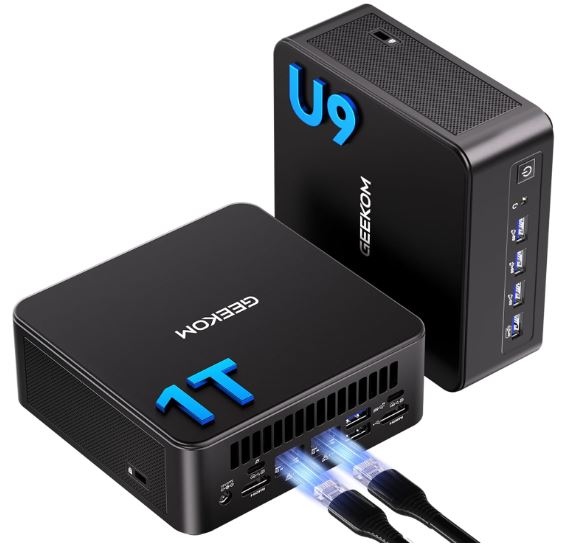
The Asus NUC 14 Pro represents the refined evolution of the legendary Intel NUC line, now under the Asus brand.
Equipped with Intel Core Ultra Series 1 processors (up to Ultra 7 165H), integrated Intel Arc graphics and up to 32GB DDR5-5600, it delivers professional performance in an ultra-compact chassis smaller than the Mac mini M4.
✅ Pros: Toolless design for easy upgrades, excellent connectivity with dual Thunderbolt 4, support for four simultaneous 4K displays, WiFi 7, and premium build quality.
❌ Cons: plastic chassis not as premium as expected, bulky external power adapter, high price compared to AMD Ryzen alternatives, no rear audio jack
It's ideal for professionals who need power in small spaces, but it faces fierce competition from cheaper AMD options.
🛒 See prices on AliExpress
📋 Technical Specifications
| Component | Specification |
|---|---|
| 🔧 Processor | Intel Core Ultra 5 125H / Ultra 7 165H / Ultra 9 288V (up to 8 cores) |
| 🎮 Graphics | Integrated Intel Arc Graphics (up to 8-core GPU) |
| 💾 RAM Memory | Up to 32GB DDR5-5600 (dual channel, SO-DIMM upgradeable) |
| 💿 Storage | Up to 1TB PCIe 4.0 NVMe SSD + 2.5" SATA slot (tall version) |
| 📡 Connectivity | WiFi 7, Bluetooth 5.4, Gigabit Ethernet |
| 🔌 Front Ports | 2x USB-A 3.2, 1x USB-C 10Gbps, 3.5mm audio jack |
| 🔌 Rear Ports | 2x Thunderbolt 4 (40Gbps), 2x USB-A, 2x HDMI 2.1, Ethernet |
| 📐 Dimensions | 130mm x 130mm x 34mm (slim version) / 51mm (tall version) |
| ⚡ Consumption | 120W external adapter (TDP varies depending on mode) |
| 🖥️ SO | Windows 11 Pro / barebones without OS |
🏗️ Design and Construction Quality
The Asus NUC 14 Pro features an ultra-compact design measuring just 130mm square, slightly larger than the original NUC but smaller than the Mac mini M4 , making it one of the tiniest mini PCs on the market. It is available in two height variants: a slim version (34mm) for maximum portability and a tall version (51mm) that adds a 2.5" SATA bay for additional storage.
The chassis is made of high-quality plastic with a matte finish which, while not conveying the ultra-premium feel of aluminum, maintains controlled temperatures and reduces weight (approximately 800g). The industrial design is discreet and professional, suitable for corporate environments without drawing attention.
The standout feature is the toolless design : to access RAM and storage, you simply press two side tabs and the top cover slides effortlessly, allowing upgrades in seconds without screwdrivers. This refined engineering demonstrates Asus's attention to detail, far surpassing the upgrade experience of competitors.
🎬 Screen and Multimedia
Although it lacks a built-in display, the NUC 14 Pro excels in professional multimedia capabilities with simultaneous support for up to four 4K monitors via a 2x HDMI 2.1 + 2x Thunderbolt 4 configuration. This multi-display setup is ideal for financial traders, video editors, and professionals who require multiple workspaces.
The HDMI 2.1 ports support resolutions up to 4K@120Hz, perfect for casual gaming or consuming high refresh rate content. The Thunderbolt 4 outputs can handle 5K or 8K monitors via DisplayPort 2.0 adapters.
⚠️ Weak point: The device does not include a rear audio jack , only a front one, which is inconvenient if you use desktop speakers permanently and headphones occasionally. Furthermore, it lacks built-in speakers and a webcam, requiring external peripherals for video conferencing.
🚀 Performance and Software
The Intel Core Ultra 7 165H processor (tested configuration) offers 16 cores (6P+8E+2LP) with an 8-core Intel Arc GPU, delivering solid performance for professional tasks. In synthetic benchmarks:
PCMark 10: 7,038 total points (Essentials: 9,994 | Productivity: 9,520 | Digital Content Creation: 9,941)
3DMark Time Spy: 4,654 points (GPU test) - sufficient for casual gaming and GPU acceleration in creative applications
Blender Classroom Render: 617 seconds (Performance mode), 640s (Standard), 745s (Whisper)
The system offers three performance modes : Performance (37W continuous boost, 82°C, audible fans), Standard (34W, ideal balance), and Whisper (silent but -20% performance). Standard mode sacrifices only 3% of performance with near-silent operation, making it the recommended option for daily use.
In gaming, the Intel Arc GPU handles modern eSports titles at 1080p with medium-high settings, but falls far short of AMD Ryzen alternatives with Radeon 780M or 890M graphics that offer +30-40% FPS in AAA titles.
Windows 11 Pro comes virtually bloatware-free, with only essential Asus utilities pre-installed. Intel vPro integration facilitates remote management in enterprise environments.
🔋 Electricity consumption
It requires continuous power via the included 120W external adapter . The adapter is bulky, representing approximately half the volume of the NUC itself, which reduces the design's compactness advantage. Competitors like Beelink and Minisforum integrate more elegant internal power supplies.
Power consumption varies depending on the mode: 10-15W idle , 34W standard use, up to 45W under maximum sustained load. Compared to traditional workstations (200-400W), this represents an energy saving of 80-90%.
🔌 Connectivity and Extras
The NUC 14 Pro stands out for its comprehensive connectivity that surpasses competitors in its category:
📍 Front Panel:
-
2x USB-A 3.2 Gen 2 (10Gbps)
-
1x USB-C 10Gbps with DisplayPort Alt Mode
-
3.5mm combined audio jack
📍 Rear Panel:
-
2x Thunderbolt 4 (40Gbps, PD charging, DisplayPort 2.0)
-
2x additional USB-A 3.2
-
2x HDMI 2.1 (4K@120Hz)
-
Gigabit Ethernet RJ45
-
DC power connector
📡 Wireless:
-
WiFi 7 (802.11be) - latest generation with theoretical speeds up to 5.8Gbps
-
Bluetooth 5.4 for low-latency peripherals
🔒 Business Security:
-
Integrated TPM 2.0
-
Intel vPro for remote management
-
Kensington lock slot
⚠️ Limitations: Problematic front layout where wide peripherals (external SD readers) block adjacent ports. External power adapter reduces portability.
🌟 Reviews on Well-Known Pages
PCMag - Editors' Choice
PCMag awarded the Asus NUC 14 Pro its prestigious "Editors' Choice" award, highlighting that it "offers excellent performance and connectivity for a tiny desktop." Reviewers emphasized the device's versatility as a compact workstation for space-conscious professionals.
Tom's Guide - Premium Comparison
Tom's Guide titled its review: "Forget the Mac mini M4 — the Asus NUC 14 Pro is very powerful and even smaller ," although they acknowledge that the M4 maintains an advantage in energy efficiency. The publication especially highlighted the port density and ease of upgrades as key differentiators compared to Apple.
ServeTheHome - "Refreshing Refinement"
The professional community at ServeTheHome praised the Asus NUC 14 Pro, saying that "it shows a refreshing level of refinement in a mini PC, with even small details covered in its design ." They particularly appreciated the toolless system and the quiet thermal management in Standard mode.
XDA Developers - Easy Update
XDA Developers gave it 4/5 stars , highlighting: "A compact and powerful mini PC that's easy to upgrade... the toolless design makes upgrades a breeze." However, they criticized the plastic chassis, which "doesn't feel super premium" for its price range.
Notebookcheck - Detailed Benchmarks
Notebookcheck conducted extensive testing with the Core Ultra 5 125H, concluding that it offers solid performance for its class but falls behind AMD Ryzen 7000/8000 series alternatives in multi-threaded tasks. In gaming, the Arc GPU slightly outperforms the Radeon 680M but loses against the 780M/890M.
Hostbor - Value Review
The most critical analysis comes from Hostbor, who directly asks: "Why isn't the Asus NUC 14 Pro AI worth it vs. the Beelink SER9?" They argue that AMD models like the Beelink SER9 HX370 ($750-850) offer superior 12 cores/24 threads versus the 8 cores of the Intel Ultra 9 288V at $1,200+, with better multi-core performance, more consistent gaming, and dual M.2 storage.
Reddit r/IntelNUC - Slim vs Tall Debate
On Reddit, users are debating between slim and tall versions , with a consensus that the tall version ($50 more expensive) is worth it for the additional SATA bay that allows for RAID configurations or economical mass storage.
Asus Official - International Awards
The official Asus website compiles mentions from Italian media outlets such as Punto Informatico, which highlight: "It combines power and versatility in a compact and discreet design... excellent connectivity including Thunderbolt 4 and HDMI 2.1 ." Several European reviewers awarded it "Best Mini PC 2024" in the professional category.
🧪 Technical Test Summary
CPU benchmarks
Cinebench R23:
-
Multi-core: ~12,000 pts (Core Ultra 7 165H estimated)
-
Single-core: ~1,850 pts
7-Zip Compression:
-
Compression: 62.349 GIPS
-
Decompression: 55,164 GIPS
Corona 10 Render:
-
3,304,431 rays/s - solid performance for architectural visualization
Gaming and 3D Graphics
3DMark Steel Nomad: 577 points - modest performance for AAA gaming
The Witcher 3 (1080p High):
-
Asus NUC 14 Pro (Arc GPU): ~43 FPS
-
Geekom A5 (Radeon Vega 8): 44 FPS
-
Geekom AE7 (Radeon 780M): 59.5 FPS (+37% vs Asus)
Shadow of the Tomb Raider:
-
Performance similar to Radeon 680M but lower than 780M
Real Productivity Tests
Adobe Premiere Pro (4K export):
-
Estimated time 20% slower than Ryzen 9 HX 370 due to lower core count
Blender Rendering (Standard mode):
-
640 seconds for the Classroom scene
-
Only 3% slower than Performance mode but much quieter
Thermal Management
Temperatures under load:
-
Performance Mode: Peak 82°C, audible fan
-
Standard Mode: 75-78°C, virtually silent
-
Whisper Mode: 68°C maximum, completely inaudible
The passive cooling design plus small fan keeps temperatures under control without thermal throttling, even during prolonged renders.
Actual Energy Consumption
Measurements with power meter:
-
Idle: 10-12W
-
Web browsing: 18-22W
-
CPU load 100%: 45W (Standard), 50W (Performance)
-
Gaming: 38-42W average
Compared to equivalent AMD Ryzen processors that consume 10-15W less under load, the Intel Core Ultra is less efficient.
Storage Speeds
PCIe 4.0 NVMe (included):
-
Sequential read: ~5,000 MB/s
-
Sequential write speed: ~4,200 MB/s
-
Standard performance for Gen4 SSDs
🎯 Final Summary
The Asus NUC 14 Pro is ideal for corporate professionals requiring a compact workstation with vPro, IT consultants needing maximum portability, casual content creators, traders with multi-monitor setups, and enthusiasts who value the NUC legacy backed by Asus.
✅ Buy if:
-
You need Intel vPro Enterprise Remote Management
-
You prioritize WiFi 7 and dual Thunderbolt 4
-
You need four simultaneous screens
-
You value toolless design for frequent upgrades
-
You have a budget of $800-1,200
❌ DO NOT buy if:
-
Looking for the best price/performance value? (Choose AMD)
-
Gaming is a priority (Ryzen + Radeon superior)
-
You need maximum multi-core performance
-
Limited budget under $600
🔄 Superior Alternatives
Beelink SER9 HX370 ($799): 12 cores/24 threads AMD Ryzen AI 9, dual M.2, better gaming, quieter under load
Minisforum AI X1 Pro ($1,079): Same Ryzen HX 370, up to 128GB RAM, three M.2 slots, OCuLink port for external GPU
GMKtec EVO-X1 ($699): Budget-friendly alternative with Ryzen 9 7940HS, excellent value/performance ratio
Mac mini M4 ($599): More energy efficient, better single-core performance, but a closed macOS ecosystem
🛒 Buy the Asus NUC 14 Pro
The Asus NUC 14 Pro is available at:
🌐 Official Stores:
-
Asus Store (starting at $394 barebones, $800+ configured)
-
Amazon (pre-configured models with warranty)
-
Newegg, B&H Photo (USA)
-
Official European Asus distributors
💡 Tip: Look for barebone configurations (without RAM/SSD) if you already have components, saving $100-200. Use promo code XDANUCOFF if it's still valid (check availability). Check Asus's 3-year local warranty, which far surpasses those of Chinese manufacturers.