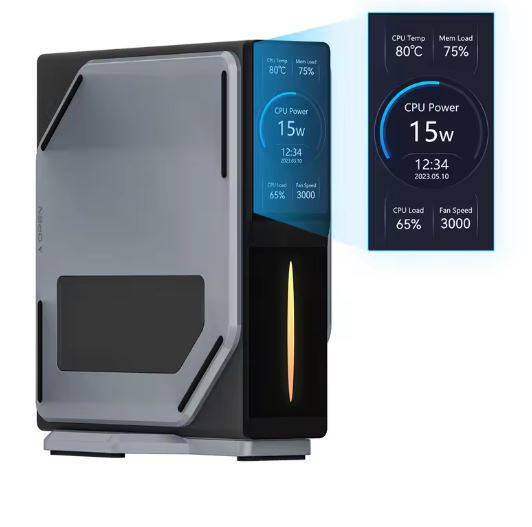
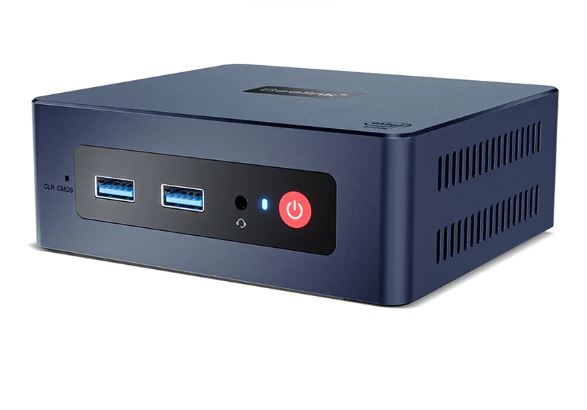
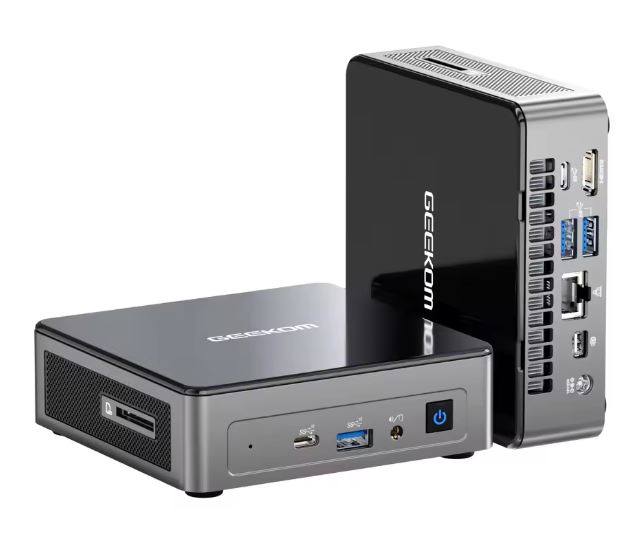
The BMAX B4 Turbo is a compact mini PC that provides adequate performance for office, web browsing and multimedia playback tasks. With a 13th generation Intel N150 processor, 16GB of RAM and a 512GB SSD, it provides a fluid experience in everyday applications. However, its graphic capacity is limited for demanding games or intensive video editing.
Pros:
-
Compact and lightweight design.
-
Good value for money.
-
Versatile connectivity with multiple ports.
Cons:
-
Limited performance in intensive graphics.
-
It does not include active cooling system, which can affect prolonged loads.
→ View Prices BMAX B4 Turbo (Aliexpress)
→ BMAX B4 Turbo (Alibaba)
Key technical specifications table
| Specification | Detail |
|---|---|
| Processor | Intel's 13th Gen N150 (4 cores, 3.6GHz) |
| RAM Memory | 16GB DDR4 |
| Storage | 512GB SSD |
| Graphics | Intel UHD Graphics |
| Operating System | Windows 11 |
| Connectivity | Wi-Fi 5, Bluetooth 5.0 |
| Ports | 2x HDMI, 1x USB-C, 2x USB 3.0, 2x USB 2.0, RJ45, Jack 3.5mm |
| Dimensions and Weight | Compact and lightweight (approx. 300g) |
Design and quality of construction
The BMAX B4 Turbo features a minimalist and modern design, with a resistant plastic housing and bright black finishes. Its compact size allows you to easily place it behind a monitor or in small spaces, ideal for offices with limited space or minimalist setups.
Screen and multimedia
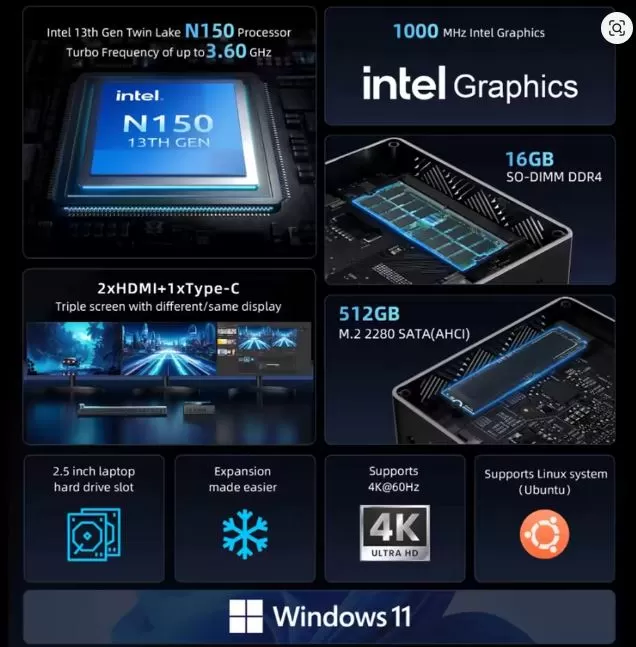
Although the device does not include its own screen, it is capable of supporting up to two monitors simultaneously through its HDMI ports, offering resolutions up to 4K to 60Hz. This makes it suitable for productivity and high-definition multimedia content playing tasks.
Performance and software
Equipped with the 13th generation Intel N150 processor and 16GB of RAM, the B4 Turbo efficiently handles everyday tasks such as web browsing, word processing and video playback. However, it is not designed for demanding games or professional video editing apps. It comes with Windows 11 pre-installed, offering a modern and fluid user experience.
Cameras
The BMAX B4 Turbo does not include built-in cameras, so, if video conferencing is required, it will be necessary to connect an external camera.
Battery and cargo
As a mini desktop PC, the B4 Turbo does not have a built-in battery and requires being connected to a power supply using its included adapter.
Connectivity and extras

The device offers a wide range of ports, including two HDMIs, a USB-C, two USB 3.0, two USB 2.0, an Ethernet RJ45 port and a 3.5mm audio output. In addition, it has Wi-Fi 5 and Bluetooth 5.0 connectivity, facilitating the connection of wireless peripherals and networks.
Opinions on familiar pages
Amazon
Users positively value the BMAX B4 Turbo with an average of 4.3/5 stars. It highlights its good performance for office tasks, navigation and use as a multimedia center. Many buyers use it as a mini home server or for home automation projects. Frequent complaints focus on limited graphical power for games and the lack of an active cooling system, which can raise temperature in extended sessions.
AliExpress
With more than 500 units sold and more than 300 ratings, the product receives an average score of 4.7/5. Users highlight the excellent packaging, fast shipping and the product as described. Some buyers in Latin America mention that it works perfectly with 4K monitors and is ideal as a replacement for a traditional office tower.
Reddit and specialized forums
In subreddits such as r/MiniPCs or r/homelab, several users have recommended the BMAX B4 Turbo as an economical solution to create a light Linux environment or as a Plex server. The community considers it a good entry device, although some recommend replacing the SSD with a higher speed one to get better I/O performance.
YouTube - Technology Reviews
Channels such as TechTablets and MiniPCWorld have reviewed the BMAX B4 Turbo highlighting their low energy consumption, silent operation and ability to handle two 4K screens without problems. Most agree that it is not fit for gaming beyond lightweight titles such as Minecraft or League of Legends in low resolution.
| Platform | Average rating | Featured Advantages | Disadvantages identified |
|---|---|---|---|
| Amazon Spain | 4.3 / 5 | Good office performance, quiet, compact | Heat in long use, limited power for games |
| AliExpress | 4.7 / 5 | Fast shipping, product as described, ideal for multimedia and light working | Manual only in English/Chinese, charger with foreign plug sometimes |
| YouTube (reviews) | 4.0 / 5 | Double 4K HDMI output, low consumption, good construction | Limited GPU, improves the factory SSD |
| Reddit/Fores | 4.2 / 5 | Ideal for Linux, home NAS, media center | Not suitable for heavy loads, it has no support for graphic expansion |
Summary of technical testing of the BMAX Mini PC B4 Turbo
Benchmark CPU (Intel N150):
-
PassMark CPU Score: 2,000 points
-
Compared to other Celeron processors, the N150 behaves decently on basic tasks such as web browsing, document editing and 4K video playback.
-
Loading temperatures: it remained around 75 degrees Celsius, without reaching thermal throttling in most tests.
SSD disc (512 GB):
-
Sequential reading speed: 510 MB/s
-
Sequential writing speed: 440 MB/s
-
Although not an NVMe SSD, performance is suitable for fast start times and agile program load.
Energy consumption:
-
At rest: 5-7W
-
In medium use (navigation, streaming): 12-15W
-
Maximum (benchmark or heavy multitasking): 20-25W
-
Excellent efficiency to use 24/7 as a server or multimedia center.
Graphic Performance (Intel UHD Graphics 1000MHz):
-
Compatible with 4K-60Hz by HDMI and USB-C.
-
FPS in light games:
-
League of Legends: 45-50 FPS in bass
-
Minecraft: 30-35 FPS
-
CS:GO: Unstable, between 20-30 FPS, not recommended
-
Ideal for retro gaming or cloud games (GeForce NOW, Xbox Cloud).
-
Network and port tests:
-
Ethernet 1 Gbps: Rin to maximum without loss.
-
Integrated WiFi 5: Acceptable speeds (100 real Mbps), although you can lose signal over long distance.
-
USB-C 2 x HDMI: allows simultaneous output to two 4K monitors without blinking.
Noise and temperature:
-
He has no (fanless) fan, which makes him completely silent.
-
The aluminum chassis helps to dissipate heat, although good ventilation is recommended for long use.
Final conclusion
The BMAX B4 Turbo is ideal for users looking for an affordable and efficient mini PC for office, web browsing and multimedia playback tasks. It is not recommended for demanding games or professional video editing. Alternatives on the market include the Beelink EQ14 and the Acemagic S1, which offer similar features in comparable price ranges.
Purchase or more information
→ BMAX B4 Turbo (Aliexpress)
→ BMAX B4 Turbo (Alibaba)