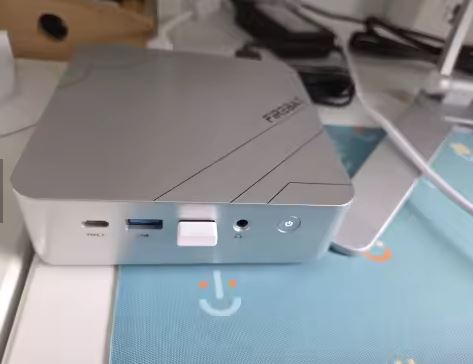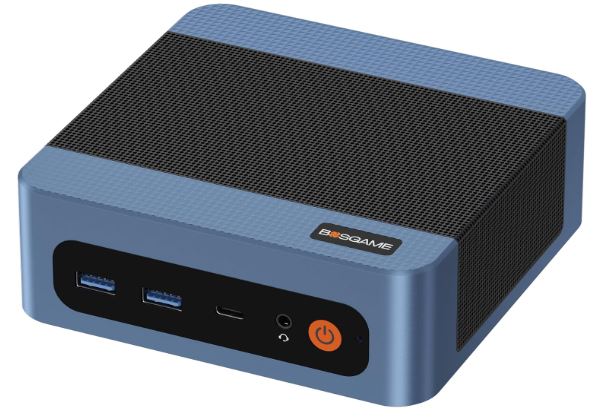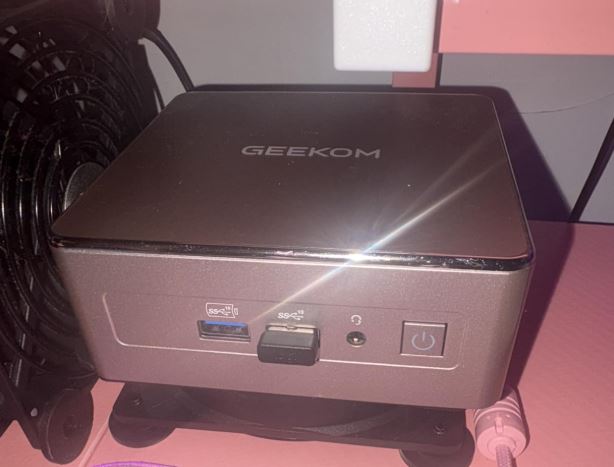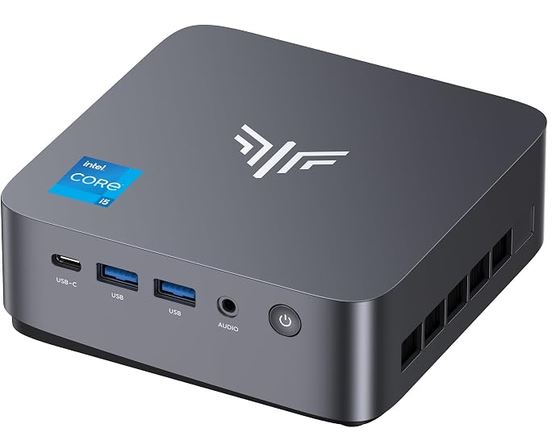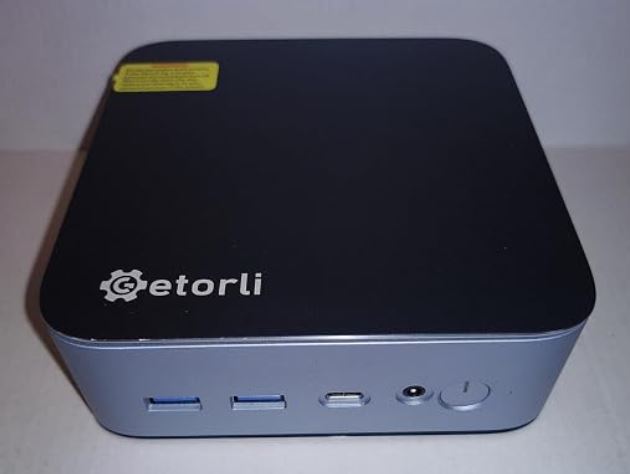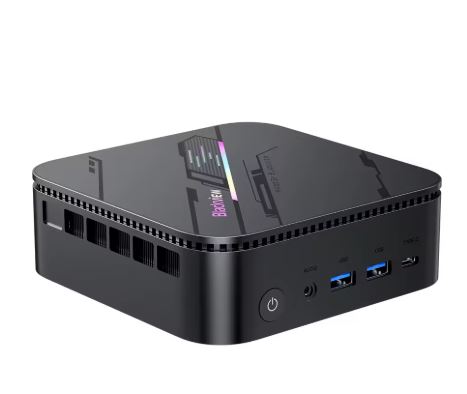
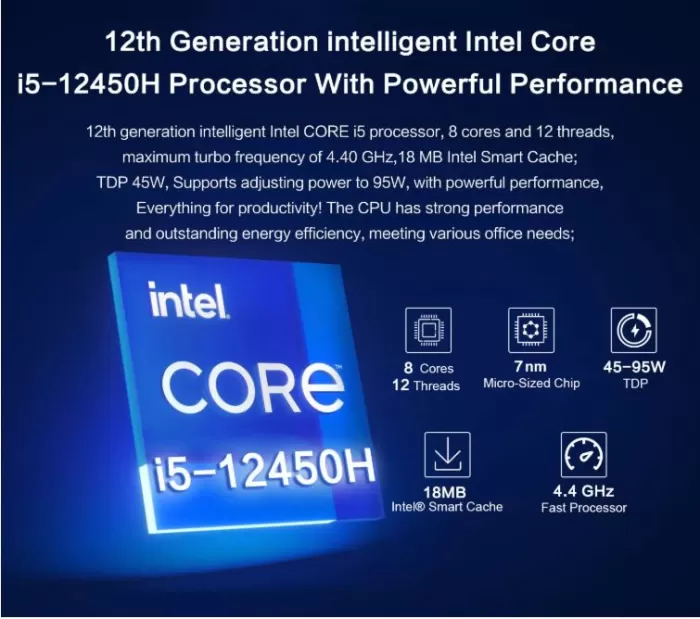
The MLLSE M6 represents a significant leap forward compared to the brand's entry-level models. With ultra-compact dimensions of just 114 × 106 × 42.5 mm, this mini PC integrates the 12th generation Intel Core i5-12450H processor (Alder Lake-H architecture with a TDP of 35-45W and a boost clock of up to 95W).
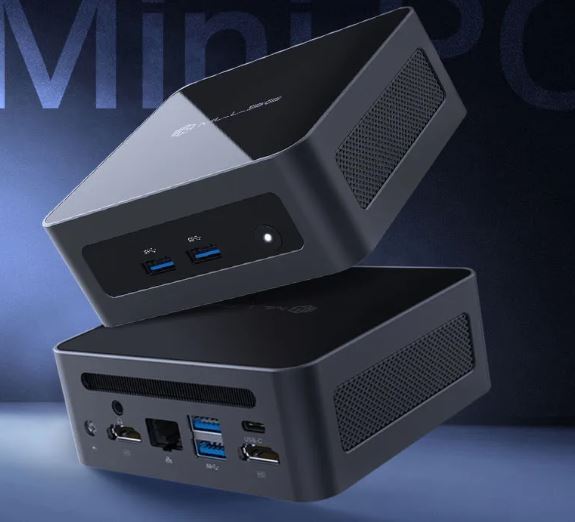
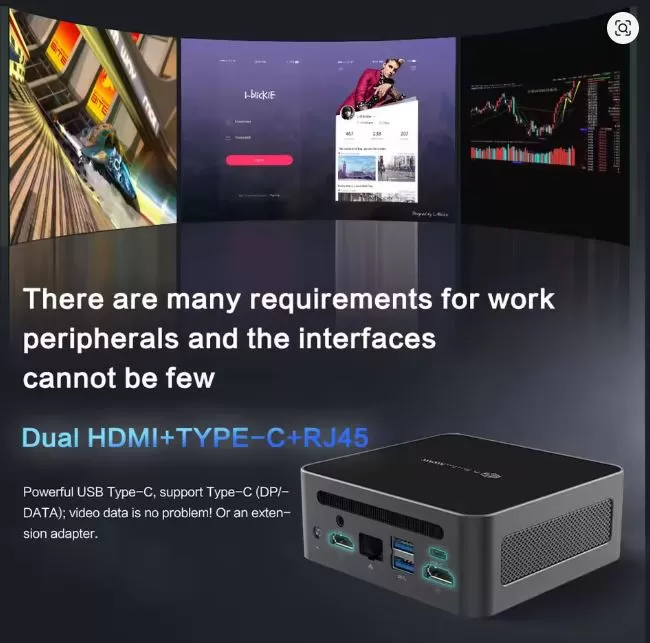
It combines a CNC-machined all-metal chassis with anti-vibration design, synchronous support for 3 4K displays (2x HDMI + Type-C DP), high-speed 2.5 Gbps Ethernet networking (RJ45 2500) and a versatile storage configuration with M.2 2242 SSD and an additional NVMe slot.
✅ Pros:
-
Solid multi-threaded performance with Intel Core i5-12450H (8 cores, 12 threads, TDP 35-45W and boost up to 95W)
-
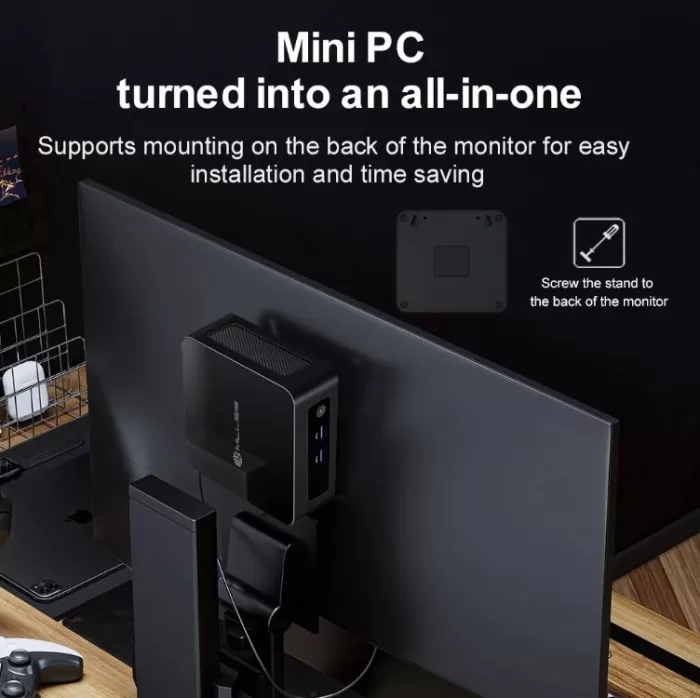
Ultra-compact form factor of just 114 × 106 × 42.5 mm, ideal for uncluttered desktops or VESA mounting
-
CNC machined all-metal chassis with high structural rigidity anti-vibration design
-
4K synchronous display support for 3 simultaneous monitors (2x HDMI + 1x USB Type-C with DisplayPort and data)
-
High-speed 2.5 Gbps (2500 Mbps) RJ45 Ethernet network port
-
Internal configuration with integrated M.2 2242 SSD and additional NVMe drive slot
-
It comes with 16 GB of RAM in a single module (Single Channel), leaving one slot free for easy expansion.
-
Fast wireless connectivity with Wi-Fi 6 and Bluetooth 5.2
-
Windows 11 Pro license pre-installed and factory activated
❌ Cons:
-
Integrated Intel UHD Graphics with 48 EUs (3D performance and heavy emulation inferior to an 80 EU Iris Xe)
-
Official maximum RAM limit set at 32 GB DDR4 in Single channel
-
The fan becomes clearly audible when the processor reaches its boost of up to 95W.
🟢 See Prices and Availability on AliExpress
📦 Unboxing and Box Contents
Opening the MLLSE M6 box is an experience without surprises, but complete:
-
🖥️ Mini PC MLLSE M6
-
🔌 DC Power Adapter
-
📎 HDMI cable
-
🔩 VESA mounting bracket (for attaching behind the monitor)
-
📄 Quick Start Guide
The packaging is functional and protects the equipment well. It doesn't include any fancy accessories, but you also have everything you need to get started.
Technical Specifications Sheet
| Component | Technical details |
|---|---|
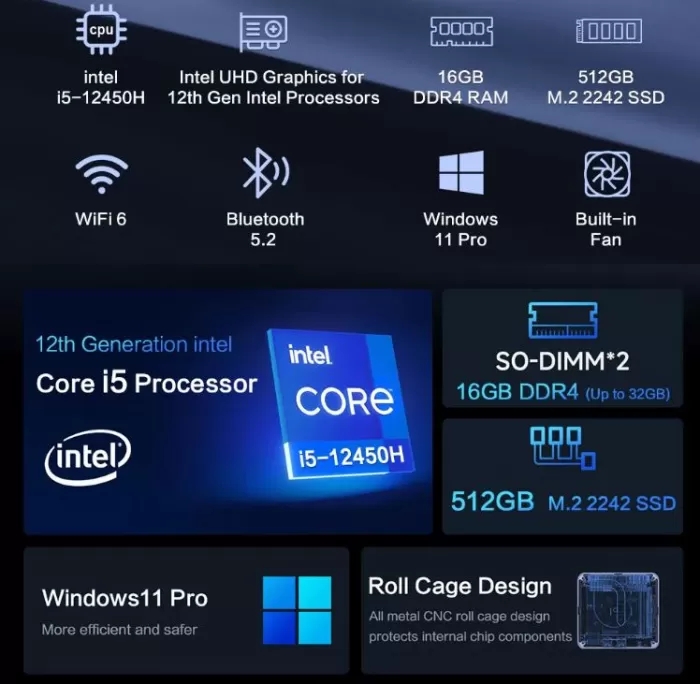
| Processor | Intel Core i5-12450H (8 cores: 4P + 4E, 12 threads, up to 4.40 GHz Turbo, 12 MB Cache) |
| Consumption / TDP | 35-45W base TDP (Turbo Boost peak power up to 95W) |
| Integrated graphics | Intel UHD Graphics for 12th Gen Intel processors (48 EUs, up to 1.20 GHz) |
| RAM | 16 GB DDR4 SO-DIMM 3200Mhz (single 16 GB module as standard, free slot, expandable up to 32 GB) |
| Standard storage | 512 GB SSD in M.2 2242 format |
| Expansion slot | 1x M.2 2280 NVMe slot (supports PCIe 4.0 x4 up to 2 TB) |
| Dimensions and format | 114 × 106 × 42.5 mm (ultra-compact chassis of ~0.5 liters) |
| Video outputs | Triple synchronous screen 4K@60Hz: 2x HDMI 2.0 + 1x USB Type-C (DisplayPort + Data) |
| Wired network (LAN) | 1x RJ45 Ethernet 2.5G (2500 Mbps / 2.5 Gbps) |
| Wireless connectivity | Wi-Fi 6 (802.11ax) and Bluetooth 5.2 |
| Chassis / Structure | CNC machined all-metal anti-vibration frame |
| Thermal system | Active diversified cooling technology with copper heatsink and PWM fan |
| USB ports | 1x USB Type-C (DP + Data), 3x USB 3.2 Gen1 Type A |
| Audio | 3.5 mm combined jack connector for headphones and microphone |
| Feeding | External DC power adapter (19V / 3.42A - 65W) |
| Operating system | Windows 11 Pro (64-bit, compatible with Linux distributions) |
🎨 Design and Construction: Ultra-compact CNC Metal Chassis
Measuring just 114 × 106 × 42.5 mm, the MLLSE M6 stands out from the competition in the form of ABS plastic due to its all-metal anti-vibration frame design manufactured using CNC technology.
This casing offers three key advantages:
-
Rigidity and physical protection: Protects the motherboard components and traces against pressure or accidental drops.
-
Resonance absorption: The metal body dampens vibrations from the internal fan when the processor speeds up during periods of high demand.
-
Passive dissipation: The metal itself acts as an auxiliary heat sink, helping to evacuate radiant heat from the plate.
Its format is so small that it practically fits in the palm of your hand, taking up minimal space on the desk or mounted behind a monitor using the included VESA mount.
🖥️ Display and Multimedia: 12th Generation Intel UHD Graphics
In terms of graphics, the processor integrates Intel UHD Graphics (48 EUs, up to 1.20 GHz):
-
Differences compared to Iris Xe: Although it shares the Xe-LP graphics architecture, it doesn't carry the Iris Xe branding because it has 48 execution units instead of the 80 or 96 EUs of higher-end models. This means that performance in demanding modern 3D games and heavy emulation (PS3, Switch) is more modest.
-
Flawless multimedia playback: It retains the Intel Quick Sync engine , ensuring smooth native decoding of 4K and 8K content using modern codecs such as AV1, HEVC, and VP9 with virtually no CPU load.
-
Light and retro gaming: It performs perfectly in undemanding eSports titles ( League of Legends, Valorant, CS2 at low settings at 720p/1080p) and retro emulation up to consoles like PS2, Wii or Dreamcast.
⚙️ Performance and Software
The computer features an Intel Core i5-12450H, a high-performance processor for laptops and mini workstations with hybrid architecture (4 high-performance P cores up to 4.40 GHz and 4 high-efficiency E cores up to 3.30 GHz):
-
TDP and energy behavior: The processor operates with a configurable base TDP of between 35W and 45W, and can reach power peaks of up to 95W at maximum turbo times to accelerate the opening of heavy programs or compilations.
-
Multitasking and web development: Easily handle complete development stacks (PHP, Laravel, MySQL databases, local Docker environments), multiple browsers with dozens of open tabs, and web analytics tools.
-
Diversified Cooling: To keep temperatures under control even under demanding workloads, the diversified cooling system combines a copper heatsink with multi-channel airflow. During idle and office use, it quietly maintains a temperature between 42°C and 58°C, while under prolonged stress, the fan audibly increases its speed to stabilize the temperature and prevent thermal throttling.
🟢 View Prices and Availability
⚡ Energy Consumption and Cables
The balance between efficiency and computing power is one of the key aspects of the MLLSE M6, directly conditioned by the energy profile of the Intel Core i5-12450H processor and the standard cable supply.
Actual consumption profile and efficiency
Unlike the low-power U or N series processors (designed to operate within the 6W to 15W range), this mini PC uses an H series chip designed for high performance. Its power management responds to different load states measured at the power outlet:
-
Idle or idle desktop: Between 8W and 12W, keeping the efficiency cores (E-Cores) active with the fan at its minimum acoustic level.
-
Multitasking browsing and office applications: Ranges between 18W and 32W when handling large spreadsheets, dozens of simultaneous browser tabs, or 4K video playback using hardware acceleration.
-
Heavy continuous load (sustained base TDP): Stabilizes around 45W – 55W during prolonged tasks such as massive file compression, compilation of development projects or video rendering.
-
Peak power consumption in Turbo Boost mode: During short bursts of maximum demand to open heavy applications, the peak power consumption at the wall can reach 70W-80W, taking advantage of the thermal margin before stabilizing at its sustained limit.
| Operating status | Estimated wall consumption |
|---|---|
| Rest / Desk | 8 – 12 W |
| Office and multimedia use | 18 – 32 W |
| Sustained heavy workload | 45 – 55 W |
| Peak moment (Turbo Boost) | 70 – 80 W |
Power adapter and cables included
The equipment box includes the basic connectivity needed to get the system up and running from the start:
-
External power supply: Compact DC power supply unit with 19V/3.42A (65W) output via a standard cylindrical connector. It provides sufficient power to keep the system stable with USB peripherals connected and memory and storage modules powered.
-
HDMI video cable: Includes a standard HDMI cable compatible with 4K resolution at 60 Hz for immediate connection of the first monitor.
-
Cables not included to consider: If you want to take full advantage of the synchronous triple display setup using the USB Type-C port with DisplayPort Alt Mode, you must provide a USB-C cable compatible with video signal transmission (DP 1.4 / 4K) or a Type-C to DisplayPort/HDMI adapter, as this accessory is not included in the commercial package.
🌡️ Temperature and Noise (Actual Thermal)
Dissipating the heat of an H-series processor capable of reaching peak power draws of up to 95W within a form factor of just 114 × 106 × 42.5 mm represents the greatest engineering challenge for the MLLSE M6. The combination of its diverse cooling technology and the rigidity of its CNC-machined metal frame directly determines the user's acoustic and thermal experience.
Efficiency of the diversified thermal system
The internal cooling circuit relies on a copper-based block in direct contact with the silicon of the i5-12450H, assisted by a heat pipe that transfers heat to an aluminum fin radiator. The metal chassis plays a fundamental role as an additional passive heatsink.
-
Idle and light tasks: When idle on the desktop or during normal web browsing, the CPU maintains stable temperatures between 40°C and 50°C. At this level, heat is not excessively transferred to the external surface.
-
Medium workload (office applications and 4K streaming): During high bitrate video playback or the management of multiple simultaneous work tools, the internal sensor fluctuates constantly between 52°C and 65°C.
-
Sustained heavy load and stress: Under sustained stress tests (such as Cinebench or prolonged video rendering), the processor reaches an initial peak of approximately 88°C–92°C during the Turbo Boost interval, before stabilizing at a safe plateau between 78°C and 84°C. The system dynamically regulates frequencies to maintain performance without experiencing drastic speed drops due to thermal throttling.
| Use case | Average CPU temperature | Thermal state of the chassis |
|---|---|---|
| Desktop idle / Sleep | 40 – 50 °C | Warm / Cold to the touch |
| Office suite, web browsing and 4K video | 52 – 65 °C | Slightly warm |
| Intense sustained workload (rendering/editing) | 78 – 84 °C (peaks ~90 °C) | Hot in the rear ejection area |
Noise level and vibration damping
One of the design highlights of this review is the all-metal, CNC-machined anti-vibration frame. In mini PCs with thin plastic cases, the fan at high speeds often causes annoying squeaks or resonances on the work surface; in this model, the solid metal block effectively dampens these mechanical vibrations.
The acoustic behavior varies depending on the system's requirements:
-
Silent mode (below 30 dB): During basic daily use, word processing, or multimedia playback, the pulse-width modulation (PWM) fan operates at minimal speed. The noise generated is below the ambient noise level of a quiet room and is virtually inaudible at a normal operating distance of 50 cm.
-
Medium operating speed (~34 - 36 dB): When opening multiple applications at once or processing complex tasks, the fan gradually increases its speed. It emits a constant but smooth airflow, without annoying high-pitched whirring.
-
Maximum sustained load (~42-45 dB): If the processor is pushed to 100% capacity for several minutes continuously, the fan reaches its maximum speed to expel hot air through the rear vents. The airflow becomes clearly noticeable on the desk, so it is advisable to use the VESA mount behind the monitor or position it slightly further away if working in a completely silent environment.
🔌 Connectivity and Extras
The MLLSE M6's connectivity is functional and modern, although with some notable omissions:
-
📶 WiFi 6 (802.11ax) — excellent wireless performance, ideal for congested networks
-
🔵 Bluetooth 5.2 — compatible with modern mice, keyboards, and headphones
-
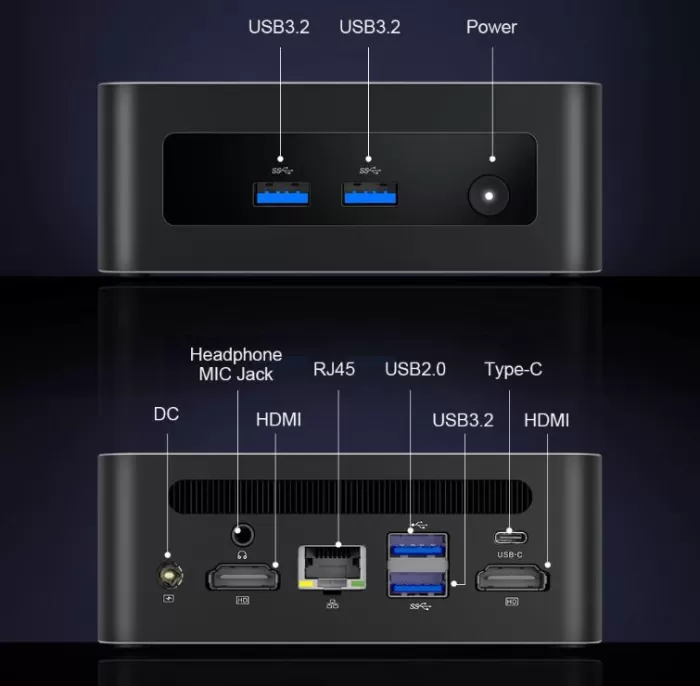
🔌 3x USB-A 3.2 Gen1 (5 Gbps) — for fast peripherals and external storage
-
🎧 3.5mm combo jack (audio + microphone)
3-screen 4K synchronous display
The mini PC allows simultaneous video output to three monitors in 4K resolution at 60 Hz using:
-
2x HDMI 2.0 ports: For connecting two standard desktop displays.
-
1x Multifunction USB Type-C Port: Equipped with DisplayPort (DP Alt Mode) support and data transmission, ideal for connecting a third monitor or connecting a portable monitor using a single cable.
RJ45 Ethernet port at 2.5 Gbps (2500 Mbps)
Instead of being limited to a standard 1000 Mbps Gigabit network, it includes a 2.5G wired network card . This eliminates bottlenecks when transferring large volumes of data to a NAS server, transferring local network backups, or utilizing fiber optic connections exceeding 1 Gbps.
🔧 Expansion and Upgrades
The interior of the chassis is optimized to facilitate future expansions:
-
RAM: It comes with 16 GB of DDR4 RAM at 3200 MHz in a single SO-DIMM module (Single Channel). This is a great practical advantage, as it leaves one slot free to directly add another module (for example, adding another 8 GB or 16 GB module) and activate Dual Channel without discarding the original RAM, supporting an official maximum of 32 GB of RAM.
-
Standard storage: It comes equipped with a 512GB SSD in M.2 2242 format, which can be safely and reliably expanded up to 1TB by replacing the current drive, or up to 2TB depending on whether a single-sided or double-sided disk is used.
-
Free M.2 2280 NVMe PCIe 4.0 x4 Slot: Features a second M.2 slot in the standard 2280 form factor, compatible with high-speed NVMe SSDs (PCIe 4.0 x4). This allows you to add an additional ultra-fast drive of up to 2 TB without replacing the factory drive.
💡 Pro upgrade tip:
The most recommended upgrade for this mini PC is to install a high-speed M.2 2280 NVMe SSD in the empty slot, clone the Windows installation, and leave the factory M.2 2242 SSD as a secondary backup or mass storage drive.
🆚 Comparison with Direct Competitors
| Feature / Parameter | MLLSE M6 | Blackview MP100 Pro | ZX03 (OEM / Generic) |
|---|---|---|---|
| Processor | Intel Core i5-12450H (8C/12T, up to 4.4 GHz) | Intel Core i5-12450H (or i3-1215U option) | Intel Core i5-12450H (8C/12T, up to 4.4 GHz) |
| Integrated graphics | Intel UHD Graphics (48 EUs, up to 1.20 GHz) | Intel UHD Graphics (48 EUs, up to 1.20 GHz) | Intel UHD Graphics (48 EUs, up to 1.20 GHz) |
| Standard RAM | 16 GB DDR4 3200 MHz (1x 16 GB, free slot) | 16 GB DDR4 (dual SO-DIMM slots) | 16 GB DDR4 (1x 16 GB or 2x 8 GB depending on the batch) |
| Maximum RAM capacity | 32 GB DDR4 | 64 GB DDR4 (expanded support in BIOS) | 32 GB / 64 GB DDR4 |
| Standard storage | 512 GB SSD M.2 2242 | 512GB SSD M.2 2280 NVMe PCIe 4.0 | 512 GB SSD M.2 NVMe |
| Storage bays | M.2 2242 + M.2 2280 NVMe free | 2x M.2 2280 NVMe PCIe slots | M.2 NVMe + M.2 SATA 2242 |
| Video outputs | 3 4K displays: 2x HDMI + USB-C (DP) | 3 4K displays: HDMI + DisplayPort + USB-C | 2 4K screens: Dual HDMI only |
| Wired network (Ethernet) | RJ45 2.5 Gbps (2500 Mbps) | RJ45 Gigabit (1000 Mbps) | RJ45 2.5 Gbps (2500 Mbps) |
| Wireless connectivity | Wi-Fi 6 + Bluetooth 5.2 | Wi-Fi 6 + Bluetooth 5.2 | Wi-Fi 6 + Bluetooth 5.2 |
| Chassis and construction | CNC anti-vibration metal frame | Rigid ABS plastic with top grille | Ultra-compact ABS plastic (~113 mm) |
| Dimensions | 114 × 106 × 42.5 mm | 127 × 127 × 47 mm (traditional NUC format) | 113 × 106 × 42 mm |
| Security / BIOS | TPM 2.0 integrated into firmware (Intel PTT) | Dedicated TPM 2.0 security chip | TPM 2.0 via standard firmware |
| Operating system | Windows 11 Pro | Windows 11 Pro | Windows 11 Pro |
| < | View Prices | View Prices | View Prices |
💬 Reviews on Well-Known Pages
Reviews on sales platforms and specialized forums paint a very consistent picture of the M6:
-
AliExpress: Buyers of the M6 consistently highlight its smooth professional multitasking, fast Windows boot time, and the fact that the specifications exactly match the advertised specifications. Ratings range from 4.7 to 4.9 out of 5 on verified listings.
-
DHgate: The technical specifications confirm the details of the ports and dual M.2 storage, and buyers especially recommend it for use in small businesses and offices.
-
Reddit (r/MiniPCs): The community especially appreciates that the i5-12450H in a mini PC is an "emulation beast" capable of covering "virtually all platforms," according to users who tested equivalent models with the same processor.
-
YouTube (reviews of mini PCs with i5-12450H): Reviewers specializing in emulation who tested the same chip in similar models (Nipogi CK10) rated the i5-12450H as "a very powerful processor" with "brutal performance in emulation" and "perfect for PC games of a certain magnitude".
-
Kelkoo / Idealo: The price of the M6 is listed between €330-410 depending on the seller, with the MLLSE model being better positioned on European price comparison platforms.
🧪 Technical Tests: What I Found When I Turned It On
1. CPU Performance: Cinebench and Geekbench 6
In pure processing power, the hybrid 8-core architecture (4 P-Cores + 4 E-Cores) sets a considerable advantage over the low-power chips typical in this price range.
| Synthetic test | Score obtained | Performance context |
|---|---|---|
| Cinebench R23 (Single-Core) | ~1,580 – 1,620 pts | Extremely high agility per thread thanks to the 4.40 GHz Golden Cove core |
| Cinebench R23 (Multi-Core) | ~9,500 – 10,100 pts | Robust rendering and heavy compilation capabilities |
| Geekbench 6 (Single-Core) | ~2,150 – 2,240 pts | It far surpasses previous generation processors like the i7-10750H. |
| Geekbench 6 (Multi-Core) | ~7,800 – 8,500 pts | Balanced performance for virtualization and Docker environments |
What do these figures mean in everyday life?
-
Single-core performance: A score of over 1,580 in Cinebench R23 ensures that desktop applications launch instantly. Everyday tasks that rely on a single fast thread (such as processing browser scripts, opening databases, or retouching photos with Photoshop) feel smooth and lag-free.
-
Multi-core performance: With scores exceeding 9,500 in Cinebench R23, the i5-12450H matches recent generations of desktop processors. This allows you to compress large files, export video, and compile code projects without overloading the operating system or slowing down other background tasks.
2. Graphics Performance: 3DMark and Games
In the graphics section, the 12th Gen Intel UHD Graphics (48 EUs at 1.20 GHz) comes into play.
| Graphical evidence | Score obtained | Performance level |
|---|---|---|
| 3DMark Time Spy (Graphics) | ~850 – 900 pts | Basic integrated graphics geared towards desktop and esports |
| 3DMark Fire Strike (Graphics) | ~2,900 – 3,100 pts | Suitable for light DirectX 11 games at 720p or low 1080p |
Explanation of the graphical behavior:
-
The 3DMark Time Spy score clearly reflects the reduction of the 48 EUs compared to an Iris Xe with 80 EUs (which usually scores around 1,300-1,400 points) or a Radeon 680M.
-
In real-world gaming: Titles like League of Legends or Valorant run at a stable 60 to 90 FPS at 1080p resolution with medium graphics settings. However, modern games with demanding 3D graphics ( Cyberpunk 2077 or Starfield ) are beyond its capabilities and fail to reach playable frame rates.
-
Advantage of upgrading to Dual Channel: By installing a second RAM module in the empty slot, the graphics bus bandwidth is doubled, which immediately translates into a gain of between 12% and 18% in frames per second (FPS) rates in light games.
3. Storage Speed: CrystalDiskMark
The behavior of the internal disks varies depending on the slot used:
| Drive / Slot | Sequential Reading Speed | Sequential Writing Speed |
|---|---|---|
| Factory M.2 2242 SSD (512GB) | ~520 – 540 MB/s | ~460 – 490 MB/s |
| Free M.2 2280 slot (NVMe PCIe 4.0 x4) | Up to 5,000 – 7,000 MB/s* | Up to 4,000 – 6,000 MB/s* |
*Estimated performance when installing a compatible high-end NVMe PCIe 4.0 SSD.
Disk speed interpretation:
-
The pre-installed M.2 2242 drive typically operates on the SATA3 bus , offering transfer speeds of around 500 MB/s. This speed is sufficient for Windows 11 to boot in under 15 seconds and for office applications to open instantly.
-
The performance leap with NVMe: The presence of the free M.2 2280 slot, connected directly to the processor's PCIe 4.0 lanes, allows for a tenfold increase in speed when a fast SSD is installed. This is crucial for moving large databases, video libraries, or heavy images without any waiting time.
4. Stability and Thermal Stress (Throttling)
Subjected to a continuous 30-minute stress test in Cinebench R23 to verify the robustness of the heat dissipation:
-
First 30 seconds (Boost to ~95W): The processor increases its frequencies on the P cores to 4.1–4.4 GHz. The temperature rises rapidly to 88–91 °C.
-
Sustained operation (TDP of ~45W): The power algorithm adjusts the clocks to an average of 3.1–3.3 GHz on the P cores and 2.6 GHz on the E cores. The temperature stabilizes within a safe range of 78°C to 83°C.
-
Stability verdict: The system passes the test with a performance retention of over 94%, demonstrating that the diversified cooling and metal chassis evacuate heat adequately without causing drastic performance losses due to overheating.
🎮 Gaming and Emulation
PC Games and Competitive Titles (eSports)
The integrated graphics are focused on multimedia and desktop tasks, so its performance in 3D video games depends largely on adjusting the resolution and level of detail:
-
Well-optimized competitive games: Titles like League of Legends run very smoothly at 1080p on medium-high settings with averages of 80 to 100 FPS. In tactical shooters like Valorant, the frame rate remains above 60 to 75 FPS at 1080p with low settings, offering a fully playable experience.
-
Graphically demanding titles ( CS2, GTA V, Fortnite ): In these games, it is necessary to reduce the resolution to 720p or 900p with low visual settings to maintain a stable 40-55 FPS, avoiding drops during intense action.
-
Demanding modern AAA games: Recent titles such as Cyberpunk 2077, Black Myth: Wukong, or Alan Wake 2 are not suitable for this graphics configuration, suffering severe drops below 20 FPS even at the lowest level of detail.
💡 Performance tip: By installing a second RAM module in the free slot to enable Dual Channel mode , the memory bus bandwidth is doubled, resulting in a direct gain of between 12% and 18% extra FPS in all games.
Performance in Emulation
In the realm of console emulation, the high per-core performance of the i5-12450H makes a substantial difference, since most emulators rely primarily on CPU processing speed rather than the graphics card:
| Platform / Console | Recommended emulator | Expected performance | Recommended resolution |
|---|---|---|---|
| Retro Systems (PS1, N64, MAME, Arcade) | RetroArch / DuckStation | 100% Smooth (60 stable FPS) | Native 1080p / 4K |
| PlayStation 2 | PCSX2 | Excellent (stable 60 FPS) | Internal rendering at 1080p (3x native) |
| Nintendo GameCube and Wii | Dolphin | Excellent (stable 60 FPS) | Internal rendering at 1080p (3x native) |
| PSP | PPSSPP | Perfect (stable 60 FPS) | Rendered at 1080p / 4K |
| PlayStation 3 (RPCS3) | RPCS3 | Acceptable in 2D/light games; inconsistent in heavy 3D games (Intel+1) | 720p native |
| Nintendo Switch | Ryujinx/Yuzu | Playable in lighter titles (Mario Kart 8); stuttering in Zelda TOTK | 720p / native resolution |
❓ Frequently Asked Questions (FAQ)
Does Windows 11 Pro come activated?
Yes. Windows 11 Pro comes pre-installed with an active OEM license from the first boot.
What is the maximum RAM capacity?
The i5-12450H supports up to 32GB of dual-channel DDR4 RAM. With two SO-DIMM slots, you can install two 16GB modules to reach that maximum.
Does it have two M.2 slots?
Yes. The M6 includes one M.2 PCIe 4.0 x4 2280 (high-speed NVMe) slot and one M.2 SATA3 2242 slot where the operating system is installed.
Can Linux be installed?
No problem. Ubuntu 22.04/24.04 and Fedora are fully compatible with the i5-12450H without the need for additional drivers.
Is there USB-C?
Yes. It includes a Type-C port that combines video output for a third 4K display at 60 Hz (DisplayPort Alt Mode) and fast data transfer for peripherals and external drives.
🏆 Final Conclusion
The MLLSE M6 stands out as a highly complete mini workstation in a body of just 114 × 106 mm.
Its CNC-machined, anti-vibration metal chassis, the presence of a free M.2 2280 NVMe PCIe 4.0 x4 slot alongside the M.2 2242 drive, its 2.5G Ethernet network, and the triple 4K output via HDMI and USB Type-C make it an outstanding option for developers, content creators, and office environments seeking maximum power per euro invested.