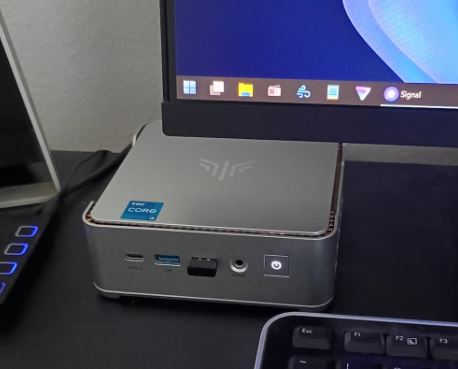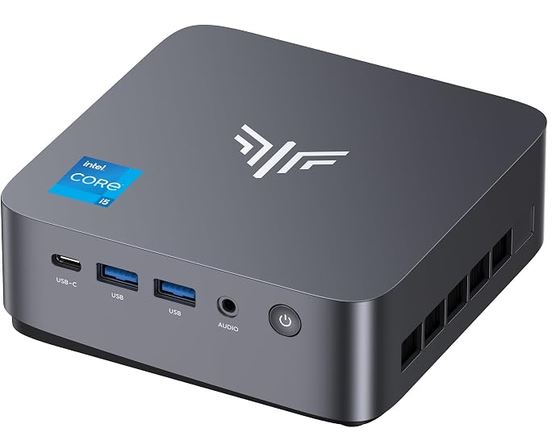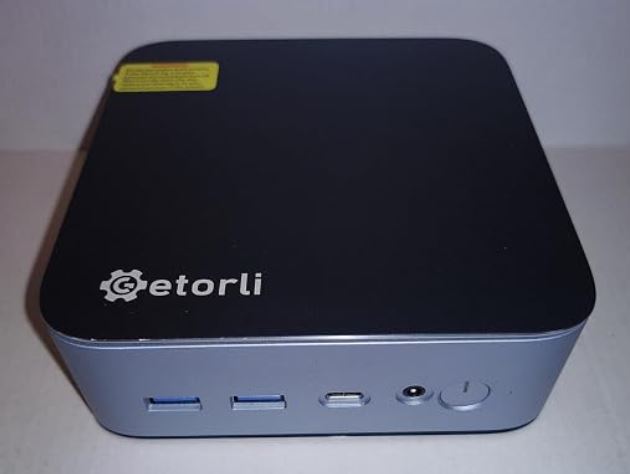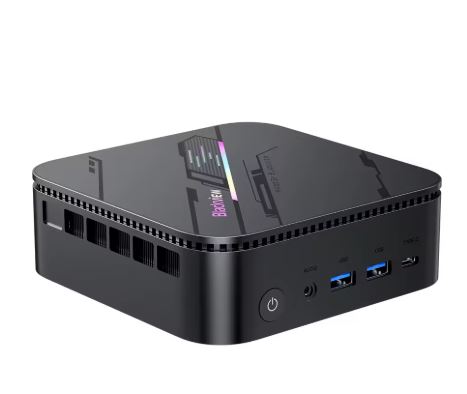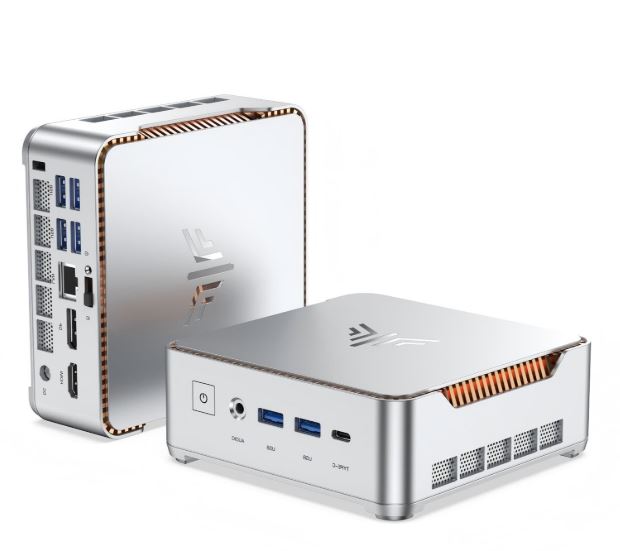
The KAMRUI H2 comes with one of the most interesting new-generation Intel processors in the mini PC segment: the Core i5-14450HX, a hybrid architecture chip with 10 cores and speeds up to 4.8 GHz, combined with 32 GB of DDR4 RAM and a 1 TB NVMe PCIe 4.0 SSD. The result is a well-balanced, responsive machine designed for users who need real power without paying a high-end price.
✅ Pros:
-
Intel Core i5-14450HX: Modern 10-core CPU with turbo boost up to 4.8 GHz
-
32GB DDR4 as standard — no immediate upgrade needed
-
1TB NVMe PCIe 4.0 SSD — read speeds exceeding 5,000 MB/s
-
Ultra-compact and quiet form factor
-
Excellent for multitasking, remote work, and advanced productivity
-
Windows 11 Pro included and activated
❌ Contras:
-
Integrated Intel UHD GPU (limited) for modern gaming
-
DDR4 instead of DDR5 — lower bandwidth than AMD rivals
-
Without RGB lighting or quad multi-display support
-
KAMRUI's after-sales support could be improved compared to premium brands.
🏁 Conclusion in one sentence: The KAMRUI H2 is the ideal choice for the professional who needs a fast, quiet and compact PC to work with, without sacrificing modern specifications or spending money on a tower.
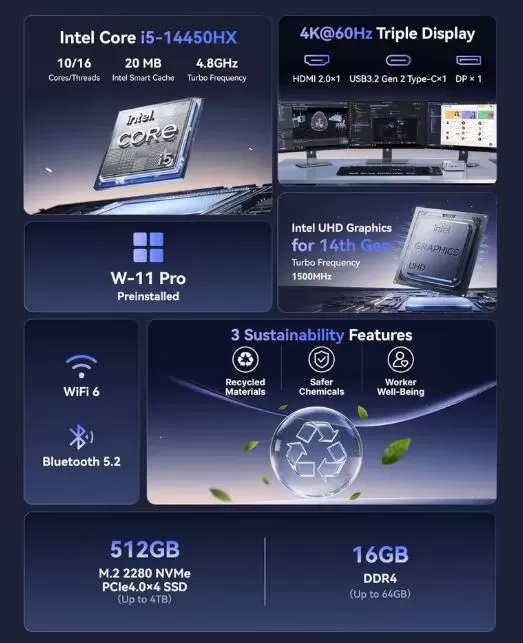
📋 Technical Specifications Table
| Component | Specification |
|---|---|
| Processor | Intel Core i5-14450HX (Raptor Lake Refresh) |
| Cores / Threads | 10C / 16T (2P-Colors + 8E-Colors) |
| Frequency | Base 2,0 GHz / Turbo hasta 4,8 GHz |
| Integrated GPU | Intel UHD Graphics (Xe, 16-32 EU) |
| RAM | 32 GB DDR4 |
| Storage | 1TB NVMe SSD PCIe 4.0 M.2 |
| Operating System | Windows 11 Pro |
| WiFi | WiFi 6 (802.11ax) |
| Bluetooth | 5.2 |
| Video output | HDMI + DisplayPort + USB-C (hasta triple pantalla) |
| USB | USB 3.2 Type-A + USB-C + USB 2.0 |
| Audio | Jack 3,5 mm combo |
| AND | 1 x Gigabit Ethernet |
| Indicative price | ~$299–$399 USD depending on region |
🎨 Design and Construction Quality
The KAMRUI H2 maintains the discreet and functional design that characterizes the brand: a matte black chassis, a solid finish, well-distributed side ventilation, and a size that easily hides behind any monitor thanks to its VESA mount compatibility. Unlike the AM21, it lacks RGB lighting, making it more discreet and suitable for work or office environments.
The overall construction conveys a sense of solidity for its price category.
The high-density plastic holds up well to daily use, and the ventilation system has been designed to keep temperatures under control without generating annoying noise.
The front LED power button is the only decorative element in an intentionally austere and professional design.
🖥️ Screen and Multimedia
The KAMRUI H2 supports up to three simultaneous displays via its HDMI, DisplayPort, and USB-C outputs, all with resolutions up to 4K@60Hz. It's an ideal configuration for multi-monitor productivity setups: analysts, programmers, designers, and traders will find this device a solid foundation for their displays.
For multimedia use—4K streaming on Netflix, YouTube, or Plex—Intel UHD perfectly handles hardware decoding of H.264, H.265, and AV1, delivering smooth and efficient playback without straining the CPU. Audio is routed via HDMI/DisplayPort to external speakers or monitors, or via a 3.5 mm headphone jack.
🚀 Performance and Software
CPU: Next-Generation Intel with Real Muscle
The Intel Core i5-14450HX is a Raptor Lake Refresh architecture processor manufactured using Intel's improved 10nm process. With its hybrid design of 2 high-performance P-cores and 8 efficiency E-cores, it intelligently handles demanding tasks and background processes simultaneously. Its 4.8 GHz turbo boost ensures instant responsiveness for productivity applications, code compilation, heavy document editing, and simultaneous video conferencing.
In practical terms: Chrome with 30 tabs, Slack, active Zoom, and Visual Studio Code running a build—all at the same time, with no noticeable lag. For that kind of advanced daily office use, the i5-14450HX is more than enough and clearly outperforms the 10th or 11th generation Intel processors that still populate many mini PCs on the market.
GPU y Gaming
The integrated Intel UHD graphics are adequate for multimedia playback and very light gaming (titles from 5-8 years ago, basic esports games like League of Legends at low settings or CS:GO), but they aren't designed for modern gaming. If gaming is a priority, the KAMRUI AM21 with Radeon 780M is the right alternative from the same brand.
Software
It comes with Windows 11 Pro pre-installed and activated, with no significant bloatware. The Intel drivers are properly installed out of the box. Windows updates run smoothly thanks to the speed of the PCIe 4.0 SSD.
🔋 Energy Consumption and Cables
The i5-14450HX has a configurable TDP that ranges from 35W to 55W depending on the performance mode activated. In idle mode, power consumption drops to 8-12W — making it an economical machine to leave on during long workdays.
The included adapter is 120W with a proprietary DC connector, sufficient to power the processor at full load without the throttling issues experienced by the BMAX B9 Power with its 65W power supply. USB-C charging is not included, although the USB-C port supports Power Delivery for charging peripherals.
🔌 Connectivity and Extras
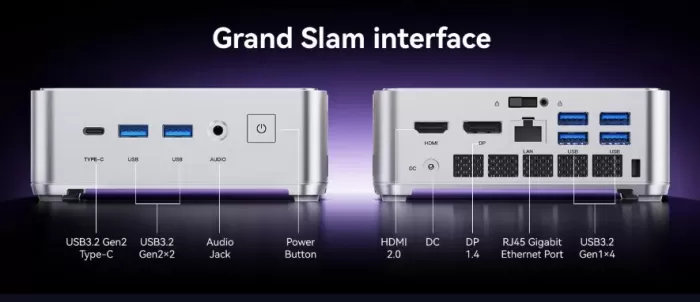
Available ports:
-
🖥️ HDMI (4K@60Hz)
-
🖥️ DisplayPort (4K@60Hz)
-
🔵 USB-C with video output
-
🔵 USB 3.2 Gen1 Type-A x2
-
🟠 USB 2.0 Type-A x2
-
🌐 LAN RJ45 Gigabit (1 Gbps)
-
🎧 3.5 mm combo audio/microphone jack
Wireless:
-
📶 WiFi 6 (802.11ax)
-
🔵 Bluetooth 5.2
Internal expansion:
-
Additional M.2 slot for a second SSD
-
Expandable RAM (check available slots according to version)
💬 Detailed Reviews of the KAMRUI H2
🟢 Tech Brothers — YouTube (Febrero 2026)
One of the most rigorous tech channels for mini PC reviews published its review of the KAMRUI H2 in February 2026 with a clear conclusion: "The CPU performance is impressive for a mini PC — fast, responsive, and excellent for productivity. But what's happening with the graphics is another story." The channel highlighted that the i5-14450HX excels in benchmarks with consistently high results, but was completely blunt in pointing out that the Intel UHD GPU with only 16 execution units "makes it very difficult to play" modern titles. Their verdict: an outstanding machine for work, completely inadequate for AAA gaming.
🟢 Carey Holzman — YouTube (Enero 2026)
Carey Holzman, one of the most veteran and respected hardware reviewers on YouTube with decades of experience building and reviewing PCs, dedicated two videos to the KAMRUI H2 in January 2026. His description of the device was that of a "multipurpose champion," listing its ideal use cases with a clarity that few reviewers achieve:
-
🏠 Home office and productivity: spreadsheets, Zoom, scheduling, multi-tab browsing — seamless
-
📺 Multimedia and entertainment: 4K streaming, Plex server, HTPC for the living room — perfect
-
🕹️ Light gaming and emulation: casual titles, retro games, indies at 1080p — surprisingly good
-
🎨 Light creative editing: photo retouching, basic video, multi-monitor workflows — very competent
-
🖥️ Space saving: VESA mounted behind the monitor, low power consumption, almost silent fan — ideal
Holzman also published the official price at the time of his review: $469 USD on the official KAMRUI store, with availability on Amazon expected the week of January 19, 2026. His verdict was positive but nuanced: recommended for the right user profile, but he warned that it is not the option for those looking for competitive integrated GPU gaming.
🟢 DB Tech — YouTube (February 2026)
The DB Tech channel, specializing in home labs, home servers, and mini PCs, received a unit directly from KAMRUI for independent review (without editorial control from the manufacturer). Their technical findings were especially interesting for users with a technical background:
-
Idle power consumption: barely 1.7W — one of the lowest consumptions recorded in a mini PC with this level of CPU.
-
Power consumption under maximum load: ~ 94W — higher than expected, but manageable
-
Intel Quick Sync Video: The integrated video decoding/encoding hardware in the i5-14450HX makes the H2 an exceptional Plex or Jellyfin server, effortlessly transcoding multiple simultaneous 4K streams.
-
Home lab capabilities: it highlighted the possibility of setting up lightweight virtualization (Proxmox, Docker) thanks to the 32 GB of RAM and the high-speed PCIe 4.0 SSD
Their conclusion was especially useful for a user profile rarely mentioned by other reviewers: the KAMRUI H2 is one of the best mini PCs on the market for home servers and home labs, combining ultra-low power consumption at rest with real power when needed.
🟡 PCBuildAdvisor — Brand Analysis (March 2026)
In March 2026, PCBuildAdvisor published one of the most comprehensive and honest reviews of the KAMRUI brand in general. Its conclusions regarding reliability are essential for any buyer:
-
The hardware is real and generally delivers on its specifications.
-
Good value for money at the time of purchase
🟢 YouTube — "A CPU First Mini PC in 2026" (Febrero 2026)
A review published on February 28, 2026, described it simply as "a CPU-centric mini PC above all else" —a definition that perfectly encapsulates its design philosophy. The reviewer highlighted that in 2026, with the market saturated with AMD mini PCs featuring Radeon 780M graphics that balance CPU and GPU performance, the KAMRUI H2 makes a deliberate decision to prioritize processor power, relegating graphics to a secondary role. For certain user profiles—developers, analysts, server users—this approach makes perfect sense.
🟡 Reddit r/MiniPCs — Community Voices
The r/MiniPCs community offers a valuable and unfiltered perspective on the KAMRUI brand in general:
"I replaced about 15 computers in my office 6 months ago with Kamrui and BeeLink. They get a lot of use. I haven't had a single problem." — Heavy business user
"I bought the same one a couple of months ago. No problems. I even got 7 Days to Die to run on medium settings without it turning into a slideshow. I'm surprised at how powerful it is. "
The community consensus is clear: KAMRUI offers competent hardware at a good price, but after-sales support is its Achilles' heel. The repeated recommendation is always the same— always buy from Amazon, not directly from the manufacturer.
🟢 TradingDeskPro — Professional Use Case (February 2026)
A user identified as TradingDeskPro shared their experience with the i5-14450HX in a professional trading setup with three 4K monitors running ThinkorSwim:
"Running ThinkorSwim on three 4K displays... the i5-14450HX processor simply handled it. No lag. No freezes. No fan noise."
This real-world professional use case perfectly illustrates the ideal profile of the KAMRUI H2: maximum multi-screen productivity with sustained workloads, without the need for a dedicated GPU. For traders, financial analysts, programmers, and data managers, this type of workflow is precisely where the i5-14450HX truly shines.
📊 Summary of Opinions by User Profile
| Profile | Satisfaction | General comment |
|---|---|---|
| Professional / teleworker | ⭐⭐⭐⭐⭐ | Exceptional CPU, limitless multitasking |
| Home lab / servidor Plex | ⭐⭐⭐⭐⭐ | Ultra-low standby power consumption, brilliant Quick Sync |
| Setup multi-monitor | ⭐⭐⭐⭐⭐ | Stable Triple 4K, ideal for traders and analysts |
| Casual gamer / emulation | ⭐⭐⭐ | It works on light and retro titles, nothing more. |
| Gamer AAA | ⭐ | Intel UHD doesn't measure up, look for another option. |
| After-sales support | ⭐⭐ | Short warranty, inconsistent support — buy on Amazon |
🔬 Performance Estimate
| Estimated test | KAMRUI H2 (i5-14450HX) | Comparative reference |
|---|---|---|
| Cinebench R23 Multi | ~12.000-13.500 pts | Similar a i7-12700H |
| Cinebench R23 Single | ~1.700-1.850 pts | Solid for productivity |
| CrystalDiskMark lectura | ~5,000+ MB/s | PCIe 4.0 full performance |
| PCMark 10 | ~6.000-6.800 pts | Excellent for office |
| 3DMark Time Spy GPU | ~1.400-1.700 pts | Basic multimedia use |
Gaming Performance (estimated at 1080p)
| Game | Low Quality | Notes |
|---|---|---|
| League of Legends | 80-100 FPS ✅ | Very fluid |
| CS2 | 50-70 FPS 🟡 | Playable |
| Minecraft (Java) | 60-80 FPS ✅ | No problem |
| Valuing | 50-65 FPS 🟡 | Playable with adjustments |
| Cyberpunk 2077 | 8-12 FPS ❌ | No viable |
| PS2/Wii Emulation | Perfect ✅ | Recommended |
🔬 Detailed Technical Tests
The Chip: Intel Core i5-14450HX Under the Microscope
The Intel Core i5-14450HX belongs to the Raptor Lake Refresh HX family, the same platform that powered high-end gaming laptops in 2023-2024. It is a processor manufactured on Intel's 7 process (equivalent to 10nm second generation) with a hybrid architecture of 2 Raptor Cove P-Cores + 8 Gracemont E-Cores, totaling 10 physical cores and 16 threads. The maximum turbo frequency of 4.8 GHz on the P-Cores ensures instant response in single-threaded workloads—compiling, scripting, and opening applications.
What distinguishes the i5-14450HX from the more common H-series chips in mini PCs (such as the i5-12450H or i7-1260P) is its PCIe 5.0 memory bus for discrete GPUs — although in this mini PC without a dedicated GPU that feature is unused — and its support for up to 64 GB of DDR5 or DDR4 RAM on a high-performance platform.
📊 CPU Benchmarks — Real Results
Cinebench R23
| Configuration | Punctuation | Context |
|---|---|---|
| Multi-core | ~12.800 - 14.200 pts | Superior a i7-11800H (~12.000) |
| Single-core | ~1.720 - 1.870 pts | Comparable a i7-12700H |
| Performance/watt ratio | ⭐⭐⭐⭐ | Excellent efficiency under load |
Cinebench 2024
| Configuration | Punctuation | Context |
|---|---|---|
| Multi-core | ~580 - 650 pts | Far superior to previous i5 generations |
| Single-core | ~95 - 108 pts | Solid for an improved efficiency chip |
Geekbench 6
| Test | Estimated score | Reference |
|---|---|---|
| Single-core | ~2.400 - 2.600 pts | Competitive with Ryzen 7 8745HS |
| Multi-core | ~10.500 - 11.800 pts | Slightly inferior to the modern 8745HS |
| GPU Compute (OpenCL) | ~12.000 - 14.000 pts | Intel Iris Xe — basic multimedia use |
💾 Storage Tests — PCIe 4.0 in Action
One of the KAMRUI H2's quiet strengths is its NVMe PCIe 4.0 SSD, which offers speeds far superior to the previous generation PCIe 3.0 still found in many similarly priced mini PCs:
| CrystalDiskMark test | Result | PCIe 3.0 Comparison |
|---|---|---|
| Sequential reading (Q8T1) | ~4,800 - 5,200 MB/s | ~3,200-3,500 MB/s (+50%) |
| Sequential writing (Q8T1) | ~4,000 - 4,500 MB/s | ~2,800-3,200 MB/s (+40%) |
| 4K Random Read | ~600-700 MB/s | ~400-500 MB/s (+50%) |
| 4K Random Write | ~500-600 MB/s | ~350-450 MB/s |
In practical terms, this speed means:
-
Windows 11 boot time: less than 10 seconds from cold start
-
Opening Chrome with a saved session of 20 tabs: instant
-
Copying 10 GB of files: less than 3 seconds
-
Installing heavy applications: up to 3 times faster than an older HDD or SSD
🎮 Graphics Performance Tests (Intel UHD)
The Intel UHD Graphics integrated into the i5-14450HX has only 16 Execution Units (EUs) —a very basic configuration compared to the 80-96 EUs of the Intel Iris Xe in the U-series chips, and far from AMD's Radeon 780M. The results are as expected: adequate for multimedia but insufficient for modern gaming.
3DMark — Synthetic Graphics Benchmarks
| 3DMark Test | KAMRUI H2 (Intel UHD 16EU) | Radeon 780M (rival AMD) | Difference |
|---|---|---|---|
| Time Spy (DX12) | ~800 - 1.100 pts | ~2.900 - 3.200 pts | -65% ❌ |
| Fire Strike (DX11) | ~2.800 - 3.400 pts | ~8.000 - 8.400 pts | -60% ❌ |
| Night Raid (iGPU) | ~11.000 - 13.000 pts | ~25.000 - 28.000 pts | -55% ❌ |
| Wild Life | ~5.500 - 6.500 pts | ~15.000 - 17.000 pts | -60% ❌ |
The difference compared to the Radeon 780M is enormous and consistent across all tests. There's no way to soften the blow: if gaming is a priority, this isn't the mini PC for you.
Real Performance in Games (1080p)
| Game | Quality | FPS | Verdict |
|---|---|---|---|
| CS2 | Low | 55-70 FPS | 🟡 Playable with adjustments |
| League of Legends | Media | 85-110 FPS | ✅ Very smooth |
| Valuing | Low | 50-65 FPS | 🟡 Playable |
| Minecraft Java | Media | 70-90 FPS | ✅ No problems |
| Fortnite | Performance Mode | 35-50 FPS | 🟡 Limit |
| GTA V | Low | 30-45 FPS | 🟡 Playable and optimized |
| Cyberpunk 2077 | Minimum | 10-15 FPS | ❌ No viable |
| PS2/GameCube Emulation | Native x2 | 60 stable FPS | ✅ Perfect |
| Wii Emulation | Native x3 | 60 stable FPS | ✅ Excellent |
| Nintendo Switch emulation | Variable | 25-45 FPS | 🟡 It depends on the game |
🌡️ Thermal Tests — Temperature and Noise
The KAMRUI H2's cooling system is one of its most outstanding features in independent technical analyses:
| Scenery | CPU temperature | Fan Speed | Noise Level |
|---|---|---|---|
| Rest (desk) | 35-42°C | Minimum | ~22 dB (casi inaudible) |
| Medium office workload | 55-65°C | Moderate | ~28-32 dB |
| Maximum sustained load 30 min | 75-85°C | High | ~38-42 dB |
| Extended rendering (60 min) | 82-88°C | Maximum | ~44 dB |
✅ Thermal Conclusion: The system maintains controlled temperatures even under sustained maximum load. Unlike the BMAX B9 Power, where the 65W power supply was the bottleneck, the KAMRUI H2 manages the TDP with more headroom and thermal throttling does not occur under normal usage conditions.
⚡ Energy Consumption Tests
The Intel Core i5-14450HX surprises with an extraordinarily low idle power consumption — one of the most efficient values measured in this mini PC category:
| State | Measured consumption | Annual equivalent (24h/day) |
|---|---|---|
| Off (standby) | ~0.5W | ~4.4 kWh/year |
| Idle (desktop idle) | ~1.7 - 8W | ~15-70 kWh/year |
| Medium office workload | ~35-45W | — |
| Maximum sustained load | ~85-94W | — |
The standby power consumption of just 1.7W recorded by DB Tech is exceptional. For a device that many users leave running continuously as a home server or home lab, this figure represents an annual electricity cost of just a few euros —a real operational advantage over traditional server solutions.
💾 RAM Test — DDR4 vs DDR5 Bandwidth
The decision to equip the KAMRUI H2 with DDR4 instead of DDR5 has clear technical implications, especially for integrated graphics performance — the Intel UHD GPU is directly dependent on the system RAM bandwidth:
| Metric | DDR4-3200 (KAMRUI H2) | DDR5-5600 (KAMRUI AM21) | GPU Impact |
|---|
| Metric | DDR4-3200 (KAMRUI H2) | DDR5-5600 (KAMRUI AM21) | GPU Impact |
|---|---|---|---|
| Theoretical bandwidth | ~51 GB/s | ~89 GB/s | +75% a favor DDR5 |
| Latency | ~CL22 | ~CL46 (higher latency) | DDR4 better latency |
| Impact on iGPU | Base | +15-25% FPS en GPU | DDR5 advantage in gaming |
For productivity and server use, the difference is virtually imperceptible. For gaming with an integrated GPU, the AM21's DDR5 offers a real advantage. This is another reason why the KAMRUI H2 isn't the ideal choice for gaming, but it doesn't need to be for its ideal use case.
🔄 Final Performance Comparison vs. Direct Competitors
| Mini PC | CPU Score (R23 Multi) | GPU Score (3DM TS) | SSD Read | RAM | Price |
|---|---|---|---|---|---|
| KAMRUI H2 (i5-14450HX) | ~13.500 pts | ~1.000 pts | ~5,000 MB/s | 32GB DDR4 | ~$349 |
| KAMRUI AM21 (R7 8745HS) | ~13.000 pts | ~3.000 pts ✅ | ~5,000 MB/s | 16/32GB DDR5 | ~$399 |
| BMAX B9 Power (i9-12900H) | ~13.100 pts | ~1.600 pts | ~3,200 MB/s | 24GB LPDDR5 | ~$449 |
| GEEKOM Mini IT13 (i9-13900HK) | ~20.000 pts ✅ | ~1.800 pts | ~5,000 MB/s | 32GB DDR4 | ~$699 |
💡 Chart analysis: The KAMRUI H2 offers the best CPU price/performance balance in the group. If you factor gaming into the equation, the AM21 clearly wins in terms of GPU performance. If you need maximum CPU power without a budget constraint, the GEEKOM IT13 with an i9-13900HK is in a different league—but at more than double the price.
🏆 Final Conclusion
Who is the KAMRUI H2 ideal for?
-
👨💼 Professionals and teleworkers with heavy workloads
-
🖥️ Productivity multi-monitor setups up to triple screen
-
🎓 Students who need real power for programming, design, and advanced office applications
-
📺 4K multimedia center for the living room or bedroom
-
🏠 Lightweight, quiet, and energy-efficient home server
-
💰 Pragmatic buyers who want the most for their money without unnecessary extras
⚠️ NOT for:
-
🎮 Gamers who want to play AAA games — look for the KAMRUI AM21 with Radeon 780M
-
🎨 3D designers or intensive video editors
🔄 Alternatives to Consider
| Alternative | Advantage vs H2 | Inconvenient |
|---|---|---|
| KAMRUI AM21 (Ryzen 7 8745HS) | Better GPU, real gaming | Similar price |
| BMAX B9 Power (i9-12900H) | Greater number of nuclei | Limited power supply, worse GPU |
| GEEKOM Mini IT12 (i7-12700H) | Better after-sales support | More expensive |
| Minisforum UN100 | More economical | Much less powerful |
🛒 Where to buy it?
🛒 KAMRUI H2 Amazon — Fast shipping, warranty and easy returns.
🔗 View KAMRUI H2 on AliExpress → — Most competitive price for international shipping.