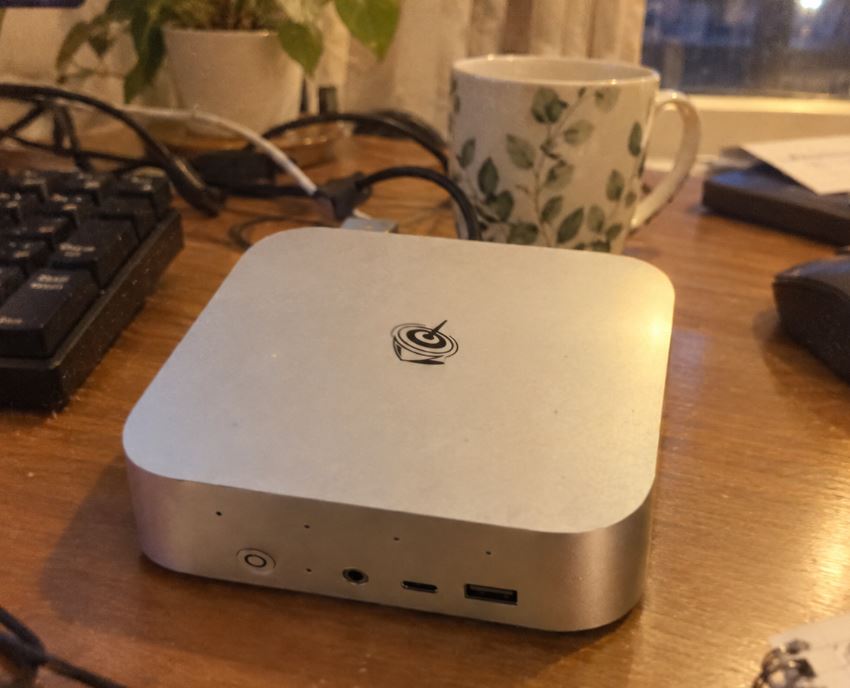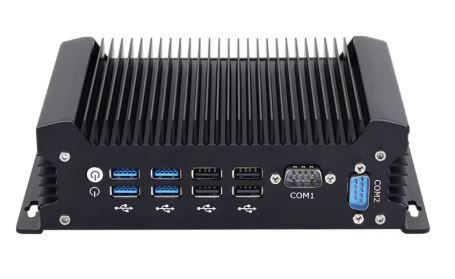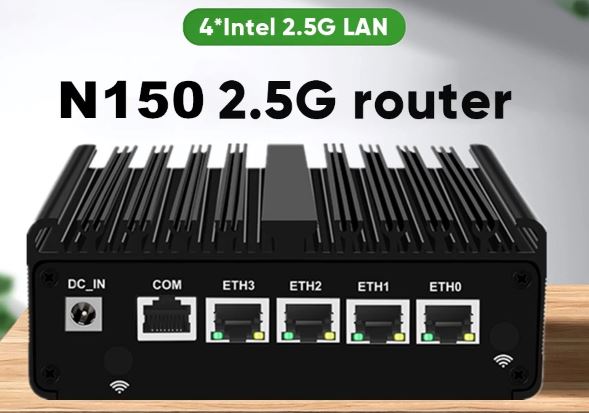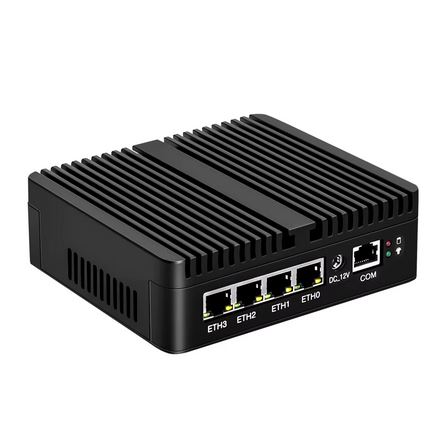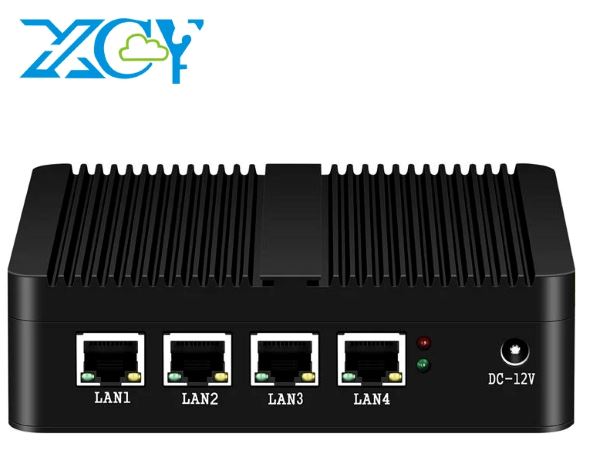
The XCY X30 is a very interesting fanless mini PC for those looking to set up a silent firewall, an advanced home router, or a small network server without taking up much space.
Its aluminum chassis, four LAN ports, and compatibility with pfSense, OPNsense, OpenWrt, and Linux make it a practical choice for home networks, businesses, and small offices.
Quick verdict
✅ Best features: Silent fanless design, robust aluminum casing, up to four LAN ports depending on configuration, support for 2.5-inch mSATA and SATA SSDs, broad network system compatibility.
❌ Areas for improvement: Outdated J1900/N2830 platform, DDR3L memory limited to 8GB, and configurations that should be carefully reviewed before purchase.
⭐ Conclusion: An attractive alternative if you're looking for an affordable, stable, and compact Gigabit firewall for pfSense, OPNsense, DNS, DHCP, VLAN, or load balancing. It's not designed for heavy virtualization or taking full advantage of 2.5GbE across all ports.
📦 Buy on AliExpress: View XCY X30 Firewall Mini PC
📦 Unboxing and box
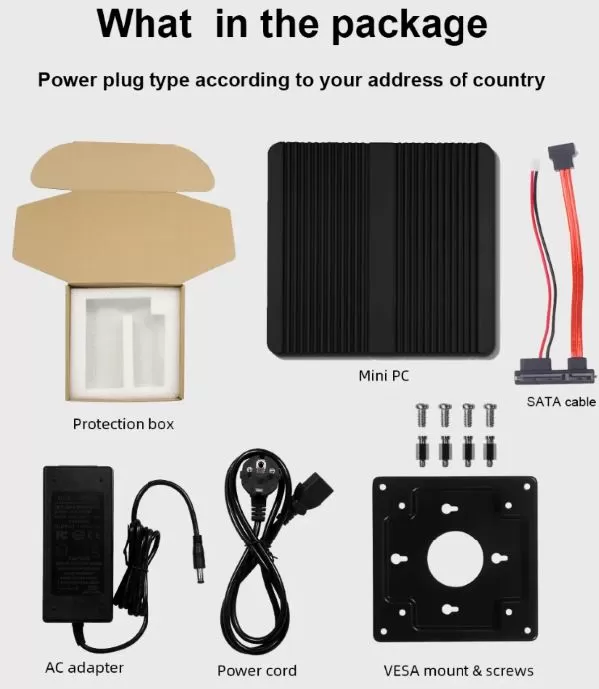
The XCY X30 arrives in simple, industrial-grade packaging, but with everything needed to begin installation. In its standard format, the package includes the mini PC, a 12V power adapter, a regional power cable, and a user manual.
Depending on the chosen configuration, it can arrive as a barebone —without RAM or SSD—or with DDR3L memory and an mSATA drive installed. This variety is an advantage for those who already have components or want to stick to a budget.
Usual content:
-
1 × mini PC XCY X30 Firewall Appliance
-
1 × 12V/3A Power Adapter
-
1 × Power cable
-
1 × User Manual
-
RAM and SSD, only in configurations that include them
-
SATA cable
Key specifications
| Feature | XCY X30 with J1900 | XCY X30 with N2830 |
|---|---|---|
| Processor | Intel Celeron J1900 | Intel Celeron N2830 |
| Cores / Threads | 4/4 | 2 / 2 |
| Frequency | 2.0 GHz, up to 2.42 GHz | 2.16 GHz, up to 2.41 GHz |
| Maximum memory | 8 GB DDR3L 1.35 V | 8 GB DDR3L 1.35 V |
| RAM | SO-DIMM DDR3L | SO-DIMM DDR3L |
| Main storage | 1 × mSATA SSD | 1 × mSATA SSD |
| Secondary storage | 2.5-inch SATA | 2.5-inch SATA |
| Grid | Up to 4 x LAN, depending on SKU | Intel i211 or i226-V, depending on SKU |
| USB ports | 1 x USB 3.0, 1 x USB 2.0 | 1 x USB 3.0, 1 x USB 2.0 |
| Video outputs | HDMI + VGA | HDMI + VGA |
| Wireless expansion | Mini PCIe for Wi-Fi, 3G or 4G | Mini PCIe for Wi-Fi, 3G or 4G |
| SIM | Micro SIM slot | Micro SIM slot |
| Refrigeration | Passive, without a fan | Passive, without a fan |
| Feeding | 12V / 3A | 12V / 3A |
| Dimensions | Approx. 135 × 129 × 40 mm | Approx. 135 × 129 × 40 mm |
The Celeron J1900 is the preferred version in this range: it has four cores, 2 MB of cache, and a frequency of up to 2.42 GHz. The N2830 reduces the configuration to two cores and 1 MB of cache, although it maintains very low energy efficiency.
Design and construction
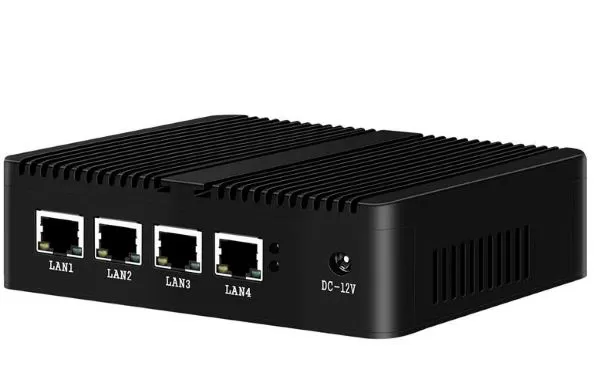
The XCY X30 makes a great first impression thanks to its aluminum casing. It's not a plastic mini PC meant for the living room: its look is more industrial and functional, perfect for placing next to your router, inside a network cabinet, or behind a monitor.
The metal chassis not only provides robustness, but also acts as a passive heatsink, distributing heat from the CPU without requiring internal fans. This allows for a completely silent router or firewall, a significant advantage if it will be left on 24/7.
Measuring approximately 13.5 cm wide, it fits easily on a desk, network shelf, or discreetly next to the fiber optic ONT. Its approximate weight of 1 kg also helps it remain stable when multiple Ethernet cables are connected.
Screen and multimedia
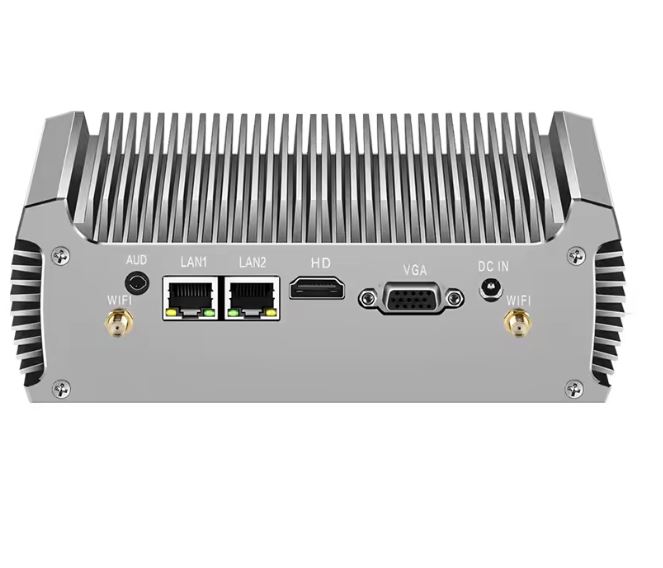
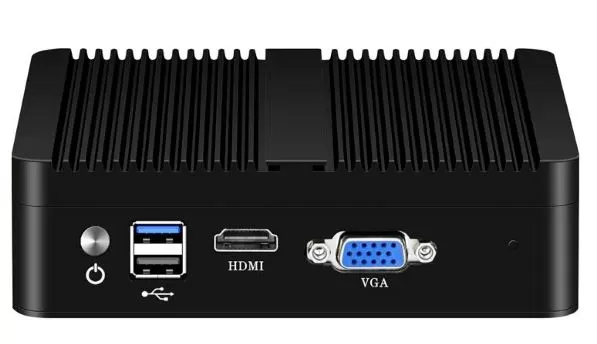
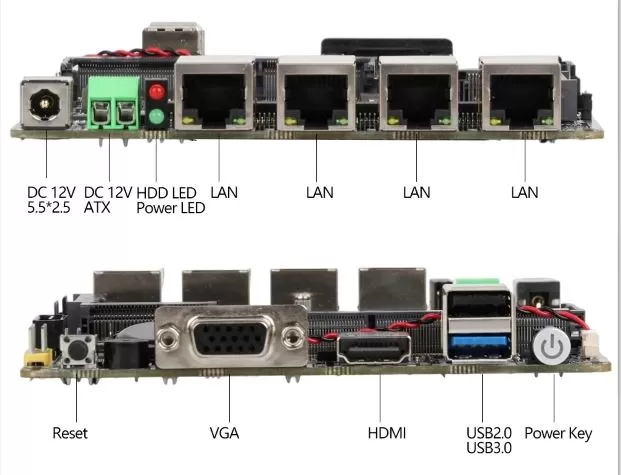
This mini PC is primarily designed as a headless network device, meaning it's managed via a web browser or remotely after initial setup. However, it does include HDMI and VGA outputs, which are useful for connecting to a monitor during the installation of pfSense, OPNsense, OpenWrt, Debian, or Windows.
The integrated Intel graphics can handle basic desktop tasks, web browsing, office applications, and simple multimedia playback. It's not designed for video editing, 3D modeling, or modern gaming, but it performs its role very well for setting up and maintaining network services.
For a firewall, the most common experience will be to install the system with a screen and keyboard, assign the WAN/LAN ports and then forget about the monitor: all management is done from another PC, mobile or tablet via a web interface.
📦 Buy on AliExpress: View XCY X30 Firewall Mini PC
Performance and software
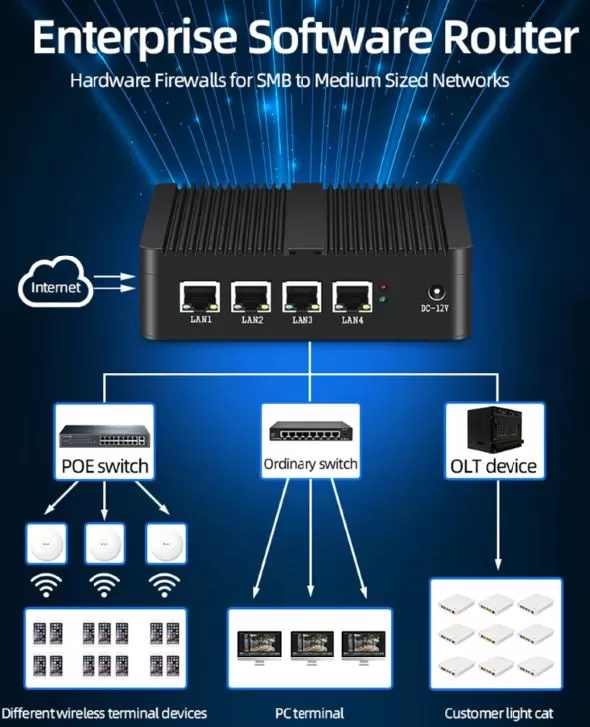
The version with the Intel Celeron J1900 offers a smooth experience for common networking tasks: routing, NAT, DHCP, DNS, firewall, blocklists, simple VLANs, basic load balancing, and failover between two connections. Its four cores help maintain consistent performance when multiple devices are connected.
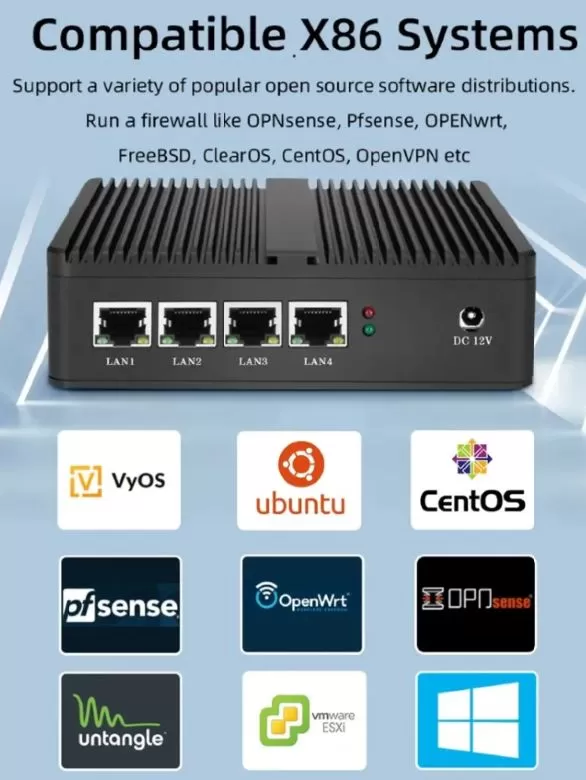
The XCY X30 is compatible with a wide range of operating systems:
-
pfSense: for advanced firewall and router
-
OPNsense: a modern and very complete alternative
-
OpenWrt: ideal for lightweight and customizable routing
-
Debian or Ubuntu Server: for DNS, VPN, light Docker or home services
-
Windows and Windows Server: for specific applications
-
CentOS and compatible Linux distributions
-
ESXi: Subject to version-specific compatibility and installed hardware
It's not a machine for modern gaming or intensive virtualization. Its strength lies in performing a specific task, quietly and reliably: protecting and managing a network.
Regarding bloatware, the barebone version is the cleanest option: you install the operating system from scratch. If you buy a version with an SSD included, I recommend reviewing the pre-installed system or performing a clean install before saving passwords, VPN keys, or critical settings.
📦 Buy: See XCY X30 Firewall Mini PC
⚡ Power consumption and cables
The XCY X30 uses an external 12V, 3A power adapter , with up to 36W available. Actual power consumption will be much lower under normal use, especially in a configuration with an mSATA SSD and no USB peripherals connected.
Its platform is designed for low power consumption: the N2830 has a TDP of 7.5 W, while the J1900 is around 10 W. This makes it suitable for running all day as a firewall, router, or small home server without significantly impacting your electricity bill.
The only thing you need to plan for is the external power adapter. It's a good idea to reserve a power outlet near the router or use a power strip/UPS if the device will be handling a significant connection.
🌡️ Temperature and noise
Here's one of its biggest advantages: 0 dB of noise. Since it doesn't have a fan, there are no buzzing, vibrations, or moving parts that can accumulate dust or fail over time.
The aluminum casing passively dissipates heat. During browsing, DNS, DHCP, basic firewall operation, or normal router use, the device should maintain reasonable thermal performance. It's normal for the top to feel warm after several hours; it's simply doing its job as a heat sink.
For an ideal installation:
-
Place it on a flat, firm surface.
-
Do not cover the chassis fins or ventilation areas
-
Avoid enclosing it in a box without air circulation.
-
Use an SSD instead of a mechanical hard drive.
-
If you will be setting up continuous services, check temperatures from the operating system.
Connectivity and extras
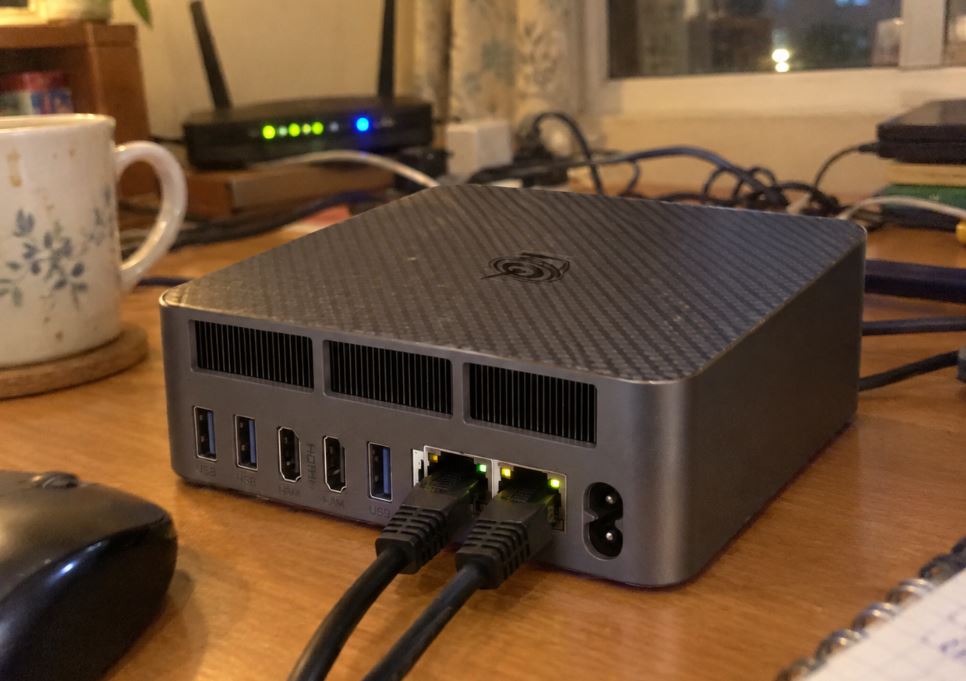
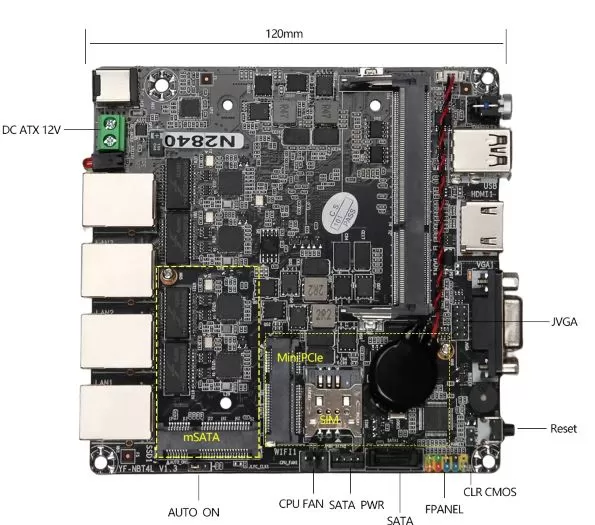
Connectivity is the raison d'être of the XCY X30. Depending on the variant selected, it offers up to four Ethernet ports, allowing for the separation of WAN, LAN, guest network, physical VLANs, a second Internet provider, or segments of IoT devices.
| Connection | Recommended use |
|---|---|
| 4 x Ethernet LAN | WAN, LAN, guest network, switches, or second carrier |
| HDMI | Initial installation and local maintenance |
| VGA | Compatibility with older monitors or industrial environments |
| USB 3.0 | Installation USB drive, external SSD or peripherals |
| USB 2.0 | Keyboard, mouse, or auxiliary device |
| Mini PCIe | Optional Wi-Fi, Bluetooth, 3G or 4G LTE module |
| Micro SIM | Mobile backup connection with compatible module |
| WOL and PXE | Remote management and network boot |
The option to add Wi-Fi or mobile connectivity is a welcome bonus. It's not included by default: the user must install a compatible Mini PCIe module, and in some cases, verify supported antennas and bands before purchasing.
🔧 Expansion and upgrades
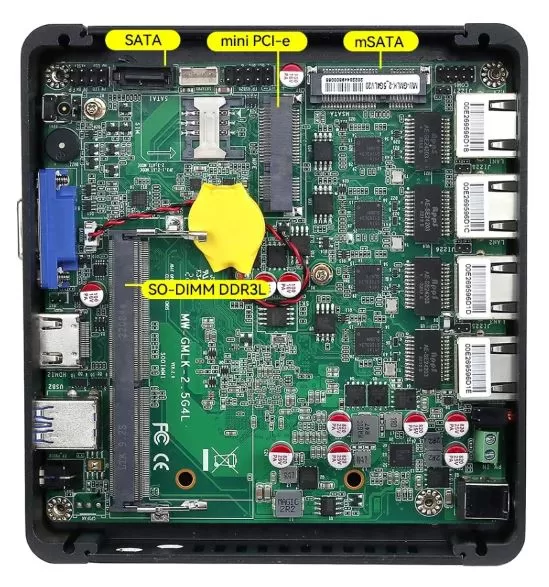
The XCY X30 offers a simple and useful upgrade for its category. It doesn't aim to compete with a professional server, but it does allow you to configure the system according to your actual needs.
| Component | Expansion options |
|---|---|
| RAM | Up to 8GB DDR3L 1.35V SO-DIMM |
| primary SSD | Replaceable with mSATA unit |
| Second album | Add a 2.5-inch SATA SSD |
| Wi-Fi / Bluetooth | Via compatible Mini PCIe module |
| 3G / 4G LTE | Via Mini PCIe module and Micro SIM |
| Operating system | Installable from USB |
For basic pfSense or OPNsense, 4 GB of RAM and a 32–64 GB SSD are sufficient. To add blocklists, logs, advanced DNS services, or for a bit more headroom, the recommended configuration is 8 GB DDR3L RAM and a 64 or 128 GB mSATA SSD.
A 512GB SSD can be useful if you want to repurpose the Linux machine to store additional data or services, but it's not necessary for a traditional firewall.
🆚 Direct competitors
| Model | CPU | Grid | maximum RAM | Main advantage | Best for |
|---|---|---|---|---|---|
| XCY X30 J1900 | 4C / 4T | Up to 4 LANs, depending on SKU | 8 GB DDR3L | Economical, fanless and compact | Basic Gigabit Firewall |
| XCY X30 N2830 | 2C / 2T | i211 or i226-V, depending on SKU | 8 GB DDR3L | Low consumption | Lightweight Routing and DNS |
| Topton X2B J6412 | 4C / 4T | 4 × 2.5 GbE | 32 GB DDR4 | More RAM and a newer platform | Lightweight Proxmox and advanced firewall |
| Topton X2E N150 | 4C / 4T | 4 × 2.5 GbE | 32–48 GB DDR5 reported | Better efficiency and DDR5 | Modern 2.5 GbE Firewall |
| Intel N100 Mini PC | 4C / 4T | Variable according to model | Typically 16–32 GB | Current performance and low consumption | Homelab and modern services |
The XCY X30 stands out if the price is low and the goal is to build a simple network solution. Compared to models with Intel N100, N150, or J6412 processors, it falls short in performance, memory, and future-proofing, but it may be sufficient for those who don't need advanced features.
⭐ User reviews and experiences
Customer reviews are one of the strongest points of this model. The product listing shows a score of 4.8 out of 5, based on dozens of orders, and the reviews repeatedly highlight the metal construction, quiet operation, packaging, and actual usefulness with pfSense.
Among the experiences shared by users are pfSense configurations alongside NXFilter, link balancing, failover, and web filtering in retail stores or kiosks. This perfectly aligns with the device's profile: a compact, silent firewall with separate networking options.
Reviews also praise the ease of installing DDR3L RAM and an mSATA SSD in the barebone version. This is a good sign for users who prefer to personally control the components and perform a clean operating system installation.
However, it's important to interpret the ratings correctly: a good score indicates that many buyers receive a functional and useful product for the intended purpose; it does not replace an independent test of simultaneous 2.5 GbE, intensive VPN, or IDS/IPS.
🧪 Technical tests
In a realistic configuration with a Celeron J1900, 8 GB of DDR3L RAM, and an mSATA SSD, the XCY X30 feels responsive during the installation and web administration of pfSense or OPNsense. Menus, rule creation, interface assignments, and DHCP/DNS configuration all work smoothly.
Scenarios where it fits very well
| Test or assignment | Expected result |
|---|---|
| Basic Stateful Firewall | Very suitable |
| NAT and DHCP | Very suitable |
| Local DNS and web filtering | Appropriate |
| simple VLANs | Appropriate |
| Multi-WAN with failover | Appropriate |
| Connection balancing | Suitable for small networks |
| Pi-hole or AdGuard Home | Appropriate |
| OpenWrt | Very suitable |
| WireGuard Lightweight | Possible, depending on traffic and configuration |
| Intensive OpenVPN/IPsec | Not recommended |
| Meerkat or heavy IDS/IPS | Not recommended |
| Continuous 2.5 GbE Routing | It requires testing; it should not be taken for granted. |
| Several virtual machines | Not recommended |
To check the performance of a specific unit, it's best to identify the controllers lspci, test the interfaces iperf3, and review CPU usage while moving traffic. This is especially important for variants advertised with i226-V: AliExpress configurations can change between batches.
🎮 Gaming and emulation
The XCY X30 is not a mini gaming PC, but its integrated Intel HD Graphics can be used for very light entertainment if you install Windows or Linux with a graphical environment.
-
2D and indie games: viable with modest adjustments
-
Retro gaming: classic systems like NES, SNES, Mega Drive, PS1 or arcade are a reasonable target
-
N64 and PSP: will depend on the emulator and settings
-
PS2, GameCube, PS3 or Switch: these are not recommended uses
-
1080p Streaming: Suitable for basic playback
The best idea is still to dedicate it to networking, security, DNS, home server, and automation. For emulation, there are more suitable modern mini PCs.
❓ Frequently Asked Questions
Is it compatible with pfSense and OPNsense?
Yes. The XCY X30 is marketed as an appliance for installing pfSense, OPNsense, OpenWrt, and various Linux distributions. For a cleaner and more secure experience, it is recommended to install the system from an official image.
Which processor should I choose?
The recommended option is the Intel Celeron J1900, as it has four cores compared to the N2830's two. For DNS, routing, firewall rules, load balancing, and lightweight services, it offers more headroom.
How much RAM does it support?
It supports up to 8GB of 1.35V DDR3L SO-DIMM. For pfSense or OPNsense, 4GB may be sufficient; 8GB is the preferred configuration for increased headroom.
Can I add a second SSD?
Yes. It includes an mSATA slot for the primary drive and allows you to add a 2.5-inch SATA SSD or HDD as a second drive.
Does it come with Wi-Fi or 4G?
Not necessarily. It has Mini PCIe and Micro SIM slots for installing compatible Wi-Fi, Bluetooth, 3G, or 4G LTE modules, but these components are usually sold separately.
Does it work for 1 GbE fiber?
Yes, this is the most reasonable scenario for the J1900 version with basic firewall and NAT. For demanding functions, intensive VPN, or deep inspection, performance may be reduced.
Can it move 2.5 GbE across all four ports?
This should not be assumed. For a heavy 2.5 GbE network, a modern mini PC with an Intel N100, N150, or N305 is preferable.
Is it good for Proxmox?
It can run Linux and lightweight services, but its 8GB maximum RAM and outdated processors make it unsuitable for multiple virtual machines. It's better suited as a dedicated firewall.
🛠️ Buy components separately
The XCY X30 barebone —without RAM or SSD—allows you to adjust your budget and build a suitable configuration for pfSense, OPNsense, OpenWrt, or a lightweight Linux server. This model requires 1.35V DDR3L SO-DIMM RAM and an mSATA SSD ; DDR4/DDR5 RAM and M.2 SATA/NVMe SSDs are not compatible. mSATA SSDs are a different form factor than M.2, designed for older generation compact systems.
Recommended settings
| Component | Recommendation | Purchase link |
|---|---|---|
| RAM | 8GB DDR3L 1600MHz SO-DIMM, 1.35V | See DDR3L 8 GB SO-DIMM on AliExpress |
| system SSD | 64GB or 128GB mSATA SSD | See 64 GB mSATA SSD See 128 GB mSATA SSD |
| Optional second disc | 2.5-inch SATA SSD, 120–240 GB or higher | View 2.5" 240GB SATA SSD |
| Optional Wi-Fi and Bluetooth | Mini PCIe card, not M.2 Key E | View Wi-Fi + Bluetooth Mini PCIe cards |
| Optional 4G LTE | Mini PCIe module, compatible antennas and SIM | View 4G LTE Mini PCIe modules |
| LTE/WiFi antennas | Antenna kit with compatible connectors | See Mini PCIe / 4G LTE antennas |
A 64 or 128 GB mSATA SSD is sufficient for pfSense, OPNsense, and OpenWrt; even with regular updates, blocklists, and logs, you don't need to pay for 512 GB unless you plan to reuse the machine as a Linux server with local data. AliExpress maintains specific listings for 128 GB mSATA SSDs and 240 GB 2.5-inch SATA SSDs.
Balanced firewall option
The configuration that offers the best balance between cost, reliability, and space would be:
-
XCY X30 with Intel Celeron J1900 in barebone
-
8GB DDR3L SO-DIMM 1.35V
-
64GB or 128GB mSATA SSD
-
Clean installation of pfSense, OPNsense or OpenWrt
This combination is appropriate for Gigabit routing, NAT, DHCP, DNS, firewall rules, basic VLANs, DNS filtering, Pi-hole/AdGuard Home, and failover between connections.
Option for lightweight Linux
If you also want to install Debian or Ubuntu Server for small services, you can take advantage of the second SATA connector:
-
8 GB DDR3L SO-DIMM: Buy compatible memory
-
64/128 GB mSATA SSD for the system: Search for mSATA SSD
-
2.5-inch SATA SSD of 240GB or more for data: Search for 2.5-inch SATA SSD
A 2.5-inch SATA SSD is preferable to a mechanical hard drive: it keeps the computer quiet, consumes less power, and reduces internal heat.
Avoid incompatible components
Do not buy these components for the XCY X30:
-
1.5V DDR3 RAM, compatibility not confirmed; specifically look for DDR3L 1.35V
-
DDR4 or DDR5 memory
-
M.2 SATA SSD
-
M.2 NVMe SSD
-
PCIe/NVMe 2280 SSD
-
M.2 Key E Wi-Fi cards ; the system requires Mini PCIe
-
LTE modules without antennas or without confirmed bands compatible with your carrier
Mini PCIe Wi-Fi/Bluetooth cards are sold as accessories specifically for that slot, so you should check the physical format before ordering.
Final conclusion
The XCY X30 Firewall Mini PC is a positive and practical option when purchased with the right expectations. It stands out for its aluminum construction, completely silent operation, compact size, expandable storage, and compatibility with pfSense, OPNsense, OpenWrt, and Linux.
It's ideal for a home, shop, small office, kiosk, or branch office that needs an affordable firewall for Gigabit internet, DHCP, DNS, security rules, web filtering, VLAN, and moderate load balancing/failover. The J1900 version with 8 GB of RAM is the most recommended in this family.
It's not the best option for high-performance 2.5 GbE networks, demanding VPN tunnels, heavy IDS/IPS, or advanced virtualization. In those cases, a mini PC with an Intel N100, N150, N305, or higher processor would make more sense.
🛒 Where to buy
🔗 AliExpress: Check XCY X30 configurations
Purchase recommendation: If you choose this model, look for the J1900 + 8 GB DDR3L + 64/128 GB mSATA SSD version and confirm the exact type of Ethernet controllers included in the unit via message with the seller.
Components and contents may change, please check carefully with the seller.