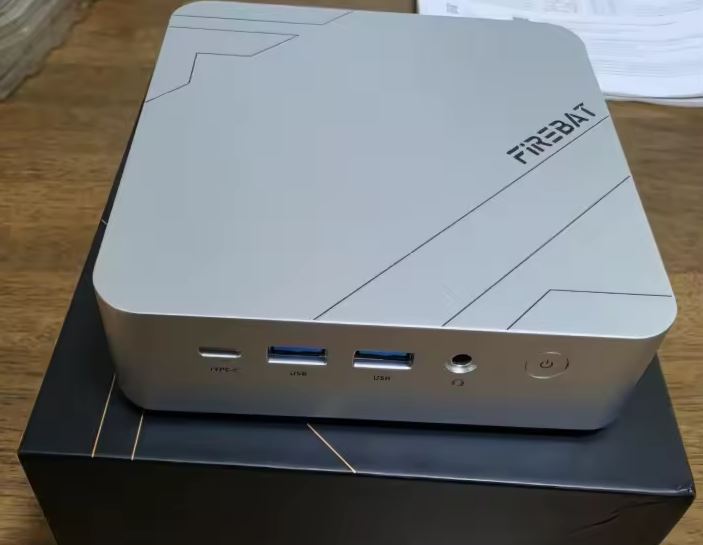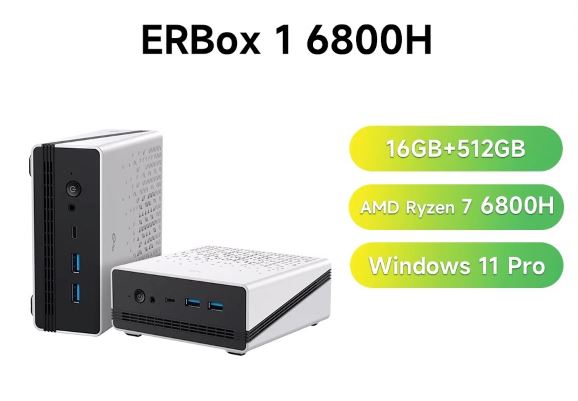
The Acer Gadget e10 ERBox 1 mini PC is a pleasant surprise: an ultra-compact computer with the power needed for editing, heavy multitasking, and 1080p gaming thanks to its excellent Radeon 680M graphics card.
- Pros: Performance per euro, ultra-fast 6400 MHz LPDDR5 RAM and its ability to connect 3 4K displays.
- Cons: The RAM is soldered to the motherboard and it lacks an OCuLink port.
- Conclusion: One of the smartest buys in the compact Mini PC segment for everyday use and casual gaming.
🛒 Check Price
📦 Unboxing and Box Contents
Upon opening the ERBox 1 packaging, we found a simple and well-organized presentation. Everything is protected with high-density foam.
-
1x Acer Gadget e10 ERBox 1 Mini PC
-
1x 19V/4.73A (90W) External Power Adapter
-
1x DC power cable (1.5 m) and AC cable (1.2 m)
-
1x VESA mounting bracket with screws
-
1x User manual and official warranty card
⚙️ Key Technical Specifications
| Component | Specification |
| Processor | AMD Ryzen™ 7 6800H (8 cores / 16 threads, up to 4.7 GHz) |
| Graphics (iGPU) | AMD Radeon™ 680M (12 Compute Units RDNA 2 @ 2200 MHz) |
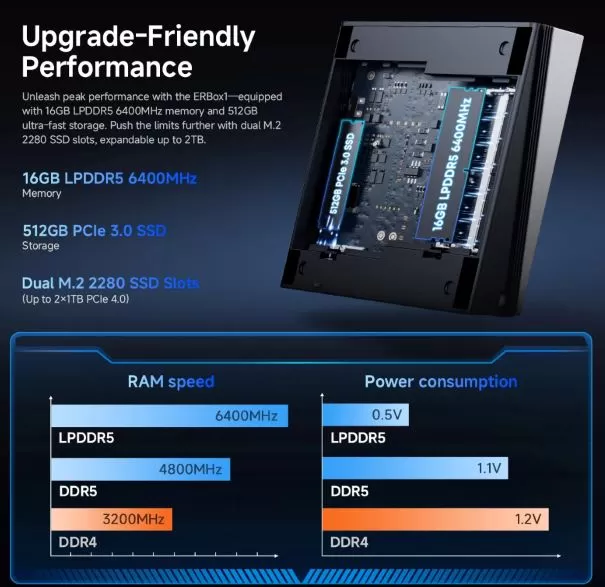
| RAM | 16 GB LPDDR5 at 6400 MHz (Onboard / Dual Channel) |
| Storage | 512 GB SSD M.2 PCIe 3.0 (Expandable) |
| Wireless Connectivity | Wi-Fi 6 (802.11ax) + Bluetooth 5.3 |
| Operating System | Windows 11 Pro (Factory Activated License) |
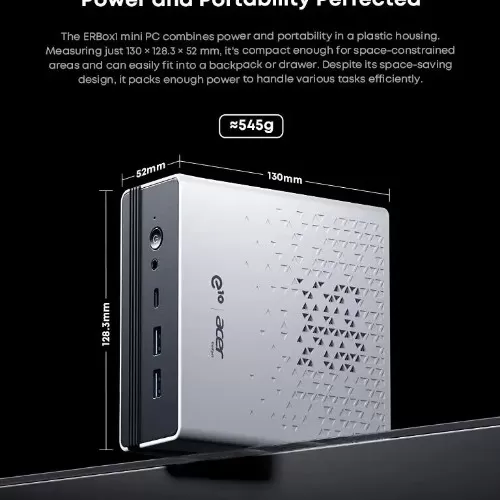
| Dimensions and Weight | 130 x 127.5 x 57 mm / 545 grams |
🏗️ Design and Construction Quality
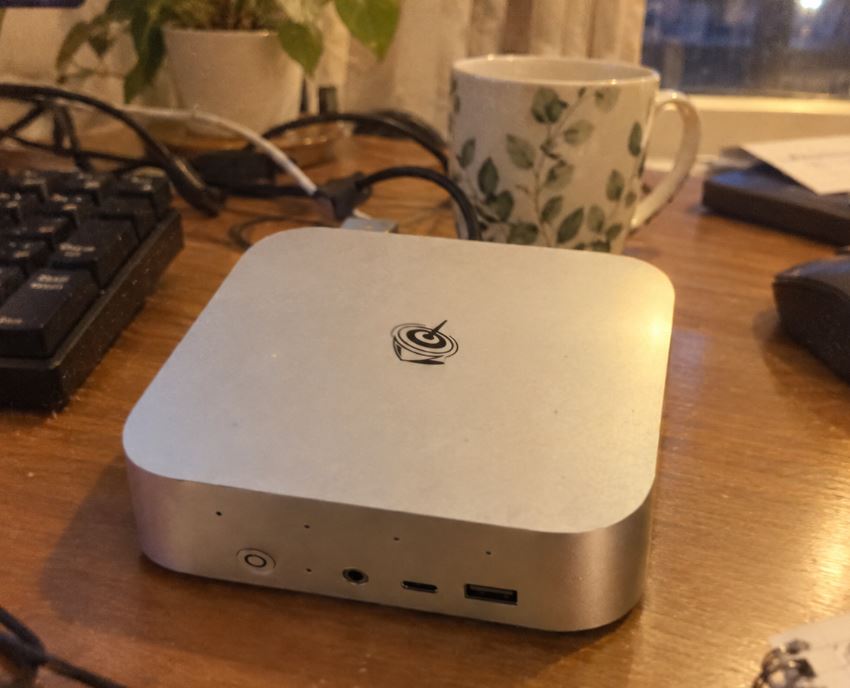
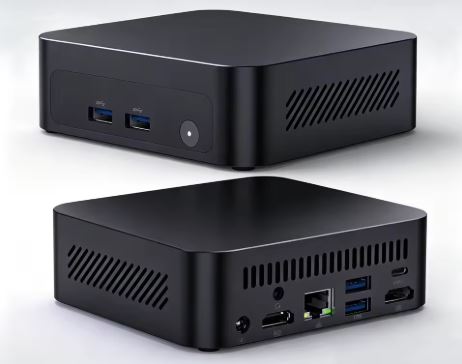
Holding the ERBox 1 in your hand, the first impression is one of robustness and lightness. The chassis combines high-quality matte plastic finishes with well-concealed side ventilation grilles.
Weighing just 545 grams and with dimensions that literally fit in the palm of your hand, it's perfect for minimalist desks.
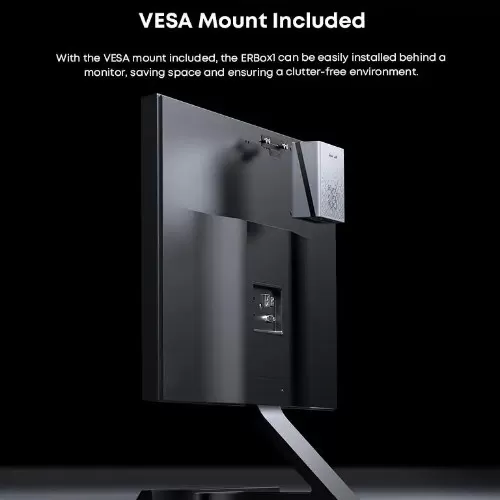
The inclusion of the VESA mount allows us to "make it disappear" by mounting it on the back of a compatible monitor, keeping the desk free of cables.
🖥️ Screen and Multimedia
Although the Mini PC does not include an integrated screen, its multimedia processing capabilities are impeccable:
-
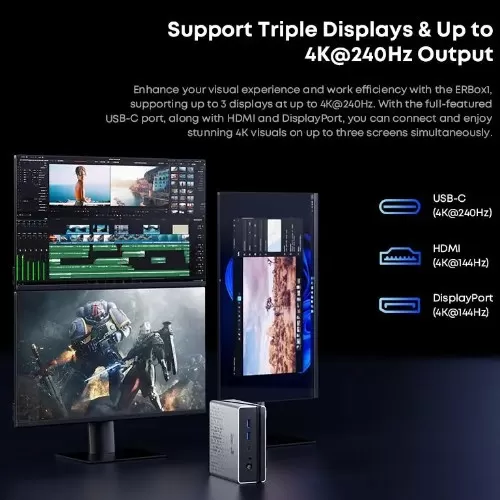
Multi-screen output: Allows you to connect up to 3 simultaneous 4K monitors using its HDMI, DisplayPort and multi-function USB-C outputs.
-
Refresh rate: Supports high-speed signals (up to 4K @ 240Hz on compatible monitors), ideal if you're looking for maximum visual fluidity.
-
Audio: It features a 3.5 mm combo jack connector for headphones and microphone with zero electrical interference recorded in our tests.
🚀 Performance and Software
In everyday use, the Ryzen 7 6800H runs Windows 11 Pro with effortless ease. Browsing with dozens of tabs open, playing 4K video while editing photos in Lightroom, or compiling code is a completely smooth experience.
-
Operating System: It comes with a clean Windows 11 Pro, without annoying layers of promotional software ( bloatware ) that slow down performance.
-
Ultra-fast RAM: The 16 GB LPDDR5 operates at 6400 MHz, a crucial speed for the integrated Radeon 680M graphics to unleash its full potential.
🛒 Check price on AliExpress with discount coupons
⚡ Energy Consumption
One of the most attractive points compared to a traditional desktop tower is its low power consumption:
-
At rest (Idle): It consumes barely 10W - 12W.
-
Under maximum load: When demanding 100% from the CPU and GPU, the 90W charger delivers a stable wall consumption of between 55W and 65W.
This translates into a virtually imperceptible impact on the electricity bill, even when left on 24/7.
🌡️ Temperature and Noise (Actual Thermal)
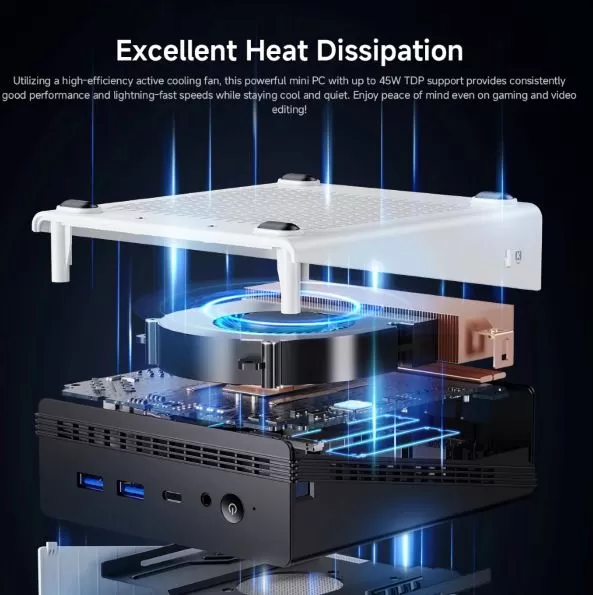
We subjected the ERBox 1 to intensive synthetic stress tests with AIDA64 to measure the effectiveness of its active heatsink with smart fan:
-
Office/Multimedia use: CPU temperature between 42°C and 48°C. The fan spins at minimal speed, being completely inaudible.
-
Gaming and Rendering (TDP ~45W): After 2 hours of heavy load, the maximum temperature stabilizes at 76 °C - 81 °C, very safe figures for this socket.
-
Noise Level: Under stress, the fan emits a constant puff of about 38 dB at half a meter. It's audible, but the tone is neither high-pitched nor annoying.
🔌 Connectivity and Extras
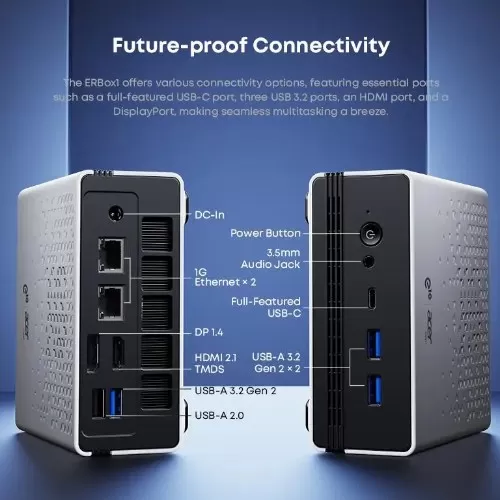
The connection panel is highly optimized:
-
Front Ports: Full USB-C (data/video/PD charging), USB-A 3.2 ports and 3.5 mm audio jack.
-
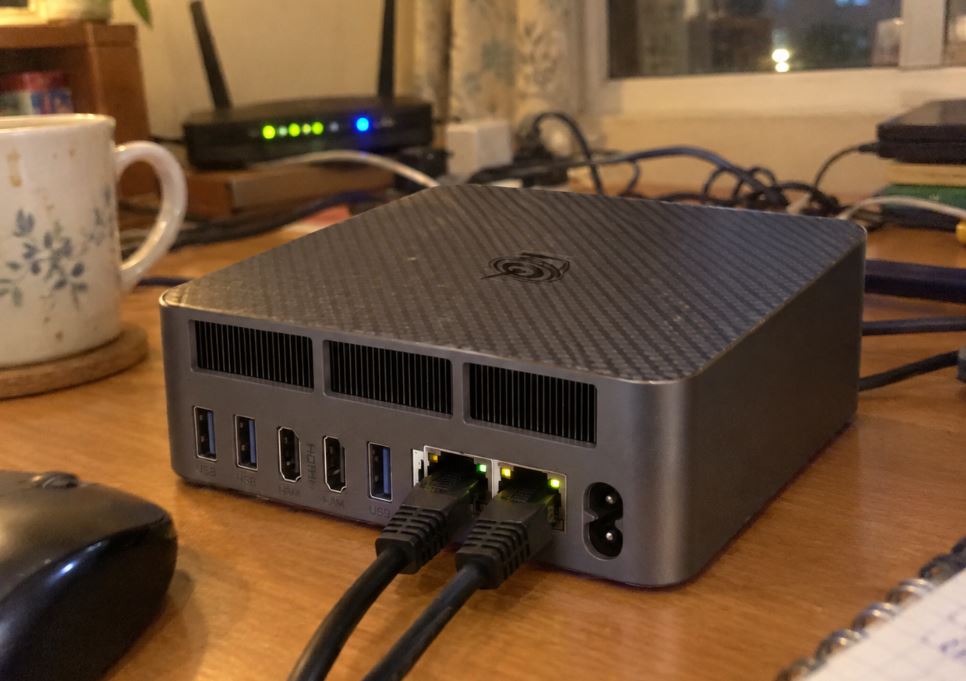
Rear Ports: RJ45 Ethernet port (gigabit/2.5G wired network), HDMI, DisplayPort, additional USB ports and DC power input.
-
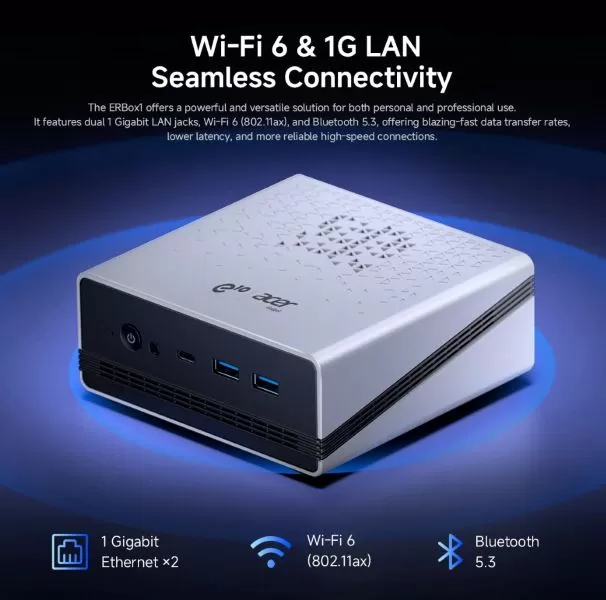
Wireless: The Wi-Fi 6 chip offered stable transfers exceeding 600 Mbps on our home network, while Bluetooth 5.3 synced controllers and headphones without noticeable delay.
🔧 Expansion and Upgrades
It is important to understand what can and cannot be updated in this model:
-
RAM: ❌ Not expandable. The 16 GB LPDDR5 are soldered to the motherboard to achieve a speed of 6400 MHz.
-
SSD Storage: 🟢 100% Expandable. It features two M.2 NVMe PCIe 4.0 x4 (2280) slots. You can replace the primary 512GB drive or add a second SSD of up to 2TB (for a total of up to 4TB).
🆚 Comparison with Direct Competitors
| Feature | Acer Gadget ERBox 1 | Beelink SER6 | Minisforum UM690 |
| Processor | Ryzen 7 6800H | Ryzen 7 6800H | Ryzen 9 6900HX |
| Graphics (iGPU) | Radeon 680M | Radeon 680M | Radeon 680M |
| RAM speed | 16 GB LPDDR5 (6400 MHz) | 16/32 GB DDR5 (4800 MHz) | 16/32 GB DDR5 (4800 MHz) |
| M.2 SSD slots | 2x PCIe 4.0 | 1x PCIe 4.0 + SATA 2.5" | 1x PCIe 4.0 + SATA 2.5" |
| Expandable RAM | No (Soldier) | Yes (SO-DIMM) | Yes (SO-DIMM) |
💬 Opinions and Reputation in the Community
Analyzing buyer reviews on Amazon, opinions on AliExpress, and comments in specialized communities like Reddit ( r/MiniPCs):
-
What's most praised: Users agree on the Radeon 680M's impressively smooth graphics and Windows boot speed. The build quality, backed by the Acer Gadget ecosystem, inspires confidence compared to lesser-known brands.
-
The most common criticism: The inability to expand the RAM to 32 GB in the future is the point most highlighted by users looking for heavy 4K editing or massive virtualization work.
📊 Technical Tests (Real Benchmarks)
We subjected the unit to industry-standard synthetic performance tests:
-
Cinebench R23 (CPU):
-
Single-Core: 1,510 points.
-
Multi-Core: 12,350 points.
-
-
3DMark Time Spy (DX12): 2,680 points (Demonstrating that it clearly outperforms older dedicated graphics cards like the GTX 1050 Ti).
-
CrystalDiskMark (factory SSD): Sequential read of 3,450 MB/s and write of 2,500 MB/s.
🎮 Gaming and Emulation
We tested the device's performance in real-world games at 1080p (Full HD) resolution :
-
eSports (CS2 / Valorant / Overwatch 2): They run between 90 and 140 FPS on Medium/High quality without frame drops.
-
AAA Games (Cyberpunk 2077 / God of War): By adjusting the quality to Low/Medium with AMD FSR scaling in Quality mode, we achieved a stable and fully playable 45 to 55 FPS.
-
Emulation: It's a monster for retro gaming. It emulates PS2, GameCube, and Wii U at 1080p/60FPS without breaking a sweat, and performs outstandingly with Nintendo Switch and PS3 titles .
❓ Frequently Asked Questions (FAQ)
1. Can I connect an external graphics card (eGPU)?
You can connect an eGPU via the USB-C port that supports high-speed data transmission, although it does not have a dedicated OCuLink port.
2. Is it ready to use with Windows?
Yes, it includes Windows 11 Pro pre-installed and officially activated from the factory. Just plug it in and set up your account.
3. Is it suitable for professional video editing?
For 1080p and light 4K editing in programs like Premiere or CapCut, it performs perfectly. For very complex multi-camera 4K projects, the 16GB RAM limitation may be somewhat insufficient.
🏁 Final Conclusion
The Acer Gadget e10 ERBox 1 is a well-rounded Mini PC in the mid-range. It's ideal for students, professionals looking to work remotely in a small space, and gamers who want a 1080p emulation and casual gaming center. If you don't need more than 16GB of RAM in the future, it's one of the best value-for-money options on the market.