⚡ Initial Verdict
The Apple Mac mini M4 Pro is a professional beast in an ultra-compact format that rivals the Mac Studio at half the price.
Available with 24GB, 48GB or 64GB of unified RAM and storage from 512GB to 4TB, it offers performance comparable to the M1 Ultra in CPU-intensive tasks.
Pros: Thunderbolt 5 (120Gb/s), exceptional performance for creative professionals, ultra-fast RAM (273GB/s), three simultaneous 6K displays, competitive price starting from €1,900.
Cons: components are not upgradeable after purchase, Thunderbolt 5 still has few accessories, price scales rapidly with higher configurations.
Conclusion: It's the best investment in a compact workstation for content creators, developers, and video professionals who need Mac Studio power without the price or size.
📊 Key Technical Specifications
| Component | M4 Pro (12 cores) | M4 Pro (14 cores) |
|---|---|---|
| 💻 CPU | 12 cores (8 performance + 4 efficiency) @ 4.5 GHz | 14 cores (10 performance + 4 efficiency) @ 4.5 GHz |
| 🎮 GPU | 16 cores with hardware ray tracing | 20 cores with hardware ray tracing |
| 🧠 Base RAM | 24GB unified (273GB/s bandwidth) | 24GB unified (273GB/s bandwidth) |
| 🔧 Configurable RAM | Up to 48GB or 64GB | Up to 48GB or 64GB |
| 💾 Base Storage | 512GB SSD (unofficial removable) | 512GB SSD (unofficial removable) |
| 📦 Configurable Storage | Up to 1TB, 2TB, 4TB or 8TB | Up to 1TB, 2TB, 4TB or 8TB |
| ⚡ Thunderbolt | 3× Thunderbolt 5 (120Gb/s with Bandwidth Boost) | 3× Thunderbolt 5 (120Gb/s with Bandwidth Boost) |
| 🔌 Additional Ports | 2× USB-C (USB 3), HDMI, Gigabit Ethernet (10Gb optional), 3.5mm jack | 2× USB-C (USB 3), HDMI, Gigabit Ethernet (10Gb optional), 3.5mm jack |
| 🖥️ Supported Screens | Up to 3× 6K @ 60Hz (more than 60 million pixels) | Up to 3× 6K @ 60Hz (more than 60 million pixels) |
| 📡 Wireless Connectivity | Wi-Fi 6E, Bluetooth 5.3 | Wi-Fi 6E, Bluetooth 5.3 |
| ⚙️ Neural Engine | 16 cores for Apple Intelligence | 16 cores for Apple Intelligence |
| 🔊 Media Engine | Hardware H.264, HEVC, ProRes, ProRes RAW, AV1 | Hardware H.264, HEVC, ProRes, ProRes RAW, AV1 |
| 💰 Price (approx.) | From €1,900 (24GB/512GB) to €3,800 (64GB/2TB) | From €2,300 (24GB/512GB) to €5,500 (64GB/8TB) |
🏗️ Design and Construction Quality
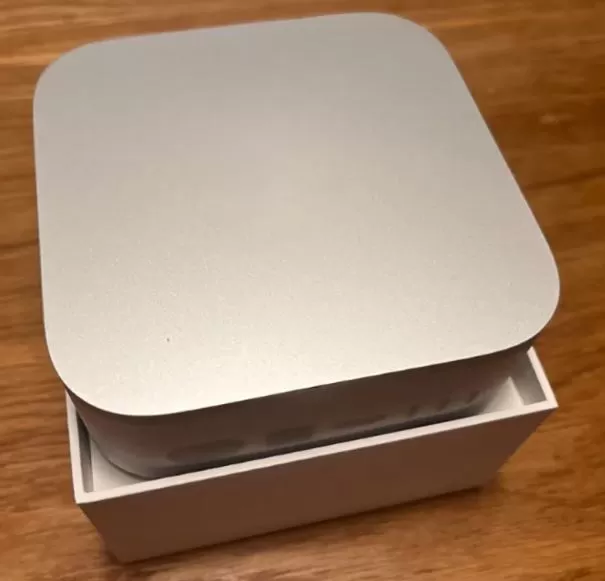
The Mac mini M4 Pro retains the revolutionary recycled aluminum design introduced with the base M4, with ultra-compact dimensions of just 5 x 5 x 2 inches that literally fit in the palm of your hand. The premium metal construction offers a solid, professional feel that justifies the investment. Apple has improved the port layout by adding two front USB-C ports for quick access without having to turn the computer over, addressing a long-standing user complaint.
The cooling system is exceptional: even under intensive 3D rendering or code compilation loads, the fan remains virtually inaudible . Thermal management allows the M4 Pro chip to maintain its maximum frequency of 4.5 GHz without throttling during extended sessions. The only controversial aspect remains the power button on the bottom , although actual users confirm that they rarely need to completely shut down the device.
The integrated power supply eliminates bulky external adapters, keeping your desktop clean and tidy. The modular design allows access to the internal SSD (although Apple doesn't officially recommend it), offering some flexibility for advanced users.

🖥️ Screen and Multimedia
Important note: The Mac mini M4 Pro is a desktop computer without a built-in display and requires an external monitor, keyboard, and mouse. However, its video output capabilities are truly professional : it supports up to three 6K displays at 60Hz simultaneously , totaling over 60 million pixels, ideal for multi-camera editing workflows or financial trading.
The three Thunderbolt 5 ports allow you to connect high-resolution monitors with a single cable, while the HDMI port facilitates connection to 4K TVs without adapters. The front audio jack supports professional high-impedance headphones, offering audiophile quality without the need for external interfaces.
The dedicated Media Engine provides hardware acceleration for encoding/decoding H.264, HEVC, ProRes, ProRes RAW, and AV1, enabling smooth playback of multiple simultaneous 8K streams in DaVinci Resolve or Final Cut Pro. Video professionals report slowdown-free 6K editing with RED Komodo and Blackmagic BRAW on the base 24GB model.
🛒 View compatible 6K monitors on AliExpress - Find professional displays at competitive prices.
⚡ Performance and Software
The M4 Pro chip is a performance beast that redefines expectations for a mini PC. The 12-core version matches the M1 Ultra in CPU benchmarks, while the 14-core configuration approaches the M2 Ultra , all at a fraction of the price and power consumption. In Geekbench 6, the 14-core M4 Pro achieves 3,912 single-core points and 22,762 multi-core points , significantly outperforming the previous M2 Pro.
For professional video editing , real users report that tasks that used to take 45 minutes on Intel Macs are now completed in just 12 minutes . The M4 Pro effortlessly handles 6K multicam editing in DaVinci Resolve with R3D BRAW and Sony FX30 RAW footage, maintaining smooth playback even with multiple color correction nodes. DaVinci Resolve tends to be faster than Adobe Premiere Pro in encoding thanks to optimization for Apple Silicon.
In software development , large Xcode project builds complete in 42 seconds versus 103 seconds on the MacBook Air M1, a 2.45x improvement. The 273GB/s RAM bandwidth (vs. 120GB/s on the base M4) makes a noticeable difference in applications that handle large datasets or local LLMs.
macOS Sequoia includes Apple Intelligence with enhanced writing tools, automatic summaries in Safari, and new intelligent focus capabilities. The system is completely clean with no bloatware, and annual macOS updates guarantee long-term support (Apple supports Macs for up to 7+ years).
🎮 Gaming
Although macOS is not a primary gaming platform, the M4 Pro displays surprisingly competent capabilities .
In Resident Evil 4 it achieves averages of 63 FPS at 1080p High with minimums of 50 FPS.
Minecraft exceeds 400 FPS without shaders and maintains 60-80 FPS with Sildur's Extreme shaders.
Strategy games like RimWorld, Project Zomboid, and Prison Architect run at a stable 60+ FPS.
For serious gaming, a Windows PC or console remains a better option, but the M4 Pro can handle the Mac App Store catalog and titles compatible with the Game Porting Toolkit without problems.
📷 Cameras
The Mac mini M4 Pro does not include a built-in camera, as it is a desktop computer. For professional video calls, users have two main options:
-
External USB-C/Thunderbolt webcam (recommended for professional quality)
-
Continuity Camera - a macOS feature that allows you to use your iPhone as a wireless webcam with face tracking and desktop mode.
🛒 4K Webcams on AliExpress - Find compatible webcams from €30 with free shipping.
🔋 Energy efficiency
It stands out for its exceptional energy efficiency compared to equivalent Windows workstations:
-
Standby: ~4-6W minimum consumption
-
Normal load: 15-25W during typical use
-
Intensive load: 45-70W during 3D rendering or compilation
-
Absolute maximum: Up to 150W in 14-core configurations under extreme stress
This efficiency allows for 24/7 operation without a significant impact on the electricity bill, ideal for development servers or continuous rendering. Annual standby power consumption is lower than that of a traditional LED light bulb.
🔌 Connectivity and Extras
⚡ Thunderbolt 5 - The Big Differentiator
The standout feature of the M4 Pro is its three Thunderbolt 5 ports on the back, offering speeds of up to 120Gb/s with Bandwidth Boost , three times faster than Thunderbolt 4. In real-world tests with external Thunderbolt 5 SSDs, the M4 Pro achieved read speeds of 6,269 MB/s and write speeds of 5,174 MB/s , even surpassing the MacBook Pro M1 Max.
However, the Thunderbolt 5 ecosystem is still in its infancy: few accessories are available as of January 2026, and those that are are expensive. For most users, Thunderbolt 4 (available on the front ports of the base M4) remains more than sufficient.
📡 Full Connectivity
-
Gigabit Ethernet as standard, upgradeable to 10 Gigabit for ultra-fast networks
-
Wi-Fi 6E (802.11ax) for fast wireless connections
-
Bluetooth 5.3 for wireless peripherals
-
2× Front USB-C (USB 3) ports for quick access to USB flash drives or external hard drives
-
HDMI for direct connection to TVs or monitors without adapters
-
Front 3.5mm jack with support for high impedance headphones
🔒 Professional Extras
-
Native DisplayPort 2.1 over USB-C for next-generation monitors
-
PCIe 4.0 support on Thunderbolt 5 for ultra-fast external SSDs and GPUs
-
Full backward compatibility with Thunderbolt 3/4 and USB4
🛒 Thunderbolt 5 Hub on AliExpress - Expand your ports with professional docks (limited availability, check compatibility).

🌟 Reviews on Well-Known Pages
AppleInsider - ⭐⭐⭐⭐⭐ (5/5)
AppleInsider gives it a perfect score , noting that the M4 Pro Mac mini offers "comparable power to the Mac Studio M2 at half the price" .
The publication emphasizes: "It's possibly the best computer purchase of late 2024."
Pros include: power equivalent to the Mac Studio, more USB-C options than previous designs, and the promise of incredible speed with Thunderbolt 5.
The drawbacks mentioned include: Thunderbolt 5 accessories not yet widely available, and high prices for SSD/RAM upgrades.
PCMag - Editor's Choice Award 🏆
PCMag has awarded its prestigious Editor's Choice Award to the Mac mini M4 Pro, stating that Apple "has outdone itself with its 2024 Mac mini, creating a cleverly redesigned micro-desktop that leads in value among budget PCs in its base configurations, but can compete with the best in the high-end range." The publication highlights that the cooling system works hard under maximum power and will be audible, comparing it to the difference between the MacBook Air and ultraportable laptops.
Ars Technica - "Probably the best Mac minis in history"
Ars Technica titles its review: "The M4 and M4 Pro Mac minis are probably the best Mac minis ever made ," highlighting that the first redesign in almost 15 years emphasizes the quality of the internal components. The publication confirms that after testing the M4 in a Mac with active cooling, they can state that "the M4 represents a significant improvement over the M3 and exhibits impressive energy efficiency."
MacStadium - In-depth Technical Analysis
MacStadium, specialists in enterprise Mac infrastructure, confirms that the 12-core M4 Pro "matches the M1 Ultra in performance ," winning in some benchmarks and losing in others, coming very close to the M2 Ultra in optimized CPU tests like Geekbench. They emphasize that even the lower-end 12-core configuration "destroys all previous Mac mini models and even puts some older Studio models to shame."
Real User Reviews - Reddit and Forums
On r/macmini, professional users share detailed experiences. One developer who works with local LLMs and app development explains that for everyday tasks like coding, one or two emulators, web browsing, and music, "24GB is plenty ," although he acknowledges that 48GB or 64GB offer a smoother experience for heavy workloads.
Another user reports that while their previous Mac struggled with severe lag, consuming 18-20GB of RAM, the M4 Pro handles 6K multi-camera editing much more smoothly. The community agrees: the M4 Pro is "brilliant but flawed ," primarily due to the price of upgrades and limitations of Thunderbolt 5 due to a lack of accessories.
An independent reviewer, after almost a year of use, concludes: "The M4 Pro Mac mini was undoubtedly my best Apple purchase of 2024 ," although they recommend considering base configurations before spending money on the Pro if workflows don't require it.
Lowyat.net - Lightning Review
Lowyat points out that after skipping the M3 line entirely, "the Mac mini M4 Pro is Apple's way of continuing the trend of small, compact machines that are still big on power ." The Asian publication emphasizes the exceptional value for money in emerging markets.
🔬 Technical Test Summary
Geekbench 6 - Professional CPU Performance
The 14-core M4 Pro achieves 3,912 single-core points and 22,762 multi-core points , placing it among the most powerful desktop Macs ever tested. For context, this represents approximately:
-
30-50% faster than the base M2 in general tasks
-
Equivalent to the M1 Ultra in pure CPU performance
-
Close to the M2 Ultra in optimized benchmarks
The 12-core version achieves slightly lower results but still significantly outperforms the M2 Pro and is approaching the M1 Max.
GPU Benchmarks - Metal and OpenCL
In Geekbench 6 GPU testing , the 20-core M4 Pro scores 69,669 points , surpassing the Mac Studio M1 Max (62,988 points) but falling short of the M1 Ultra (95,608 points). The 16-core GPU configuration offers solid performance but is geared more towards productivity than hardcore gaming.
Internal SSD Speed
The M4 Pro's internal SSD storage shows impressive speeds in BlackMagic Speed Test:
-
Write speed: 6.269 MB/s
-
Read speed: 5.174 MB/s
This significantly outperforms the base M4 (3,454 MB/s write / 2,966 MB/s read) and even matches the M1 Max MacBook Pro in storage performance. These speeds greatly benefit workloads with large files, such as RAW video editing or building massive projects.
Thunderbolt 5 - Real Speeds
With external Thunderbolt 5 SSDs like the Acasis TB501 , real users report speeds nearly identical to internal storage: ~6,000 MB/s read/write . This allows you to run the full operating system from an external SSD without any performance penalty, offering unparalleled flexibility.
However, some users report compatibility issues with older Thunderbolt 3 drives that only reach USB 3.1 Gen 2 speeds (~900 MB/s) on TB5 ports, possibly requiring firmware updates.
Video Editing - Real World Tests
DaVinci Resolve Studio
Professional editors confirm exceptional performance with 6K BRAW footage from Blackmagic and RED Komodo . One user edits 6K projects on a 1080p timeline with ProRes HQ render caching on a Thunderbolt 4 drive, achieving faster than real-time rendering .
Recommended settings for 6K editing:
-
M4 Pro 14-core with 24GB RAM minimum (48GB ideal)
-
External Thunderbolt 4/5 SSD for media and cache
-
DaVinci Resolve installed on internal SSD for better performance
Adobe Premiere Pro
Although DaVinci Resolve shows better optimization, Premiere Pro also works smoothly with 4K multicam footage . Tasks that took 45 minutes on Intel Macs are now completed in 12 minutes on the M4 Pro.
Xcode - iOS/macOS Development
The M4 Pro compiles large projects in 42 seconds , compared to 103 seconds on the MacBook Air M1 , representing a 2.45x improvement in developer productivity. For professional development teams, this translates to dozens of hours saved each month.
Gaming - Performance in Native Titles
Although it's not its strong suit, the M4 Pro handles macOS-compatible games surprisingly well:
-
Minecraft: 400+ FPS without shaders; 60-80 FPS with Sildur's Extreme
-
Resident Evil 4: 63 FPS average @ 1080p High
-
Project Zomboid: 60-120+ FPS
-
RimWorld: 60+ stable FPS
Energy Consumption and Thermal Efficiency
Thermal stress tests show:
-
Temperatures under load: typically 43-55°C
-
Fan: Audible under maximum load but not annoying
-
Maximum power consumption: 65-150W depending on configuration (vs 300-500W for equivalent Windows workstations)
Efficiency per watt is outstanding: the M4 Pro delivers performance comparable to high-end desktop Intel CPUs while consuming a fraction of the power .
🎯 Final Conclusion: Who is it ideal for?
✅ Buy the Mac mini M4 Pro YES...
-
Are you a professional content creator who edits 4K/6K/8K video in DaVinci Resolve, Final Cut Pro, or Premiere Pro?
-
You work with professional photography in Lightroom/Photoshop with 50+ megapixel RAW files.
-
You develop software for iOS/macOS and need fast builds?
-
Do you run local LLMs or work with machine learning and need ultra-fast RAM?
-
You need a multi-screen workstation with up to three 6K displays for trading, design, or music production.
-
Looking for an alternative to Mac Studio that saves €1,500-€2,000 without sacrificing significant performance?
-
You value energy efficiency and quiet operation for 24/7 use.
❌ DO NOT buy the Mac mini M4 Pro IF...
-
Your needs are met by the base M4 - save €600-€1,000 and get the standard M4 with 24GB of RAM.
-
Gaming is your priority - a Windows PC with RTX 4070/4080 offers a better gaming ecosystem
-
You need upgradeable components - the RAM and SSD are permanent after purchase.
-
Budget is limited - consider a refurbished Mac mini M2 or M4 base model.
-
You don't have peripherals - remember you need a monitor, keyboard, and mouse (add an additional €300-800).
💰 Recommended Configuration Based on Budget
🥉 Professional Entry (€1,900-€2,200):
-
M4 Pro 12-core / 24GB RAM / 512GB SSD
-
Ideal for: software development, occasional 4K editing, photography
-
🛒 View Apple Mac mini M4 Pro Deals on Amazon
View M4 Pro deals on AliExpress
🥈 Sweet Spot (€2,500-€3,000):
-
M4 Pro 14-core / 48GB RAM / 1TB SSD
-
Ideal for: professional 6K editing, multi-camera workflows, local LLMs
-
Best price-performance ratio for creatives
🥇 Complete Workstation (€3,500-€5,500):
-
M4 Pro 14-core / 64GB RAM / 2TB-4TB SSD
-
Ideal for: professional studios, 3D rendering, intensive development
-
Direct competitor to Mac Studio at a lower price.
🔄 Alternatives to Consider
Within the Apple ecosystem:
-
🛒 Buy Mac mini M4
Mac mini M4 base (€639-900): If you don't need Thunderbolt 5 or a powerful GPU -
Refurbished Mac Studio M2 Max (€2,200-€2,800): More ports, slightly more powerful
-
MacBook Pro M4 Pro (€2,500-€3,500): If you need occasional portability
Windows alternatives:
-
Minisforum MS-01 (€900-1,400): Intel 13th gen, 64GB RAM, more ports but lower efficiency
-
Beelink SER9 (€1,100-€1,600): AMD Ryzen 9, upgradeable components, native Windows
-
Custom build mini PC (~€1,200): Maximum flexibility but requires assembly and Windows.
No Windows alternative matches macOS's software-hardware integration, energy efficiency, or ecosystem.
🛒 Where to Buy the Mac mini M4 Pro at the Best Price?
Recommended Purchase Options 2026:
🔥 Best international value for money:
🛒 BUY Apple Mac mini M4 Pro Amazon
Mac mini M4 Pro on AliExpress - Selected sellers with 98%+ ratings, international shipping, possible discounts of 10-15% off the official price.
Always check: seller's warranty, shipping from your region (avoid customs), return policies.
✅ Official purchase:
-
Apple Store: From €1,899 (base configuration M4 Pro 12-core/24GB/512GB) - Full 1-year Apple warranty, AppleCare+ option, component customization, 0% financing
-
Amazon: Variable prices, fast Prime delivery, 2-year European warranty
-
MediaMarkt: In-store pickup, in-house financing, seasonal promotions
💡 Professional Savings Tip:
Purchase the base M4 Pro configuration (24GB/512GB) and add external Thunderbolt 5 storage. You'll save €200-400 compared to higher-end internal configurations. A 2TB Thunderbolt 5 SSD costs around €300-400 versus the €600-800 Apple charges for an internal upgrade.
🎁 Essential Accessories (Also on AliExpress):
Essentials:
-
Professional 4K/6K monitor (€400-€1,200) - LG, BenQ, Dell UltraSharp
-
Mechanical keyboard + wireless mouse (€50-150) - Budget alternatives to Magic Keyboard
-
Thunderbolt 4 Dock Hub (€150-300) - Acasis, OWC, CalDigit to expand ports
Recommended for professionals:
-
Thunderbolt 5 External SSD (€300-€600) - Acasis TB501, Sabrent Rocket XTRM 5 (2-4TB)
-
Lifting stand/support (€20-50) - Improves airflow and ergonomics
-
Certified Thunderbolt 5 cables (€40-80) - To take full advantage of 120Gb/s
Optional for creatives:
-
Wacom/XP-Pen graphics tablet (€80-400)
-
USB-C audio interface (€100-€300) - Focusrite Scarlett, PreSonus
-
Professional 4K webcam (€60-200) - Logitech Brio, Razer Kiyo Pro
📌 Legal Disclosure: This article contains affiliate links. If you make a purchase through them, we may receive a small commission at no extra cost to you. This helps us maintain the site and continue creating valuable content.
🎯 Final Verdict in One Sentence:
The Apple Mac mini M4 Pro is the best compact workstation of 2026 for creative professionals and developers who need Mac Studio performance without the price or space, especially in the 14-core/48GB/1TB configuration that offers the perfect sweet spot between power and value.