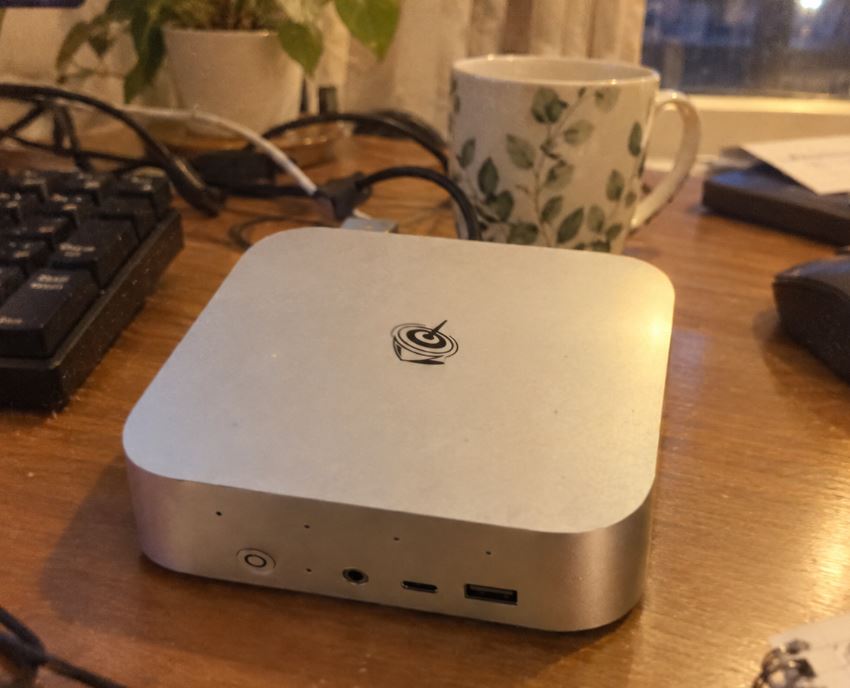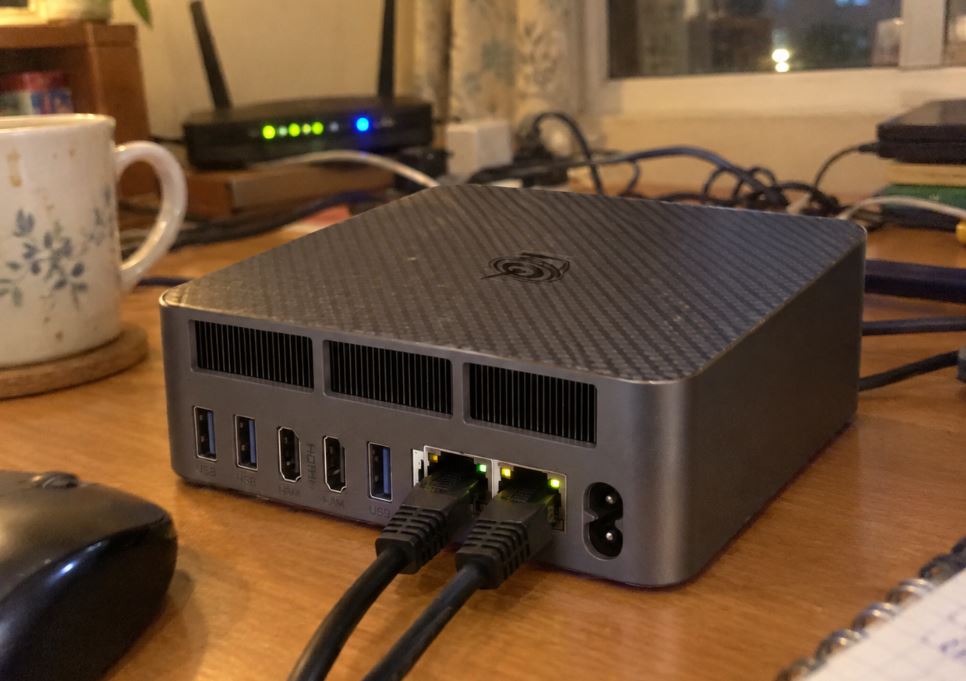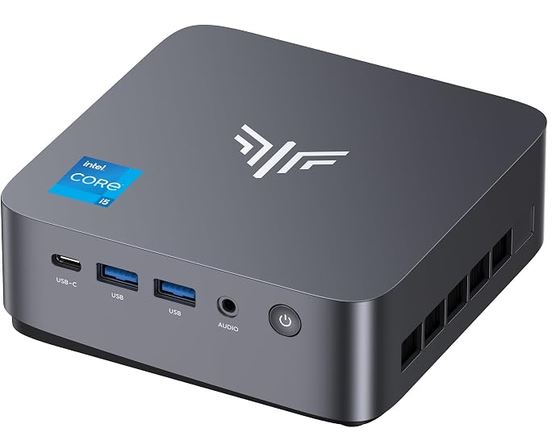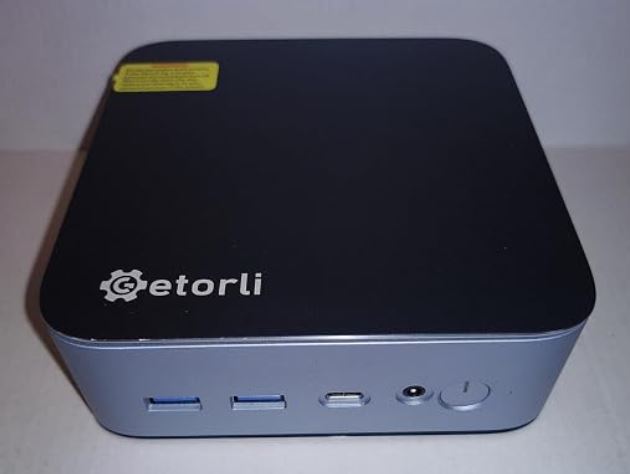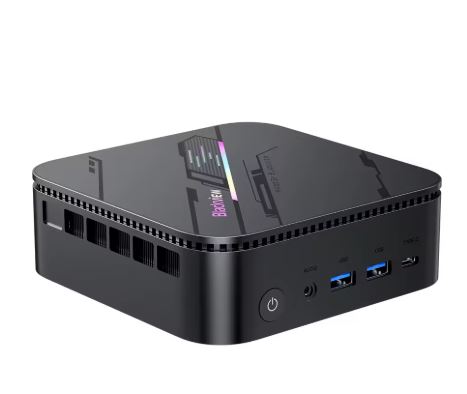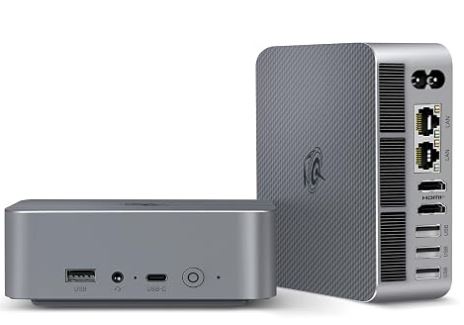
The Beelink EQi13 is a compact and elegant mini desktop PC that features 13th generation Intel Core H processors, LPDDR5 memory, and connectivity that is unusual for its price: dual HDMI, dual Gigabit Ethernet, and two NVMe slots.
It is available, among others, in a balanced variant with i5-13420H and 16 GB, and another much more recommended for multitasking with i5-13500H and 24 GB.
⚡ Quick verdict
The Beelink EQi13 i5-13500H with 24 GB is the version I would buy: it offers more cores, a clearly superior Intel Iris Xe graphics card, and more generous RAM for professional work, programming, occasional editing, and multitasking.
The i5-13420H with 16 GB remains a good alternative if it appears with a significant price difference, especially for office work, intensive browsing, multimedia playback and dual monitor setups.
✅ Highlights include its compact chassis, internal power supply, dual LAN and two M.2 PCIe 4.0 slots.
❌ The LPDDR5 RAM is soldered and the idle power consumption is not as low as that of Intel N100/N150 mini PCs.
📌 Recommended purchase: 🛒 View Beelink EQi13 | Search Beelink EQi13 on AliExpress
📦 Unboxing and box
The packaging includes the mini PC, HDMI cable, power cable, and basic documentation. A practical advantage of the EQi13 is its integrated 85W power supply, so there's no external transformer taking up a socket or hiding under your desk.
The device uses a single AC cable for power, a cleaner and more convenient solution than the usual external power supply found on many compact mini PCs.
⚙️ Technical specifications
| Feature | EQi13 i5-13420H | EQi13 i5-13500H |
|---|---|---|
| Processor | Intel Core i5-13420H | Intel Core i5-13500H |
| Cores / Threads | 8/12 | 12 / 16 |
| Maximum frequency | Up to 4.6 GHz | Up to 4.7 GHz |
| Integrated graphics | Intel UHD Graphics | Intel Iris Xe Graphics |
| RAM | 16 GB LPDDR5 5200 MT/s | 24 GB LPDDR5 5200 MT/s |
| expandable RAM | No; it's welded. | No; it's welded. |
| SSD included | 500 GB M.2 NVMe PCIe 4.0 | 500 GB M.2 NVMe PCIe 4.0 |
| Storage slots | 2 x M.2 2280 PCIe 4.0 x4 | 2 x M.2 2280 PCIe 4.0 x4 |
| Video | 2 x HDMI, up to 4K at 60 Hz | 2 x HDMI, up to 4K at 60 Hz |
| Ethernet | 2 x Gigabit LAN | 2 x Gigabit LAN |
| Wireless | Wi-Fi 6 and Bluetooth 5.2 | Wi-Fi 6 and Bluetooth 5.2 |
| USB ports | 1 x USB-C 10Gbps, 3 x USB-A 10Gbps, 1 x USB 2.0 | 1 x USB-C 10Gbps, 3 x USB-A 10Gbps, 1 x USB 2.0 |
| Dimensions | 126 x 126 x 44.2 mm | 126 x 126 x 44.2 mm |
| Power supply | Internal, 85 W | Internal, 85 W |
The i5-13420H configuration combines 16 GB of LPDDR5 RAM, a 500 GB PCIe 4.0 SSD, and Intel UHD Graphics, while the i5-13500H upgrades to 24 GB of LPDDR5 RAM and Intel Iris Xe Graphics.
Both models allow for the installation of two NVMe M.2 2280 SSDs, so storage is expandable up to 4 TB, even though the RAM is not.
🧱 Design and construction
The EQi13 uses a square form factor, approximately 12.6 cm on each side and 4.4 cm high, making it easy to place next to a monitor, behind a VESA-compatible display, or on a desk with limited space.
The aluminum design and integrated power supply give it a cleaner feel, more akin to a compact desktop than a simple "mini office PC" with an external adapter.
It's not a device designed to be carried in your pocket, but it is very easy to move between a work desk, a meeting room, or a television. Its design is geared towards productivity and home use, with active cooling to maintain the performance of the H processor.
🖥️ Screen and multimedia
The multimedia experience depends mainly on the connected screen, but the two HDMI ports allow you to connect two 4K monitors at 60 Hz simultaneously.
In an office setting, this allows for a primary monitor for web browsing, code editing, or documents, and a second monitor for email, analytics, Slack, videos, or admin panels. The USB-C port handles data transfer at 10 Gbps and should not be assumed to be a video output ; therefore, dual-monitor functionality is achieved using HDMI.
High-resolution video playback is smooth on the i5-13500H variant: in external tests, YouTube was played at 8K and 60 FPS, although that type of content increases the power consumption of the device.
🚀 Performance and software
The EQi13 with its i5-13420H processor offers ample power for Word, Excel, multi-tab browsing, video calls, invoicing, web development, WordPress, moderate Photoshop use, and 4K playback. Its 8 cores and 12 threads represent a significant leap forward compared to budget mini PCs with Intel N100 or N150 processors.
The i5-13500H is the most compelling option for extended professional use. Its 12 cores and 16 threads provide ample power for multitasking: compiling projects, using Docker, running a local database, editing content, working with multiple resource-intensive applications, or keeping dozens of tabs open without creating a system bottleneck.
The commercially available version usually includes Windows 11 Pro, although it's advisable to check each listing before purchasing. As a best practice, I would check for Windows, Intel, and Beelink updates during the first few days of use and remove any unnecessary promotional applications.
🔌 Power consumption and cables
The built-in 85W power supply greatly simplifies installation: you simply connect the AC cable directly to the mini PC. This is a small advantage over mini PCs that require a laptop-type adapter, especially if it's installed behind a monitor or on a minimalist desk.
In tests of the i5-13500H model, power consumption was approximately 10.9 to 12.3 W at idle, 32 to 34.3 W during 8K60 video playback, and 62.4 to 64.2 W in Cinebench R23 multi-core.
These are reasonable figures for a 12-core Intel H processor, but idle power consumption is high compared to an N100/N150; if you're looking for a server that runs 24/7 with minimal power consumption, there are more efficient alternatives.
🌡️ Temperature and noise
Beelink advertises an operating noise level close to 32 dB, although independent measurements of the EQi13 i5-13500H recorded approximately 39-40 dBA at idle or light load and 41-46 dBA under graphics load. The measurement distance, around 5 cm from the casing, is very close and makes the figures seem higher than they would be from a normal operating position.
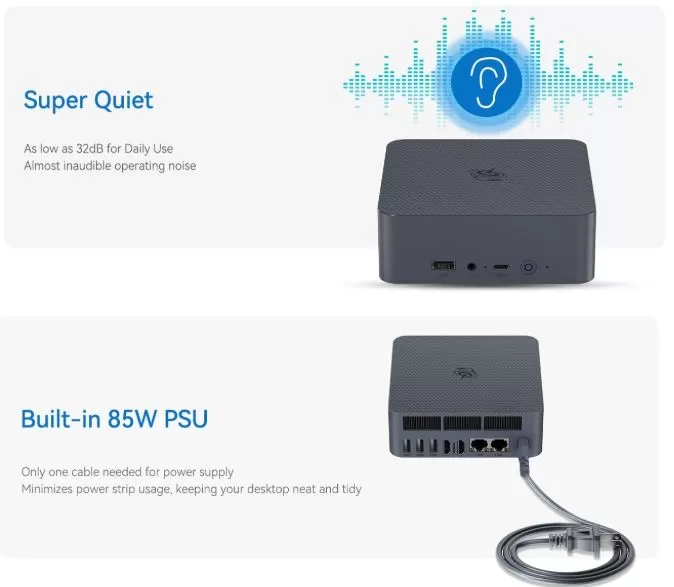
In practice, the fan is audible in a quiet room, but tests place it among the quietest mini PCs with active cooling. Under heavy rendering, prolonged compilation, or synthetic benchmarks, the noise increases, though it's not described as particularly bothersome.
The power configuration is conservative for the i5-13500H, with PL1 and PL2 limits of 35W and a PL4 peak of 65W. This decision prioritizes stable temperatures and noise over maximizing the processor's sustained performance.
🔗 Connectivity and extras
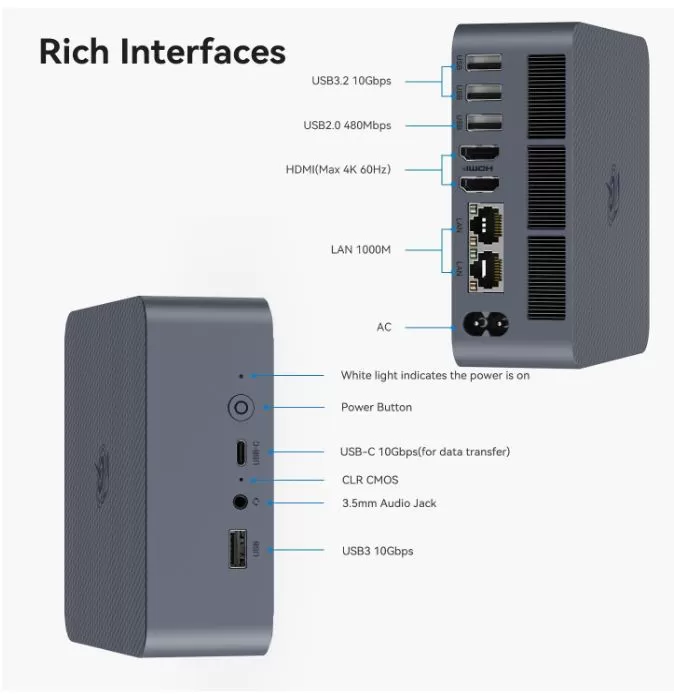
| Connection | Detail | Actual utility |
|---|---|---|
| HDMI | 2 x HDMI 4K at 60 Hz | Two monitors or monitor + TV |
| USB-C | 1 x 10 Gbps, data only | External SSD, data dock, peripherals |
| Fast USB-A | 3 x USB 3.2 at 10 Gbps | External hard drives, capture cards and accessories |
| USB 2.0 | 1 port | Wireless keyboard, mouse, or receiver |
| Ethernet | 2 x Gigabit | Separate network, NAS, router or home server |
| Wi-Fi | Wi-Fi 6 | Modern wireless connection |
| Bluetooth | Bluetooth 5.2 | Headphones, controllers and peripherals |
| Audio | 3.5 mm jack | Headphones, speakers, or microphone |
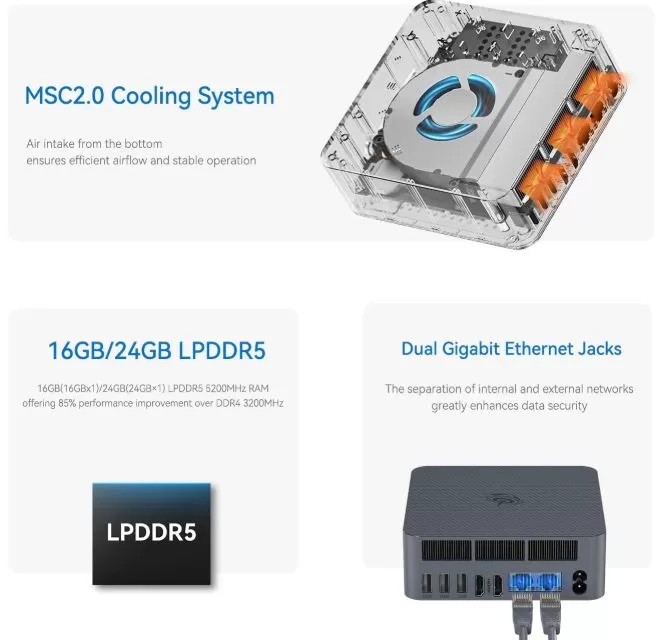
Dual Gigabit Ethernet is one of the EQi13's most attractive features. For a home user, it can be used to connect a NAS and a local network; for developers or advanced users, it allows for separate networks, server testing, or using the device as a small home lab.
It does not include 5G, NFC, a fingerprint reader, an SD card reader, or IP certification for water or dust resistance. It is a conventional desktop mini PC, not a ruggedized or portable device.
🔧 Expansion and upgrades
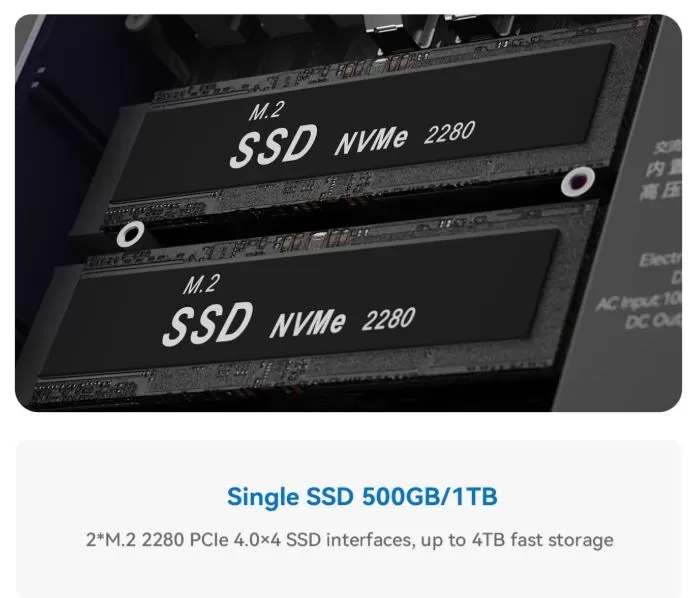
The RAM is not expandable: the 16 GB in the i5-13420H and the 24 GB in the i5-13500H are LPDDR5 at 5200 MT/s soldered to the motherboard. Before purchasing, you must choose the correct capacity, as there is no SO-DIMM slot available for adding memory later.
Storage is definitely one of its strong points. It has two M.2 2280 PCIe 4.0 x4 slots, allowing you to replace the included SSD, install a second NVMe drive, or use two drives to separate the system, projects, games, backups, or virtual machines.
There's no 2.5-inch bay for a SATA SSD or mechanical hard drive. If you need high capacity at a low price, you can opt for a 2TB or 4TB NVMe SSD, a USB external SSD enclosure, or a network-attached storage (NAS) device.
🛒 Useful options
🆚 Direct competitors
| Model | Processor / Graphics | RAM | Storage | Differentiating factor | Best for |
|---|---|---|---|---|---|
| Beelink EQi13 i5-13420H | 8C/12T, Intel UHD | 16 GB soldered | 2 x M.2 PCIe 4.0 | Dual LAN and internal power supply | Advanced office and dual monitor |
| Beelink EQi13 i5-13500H | 12C/16T, Iris Xe | 24 GB soldered | 2 x M.2 PCIe 4.0 | More powerful CPU, better iGPU and 24GB | Development, multitasking, and professional use |
| Beelink SER8 Ryzen 7 8845HS | 8C/16T, Radeon 780M | DDR5 expandable | NVMe PCIe 4.0 | Integrated graphics far superior | Editing and light gaming |
| Minisforum UM773 Lite | Ryzen 7 7735HS, Radeon 680M | DDR5 expandable | 2 x M.2 | Good balance of graphics power | Productivity and emulation |
| Intel N100/N150 Mini PC | 4 cores, basic iGPU | Variable | Normally 1-2 M.2 | Lower price and consumption | Office suite, TV and lightweight server |
The EQi13 i5-13500H performs particularly well if you prioritize CPU performance, dual networking, and a clean desktop without an external power supply. If your priority is gaming, emulating demanding systems, or using GPU-intensive programs, a Ryzen 7 with a Radeon 680M/780M typically offers a more powerful graphics experience.
⭐ Reviews and user experience
Technical reviewers agree on several points: the EQi13 Pro with i5-13500H offers good office performance, an attractive build, expandable storage, and a quieter fan than many active-cooled mini PCs.
The most frequent drawback is the 10-12W standby power consumption, which is higher than expected for compact, low-power devices. For a work computer that shuts down at the end of the day, this isn't a major issue; however, for a 24/7 server or a fleet of devices, it's something to consider.
It's also important to differentiate between the EQi13 and the EQi13 Pro: they share the same name and 13th-generation Intel platform, but RAM and component configurations can vary by retailer. Always double-check the processor, memory, and storage type before finalizing your purchase.
🧪 Technical tests
📊 1. Synthetic Performance (Benchmarks)
The technical tests focus primarily on the Pro variants with 45W Intel Core i5-13500H and i7-13620H processors:
- Cinebench R23 (Pure CPU Performance):
- Single-core: Scores 1,692 points, demonstrating optimal agility for opening complex applications and loading heavy scripts.
- Multicore: It achieves 10,594 points. This score confirms its great capacity for demanding multitasking and code development environments.
- Geekbench 6: It scores 2,594 points in single-core and 9,871 points in multi-core. It performs almost on par with i9 processors in high-end laptops.
- Graphics (Unigine Heaven 1080p): It achieves an average of 45.2 FPS with a score of 1,140 points. It can handle 4K multimedia and light 1080p video editing without problems. However, it lacks USB4 or Thunderbolt ports, limiting the use of external graphics cards (eGPUs).
🌡️ 2. Thermal Stress Tests and MSC 2.0 System
Beelink employs its new MSC 2.0 cooling system (a low-speed fan, dust-sealed chamber, and dedicated copper heatsinks).
- Under sustained load (Cinebench loop): With the processor consuming 75W in initial bursts and stabilizing at around 35W-45W of sustained power, the processor remains within a safe range of 78°C to 83°C.
- Frequency retention: Unlike other compact mini PCs, lab tests indicate that the EQi13 does not suffer from aggressive thermal throttling . It can maintain high frequencies for hours of continuous mathematical computing.
🔇 3. Noise and Acoustic Tests
This is the area where the EQi13 breaks records against its direct competitors:
- At rest (Idle): The noise is practically undetectable by commercial sound level meters (below 20 dBA).
- Maximum sustained load: Technical tests in silent chambers recorded a peak noise level of just 32 to 34 dBA. Analysts concluded that it is one of the quietest actively cooled mini PCs ever tested, emitting a faint hum of air barely perceptible in office environments.
⚡ 4. Power Consumption of the Integrated Power Supply
Despite having the internal 85W power supply inside the chassis, heat is not transferred to critical components thanks to a thermal shield:
- Basic use / Office automation: The device consumes only between 8W and 15W at the wall socket.
- Light gaming or GPU load (3DMark): Power consumption stabilizes at an average of 56W, with brief peaks of up to 60W.
- Maximum CPU Load: When pushed to 100%, it registers an initial peak of 75W, gradually decreasing to a stable 45W to protect the internal power supply temperatures.
🗄️ 5. Storage Performance (SSD)
The device features two internal M.2 NVMe PCIe Gen4 x4 storage slots. By installing high-end drives in the second available slot (such as the WD Black SN850X), the EQi13's integrated circuitry fully utilizes the interface's theoretical capacity.
- Sequential read: 6,930 MB/s.
- Sequential write speed: 6,684 MB/s.
The chassis includes a dedicated metal heatsink for the SSD drives, preventing the drives from slowing down their transfer speed due to overheating ( storage thermal throttling ).
🎮 Gaming and emulation
The Beelink EQi13 isn't a mini gaming PC, but the i5-13500H model with Iris Xe can run competitive games and lightweight titles at low settings, preferably at 720p or reduced 1080p. Games like League of Legends, Valorant, Rocket League, Minecraft, 2D indie games, and older titles are the most reasonable scenarios.
For emulation, the i5-13500H has enough power for classic systems like the NES, SNES, Mega Drive, Dreamcast, PSP, GameCube, and a good portion of the PS2 library, adjusting the resolution according to the emulator and the game. The i5-13420H can also handle retro emulation without problems, but the Intel UHD graphics card is more limiting for demanding 3D systems.
🎮 If your main goal is to play current AAA titles or emulate PS3, Switch and other very demanding systems, it's more worthwhile to look for a Ryzen mini PC with Radeon 780M or a computer with a dedicated graphics card.
❓ Frequently Asked Questions
Which version of the Beelink EQi13 is better?
The i5-13500H with 24 GB is the most complete option: it has 12 cores, 16 threads and Iris Xe, so it better maintains long-term performance for work, programming and multitasking.
Can the RAM be upgraded?
No. The LPDDR5 memory is soldered to the motherboard. Choose 16 GB for general use only and 24 GB if you work with advanced multitasking, development, editing, or virtual machines.
Can a second SSD be added?
Yes. It includes two M.2 2280 PCIe 4.0 x4 slots, so you can install a second NVMe SSD without necessarily removing the main 500GB drive.
Does it have USB-C video output?
The specified USB-C port is for data transfer at 10 Gbps. For connecting displays, use the two HDMI ports, which support up to 4K at 60 Hz.
Is it suitable for remote work and programming?
Yes. The i5-13420H is sufficient for office applications, browsing, meetings, and normal web development; the i5-13500H with 24 GB is preferable for Docker, heavy IDEs, local databases, and multiple projects open simultaneously.
Is it a good option as a home server?
It can function well as a file server, Home Assistant, Docker, basic Plex, or network lab thanks to its two Gigabit LAN ports and two M.2 slots. However, its standby power consumption of around 11-12W in the i5-13500H model isn't ideal if you're looking for minimal energy consumption year-round.
🏁 Final conclusion
The Beelink EQi13 is a well-designed mini PC for those who want more power than an Intel N100/N150 without upgrading to a full-size desktop. Its combination of dual HDMI ports, dual LAN, Wi-Fi 6, integrated power supply, and two NVMe SSDs makes it a particularly convenient machine for advanced office tasks, programming, remote work, light content creation, and demanding home use.
My recommendation is clear: choose the EQi13 i5-13500H with 24 GB of LPDDR5 RAM if the price difference is reasonable. The RAM isn't expandable, and its 24 GB, combined with the processor's 12 cores, provides significantly better battery life than the 16 GB and i5-13420H for true multitasking.
The i5-13420H makes sense as a price alternative, but not as a long-term choice if you work with development software, editing, automation, or have many tabs and applications open. For serious gaming, a Ryzen alternative with a Radeon 680M or 780M would be a better fit.
🛒 Where to buy
Prices, configurations, and availability may vary by seller. Always verify that the listing corresponds to the exact variant—i5-13420H/16 GB or i5-13500H/24 GB—before ordering.