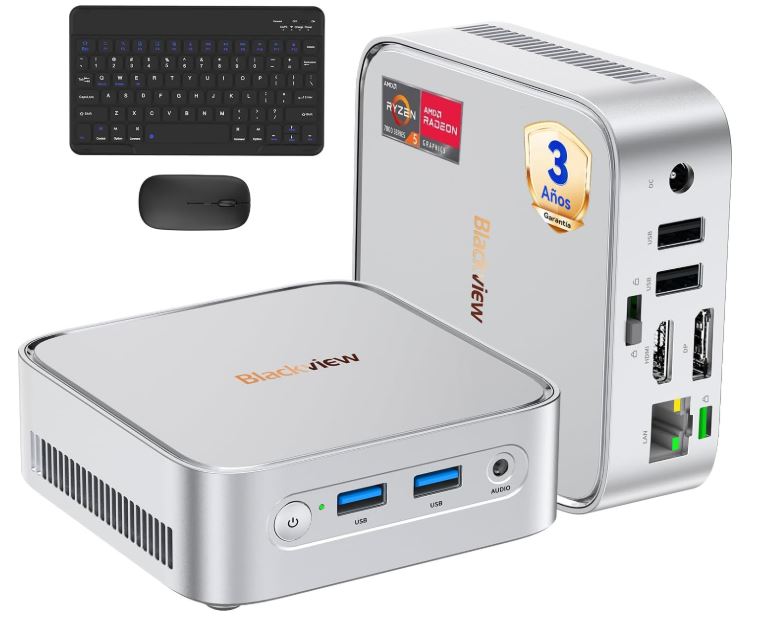
The Blackview MP50 is one of the most well-rounded options on the market for mini PCs under €350. It offers an AMD Ryzen 5 processor with Vega 8 graphics, 16 GB of RAM, Windows 11 Pro, and dual 4K output in a chassis of just 0.3 liters.
✅ Pros:
-
Windows 11 Pro with lifetime OEM license included
-
Radeon Vega 8 Graphics: The highest step among integrated Vega graphics
-
Dual 4K output (HDMI 2.0 + DisplayPort 1.4)
-
Complete pack with Bluetooth keyboard and mouse
-
3-year official warranty
-
Consumption of only 15 W
❌ Cons:
-
The Ryzen 5 3500U is a 2019 architecture (12 nm Zen+)
-
Wi-Fi 5, when many competitors already offer Wi-Fi 6
-
RAM not expandable beyond 16 GB (single slot)
-
Not suitable for demanding gaming
Quick conclusion: If you're looking for a quiet, compact, and productivity- or multimedia-ready device for under €350, the MP50 is a very sensible purchase. It's not for AAA games, but it performs more than adequately for everything else.
🛒 Where to buy it?
💡 Tip: The price with the keyboard+mouse+VESA pack makes the offer more complete than it seems at first glance.
-
🛍️ Amazon (complete pack with Bluetooth keyboard and mouse) 🛒 View Prices
-
🌍 AliExpress (best price) 👉 Search Blackview MP50
📦 Unboxing and Box Contents
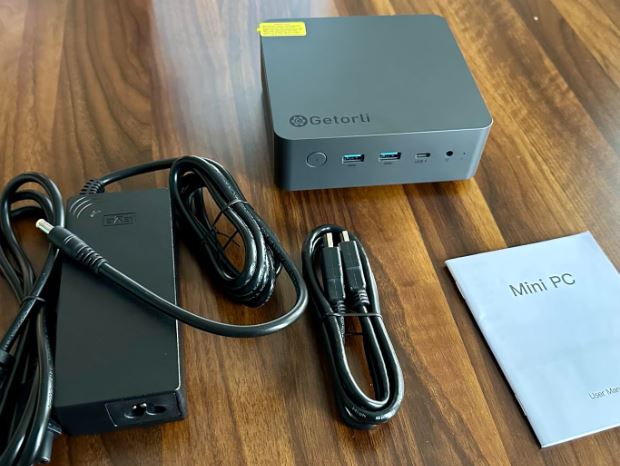
Upon opening the box, the first surprise is the size. We're talking about a device that literally fits in the palm of your hand. The packaging is clean and organized, with each component perfectly protected.
Full content:
-
🖥️ Blackview MP50 Mini PC (Silver or Black)
-
⌨️ Exclusive Bluetooth keyboard from the brand
-
🖱️ Exclusive Bluetooth Mouse
-
🔌 Power adapter
-
📺 Cable HDMI
-
🔩 VESA mount with screws
-
📄 Multilingual User Manual
The fact that it includes a keyboard, mouse, and VESA mount makes it particularly interesting for those building their computer from scratch.
📊 Technical Specifications
| Feature | Detail |
|---|---|
| Processor | AMD Ryzen 5 3500U, 4C/8T, hasta 3,7 GHz, 12 nm |
| GPU | Integrated Radeon Vega 8 |
| RAM | 16 GB DDR4 SO-DIMM, 2666 MHz |
| Storage | 512GB M.2 2280 SATA SSD |
| Operating System | Windows 11 Pro (OEM license) |
| Video outputs | HDMI 2.0 (4K@60Hz) + DisplayPort 1.4 |
| Wi-Fi | 802.11 a/b/g/n/ac (Wi-Fi 5) |
| Bluetooth | 4.2 |
| Ethernet | Gigabit RJ45 (10/100/1000 Mbps) |
| USB ports | 2x USB 3.2 + 2x USB 2.0 |
| Audio | Jack 3,5 mm |
| Dimensions | 100 × 100 × 33 mm |
| Weight | 282 g |
| Consumption | 15 W |
| Warranty | 3 years |
🎨 Design and Construction Quality
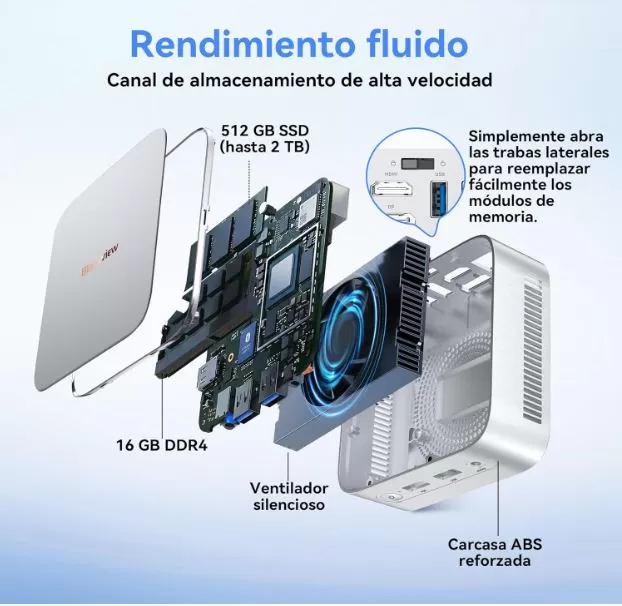
The MP50's chassis is made of reinforced ABS with a metallic finish, giving it a more premium look than its price suggests. Ventilation grilles are strategically placed on the sides and top to facilitate heat dissipation through the internal copper heat pipe system.
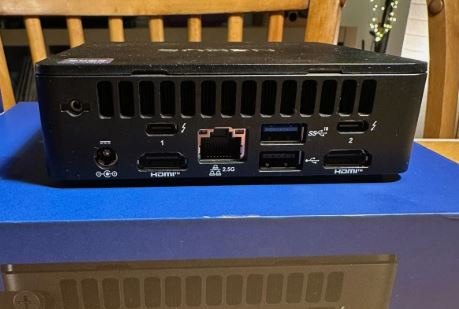
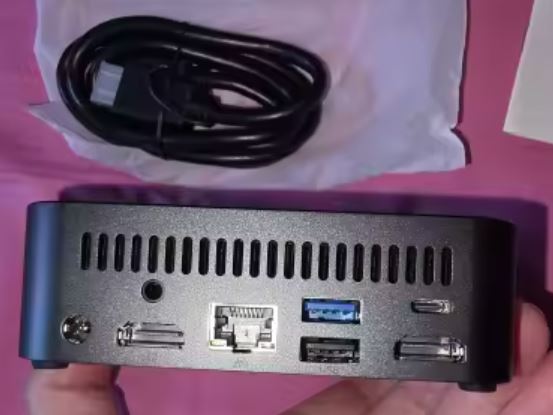
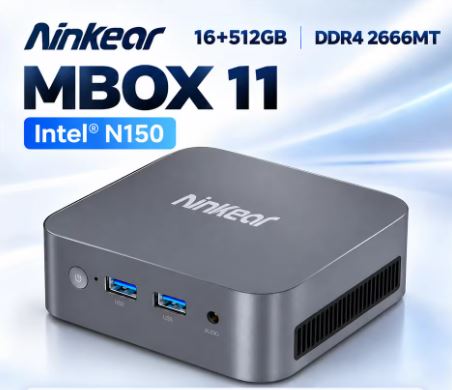
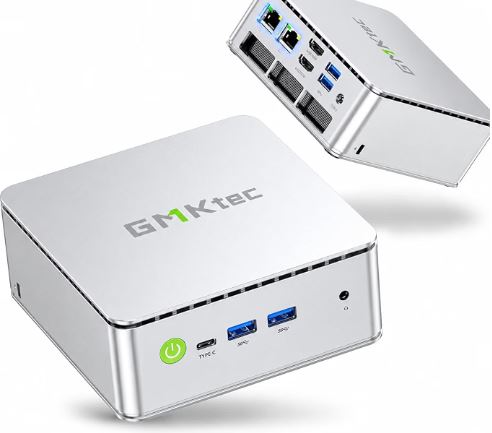
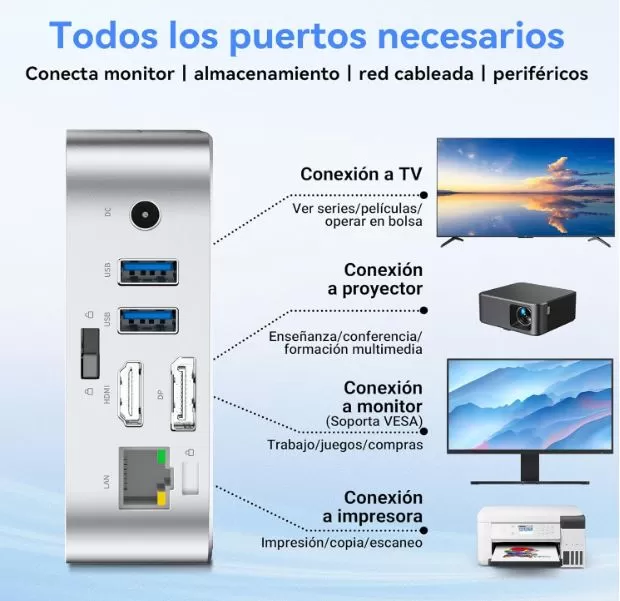
The power button is on the front, and the ports are logically arranged: the fast USB ports are at the back next to the video and Ethernet ports, and the audio jack is at the front. The latching mechanism allows tool-less access to the interior for swapping the SSD.
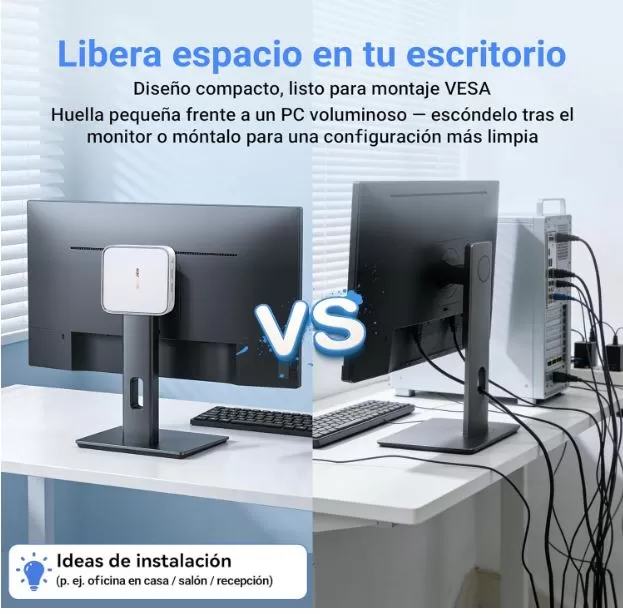
Weighing 282 grams and with a volume of 0.3 liters, it's 1/99th the size of a standard tower case, according to the manufacturer. It can easily be carried in a jacket pocket or any backpack.
🖥️ Screen and Multimedia
The MP50 does not include a screen, but it supports dual 4K UHD monitors at 60Hz simultaneously via HDMI 2.0 and DisplayPort 1.4. This makes it ideal for dual-monitor work setups, financial trading, or visual design.
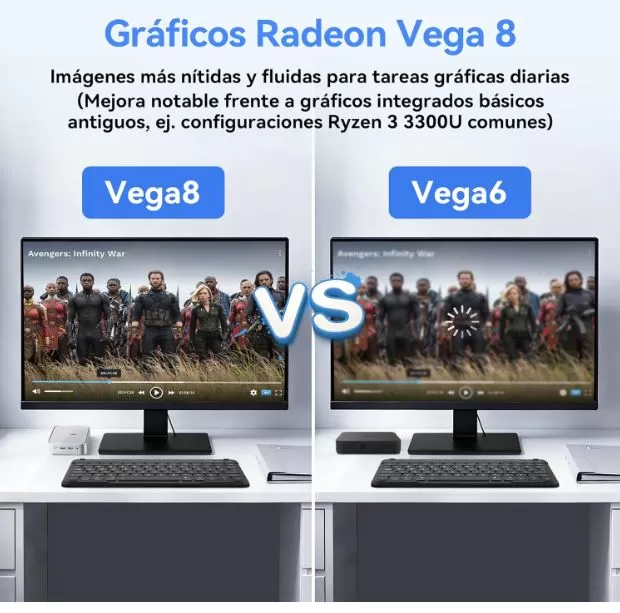
For multimedia playback, the Vega 8 graphics effortlessly handle 4K video, both locally and via streaming. Audio is output via a 3.5 mm jack or through connected monitors via HDMI/DP. It does not include internal speakers.
🚀 Performance and Software
The AMD Ryzen 5 3500U is a Zen+ architecture (2019) processor with 4 cores and 8 threads. While not the latest, it offers more than enough performance for everyday tasks.
What does it handle without problems?
-
Browsing with 30+ tabs open simultaneously
-
Advanced office skills (Excel, Word, presentations)
-
HD Video Calls (Zoom, Teams, Meet)
-
Image editing in Photoshop (simple layers)
-
Streaming and 4K video
-
Light video editing (CapCut, DaVinci Resolve in simple projects)
What does it cost you?
-
4K video editing with complex effects
-
Rendering 3D intensivo
-
Modern AAA gaming
As for software, Windows 11 Pro comes pre-installed and activated, with virtually no noticeable bloatware. The system boots in just a few seconds thanks to the SSD, and the experience is smooth from the first use.
🔋 Energy Consumption and Cables
With a TDP of only 15W, the Blackview MP50 is remarkably efficient. To put this in context: a typical mid-range tower PC consumes between 200 and 400W. This translates into significant savings on your electricity bill if used for several hours a day.
The included power adapter is compact and efficient. The power cord uses a 2-pin Type E/F plug, standard throughout Europe.
🌡️ Temperature and Noise (Actual Thermal)
One of the MP50's strengths is its cooling system. It incorporates copper heat pipes to conduct heat to a low-profile fan, ensuring controlled temperatures even under sustained load.
Under normal use (office applications, browsing), the fan is virtually inaudible. Under heavy load, the sound increases slightly, but it's never bothersome. PCComponentes users specifically highlight its very quiet operation as one of its most valued features.
Multiple ventilation grilles distribute heat efficiently, and the chassis rarely exceeds temperatures that are uncomfortable to the touch.
🔌 Connectivity and Extras
| Port / Function | Availability |
|---|---|
| USB 3.2 (5 Gbps) | ✅ × 2 |
| USB 2.0 | ✅ × 2 |
| HDMI 2.0 (4K@60Hz) | ✅ × 1 |
| DisplayPort 1.4 | ✅ × 1 |
| Ethernet Gigabit | ✅ × 1 |
| Wi-Fi 5 (802.11ac) | ✅ dual band |
| Bluetooth | ✅ 4.2 |
| Jack audio 3,5 mm | ✅ |
| SD card reader | ❌ |
| USB-C / Thunderbolt | ❌ |
| IP Rating | ❌ |
| Fingerprint reader | ❌ |
| VESA mount | ✅ (included) |
The connectivity options are functional but lack premium features. The absence of USB-C or Wi-Fi 6 may be a drawback for some more demanding users.
🔧 Expansion and Upgrades
One of the most frequently asked questions about mini PCs is whether they can be upgraded. In the case of the MP50:
-
RAM: It has 1 SO-DIMM DDR4 slot. The maximum supported according to the manufacturer is 16 GB, so if it already comes with 16 GB, there is no room for memory expansion.
-
Primary SSD: M.2 2280 SATA slot accessible via a latch opening mechanism. It can be replaced with drives up to 2 TB.
-
Second drive: Does not include a slot for a second M.2 or a 2.5" bay. There is only one storage slot.
-
Opening: No tools required, the chassis opens via a side latch.
🆚 Comparison with Direct Competitors
| Model | CPU | GPU | RAM | SSD | Wi-Fi | Approximate price |
|---|---|---|---|---|---|---|
| Blackview MP50 | Ryzen 5 3500U (4C/8T) | Vega 8 | 16 GB DDR4 | 512GB SATA | Wi-Fi 5 | ~349 € |
| Beelink SER5 | Ryzen 5 5560U (6C/12T) | Radeon 680M | 16 GB DDR4 | 500GB NVMe | Wi-Fi 6 | ~280-320 € |
| Minisforum UM560 | Ryzen 5 5600H (6C/12T) | Vega 7 | 16 GB DDR4 | 512GB NVMe | Wi-Fi 6 | ~300-350 € |
| GMKtec NucBox G10 | Ryzen 5 3500U (4C/8T) | Vega 8 | 16 GB DDR4 | 512GB SATA | Wi-Fi 5 | ~200-250 € |
Quick analysis: The Beelink SER5 and the Minisforum UM560 offer more modern and efficient Ryzen 5000 series processors, with faster NVMe and Wi-Fi 6, usually at a similar or even lower price. The MP50's advantage lies in its complete package with keyboard, mouse, VESA mount, and 3-year warranty, making it attractive for those who want to buy everything at once.
💬 Reviews on Well-Known Pages
The reviews on specialized platforms are very positive:
-
Amazon.es: ⭐ 4.8/5 based on 9 reviews. Buyers highlight the ease of installation, quiet operation, and productivity performance. Some of these reviews include:
-
I've been using the Blackview MP50, and it's truly impressive for such a compact machine.
Setup was quick and easy: plug it in, connect the included keyboard and mouse, and you're good to go. Windows 11 Pro came pre-installed and activated, which saved a lot of time. The overall build feels solid despite its small size, and it fits perfectly on my desk without taking up much space.
As for performance, the Ryzen 5 with Radeon Vega 8 graphics handles everyday tasks effortlessly. I've been using it for web browsing, Office applications, streaming, and some light development work, and it remains smooth and responsive. Multitasking with 16GB of RAM is no problem at all. It's not a gaming powerhouse, but it can handle older or less demanding titles reasonably well. -
When I gave the device to a friend, he initially looked at me incredulously at its size. After the initial skepticism and a few days of testing, the feedback was overwhelmingly positive. The computer set up quickly. However, it's important to keep in mind that these devices typically come with a basic installation and don't yet have the latest updates available online. Therefore, it's not surprising that the computer might take between 4 and 5 hours to update. So, patience is required. The computer is very well-suited for certain games (for example, Diablo 4) and stays cool even after several hours of use :-)
-
I've finally replaced my old, bulky tower with the Blackview MP50 and I'm thrilled. It takes up hardly any space and is even faster than my old computer for my daily work. A huge bonus: the keyboard and mouse are included! You don't have to buy anything extra; just unpack and you're good to go. Thanks to the VESA mount, I was able to mount the PC directly behind the monitor. My desk has never been so tidy.
-
It does what it's supposed to do; good performance for its small size. However, it includes an "English" keyboard layout, which isn't exactly fun when typing in Germany.
-
-
PCComponentes: Users appreciate its ultra-compact size, speed for office applications and 4K streaming, quiet operation, and stability with multiple apps open. On the downside, they note that Wi-Fi performance could be better and that they miss having an extra USB port.
-
Chollistas.com: Describes it as a "technological slap in the face" given its size-performance ratio, especially highlighting the surprise of what it offers in just 0.3 liters.
-
Cholloblog.com: Highlights its 4K dual screen support as one of its biggest attractions for programmers and content creators.
💬 Real User Reviews
We collect verified user reviews on PCComponentes, Spain's largest hardware platform:
"Incredible power and speed in such a small device. I'm coming from an outdated megatower and the difference is remarkable; it's perfect for my needs."
— Willy9303, PCComponentes
"It boots up quickly, allows you to work with multiple apps and tabs, and runs very quietly. Its tiny size makes it easy to mount behind the monitor."
— Verified user, PCComponentes
"Excellent performance for work and productivity. 16GB of RAM included, fast 512GB SSD, very compact and quiet. Nothing negative to report so far."
— Verified user, PCComponentes
"Users agree that it performs very smoothly in office applications, browsing, streaming, and even as a media center. Windows 11 pre-installed speeds up setup."
— Editorial summary, PCComponentes
Most frequently mentioned points in negative reviews:
-
Wi-Fi could offer more speed (Wi-Fi 5 vs. competing Wi-Fi 6)
-
More USB ports are needed
-
Not suitable for demanding gaming (expectation of some buyers)
🧪 Technical Tests
⚙️ Processor Performance
The AMD Ryzen 5 3500U is a Zen+ architecture (12 nm) chip with 4 cores, 8 threads, and a turbo boost clock of up to 3.70 GHz. It's not the most cutting-edge on the market, but in terms of practical performance, it offers something that benchmarks don't always capture: consistently smooth performance without drops under everyday load.
Compared to Intel's N-series processors (N95, N100) common in cheap mini PCs, the Ryzen 5 3500U offers 35% more raw performance and a 20% improvement in multi-core tasks compared to the Ryzen 3, which is especially noticeable when you have many applications open simultaneously.
Estimated benchmarks for the Ryzen 5 3500U:
| Proof | Estimated result |
|---|---|
| Cinebench R23 Single | ~900–950 pts |
| Cinebench R23 Multi | ~4.000–4.500 pts |
| Geekbench 6 Single | ~1.100–1.200 pts |
| Geekbench 6 Multi | ~3.800–4.200 pts |
| PCMark 10 (productivity) | ~3.500–4.000 pts |
💾 Storage: 512 GB M.2 SATA SSD
The installed SSD is an M.2 2280 type with a SATA interface, not NVMe. This is important to understand: SATA has a lower speed ceiling than PCIe, but it's perfectly functional for everyday use.
| Metric | Estimated actual value |
|---|---|
| Sequential reading | ~500–550 MB/s |
| Sequential writing | ~450–500 MB/s |
| Start-up time | ~8–12 seconds from cold |
| Chrome Apertura (10 tabs) | Instant |
⚠️ If you prioritize NVMe speeds (3,000+ MB/s), this drive isn't for you. For productivity and general use, SATA performance is more than sufficient.
🎨 Graphics: Radeon Vega 8
The integrated Vega 8 GPU is the most capable in the Vega line of compact desktop APUs, surpassing the Vega 6 and Vega 7. In video and multimedia tests:
-
4K playback: Completely smooth, no stuttering
-
Dual 4K@60Hz display: Works correctly with HDMI 2.0 + DP 1.4
-
League of Legends: 80–90 FPS on medium quality
-
Photoshop (basic layers): Smooth without additional GPU acceleration
-
DaVinci Resolve (1080p simple): Functional, with long export times on complex projects
🌡️ Temperature and Efficiency
With its 15W TDP and copper-tube cooling system, the device maintains controlled temperatures even under sustained load. At idle, it rarely exceeds 35–40°C; under full load, it can reach 70–75°C, within the normal range for this type of hardware.
🏅 Overall Rating by Category
| Category | Use |
|---|---|
| 🚀 Performance for productivity | ⭐⭐⭐⭐½ |
| 🎨 Graphics and images | ⭐⭐⭐⭐ |
| 💾 Storage | ⭐⭐⭐½ |
| 🌡️ Temperature and noise | ⭐⭐⭐⭐⭐ |
| 🔌 Connectivity | ⭐⭐⭐½ |
| 💰 Value for money | ⭐⭐⭐⭐ |
| ⭐ Media global | 4,2 / 5 |
🎮 Gaming and Emulation
The Ryzen 5 3500U with Vega 8 isn't a gaming powerhouse, but it offers much more (literally) than it seems for retro gaming and emulation.
What runs well:
-
🕹️ PS1 and PS2: Perfect, 1080p with upscaling
-
🎮 GameCube and Wii (Dolphin): Smooth gameplay in most titles
-
🟡 Nintendo 3DS (Citra): Works well
-
🔵 PS3 (RPCS3): Some titles at native resolution with variable framerate
-
⚠️ Nintendo Switch (Yuzu/Ryujinx): Limited, only undemanding titles
-
🎯 Indie and retro games on Steam: No problem (Stardew Valley, Hollow Knight, etc.)
What doesn't work well:
-
❌ PS4/Xbox One equivalent and higher
-
❌ AAA modernos a 1080p (GTA VI, Cyberpunk, etc.)
For retro gaming and emulation up to PS3/Wii, the MP50 is a competent and quiet option.
❓ Frequently Asked Questions (FAQ)
Can I add more RAM?
No. The SO-DIMM slot is fully occupied (16 GB) and the processor does not support more. There are no RAM upgrade options.
Can the SSD be replaced?
Yes. The M.2 2280 SATA slot allows for the installation of drives up to 2 TB. It can be opened without tools.
Do you have a legally licensed Windows 11?
Yes. OEM license tied to the hardware for life, no additional subscription required.
Does it work with two monitors?
Yes, perfectly. HDMI 2.0 and DisplayPort 1.4 allow for simultaneous dual 4K displays at 60Hz.
Can I use Linux?
Yes, the hardware is compatible with the main Linux distributions, although it comes with Windows pre-installed.
Is it suitable for remote work?
Absolutely. It handles Teams, Zoom, Slack, Office 365, and dozens of other tabs seamlessly.
What is it NOT suitable for?
Modern AAA gaming, professional 4K video editing with effects, or intensive 3D rendering.
🏁 Final Conclusion
The Blackview MP50 is a solid purchase for a very specific profile: someone who needs a compact, quiet, and ready-to-use computer, without complications or extra investment in peripherals.
✅ Ideal for:
-
Teleworking and office productivity
-
Home Office with dual screen
-
Multimedia y streaming 4K
-
Retro emulation up to PS3/Wii
-
Users migrating from an old tower who want simplicity
-
Monitor mount via VESA
⚠️ Consider another option if:
-
You want to play challenging modern games
-
You need more than 16 GB of RAM
-
Priorizas Wi-Fi 6 o USB-C
-
Looking for maximum performance per euro? (The Beelink SER5 with Ryzen 5000 might be more efficient at a similar price)
Alternatives to consider:
-
🔵 Beelink SER5 (Ryzen 5 5560U) — Better CPU and Wi-Fi 6, similar price
-
🟠 Minisforum UM560 (Ryzen 5 5600H) — More power, slightly higher price
-
🟢 GMKtec NucBox G10 (Ryzen 5 3500U) — Same CPU, lower price without peripheral pack
🛒 Where to buy it?
💡 Tip: The price with the keyboard+mouse+VESA pack makes the offer more complete than it seems at first glance.
-
🛍️ Amazon (complete pack with Bluetooth keyboard and mouse) 🛒 View Prices
-
🌍 AliExpress (best price) 👉 Search Blackview MP50