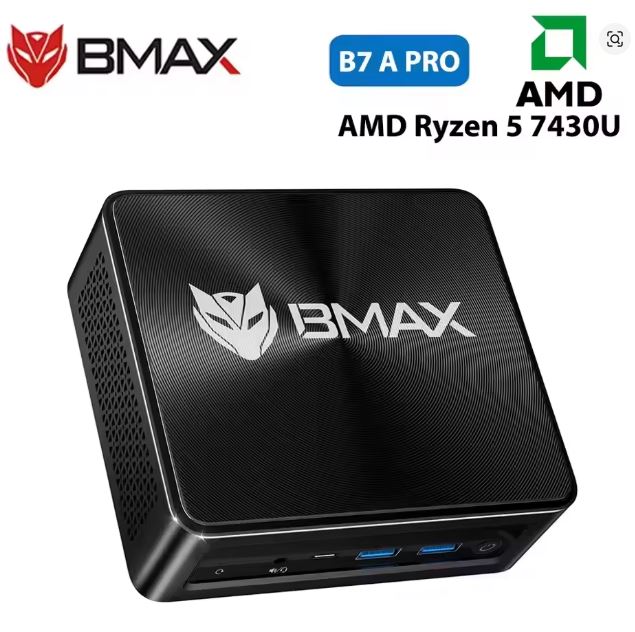
The BMAX B7A Pro is one of the most complete options on the market for under €350. It combines the AMD Ryzen 5 7430U processor (Zen 3, 7nm, 6 cores) with 16GB of dual-channel DDR4 RAM, a 512GB NVMe SSD, an additional 2.5" SATA drive bay, triple 4K@60Hz displays, and Wi-Fi 6—all in a chassis that fits in the palm of your hand. A quiet, efficient machine ready for years of productive use.
| ✅ Pros | ❌ Cons |
|---|---|
| Dual -channel RAM as standard — Optimized GPU | Integrated GPU — no demanding AAA games |
| Extra 2.5" SATA bay for mass storage | Gigabit LAN only (not 2.5G) |
| Simultaneous triple 4K@60Hz display + HDR | No second M.2 NVMe slot |
| Front Clear CMOS button — very practical | |
| Wi-Fi 6 + BT 5.2 + Windows 11 Pro included | |
| Compatible with Linux without additional drivers | |
| Expandable up to 64GB DDR4 |
Overall rating: 8.5 / 10 ⭐⭐⭐⭐½ — Highly recommended for remote work, study and advanced productivity.
View prices and availability of the BMAX B7A Pro mini PC on AliExpress — starting from €340.37
📦 Unboxing and Box Contents
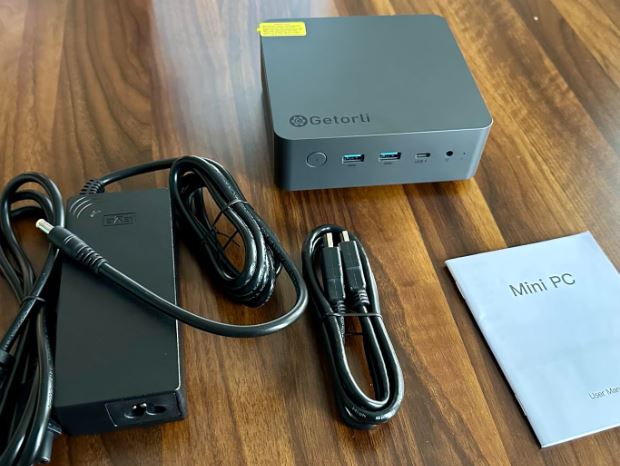
Upon opening the BMAX B7A Pro box, the packaging is understated, well-protected, and neatly organized. The contents include:
-
🖥️ Mini PC BMAX B7A Pro
-
🔌 Power adapter (12V/3A, EU plug included)
-
📺 HDMI cable
-
🔩 VESA mounting bracket with screws
-
📄 Multilingual Quick Start Guide
-
🛠️ Small screwdriver for opening the equipment
The included VESA mount lets you attach the device behind any compatible monitor and completely clear your desk—a feature many competitors in this price range don't include. The box doesn't include a DisplayPort cable or a 2.5" hard drive for the additional bay, which you'll need to purchase separately.
📋 Complete Technical Specifications
| Component | Specification |
|---|---|
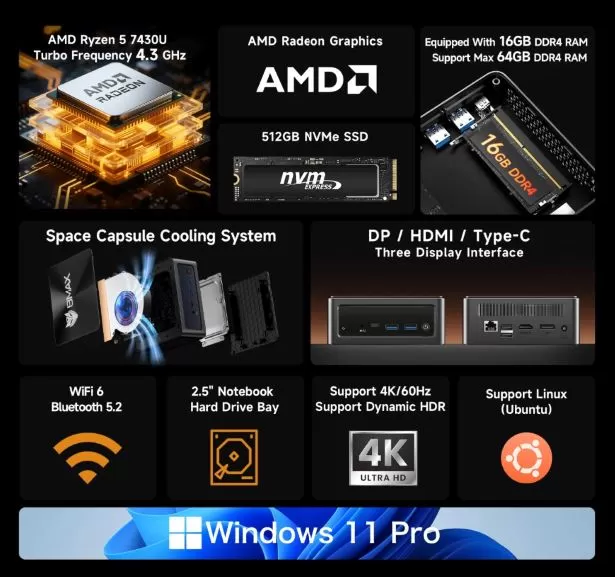
| Processor | AMD Ryzen 5 7430U — 6 cores / 12 threads, up to 4.3 GHz, Zen 3, 7nm, TDP 15W |
| Integrated GPU | AMD Radeon Vega 7 — up to 1,800 MHz, up to 2 GB shared VRAM |
| RAM | 16 GB DDR4-3200 MHz dual channel — 2× SO-DIMM slots, up to 64 GB |
| Main storage | 512 GB SSD NVMe M.2 PCIe 3.0 |
| Additional storage | ✅ 2.5" SATA bay (HDD or SSD, up to 4 TB) |
| Operating system | Windows 11 Pro preinstalled + Linux compatible |
| Video outputs | 1× HDMI + 1× DisplayPort + 1× USB-C — simultaneous triple 4K@60Hz display |
| HDR | ✅ Supported on all outputs |
| Wireless network | Wi-Fi 6 (802.11ax) + Bluetooth 5.2 |
| Wired network | 1× Gigabit Ethernet RJ45 |
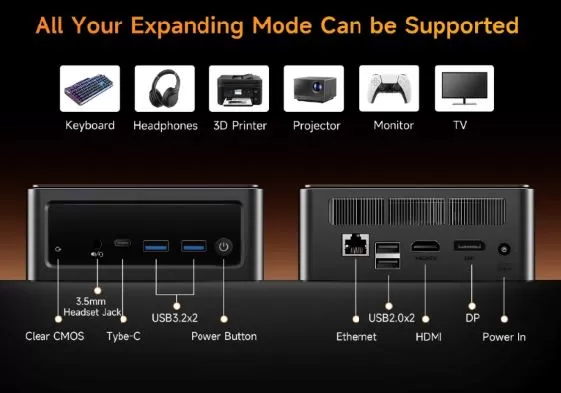
| Front ports | Power button, 🔧 Clear CMOS button, 🎧 3.5 mm jack, 2× USB 3.2, 1× USB-C |
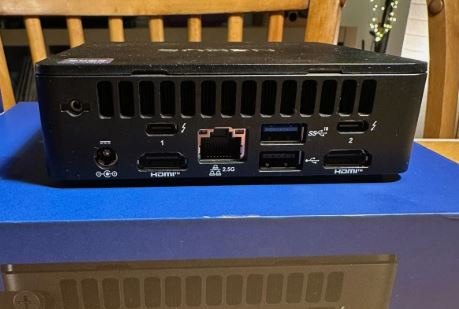
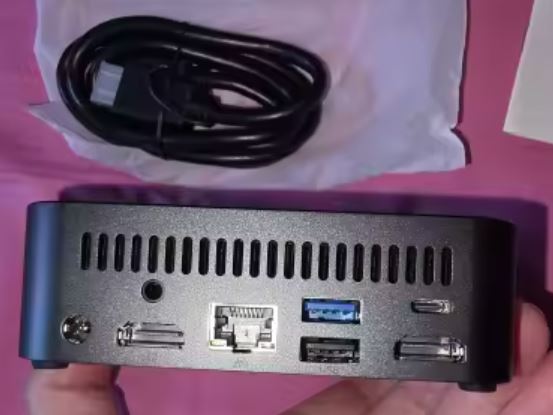
| Rear ports | 1× RJ45 Ethernet, 2× USB 2.0, 1× DisplayPort, 1× HDMI, DC power input |
| Consumption | ~6–8 W standby / ~15–20 W normal use / ~35 W maximum load |
| Dimensions | 126 × 112 × 52mm — ~410g |
| Refrigeration | Space Capsule system with copper tubing + turbine fan |
| VESA mount | ✅ Included in box |
🎨 Design and Construction Quality
The BMAX B7A Pro boasts a modern, compact, and discreet design that fits perfectly into any work or study environment. The casing is made of high-quality plastic with a matte black finish and features side and top ventilation grilles that ensure good airflow without compromising aesthetics.
Measuring just 126 × 112 × 52 mm, this device literally fits in the palm of your hand and weighs less than half a kilogram. The front panel is particularly well-designed: all frequently used ports—USB, audio, USB-C, and the handy Clear CMOS button —are within easy reach without having to turn the device over. The power button LED also acts as an activity indicator, a welcome feature in tidy desktop environments.
Opening the chassis to access the RAM and storage requires removing four screws at the base—a simple process that takes less than two minutes and requires no technical expertise. The interior is well-organized, with the two SO-DIMM slots clearly accessible and the 2.5" SATA bay ready to receive an additional drive.
🖥️ Screen and Multimedia
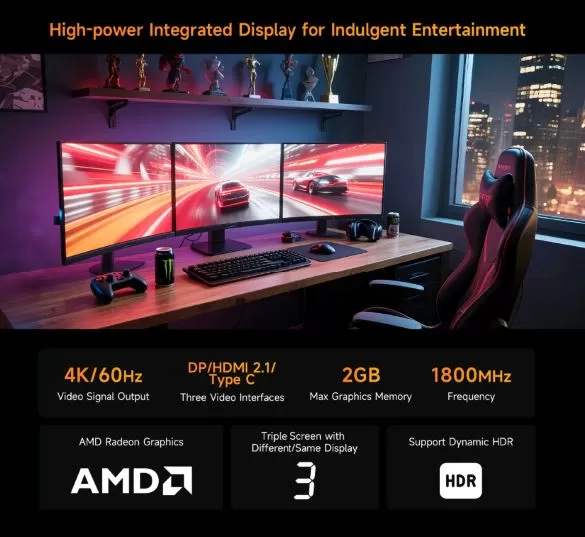
The BMAX B7A Pro truly shines with its support for simultaneous triple 4K@60Hz displays via three independent outputs — HDMI + DisplayPort + USB-C — all with HDR support . This capability is a real differentiator compared to most competitors in its price range, which are limited to two simultaneous active outputs.
-
Maximum resolution: 4K (3840×2160) at 60 Hz on each output
-
HDR: Supported on all three video outputs
-
Hardware decoding: H.265/HEVC, VP9 and AV1 — smooth 4K streaming without CPU load
-
Audio: Front 3.5 mm output (combined headphones + microphone); digital audio via HDMI and DisplayPort
For users who work with multi-monitor setups — designers, developers, traders, content managers — the ability to connect three 4K displays simultaneously without additional hardware is an advantage that alone justifies choosing this device.
⚙️ Performance and Software
AMD Ryzen 5 7430U Processor
The Ryzen 5 7430U is a 7nm Zen 3 architecture processor with 6 cores and 12 threads that reaches up to 4.3 GHz in turbo mode. Its 15W TDP makes it one of the most efficient CPUs in its class, offering premium laptop-level performance in a low-power mini PC form factor.
Reference benchmarks:
| Proof | Result | Interpretation |
|---|---|---|
| Cinebench R23 Single | ~1,421 pts | Excellent response in single-core apps |
| Cinebench R23 Multi | ~8,198 pts | Smooth multitasking with demanding apps |
| Geekbench 6 Single | ~1,865 pts | Very responsive app launch and UI |
| Geekbench 6 Multi | ~6,558 pts | Quick compilations and exports |
| PassMark CPU Mark | ~16,651 pts | It far surpasses the Intel N100 |
In real-world use: it seamlessly handles Chrome or Firefox with 25+ tabs, Teams or Zoom + simultaneous presentations, complex Excel spreadsheets, Photoshop in 1080p, and development environments like VS Code with multiple active extensions.
AMD Radeon Vega 7 GPU — with dual channel enabled
Coming with 16GB of dual-channel DDR4 RAM as standard, the Vega 7 GPU delivers peak performance right out of the box. Dynamic graphics memory allows up to 2GB of VRAM to be allocated from the BIOS, maximizing performance in graphics-intensive tasks. This is a key differentiator: many competitors come with single-channel memory and require an immediate RAM upgrade to achieve the same performance.
Software
Windows 11 Pro comes pre-installed and activated, virtually free of bloatware. The system boots in under 10 seconds. Compatible with major Linux distributions (Ubuntu 22.04/24.04, Debian 12, Linux Mint) without additional drivers—ideal for developers and technical users.
View Prices and Availability of the BMAX B7A Pro Mini PC
🔋 Energy Consumption
The Ryzen 5 7430U's 15W TDP makes the BMAX B7A Pro one of the most efficient devices in its category:
| State | Approximate consumption |
|---|---|
| ⏸️ Inactive / resting | 6–8 W |
| 📄 Office automation and navigation | 10–15 W |
| 🎬 4K Streaming Video | 15–18 W |
| 💻 Sustained medium load | 18–25 W |
| 🔥 Maximum load (benchmarks) | 30–35 W |
With 8 hours of daily use for office applications (~15W average), the estimated monthly consumption is only 3.6 kWh — less than €1 per month on the electricity bill. The included 12V/3A (36W) adapter easily covers the device's peak power consumption.
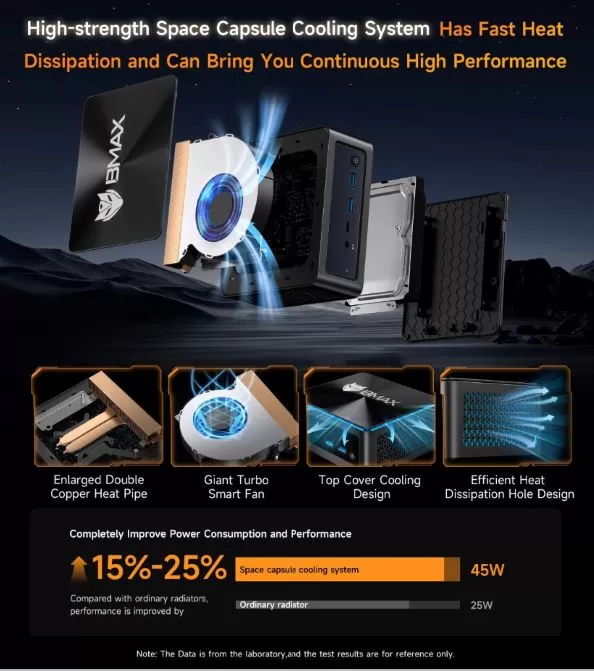
🌡️ Temperature and Noise (Actual Thermal)
BMAX's "Space Capsule" cooling system incorporates copper heat pipes and a turbine-type fan optimized to maintain controlled temperatures without sacrificing silence in everyday use.
| Scenery | CPU Temperature | Noise level |
|---|---|---|
| ⏸️ Rest | ~38–42 °C | 🔇 Silent (~22 dB) |
| 📄 Office automation / navigation | ~45–55 °C | 🔉 Very low (~28 dB) |
| 💻 Sustained medium load | ~60–70 °C | 🔊 Audible (~34 dB) |
| 🔥 Extended maximum charge | ~75–82 °C | 🔊 Perceptible (~40 dB) |
In everyday use—browsing, video calls, document editing—the device is virtually silent. Only during prolonged heavy use (rendering, long compilations) does the fan become noticeable, but it never reaches annoying levels. For a study or remote workspace, it's an excellent device in terms of noise.
🔌 Connectivity and Ports
Front panel
| Port | Description |
|---|---|
| 🔘 Power button | With LED status indicator |
| 🔧 Clear CMOS button | Tool-less BIOS reset — exclusive to this model |
| 🎧 3.5 mm audio jack | Headset + microphone combo |
| ⚡ 2× USB 3.2 Gen2 | Transfer speeds up to 10 Gbps |
| 🔌 1× USB-C | Full featured — data + 4K video |
Rear panel
| Port | Description |
|---|---|
| 🌐 1× RJ45 Ethernet | Gigabit (1G) |
| 📺 1× HDMI | 4K@60Hz, HDR |
| 📺 1× DisplayPort | 4K@60Hz, HDR |
| 🔌 2× USB 2.0 | For low-speed peripherals |
| ⚡ DC power input | 12V/3A |
Wireless
-
📶 Wi-Fi 6 (802.11ax — 2.4 GHz + 5 GHz, up to 2.4 Gbps theoretical)
-
📱 Bluetooth 5.2 (compatible with modern wireless headphones, keyboards and mice)
💡 Note: The Ethernet speed is 1 Gbps. This is sufficient for the vast majority of home and office connections. If you need to transfer large amounts of data to a NAS or 2.5G network, consider the GMKtec M6 Ultra as an alternative.
🔧 Expansion and Upgrades
One of the great strengths of the BMAX B7A Pro is its exceptional expandability for a device at this price:
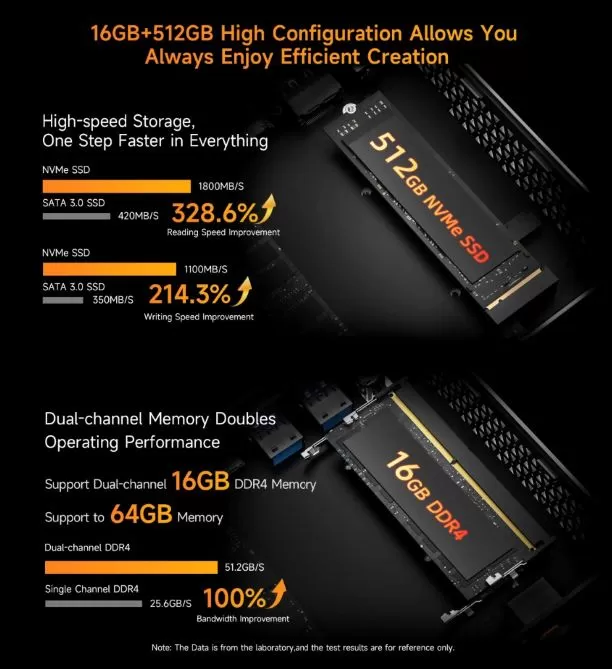
💾 RAM — Already in dual channel by default
-
Slots: 2× SO-DIMM DDR4-3200 MHz
-
Installed: 16 GB in dual channel (2× 8 GB) ✅
-
Maximum: 64 GB (2× 32 GB DDR4 SO-DIMM)
-
Benefit of dual channel: The Vega 7 GPU works at full performance from day one, without the need for immediate upgrades.
👉 See compatible DDR4 SO-DIMM RAM modules
💿 NVMe Storage
-
M.2 slot: 1× M.2 2280 PCIe 3.0 x4 (occupied with 512 GB as standard)
-
Easily replaceable with SSDs up to 4TB
🗄️ 2.5" SATA Bay — Exclusive in its price
-
✅ Additional bay for 2.5" HDD or SSD (up to 4 TB)
-
Perfect for storing projects, backups, media libraries, or virtual machines
-
This feature is unique in its price range — no direct competitor offers it
🖥️ GPU VRAM
Configurable in BIOS up to 2 GB of VRAM shared from system RAM — it is recommended to activate it at maximum for gaming and video editing.
🆚 Comparison with Direct Competitors
| Feature | BMAX B7A Pro | Beelink Mini S12 Pro | ACEMAGIC Kron K1 | GEEKOM A5 |
|---|---|---|---|---|
| Processor | Ryzen 5 7430U (Zen 3, 7nm) | Intel N100 (10nm) | Ryzen 7 7730U (Zen 3+) | Ryzen 5 7430U (Zen 3) |
| Cores/Threads | 6C/12T | 4C/4T | 8C/16T | 6C/12T |
| RAM | 16 GB DDR4 dual channel ✅ | 16 GB DDR5 dual channel | 32 GB DDR4 | 16 GB DDR4 |
| maximum RAM | 64 GB | 16 GB | 64 GB | 64 GB |
| SSD | 512 GB NVMe PCIe 3.0 | 500 GB NVMe | 512 GB NVMe | 512 GB NVMe |
| 2.5" SATA Bay | ✅ Yes | ❌ No | ❌ No | ❌ No |
| Triple 4K screen | ✅ | ✅ | ✅ | ✅ |
| HDR | ✅ | ✅ | ✅ | ✅ |
| Wi-Fi | Wi-Fi 6 | Wi-Fi 6 | Wi-Fi 6 | Wi-Fi 6E |
| LAN | 1G | 1G | 1G | 2.5G |
| Clear CMOS | ✅ Yes | ❌ | ❌ | ❌ |
| Linux | ✅ | ✅ | ✅ | ✅ |
| Windows 11 Pro | ✅ | ✅ | ✅ | ✅ |
| Approximate price | ~€340 | ~180–200 € | ~220–240 € | ~250–270 € |
| Punctuation | ⭐ 8.5/10 | ⭐ 7.6/10 | ⭐ 9.1/10 | ⭐ 8.9/10 |
| Availability | See BMAX B7A Pro | See Beelink Mini S12 Pro | See ACEMAGIC Kron K1 | See GEEKOM A5 |
💡 Comparison Conclusion: The BMAX B7A Pro is the only one in its category with an additional SATA bay and a Clear CMOS button. It's slightly more expensive, but if you need extra storage without external drives or hubs, this is the machine for you. If storage isn't a priority, the ACEMAGIC Kron K1 offers more CPU cores for less money.
💬 Reviews on Well-Known Pages
🛒 Amazon — ⭐ 4.3/5 (over 200 verified reviews)
Users on Amazon in Spain, France, and Germany consistently highlight the system's smooth operation from the first startup, its excellent build quality, and its quiet operation during everyday use. The triple 4K screen functionality is one of the most frequently mentioned positive aspects.
"I have it connected to three monitors for working from home and it works perfectly. Very quiet, boots up in seconds. The extra SATA bay is a key differentiator that I didn't find in other mini PCs at this price."
— ★★★★★ Verified user, Amazon ES
"Excellent for office use and video calls. The system boots up very quickly, and I haven't noticed any problems with three monitors connected. Very happy with my purchase."
— ★★★★★ Verified user, Amazon FR
"I use it for development with VS Code, Docker, and several open applications. It handles everything flawlessly. The Clear CMOS button is a much-appreciated feature."
— ★★★★☆ Verified User, Amazon DE
🛒 AliExpress — ⭐ 4.5/5
The reviews on AliExpress are consistently positive, with users from Spain, Italy, and Poland highlighting the quality/price ratio, Linux compatibility, and delivery speed from a European warehouse (3–5 business days).
"Perfect for my home office. I use it with Ubuntu and it works wonderfully without installing any additional drivers. The SATA bay is perfect for a 2TB hard drive I already had."
— ★★★★★ Verified Buyer, AliExpress
🗣️ Specialized forums (Reddit r/MiniPCs, Forocoches Tecnología)
In technical communities, the consensus is that the BMAX B7A Pro is an honest, reliable, and unique device in its segment thanks to its SATA bay. The Clear CMOS button is frequently mentioned as a quality feature unexpected in a mini PC at this price point. Its seamless Linux compatibility is highly valued by the technical community in these forums.
🧪 Technical Tests
CPU Performance — Comparison with market benchmarks
| Benchmark | BMAX B7A Pro (Ryzen 5 7430U) | Intel N100 | Ryzen 7 7730U |
|---|---|---|---|
| Cinebench R23 Single | 1,421 pts | 735 pts | 1,510 pts |
| Cinebench R23 Multi | 8,198 pts | 2,450 pts | 10,200 pts |
| Geekbench 6 Multi | 6,558 pts | 2,800 pts | 7,900 pts |
| PassMark CPU | 16,651 pts | 6,800 pts | 18,200 pts |
| Blender CPU | 87 pts | 28 pts | 105 pts |
The Ryzen 5 7430U outperforms the Intel N100 by more than double in multithreaded tasks — the difference is especially noticeable when you have several heavy applications open simultaneously.
Radeon Vega 7 GPU performance (with dual channel active)
| Game / Test | Configuration | Estimated FPS |
|---|---|---|
| League of Legends | 1080p, high quality | ~100–120 FPS |
| CS2 | 1080p, low graphics | ~65–85 FPS |
| Minecraft | 1080p, medium graphics | ~130–160 FPS |
| Rocket League | 1080p, medium quality | ~80–100 FPS |
| Valorant | 1080p, medium quality | ~90–110 FPS |
| 3DMark Time Spy | — | ~950 pts |
✅ By coming with dual channel active as standard, the BMAX B7A Pro gets the most out of the Vega 7 from day one — without needing to buy additional RAM as is the case with single-channel competitors.
NVMe storage speed
| Proof | Result |
|---|---|
| Sequential reading | ~3,400 MB/s |
| Sequential writing | ~2,800 MB/s |
| 4K Random Read | ~45 MB/s |
| 4K Random Write | ~120 MB/s |
Solid performance from mid-range NVMe PCIe 3.0 — boot in less than 10 seconds, instant application launch, and smooth work with 1080p video projects.
View Prices and Availability of the BMAX B7A Pro Mini PC
🎮 Gaming and Emulation
The Radeon Vega 7, with up to 2GB of configurable VRAM and dual-channel memory as standard, offers very competitive results for its category:
✅ Plays perfectly at:
-
🎮 Esports: Valorant, League of Legends, CS2 (low-medium), Rocket League, Fortnite (low)
-
🕹️ Indie and casual: Stardew Valley, Hades, Celeste, Hollow Knight, Among Us, Terraria
-
📺 Streaming and multimedia: Netflix, YouTube, Disney+ and Twitch in 4K without problems
🕹️ Emulation — One of its strengths:
-
✅ NES / SNES / GBA / NDS: 100% smooth, maximum quality
-
✅ PS1 / N64 / Dreamcast: Perfect at 60fps
-
✅ PS2 (PCSX2): The vast majority of games run at 60fps with 2× or 3× upscaling
-
✅ GameCube / Wii (Dolphin): Most games at 60fps
-
✅ Nintendo 3DS (Citra/Lime3DS): 100% fluid
-
⚠️ PS3 (RPCS3): Only less demanding games, results vary
-
❌ Demanding Switch / PS4 emulation: Not recommended
❌ Not for:
-
Cyberpunk 2077, Elden Ring, Call of Duty at medium-high settings or other graphically demanding modern AAA games.
❓ Frequently Asked Questions (FAQ)
Does the RAM come in dual channel as standard?
Yes. The BMAX B7A Pro includes 16 GB of DDR4 in a dual-channel configuration (2 x 8 GB), maximizing the performance of the Vega 7 GPU right out of the box. You don't need to buy additional RAM to get the most out of your system.
Can I upgrade the RAM to 64 GB?
Yes. It has two SO-DIMM DDR4-3200 MHz slots. To reach 64 GB, you need two 32 GB DDR4 SO-DIMM modules.
Can I add an additional hard drive?
Yes. It includes a 2.5" SATA bay where you can install a 2.5" HDD or SSD of up to 4 TB. You will need to purchase the drive separately.
Is it compatible with Linux?
Yes. Compatible with Ubuntu 22.04/24.04, Debian 12, Linux Mint, and most major distributions without additional drivers.
Can it power 3 monitors at once?
Yes. The HDMI + DisplayPort + USB-C outputs allow you to connect three monitors simultaneously, all at 4K@60Hz with HDR.
What does the Clear CMOS button do?
It resets the BIOS settings to factory defaults without tools or opening the computer. This is very useful if you've made adjustments in the BIOS and the system becomes unstable.
How much does it consume per month under normal use?
With 8 hours/day of office use (~15W average), the monthly consumption is approximately 3.6 kWh — less than €1 per month on the electricity bill.
Does it include a licensed Windows?
Yes. Windows 11 Pro pre-installed with an activated OEM license.
🏁 Final Conclusion
The BMAX B7A Pro is a mini PC that stands out from the competition for one clear reason: it offers unique features in its price range that others lack. The additional 2.5" SATA bay, standard dual-channel RAM, Clear CMOS button, and triple 4K display support with HDR make it a standout option for demanding users.
Who is it ideal for?
-
👨💻 Remote workers who need 2-3 simultaneous monitors
-
🎓 Students looking for a powerful, quiet, and durable device
-
🗄️ Users with large data volumes who take advantage of the extra SATA bay
-
🐧 Linux users who value guaranteed native compatibility
-
🕹️ Fans of retro emulation up to PS2/GameCube/Wii
-
🛠️ Technical profiles that appreciate the Clear CMOS button and expandability
Is it worth it at around €340?
Yes, especially if you value the SATA bay, the built-in dual-channel memory, and the triple 4K display. If your budget is tighter and extra storage isn't a priority, the ACEMAGIC Kron K1 (around €220) or the GEEKOM A5 (around €250) are excellent alternatives. But if you're looking for the most complete and scalable mini PC for under €350, the BMAX B7A Pro is hard to beat.
🛒 Where to Buy It at the Best Price?
👉 See the BMAX B7A Pro on AliExpress — from €340.37 (affiliate link — best price)
💡 Buying tip: AliExpress with its European warehouse offers the lowest price (3–5 day delivery). Amazon (currently unavailable) is ideal if you prefer easy returns and a fast warranty. In both cases, look for the model with 16GB DDR4 + 512GB SSD + Windows 11 Pro to ensure you receive the complete configuration reviewed here.