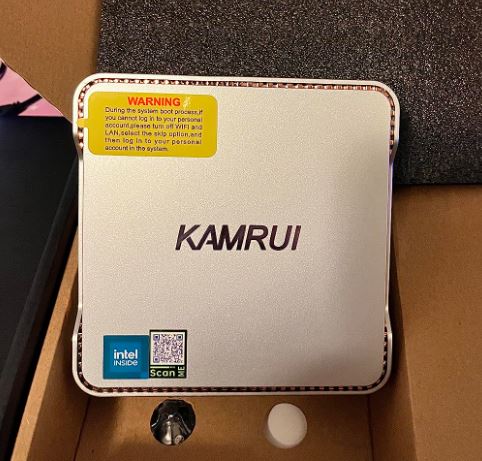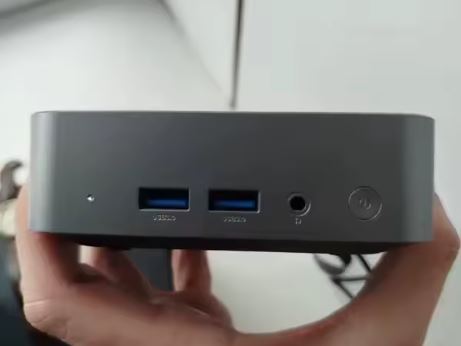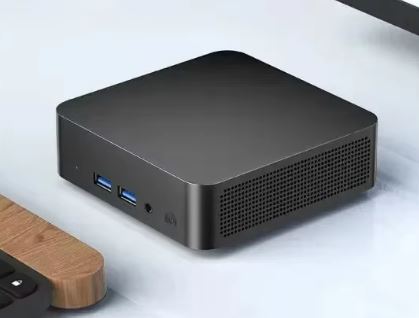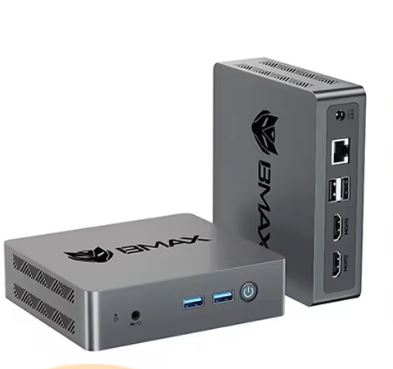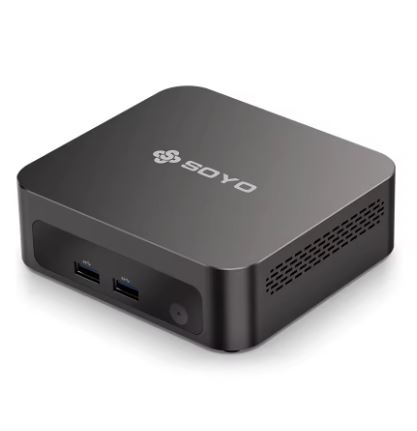
The SOYO Y5 Plus is a very affordable mini office PC that stands out for its price of €159 and for including Windows 11 Pro as standard.
However, let's be honest: its Intel i7 4650U processor is from 2013, making it an outdated option in terms of CPU compared to modern rivals at the same price.
✅ Pros:
-
Very competitive price (€159 with Windows 11 Pro)
-
Dual 4K support with Type-C output
-
Ultra-compact and quiet design
-
Low energy consumption (~15W TDP)
❌ Cons:
-
2013 CPU with only 2 cores/4 threads
-
RAM DDR3 a 1600MHz
-
SSD of only 128GB
-
Bluetooth 4.2, sin WiFi 6
🎯 Quick conclusion: It's adequate for basic office tasks, browsing, and computer applications, but in 2026 there are more modern alternatives for a similar or lower price. Ideal only if you prioritize the lowest possible price and don't need demanding performance.
🛒 View Prices — SOYO Y5 Plus
📦 Unboxing and Box Contents
The SOYO Y5 Plus box is compact and simple, without any frills. Inside you'll find:
-
🖥️ Mini PC SOYO Y5 Plus
-
🔌 Power adapter (12V)
-
📡 External WiFi antenna (screw)
-
🔩 VESA mount for rear monitor mounting
-
📄 Basic user manual in English and Chinese
The device comes with Windows 11 Pro pre-installed and activated, which at €159 already justifies part of the price if you consider that a Windows 11 Pro license costs around €130-150 separately.
📋 Technical Specifications
| Feature | Detail |
|---|---|
| Processor | Intel Core i7-4650U (Haswell, 2013) |
| Cores / Threads | 2 cores / 4 threads |
| Frequency | 1.7 GHz base / 3.3 GHz turbo |
| Integrated GPU | Intel HD Graphics 5000 |
| RAM | 8 GB DDR3 (ampliable) |
| Storage | SSD M.2 128 GB |
| Operating system | Windows 11 Pro (activated) |
| Video outputs | HDMI + Type-C (dual 4K) |
| WiFi | WiFi (gen. unspecified) / BT 4.2 |
| USB | USB 3.0 x2 + USB 2.0 x2 |
| TDP / Consumption | ~15W |
| Dimensions | ~11.5 × 11.5 × 4.5 cm |
| Current price | 159€ on AliExpress |
🎨 Design and Construction Quality
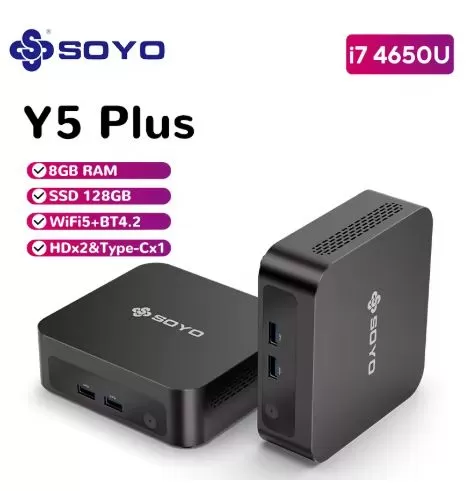
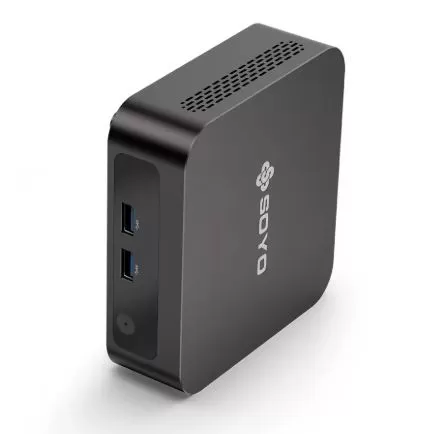
The SOYO Y5 Plus follows the typical pattern of entry-level Chinese mini PCs: a matte black plastic case with a discreet and functional finish. There's nothing flashy about its design, and that's not necessarily a bad thing for an office computer where the important thing is not to draw attention to the desk.
Its size is remarkably small—similar to a DVD case—making it easy to hide behind the monitor using the included VESA mount. The device doesn't feel premium in hand, but it doesn't seem fragile either. The ports are well distributed between the front and back.
🖥️ Screen and Multimedia
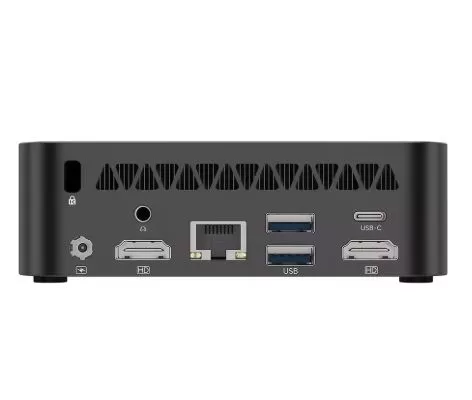
The SOYO Y5 Plus includes dual 4K monitor support: a standard HDMI output and a Type-C output that allows you to connect a second high-resolution screen.
The integrated Intel HD Graphics 5000 GPU can smoothly play 4K content via streaming (YouTube, Netflix), although it has some limitations in decoding very modern formats like AV1. Sound quality will depend on your monitor's speakers or an external audio system, as the device does not include its own speakers.
⚙️ Performance and Software
This is where complete transparency is needed. The Intel i7 4650U scores only 2,461 points in PassMark, significantly lower than many modern budget processors.
-
The Intel N150 (2025) outperforms it by 123% in aggregate benchmarks
-
The Intel N100 also far surpasses it with greater energy efficiency.
That said, in real-world, basic office use—web browsing with 10-15 tabs, Word, Excel, email, and video calls via Zoom or Teams—the computer is perfectly functional and runs smoothly. Windows 11 Pro comes relatively clean, with the usual minimal Microsoft bloatware.
Not suitable for:
-
Video editing (not even basic 4K)
-
Demanding multitasking (more than 15 applications open)
-
Code compilation or intensive development tasks
🔋 Energy Consumption and Cables
With a TDP of 15W, the SOYO Y5 Plus is one of the most energy-efficient mini PCs on the market. In real-world office use, power consumption will range between 8W and 18W, significantly lower than a conventional desktop computer that can consume 200-400W.
It comes with a compact 12V external power supply. Being so efficient, it doesn't require a special ground connection and doesn't generate significant heat. This makes it ideal for installations with many devices (call centers, classrooms, small offices) where electricity savings are important.
🌡️ Temperature and Noise (Actual Thermal)
Thanks to its low-voltage CPU (15W TDP), the SOYO Y5 Plus maintains very controlled temperatures. In normal office use, the fan is barely audible—it operates virtually silently. Under sustained maximum load, the CPU can reach 70-80°C, but without aggressive throttling thanks to the ample space for heat dissipation in its design.
Estimated noise level: < 25 dB in normal use. Virtually inaudible in standard working environments.
🔌 Connectivity and Extras
| Port / Function | Available |
|---|---|
| HDMI | ✅ (4K) |
| Type-C (video + data) | ✅ (4K) |
| USB 3.0 | ✅ x2 |
| USB 2.0 | ✅ x2 |
| Jack audio 3.5mm | ✅ |
| LAN Gigabit Ethernet | ✅ |
| WiFi | ✅ (BT 4.2) |
| SD card reader | ❌ |
| Thunderbolt | ❌ |
| NFC | ❌ |
| Fingerprint reader | ❌ |
| 5G / 4G LTE | ❌ |
| IP Certification | ❌ |
Connectivity is functional but basic. Bluetooth 4.2 is the most outdated aspect: by 2026, most devices will already include BT 5.0 or 5.2. If you use modern Bluetooth headphones or keyboards, you might notice some limitations in range or compatibility.
🔧 Expansion and Upgrades
This is one of the most important questions to ask before buying a budget mini PC:
-
RAM: Expandable up to 16GB DDR3 (the i7 4650U processor supports a maximum of 16GB DDR3 in dual channels). Not compatible with DDR4 or DDR5.
-
M.2 SSD: The M.2 slot supports replacing the 128GB SSD with a higher capacity one (256GB, 512GB). M.2 SATA format (check compatibility before purchasing, not all M.2 NVMe drives work in SATA slots).
-
Second drive: This configuration does not have a 2.5" drive bay or a second M.2 slot.
-
CPU Upgrade: Not possible, the CPU is soldered to the motherboard.
Recommendation: If you purchase this computer, upgrade the RAM to 16GB (additional cost ~€15-20) and replace the SSD with a 256GB or 512GB SSD to substantially improve the experience.
🆚 Comparison with Direct Competitors
| Model | CPU | CPU Year | RAM | SSD | WiFi | BT | Price |
|---|---|---|---|---|---|---|---|
| SOYO Y5 Plus | i7-4650U | 2013 | 8GB DDR3 | 128GB | WiFi 5 | 4.2 | 159€ |
| NiPoGi E1 | N100 | 2023 | 16GB DDR4 | 512GB | WiFi 5 | 5.2 | ~180€ |
| GMKtec N150 | N150 | 2025 | 12GB DDR5 | 256GB | WiFi 6 | 5.2 | ~200€ |
| Kamrui N150 | N150 | 2025 | 16GB DDR4 | 512GB | WiFi 6 | 5.2 | ~200€ |
| BMAX B1 Pro | N100 | 2023 | 8GB DDR4 | 256GB | WiFi 5 | 5.0 | ~120€ |
The SOYO Y5 Plus only wins in absolute price if the budget is strictly limited to €159 or less. The problem is that these mini PCs are currently difficult to find on the market, unlike the SOYO Y5 Plus.
💬 Reviews on Well-Known Pages
Real user reviews on AliExpress are overwhelmingly positive, with the SOYO brand receiving over 100,000 positive reviews in the last 6 months. Buyers particularly highlight:
-
✅ "Works perfectly for basic office use, quiet and compact"
-
✅ "Windows 11 Pro activated, no problems"
-
✅ "Ideal for point of sale or reception"
-
⚠️ "128GB of storage quickly becomes insufficient"
-
⚠️ "It's very limited for video editing or design"
On YouTube, the channel that reviewed the device in March 2026 confirms that the device boots correctly with Windows 11 Pro and performs well in light work environments.
🧪 Technical Tests
Based on the available benchmarks for the Intel i7 4650U:
| Test | i7-4650U result | Modern reference (N150) |
|---|---|---|
| PassMark CPU Mark | 2,461 points | ~5,400 points |
| Single Thread Rating | 1,573 points | ~2,200 points |
| Integer Math | 8.779 MOps/s | ~18.000 MOps/s |
| Data Encryption | 697 MB/s | ~1,400 MB/s |
| Floating Point Math | 4.415 MOps/s | ~9.000 MOps/s |
| Cinebench R23 (est.) | ~900 pts multi | ~2.500 pts multi |
In practical terms, this means the device can smoothly handle web browsing, Office 365, HD video calls, 4K video streaming, and file management. The limitations become apparent in any task requiring intensive simultaneous processing.
🎮 Gaming and Emulation
The integrated Intel HD Graphics 5000 is functional but very limited for gaming in 2026. Here's what you can expect:
✅ Works well:
-
Retro emulators up to PS1/Nintendo DS (RetroArch, DuckStation)
-
2D games and pixel art (Stardew Valley, Terraria, Minecraft at low resolution)
-
Flash games / browser
⚠️ Works with low settings:
-
PS2 emulation (PCSX2) in simple games
-
Minecraft Java at 720p / minimum configuration
❌ Not recommended for:
-
Nintendo Switch Emulation (Yuzu/Ryujinx)
-
AAA games of any generation
-
PS3/Xbox 360 Emulation
For gaming and emulation, it is clearly inferior even to the Intel N100, whose UHD Graphics 730 has better modern drivers and DirectX 12 support.
❓ Frequently Asked Questions (FAQ)
Is it compatible with Linux?
Yes. The i7 4650U drivers have mature support for Linux (Ubuntu, Debian, Mint). Ideal for thin servers or kiosks.
Does Windows 11 Pro come factory activated?
Yes, according to product descriptions and buyer reviews, it comes activated with an OEM license.
Can I connect two 4K monitors simultaneously?
Yes, via HDMI and the Type-C port. Both outputs support 4K resolution.
Is it sufficient for remote work with video calls?
Absolutely. Zoom, Teams, and Google Meet in HD work without any problems.
Can I install more programs with only 128GB?
It's tight. Windows 11 takes up about 25-30GB, leaving about 90GB free. It's recommended to replace the SSD with a 256GB one or use external storage.
Does it work with ultrawide or 144Hz monitors?
High refresh rate support is limited with this GPU. It runs at 60Hz at 4K, but doesn't guarantee 144Hz at higher resolutions.
🎯 Final Conclusion
The SOYO Y5 Plus is a computer that fulfills its specific function: basic office, point of sale, digital kiosk, classroom, or second light work computer, all at a very affordable price with Windows 11 Pro included.
Who is it ideal for?
-
🏢 Companies that need many cheap units for simple administrative tasks
-
🖥️ Interactive kiosks or information points
-
👴 Older users or profiles without technical requirements
-
💰 Budget absolutely limited to ~€160 with Windows included
Recommended alternatives:
-
🥇 BMAX B1 Pro (N100, ~€120) — more modern and cheaper
-
🥈 NiPoGi E1 (N100, 16GB/512GB, ~€180) — best overall price/performance ratio
-
🥉 Kamrui N150 (16GB/512GB, ~€200) — the best modern option under €200