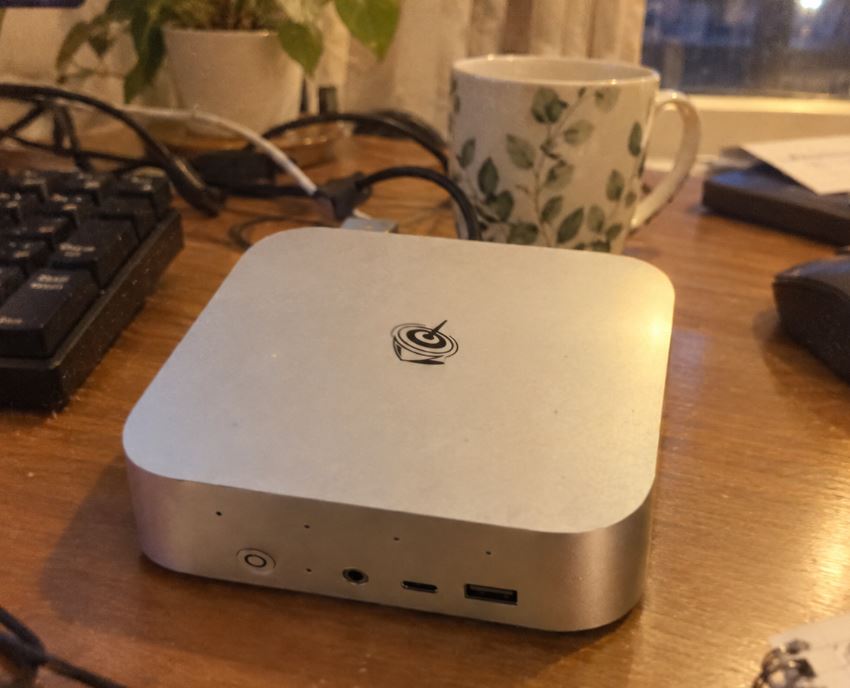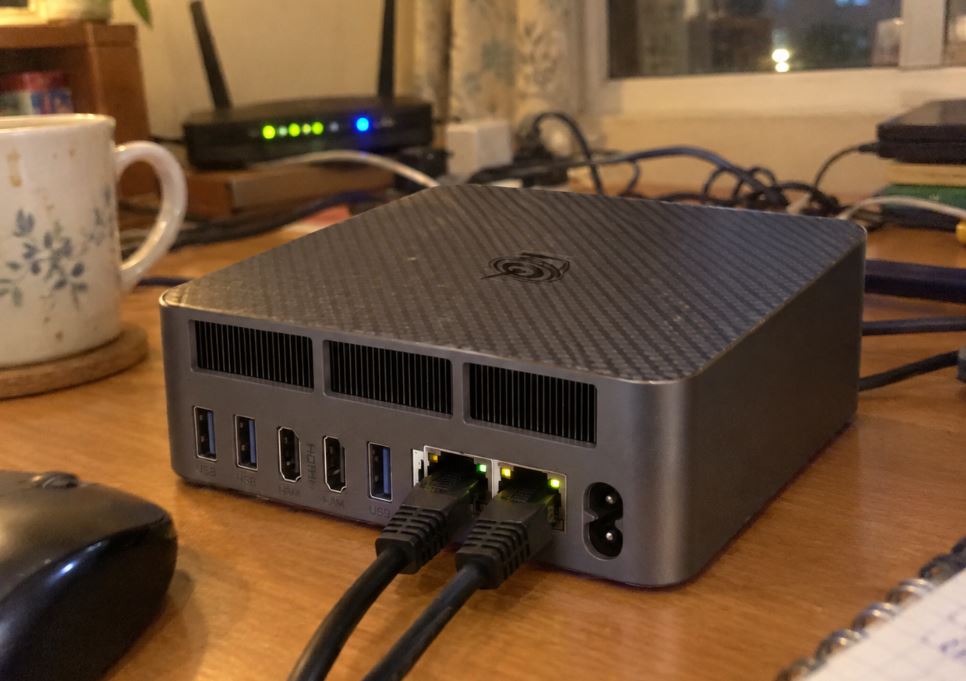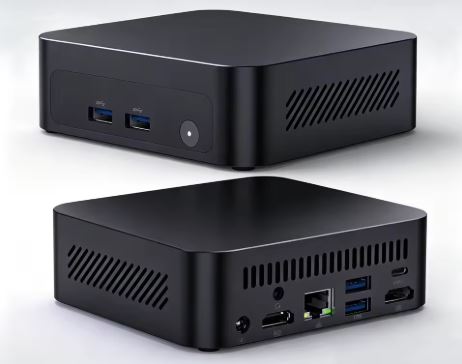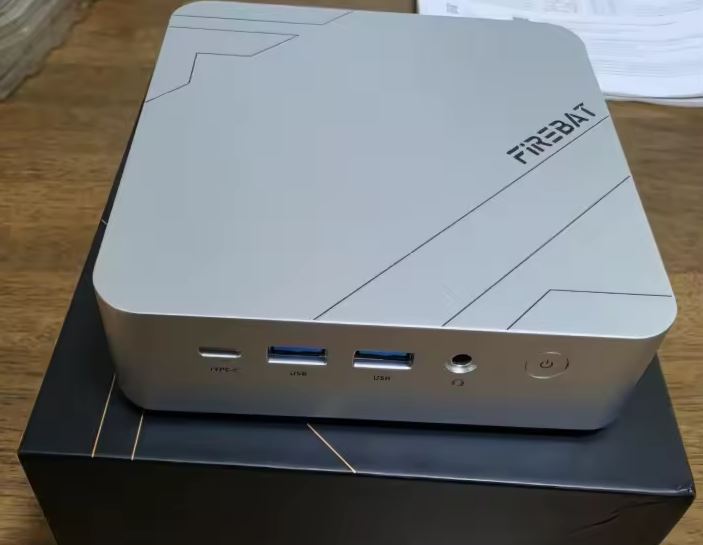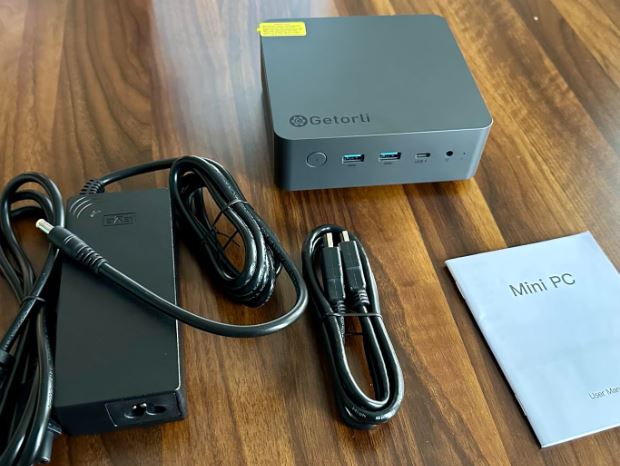
The Getorli Mini PC powered by the AMD Ryzen 7 8745HS is a high-performance device designed for demanding users, content creators, and home server enthusiasts ( HomeLab ).
Pros: Excellent multi-threaded power (8C/16T), integrated Radeon 780M graphics capable of running games at 1080p, versatile connectivity with USB4 ports at 40 Gbps, dual 2.5G LAN and a surprisingly quiet cooling system.
Cons: Factory quality control could be improved (standard SSD prone to failure, occasional faulty chargers), standard single-channel memory configuration, and lack of a dedicated OCuLink port.
Conclusion: One of the most powerful and versatile machines in its price range (~$550 USD), although ideally geared towards users with some technical experience.
Unboxing and Box Contents
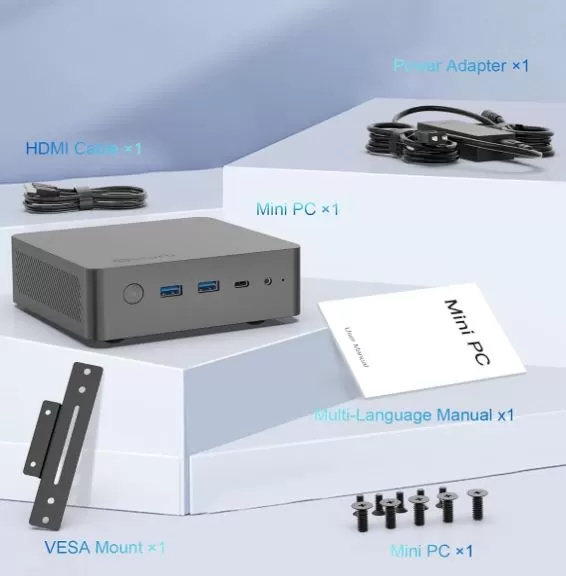
Upon unpacking the equipment, we found the essential accessories for desktop or behind-monitor mounting:
-
📦 Getorli Ryzen 7 8745HS Mini PC.
-
🔌 External DC 19V power adapter (with reinforced high-thickness cable).
-
🖥️ HDMI cable.
-
🛠️ VESA mounting bracket with screws.
-
📖 User manual with direct technical support contact.
Key Technical Specifications
| Component | Actual Specification |
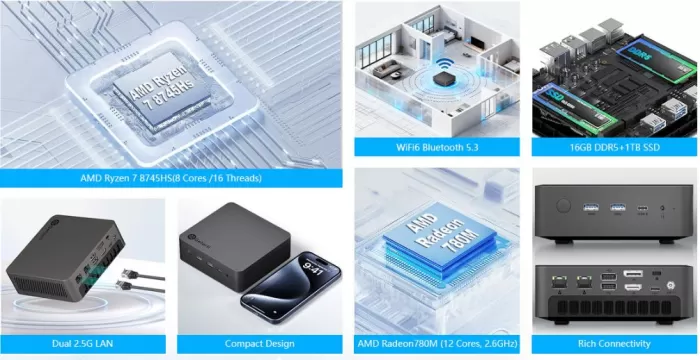
| Processor | AMD Ryzen 7 8745HS (8 cores / 16 threads, up to 4.9 GHz, Zen 4) |
| Graphics | AMD Radeon 780M (12 CUs, RDNA 3) |
| RAM | 16 GB DDR5-4800 / 5600 (1x 16 GB, Single Channel as standard; 2x SO-DIMM) |
| Storage | 1 TB NVMe PCIe 4.0 SSD (2x M.2 2280 NVMe Slots, up to 4 TB total) |
| Wired Network | Dual LAN 2.5 GbE (2x RJ45 2500 Mbps) |
| Wireless Network | Wi-Fi 6 + Bluetooth 5.3 |
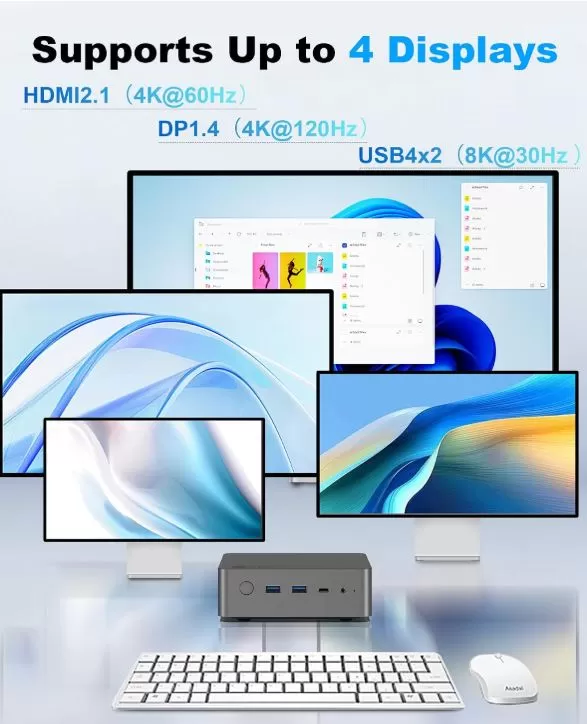
| Video Output | 1x HDMI 2.1, 1x DisplayPort 1.4, 2x USB4 (4K Quad Display) |
| Frontal Ports | 2x USB 3.2 Gen 2 (10 Gbps), 1x USB4 (40 Gbps / 100W PD), 1x Audio Jack 3.5 mm |
| Rear Ports | 2x 2.5G LAN, 2x USB 2.0, 1x DP 1.4, 1x HDMI 2.1, 1x USB4 (100W PD), 1x DC IN 19V |
| Dimensions / Weight | 13.8 × 13.0 × 5.1 cm |
| Operating System | Windows 11 Pro pre-installed (Activated license) / Supports Linux and Proxmox |
Design and Construction Quality
The chassis features a robust structure made from a combination of aluminum and high-density reinforced polycarbonate.
Its compact dimensions cover just under 14 cm per side, allowing it to be conveniently placed under any monitor or mounted using the included VESA plate.
The air distribution system utilizes the perforated sides for intake and the rear area for expelling the hot flow, housing inside a thermal block with copper heat pipes of dimensions larger than the average for the segment.
Connectivity and Video Outputs
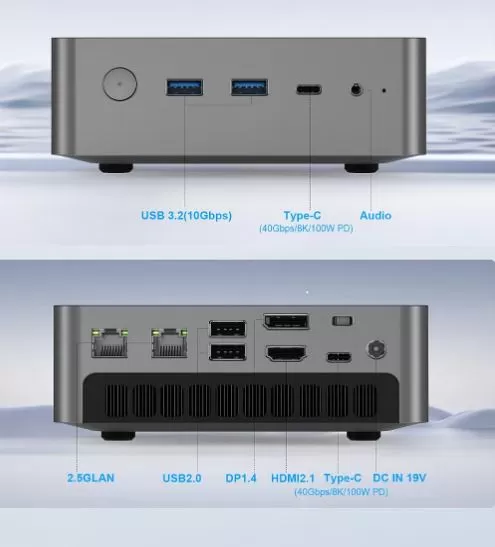
One of the areas where Getorli stands out most strongly is in its section of ports:
-
Quad Video Output: Supports four simultaneous 4K monitors by combining HDMI 2.1 (4K@60Hz), DisplayPort 1.4 (4K@120Hz) and the 2 USB4 ports.
-
USB4 ports at 40 Gbps: Allow you to connect high-speed external storage, portable monitors using a single cable with 100W Power Delivery (PD), or eGPU headers for external graphics cards.
-
Dual 2.5 GbE Ethernet Network: Facilitates the creation of dedicated firewalls (pfSense/OpenWrt), network junctions, or direct connections to NAS servers without bottlenecks.
Performance and Technical Behavior
Processor and Productivity
The Ryzen 7 8745HS is essentially a revision of the well-known 8845HS, omitting only the dedicated AI NPU. Its 8 cores and 16 threads, based on Zen 4 architecture, effortlessly handle code compilation, 4K video editing in DaVinci Resolve, simultaneous virtualization in Proxmox/Ubuntu, and heavy multitasking with dozens of tabs and software tools.
Graphics Performance (AMD Radeon 780M)
The integrated RDNA 3 GPU performs on par with an entry-level dedicated graphics card:
-
1080p Gaming: Runs eSports titles ( CS2, Valorant, Rocket League ) at over 60-100 FPS. More demanding titles like Call of Duty: Warzone average ~47 FPS at 1080p with optimized settings.
-
The key factor (Dual Channel RAM): By including only a single 16GB module ( Single Channel ) as standard, the iGPU loses between 30% and 40% of its actual performance. To unlock the full potential of the Radeon 780M, it is essential to install a second DDR5 memory module.
Temperature and Noise Level
Unlike other mini PCs that suffer from thermal throttling , the Getorli's cooling design achieves remarkable results:
-
Maximum temperatures: In prolonged CPU stress tests, temperatures stabilize below 90°C, while the NVMe SSD hovers around 51°C.
-
Acoustics: Under maximum load the fan becomes audible, but it generates a low-frequency blow rather than a high-pitched whistle, making it quite comfortable in work environments.
Expansion and Maintenance: Upgrade Guide
One of the biggest advantages of the Getorli Mini PC Ryzen 7 8745HS is its easy internal access. Opening the chassis does not void the basic warranty and allows you to replace or upgrade the main components in less than 10 minutes.
1. Access to the Interior (Step by Step)
-
Remove rubber feet: Using a plastic spatula, gently peel off the 4 rubber feet from the bottom base to access the hidden screws.
-
Unscrew the cover: Remove the 4 Phillips screws (PH1) from the corners.
-
Removing the fan cover and module: Carefully lift the bottom cover. Be careful with the fan's ribbon cable ( flex cable) at the bottom if your system includes active SSD cooling; disconnect it before pulling hard.
Before handling RAM or NVMe modules, always disconnect the power adapter and press the power button for 5 seconds to discharge any residual current on the motherboard.
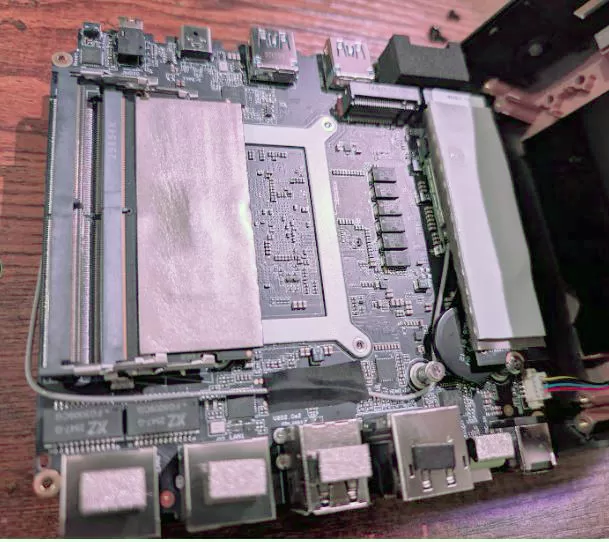
2. RAM Memory Expansion (DDR5 SO-DIMM)
The device integrates 2 SO-DIMM DDR5 slots compatible with frequencies of 5600 MHz (supports 4800 MHz or 5200 MHz modules for downstream compatibility).
-
Factory configuration: It usually comes configured with 1 x 16GB module ( Single Channel ).
-
Maximum supported limit: Up to 64 GB DDR5 (2x 32 GB) or 96 GB (2x 48 GB depending on the firmware).
-
Key recommendation: If your version comes in Single Channel, installing a second 16GB DDR5 5600MHz twin module unlocks the Dual Channel architecture, increasing the performance of the Radeon 780M GPU by 30% to 40% in gaming and graphics editing.
→ Search for DDR5 SO-DIMM RAM memory modules at 5600 MHz
3. Storage Expansion and Replacement (M.2 NVMe)
The motherboard has 2 M.2 2280 PCIe 4.0 x4 NVMe slots, allowing the installation of up to a theoretical maximum of 8 TB total (4 TB per slot).
| Slot | Specification | Recommended Use |
| M.2 Main (Slot 1) | PCIe 4.0 x4 (M-Key 2280) | OS drive. If the factory SSD fails or is slow, replace it with an NVMe with DRAM (e.g., Samsung 990 Pro, WD Black SN850X, or Crucial T500). |
| M.2 Secondary (Slot 2) | PCIe 4.0 x4 (M-Key 2280) | Ideal for mass data storage, game folders, backups, or secondary volumes in virtualization (Proxmox/Docker). |
→ Explore 1TB and 2TB M.2 NVMe PCIe 4.0 SSDs
4. Wi-Fi / Bluetooth card
The wireless module (Wi-Fi 6 / BT 5.3) is located in an M.2 2230 (Key E) socket situated just below one of the NVMe slots.
-
Upgrade Compatibility: It is fully replaceable. If you require Wi-Fi 6E or Wi-Fi 7 connectivity, you can upgrade the card to an Intel AX210/BE200 or MediaTek MT7922 (RZ616) without driver conflicts.
→ List of Wi-Fi 6E and Wi-Fi 7 Intel AX210/BE200 M.2 cards
Maintenance and Refrigeration:
-
To perform thermal maintenance on the processor after one year of use, purchase Honeywell PTM7950 phase-change thermal pads.
Troubleshooting Guide and First Steps
Due to variations in brand quality control, it is recommended to follow these steps upon receiving the equipment:
-
SSD Recognition / Blue Screens of Death (BSOD):
If you experience initial freezes or the SSD stops being detected in the BIOS, move the NVMe drive to the second available M.2 slot and perform a clean installation of the operating system.
-
Clean Format of Windows 11:
The factory image usually includes outdated versions of Windows. It is recommended to extract the product key using PowerShell
Get-WmiObject -query 'select * from SoftwareLicensingService', create a bootable USB drive, and perform a clean installation of Windows 11. -
Official Driver Request:
If after reinstalling the system you find that Wi-Fi, Bluetooth, or PCI device drivers are missing, simply send an email to the technical support contact included in the manual; they usually respond in less than 24 hours with the official driver package.
Comparison with Direct Competitors
| Feature | Getorli Ryzen 7 8745HS | Minisforum UM870 Slim | Beelink SER8 (8845HS) |
| Processor | AMD Ryzen 7 8745HS (8C/16T) | AMD Ryzen 7 8700H (8C/16T) | AMD Ryzen 7 8845HS (8C/16T) |
| Graphics | Radeon 780M | Radeon 780M | Radeon 780M |
| eGPU connector | 2x USB4 (40 Gbps) | OCuLink + USB4 | USB4 (40 Gbps) |
| Wired Network | Dual 2.5 GbE LAN | 1x 2.5 GbE | 1x 2.5 GbE |
| Serial memory | 16 GB DDR5 (Single Channel) | 32 GB DDR5 (Dual Channel) | 32 GB DDR5 (Dual Channel) |
| Quality control | Frequent revisions/batches | High | Very High |
| View Prices | View Prices | View Prices |
Conclusion and Final Verdict
The Getorli Mini PC Ryzen 7 8745HS offers an unbeatable power-to-price ratio for those looking for a compact computer for heavy productivity, network labs, or multimedia workstations.
The combination of the Zen 4 processor, Radeon 780M graphics, dual 2.5G Ethernet, and USB 4 ports makes it an outstanding piece of hardware. However, due to quality control issues with the stock components (single-module SSD and RAM), it's primarily recommended for users who plan to upgrade the memory to dual-channel or perform an initial operating system setup.
Where to Buy and Recommended Options
🛒 Shopping options and alternatives:
🛠️ Recommended components for expansion: