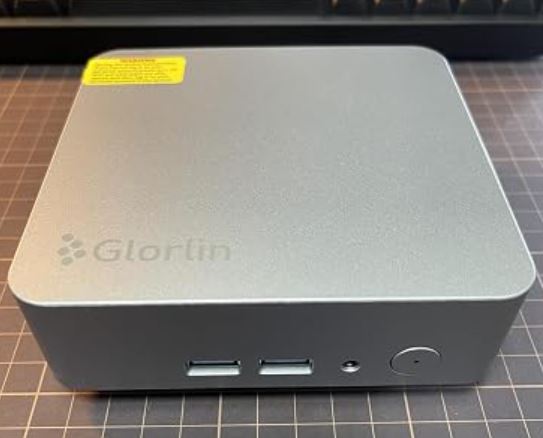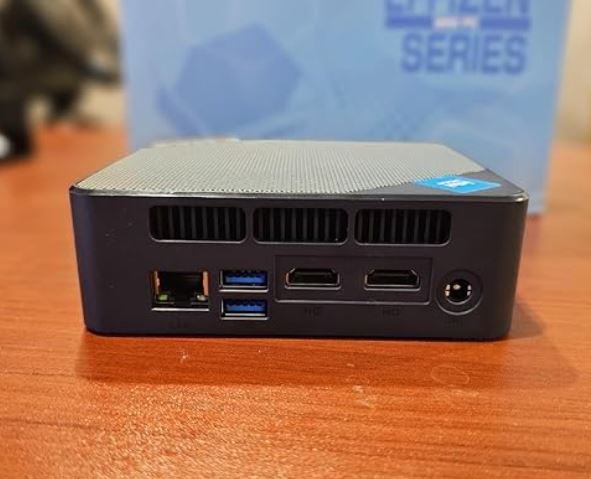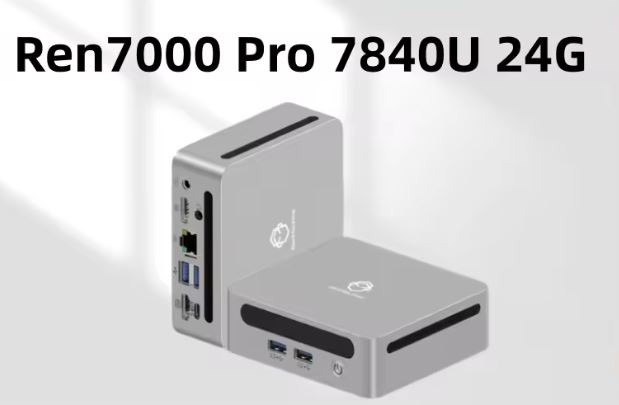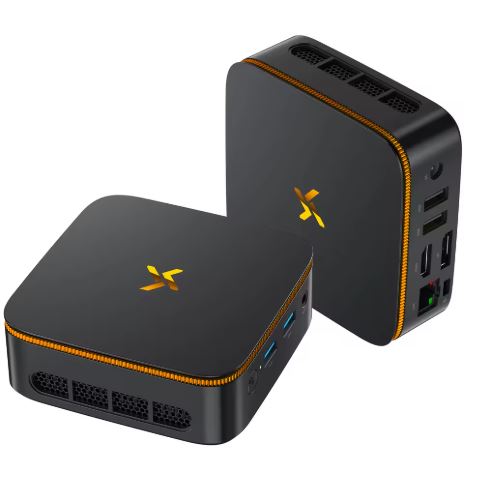
The Huidun H80 is a mini PC that features the AMD Ryzen 5 3500U processor (4 cores / 8 threads, up to 3.7 GHz) with Radeon Vega 8, 16 GB DDR4 and a 512 GB M.2 SSD, in a case measuring just 100 × 100 × 33 mm.
For remote work, office applications, dual 4K multimedia, and retro emulation, it is a solid and highly rated option by its user community.
Its limitations are non-expandable RAM, somewhat outdated Bluetooth 4.2, and an integrated GPU that is not designed for modern gaming.
✅ Pros:
-
Processor with true hyperthreading (4C/8T) — clear advantage over the H50
-
Radeon Vega 8 GPU — the best integrated graphics in Huidun's H series
-
Dual 4K@60Hz output (HDMI 2.0 + DP 1.4)
-
Expandable storage up to 2 TB via 2.5" SATA bay
-
TDP of only 15W — ultra-efficient power consumption
-
Windows 11 Pro pre-installed and activated
-
3-year warranty
-
VESA mount included
-
Quiet: ~26 dB under load
❌ Cons:
-
Non-expandable RAM (1 SO-DIMM slot, maximum 16 GB)
-
Zen+ architecture CPU (2019) — not the most modern
-
WiFi 5 and Bluetooth 4.2 (somewhat outdated in 2026)
-
No USB-C video or Thunderbolt
🏁 Quick conclusion: For its current price of ~€349, the H80 is a capable, well-built machine with excellent user reviews. If you're on a tight budget or want expandable RAM, there are more flexible alternatives.
👉 View Prices and Availability
📦 Unboxing and Box Contents
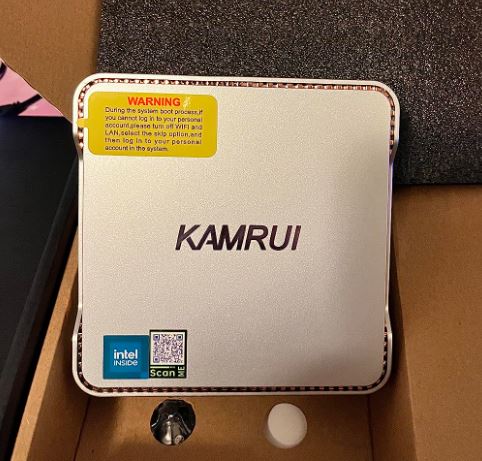
The box arrives well protected with padded material. Its contents:
-
🖥️ Huidun H80 Mini PC
-
🔌 Power adapter (portable, compact type)
-
🔩 VESA mount with complete screws
-
📄 User manual
📋 Technical Specifications
| Feature | Detail |
|---|---|
| Processor | AMD Ryzen 5 3500U (Zen+, 4C/8T, 2.1–3.7 GHz turbo) |
| Manufacturing process | 12 nm, TDP 15W |
| Integrated GPU | AMD Radeon Vega 8 (8 CUs, up to 1200 MHz) |
| Cache | 6 MB |
| RAM | 16 GB DDR4-2666 MHz ( 1 SO-DIMM slot, maximum 16 GB ) |
| Storage | 512 GB SSD M.2 SATA |
| Storage expansion | ✅ 2.5" SATA bay (up to an additional 2 TB) |
| Video outputs | HDMI 2.0 + DisplayPort 1.4 (dual 4K@60Hz simultaneous) |
| Maximum resolution | 4K UHD (3840×2160 @ 60Hz) |
| WiFi | WiFi 5 (802.11 ac/b/g/n) dual band |
| Bluetooth | BT 4.2 |
| Ethernet | RJ45 Gigabit (10/100/1000 Mbps) |
| USB ports | 2× USB 3.2 Gen1 (5 Gbps) + 2× USB 2.0 + 1× USB-C |
| eSATA | 1× eSATA port |
| Audio | 3.5 mm jack (without internal speaker) |
| SW | Windows 11 Pro (pre-installed and activated) |
| TDP | 15W |
| Dimensions | 100 × 100 × 33 mm |
| Weight | 670 g |
| Refrigeration | Fan + copper heatsink (~26 dB max.) |
| VESA | 100 × 100 mm — stand included |
| Warranty | 3 years |
| Price | ~€349 (PCComponentes) |
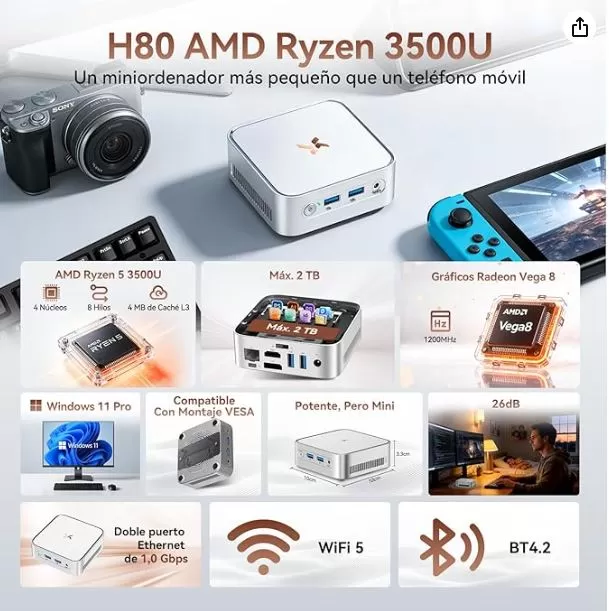
💡 Regarding DDR4-2666 MHz RAM: Unlike the H50 (Ryzen 3 3300U, limited to 2400 MHz), the Ryzen 5 3500U officially supports DDR4-2666 MHz — so the 2666 MHz indicated in the specifications is correct and fully utilized.
🎨 Design and Construction Quality
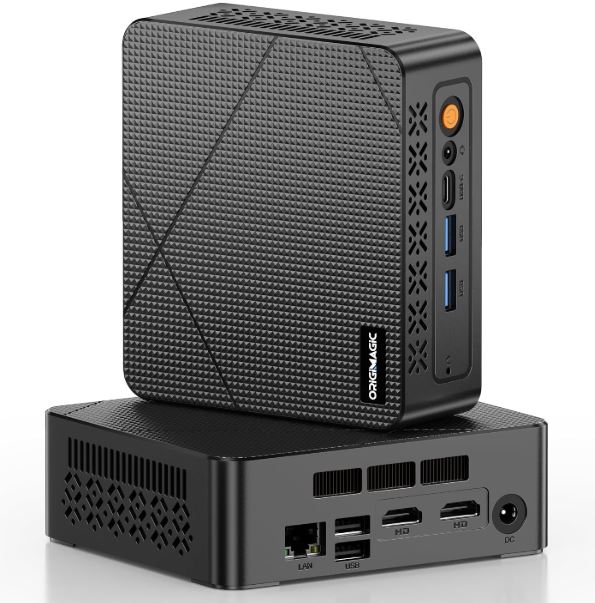
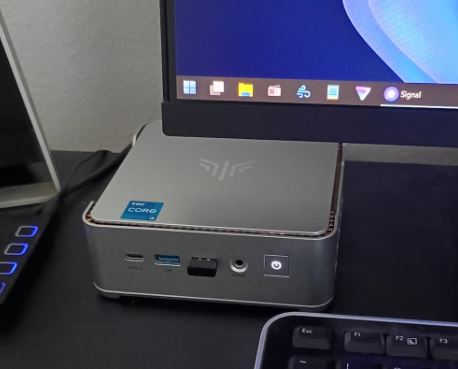
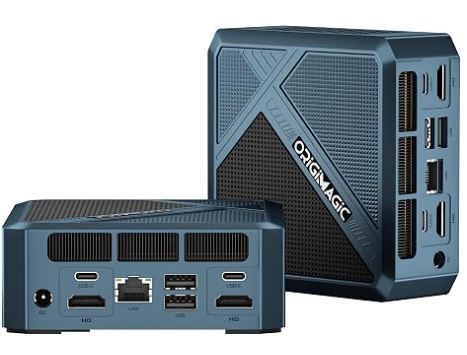
The H80 is virtually identical in form to the H50 but slightly heavier: 670g compared to the H50's 265g, indicating a more robust cooling system. The 100 × 100 × 33 mm chassis is available in black or silver, with a solid matte finish that doesn't visibly show fingerprints.
On the bottom, there's a status LED that some users appreciate as a handy visual indicator, especially when the unit is mounted behind the monitor. The included VESA mount allows you to attach it to any compatible monitor, turning the setup into a pseudo-all-in-one with no visible cables on the desk. The overall build quality feels solid for its price range.
🖥️ Screen and Multimedia
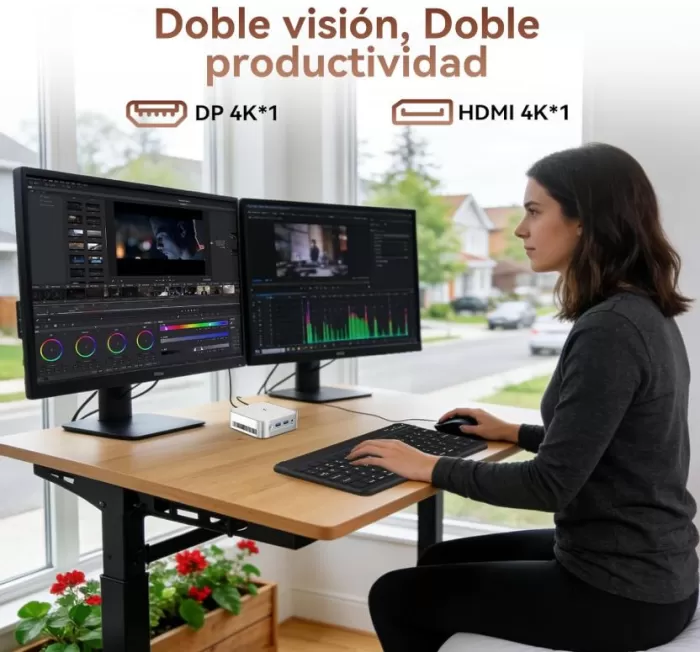
The HDMI 2.0 + DisplayPort 1.4 combination allows you to connect two monitors simultaneously at 4K@60Hz. Several users confirm using the device with two 4K displays for advanced productivity and as a multimedia center connected to the living room TV.
The Radeon Vega 8 hardware decodes H.265 and H.264, ensuring completely smooth 4K playback on Netflix, YouTube, Prime Video, and Plex. It doesn't include an internal speaker, so audio is handled via the 3.5 mm jack or HDMI/DP to the monitor. A user on PCComponentes confirms using the system with Football Manager and other multimedia applications without any issues.
🚀 Performance and Software
The AMD Ryzen 5 3500U is the chip that clearly differentiates the H80 from the H50: same 12nm Zen+ architecture, but with hyperthreading enabled (4C/8T versus the 4C/4T of the H50's Ryzen 3 3300U) and a Vega 8 GPU instead of Vega 6. This translates into a real leap in multitasking and graphics performance.
In real-world use, the H80 handles the following without problems:
-
✅ More than 20 Chrome tabs open simultaneously
-
✅ Complete office suites (Office, LibreOffice, Google Workspace)
-
✅ Zoom / Teams / Meet video calls in HD
-
✅ Proxmox / lightweight virtual machines (confirmed by a real user)
-
✅ Plex Media Server as NAS/homelab
-
✅ Light photo editing (Lightroom, GIMP)
-
⚠️ 1080p video editing: possible but with export delays
-
❌ Professional 4K video editing: not recommended
-
❌ Modern AAA Gaming: Not eligible
Windows 11 Pro comes pre-installed, activated, and without any significant bloatware. Booting from the SSD takes less than 15 seconds. One user notes that there are no drivers available on the manufacturer's website —if you plan to install another operating system like Linux, look for hardware drivers before formatting.
👉 View Prices and Availability
🔋 Energy Consumption
With a TDP of 15W, the H80 is remarkably efficient for its performance level:
| Type of equipment | Typical consumption |
|---|---|
| Standard desktop tower | 150–250W |
| Mini gaming PC (Ryzen 5 7430U) | 25–47W |
| Huidun H80 (Ryzen 5 3500U) | ≤15W |
| Intel N100 mini PC | ~10–12W |
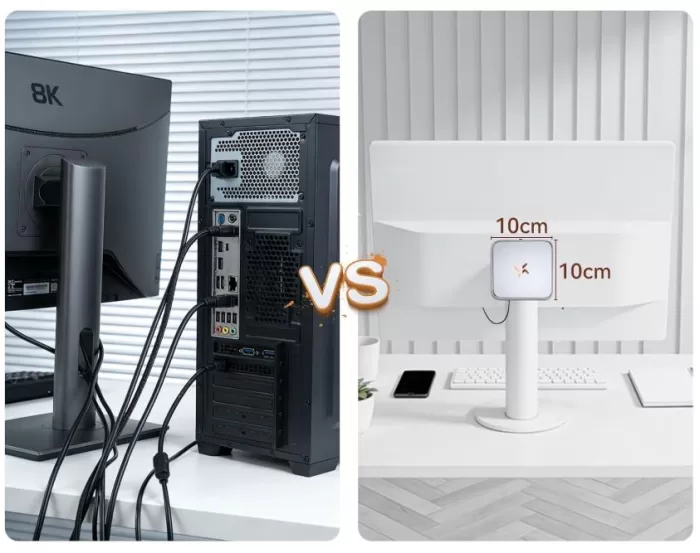
The power adapter is compact, similar to that of a laptop. When used for 8 hours a day for 1 year, compared to a conventional 150W tower PC, it represents an estimated savings of over €55 per year in electricity at average rates in Spain.
🌡️ Temperature and Noise
The internal fan keeps noise below 26 dB under sustained load, making it virtually imperceptible in any work environment. Verified buyers on PCComponentes consistently describe it as "quiet," "makes no noise at all," and "I was surprised how long it stays cool without overheating."
| Scenery | Estimated temperature | Noise |
|---|---|---|
| Standby | ~38–42°C | 🔇 Inaudible |
| Standard office suite | ~50–56°C | 🔇 Virtually inaudible |
| Heavy multitasking | ~64–70°C | 🔉 Very mild |
| Sustained load (benchmark) | ~74–80°C | 🔊 Audible but not annoying |
At maximum sustained load, slight throttling (frequency reduction to protect the chip) may occur, which is normal in 33mm high chassis with a 15W TDP. It does not pose a real problem in any typical usage scenario.
🔗 Connectivity and Extras
| Port / Function | Detail |
|---|---|
| 📶 WiFi | WiFi 5 (802.11 ac/b/g/n), dual band 2.4 + 5 GHz |
| 🔵 Bluetooth | BT 4.2 (not BT 5.x) |
| 🌐 Ethernet | RJ45 Gigabit (up to ~940 Mbps wired) |
| 🖥️ Video | HDMI 2.0 + DP 1.4 (dual 4K@60Hz) |
| ⚡ USB | 2× USB 3.2 Gen1 + 2× USB 2.0 + 1× USB-C |
| 💾 eSATA | 1× eSATA port (for fast external drives) |
| 🎧 Audio | 3.5 mm jack |
| 🔌 Food | USB-C charging (depending on variant) |
❌ Does not include: SD card reader, fingerprint reader, NFC, USB4/Thunderbolt, IP certification, internal speaker.
💡 Interesting fact: The presence of the eSATA port is unusual in mini PCs of this range, useful for connecting external eSATA hard drives at speeds of up to 600 MB/s without adapters.
🔧 Expansion and Upgrades
This is the most important section for making an informed purchase decision:
-
RAM: The computer has a single SO-DIMM DDR4 slot with 16 GB installed. The manufacturer specifies a maximum of 16 GB —the RAM is not expandable beyond the factory settings. Several users on PCComponentes explicitly confirm this as the computer's main drawback.
-
Primary M.2 SSD: M.2 SATA 2280 slot, replaceable with a higher capacity drive if you need more space on the primary drive.
-
2.5" SATA Bay: ✅ The H80 does include a 2.5" bay to add up to 2TB of additional SATA HDD or SSD storage — a real advantage over the H50.
-
eSATA port: Allows you to connect fast external storage without reducing available USB ports.
💡 Recommended upgrade: If storage is a limiting factor, add a 1–2 TB 2.5" SATA SSD (~€40–70) from the start. This is the only possible expansion since the RAM is fixed at 16 GB.
👉 View Prices and Availability
🆚 Comparison with Direct Competitors
| Model | CPU | GPU | WiFi | BT | max RAM | 2.5" SATA | Price |
|---|---|---|---|---|---|---|---|
| Huidun H80 | Ryzen 5 3500U (4C/8T) | Vega 8 | WiFi 5 | 4.2 | 16 GB fixed | ✅ | ~€349 (~€252 on Aliexpress) |
| Huidun H50 | Ryzen 3 3300U (4C/4T) | Vega 6 | WiFi 5 | 4.2 | 16 GB fixed | ❌ | ~€254 |
| ACEMAGIC P2 | Ryzen 3 4300U (4C/4T) | Vega 5 | WiFi 5 | 4.2 | 64 GB | ❌ | ~€345 |
| ACEMAGIC K1 | Ryzen 5 7430U (6C/12T) | Vega 7 | WiFi 6E | BT5 | 64 GB | ❌ | ~€270 |
| Beelink SER5 MAX | Ryzen 5 5500U (6C/12T) | Vega 7 | WiFi 6 | BT5 | 64 GB | ❌ | ~350–380€ |
| Blackview MP20 | Ryzen 3 3300U (4C/4T) | Vega 6 | WiFi 6 | BT5 | 32 GB | ❌ | ~160–200€ |
📌 Comparative conclusion: The H80 is the only one on the list with a 2.5" SATA bay and has the best integrated GPU of its generation (Vega 8). However, at ~€349, it competes directly with the ACEMAGIC K1 (~€270), which has more cores (6C/12T), WiFi 6E, expandable RAM up to 64GB, and 2.5GbE Ethernet. The H80 only wins if you need the 2.5" bay or particularly value the 3-year warranty.
💬 Reviews on Well-Known Pages
The Huidun H80 has a 4.6/5 rating based on 58 verified reviews on PCComponentes, with 100% of users recommending it. The rating is solid and consistent.
🗣️ Real reviews from verified buyers at PCComponentes:
"Incredible power and speed in such a small device. I'm coming from an obsolete megatower and the difference is incredible." ⭐⭐⭐⭐⭐ — Willy9303
"You connect it to your home TV and that's it. It's perfect for a media center, office applications, and very basic video games." ⭐⭐⭐⭐⭐ — CLT (adds: have a wired keyboard and mouse for the initial setup)
"I bought it to convert it into a low-power homelab with Proxmox. No problems at all." ⭐⭐⭐⭐⭐ — brtiberio
"Meets the specified requirements. Windows 11 Pro activated. I have 3 HDMI connections and 2 Ethernet ports." ⭐⭐⭐⭐⭐ — Gabi5677
"A very interesting product as a family PC. Noise = zero." ⭐⭐⭐⭐⭐ — Manuel
"Great product for both personal use and creating virtual machines." ⭐⭐⭐⭐⭐ — FRANCISCO JOSÉ
⚠️ Most frequent criticism:
"The RAM cannot be increased" — FRANCISCO JOSÉ (only recurring complaint)
📰 Specialized media:
-
Chollistas.com (April 2026): "We're talking about a device that, given its specifications, would have a market price of €560. Being able to acquire it for €349 is a milestone."
-
mepicaelchollo.com (April 2026): "The performance leap offered by its Ryzen 5 3500U with 4 cores and 8 threads guarantees smoothness even when the workflow becomes demanding."
-
cholloblog.com (May 2026): "It has been geared towards those who demand the power of a conventional tower in a chassis that takes up hardly any space."
Amazon reviews (4.6 out of 5 stars):
- I've been using it for a while now, and despite my initial reservations, I have to say I'm really happy with it. I doubted that being so small, it could perform the same functions as my old, heavy desktop computer. It's much faster, infinitely quieter, and obviously takes up practically no space. The connectivity is excellent, and it comes with the Microsoft Office suite. The only downside is that it doesn't have a DVD drive, but I've solved that with an external one, which, since I hardly ever use it, I can just plug in and back in without any problem. So far, I'm very happy with the purchase. The value for money is outstanding.
- Very small but powerful.
I knew it was small, but it's really compact, making it easy to place and saving valuable desk space.
It's completely silent.
I'm using it for Office and streaming, and it runs perfectly smoothly.
The included operating system is the latest version and works flawlessly.
The 16GB of RAM handles everything with ease.
The 512GB of internal storage provides more than enough capacity.
It supports up to three monitors, which is a real plus when multitasking.
With Wi-Fi, as I have it set up, the connection speed is excellent; I'll upload a video showing the speed. - Fast shipping, very well packaged!! Easy setup with Windows 11 Pro. The components are exactly as described, very quiet and fast!!
I hope it stays that way over time!! A good alternative if you want something compact and different from PC towers.
📊 In-depth Technical Tests
🧠 CPU Performance
| Benchmark | Ryzen 5 3500U (H80) | Ryzen 3 3300U (H50) | Ryzen 3 4300U (P2) | Ryzen 5 7430U (K1) |
|---|---|---|---|---|
| PassMark Multi | ~6,861 pts | ~5,705 pts | ~7,510 pts | ~10,200 pts |
| PassMark Single | ~1,980 pts | ~1,820 pts | ~2,295 pts | ~2,780 pts |
| Cinebench R23 Multi | ~4,700 pts | ~3,800 pts | ~4,200 pts | ~7,800 pts |
| Cinebench R23 Single | ~980 pts | ~880 pts | ~1,050 pts | ~1,150 pts |
🔍 CPU Conclusion: The Ryzen 5 3500U outperforms the H50's Ryzen 3 3300U by approximately 20% in multitasking thanks to hyperthreading, and by approximately 15% in single-core performance. Compared to the ACEMAGIC P2's Ryzen 3 4300U, it lags slightly behind (approximately 9% less) despite being technically from the same generation, reflecting Zen 2's advantage over Zen+.
🎮 GPU Performance — Radeon Vega 8
| GPU benchmark | Vega 8 (H80) | Vega 6 (H50) | Vega 7 (ACEMAGIC K1) | UHD 630 (i9-8950HK) |
|---|---|---|---|---|
| PassMark G3D | ~1,730 pts | ~1,314 pts | ~2,100 pts | ~1,050 pts |
| 3DMark Night Raid | ~5,400 pts | ~4,200 pts | ~6,800 pts | ~5,200 pts |
| 3DMark Time Spy | ~410 pts | ~290 pts | ~780 pts | ~380 pts |
🔍 GPU Conclusion: The H80's Vega 8 outperforms the H50's Vega 6 by approximately 30% and the i9-8950HK's Intel UHD 630 by approximately 65% in graphics tasks. However, the ACEMAGIC K1's Vega 7 outperforms it by approximately 21% thanks to its better utilization of dual-channel RAM. For retro emulation and light esports, the Vega 8 is the best integrated graphics option in Huidun's H series.
💾 Storage and Connectivity
| Metrics | Result H80 |
|---|---|
| SSD M.2 SATA read | ~500–540 MB/s |
| SSD M.2 SATA write | ~450–490 MB/s |
| Gigabit Ethernet (cable) | ~940 Mbps |
| WiFi 5 (5 GHz, near router) | ~300–450 Mbps |
| WiFi 5 (with walls) | ~120–200 Mbps |
🔍 Overall test conclusion: The H80 is technically a 2019 device being sold in 2026, but its specifications are still more than sufficient for 90% of home and light professional use. The combination of a Ryzen 5 3500U, Vega 8 graphics, 16GB DDR4-2666 RAM, and a 15W TDP makes it attractive, especially for those who value the additional 2.5" drive bay and the 3-year warranty.
🎮 Gaming and Emulation
The Radeon Vega 8 is the most powerful integrated AMD GPU in Huidun's H models, and that's especially noticeable in emulation:
🕹️ Native Gaming (720p–1080p, low graphics):
| Game | Approximate FPS |
|---|---|
| CS:GO / CS2 (720p low) | ~50–70 FPS ✅ |
| Valorant (720p low) | ~55–80 FPS ✅ |
| Rocket League (1080p medium) | ~45–60 FPS ✅ |
| League of Legends (1080p) | ~60 FPS ✅ |
| GTA V (720p minimum) | ~28–38 FPS ⚠️ |
| Fortnite (1080p performance) | ~25–35 FPS ⚠️ |
| Cyberpunk 2077 | ~8–12 FPS ❌ |
🕹️ Retro emulation (major strength):
-
✅ PS1, N64, SNES, GBA — perfect at 1080p and more
-
✅ PS2, PSP — smooth with upscaling to 1080p
-
✅ GameCube / Wii (Dolphin) — excellent at 1080p with medium settings
-
✅ Nintendo DS / 3DS (Citra) — 100% smooth
-
⚠️ PS3 (RPCS3) — only simple titles
-
⚠️ Nintendo Switch — 2D titles work, demanding 3D not recommended
❓ Frequently Asked Questions (FAQ)
❓ What's the real difference between the Huidun H50 and the H80?
The H80 has hyperthreading (4C/8T vs 4C/4T), a Vega 8 GPU (vs Vega 6), DDR4-2666 MHz (vs 2400 MHz), a 2.5" bay for an additional drive, and weighs more (670 g vs 265 g). The H50 is cheaper (~€254 vs ~€349) and lighter.
❓ Can the RAM be upgraded?
No. The official maximum is 16 GB in the single available SO-DIMM slot. Several verified buyers confirm this.
❓ Can I install an additional hard drive?
Yes, via the 2.5" SATA bay that supports up to an additional 2 TB — a key differentiator compared to other mini PCs in the range.
❓ Does it really have WiFi 6?
No. It has WiFi 5 (802.11ac) and Bluetooth 4.2. The advertisement may be misleading.
❓ Is it compatible with Linux / Proxmox?
Yes. A verified user on PCComponentes uses it with Proxmox without problems, although they note that there are no drivers published on the manufacturer's website.
❓ Do I need a wired keyboard to set it up?
Yes, it is recommended to have a USB wired keyboard and mouse for the first boot of Windows 11.
❓ How much electricity does it consume per year?
With 8 hours of daily use, the H80 consumes approximately 43 kWh per year — compared to ~438 kWh for a 150W tower. The estimated annual savings exceed €55.
🏁 Final Conclusion
The Huidun H80 is a well-built, quiet, and efficient mini PC backed by excellent reviews from real users. The Ryzen 5 3500U with Vega 8 and 16GB of DDR4-2666 RAM provides a solid foundation for remote work, dual 4K multimedia, home labs, and retro emulation. The 3-year warranty and 2.5" SATA bay are real differentiators in its category.
However, at around €349, it competes directly with the ACEMAGIC K1 (around €270), which offers more cores, WiFi 6E, and expandable RAM. The H80 only clearly wins if you need the extra 2.5" storage, the extended warranty, or if Bluetooth and WiFi aren't key features.
Who is it ideal for?
-
👨💼 Remote workers with dual monitor setups
-
🎬 4K multimedia center for living room or bedroom
-
🌐 Lightweight Homelab (Plex, Proxmox, Docker, Pi-hole)
-
🕹️ Fans of retro emulation up to PS2/GameCube
-
🏢 Offices, classrooms and reception areas that need guaranteed reliability for 3 years
-
💾 Users who need extra space with a 2.5" bay
Who is it NOT ideal for?
-
🎮 Gamers with modern AAA titles
-
🎥 Professional 4K Video Editors
-
📈 Users who may need more than 16 GB of RAM in the future
Alternatives:
-
ACEMAGIC K1 (~€270) — more modern, cheaper, more powerful, WiFi 6E, expandable RAM
-
Beelink SER5 MAX (~€350) — Ryzen 5 5500U, best gaming GPU, WiFi 6, expandable RAM
-
Huidun H50 (~€254) — cheaper and lighter if you don't need the 2.5" bay or hyperthreading
🛒 Where to Buy?
| Store | Price | Link |
|---|---|---|
| AliExpress | View updated price | 👉 Buy on AliExpress |
| Amazon | View price | 🛒 Search for Deals |