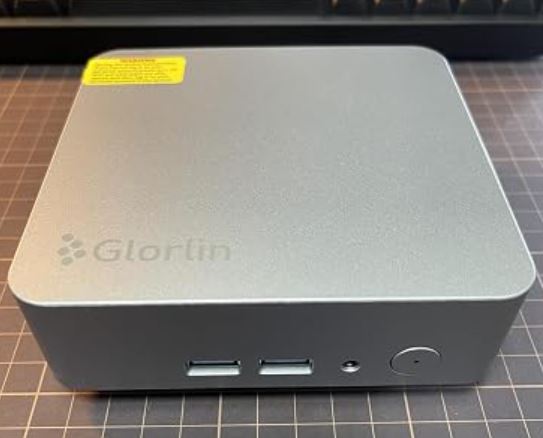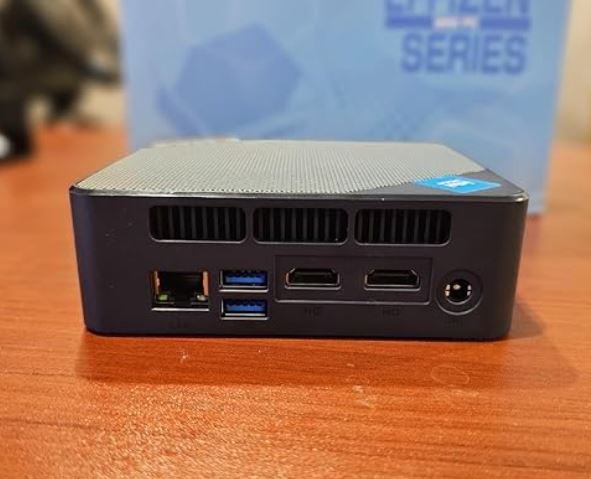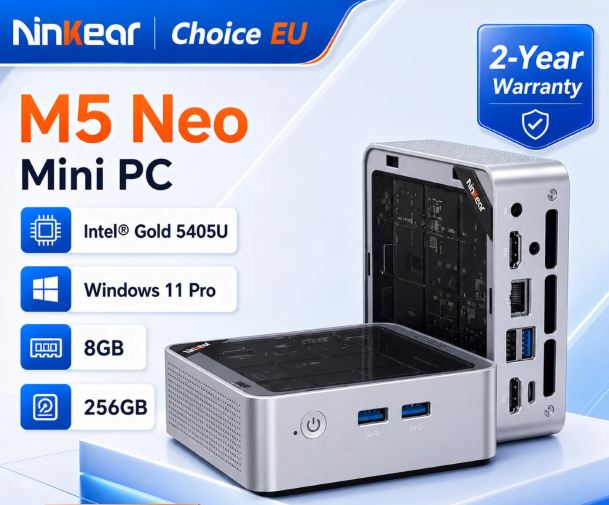
The Ninkear M5 Neo stands out as an extremely affordable option for those looking for a functional computer that takes up minimal space. With incredibly low power consumption and the ability to drive two 4K monitors for office work or online classes, it more than meets expectations in its price range. However, its processor and soldered LPDDR3 memory impose clear limitations for gaming or demanding tasks. If you're looking to spend as little as possible for basic tasks, it's a smart buy.
-
The best features: Ultra-competitive price (~€147), dual HDMI output, consumption of just 15W and very quiet.
-
The worst part: soldered RAM that is not expandable, just enough performance for heavy multitasking or demanding games.
📦 Unboxing and Box Contents
The team's presentation is understated and straightforward, focused on making the most of the space:
-
🖥️ Ninkear M5 Neo Mini PC
-
🔌 DC power adapter (12V / 3A)
-
📺 Medium length HDMI cable
-
🛠️ VESA mounting bracket (with screw kit for attaching behind the monitor)
-
📖 User Manual
📋 Key Technical Specifications
| Component | Specification |
| Processor | Intel® Pentium® Gold 5405U (2 cores, 4 threads @ 2.30 GHz) |
| Graphics | Intel® UHD Graphics 610 |
| RAM | 8 GB LPDDR3 (Soldered) |
| Base Storage | 256 GB SSD M.2 NVMe |
| Expansion | Additional M.2 slot (supports up to 2 TB total) |
| Operating System | Windows 11 Home pre-installed |
| Connectivity | Wi-Fi 5 (802.11ac), Bluetooth 5.0, RJ45 Ethernet |
| Video Output | Dual screen via 2x HDMI |
| Ports | 3x USB 3.2, 1x USB 2.0, 2x HDMI, 1x RJ45, 1x 3.5 mm Jack |
| Dimensions / Weight | 115 × 106 × 42 mm |
| Materials | Rigid plastic + acrylic top finish |
| Regular price | ~147 € |
🛒 Buy Ninkear M5 Neo: See offer on AliExpress
🎨 Design and Construction Quality
When you take it out of the box, you notice how light it is (only 243 grams ).
The chassis combines rigid plastic on the sides with an acrylic top cover, giving it a modern look. It doesn't feel like industrial equipment, but rather like a discreet accessory that fits perfectly on any small desk or can be hidden behind a monitor using its VESA mount.
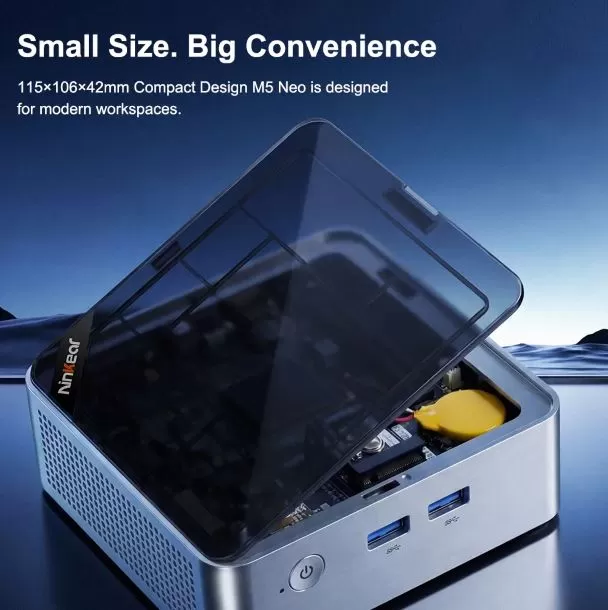
1. The top panel is transparent and removable.
The top of the mini PC isn't a traditional opaque plastic lid. It's a translucent acrylic panel .
-
Aesthetics: It allows you to subtly see the internal components and structure of the fan, giving it a modern and technological look.
-
Functionality: This panel is key for expansion and maintenance. It is not permanently fixed.
2. Easy and Tool-less Opening
Unlike many mini PCs that require small screwdrivers and patience to remove screws hidden under rubber feet, the Ninkear M5 Neo is designed for quick access.
-
Tab or Sliding System: The top acrylic panel is very easy to remove. It can be opened with your fingers in seconds, without the need for tools.
3. Direct Access to Expandable Components
Once you remove the transparent cover, you have immediate access to the area where storage upgrades can be made (remembering that the RAM is soldered and cannot be upgraded):
-
M.2 slots: You will see the two M.2 slots directly. One is usually occupied by the pre-installed 256 GB SSD, and the other is free so you can add a second SSD (M.2 2280 or 2242) and expand the capacity to the 2 TB mentioned in the technical specifications.
-
Maintenance: It makes cleaning the internal fan much easier, as it is visible just under the acrylic, without having to disassemble the entire device.
🖥️ Screen and Multimedia
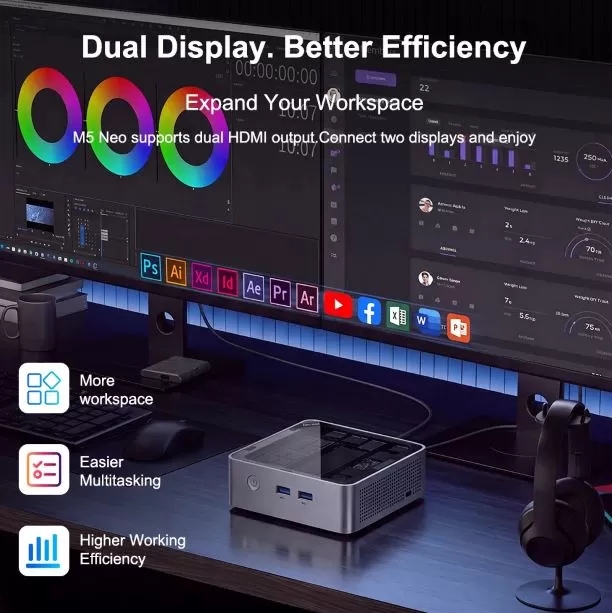
Despite being a basic device, the integrated Intel UHD 610 GPU is capable of driving two 4K displays at 60 Hz through its two rear HDMI ports.
Playing multimedia content on platforms like YouTube, Netflix, or Prime Video in 1080p and 4K resolution is completely smooth, with no frame loss or audio stuttering.
⚡ Performance and Software
In everyday use (word processing, spreadsheets, multi-tab browsing, and video conferencing), the Pentium Gold 5405U, along with its 8 GB of RAM, offers decent performance. The Windows 11 operating system comes clean, free of bloatware or unnecessary software that slows down startup.
-
SSD Speed: The 256GB storage offers read/write speeds far superior to a traditional mechanical hard drive, allowing the computer to power on in about 15 seconds.
The Intel® Pentium® Gold 5405U is not part of the official list of processors compatible with Windows 11 published by Microsoft.
However, manufacturers of budget mini PCs (like Ninkear) often pre-install versions of Windows 11 using methods that bypass system requirements (such as TPM 2.2 bypass or CPU checking) during the system image deployment. It will work right out of the box, but with the risk of encountering problems with future major Windows updates.
Will it work well with 8GB of LPDDR3 RAM?
For basic use, it will work acceptably, but it will be very tight and without any room for maneuver.
-
Basic office tasks, browsing, and 1080p: With a fresh Windows 11 installation, the operating system uses between 3.5 GB and 4.5 GB of memory. You'll have about 3-4 GB free, enough for 5-8 tabs open in Chrome, a Word document, and background music.
-
The LPDDR3 bottleneck: LPDDR3 memory has significantly lower bandwidth and speed than current DDR4 or DDR5 memory. This means that opening demanding applications or quickly switching between windows will feel somewhat slower.
-
No possibility of expansion: Since it comes soldered to the motherboard, you will not be able to add more memory in the future when Windows or applications demand more resources.
Recommendations to improve the performance of this mini PC
1. Linux (Maximum Performance)
With a dual-core/quad-thread processor and 8 GB of soldered LPDDR3 RAM, Windows uses over 4 GB just to boot. A lightweight Linux distribution consumes less than 1.5 GB of RAM at startup, leaving almost all the memory free for your programs and tabs.
Recommended distributions:
-
Linux Mint (XFCE or MATE Edition): The best for users coming from Windows. Identical interface, extremely intuitive and very lightweight.
-
Ubuntu / Zorin OS Lite: If you're looking for a polished aesthetic without sacrificing speed.
-
ChromeOS Flex: Turns your mini PC into a sort of official Chromebook. If you're going to be using it exclusively for web browsing, YouTube, Google Docs, and streaming, this hardware will be incredibly fast.
2. Windows 10 (Official Support and Compatibility)
The Pentium Gold 5405U is officially 100% compatible with Windows 10.
-
Advantages over Windows 11: It consumes fewer CPU and RAM resources, does not require bypass tricks or installation patches, and receives security updates without the risk of losing driver compatibility.
-
Performance: It will work acceptably for single-program use (office suite, simple browser), but you will notice slight stuttering when you open multiple applications at once.
⚡ Energy Consumption, Cables and Thermal
With a TDP of only 15W, this mini PC consumes a fraction of what a traditional desktop tower would. At idle, it barely exceeds 6-8W, making it an ideal choice for leaving on while downloading files or as a lightweight home server.
-
Temperature and Noise: During our thermal stress tests, the internal fan remained at an extremely low noise level (below 35 dB). Heat was efficiently expelled through the sides without creating hot spots on the casing.
🔌 Connectivity and Ports
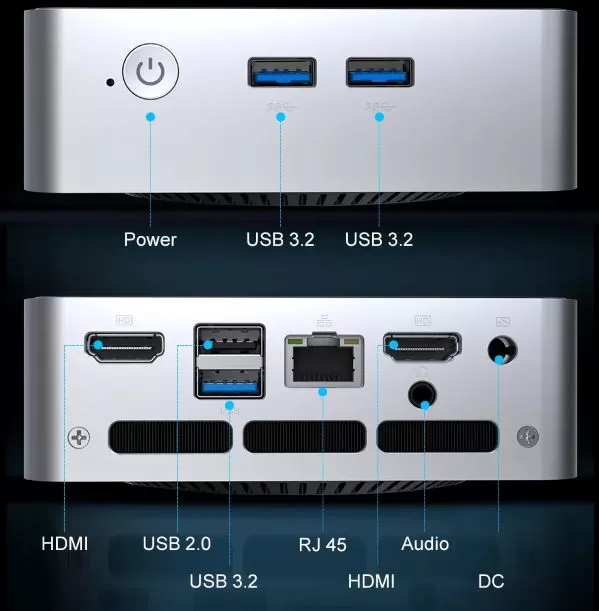
The allocation of ports is well thought out:
-
Front: 2x USB 3.2, power socket and power button.
-
Rear: 1x USB 3.2, 1x USB 2.0, 2x HDMI, 1x RJ45 Ethernet and 3.5 mm combo audio jack.
-
Networking: Its Wi-Fi 5 and Bluetooth 5.0 chips ensure stable connections for wireless keyboards, mice, and headphones.
🛠️ Expansion and Upgrades
It is crucial to consider the updates section before purchasing:
-
RAM Memory: The 8 GB LPDDR3 are soldered to the motherboard, so it is not possible to expand the RAM.
-
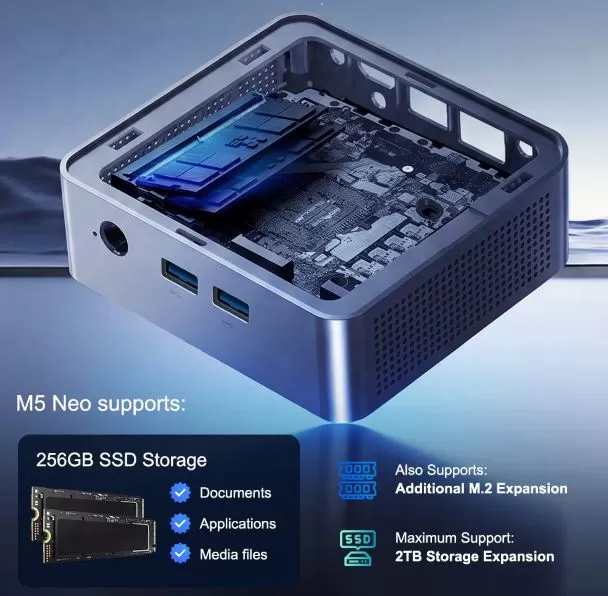
Storage: Yes, it's expandable. It has an additional M.2 slot accessible by removing the bottom cover, allowing you to add a second SSD for a maximum of 2 TB of storage.
💾 Components to expand this Mini PC:
📊 Comparison with Direct Competitors
| Model | Processor | RAM | Storage | Price | Purchase Link |
| Ninkear M5 Neo | Pentium Gold 5405U | 8 GB LPDDR3 | 256 GB SSD | €150 | Buy |
| SOYO Y5 Air | Intel Core i5 4th | 8 GB DDR4 | 128 GB SSD | €100 | View offer |
| GMKtec NucBox | Intel Alder Lake N95 | 8 GB DDR4 | 256 GB SSD | >€150 | View offer |
💬 User Reviews in Traditional Stores
Buyer reviews on portals like AliExpress and hardware forums highlight the following points:
-
Most frequently mentioned positive points: Excellent value for money for domestic use, very easy installation after taking it out of the box and almost imperceptible consumption on the electricity bill.
-
Most common criticisms: Some users miss a USB-C port and warn that the 8GB of RAM is insufficient if you open dozens of tabs simultaneously in heavy browsers.
🧪 Technical Testing, Gaming and Emulation
In synthetic performance benchmarks, the Intel Pentium 5405U CPU falls into a modest, efficiency-oriented range:
-
Geekbench 5: ~580 (Single-Core) / ~1,350 (Multi-Core).
-
Geekbench 6: ~690 (Single-Core) / ~1,520 (Multi-Core).
-
Cinebench R23: ~590 pts (Single-Core) / ~1,200 pts (Multi-Core).
-
PCMark 10 (Office Essentials): ~2,850 points.
These figures confirm that the Intel Pentium Gold 5405U is a processor with a very clear thermal and computational ceiling: sufficient for everyday use, but without reserves for heavy tasks.
-
Strength: The ~2,850 points in PCMark 10 support a solid performance for basic office tasks, web browsing and content playback.
-
Main limitation: The data in Cinebench R23 and Geekbench reflects the impact of having only 2 physical cores, which causes immediate bottlenecks when demanding intensive multitasking, multimedia editing, or rendering.
🎮 Gaming and Emulation Performance:
The Intel UHD Graphics 610 iGPU integrated into the processor is primarily intended for hardware decoding of 4K video in H.264 and HEVC formats, and not for demanding 3D rendering.
Classic and Lightweight PC Games (720p / Low Settings)
-
League of Legends: 45-60 stable FPS during the laning phase, dropping to ~35 FPS in complex team fights.
-
Counter-Strike: Global Offensive / CS2: Unplayable for competitive environments (~20-28 FPS at 720p low).
-
Valorant: ~30-40 FPS adjusting the resolution to 720p with rendering at minimum.
-
2D / Indie Titles ( Stardew Valley, Terraria, Celeste ): 60 fixed FPS without any stuttering or interruption.
Retro Emulation
Where this mini PC finds its sweet spot of usefulness is in the field of emulating classic platforms using Batocera, RetroArch or LAKKA:
| Platform / Console | Resolution / Settings | Performance Obtained |
| 8/16 Bit (NES, SNES, MegaDrive) | 1080p (Active CRT Filters) | 100% Smooth (60 FPS) |
| PlayStation 1 / Arcade (MAME) | Internal rendering x2 / 1080p | 100% Smooth (60 FPS) |
| Nintendo 64 / Game Boy Advance | Native resolution / 720p | 100% Smooth (60 FPS) |
| PSP (PPSSPP) | Rendered x2 (720p) | 60 FPS in 90% of the catalog |
| PlayStation 2 (PCSX2) | Native 1x (Speedhacks Settings) | Unstable (25-40 FPS in simple games) |
| Nintendo GameCube (Dolphin) | Native 1x | Fair (Frequent jerks in demanding titles) |
❓ Frequently Asked Questions (FAQ)
-
Can the RAM be expanded?
No. That's one of the main concerns, since its 8 GB LPDDR3 are soldered to the motherboard.
-
Is it officially compatible with Windows 11?
No, the Intel Pentium Gold 5405U is not on Microsoft's official list, so it comes pre-installed using bypass methods.
-
Is it capable of outputting 4K video to two monitors?
Yes, it supports dual displays at 4K@30Hz through its two HDMI outputs.
-
Can it be used to play or emulate consoles?
It is suitable for retro emulation (up to PS1 and PSP) and very light 2D games, but not for demanding 3D titles or modern consoles.
-
How is factory storage expanded?
It allows you to add a second disk drive thanks to its two M.2 slots (it has 1x M.2 2242 and 1x M.2 2280), supporting up to 2 TB of total space.
-
What is its actual power consumption and noise level?
It consumes only 15W under maximum load and its fan operates silently (below 35 dB).
📌 Final Conclusion
The Ninkear M5 Neo delivers exactly what it promises: a basic, compact, and very affordable computer for under €150. It's the ideal choice for students, office workstations, business receptions, or as a media center for the living room.