⚡ Quick Response
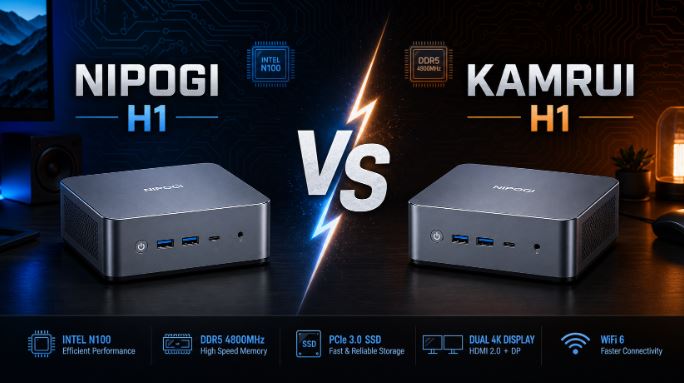
Yes, the NiPoGi H1 and the KAMRUI H1 are, for all practical purposes, the same mini PC: they share the same chassis (12.9 x 12.9 x 5.1cm), the same AMD Ryzen 7 7735HS processor, the same Radeon 680M graphics card, the same 24GB of soldered RAM configuration, and the same dual M.2 slot design expandable up to 4TB. Everything suggests that both come from the same Chinese OEM/ODM manufacturer, with each brand simply adding its own label and price markup.
The real difference lies in where you buy them and in the final price, which can vary considerably between platforms and times of sale.
📊 Comparison Table of Specifications
| Component | KAMRUI H1 | NiPoGi H1 (7735HS) |
|---|---|---|
| Processor | AMD Ryzen 7 7735HS (8C/16T) | AMD Ryzen 7 7735HS (8C/16T) |
| Frequency | 3.2GHz base / up to 4.75GHz turbo | Up to 4.75GHz |
| L3 Cache | 16MB | 16MB |
| Graph | AMD Radeon 680M, 2200MHz | AMD Radeon 680M |
| RAM | 24GB LPDDR5-5500, soldered (not expandable) | 24GB LPDDR5, soldered (not expandable) |
| Storage | 1TB SSD NVMe M.2 2280 | SSD M.2 2280 (capacity varies by variant) |
| M.2 slots | 2x M.2 2280, expandable up to 4TB total | 2x M.2 2280, expandable up to 4TB total |
| Screens | Triple 4K@60Hz (HDMI+DP+USB-C) | Triple 4K@60Hz |
| Connectivity | WiFi 6, BT5.2, Ethernet 2.5Gbps | WiFi 6, BT5.2, Ethernet 2.5Gbps |
| Dimensions | 12.9 x 12.9 x 5.1cm | Same chassis (according to manufacturer) |
| Availability | Amazon, AliExpress | Amazon, AliExpress |
| Operating system | Windows 11 Pro | Windows 11 Pro |
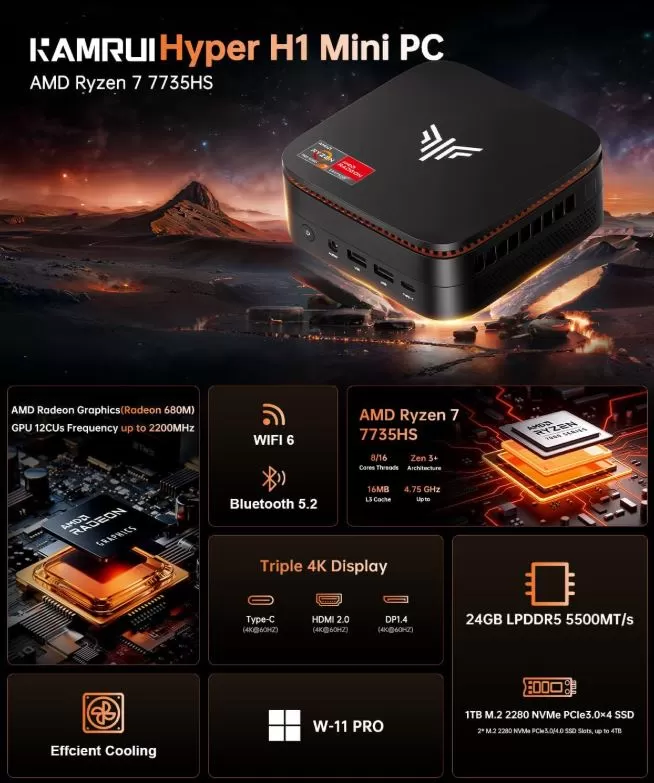
KAMRUI H1 Specifications
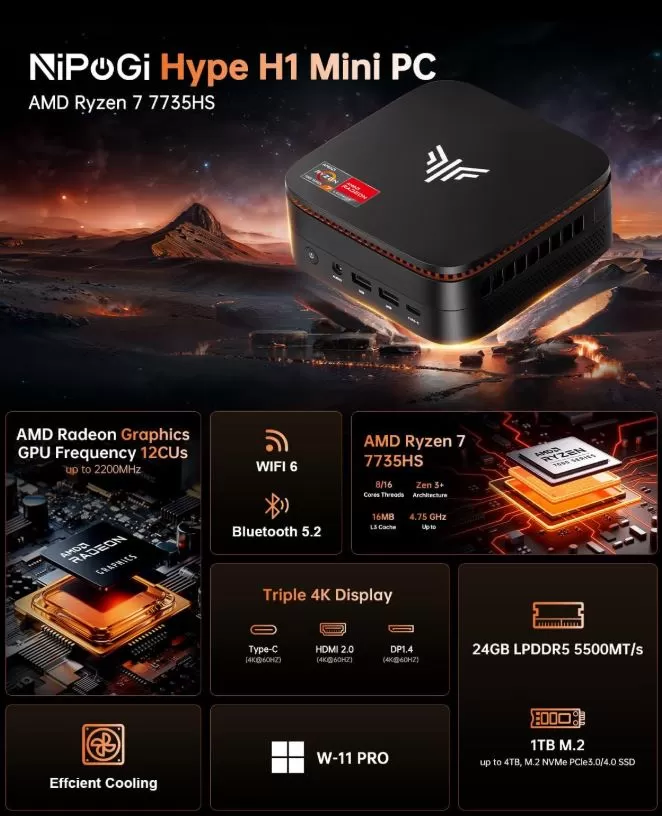
NiPoGi H1 Specifications
🏭 Why Are They So Similar?
This is neither accidental nor coincidental. In the budget mini PC market, it's common for a single ODM (Original Design Manufacturer) to design and produce a chassis and motherboard, and then several brands (KAMRUI, NiPoGi, ACEMAGIC, among others) to buy it and resell it under their own name, with minor adjustments to firmware, packaging, or component configuration.
This exact same pattern occurs with the Kamrui Pinova P2, which shares a design with models from NiPoGi and ACEMAGIC. The H1 follows the same formula, and this time with an even more revealing coincidence: both models share the same 24GB of soldered RAM configuration and the same dual M.2 design expandable up to 4TB, a very specific motherboard detail that would hardly be a coincidence between two independent manufacturers.
A recent price analysis confirms that, for sister models in this family with virtually identical specifications (Ryzen 7 7735HS, 24GB RAM, similar SSD), the price difference between brands is usually less than €100, without any hardware improvements to justify it. This reinforces the idea that the choice between KAMRUI and NiPoGi should be based almost exclusively on price, stock availability, and purchase conditions, not on expected performance.
Currently, KAMRUI has offers with price differences of €100 cheaper compared to NiPoGi, since the price of the NiPoGi mini PC is usually around €550, while KAMRUI usually has offers on AliExpress for less than €400.
🔍 Differences That Do Matter
Although the hardware is essentially the same, there are nuances that can tip the scales:
-
Availability and store: The KAMRUI H1 is available on both Amazon and AliExpress, giving you more flexibility in returns and local warranty coverage. The NiPoGi H1 in the configuration you inquired about is only available on AliExpress, which means longer shipping times and different warranty management.
-
CPU variants under the same name: both brands have marketed "H1" versions with both the Ryzen 7 6800H (previous generation) and the newer 7735HS. It's crucial to verify the exact CPU model in the specifications before purchasing, as the "H1" designation alone doesn't guarantee which chip you'll receive.
-
Soldered RAM in both cases: neither the KAMRUI H1 nor the NiPoGi H1 allows for RAM expansion beyond the factory 24GB, as it is soldered directly to the motherboard in both models. If you need more memory in the future, this family of mini PCs is not the right choice, regardless of the brand you select.
-
Expandable storage: where both agree on flexibility is in storage, thanks to the second free M.2 slot, which allows adding up to 4TB of additional storage without replacing the main disk.
-
After-sales service: even if the hardware is the same, the quality of technical support and warranty management can vary between specific brands and sellers within each platform, something that should be checked in the specific seller's ratings before buying.
🎯 Which one should you buy?
The practical recommendation is simple: buy the one with the best price and best purchase conditions at the exact moment you are going to place the order, prioritizing these criteria in order:
-
Verify that the exact model uses the Ryzen 7 7735HS (not the older 6800H, unless you are specifically looking for that option).
-
Compare the final price with shipping included between both platforms.
-
Prioritize the store that offers the best warranty and returns coverage in your country.
-
Keep in mind that the 24GB of RAM will be the final amount in both cases; if you anticipate needing more in the future, this mini PC family is not expandable in that respect.
If you want to delve deeper into the real-world performance of this hardware (gaming, emulation, temperatures, and benchmarks), check out our [full review of the KAMRUI H1] (internal link), whose results are applicable to the NiPoGi H1 as it shares the same processor, graphics card, and memory configuration.
❓ Frequently Asked Questions (FAQ)
Will the NiPoGi H1 perform the same as the KAMRUI H1?
Yes. Since they share the same Ryzen 7 7735HS, Radeon 680M, and 24GB of RAM, their CPU and GPU performance will be virtually identical.
Why is there such a price difference between brands for "the same" product?
Each brand manages its own profit margin, discount campaigns, and sales channel. This doesn't indicate a difference in quality, but rather a different commercial strategy based on the same core hardware.
Is it safe to buy on AliExpress if the NiPoGi H1 isn't on Amazon?
Yes, it's common practice for these types of products, although it's advisable to check the seller's reputation, estimated shipping times, and warranty policy before completing the purchase.
Can I upgrade the RAM on either of them?
No. On both brands, the 24GB of RAM is soldered to the motherboard, so it's not possible to upgrade it in either case. However, you can upgrade the storage, thanks to the second available M.2 slot.
🛒 Where to Buy?
👉 Amazon: 🛒 KAMRUI H1 mini PC
👉 Amazon: 🛒 NiPoGi H1 mini PC
👉 AliExpress: See price of the KAMRUI H1
👉 AliExpress: See price of the NiPoGi H1