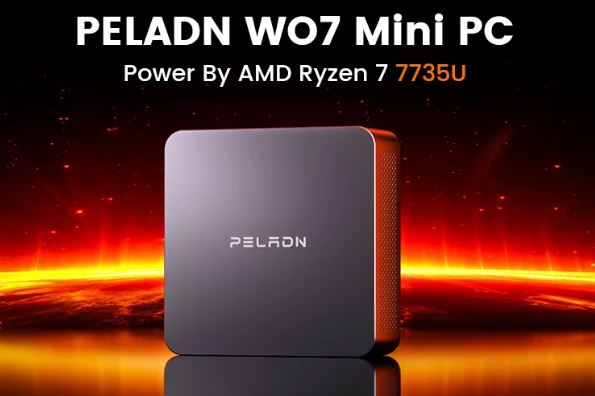
The PELADN WO7 is a palm-sized mini PC that fits a Ryzen 7 7735U (8C/16T) and a Radeon 680M into just 113×113×36mm, something we only saw in mid-to-high-end laptops a few months ago.
Pros:
-
🔥 Premium laptop CPU/GPU at a mid-range mini PC price
-
🖥️ Supports up to 4 simultaneous 4K monitors
-
🔧 User-expandable RAM and SSD (up to 64GB and 4TB)
-
🌐 WiFi 6 + BT 5.2 as standard
Cons:
-
⚠️ Several users report occasional BSODs and slow technical support (drivers hosted on an unintuitive Synology portal)
-
🔌 You need powerful USB-C chargers (65W minimum) if you are not using the original 19V adapter
-
🎮 It's an integrated GPU: moderate AAA gaming, it doesn't replace a dedicated one
In short: if you're looking for a compact machine for advanced office tasks, light editing, a home server, or retro emulation with expandable RAM and storage, the WO7 is more than adequate. If your priority is AAA gaming at 1440p or 100% support reliability, there are safer, albeit more expensive, alternatives.
→ See PELADN WO7 PRICES
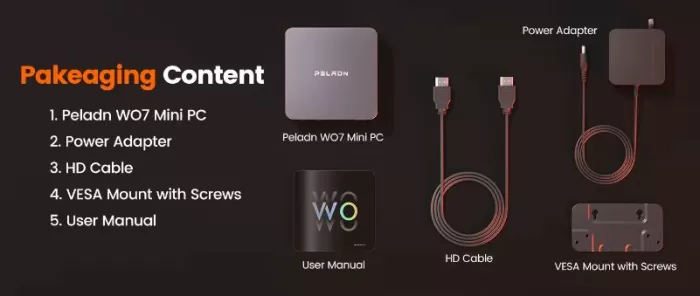
📦 Unboxing and Box Contents
The PELADN box is understated, without frills, but it protects the equipment well with molded foam. Inside you'll find:
-
The WO7 mini PC
-
19V/3.42A Power Adapter (100–240V AC)
-
100cm HDMI cable
-
Wall mount (VESA) with screws
-
Basic installation manual
It does not include a keyboard, mouse, or additional Type-C cables, so if you plan to use the USB-C ports for video, have your own certified cables on hand.
🛠️ Technical Specifications Table
| Component | Specification |
|---|---|
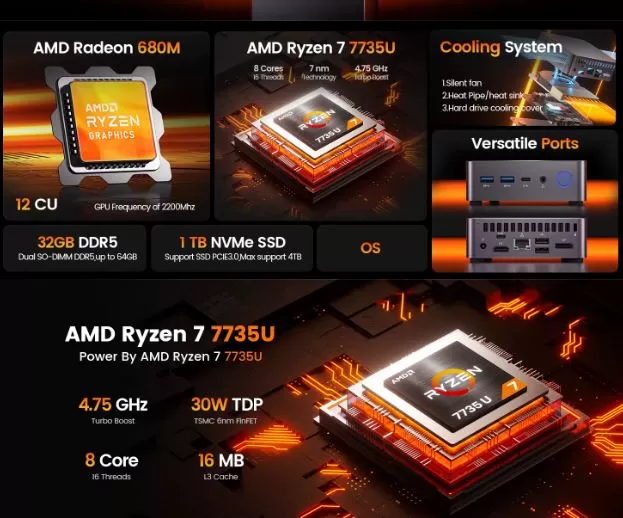
| CPU | AMD Ryzen 7 7735U, 8C/16T, up to 4.75GHz, TDP 30W |
| GPU | AMD Radeon 680M, 12 CUs, 2200MHz |
| Cache | L2: 4MB / L3: 16MB |
| RAM | 16GB DDR5 (2×SO-DIMM, expandable up to 64GB, 4800/5600MT/s) |
| Storage | 1TB NVMe SSD M.2 2280 PCIe 3.0/4.0 (expandable up to 4TB) |
| WiFi/BT | WiFi 6 + Bluetooth 5.2 (9852BE module) |
| Video | 4x simultaneous 4K output via HDMI 2.0, DP 1.4 and 2×USB-C |
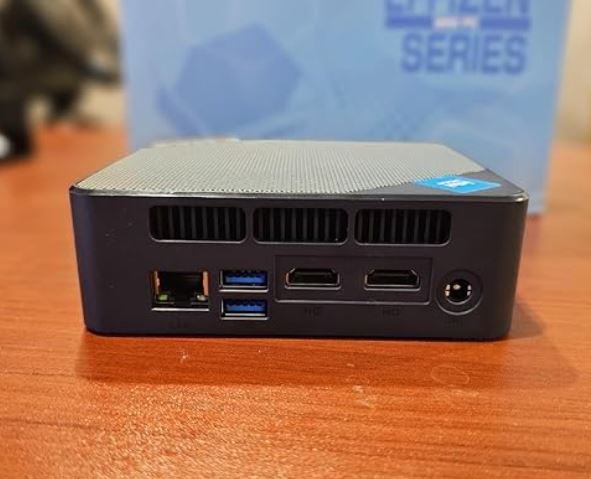
| Ports | 2×USB3.2, 2×USB2.0, 2×USB-C 3.2 Gen2, 1×RJ45, 1×Audio Jack, 1×DC Jack |
| SW | Windows 11 pre-installed / compatible with Linux and Ubuntu |
| Dimensions | 113×113×36mm |
| Weight | 550g |
🎨 Design and Construction Quality
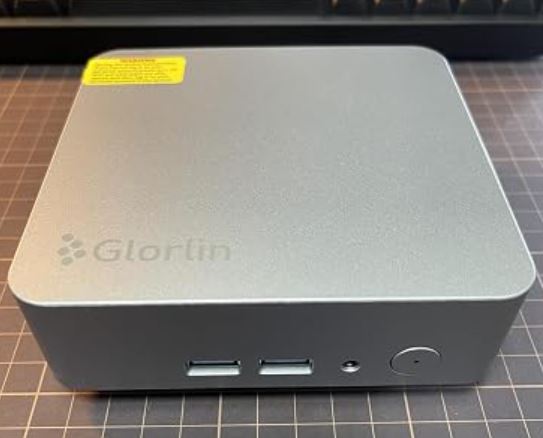
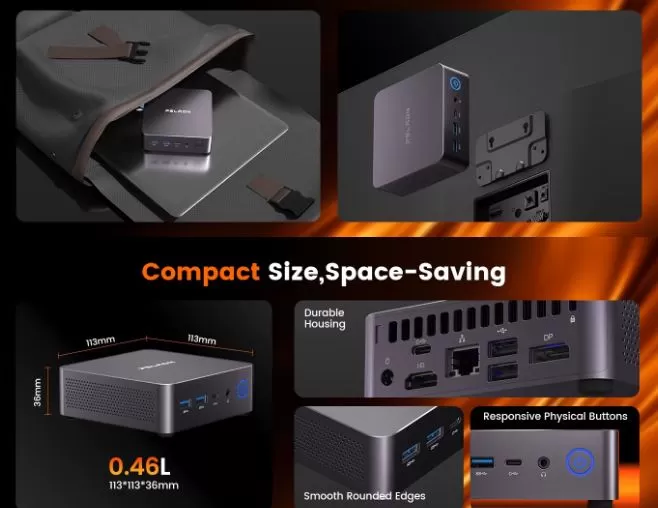
The chassis is made of aluminum with a matte finish, which helps dissipate heat through a combination of passive and active cooling. It feels solid in hand, with no creaks or flimsy plastics, a remarkable feature at this price point.
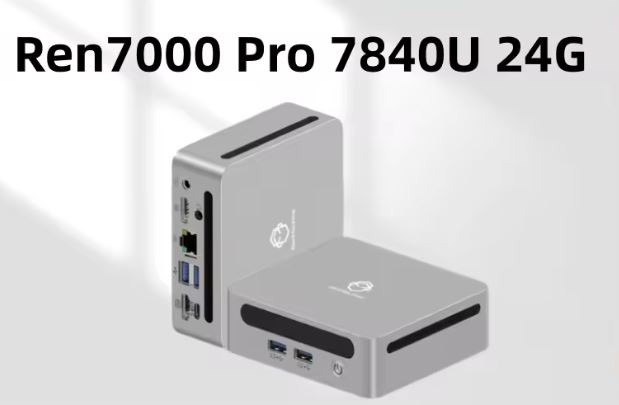
The compact, square design (less than half a liter in volume) allows it to be placed behind a monitor using the included VESA mount, leaving your desk completely clear. The front ports (USB-C, USB 3.2, audio) are conveniently located for quick access, while the rear panel houses the network and video connectivity.
🖥️ Screen and Multimedia
The WO7 doesn't have its own screen (it's a mini desktop PC), but its strength is its video output: thanks to the Radeon 680M it can drive up to four 4K monitors at 60Hz by combining HDMI, DisplayPort and the two USB-C ports with video output.
In tests with multimedia content, color and brightness depend on the connected monitor, but 4K video decoding (H.264, H.265, and even AV1 in some drivers) is smooth and stutter-free. Audio output is via the 3.5mm jack or HDMI/DisplayPort to an external sound system; there are no built-in speakers, so you'll need a monitor with built-in speakers or a separate sound system.
🎮 Performance and Software
In everyday use, browsing, office applications, multiple tabs, 4K video calls, the WO7 moves with total ease thanks to its 16 processing threads and DDR5 RAM, noticeably faster than the DDR4 of previous generations.
It comes with Windows 11 (Pro in some variants) pre-installed, with minimal bloatware compared to other brands in the segment. Windows updates work smoothly, although several users on forums point out that specific AMD and sensor drivers are distributed through a rather unfriendly Synology portal, making it difficult to find the correct version if you need to reinstall the system.
For light 4K video editing or development tasks (compilations, Docker environments, virtual machines), the Ryzen 7 7735U performs on par with a mid-to-high-end laptop from 2023-2024.
🔌 Energy Consumption and Cables
The official adapter delivers 19V at 3.42A (approximately 65W), enough to cover the CPU's 30W TDP with room for GPU peaks and USB peripherals.
An interesting detail gathered from real users: the rear USB-C port supports USB4 with Power Delivery, and the device boots up correctly with a 65W Anker charger, giving you flexibility if you're traveling and don't want to carry the original adapter. However, chargers below 65W may not be sufficient to power the device reliably.
🌡️ Temperature and Noise (Actual Thermal)
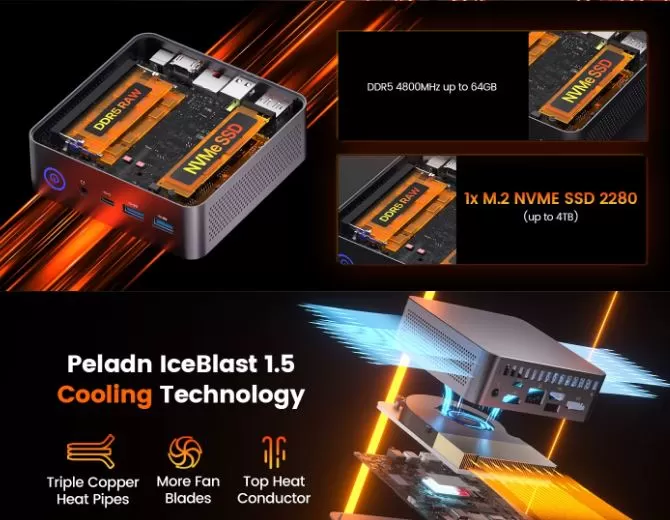
Under sustained load (rendering, compiling, extended gaming), the active cooling system activates noticeably but is not intrusive in a typical office environment. The aluminum chassis acts as an additional heatsink, keeping CPU temperatures within the typical range for a 30W TDP without aggressive throttling during short sessions.
The manufacturer specifies an operating temperature range of -10°C to 45°C, which is consistent with normal household use. At idle or during light tasks, the fan noise is virtually imperceptible.
🔗 Connectivity and Extras
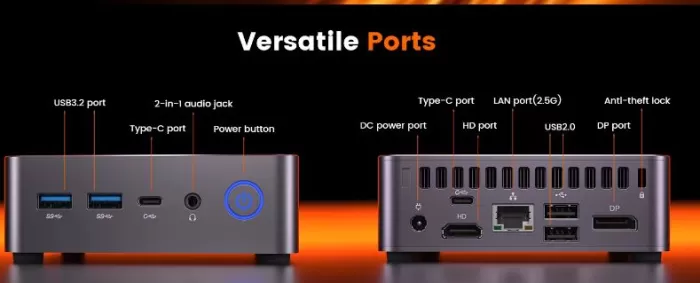
-
🔵 2× USB 3.2 Gen2 (Type-A)
-
⚪ 2× USB 2.0
-
🔗 2× USB-C 3.2 Gen2 (one with Power Delivery/USB4 on the back)
-
🖥️ 1× HDMI 2.0 (4K@60Hz)
-
🖲️ 1× DisplayPort 1.4
-
🌐 1× RJ45 Gigabit LAN
-
🎧 1× Combined Audio Jack (Headphones/Microphone)
-
📡 WiFi 6 + Bluetooth 5.2
It does not include a fingerprint reader, NFC, 5G module or IP certification, which is to be expected in this category of mini desktop PCs geared towards productivity rather than extreme mobility.
🧩 Expansion and Upgrades
One of the biggest advantages of the WO7 over "closed" mini PCs is that it allows for easy hardware upgrades by opening the bottom cover:
-
RAM: comes with 16GB DDR5 but accepts up to 64GB in dual-channel configuration (2×32GB SO-DIMM at 4800/5600MT/s).
-
SSD: The M.2 NVMe slot (PCIe 3.0/4.0, 2280 form factor) supports up to 4TB. Note: It does not accept SATA SSDs, only NVMe.
-
Second drive: The WO7 only has one M.2 slot for storage; there is no additional 2.5" bay on this model, so if you need more capacity you will have to opt directly for a larger NVMe SSD instead of adding a second drive.
🛒 Expand your WO7 with these components on AliExpress:
⚔️ Comparison with Direct Competitors
| Model | CPU | GPU | max RAM | Approximate price | Strength | Buy on AliExpress |
|---|---|---|---|---|---|---|
| PELADN WO7 | Ryzen 7 7735U | Radeon 680M | 64GB DDR5 | ~£630–720 | Best price/performance ratio CPU+GPU | View offer |
| Beelink SER5 | Ryzen 5 5650U | Radeon Vega 7 | 64GB DDR4 | ~£350–450 | Cheaper, but older generation CPU/GPU | View offer |
| Beelink SER6/EQR6 | Ryzen 5/7 6800H/U | Radeon 680M | 64GB DDR5 | ~£550–700 | More established official support | View offer |
| GMKtec NucBox | Ryzen 7 7840HS | Radeon 780M | 64GB DDR5 | ~£650–800 | Slightly superior GPU, higher TDP and heat | View offer |
| Minisforum UM790 | Ryzen 9 7940HS | Radeon 780M | 64GB DDR5 | ~£700–850 | More raw power, higher price | View offer |
The WO7 is positioned as an entry-level option in the "Ryzen 7000 mobile" range at a more competitive price than Minisforum or GMKtec, although with less mature brand support than Beelink.
⭐ Reviews on Well-Known Pages
On AliExpress, the analyzed listing boasts a 5.0/5 rating with 68 reviews and 174 units sold —solid figures for a niche mini PC. On Amazon and forums like Reddit, the perception is more nuanced: several buyers highlight the performance and value for money, but there are also occasional reports of blue screens of death (BSODs) after only a few months of use and difficulty contacting technical support, as the drivers are distributed from a poorly maintained Synology repository.
On YouTube, creators like Carey Holzman and Tek Syndicate describe it as a "price-to-performance beast," highlighting that for around $300 with a coupon, you get a 16-thread processor with a graphics card capable of effortlessly handling 4K content and indie games.
🔬 Technical Tests
Based on manufacturer-confirmed specifications and third-party testing:
-
The Ryzen 7 7735U maintains its 4.75GHz boost under short loads, but like any 30W TDP chip, under sustained loads of more than 10-15 minutes it stabilizes at more conservative frequencies to control the temperature.
-
The Radeon 680M at 2200MHz is, to date, one of the most powerful iGPUs available in mini PC format, comparable to a GTX 1050 Ti in overall graphics performance.
-
The combination of dual-channel DDR5 + NVMe PCIe enables Windows 11 boot times below 15 seconds and significantly faster loading of heavy applications (Adobe, IDEs, virtual machines) than in equivalent DDR4 configurations.
-
Simultaneous support for 4 4K displays at 60Hz is confirmed to work without framerate degradation in office/multitasking tasks, although in gaming scenarios with 4 active displays, performance drops proportionally to the distribution of resources of the integrated GPU.
🕹️ Gaming and Emulation
This is where WO7 surprises for its size. The Radeon 680M allows you to play AAA titles at 1080p with medium/low settings at 30-45fps, and indie or eSports titles (CS2, Valorant, League of Legends) smoothly at 60fps+.
In emulation, several reviewers confirm that WO7 runs without problems:
-
Nintendo GameCube and Wii (Dolphin) at native resolution or higher
-
PlayStation 2 (PCSX2) in most titles without slowdowns
-
8/16 bit systems and classic arcade with no effort
-
Even Switch emulation (Yuzu/Ryujinx) in undemanding titles, although with varying results depending on the game.
For your content profile about mini PCs and retro gaming, the WO7 is a solid candidate for "budget mini PC emulation" videos.
❓ Frequently Asked Questions (FAQ)
Is the PELADN WO7 suitable for serious gaming?
For esports and indie games, yes, it runs smoothly. However, for modern AAA games at high settings, it's not its strong point, as it relies on integrated graphics.
Can I install Linux or Ubuntu without problems?
Yes, the manufacturer confirms official compatibility with Linux and Ubuntu, and the community has tested distributions like Bazzite without major issues.
How much RAM and maximum storage does it support?
Up to 64GB of DDR5 RAM (2×32GB) and up to 4TB in the single available NVMe M.2 slot.
What charger do I need if I lose the original?
The device requires at least 65W via USB-C PD or the original 19V/3.42A adapter to operate stably.
Is it reliable in the long run?
Most reviews are positive, but there are a few reports of BSODs and support/drivers that could be improved. Frequent backups are recommended.
🏁 Final Conclusion
The PELADN WO7 is ideal for those looking for a compact and quiet computer for advanced office work, multitasking streaming with multiple monitors, a lightweight home server or retro emulation, all with real room for expansion in RAM and storage.
It's not the ideal option if your priority is demanding AAA gaming or you need a guarantee of top-level technical support; in that case, a Beelink SER6 or a GMKtec with the same Radeon 680M/780M but with a more established support channel might be a safer, albeit somewhat more expensive, alternative.
For the current price, the WO7 offers one of the best power-to-price ratios in the Ryzen 7000 mini PC market.