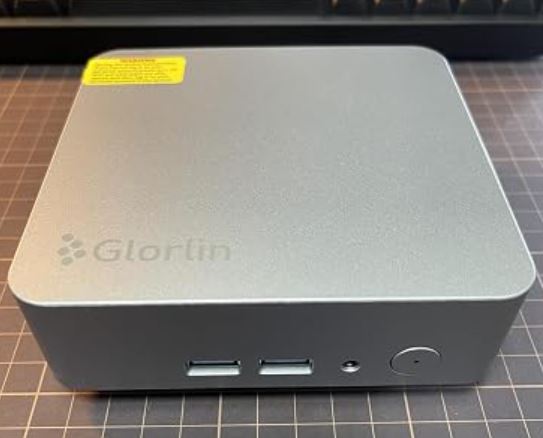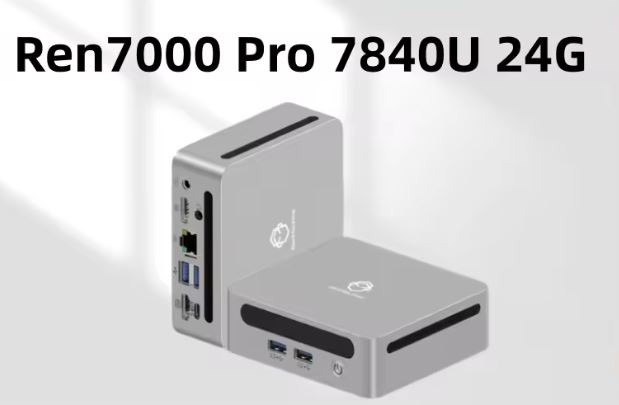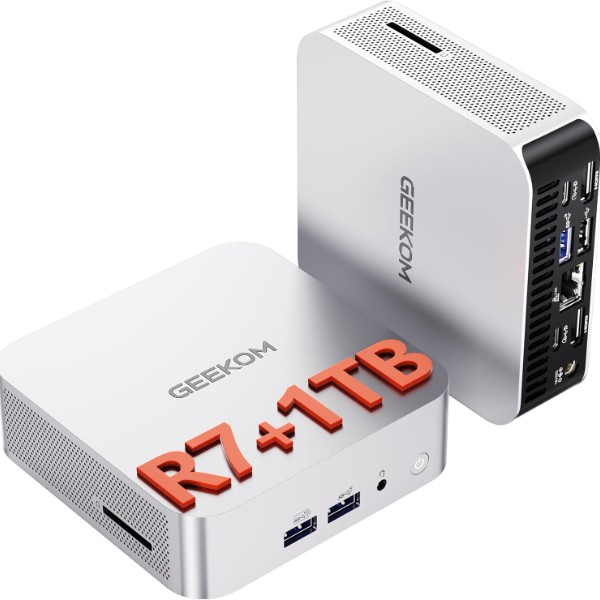
The GEEKOM A6 is a well-balanced "all-rounder" mini PC: ideal for advanced office work, content creation, and light gaming, with an ultra-compact form factor and expansion potential that makes it quite promising.
✅ Pros: Very solid performance thanks to the Ryzen 7 6800H and Radeon 680M, compact and well-finished aluminum chassis, excellent connectivity (USB4, 2.5G LAN, Wi-Fi 6E) and the possibility of mounting up to 64 GB of RAM and dual SSDs.
❌ Cons: The integrated graphics do not replace a dedicated GPU for heavy gaming, and under sustained load the fan is audible although it maintains good temperatures.
View Prices on Amazon: GEEKOM A6 Mini PC
📦 Unboxing and Box Contents
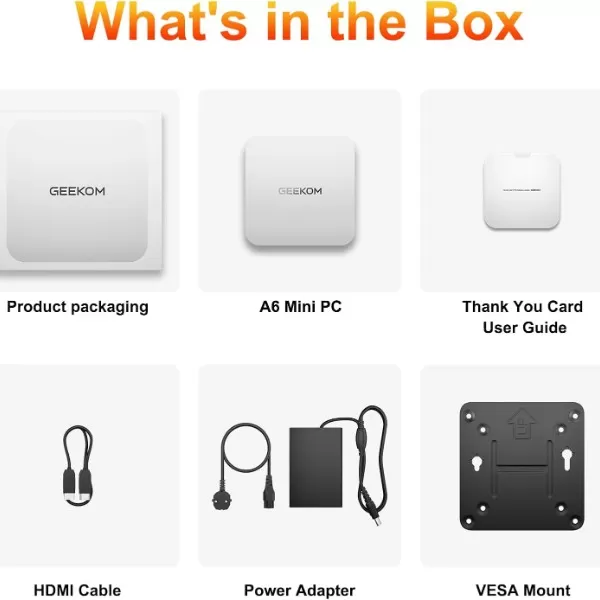
The GEEKOM A6 arrives in a compact, well-protected box, with the mini PC wrapped in foam and plastic, accompanied by all the necessary accessories to start using it right out of the box.
The box contains:
-
🖥️ 1 x GEEKOM A6 Mini PC
-
🔩 1 x VESA mount for mounting behind the monitor or on the wall
-
🔌 1 x Power adapter (19V, sufficient to power the 6800H at 45W)
-
📺 1 x HDMI Cable
-
📄 1 x Quick User Guide
This presentation fits well with the brand's "semi-premium" positioning: nothing ostentatious, but correct and functional for a device intended for both office and home desktop use.
Key technical specifications
| Feature | Main detail |
|---|---|
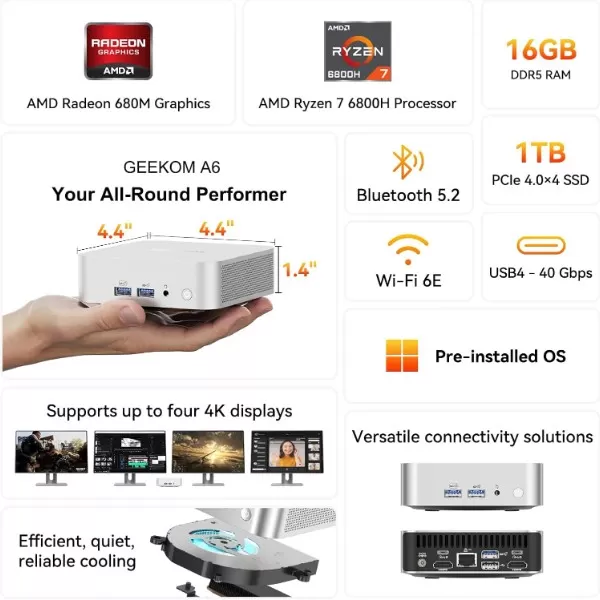
| CPU | AMD Ryzen 7 6800H (8 cores / 16 threads, up to 4.7 GHz) |
| GPU | Integrated AMD Radeon 680M (RDNA 2 architecture) |
| RAM | 16–32 GB DDR5-4800 SO-DIMM, dual channel, expandable up to 64 GB |
| Storage | 1x M.2 2280 NVMe PCIe 4.0 x4 (up to 2 TB) + 1x M.2 2242 SATA (up to 1 TB) |
| Wired connectivity | 2.5GbE Ethernet RJ45 |
| Wireless connectivity | Wi-Fi 6E + Bluetooth 5.2 |
| Video ports | 2x HDMI 2.0 + USB4/USB-C (up to 4 4K displays, 8K support) |
| USB ports | USB 3.2 Gen2 Type-A, USB 2.0, USB-C, USB4 Gen3 Type-C with Power Delivery |
| Card reader | Integrated SD slot |
| Operating system | Windows 11 Pro pre-installed |
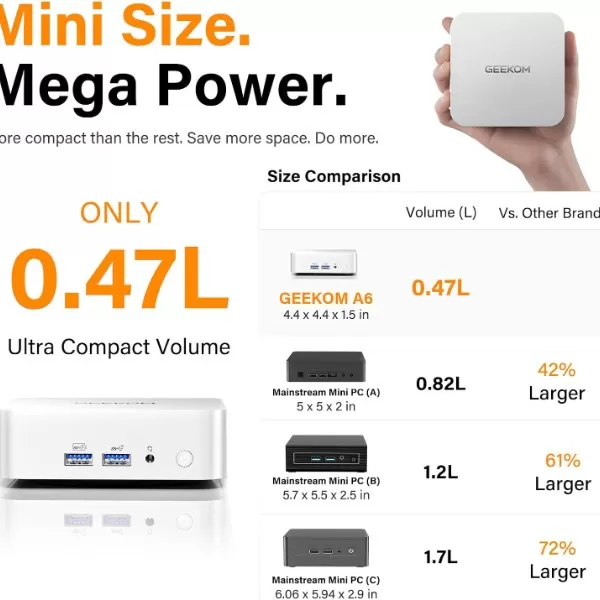
| Dimensions | 112.4 × 112.4 × 37 mm (less than 0.5 L volume) |
| Warranty | Up to 3 years limited warranty, depending on the region |
Design and construction quality
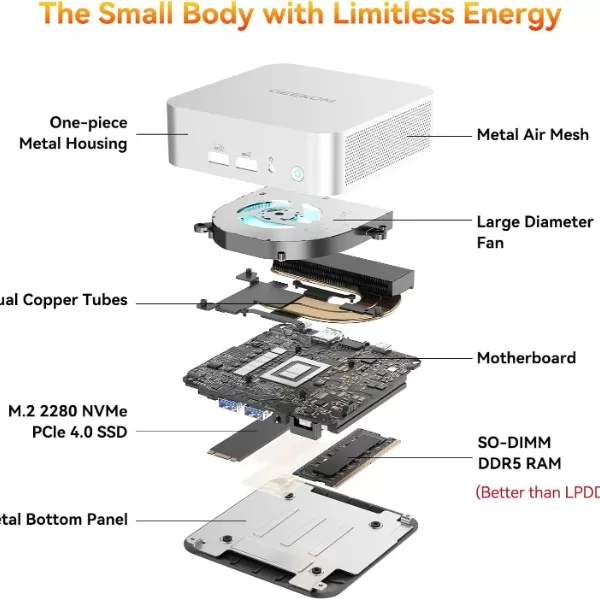
The GEEKOM A6 features an aluminum chassis with a brushed finish, available in understated colors (silver/gray) and even more striking variants depending on the region, conveying a sense of a solid product and something more "premium" than plastic mini PCs.
In hand it feels compact (approx. 4×4 inches) and dense, with good structural rigidity and no creaking, which inspires confidence to mount it behind the monitor with the VESA mount without fear of vibrations or bumps.
The design prioritizes functionality:
-
Well-distributed ventilation grilles.
-
Accessible power button.
-
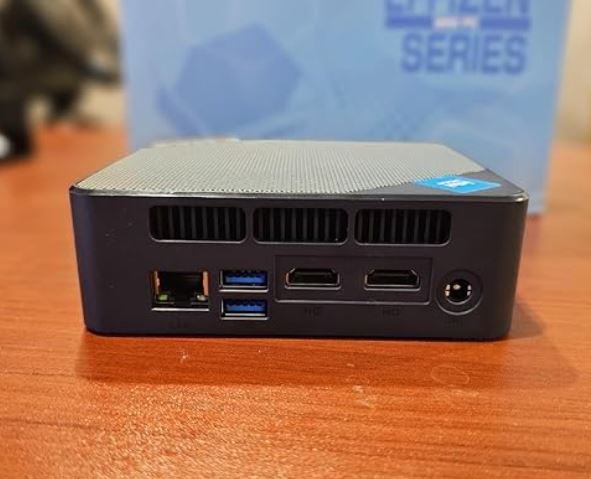
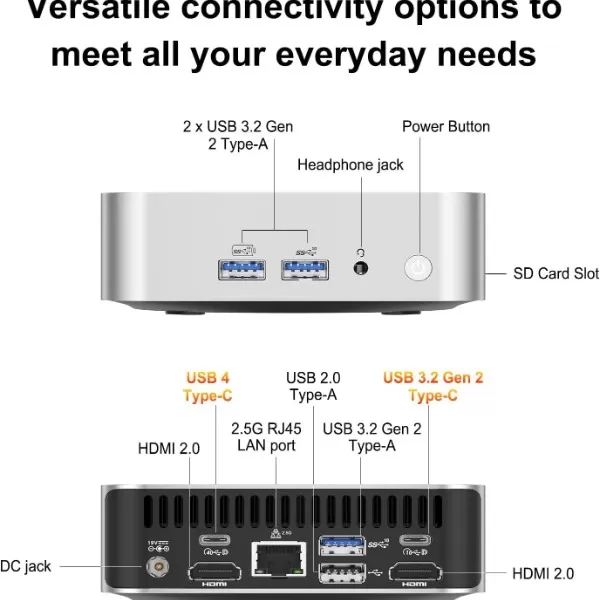
Front ports for everyday use (USB and audio jack) and rear ports for fixed cabling (HDMI, USB4, LAN, power).
Screen and multimedia
Being a mini PC without an integrated screen, the multimedia experience will depend on your monitor or television, but the A6 plays hard in video connectivity.
-
It supports up to four 4K displays using its two HDMI ports and USB4/USB-C ports, even reaching 8K resolutions in specific configurations.
-
This allows you to easily set up streaming, editing, trading, or multitasking setups with multiple simultaneous windows.
In terms of sound, it depends on the monitor's speakers or the external system, but the mini PC offers audio output via 3.5 mm jack and HDMI, with a level sufficient for office use, multimedia consumption and video calls.
Performance and software
Overall fluency and productivity
The Ryzen 7 6800H + DDR5 + PCIe 4.0 SSD combo delivers near-desktop performance for office tasks, browsing with many tabs, multitasking, and advanced productivity.
Reviewer tests show very good scores in CPU and disk benchmarks, with very fast application launch times and file copying speeds.
Games and content creation
The Radeon 680M (RDNA 2) clearly performs better than the older integrated Vega 8 graphics in other Ryzen mobile processors, making the A6 a viable option for:
-
Light gaming at 1080p with medium settings in many titles.
-
Amateur and semi-professional 4K photo and video editing.
-
Music production, code compilation, and heavyweight development environments.
Obviously, it doesn't replace a dedicated mid-range/high-end GPU, but for a compact mini PC, it's above average.
Operating system and bloatware
It comes with Windows 11 Pro pre-installed, which is a good fit for enterprise scenarios, domains, policy management, and encryption.
Reviews indicate that the system includes few bloatware apps beyond the standard Windows apps and GEEKOM's own utilities for support and updates, without excessive bloatware.
Energy consumption and cables
The Ryzen 7 6800H has a TDP of around 45W, but real-world usage measurements show the following power consumption:
-
Low power consumption in standby mode and for simple office tasks (below 20–25 W).
-
Moderate to high under sustained CPU/GPU load (typical rounds of 70–90 W of total system consumption, depending on scenario).
This makes it an interesting option as a 24/7 PC, home server or continuous work machine, with a clearly lower consumption than traditional gaming towers.
The 19V power adapter comes with cables long enough to mount it on a desk or behind a monitor, and the included HDMI cable allows you to connect it immediately to a monitor without buying any extra accessories.
🌡️ Temperature and noise (actual thermal)
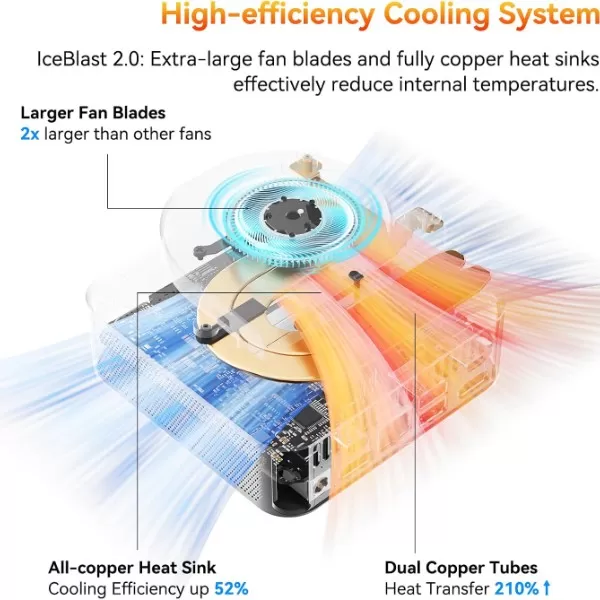
Technical tests show that the GEEKOM A6 cooling solution keeps the Ryzen 7 6800H at controlled temperatures under load, typically below thermal throttling limits.
-
Under light use, the device remains quite quiet, with the fan spinning at low RPMs and a noise level that goes unnoticed in an office.
-
Under prolonged stress (benchmarks, rendering, gaming) the fan becomes audible, but without reaching annoying levels for most users, balancing temperature and noise well.
In summary: very good thermal performance for such a compact chassis, and a noise profile suitable for a desktop workstation.
Connectivity and extras
The GEEKOM A6 comes very complete in ports and connectivity:
-
🌐 2.5GbE LAN for fast wired network connections (ideal for NAS, local servers and large backups).
-
📶 Wi-Fi 6E with 6 GHz band support, improving latency and capacity compared to classic Wi-Fi 5/6.
-
🔵 Bluetooth 5.2 for modern mice, keyboards, headphones and peripherals.
-
🔌 USB 3.2 Gen2 Type-A, USB 2.0, USB-C and USB4 Gen3 with video support and Power Delivery, ideal even for external GPUs or advanced docks.
-
📸 SD card reader, useful for photography, video and fast transfer from cameras.
It does not have extras such as NFC, fingerprint reader or IP certifications against water/dust, since its use is intended for office or home use.
🔧 Expansion and upgrades
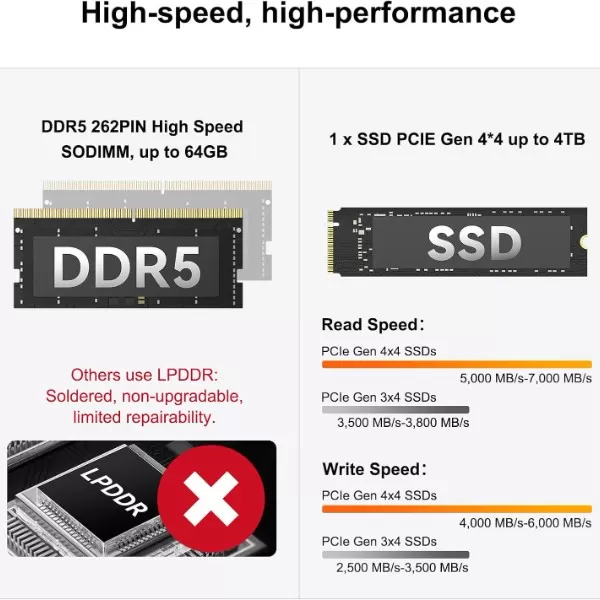
One of the strengths of the A6 is that it is not completely "soldered" like other mini PCs:
-
RAM: Uses DDR5 SO-DIMM modules with two slots, expandable up to 64 GB, allowing you to configure 32+32 GB if you need virtual machines, heavy editing, or large databases.
-
Storage:
-
1x M.2 2280 NVMe PCIe 4.0 x4 (up to 2TB).
-
1x M.2 2242 SATA extra (up to 1 TB).
-
This allows you to mount:
-
Fast primary SSD for system and apps.
-
Secondary SSD for projects, games, or backups.
👉 For upgrades, you can search for compatible DDR5 memory and SSDs on AliExpress:
-
Search for RAM DDR5 SO-DIMM for GEEKOM A6 on AliExpress
And purchase links for the mini PC itself:
-
🛒 Amazon – GEEKOM A6 GEEKOM A6 Mini PC
-
🛒 AliExpress – GEEKOM A6 Mini PC
🆚 Comparison with direct competitors
| Model | CPU | Integrated GPU | RAM base | Key connectivity | Approximate price / position |
|---|---|---|---|---|---|
| GEEKOM A6 | Ryzen 7 6800H | Radeon 680M RDNA2 | 16–32 GB | USB4, 2.5GbE, Wi-Fi 6E | Very good performance/price ratio |
| Mini PC with 7730U | Ryzen 7 7730U (15 W) | Vega 8 | 16 GB | Fewer advanced ports on average | More efficient, but less powerful |
| Intel i5-U Mini PC | Intel i5 U-series | Intel Xe iGPU | 16 GB | USB-C, Wi-Fi 6, 1GbE typical | Better for some office uses, worse on GPUs |
| GEEKOM A8 | Ryzen 9 / top series | superior iGPU | 32 GB | Similar but more expensive | More powerful, but much more expensive |
Most reviewers agree that the A6 is a "sweet spot" between price and performance, especially compared to models with 15W CPUs designed more for mobility than for sustained workloads.
10 Reviews on well-known websites (emphasis)
In specialized websites and stores, the GEEKOM A6 usually receives ratings between 8 and 9 out of 10, with the following standing out:
-
Excellent overall performance for the size of the equipment.
-
Very complete connectivity (USB4, 2.5GbE, Wi-Fi 6E).
-
Good quality metal construction.
End users rate it positively:
-
Fluency in daily tasks and multitasking.
-
Relative silence in office use.
-
How easy it is to upgrade (add RAM and SSD).
The criticisms include:
-
Price is somewhat high compared to more basic mini PCs.
-
The absence of a dedicated GPU limits the most demanding gaming.
Technical tests (emphasis)
The technical analyses include benchmarks such as Cinebench, 3DMark and disk tests, as well as temperature and power consumption tests:
-
CPU: very solid results for a 6800H, in line with or slightly above other mini PCs with the same platform, thanks to the good power and cooling adjustment.
-
GPU: The Radeon 680M scores well above Vega 8 and many previous integrated graphics, resulting in better performance in games and 3D applications.
-
SSD: The NVMe PCIe 4.0 achieves very high read/write speeds, which is noticeable in reduced loading times.
-
Power consumption and thermals: a good balance between performance, temperature and energy consumption is measured, without aggressive throttling during prolonged use.
This data reinforces the idea that the A6 is not only "powerful on paper", but also consistent under real use.
🎮 Gaming and emulation
The GEEKOM A6 isn't a dedicated gaming PC, but the Ryzen 7 6800H + Radeon 680M combination allows for:
-
Play many popular titles in 1080p with medium or low settings, maintaining acceptable framerates.
-
Emulate consoles from previous generations (PS2, GameCube, Wii, even some PS3 and Switch games), always adjusting the settings properly.
For retro gaming and emulation, the power of the integrated GPU and multi-display support make it very appealing.
When combined with an external GPU via USB4 (eGPU), some reviewers have reported significant improvements in graphics performance, making it a fairly capable mini PC for more serious gaming.
❓ Frequently Asked Questions (FAQ)
Can the RAM on the GEEKOM A6 be expanded?
Yes, it has two SO-DIMM DDR5 slots and supports up to 64 GB of RAM in total.
Can the SSD be changed?
Yes, you can replace the main M.2 2280 with one of higher capacity (up to 2 TB) and add a second additional M.2 2242 SATA (up to 1 TB).
Is it suitable for 4K video editing?
For light editing and medium-sized projects, yes, thanks to the Radeon 680M and the fast SSD; for very large projects, a dedicated GPU will still be a better option.
Is it quiet?
For office tasks and browsing, the noise is low; under heavy loads the fan becomes noticeable, but it remains at reasonable levels.
What operating system does it come with? Can I install Linux?
It comes with Windows 11 Pro and supports Linux distributions without major issues, according to tests and specifications.
Final conclusion: Who is it ideal for? Is it worth it?
The GEEKOM A6 Mini PC is ideal for:
-
👔 Advanced office users and freelancers who need power, many screens and good connectivity in a very small space.
-
🎬 Content creators, photographers, and editors who require fluency in multimedia editing without needing giant workstations.
-
🎮 Light gaming and emulation enthusiasts looking for a compact and relatively quiet computer for the living room or desk.
It's worth it?
If your priority is a powerful, well-built, highly connectable, and expandable mini PC , the GEEKOM A6 justifies its price compared to more basic models with 15W CPUs and less capable integrated graphics.
However, if you only need basic office tasks and web browsing, a more affordable mini PC will likely suffice.
Possible alternatives you might consider:
-
Mini PCs with Ryzen 7 7730U if you prioritize efficiency over power.
-
Models with Intel i5/i7 with iGPU Xe if your workloads are mainly office-based and not so much GPU-intensive.
Purchase / More information
If you want to check current prices and configurations of the GEEKOM A6:
And if you wish to expand the team: