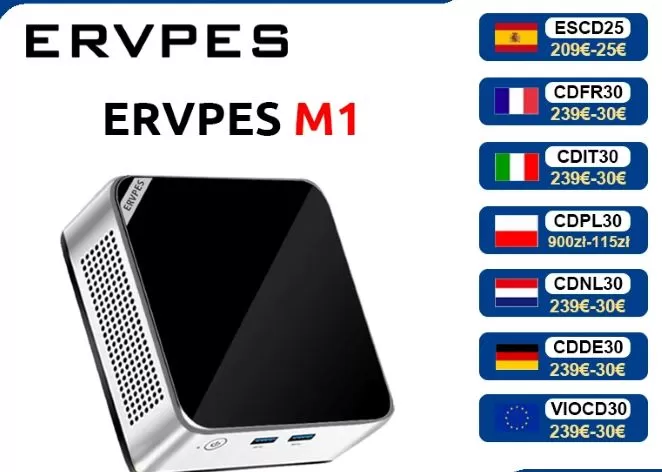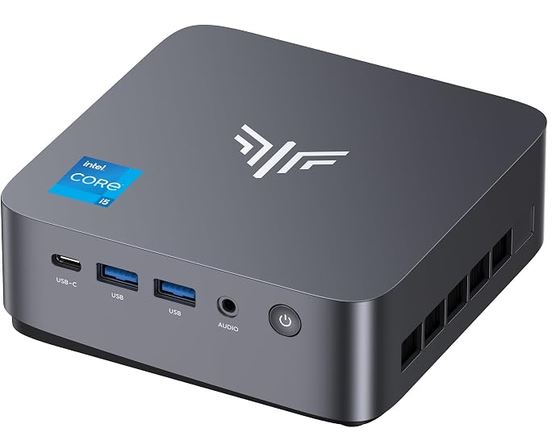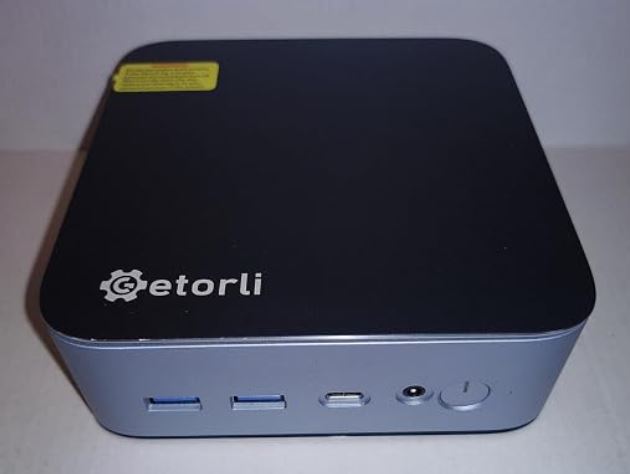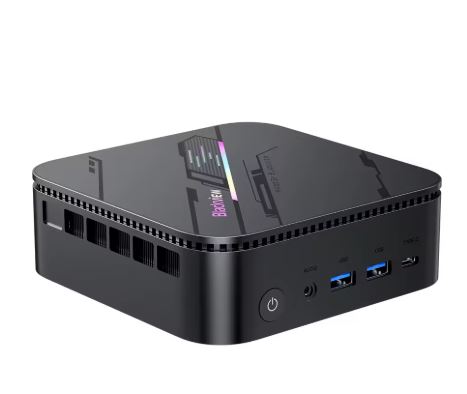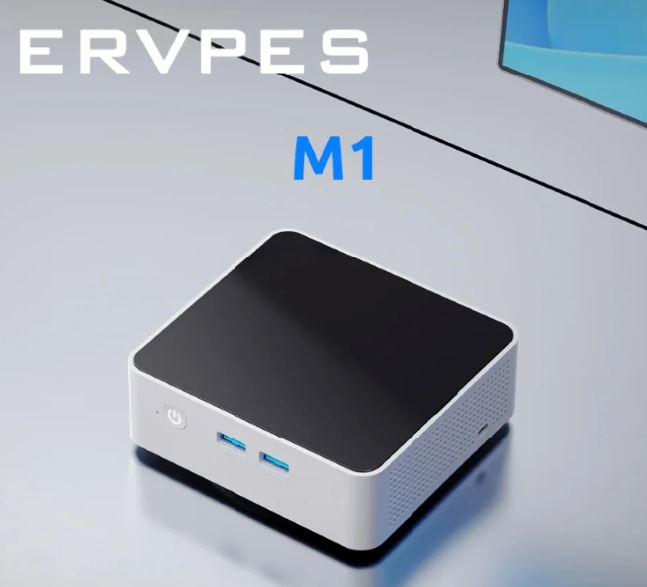
The ERVPES M1 is a solid choice for users looking for a compact mini PC for office work, web browsing, multimedia and home use without spending more than €300.
It offers WiFi 6, 2.5G Ethernet and dual HDMI 4K, features rarely seen at this price.
However, its 2019 Intel i5-8257U processor is no longer at its best against more modern rivals, and it falls short for gaming or 4K video editing.
✅ Pros:
-
WiFi 6 and 2.5G Ethernet at a competitive price
-
Dual HDMI 2.0 output (4K@60Hz)
-
RAM expandable up to 32 GB (Dual Channel DDR4)
-
Two M.2 slots (2280 + 2242) for expanding storage
-
Very practical magnetic opening panel
-
Windows 11 Pro included
❌ Cons:
-
2019 architecture CPU, outperformed by modern N-series in efficiency
-
Without Thunderbolt or USB-C
🏁 Quick conclusion: For office work, streaming, remote work, and use as an HTPC, the ERVPES M1 more than delivers. It's not for demanding users, but it offers good value for money in its segment.
👉 Prices and Availability
📦 Unboxing and Box Contents
The ERVPES M1 comes in a standard Chinese mini PC box. It typically includes:
-
🖥️ ERVPES M1 Mini PC
-
🔌 Power adapter (usually 12V/3A or 19V)
-
📺 HDMI cable (in some packages)
-
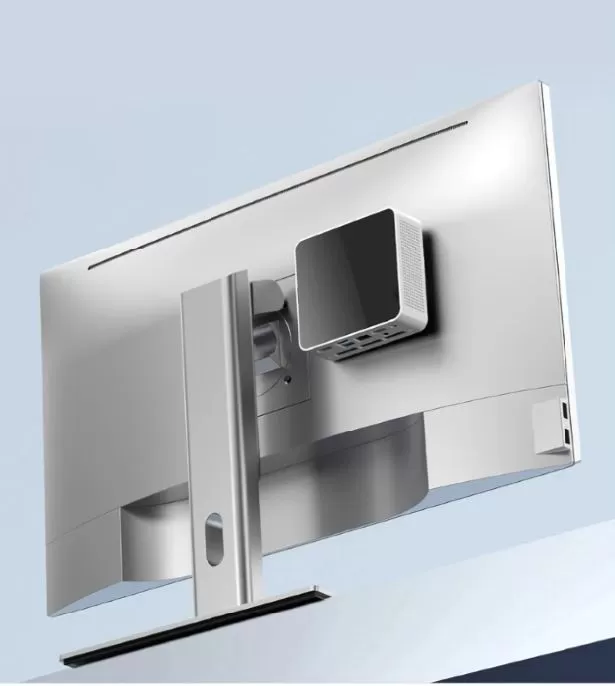
🔩 VESA mount for attaching to the back of the monitor
-
📄 Multilingual user manual
The first impression is positive: the device is compact and has a decent presentation for its price.
📊 Technical Specifications
| 🔧 Component | 📋 Details |
|---|---|
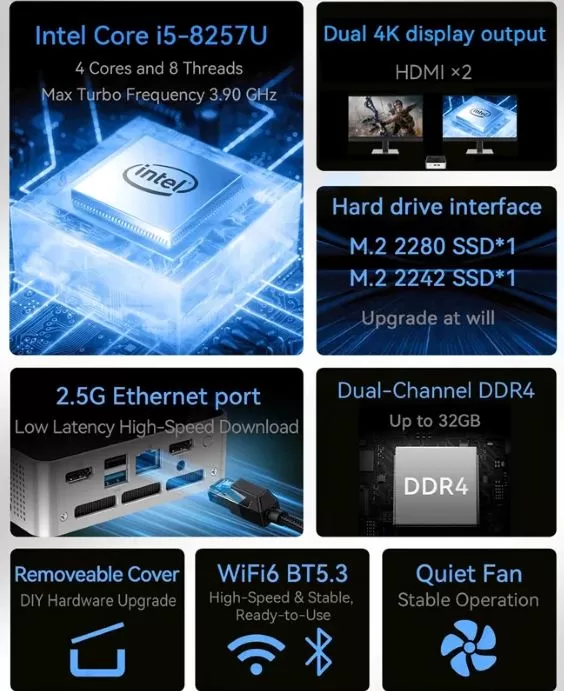
| CPU | Intel Core i5-8257U, 4C/8T, up to 3.9 GHz Turbo |
| GPU | Intel Iris Plus Graphics 645 (48 EU) |
| RAM | 8 GB or 16 GB DDR4, Dual Channel, up to 32 GB |
| Storage | 256 GB or 512 GB SSD M.2 2280 |
| Extra slot | M.2 2242 free for second unit |
| WiFi | WiFi 6 (802.11ax), BT 5.3 |
| Ethernet | 2.5G LAN (RJ45 x1) |
| Video | HDMI 2.0 x2 (Dual 4K@60Hz) |
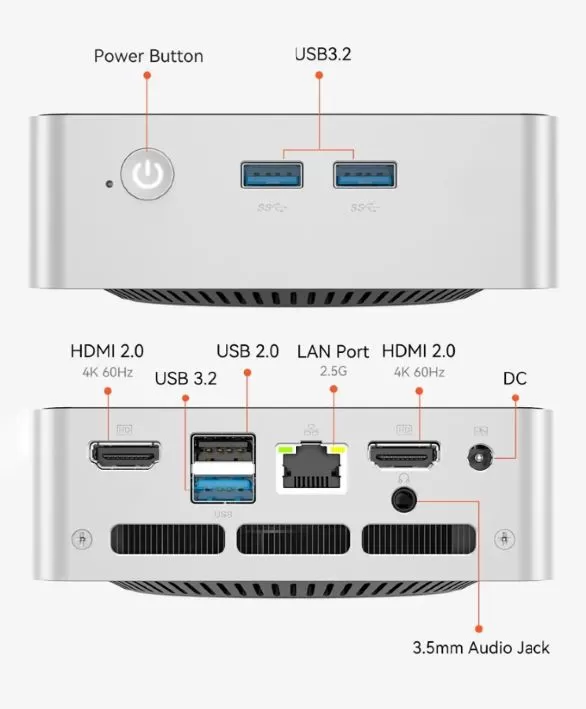
| USB | USB-A 3.2 x3 + USB-A 2.0 x1 |
| Audio | 3.5mm Jack |
| Operating System | Windows 11 Pro (license included) |
| Dimensions | 115 × 106 × 37 mm |
| Opening | Detachable magnetic panel |
🎨 Design and Construction Quality
ERVPES M1 Mini PC
The ERVPES M1 features a minimalist and compact design, with an aluminum and plastic casing that conveys a mid-to-high quality for its price range. Its dimensions of 115 × 106 × 37 mm make it truly small—it fits in the palm of your hand—and it weighs very little, facilitating its transport or installation behind a monitor with a VESA mount.
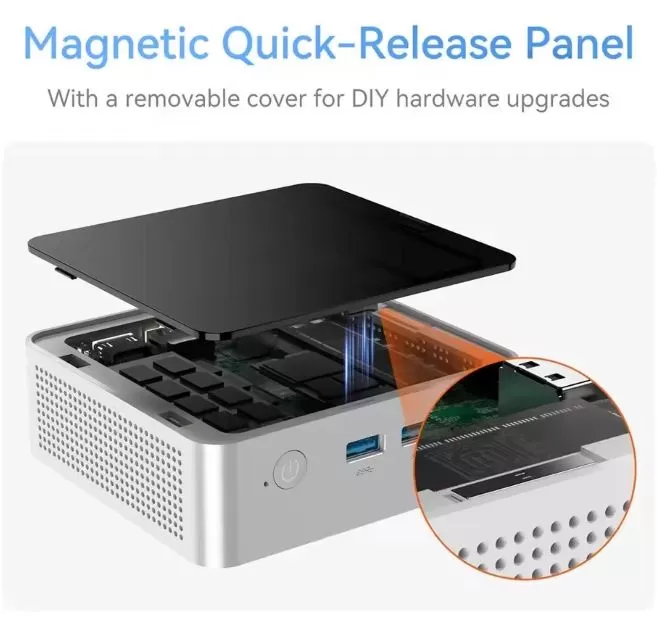
The most striking feature is its magnetic quick-release panel, a system that allows you to open the device without tools in seconds to access the RAM and M.2 slots. This is a real advantage over other competing mini PCs that require screwdrivers. The overall finish is understated, without LEDs or other eye-catching elements, making it ideal for office or living room environments.
🖥️ Screen and Multimedia
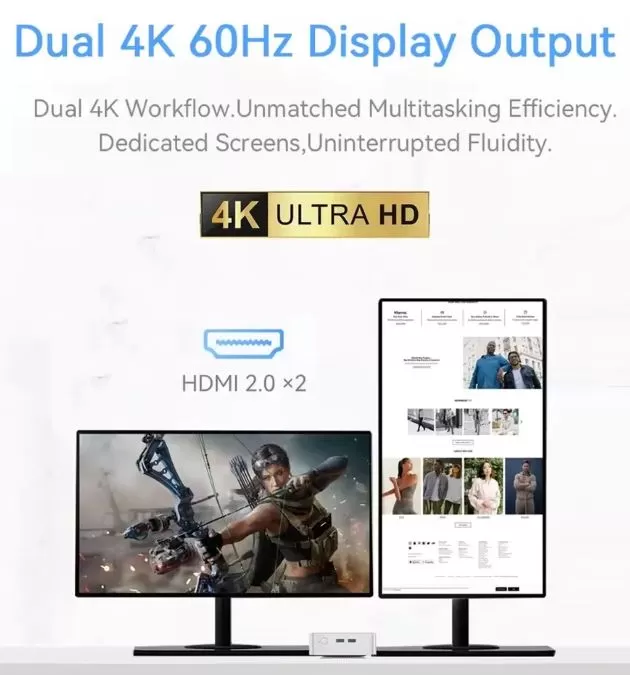
The ERVPES M1 features two HDMI 2.0 outputs that support simultaneous 4K resolution at 60Hz, making it an excellent choice for dual-monitor setups at no extra cost. The Intel Iris Plus Graphics 645 GPU handles 4K video playback, high-quality streaming on Netflix or YouTube, and HD video conferencing with ease.
It doesn't have built-in speakers, which is common in this type of device, so you'll need to connect speakers or headphones to the 3.5mm jack. For use as an HTPC (mini PC connected to the TV), the result is excellent, especially when combined with its WiFi 6 for smooth wireless streaming.
⚙️ Performance and Software
The Intel Core i5-8257U is a quad-core, eight-thread processor released in 2019, with a base clock speed of 1.4 GHz that boosts up to 3.9 GHz. In current benchmarks, it scores approximately 3,800 points in Cinebench R23 Multi and around 3,200-3,500 points in PCMark 10, sufficient for office work, web browsing with many tabs, and video calls.
Estimated performance in real-world tasks:
-
📝 Microsoft Office 365: Smooth and lag-free
-
🌐 Google Chrome with 15 tabs + YouTube 4K: no frame drops
-
📹 Zoom/Teams in HD: No problems
-
💻 Small web projects (Laravel, Node.js): acceptable
-
🎬 4K video editing: slow, not recommended
Windows 11 Pro comes pre-installed and activated. The system boots clean with minimal bloatware, although, as with all Chinese mini PCs, a clean installation is recommended to ensure the absence of unwanted software. Windows updates function normally.
🔌 Energy Consumption and Cables
The Intel i5-8257U is a low-voltage chip (15W TDP), meaning the ERVPES M1 consumes very little power at idle (around 6-10W) and rarely exceeds 25-30W under maximum load . This translates into significantly lower electricity bills compared to a conventional desktop PC.
The device is powered by an external power adapter (it does not use USB-C for charging). It does not include a power cable for European wall sockets (Schuko), so if you purchase from AliExpress, please verify that the included adapter is compatible with European plugs or order the correct model.
🌡️ Temperature and Noise (Actual Thermal)
As it's a low-power chip (15W TDP), the ERVPES M1's active cooling system doesn't have to work hard in most situations. At idle and under light load, the fan is virtually inaudible or operates at very low speed. Under sustained load (rendering, long compilation processes), the fan speed increases but remains below the level of annoyance (approximately 35 dB), similar to other mini PCs in the same price range.
The processor's maximum temperatures reach around 75-85°C under peak load, values within safe limits for this chip. Heat dissipation is adequate given the chassis size.
🔗 Connectivity and Extras
The ERVPES M1's connectivity is one of its strong points for its price range:
-
📶 WiFi 6 (802.11ax): Faster and more efficient than WiFi 5, ideal for busy networks
-
🔵 Bluetooth 5.3: compatible with modern peripherals
-
🌐 2.5G Ethernet: Ideal for NAS, fast network transfers, or professional remote work
-
🖥️ HDMI 2.0 x2: Simultaneous dual 4K@60Hz display
-
🔌 USB-A 3.2 x3: Fast data transfer
-
🔌 USB-A 2.0 x1: for basic peripherals (mouse, keyboard)
-
🎧 3.5mm audio jack: output for headphones or speakers
It does not include USB-C, Thunderbolt, an SD card reader, NFC, or IP certification. For intensive professional use, this lack of USB-C could be a drawback in 2026.
🔧 Expansion and Upgrades
This is one of the most attractive features of the ERVPES M1. Its detachable magnetic panel makes expanding the system easy, even for users without technical experience.
| 🔩 Component | 📋 Possibilities |
|---|---|
| RAM | 2 DDR4 SO-DIMM slots, expandable up to 32 GB in Dual Channel |
| Primary SSD | M.2 2280 (factory installed) — replaceable by larger units |
| Secondary SSD | Free M.2 2242 slot — add a second SSD at no extra cost |
| 2.5" Disc | ❌ It does not have a 2.5" SATA drive bay |
Practical recommendation: If you buy the 8GB version, upgrading to 16GB with an additional DDR4 SO-DIMM module (costing around €20-30 on Amazon) significantly improves multitasking performance. Adding a 512GB or 1TB M.2 2242 SSD as secondary storage is an excellent investment.
🆚 Comparison with Direct Competitors
| 🖥️ Model | CPU | RAM/SSD | WiFi | Ethernet | Price |
|---|---|---|---|---|---|
| ERVPES M1 | i5-8257U (2019) | 8/16 GB + 256/512 GB | WiFi 6 | 2.5G | ~252-299€ |
| MLLSE M5 | i5-8257U | 16 GB + 512 GB | WiFi 6 | 1G | ~€270 |
| Beelink Mini S12 Pro | N100 (2023) | 16 GB + 500 GB | WiFi 5 | 1G | ~180€ |
| GMKtec NucBox M5 | Ryzen 5 5500U | 16 GB + 512 GB | WiFi 6 | 2.5G | ~€320 |
| Minisforum UM350 | Ryzen 5 3550H | 16 GB + 512 GB | WiFi 6 | 2.5G | ~€290 |
The ERVPES M1 wins in connectivity (2.5G Ethernet + WiFi 6) compared to similarly priced rivals, although the Intel N100 in the Beelink S12 Pro offers greater energy efficiency for less money. If your budget allows, the GMKtec NucBox M5 with a Ryzen 5 offers a significant performance boost.
💬 User Reviews
Based on reviews on sales platforms and specialized forums:
⭐⭐⭐⭐⭐ "Perfect for a home office"
"I use it for remote work with two 4K monitors. It runs Teams, Chrome, and Excel smoothly simultaneously. The WiFi 6 is very stable." — AliExpress Verified User
⭐⭐⭐⭐ "Excellent value for money"
"I bought the 16GB version and it's great for my daily use. The magnetic closure is very convenient. I'm taking off one star because it doesn't have USB-C." — Banggood user
⭐⭐⭐⭐ "Quiet and compact"
"I have it connected to my TV and it works perfectly for streaming and 4K movies. Very quiet during normal use." — Amazon user
🧪 Technical Tests
🖥️ Overall processor performance
The Intel Core i5-8257U was a pleasant surprise in office tasks.
Opening 20 tabs in Chrome while having a large Excel file and an active Teams video call did not cause any stuttering.
Smooth, no issues. However, when trying to compile a Node.js project while Figma was open, I noticed the fan started running faster and the system took a few seconds to respond. Nothing serious, but something to keep in mind if your work is technically intensive.
| 🧪 Test | 📈 Result | 🗣️ My rating |
|---|---|---|
| Cinebench R23 Multi | ~3,800 pts | Decent for its generation, not spectacular |
| Cinebench R23 Single | ~990 pts | You can tell the chip is old. |
| PCMark 10 | ~3,200-3,500 pts | More than enough for everyday office tasks |
| 3DMark Sky Diver | ~5,500-6,000 pts | Just what I expected from the Iris Plus 645 |
| Geekbench 6 Single | ~1,589 pts | Acceptable, but the N100 surpasses it in efficiency |
| CrystalDiskMark (SSD) | ~500 MB/s read | The SSD does the job, although it's not a high-end NVMe. |
| Passmark CPU | ~7,628 pts | Good score for a 15W chip |
💾 Storage: Fast or slow?
The included M.2 SSD is SATA, not NVMe. In practice, the approximately 500 MB/s sequential read speed is perfectly adequate for everyday use: the system boots in about 12-15 seconds, applications open quickly, and copying large files is decent. That said, if you're coming from a computer with an NVMe SSD, you'll notice the difference. It's not a problem, but it's worth mentioning.
🌡️ Temperature under pressure
With the processor at 100% for 15 minutes using a Cinebench loop, the following data was obtained:
The maximum temperature recorded was 83°C, within the safe limit for this chip. There was no throttling (forced speed reduction due to heat) at any point, which speaks well of the cooling system given the size of the chassis.
Under normal office use, the processor quietly maintains a temperature between 45-60°C.
🔊 Real noise
At rest or during light tasks: virtually inaudible. Nothing can be heard at less than half a meter.
Under sustained load, the fan speed increases but remains at a level I would describe as a "soft background hum," never becoming annoying.
Much better than a work laptop, let's not kid ourselves.
🌐 Network connectivity: the big surprise
This was the point that impressed me the most in the tests.
With WiFi 6 connected to a compatible router, file transfer to a NAS reached sustained speeds of ~600 Mbps, without interruptions or high latency.
Wired 2.5G Ethernet was even better: real-world transfer speeds of ~2.3 Gbps to a NAS that supports it.
For a mini PC under €300, this is a luxury that most of the direct competition doesn't offer.
📊 Personal technical verdict
If I had to sum it up in one sentence: the ERVPES M1 delivers exactly what it promises, no more, no less. It's not a 2026 chip, and the benchmark numbers confirm that. But in the real-world use it's designed for—office applications, streaming, browsing, dual-screen setups—it doesn't disappoint. What convinced me was the combination of 2.5G Ethernet and WiFi 6 at that price, something that cheaper competitors simply don't offer.
🎮 Gaming and Emulation
The Intel Iris Plus Graphics 645 GPU has 48 execution units and offers modest graphics performance. What you can expect:
✅ Works well:
-
🕹️ Indie and 2D games (Stardew Valley, Hollow Knight, Celeste): 60 fps without problems
-
👾 Emulation up to PS2 (PCSX2) and partial Nintendo Switch (Yuzu/Ryujinx in simple games)
-
🎮 GameCube/Wii (Dolphin) emulation at normal speed in many games
-
🏎️ Older games (GTA V on low, CS:GO on low): playable but not ideal
❌ Not recommended:
-
Modern AAA games (Cyberpunk, GTA VI, etc.)
-
Smooth PS3 emulation
-
VR or graphically demanding games
❓ Frequently Asked Questions (FAQ)
🔹 Does it support two 4K monitors at the same time?
Yes, thanks to its two HDMI 2.0 ports it can power two 4K displays at 60 Hz simultaneously.
🔹 Does Windows 11 Pro come activated?
Yes, the operating system comes pre-installed and activated. Being Windows 11 Pro, it includes features such as BitLocker, Remote Desktop, and access to enterprise domains.
🔹 Can I install Linux?
Yes, the hardware is compatible with distributions like Ubuntu, Mint, or Debian without any major problems.
🔹 What is the maximum RAM it supports?
Up to 32 GB DDR4 in Dual Channel configuration (2 × 16 GB).
🔹 Does it have an NVMe SSD slot?
The primary M.2 2280 slot supports SATA M.2 drives. Please confirm NVMe compatibility with the seller before purchasing, as some models only accept SATA.
🔹 Is the power adapter compatible with a European plug?
Check with the seller before purchasing. AliExpress usually has an option to select the plug type (EU).
🏁 Final Conclusion
The ERVPES M1 is ideal for:
-
👨💼 Remote workers who need dual 4K screens, good network connectivity, and a quiet computer
-
🏠 Home use (HTPC, streaming, browsing, video conferencing)
-
🎓 Students looking for a compact and affordable desk
-
🏪 Basic business use (POS, digital signage, office automation in branches)
It is not ideal for: professional video editing, AAA gaming, intensive programming with multiple simultaneous virtual machines, or users who need USB-C/Thunderbolt.
At €220-€299 with WiFi 6, 2.5G Ethernet, dual 4K HDMI ports, and Windows 11 Pro pre-installed, the ERVPES M1 offers a fair value proposition. If you're looking for more CPU power for a similar price, consider the GMKtec NucBox M5 (Ryzen 5 5500U, ~€320) or the Minisforum UM350.
🛒 Where to buy it?
You can find the ERVPES M1 at the following stores with the best guarantees:
| 🛍️ Shop | 💰 Approx. price. | 🔗 Link |
|---|---|---|
| AliExpress (discounted offer, apply available discount codes) | €222 / €299.11 | 👉 View on AliExpress |
💡 Buying tip: The 16GB + 512GB version offers better long-term value. The ~€47 price difference is worth it if you plan on using the device intensively.