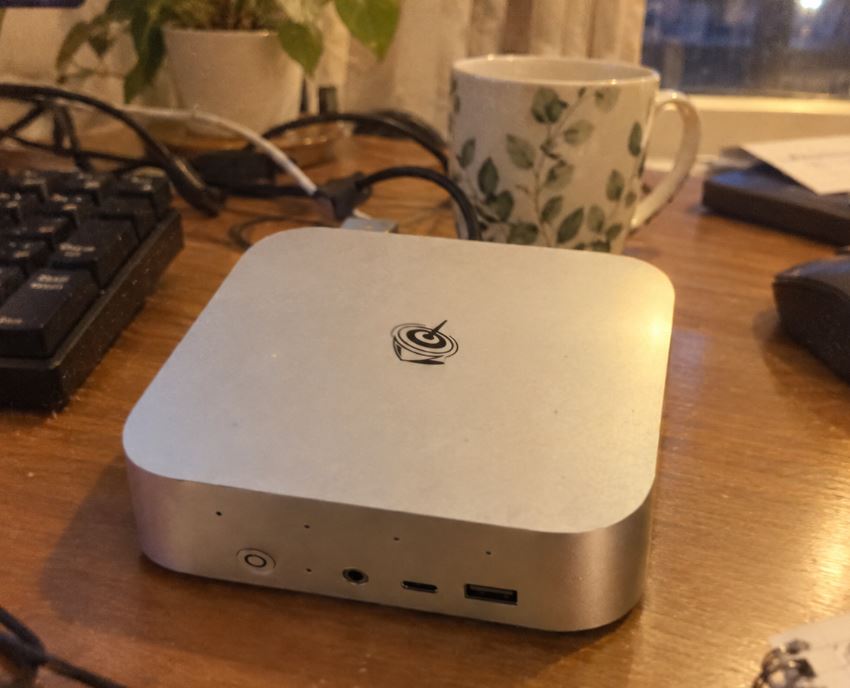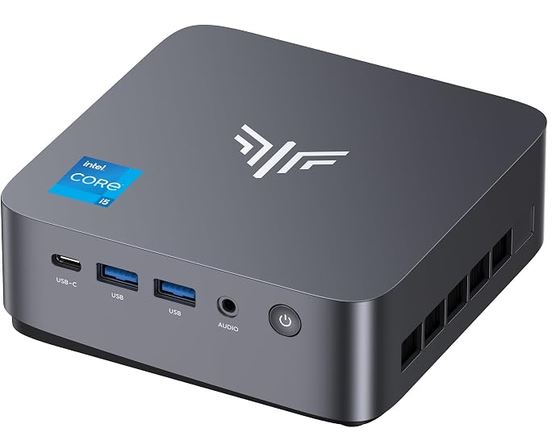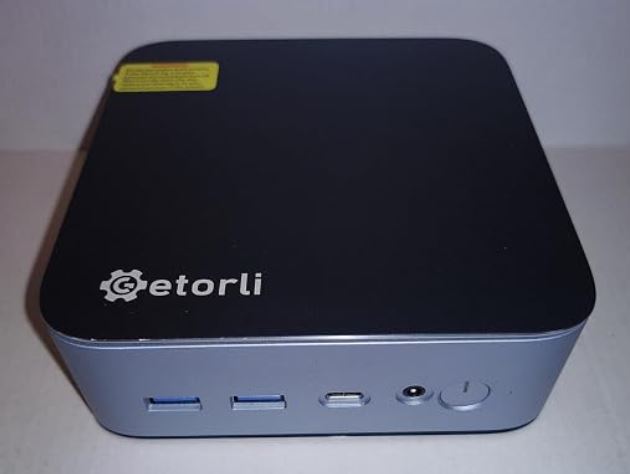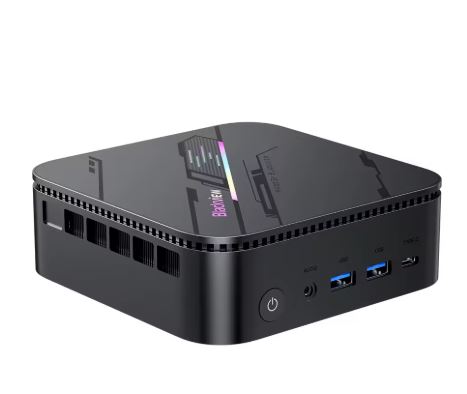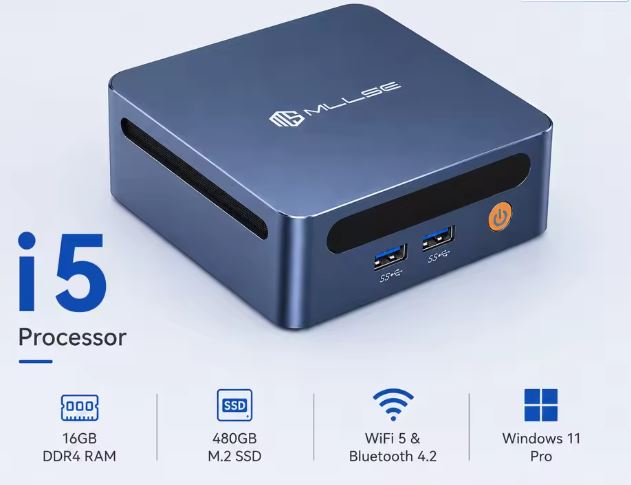
The MLLSE M4 is an ultra-affordable mini PC geared towards office work, demanding browsing, and small home servers.
Pros:
- Unbeatable price.
- Ultra-small format.
- Silent at rest.
- Windows 11 Pro activated.
Cons:
- The RAM memory is limited to Single Channel (1 slot only).
- The SSD operates over the SATA3 bus (slower than current NVMe).
- The processor does not natively support HDMI 2.0 without converter chips.
Conclusion: If you're looking for a computer for everyday tasks or to set up a local server for very little money, it more than meets expectations; if you plan to edit video or play games, it will quickly fall short.
→ View Prices and Availability of the MLLSE M2 Mini PC
Unboxing and Box Contents
In the package we find:
-
📦 The MLLSE M4 mini PC.
-
🔌 External power adapter (12V DC).
-
🖥️ Standard HDMI cable.
-
🛠️ VESA mounting bracket with screws (ideal for hanging behind the monitor).
-
📖 Simplified user manual.
Table of Key Technical Specifications
| Component | Specification |
| Processor | Intel Core i5-8265U (4 cores / 8 threads, up to 3.90 GHz) |
| Graphics | Intel UHD Graphics 620 |
| RAM | 16 GB DDR4 2400Mhz (1x SO-DIMM Slot, expandable to 32 GB) |
| Storage | 480 GB SSD M.2 2280 SATA3 |
| Network and Wireless | Gigabit Ethernet (10/100/1000 Mbps), Wi-Fi 5, Bluetooth 4.2 |
| Front ports | 2x USB 3.0 Type-A, Power button |
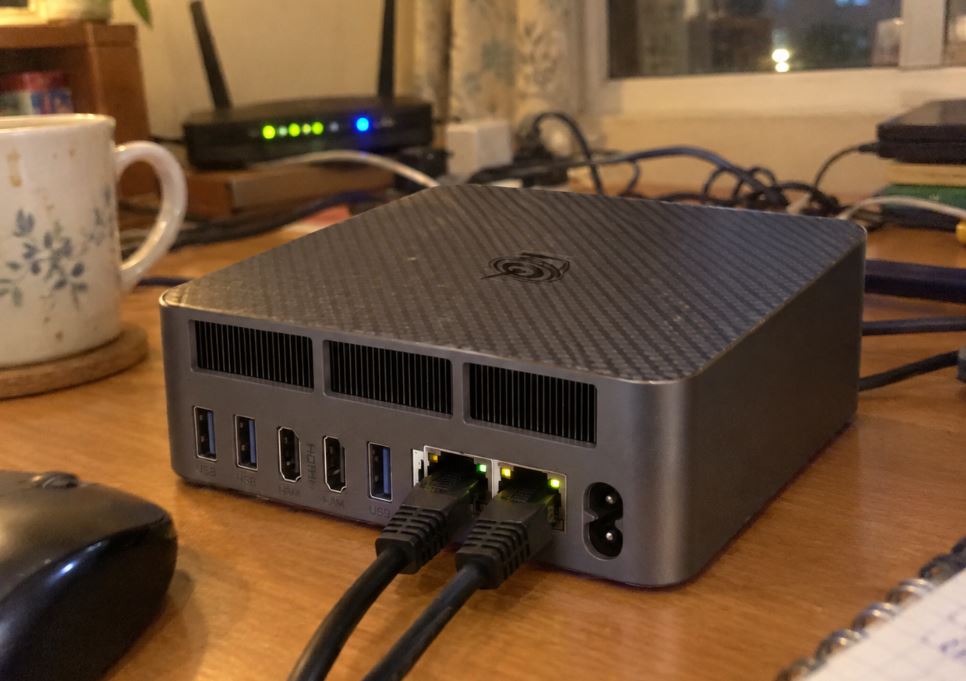
| Rear ports | 2x USB 3.0 Type-A, 1x USB 2.0 Type-A, 1x USB-C (Data), 2x HDMI 2.0, 1x RJ45, 3.5mm audio jack |
| Dimensions | 114 × 106 × 41 mm |
| Operating System | Windows 11 Pro / Ubuntu compatible |
Design and Construction Quality
The MLLSE M4 has a chassis made of hard plastic with a dark matte finish. Despite not using premium materials like brushed aluminum, it feels solid in the hand and doesn't creak when pressed.
Its small dimensions (114 × 106 × 41 mm) allow it to literally fit in the palm of your hand.
The sides feature ventilation grilles to facilitate airflow. Rubber feet on the base prevent slipping on the desk and conceal the screws for accessing the interior.
Screen and Multimedia
This mini PC does not include a screen or dedicated speakers, so the multimedia experience depends entirely on your peripherals:
-
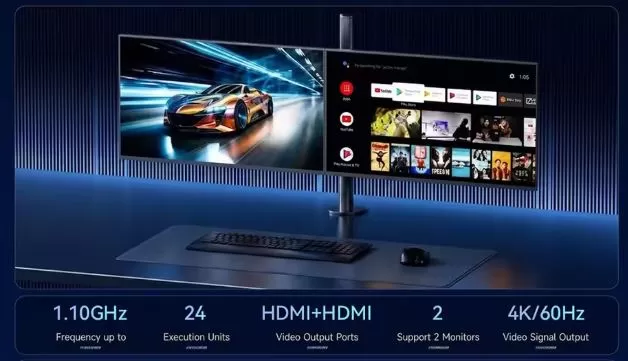
Video Outputs: It has two HDMI ports commercially labeled as 2.0b. For streaming content (YouTube 4K, Netflix) it works smoothly, although the integrated Intel UHD 620 GPU demands considerable resource consumption when decoding modern codecs such as AV1.
-
Sound: Clean analog output via 3.5 mm audio jack, with no static noise or popping when connecting headphones or external speakers.
Performance and Software
In everyday use for office applications (Microsoft Office, Google Docs), email management, and web browsing with more than 20 tabs open, the system moves with complete fluidity.
-
Operating System: It comes with Windows 11 Pro pre-installed and factory activated. We didn't detect any bloatware or pre-installed junk applications, which is a big plus. We also tested booting from a USB drive with Ubuntu 24.04 LTS, and all the hardware (Wi-Fi, Bluetooth, and sound) worked natively without needing to install any additional drivers.
-
Storage and SATA Inconsistency: The standard 480GB drive uses the M.2 SATA3 interface, offering sequential read speeds of ~530 MB/s and write speeds of ~480 MB/s. These figures are acceptable for SATA, but fall far short of NVMe drives (which easily exceed 2,000 MB/s).
-
Impact of Single Channel: With only one RAM socket, bandwidth is cut in half, which slightly slows down graphics performance in heavy tasks.
→ View Prices and Availability of the MLLSE M2 Mini PC
Energy Consumption and Cables
The MLLSE M4 is an example of high energy efficiency thanks to the 15W nominal TDP of its i5-8265U chip:
-
Idle power consumption: Between 6W and 9W.
-
Power consumption under medium load (Navigation/Video): Between 18W and 25W.
-
Maximum consumption ( Stress Test ): Initial peak of 38W which quickly stabilizes at 28W.
The included wall charger is compact and similar to that of a modern tablet, preventing the accumulation of bulky power bricks under the table.
Temperature and Noise
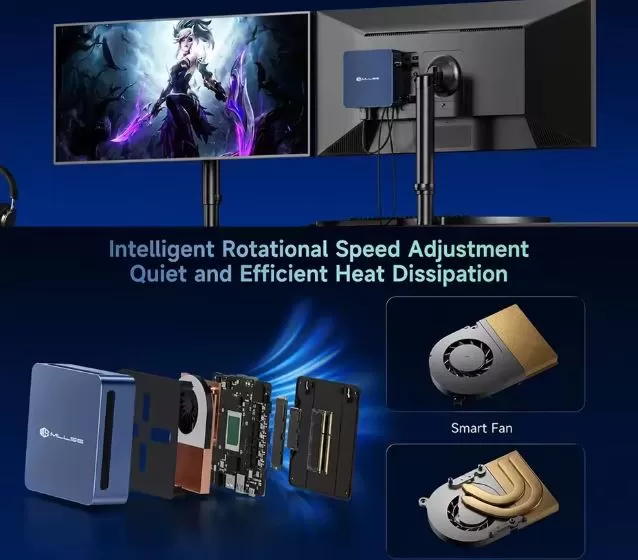
The cooling system consists of a small copper heatsink assisted by a variable speed fan ( Smart Fan ).
-
Light use: The fan rotates at minimal revolutions and is virtually inaudible at a distance of more than half a meter.
-
Intensive use: After subjecting the CPU to 100% continuous load for 30 minutes, the processor temperature reached peaks of 89 °C, at which point thermal throttling kicked in, reducing the clock speed to stabilize temperatures around 78 °C. The fan noise became noticeable, producing a constant, though not loud, whirring sound.
Connectivity and Extras
-
4x USB 3.0 Type-A (2 on the front, 2 on the back):
-
What they're for: They offer high transfer speeds (~5 Gbps). They're the ideal ports for connecting external hard drives, high-speed flash drives, card readers, or video capture cards.
-
-
1x USB 2.0 Type-A (Rear):
-
What it's for: Designed specifically for basic peripherals that do not require high bandwidth, such as wireless keyboard and mouse receivers, printers, or a UPS (uninterruptible power supply).
-
-
1x USB-C (Rear):
-
Purpose: This port is exclusively for data transfer with modern devices (smartphones, USB-C portable hard drives). Important note: It does not support DisplayPort video output or power charging.
-
-
2x HDMI 2.0 (Rear):
-
What they're for: They allow you to set up a dual-screen environment by directly connecting two monitors, televisions, or projectors. They're perfect for multitasking, office work with two screens, or server control panels.
-
-
1x RJ45 Gigabit Ethernet (10/100/1000 Mbps):
-
What it's for: Wired network connection to guarantee the maximum contracted speed of your fiber, low latency in video calls or an ultra-stable connection if you configure it as a server (Home Assistant, Plex or home NAS).
-
-
1x 3.5 mm Audio Jack (Rear):
-
What it's for: Combined input/output for connecting headphones, desktop speakers, or an external microphone.
-
Wireless connections and absences
-
Wi-Fi 5 (802.11ac): Ensures a stable connection on the 5 GHz band for streaming or wireless browsing at actual speeds of around 300-320 Mbps.
-
Bluetooth 4.2: Suitable for pairing game controllers, wireless headphones, or keyboard and mouse without occupying physical USB ports.
-
Notable omissions: It does not include an NFC chip, a fingerprint reader for Windows Hello, a SIM card slot (5G/4G), or IP certification for water and dust protection.
Expansion and Upgrades
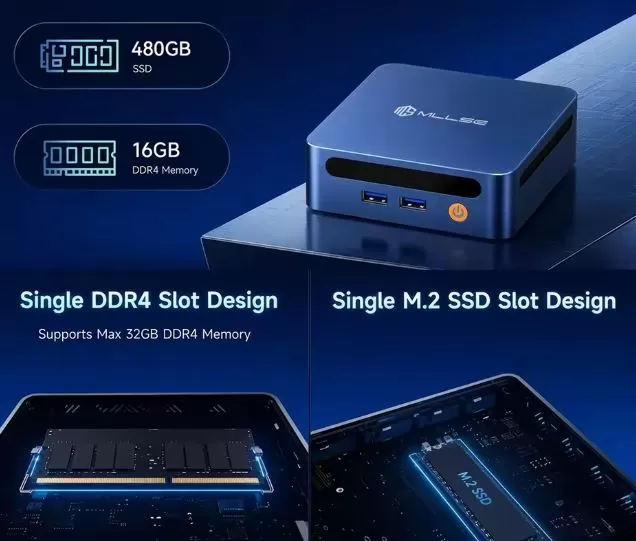
The opening process is very simple: just remove the four bottom rubber seals and unscrew the base cover.
-
RAM Memory: It has a single SO-DIMM DDR4 slot. It comes equipped with a 16 GB module and supports a DDR4 RAM module of up to 32 GB.
-
SSD Storage: It has a single M.2 2280 SATA3 slot. To increase capacity to 1 TB or 2 TB, you must replace the existing drive. You can purchase a higher-capacity M.2 SATA3 SSD.
-
Important notice: It is not possible to install a second internal drive and it does not include a bay for 2.5" SATA drives.
Comparison with Direct Competitors
| Feature | MLLSE M4 (i5-8265U) | GenMachine Ren5000 (Ryzen 5 5500U) | Mini PC with Intel N100 |
| Processor | Intel i5-8265U (4C/8T) | AMD Ryzen 5 5500U (6C/12T) | Intel N100 (4C/4T) |
| GPU architecture | Intel UHD 620 | AMD Radeon Vega 7 | Intel UHD Graphics (24 EU) |
| RAM slots | 1x DDR4 (Single Channel) | 2x DDR4 (Dual Channel) | 1x DDR4/DDR5 |
| SSD bus | M.2 SATA3 (~550 MB/s) | M.2 NVMe PCIe 3.0 (~3200 MB/s) | M.2 NVMe PCIe 3.0 (~1800 MB/s) |
| Maximum consumption | ~35W | ~45W | ~18W |
| Purchase link | View offer MLLSE M4 | View offer GenMachine Ren5000 | View Intel N100 Mini PC offer |
User Reviews on Portals and Actual Purchases
By analyzing user experience on platforms such as AliExpress, Amazon and specialized forums ( r/MiniPCsor r/homelab):
-
Server Focus: A large number of buyers value this model for home projects (Home Assistant, Pi-hole server, or local file server). They highlight its low power consumption and stability with Linux operating systems.
-
Value for Money: The average rating is around 4.3/5 stars. Users agree that for under €150 it's hard to ask for more from a fully functional computer with Windows 11 Pro.
-
Recurring complaints: The main criticism points to the quality of the generic Chinese SSD that comes pre-installed (some users recommend cloning and replacing it for safety) and the fan noise when the computer is under prolonged maximum loads.
Technical Tests
-
Competent single-core performance, fair multitasking (Geekbench 6: 1,210 / 3,150 pts)
The i5-8265U processor maintains a good level of responsiveness in single or light tasks, ensuring that the Windows 11 interface, opening office programs, and intensive browsing feel smooth. However, in multi-core applications, its 8th-generation quad-core, eight-thread architecture becomes apparent: under heavy simultaneous workloads, performance quickly reaches its limit.
-
Premature thermal limit (Cinebench R23: 2,840 points)
The continuous rendering test reveals that the chassis's cooling system is very limited. After about 5 minutes of 100% stress, the CPU reaches nearly 90°C and activates thermal throttling, reducing its frequencies to prevent overheating. This demonstrates that it is not a suitable machine for continuous heavy workloads (such as video rendering, prolonged compilation, or simulation).
-
The major bottleneck: Memory and Storage (CrystalDiskMark: ~530 MB/s)
Storage results confirm that the M.2 SATA3 port limits speeds to a maximum of ~530 MB/s (compared to over 3,000 MB/s for a modern NVMe SSD). Combined with the inability to enable Dual Channel due to having only one RAM slot, the integrated Intel UHD 620 graphics card loses approximately 30% of its potential performance, relegating it to classic emulation (up to PS1/N64) and very old eSports games at low resolutions.
Gaming and Emulation
-
Native PC games: Lightweight or older titles like League of Legends or CS:GO can be run at 720p with low graphics settings, offering between 45 and 60 FPS. Modern 3D games ( Cyberpunk 2077, GTA V ) are not playable.
-
Emulation: Smoothly runs classic consoles up to the PlayStation 1, Nintendo 64, and Dreamcast. For PlayStation 2 and GameCube, some titles may experience frame rate drops due to the single-channel performance limitations of the integrated GPU.
Frequently Asked Questions (FAQ)
Can a 2.5-inch SATA hard drive be connected inside the mini PC?
No, the internal space is completely tight and there is no SATA data/power connector for 2.5" drives.
Does it support ultra-fast M.2 NVMe SSDs?
No, the M.2 slot is internally limited to the SATA3 protocol. If you install an NVMe drive, the motherboard will not recognize it.
Does it work to connect two 4K monitors at 60Hz?
It offers output to two monitors via its two HDMI ports, but the integrated GPU comfortably processes 4K at 30Hz or 1080p at 60Hz per screen.
Final Conclusion
The MLLSE M4 with Intel Core i5-8265U is a pragmatic purchase option if your budget is extremely tight and you're looking for a desktop computer for office work, web browsing, or home server projects.
However, if your budget allows you to upgrade, we recommend considering mini PCs equipped with the Intel N100 chip (more efficient) or making the leap to architectures with AMD Ryzen 5000U processors, which offer support for NVMe PCIe, Dual Channel memory, and substantially superior graphics power.
Where to Buy
🛒 Buy the MLLSE M4 Mini PC at the best price:
🛠️ Recommended components for expansion: