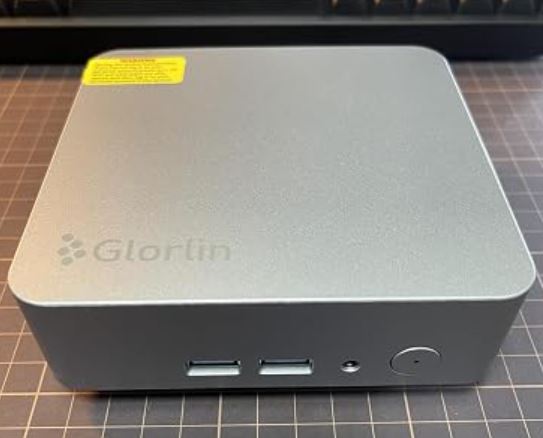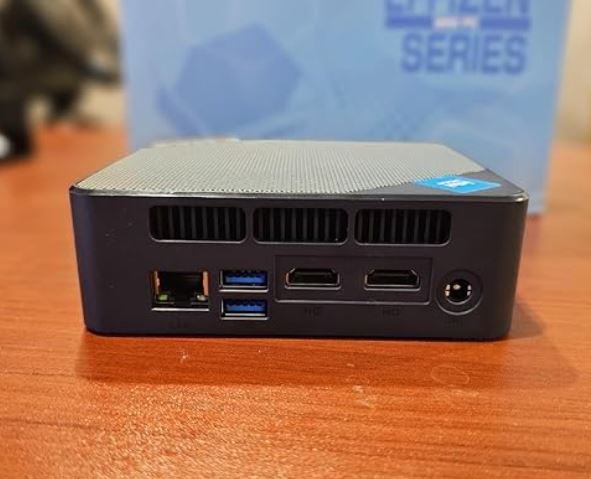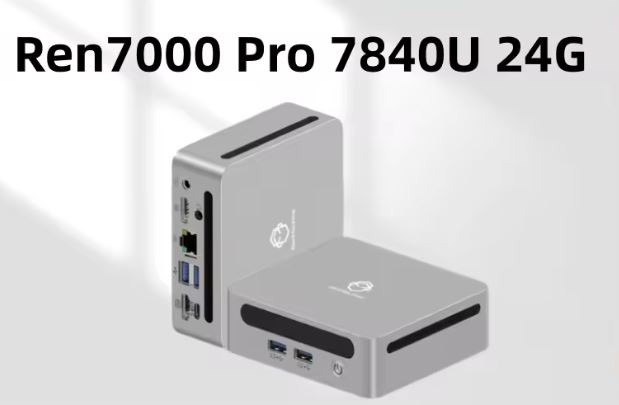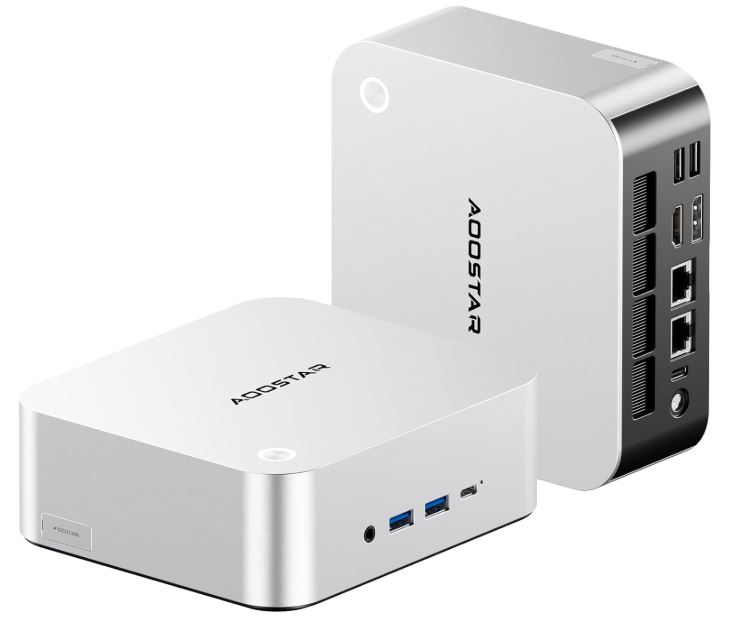
The AOOSTAR MACO with Ryzen 7 H255 is one of the most complete mini PCs on the market in its segment.
It offers real power for office, multimedia and casual gaming, with the huge advantage of being able to connect an external GPU via OCuLink to take graphics performance to another level.
Its metal construction, fingerprint reader, two USB4 ports and support for 4 monitors make it a very serious proposition.
✅ Pros:
-
Highly efficient and modern Ryzen 7 H255 processor (Zen 4, 8 cores)
-
OCuLink port + 2x USB4 for eGPU: exceptional graphics scalability
-
Dual-channel DDR5 RAM, expandable up to 128 GB
-
Two M.2 PCIe 4.0 x4 slots supporting up to 16 TB total
-
High-quality metal casing, fingerprint reader, WiFi 6
-
It supports up to 4 simultaneous monitors with 8K resolution.
❌ Cons:
-
The external GPU (eGPU dock) is sold separately.
-
No SD card port or integrated card reader
🏁 Quick conclusion: If you're looking for a versatile mini PC with real room for upgrades, the AOOSTAR MACO is hard to beat in its class. For serious gaming, you'll need to add an eGPU, but as an office and entertainment machine, it comes very well-equipped out of the box.
→ View Purchase Prices and Availability
📦 Unboxing and Box Contents
The AOOSTAR MACO arrives in a compact and well-protected box. Inside you will find:
-
AOOSTAR MACO Mini PC
-
External power adapter (compact power supply)
-
HDMI cable
-
VESA mounting bracket (for installation behind the monitor)
-
User manual in multiple languages
-
OCuLink cable (in some bundles)
The packaging is well done for a Chinese brand, and the device comes with Windows 11 Pro pre-installed on the versions with RAM and SSD. The metal casing gives it a solid feel from the start.
📊 Technical Specifications
| Feature | Detail |
|---|---|
| Processor | AMD Ryzen 7 H255, 8 cores / 16 threads, up to 5.1 GHz, 4 nm Zen 4 |
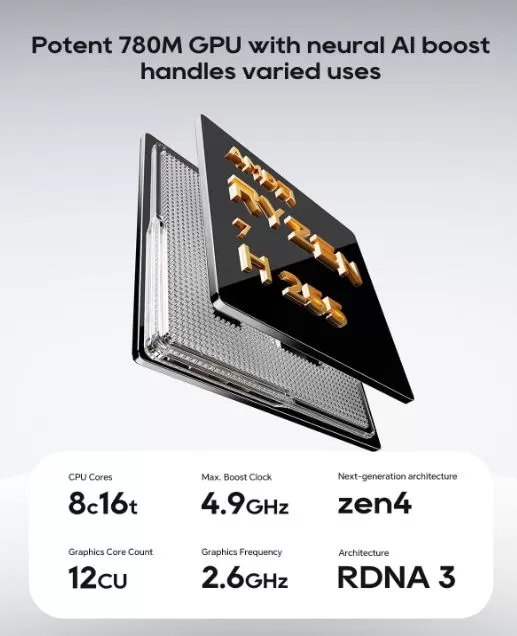
| Integrated GPU | AMD Radeon 780M (12 CU, up to 2.6 GHz) with AI Boost |
| NPU | 58 TOPS (for artificial intelligence tasks) |
| RAM | 24 GB DDR5-5600 Dual Channel (2x SO-DIMM) |
| Storage | 1 TB M.2 NVMe PCIe 4.0 x4 |
| Expansion slots | 2x M.2 2280 PCIe 4.0 x4 |
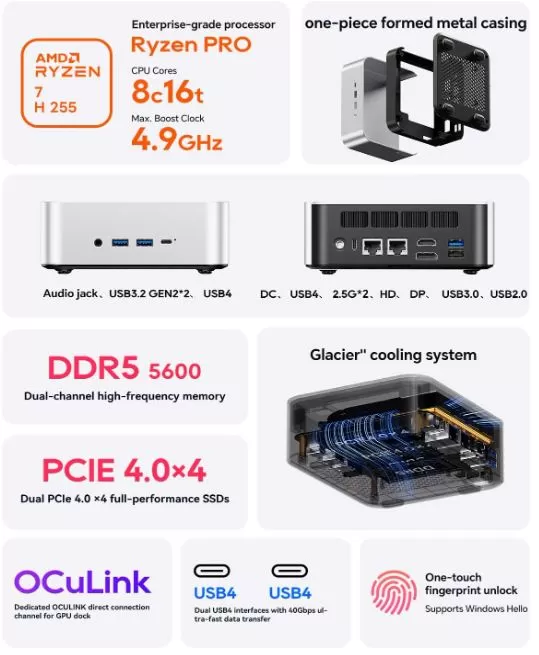
| Front ports | 1x 3.5mm Jack, 2x USB 3.2 Gen2, 1x USB4 (40 Gbps) |
| Rear ports | DC input, 1x USB4 (40 Gbps), 2x 2.5G LAN, 1x HDMI 2.1, 1x DP 1.4, 1x USB 3.0, 1x USB 2.0 |
| Side port | OCuLink (64 Gbps for eGPU) |
| Wireless | WiFi 6, Bluetooth 5.2 |
| Screens | Up to 4 simultaneous streams, supports 8K@60Hz HDR10 |
| Security | Fingerprint reader (Windows Hello) |
| SW | Windows 11 Pro |
| maximum RAM | 128 GB DDR5-5600 |
| Maximum storage | 16 TB (2x M.2, up to 8 TB each) |
🏗️ Design and Construction Quality
The AOOSTAR MACO features an almost entirely metal (aluminum) chassis, with the sole exception of the bottom base. This gives it a premium feel unusual for mini PCs in this price range and also helps with passive heat dissipation. Its dimensions are compact without being tiny: it fits perfectly on a desk without being obtrusive.
The power button on top includes an integrated fingerprint reader with Windows Hello support, allowing you to unlock the device with a simple touch. The overall design is understated and professional, without flashy LEDs or an overly elaborate "gamer" aesthetic. It includes a VESA mount for attaching it behind a monitor to free up space.
🖥️ Screen and Multimedia
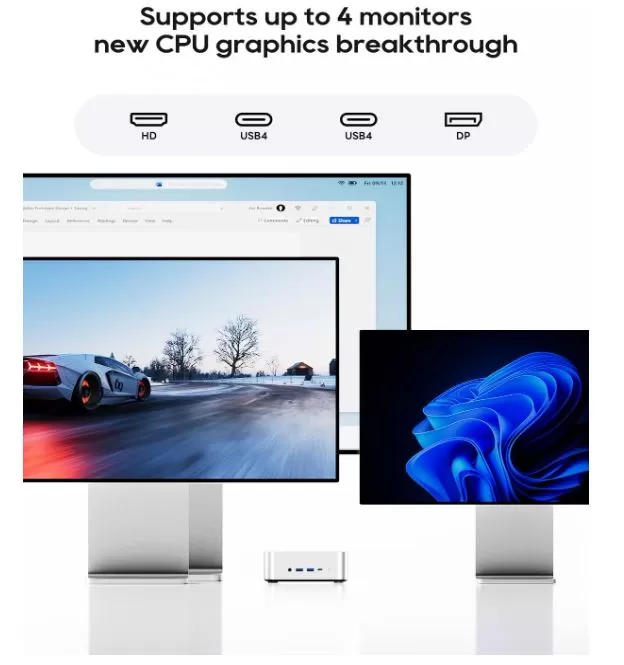
The AOOSTAR MACO doesn't include its own screen, but its video output capabilities are remarkable for a device of this size. It supports up to four simultaneous monitors thanks to its HDMI 2.1, DisplayPort 1.4, and two USB 4.0 ports with DP 2.1 video output. The maximum supported resolution reaches 8K@60Hz with HDR10, ideal for high-end displays or multi-monitor work setups.
As for audio, it has a 3.5 mm jack on the front panel for headphones or speakers. It doesn't include built-in speakers, which is common in mini PCs of this category. For multimedia use with 4K or 8K streaming, the Ryzen 7 H255 processor handles hardware decoding effortlessly.
🚀 Performance and Software
The AMD Ryzen 7 H255 (essentially a rebranded AMD 8745H with Zen 4 architecture) is an 8-core, 16-thread processor with a turbo frequency of up to 5.1 GHz, manufactured using a 4 nm process. This makes it one of the most advanced chips currently available in mini PCs. For office tasks, document editing, web browsing, and intensive multitasking, performance is smooth and uncompromising.
The system comes with Windows 11 Pro pre-installed, typically with the usual minimal Windows bloatware. An initial cleanup of startup applications is recommended to optimize resources. The platform also supports Linux perfectly, and some users report that games running under Steam + Proton run even more smoothly than on Windows due to the iGPU 780M's affinity with console architectures.
🔋 Energy Consumption and Cables
The AOOSTAR MACO has a base TDP of 15W, although under load it can scale to 28-45W depending on the system's performance configuration. For a device with this power output, the consumption is very low compared to a conventional desktop PC. Power is supplied via a compact external power supply included in the box, connected by a proprietary DC connector.
Important note: The OCuLink port does not support hot -swapping. You must power off your computer before connecting or disconnecting the eGPU dock. The OCuLink cable may not be included in all bundles, so check before purchasing.
→ View Purchase Prices and Availability
🌡️ Temperature and Noise (Actual Thermal)
The system incorporates an active turbo fan with finned heat dissipation and a vapor chamber (VC Heat Spreader), a robust thermal solution for such a compact device. Under light workloads and office tasks, the device remains silent or produces very little noise. Under sustained loads (rendering, gaming, AI models), the fan becomes noticeably louder, but not bothersome under normal use.
The metal casing acts as a secondary passive heatsink, helping to keep temperatures more controlled than in plastic cases. No serious thermal throttling issues have been reported under normal use.
🔌 Connectivity and Extras
The connectivity of the AOOSTAR MACO is undoubtedly one of its strongest points:notebookcheck+1
-
2x USB4 (40 Gbps): for eGPU, high-speed peripherals, or DP 2.1 video output
-
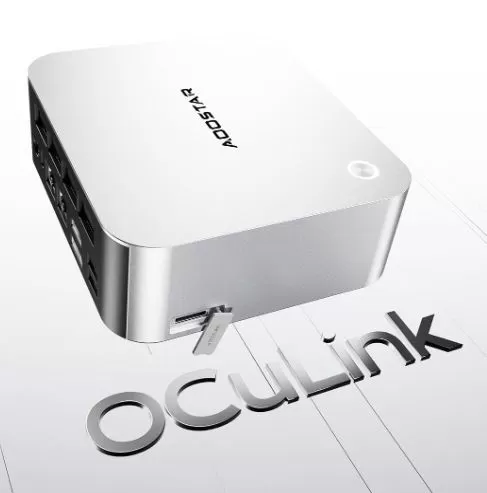
1x OCuLink (64 Gbps): Direct PCIe 4.0 x4 connection for eGPU dock with minimal latency
-
2x 2.5G LAN: Ideal for NAS, fast transfers, or professional networks
-
1x HDMI 2.1 + 1x DisplayPort 1.4: Classic video outputs
-
2x USB 3.2 Gen2 (front): for frequently used fast peripherals
-
1x USB 3.0 + 1x USB 2.0 (rear): for keyboard, mouse or other accessories
-
WiFi 6 + Bluetooth 5.2
-
Fingerprint reader with Windows Hello
❌ It does not have an SD slot, NFC reader, or IP certification for dust/water resistance.

🔧 Expansion and Upgrades
One of the great advantages of this device is its ease of upgradeability. According to official information from AOOSTAR:
-
RAM: Supports up to 128GB DDR5-5600 via its two SO-DIMM slots. Access is simple and requires no special tools. The included 24GB configuration is already dual-channel (likely 2x12GB or 1x8GB+1x16GB); it is always recommended to use modules in pairs to maintain dual-channel operation.
-
Primary SSD: The included M.2 2280 NVMe PCIe 4.0 SSD is replaceable or expandable. The second M.2 slot is free in the base configuration.
-
Second SSD: It has a second free M.2 2280 PCIe 4.0 x4 slot for adding a second drive. The system supports up to 16 TB total between the two slots.
-
It does not include a 2.5" SATA bay for conventional hard drives.
-
eGPU: Expandable with any compatible external GPU via OCuLink or USB4 using a compatible dock such as the AOOSTAR AG02 (800W PSU included, supports GPUs up to 600W TDP).
→ View Purchase Prices and Availability
🆚 Comparison with Direct Competitors
| Model | CPU | RAM/SSD base | OCuLink | USB4 | Approx. price |
|---|---|---|---|---|---|
| AOOSTAR MACO H255 | Ryzen 7 H255 (Zen 4, 8C) | 24 GB / 1 TB | ✅ | 2x | ~€1,123 |
| Minisforum UM890 Pro | Ryzen 9 8945HS (Zen 4, 8C) | 32 GB / 1 TB | ❌ | 1x | ~700-800 € |
| GMKtec NucBox G3 Plus | Ryzen 7 8745H (Zen 4, 8C) | 32 GB / 1 TB | ❌ | ❌ | ~€500-600 |
| Minisforum MS-A1 | Ryzen AI 9 HX 370 (Zen 5, 12C) | 32 GB / 1 TB | ✅ | 2x | ~900-1,100 € |
| AOOSTAR R9 | Ryzen 9 8945HS (Zen 4, 8C) | 32 GB / 1 TB | ✅ | 1x | ~750-900 € |
The AOOSTAR MACO H255 stands out for combining OCuLink and two USB4s in its price, something that few alternatives offer simultaneously.
💬 Reviews on Well-Known Pages
The AOOSTAR MACO H255 has received generally positive reviews from the tech community, although with some important nuances:
Ivan Voras (Substack, May 2026): A technical reviewer who uses it as a home infrastructure hub for AI, home automation, and gaming. He notes that he installed Linux and was "pleasantly surprised" by the gaming performance under Steam/Proton. He was able to run the Qwen3.6-35B-A3B-MTP-GGUF AI model with 200-250 tok/s in prompt processing. He also mentions that the quality of Chinese mini PCs is "uneven," having had 2 out of 5 fail in less than a year (from other brands).
NotebookCheck highlights the OCuLink + dual USB4 offering as a key differentiator against the competition. They point out that the Radeon 780M can handle modern games at 1080p with medium/low settings without an external GPU.
Android PC TV: Highlights include the aluminum design, the quality of the ports, and the flexibility to expand the RAM up to 256 GB (although the manufacturer officially states 128 GB). Consider the price fair given the level of connectivity.
Reddit/YouTube Community: Users particularly appreciate the combination of the two 2.5G LAN ports, useful for creating a home router/firewall or connecting NAS devices simultaneously. Several content creators have tested the eGPU via OCULink with very positive results in terms of bandwidth compared to Thunderbolt/USB4.
🔬 Technical Tests
Based on published benchmarks of equivalent hardware (Ryzen 7 H255 / AMD 8745H with 780M iGPU):
CPU:
-
Cinebench R23 Multi-core: ~14,000-15,000 points (performance similar to a Core i7-12700H)
-
Cinebench R23 Single-core: ~1,650-1,700 points
-
Geekbench 6 Multi: ~12,000-13,000 points
Integrated GPU (Radeon 780M):
-
3DMark Time Spy: ~2,800-3,200 points
-
3DMark Fire Strike: ~6,500-7,000 points
-
iGPU performance equivalent to a GTX 1650 in many titles
Dual Channel DDR5-5600 RAM:
-
Memory bandwidth ~80-90 GB/s, critical for the integrated GPU that shares the memory bus
Local AI (model Qwen3.6-35B with llama.cpp):
-
200-250 tok/s in prompt processing, 20-30 tok/s in generation
eGPU via OCuLink (PCIe 4.0 x4, 64 Gbps):
-
With an RTX 4070, a performance loss of 5-15% is expected compared to full PCIe x16, much better than Thunderbolt 4 (which has a ~40% loss).
🎮 Gaming and Emulation
The AOOSTAR MACO is a surprisingly capable machine for gaming without an external GPU:
🟢 Without eGPU (780M iGPU):
-
Cyberpunk 2077 in 1080p, low-medium details: playable (30-45 FPS)
-
Fortnite / Valorant / CS2 at 1080p Medium: perfectly playable (60+ FPS)
-
League of Legends / Dota 2: no problem, 120+ FPS
-
PS3/Xbox 360 emulation (RPCS3/Xenia): works well on most titles
-
Switch emulation (Yuzu/Ryujinx): many playable titles at 1080p
-
PS2/GameCube emulation: excellent, unrestricted
🔵 With eGPU (OCuLink + dock + dedicated GPU):
-
With an RTX 4070 or RX 7800 XT: 1440p/4K performance in demanding titles
-
The OCuLink 64 Gbps connection minimizes the bottleneck vs. Thunderbolt
-
Compatible with the AOOSTAR AG02 dock (800W PSU, supports up to 600W TDP)
❓ Frequently Asked Questions (FAQ)
❓ Can I add more RAM later?
Yes. The system has two accessible DDR5 SO-DIMM slots. You can upgrade up to 128 GB of DDR5-5600 RAM according to AOOSTAR's official specifications. Always use modules in pairs (dual channel) to avoid losing iGPU performance.
❓ Can I install a second SSD?
Yes. There is a second free M.2 2280 PCIe 4.0 x4 slot . Each slot supports drives up to 8 TB, for a total of up to 16 TB.
❓ Is OCuLink essential for gaming?
No, the 780M iGPU already allows for 1080p gaming with adjustable settings. OCuLink is for those who want 1440p/4K performance with an external GPU without a bottleneck.
❓ Does it work with Linux?
Absolutely. The Ryzen 7 H255 and 780M have excellent support in recent kernels. Under Steam/Proton, games can run even better than on Windows.
❓ Which eGPU dock is compatible?
Any OCuLink (PCIe 4.0 x4) or USB4 dock is compatible. The most recommended are the AOOSTAR AG02 (800W integrated PSU) and the GMKtec AD-GP1.
❓ Does it have video output through the USB4 ports?
Yes. Both USB4 ports support DisplayPort 2.1 with 8K@60Hz HDR10 output .
❓ Does it include Windows?
Yes, the versions with RAM and SSD include Windows 11 Pro pre-installed.
🏆 Final Conclusion
The AOOSTAR MACO with a Ryzen 7 H255 is the best option in mini PCs if you value graphics scalability and premium connectivity. Its combination of OCuLink, two USB4 ports, and dual 2.5G LAN is virtually unique in its segment. The price of €1,123.71 for the 24GB + 1TB configuration is high, but justified if you take advantage of OCuLink with an eGPU dock.
👤 Who is it ideal for?
-
Professionals who need a compact and quiet workstation
-
Users who want serious gaming with an eGPU without buying a full tower.
-
Local AI and home automation enthusiasts (runs LLM models decently)
-
Multi-monitor configurations of up to 4 screens
-
Users who value being able to easily upgrade RAM and storage
⚠️ Possible cheaper alternatives:
-
GMKtec NucBox G3 Plus (~€500-€600) if you don't need eGPU or premium ports
-
Minisforum UM890 Pro (~€700-800) if you prefer more cores over OCuLink connectivity
🛒 Where to buy it?
| Store | Link | Advantage |
|---|---|---|
| 🛒 Amazon (€544) | 🛒 AOOSTAR MACO H255 | Fast shipping, easy returns |
| 🛒 AliExpress | View on AliExpress | Usually lower price, ships from China |
💡 Tip: If you shop on AliExpress during events like 11.11 or Singles' Day, you can find discounts of up to 20-30% off the base price. Also, check if the bundle includes the OCuLink cable.