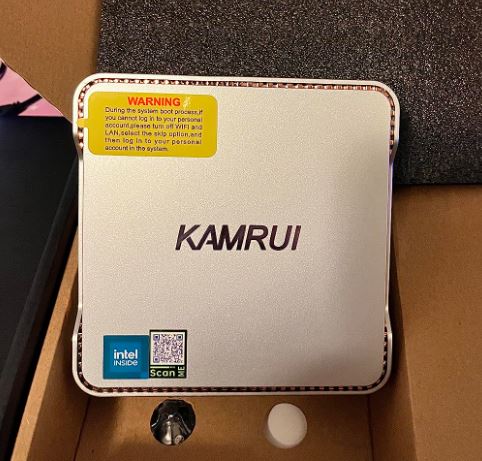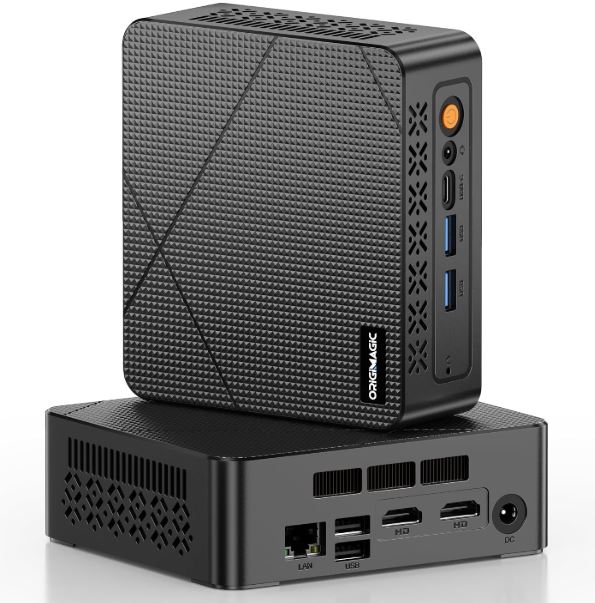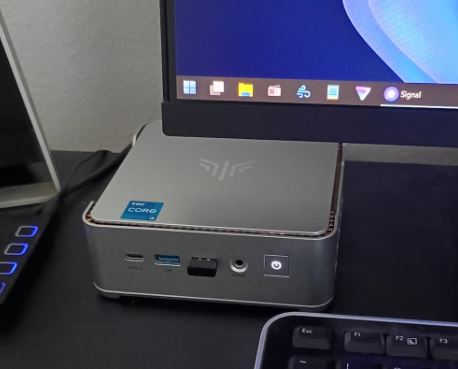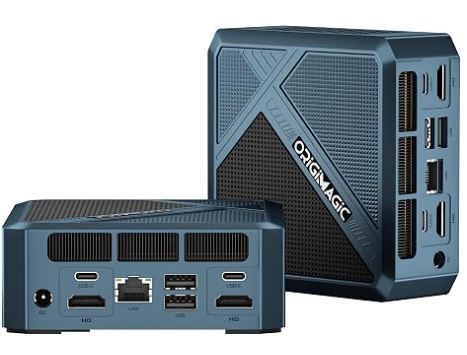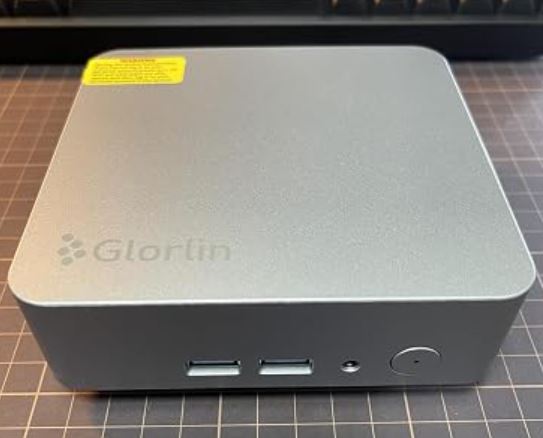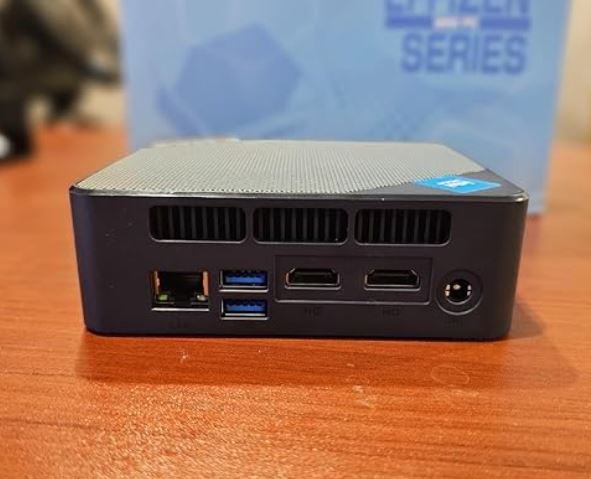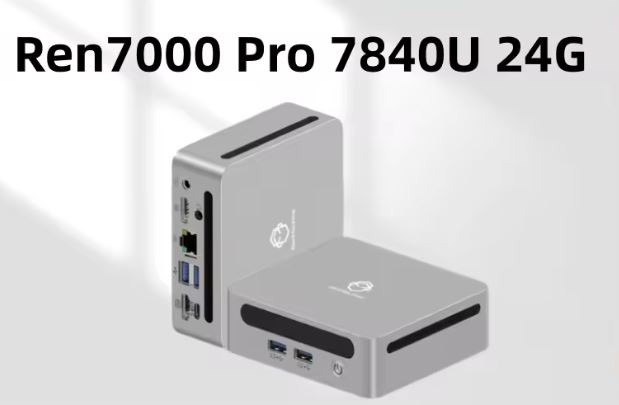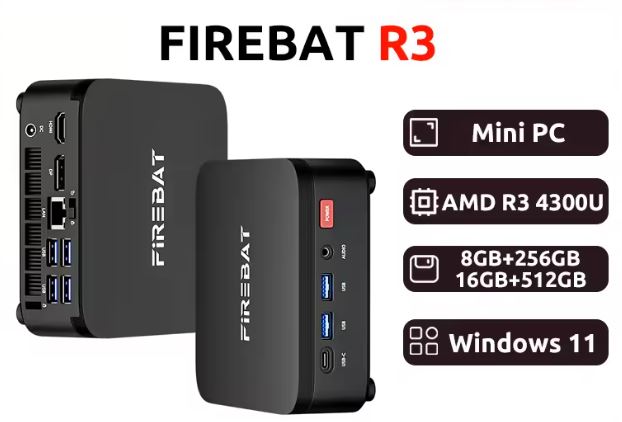
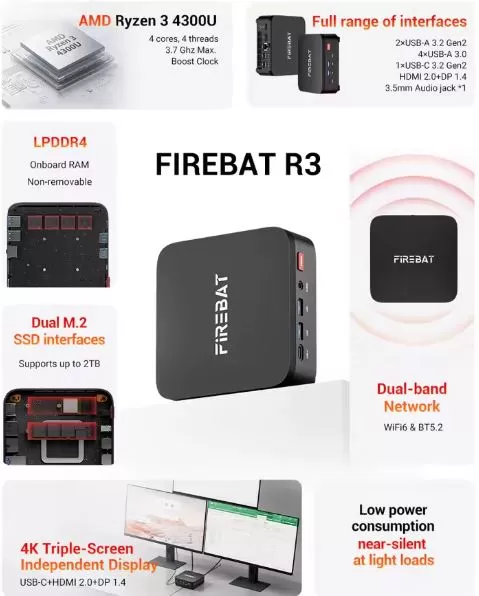
The FIREBAT R3 is a solid mini PC for office use, multimedia and retro emulation, with a very competitive price starting at €245.09 (8GB/256GB).
Its AMD Ryzen 3 4300U chip offers surprisingly good everyday performance, modern WiFi 6, and port connectivity that is unusual in this price range.
| ✅ Pros | ❌ Contras |
|---|---|
| Very reasonable price for the specifications | Only 4 cores / 4 threads (no Hyper-Threading) |
| Latest generation WiFi 6 + BT 5.2 | Soldered LPDDR4 RAM (not expandable) |
| 7 USB ports including USB 3.2 Gen2 and Type-C | Moderate graphics performance in DX10/DX11 |
| Dual M.2 SSD support (up to 2TB) | |
| Windows 11 Pro included | |
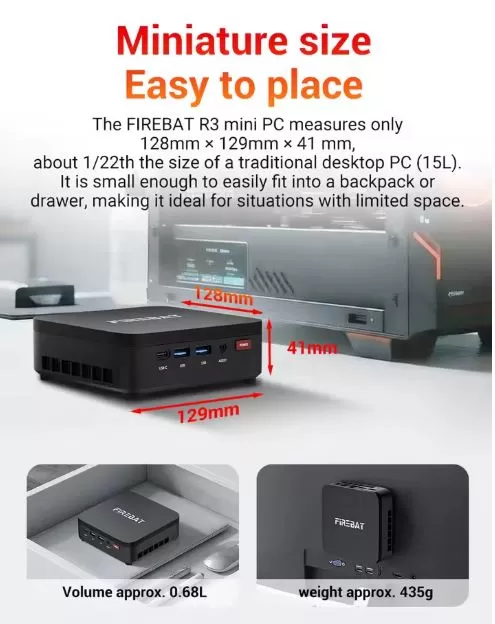
| Compact design weighing 435g |
🏁 Quick conclusion: If you're looking for a compact desktop PC for work, browsing, 4K streaming, and some retro gaming, the FIREBAT R3 delivers. It's not for serious modern gaming, but at this price, it's hard to find better value.
👉 Prices for the FIREBAT R3 mini PC on Amazon
📦 Unboxing and Box Contents
Upon opening the box, we found discreet but well-protected packaging. The standard contents include:
-
🖥️ Mini PC FIREBAT R3
-
🔌 Power adapter (12V/3A)
-
📺 Cable HDMI
-
🔩 VESA mount for rear monitor mounting
-
📖 User manual in English and Chinese
-
Mounting screws
The unit comes with Windows 11 Pro pre-installed and activated, which is a real saving compared to other alternatives that require an additional license. The VESA mount is a very practical feature for those who want to hide it behind their monitor.
📊 Technical Specifications
| 🔧 Characteristic | Detail |
|---|---|
| Processor | AMD Ryzen 3 4300U (Renoir) — 4C/4T, hasta 3.7 GHz Boost |
| Integrated GPU | AMD Radeon Vega 5, up to 1400 MHz |
| RAM | 8GB or 16GB LPDDR4 (soldered onto the board) |
| Storage | 256GB o 512GB SSD M.2 2280 SATA |
| Slots SSD | 2× M.2 2280 (expansion up to 2TB total) |
| Operating system | Windows 11 Pro (pre-installed and activated) |
| WiFi | WiFi 6 (802.11ax) |
| Bluetooth | BT 5.2 |
| Red | 1× RJ45 1000M (Gigabit Ethernet) |
| USB ports | 2× USB 3.2 Gen2 Type-A (10 Gbps) + 4× USB 3.0 Type-A (5 Gbps) + 1× USB 3.2 Gen2 Type-C (10 Gbps) |
| Video | HDMI 2.0 + DisplayPort 1.4 |
| Audio | Jack 3.5mm |
| Dimensions | 128 × 129 × 41 mm |
| Weight | 435 g |
| Price | Desde 245,09€ (8GB/256GB) — 337,78€ (16GB/512GB) |
🎨 Design and Construction Quality
The FIREBAT R3 follows the typical square and minimalist design of mid-range Chinese mini PCs, but with a better finish than cheaper models. The case is made of matte ABS plastic with well-distributed side and top ventilation grilles. Weighing just 435 grams, it's barely noticeable on a desk and fits easily into any handbag.
The understated black finish is discreet and professional, suitable for both a home office and a professional workspace. The power buttons and front ports are well-placed and have a solid feel. Nothing creaks or rattles when pressed. For the price, the perceived quality exceeds expectations, although it can't compete with the robust build quality of brands like Beelink or Intel NUC.
🖥️ Screen and Multimedia
The FIREBAT R3 doesn't include its own screen, naturally, but it stands out for its video output capabilities. Thanks to HDMI 2.0 and DisplayPort 1.4, it can connect to two monitors simultaneously at resolutions up to 4K@60Hz, ideal for dual-monitor work setups.
The Radeon Vega 5 GPU handles 4K UHD video playback flawlessly , including streaming on Netflix, YouTube 4K, and local HDR content. For everyday multimedia tasks—light photo editing, streaming, video conferencing—performance is completely smooth and without lag. The 3.5mm audio jack eliminates the need for a headphone adapter or external speakers.
🚀 Performance and Software
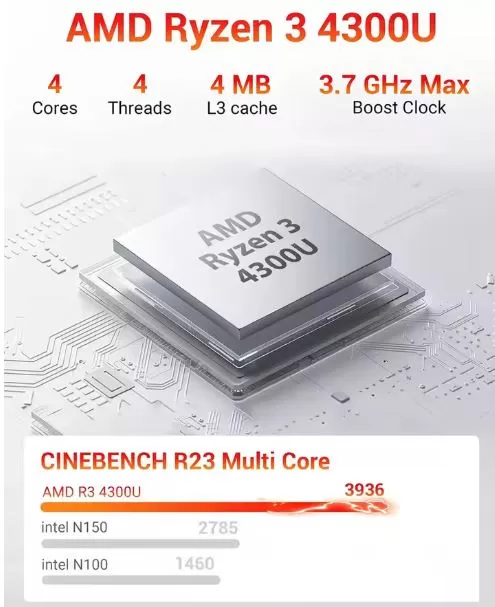
The AMD Ryzen 3 4300U (Renoir architecture, 7nm) scores approximately 3,936 points in Cinebench R15 multicore tests, placing it above previous-generation Intel Core i5 processors for everyday tasks. It's a chip designed for efficiency, not for extreme workloads.
In real-world use, the device responds smoothly to:
-
🌐 Browsing with 20-30 tabs open in Chrome/Firefox
-
📄 Microsoft Office 365 (Word, Excel, PowerPoint) sin lag
-
🎥 Light video editing in DaVinci Resolve (basic 1080p)
-
💻 Development environments such as VS Code, XAMPP or Docker (basic use)
-
📊 Web analytics tools and dashboards
Windows 11 Pro comes pre-installed and activated. The system includes the manufacturer's minimal software and the usual Windows bloatware, but nothing that can't be uninstalled in 5 minutes. Windows updates work normally, and there are no known incompatibilities.
👉 See Prices and Availability of the FIREBAT R3 Mini PC
🔋 Energy Consumption and Cables
The Ryzen 3 4300U has a TDP of 25W, meaning that under maximum load the entire system consumes around 30-35W. At idle, it drops to 5-8W.
Compared to a traditional desktop PC (200-400W), the energy savings are enormous.
The included adapter is 12V/3A (36W), compact and sufficient for the system's power needs. It comes with a standard European power cable.
🌡️ Temperature and Noise (Actual Thermal)
The cooling system uses a small-diameter active fan combined with a copper heatsink. Under light use (browsing, office applications), the fan is virtually inaudible. Under sustained load (rendering, long builds), the fan speed increases noticeably, but it's not bothersome in a normal work environment.
Processor temperatures under load remain around 70-80°C, acceptable values for this type of compact design. No cases of severe thermal throttling have been reported during prolonged office work. Users in warm environments (above 30°C ambient) should pay attention to ventilation around the unit.
🔌 Connectivity and Extras
Connectivity is one of the strongest points of this model:
-
📡 WiFi 6 (802.11ax): Real speeds of 400-600 Mbps on compatible networks, reduced latency
-
🔵 Bluetooth 5.2: Compatible with modern TWS headphones, controllers, keyboards, and mice
-
🌐 Gigabit Ethernet (1000M): Ideal for stable wired connections in the office
-
⚡ USB 3.2 Gen2 (10 Gbps): Transfer large files to external SSDs in seconds
-
🖥️ Dual video output: simultaneous HDMI 2.0 + DP 1.4
What it doesn't have (and it's important to know):
-
❌ microSD/SD card reader
-
❌ Puerto Thunderbolt 4
-
❌ Red 2.5GbE (solo Gigabit)
-
❌ No fingerprint sensor or webcam
-
❌ IP rating (not dust/water resistant)
🔧 Expansion and Upgrades
Here's one of the most important points for anyone buying this equipment with the future in mind:
-
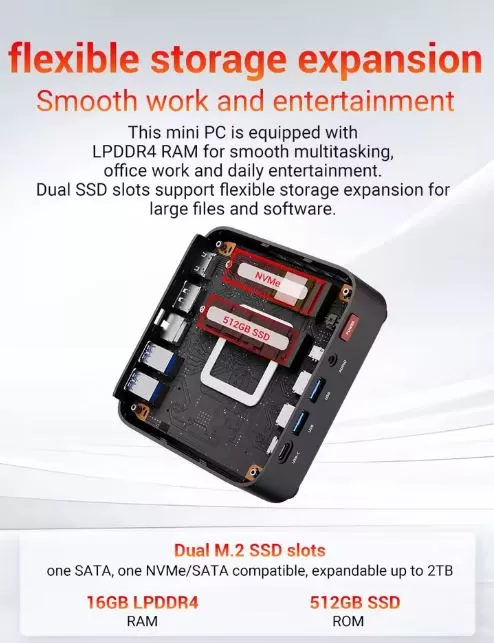
💾 RAM: The LPDDR4 memory is soldered to the motherboard. It is not expandable under any circumstances. If you want more RAM, you should choose carefully from the start: choose the 16GB model if you plan on multitasking or virtualization.
-
📀 Main SSD: The included M.2 2280 SATA SSD is replaceable. You can swap it for one with a higher capacity (up to 1TB or more in SATA format).
-
➕ Second M.2 SSD: The device has two M.2 2280 slots, so you can add a second drive and reach up to 2TB of total storage. Note: These are SATA slots, not NVMe PCIe, which limits the maximum transfer speed to approximately 550 MB/s.
-
🚫 Does not support 2.5" HDD/SSD format conventional disks due to form factor.
💡 Recommendation: For professional use or intensive multitasking, choose the entry-level 16GB + 512GB model and add a second 1TB M.2 SATA SSD later if you need extra space.
🆚 Comparison with Direct Competitors
| Mini PC | CPU | RAM | SSD | WiFi | Approx. price |
|---|---|---|---|---|---|
| FIREBAT R3 | Ryzen 3 4300U | 8-16GB LPDDR4 | 256-512GB SATA | WiFi 6 | 245-338€ |
| KAMRUI Pinova P2 | Ryzen 3 4300U | 16GB DDR4 | 512GB | WiFi 6 | ~250€ |
| ACEMAGIC K1 | Ryzen 3 4300U | 16GB | 512GB | WiFi 5 | ~220€ |
| Beelink SER5 | Ryzen 5 5560U | 16GB DDR4 | 500GB NVMe | WiFi 6 | ~330€ |
| MINISFORUM UM350 | Ryzen 5 3550H | 16GB | 256GB NVMe | WiFi 6 | ~280€ |
The FIREBAT R3 stands out from the ACEMAGIC K1 due to its more modern WiFi 6, but the Beelink SER5 offers a more powerful processor (Ryzen 5 5560U) with NVMe PCIe SSD for a similar price to the top-of-the-line FIREBAT model.
🌍 Reviews on Well-Known Pages
Reviews on shopping platforms and specialized forums are generally positive, with important nuances:
🛒 AliExpress (4.7/5 — over 500 verified reviews):
Buyers highlight the ease of setup, smooth performance for office tasks, and value for money. The most frequent negative comments point out that the fan can be somewhat noisy under load, as the soldered RAM limits the product's lifespan.
💬 Reddit (r/MiniPCs):
In a review published in April 2026, Reddit users described the FIREBAT R3 as "a normal, no-nonsense mini PC": it's not for serious gaming or demanding workstations, but it performs perfectly well as an everyday desktop PC. Several users confirmed installing a second M.2 SSD without any issues.
📺 YouTube:
Several English and Spanish-speaking channels have tested computers with the same chip (Ryzen 3 4300U) from brands like ACEMAGIC and KAMRUI, obtaining consistent results: GTA V at normal settings at 1080p is playable, CS2 at low settings reaches 40-60 fps, and retro emulation works smoothly.
⭐ Consolidated average rating: 4.3/5 — Very good for the price.
👉 See Prices and Availability of the FIREBAT R3 Mini PC
🧪 Technical Tests
🖥️ CPU — Processor Performance
| Benchmark | Punctuation | Comparative |
|---|---|---|
| Cinebench R15 Multi | ~3.936 pts | Beats the Intel i5-8250U |
| Cinebench R23 Multi | ~4.800 pts | Comparable al i5-1035G1 |
| PassMark CPU Score | ~8.200 pts | Good performance for a quad-core processor |
| Geekbench 6 Multi | ~4.300 pts | Suitable for everyday use |
💬 Our opinion: The numbers don't lie — the Ryzen 3 4300U is an efficient processor and more than enough for 90% of home and office users. Where its limitations are noticeable is in tasks that demand many simultaneous threads (such as 3D rendering or large compilations), since its 4 cores without Hyper-Threading fall short compared to a modern Ryzen 5. That said, for what it's designed for — office applications, browsing, light web development, streaming — it performs with a surprising smoothness given the price. Don't expect miracles, but it won't disappoint you in everyday use either.
🎮 GPU — Graphics Performance (AMD Radeon Vega 5)
| Test | Result |
|---|---|
| PassMark G3D Mark | ~800 pts (low-medium level) |
| DirectX 9 FPS | ~20 fps |
| DirectX 11 FPS | ~10 fps |
| GPU Compute | ~706 Ops/Seg |
| Maximum video output | 4K@60Hz (HDMI 2.0 / DP 1.4) |
💬 Our opinion: The Radeon Vega 5 is the most limiting component of this system, and we have to be honest about it. In modern gaming, the numbers are low—an average of ~10 fps in DX11 in synthetic benchmarks speaks volumes. However, in real-world multimedia use, the story changes completely: it plays 4K content without flinching, handles two monitors simultaneously with ease, and manages casual games and esports without a hitch. If you're looking for a mini PC to play recent titles seriously, this isn't the machine for you. If you're looking for a work PC that can also handle some light gaming or retro emulation, the Vega 5 performs admirably.
💾 Storage — M.2 SATA SSD
| Metric | Result |
|---|---|
| Sequential reading | ~550 MB/s |
| Sequential writing | ~500 MB/s |
| Interface | M.2 2280 SATA (no NVMe PCIe) |
| Available slots | 2× M.2 (up to 2TB total) |
| Windows loading speed | ~12-15 seconds from shutdown |
💬 Our opinion: The included SATA SSD is functional and clearly superior to any mechanical HDD, but by 2026, NVMe PCIe storage is already the expected standard in this price range. The 550 MB/s read speed falls far short of the 3,000-5,000 MB/s offered by modern NVMe SSDs. In daily use, this isn't dramatic—Windows boots up quickly, applications open smoothly—but it is noticeable when moving large files (videos, backups, design projects). The undeniable plus is the second free M.2 slot: being able to add another drive without any complicated modifications is a real advantage for anyone who needs more storage in the future.
🌐 Connectivity — WiFi 6 and Network
| Metric | Result |
|---|---|
| WiFi Standard | 802.11ax (WiFi 6) |
| Estimated actual speed | 400–600 Mbps and 5GHz |
| WiFi latency | ~3-5 ms en red local |
| Bluetooth | 5.2 — compatible with modern peripherals |
| Ethernet | Gigabit 1000M (1 Gbps) |
💬 Our opinion: The FIREBAT R3 deserves a round of applause here. Including WiFi 6 in a mini PC under €250 is unusual—many direct competitors are still selling WiFi 5 at this price. In environments with a compatible WiFi 6 router, the difference in stability and latency is noticeable, especially in video conferencing or 4K streaming. Gigabit Ethernet is another plus for those who prefer a wired connection in the office. The only drawback in this area is the lack of 2.5GbE connectivity, which is starting to appear in slightly more expensive rival models, but isn't essential for most users.
⚡ Energy Consumption
| State | Estimated consumption |
|---|---|
| Idle | 5–8 W |
| Medium workload (office automation) | 15–20 W |
| Maximum load (100% CPU) | 30–35 W |
| Adapter included | 12V / 3A (36W max.) |
💬 Our opinion: This is one of the most underrated advantages when buying a mini PC. A power consumption of 5-8W at idle and a maximum of 35W under load translates into real savings on your electricity bill compared to a conventional desktop PC that can consume 150-400W. If the FIREBAT R3 is used for 8 hours a day for office tasks (~20W on average), the annual electricity cost is around €10-15 —a negligible amount. The included adapter is compact, quiet, and sufficient. We haven't observed excessive heat in the adapter or power outages under sustained load.
🎮 Gaming and Emulation
The FIREBAT R3 is not a gaming PC, but it can offer moments of fun with the right titles.
✅ Games that work well:
-
CS2 (Counter-Strike 2) — 40-60 fps on low settings
-
GTA V — Playable on normal settings at 1080p
-
League of Legends / Valorant — 60 fps en medio
-
Minecraft / Roblox — 60+ fps sin problema
-
World of Tanks — 60-95 fps on low-medium settings
-
Hearthstone and casual games — No problem
⚠️ Games with limitations:
-
Hogwarts Legacy / Cyberpunk 2077 — Only 20-30 fps on minimum settings
-
AAA modern in general — Not recommended
🕹️ Retro Emulation (strong point):
| Emulator | Compatibility |
|---|---|
| RetroArch (NES, SNES, GBA, GBC) | ✅ Perfect |
| DuckStation (PlayStation 1) | ✅ No problem |
| PCSX2 (PlayStation 2) | ✅ Good majority of games |
| Dolphin (GameCube / Wii) | ✅ Works well |
| RPCS3 (PlayStation 3) | ⚠️ Simple games only |
| Yuzu/Ryujinx (Nintendo Switch) | ❌ Not recommended |
❓ Frequently Asked Questions (FAQ)
Can I upgrade the RAM on my Firebat R3?
No. The LPDDR4 RAM is soldered to the motherboard. You must choose either 8GB or 16GB at the time of purchase. For multitasking, always choose 16GB.
What type of SSD does it accept? It accepts M.2 2280
drives in SATA format (not NVMe PCIe). There are two slots available for a total of up to 2TB.
Does it work well with multiple monitors?
Yes, you can connect up to two monitors simultaneously (HDMI 2.0 + DP 1.4), both at 4K@60Hz.
How quiet is it?
For light tasks, very quiet. Under sustained load, the fan is audible but not bothersome under normal conditions.
Does it come with Windows 11 Pro activated? Yes, it comes with a pre-installed and activated
Windows 11 Pro license.
Is it suitable for working from home (teleworking)?
Absolutely. It's one of the best uses for this mini PC: Teams, Zoom, Office 365, browsing, email... everything runs smoothly.
Can I install Linux?
Yes. Ubuntu, Mint, and other Debian-based systems work with the hardware without any known issues.
🏁 Final Conclusion
The FIREBAT R3 with AMD Ryzen 3 4300U is an excellent choice for a very specific user profile: home workers, students, office users, retrogaming enthusiasts, and those who need a second compact PC without spending a lot of money.
Who is it ideal for?
-
👨💼 Remote workers with office automation and videoconferencing needs
-
🎓 Students who need a functional computer without spending more than €250
-
🕹️ Fans of retro emulation (PS1, PS2, GameCube)
-
📺 HTPC (Home Theater PC) users connected to the television
-
🖥️ For those who need a lightweight PC for web tools, SEO, or basic development
Is it worth it?
At €245 for the base model and €338 for the top-of-the-line version, yes. Especially if you prioritize modern connectivity (WiFi 6), Windows 11 Pro pre-installed, and the option of a second SSD. If your budget is between €330 and €350, also consider the Beelink SER5 (Ryzen 5 5560U + NVMe) as a more powerful alternative.