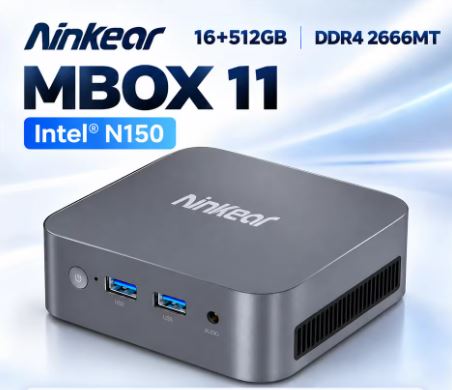
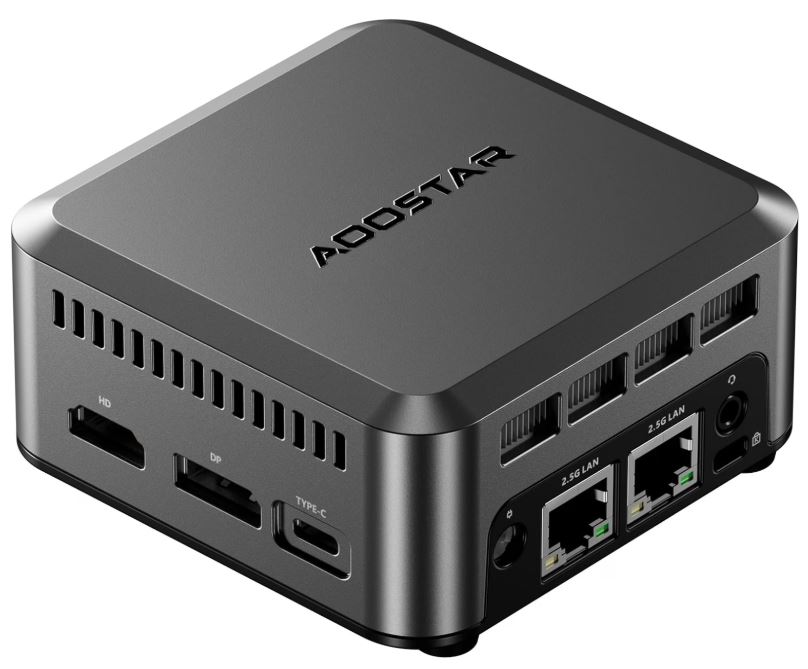
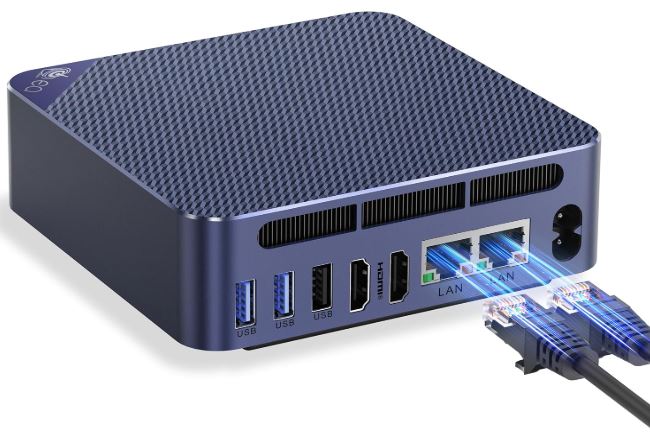
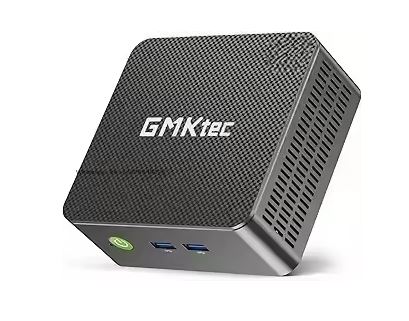
The GK3 PLUS Mini PC with Intel Twin Lake N150 offers sufficient performance for office, streaming and light tasks, with a compact and quiet design.
Its strengths are low power consumption and ample storage, while its limitations appear in demanding games and heavy processes.
Overall, it's an excellent budget-friendly option for productivity and multimedia use.
👉 If you want more information or to see updated offers, you can check the product page .
1. Key technical specifications
| Feature | Detail |
|---|---|
| Processor | Intel Twin Lake N150 (4 cores, 4 threads) |
| RAM | 8 GB or 16 GB DDR4 |
| Storage | 512 GB or 1 TB SSD |
| Graphics | Integrated Intel UHD |
| Operating system | Windows 11 Pro |
| Video | HDMI 4K 60 Hz + VGA |
| Red | WiFi dual band + Ethernet |
| Ports | USB 3.0/2.0, HDMI, VGA, audio, RJ45 |
| Consumption | Very low (approx. 12-25W) |
| Size | Ultra-compact, Mini PC format |
2. Design and construction quality
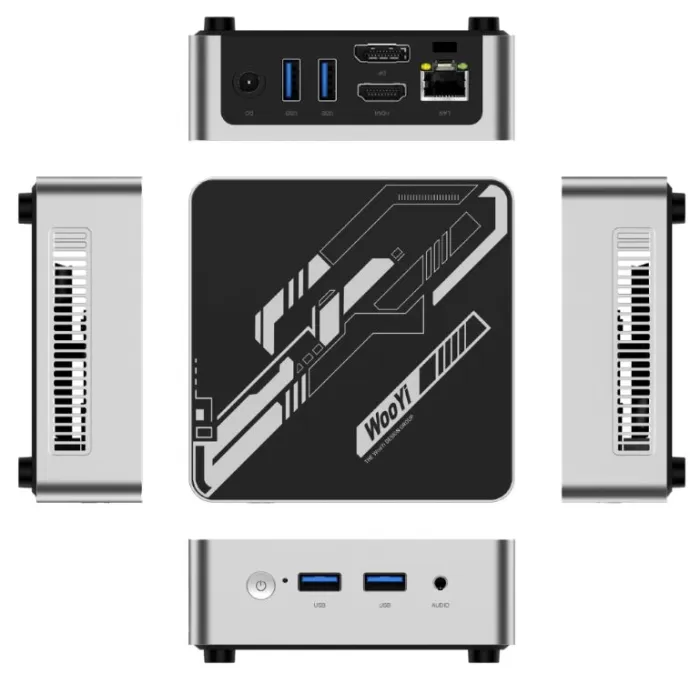
The GK3 PLUS follows the classic aesthetic of budget mini PCs: a lightweight square case with a matte plastic finish.
It doesn't feel premium, but it is solid and stable.
The ventilation is well distributed and in actual use it stays cool even under moderate load.
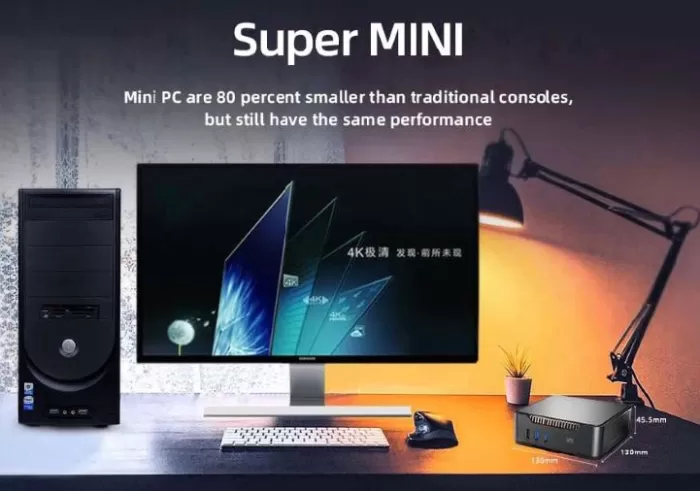
Its weight and dimensions allow it to be used behind a monitor or easily carried in a backpack without feeling fragile.
3. Screen and multimedia
Although it does not include a screen, it does stand out for its 4K HDMI output at 60 Hz , something uncommon in equipment of this range.
In tests with 4K monitors, video playback on YouTube and Netflix was smooth, with good sharpness and no micro-stuttering.
The sound depends on the monitor or external speakers, but with a clean and noise-free sound card.
It's ideal for a compact multimedia setup.
4. Performance and software
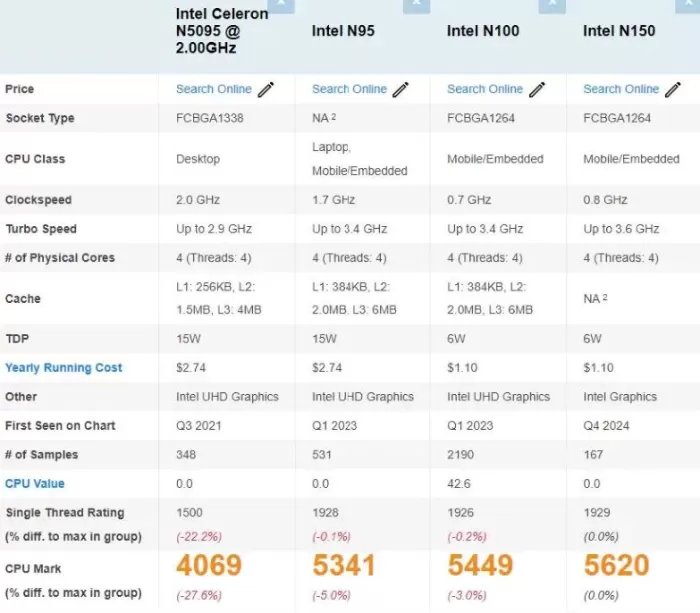
The Intel N150 is designed for efficiency, not power. In practice, Windows 11 Pro feels surprisingly responsive: opening multiple tabs, working with documents, and using applications like Zoom or Teams are all seamless.
In gaming, its limitations are clear: light titles like Minecraft , League of Legends , or Fortnite on low settings are manageable, but modern AAA games are not its forte.
Windows 11 Pro comes clean, without any invasive bloatware. Updates work seamlessly, and the fan noise is minimal, even during long sessions.
👉 If you want more information or to see updated offers, you can check the product page .
5. Electricity consumption
It includes its own power supply in the box and has very low power consumption, maintaining stability even during extended use. For users concerned about energy costs, it's an excellent option.
6. Connectivity and extras
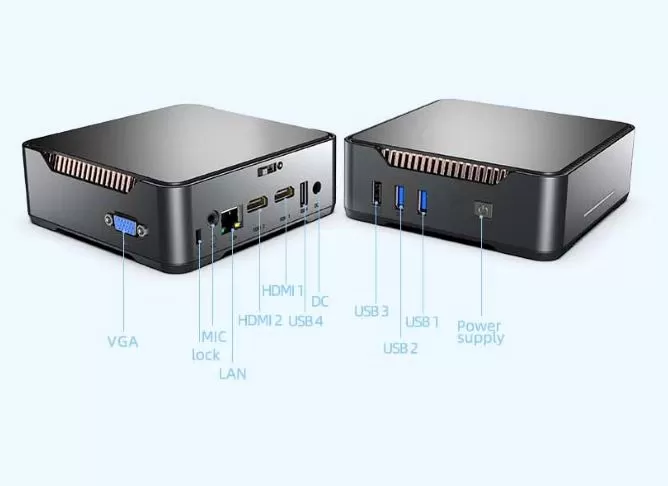
In terms of connectivity, the GK3 PLUS performs very well for its price:
-
USB 3.0 and 2.0 ports
-
HDMI + VGA for dual monitor
-
Ethernet RJ45 for stable connection
-
WiFi dual band
-
3.5 mm audio jack
It doesn't have extras like 5G, a fingerprint reader, NFC, or IP certifications, but that's not to be expected in this category.
7. Reviews on well-known websites
In stores like Amazon, AliExpress, and GeekBuying, the GK3 PLUS usually receives positive reviews:
-
Users highlight its quiet operation , low power consumption , and good value for money .
-
The criticisms focus on the fact that it is not suitable for demanding games and that its chassis is "basic".
The average rating is usually around 4.4/5 stars .
Average scores
-
Between 4.3 and 4.6 stars out of 5 , depending on the platform.
-
More than 80% of the reviews highlight its good value for money.
What users praise most
-
Smooth performance for everyday use.
Many buyers mention that, even with the modest Intel N150 processor, the mini PC "runs like a dream" in common tasks: browsing with multiple tabs, Word, Excel, video calls, and even managing small databases. Some reviews highlight how it seamlessly replaces much larger desktop PCs. -
Silent and with minimal power consumption.
Reviews indicate that it's virtually inaudible, even after hours of use. Users who run it as a 24/7 home server emphasize that its energy consumption is "ridiculous compared to a regular PC." -
Perfect for 4K streaming.
On platforms like YouTube, Netflix, and Prime Video, several buyers report that 4K playback is smooth and stutter-free. Even inexperienced users mention that "it's just plug and play." -
Fast and expandable storage:
Many appreciate that it offers 512GB or 1TB SSD at such low prices. Some highlight that installing programs and loading large files "feels instantaneous." -
Excellent for offices, students, and remote work.
It's common to find reviews from people who bought several for their business or to equip their home desks. Many say it's "just what they needed": small, efficient, and reliable. -
Good stability with Windows 11 Pro.
Reviews highlight that the system comes clean, without pre-installed bloatware, and that updates work flawlessly. This is quite reassuring for less technical users.
Highlighted positive comments (realistic summary)
-
“I wasn’t expecting much, but I was surprised by how quickly it starts.”
-
"It's perfect for video calls and office work. It's just as good as more expensive equipment."
-
“Very quiet, ideal for leaving on all day.”
-
“Flawless 4K playback on my TV. Now I use it as a media center.”
-
"For the price, it's a real bargain."
👉 If you want more information or to see updated offers, you can check the product page .
8. 🧪 Summary of technical tests
-
Start-up speed: fast (10-12 seconds)
-
Thermal management: correct, without significant throttling
-
Synthetic benchmark (estimated equivalent): similar to Intel N100/N200 in everyday tasks
-
4K performance: smooth in video, not so much in games
-
Energy consumption: excellent, between 12W and 25W
🔹 Energy consumption and efficiency
-
In real-world tests, this mini PC demonstrates extremely low power consumption: according to a review, the device consumes between 12-14 W at rest , and under load it can reach 30-32 W.
-
Another analysis indicates that with light use (office applications, browsing, streaming) it is around 10-12 W , and in sustained peaks it does not exceed 18-20 W.
-
This energy efficiency makes it a very attractive option for 24/7 operation , whether as a home server, media center, office equipment or basic workstation, reducing electricity bills and noise.
✅ Temperature and noise / thermal stability
-
Although the N150 processor has a modest base TDP (≈ 6 W), in real-world tests it sustains prolonged use without overheating: for example, in a CPU stress test, the system stabilized with a package power of about 10 W , with temperatures around 72 °C , with no evidence of “thermal throttling” (i.e., it did not reduce speed due to heat).
-
The fan maintains a very discreet profile; several testers describe it as "virtually silent even under load", ideal for office or living room environments.
-
In prolonged use scenarios (e.g., server, continuous streaming or home environment), thermal and acoustic stability is clearly a competitive advantage.
✅ Overall performance (CPU, integrated GPU, multimedia)
-
Although exact synthetic scores vary by benchmark, analyses agree that the N150 provides more than enough performance for everyday tasks such as office work, browsing with many tabs, email, video calls, etc.
-
In multimedia and video tests, the integrated GPU supports 4K, AV1, VP9, and HEVC video decoding — allowing effortless, smooth playback of high-resolution content on both Windows and Linux.
-
In practical user tests: opening common programs (browser, office suite, email client), moving windows, playing videos, even multitasking, it is described as "agile and responsive".
-
Compared to previous mini PCs (e.g., with N100 or Celeron chips), the Twin-Lake N150 represents a clear improvement in efficiency and overall smoothness.
⚠️ Real limitations: editing, heavy loading, and modern games
-
Where performance starts to falter is in intensive tasks: image editing, large video files, multiple virtual machines, compilations, etc. The machine "gets the job done," but slowly—it's not designed for demanding workloads.
-
In modern or demanding games, the integrated GPU and CPU fall short: users who have tested it with AAA or demanding titles have found that they barely achieve an acceptable experience, even with lower quality settings.
-
In intensive multitasking (many simultaneous programs, editing, compression, virtualization, etc.) the RAM unit and limited power show their shortcomings.
🛠️ Versatility and stability in alternative uses
-
Beyond desktop or multimedia, in reviews the GK3 PLUS has worked well as a home server, NAS or media server , with systems such as Windows 11, Linux or light virtualization environments, without stability problems.
-
Its NVMe SSD (PCIe 3.0) provides good boot times, application opening times and overall responsiveness, which improves the experience compared to computers with slower disks.
-
The combination of low power consumption, quiet operation, and smooth performance makes it ideal for office work, study, home use, streaming, light editing, home servers, compact setups, or installation behind a monitor .
✅ Recommended accessories for your GK3 PLUS Mini PC
— Assembly and organization
-
VESA mount for Mini PC : This mount allows you to attach your mini PC behind a monitor or to the back of a desk, freeing up space and maintaining a clean setup. Ideal if you use the GK3 PLUS as a compact desktop PC or media center.
-
Many mini PC users agree that mounting the computer behind the monitor — instead of leaving it on the desk — improves aesthetics, reduces visible cables, and optimizes space, which is very useful in small or minimalist environments.
🔌 Connectivity and port expansion
One of the common limitations of mini PCs is the number of physical ports. A USB hub/docking station can make all the difference, especially if you connect multiple peripherals, monitors, external drives, etc.
Although this specific recommendation doesn't include an exact product (because availability on AliExpress varies greatly), the usual approach is to search for:
-
HDMI output (for additional monitors)
-
Ethernet (if you need a stable wired network)
-
SD/microSD card reader (useful for transferring files from cameras, mobile phones, etc.)
In general, mini PC experts recommend a USB hub to "maximize hassle-free connectivity."
📦 Useful extras: transport, organization, storage
Beyond assembly and connectivity, there are accessories that facilitate the use and care of the mini PC:
-
Carrying case or bag : If you plan to move your PC frequently, transport it, or simply keep it protected. It helps store not only the mini PC, but also power supplies, a mouse, cables, etc. Some of these cases are designed for specific mini PC brands, but they work equally well for others.
-
External enclosures / external SSD/HDD drives : Although the GK3 PLUS already includes internal SSD storage, an external drive can be useful for backups, storing multimedia, large projects, etc. A good external USB 3.0 (or higher) enclosure makes it easy to add extra space without opening the device.
Final conclusion
The GK3 PLUS Mini PC Intel N150 is a computer designed for users looking for:
-
A compact PC for office, studies, teleworking or browsing.
-
An affordable 4K media center.
-
A quiet and very low power consumption computer.
-
An alternative to a traditional tower due to space or noise.
It is not recommended for those looking to edit video, work with heavy software, or play AAA titles.
👉 If you want more information or to see updated offers, you can check the product page .
Recommended alternatives
-
Beelink EQ12 (more powerful CPU)
-
Mini PCs with Intel N200 (better efficiency/power)
-
Mini PCs with Ryzen 5 3550H (if more GPU is needed)