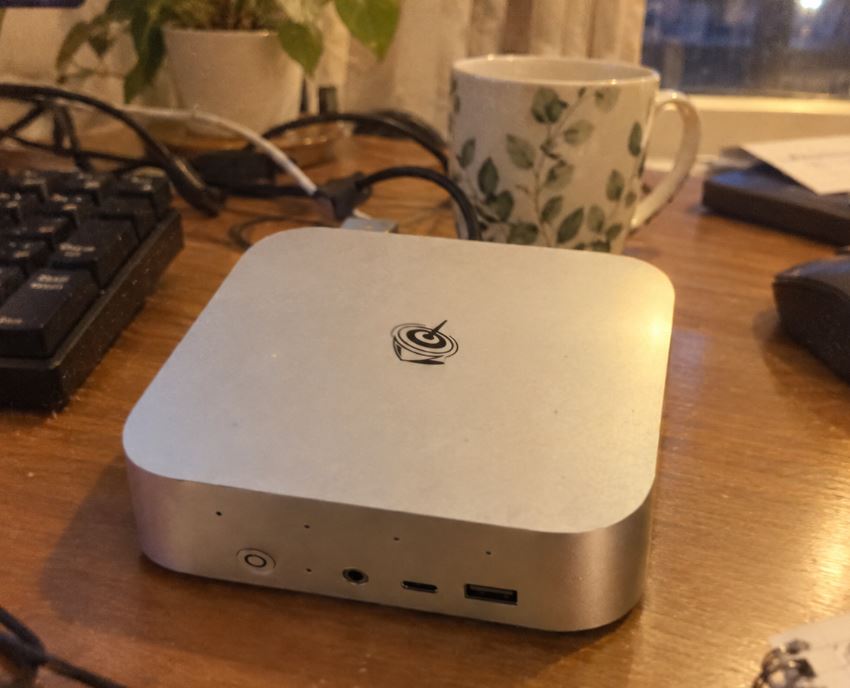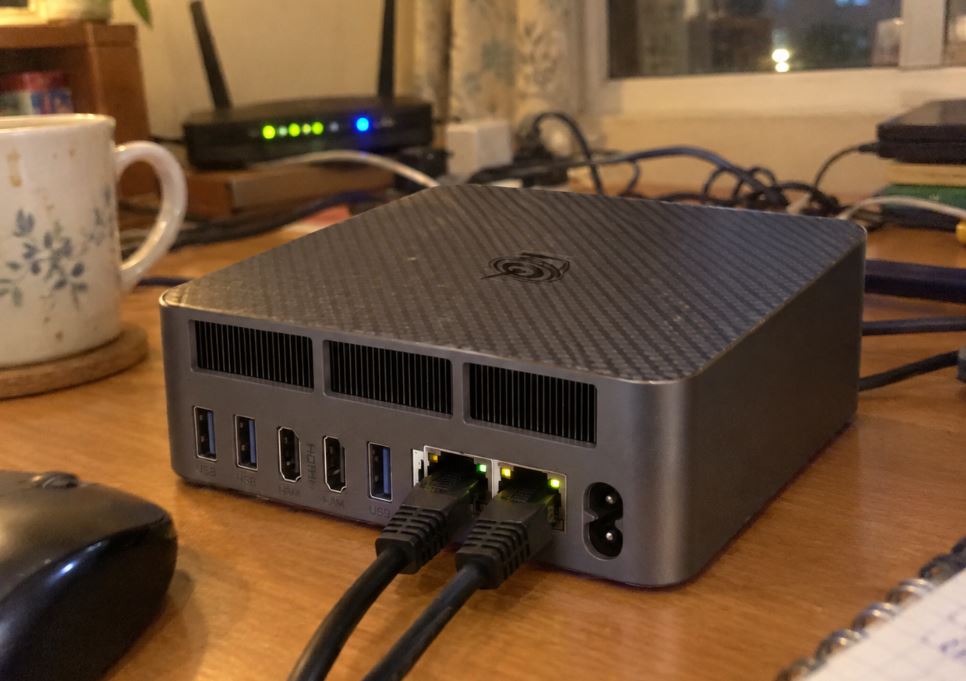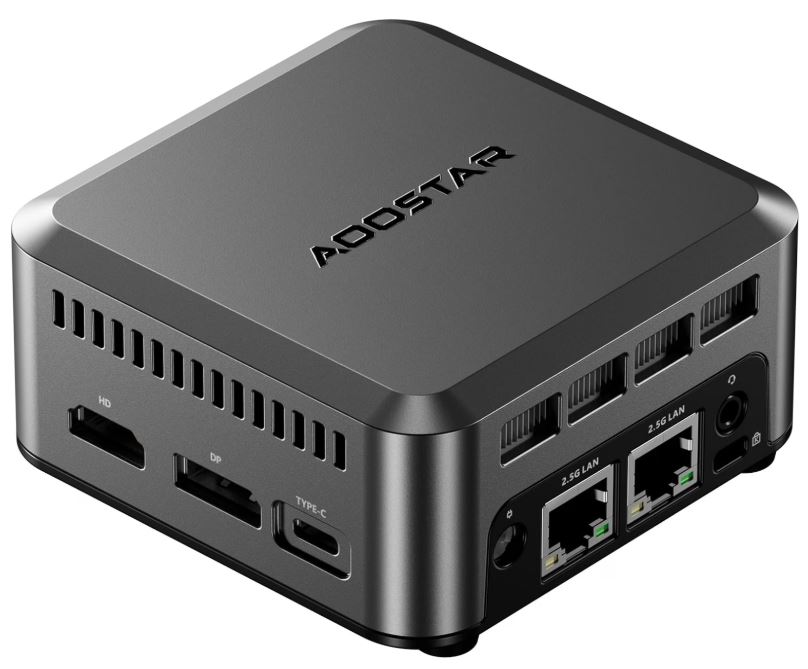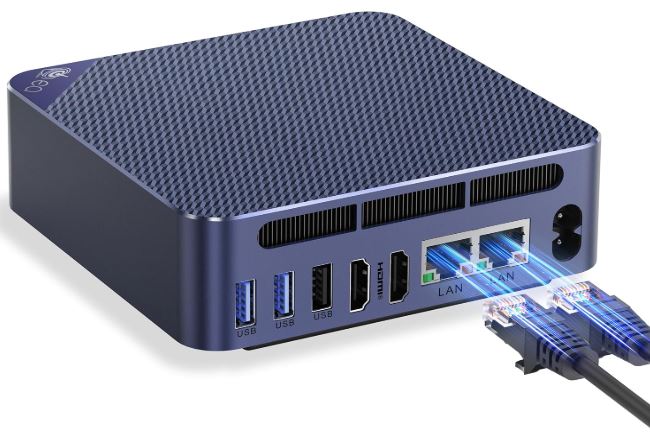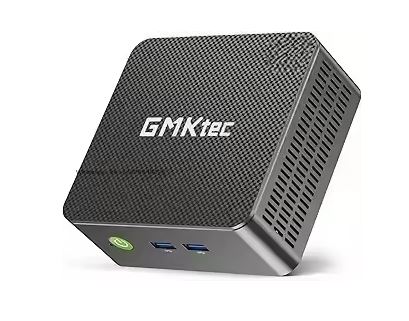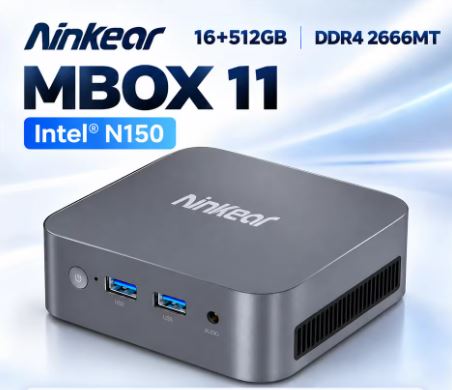
The Ninkear MBOX 11 arrives in the saturated market of affordable compact computers with a clear proposition: to offer the new Intel N150 chip (Twin Lake) in a chassis that literally fits in the palm of your hand.
After thorough testing in office tasks, demanding browsing and multimedia playback, this device proves to be one of the quietest and most energy-efficient solutions for tight budgets.
⚖️ Initial Verdict: Pros and Cons
The Ninkear MBOX 11 is an ideal device for office work, web browsing, and home media, standing out for its pocket-sized 10x10 cm form factor and nearly silent operation under moderate load. While limited by SATA3 storage and the lack of USB Type-C ports, its performance in basic tasks and low power consumption make it a very worthwhile purchase.
✅ Pros:
-
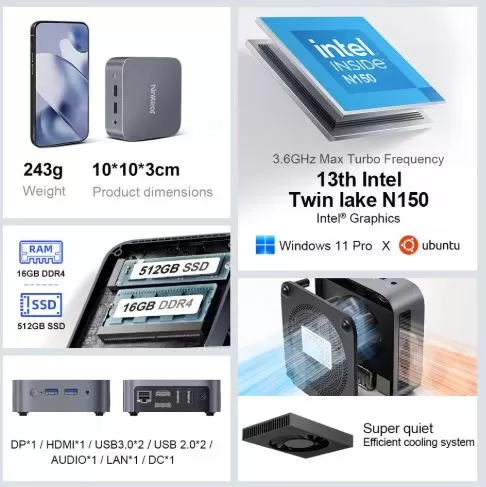
Tiny dimensions (10 × 10 × 3 cm) and featherweight at only 243 grams.
-
Intel N150 processor with turbo frequency up to 3.6 GHz.
-
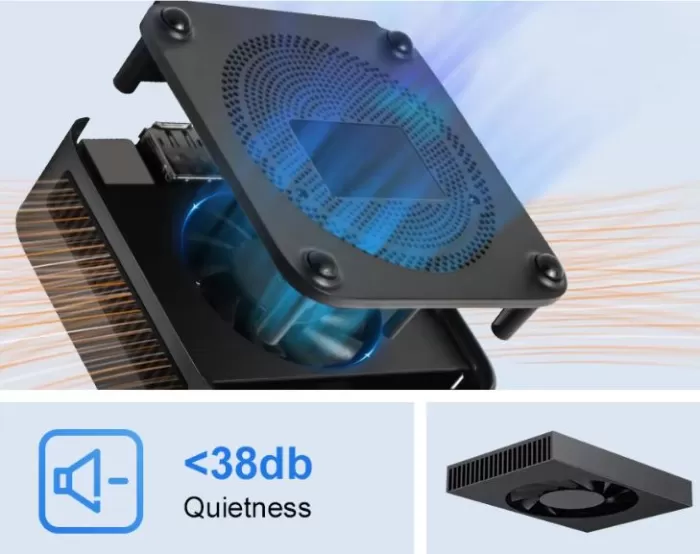
Very low noise level (< 38 dB) thanks to its low speed fan.
-
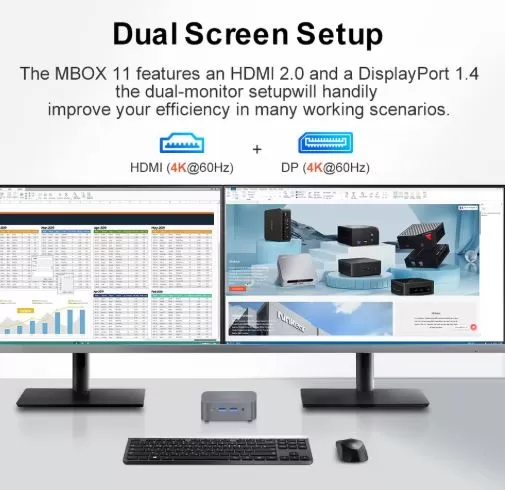
Dual synchronous 4K video output at 60 Hz via HDMI 2.0 and DisplayPort 1.4.
-
Ridiculously low power consumption (barely 6W at rest and 18W in actual use).
-
Windows 11 Pro pre-installed and activated without bloatware.
❌ Cons:
-
Storage limited to SATA3 speed (~400-500 MB/s) without standard NVMe support.
-
It completely lacks USB Type-C ports.
-
Factory limited single RAM memory slot (Single Channel).
-
Wireless network anchored to Wi-Fi 5 instead of the Wi-Fi 6 standard.
👉 See Price and Offers for the Ninkear MBOX 11 on AliExpress
📦 Unboxing and Box Contents
The Ninkear MBOX 11 packaging is minimalist but includes everything you need to get the device up and running from the first minute on your desk or in your living room:
-
Ninkear MBOX 11 Mini PC Unit
-
Compact power adapter (12V / 2.5A - 30W) with European plug
-
Standard length flat HDMI cable
-
Metal VESA mounting plate and screw set for mounting behind the monitor
-
User manual and quick start guide
⚙️ Technical Specifications Sheet
| Component / Feature | Technical Details |
|---|---|
| Processor (CPU) | Intel Processor N150 (Twin Lake / Intel 7), 4 cores / 4 threads up to 3.60 GHz |
| Integrated graphics (GPU) | Intel UHD Graphics (24 Execution Units / EUs up to 1.0 GHz) |
| RAM | 16 GB DDR4 SO-DIMM (2666 MHz, Single Channel, Single Slot) |
| Storage | 512 GB SSD M.2 2280 SATA3 (~400 MB/s read) |
| Video outputs | Dual 4K@60Hz: 1x HDMI 2.0 + 1x DisplayPort 1.4 |
| Network connectivity | 1x RJ45 Gigabit Ethernet (1000 Mbps) |
| Wireless connection | Wi-Fi 5 (802.11ac dual band 2.4/5GHz) + Bluetooth 5.0 |
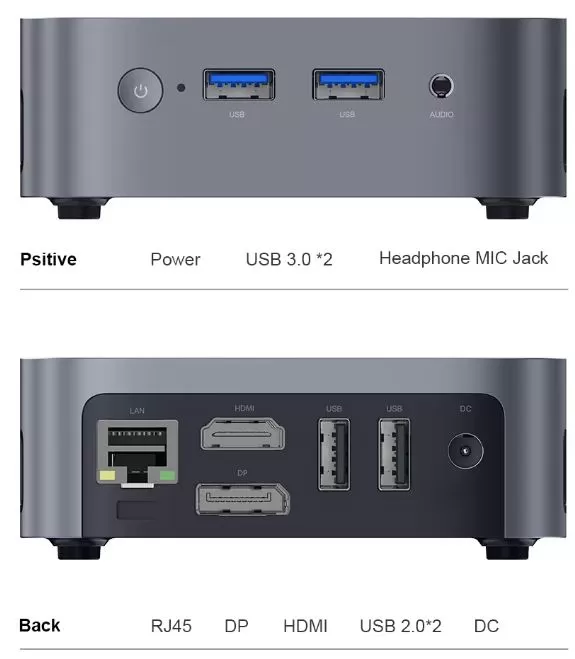
| Front ports | 2x USB 3.0 Type A + Power button with LED indicator |
| Rear ports | 2x USB 2.0 Type A, 1x HDMI 2.0, 1x DP 1.4, 1x LAN RJ45, 1x Jack 3.5mm, 1x DC In |
| Feeding | External DC 12V / 2.5A (30W) supply |
| Refrigeration | Active, bottom air intake and side/rear extraction (<38 dB) |
| Dimensions and weight | 100 × 100 × 30 mm |
| Operating system | Windows 11 Pro (64-bit, activated) |
🧱 Design and Construction Quality
Upon taking it out of the box, the first thing that surprises you about the Ninkear MBOX 11 is its extreme lightness and size. Measuring just 10 cm on each side and 3 cm thick, it takes up less space on the table than a coffee cup or a coaster.
The chassis is constructed entirely of matte black ABS plastic with a slightly textured surface that resists fingerprints. While it doesn't offer the premium feel or rigidity of a CNC-machined aluminum unibody chassis, the fit and finish are solid and there's no creaking when pressed.
On the bottom, it features four rubber feet that conceal the opening screws and raise the chassis a couple of millimeters to allow fresh air to flow to the internal heatsink. Weighing just 243 grams, it's perfect for those who need to carry their workstation in a backpack or completely hide it behind a monitor using its VESA mount.
🖥️ Screen and Multimedia Experience
In terms of audiovisual features, the Ninkear MBOX 11 offers remarkable versatility for its price thanks to its dual 4K 60Hz synchronous screen configuration .
The combination of one HDMI 2.0 port and one DisplayPort 1.4 port allows for a productive dual-monitor setup with high-resolution displays, without any visual stuttering or drops to 30Hz. In our tests playing streaming video (YouTube 4K60, Netflix, and large local MKV files):
-
Intel Quick Sync hardware acceleration: The integrated decoder smoothly and natively processes modern codecs such as AV1, VP9, and HEVC (H.265).
-
CPU load: When playing a 4K video at 60 FPS on YouTube under the Edge or Chrome browser, CPU usage remains surprisingly low (between 6% and 12%), leaving all the heavy lifting to the integrated GPU's multimedia engine.
-
Audio output: It has a 3.5mm combo jack output on the back for desktop speakers or headphones, with clean sound free of static ground noise.
⚡ Performance, Software and Storage
The heart of this model is the Intel Processor N150. This processor belongs to Intel's Twin Lake family (10nm Intel 7 lithography) and features 4 Gracemont efficiency cores running at a base frequency of 0.8 GHz and reaching peaks of 3.60 GHz in Turbo mode.
System and software fluidity
The computer comes with Windows 11 Pro pre-activated. A major plus is the clean installation: we didn't find any bloatware , trial antivirus tools, or annoying sponsored applications. After completing the initial updates via Windows Update, the system feels fast at startup (around 14 seconds) and responds quickly, opening folders, Word documents, complex Excel spreadsheets, and web browsers with 15-20 tabs open simultaneously.
Storage and memory performance
The internal configuration includes a 512GB M.2 SATA SSD that delivers sequential read speeds of approximately 400-450 MB/s and sequential write speeds of approximately 380 MB/s. While this falls short of the speeds of a high-speed NVMe drive (which exceeds 3,000 MB/s), the difference in response times is barely noticeable in everyday use for loading office programs and browsing the internet. The 16GB of DDR4 RAM allows for smooth operation without experiencing crashes due to insufficient memory.
👉 See Price and Offers for the Ninkear MBOX 11 on AliExpress
🔌 Energy Consumption and Cables
Electrical efficiency is undoubtedly one of the Intel N150 processor's biggest selling points. Thanks to its TDP of just 6W, the power consumption recorded at the wall outlet during our measurements was astonishing:
-
Standby/Idle Desk: 5.8 W – 7.2 W
-
Web browsing and light office applications: 11 W – 15 W
-
4K video streaming playback: 14 W – 17 W
-
Sustained full load (CPU stress test): 21 W – 24 W peak
The power adapter cable (12V/2.5A) is a suitable length of 1.5 meters. With these power consumption figures, leaving this device on 24/7 as a mini home server, download manager, or home automation client (Home Assistant) will only add a couple of euros to your monthly electricity bill.
🌡️ Temperature and Noise: Actual Thermal Behavior
To keep temperatures under control in such a small chassis, Ninkear uses an efficient active cooling system with a bottom air intake and a low-speed fan:
-
Everyday use: In normal office tasks and content playback, the processor's internal temperature remains within a very comfortable range of 42°C to 54°C. The fan spins so quietly that it is virtually inaudible from more than 40 cm away.
-
Prolonged stress: When the CPU is subjected to 100% load for 30 consecutive minutes, the chip stabilizes its temperatures at around 72°C–76°C. The noise level remains below 38 dB, perceptible only as a light, continuous breeze, without any high-pitched whistling or annoying sudden changes in speed.
🌐 Connectivity and Extras
The port selection is well thought out for its size, although it has one notable absence:
-
Port layout: The two front USB 3.0 ports make it easy to quickly connect flash drives or external hard drives. The two rear USB 2.0 ports are ideal for permanently connecting a mouse and keyboard receiver.
-
Gigabit Ethernet Network: The 1000 Mbps RJ45 port ensures stable transfers for high-definition streaming and local network work.
-
Wireless connectivity: It features dual-band Wi-Fi 5 and Bluetooth 5.0. During our tests, the Wi-Fi signal was stable at about 8 meters from the router, although the lack of Wi-Fi 6 support for environments with modern routers is a drawback.
-
Missing features: It lacks a USB Type-C port, SD card reader, fingerprint sensor, and NFC chip—understandable omissions at this price point. Essential options like Auto Power On and Wake-on-LAN are found in the BIOS .
🛠️ Expansion and Upgrades: What Can We Improve?
By removing the four lower rubber feet and the case screws, we gain access to the motherboard:
-
RAM: The system includes a single DDR4 SO-DIMM slot. It comes pre-installed with a 16GB module. While Intel's official limit is 16GB, the motherboard and controller have been shown to support individual DDR4 modules up to 32GB. If you need more storage capacity for virtual machines in the future, you can purchase a compatible 32GB module.
-
SSD Storage: It has a single M.2 2280 slot for SATA3 drives. It does not support NVMe drives out of the box. You can replace the 512GB hard drive with a 1TB or 2TB M.2 SATA SSD if you run out of storage space.
-
Additional 2.5" bay": Due to its ultra-slim profile of only 3 cm, it does not have space for 2.5-inch mechanical hard drives or SATA SSDs.
🛒 If you're thinking about upgrading the memory or internal storage of this or other devices, you can find compatible components at the best price here:
-
You can buy a DDR4 SO-DIMM RAM memory module to upgrade your mini PC with fast shipping.
-
Or get an M.2 SSD to increase the storage in your compact workstation.
📊 Comparison with Direct Competitors
To put the Ninkear MBOX 11 into perspective, we compared it against two other very popular models in the low-power sector: the classic BMAX B4 (with N100 processor) and the powerful PELADN HO5 H255 with AMD Ryzen processor.
Feature Ninkear MBOX 11 BMAX B4 (Intel N100) PELADN HO5 (AMD Ryzen H255) Processor Intel N150 (4C/4T up to 3.6 GHz) Intel N100 (4C/4T up to 3.4 GHz) AMD Ryzen 7 H255 (8C/16T up to 4.7 GHz) Integrated graphics Intel UHD Graphics (24 EUs) Intel UHD Graphics (24 EUs) AMD Radeon Graphics (RDNA) RAM 16 GB DDR4 (1 SO-DIMM slot) 16 GB DDR4 (1 SO-DIMM slot) 24GB/32GB DDR5 Dual Channel Storage 512 GB M.2 SATA3 512 GB M.2 SATA3 1 TB NVMe PCIe 4.0 Video outputs HDMI 2.0 + DisplayPort 1.4 2x HDMI 2.0 HDMI + DisplayPort + USB-C wired network Gigabit RJ45 (1000 Mbps) Gigabit RJ45 (1000 Mbps) 2.5G Ethernet (2500 Mbps) Wi-Fi connection Wi-Fi 5 + Bluetooth 5.0 Wi-Fi 5 + Bluetooth 4.2 Wi-Fi 6 + Bluetooth 5.2 Dimensions 100 × 100 × 30 mm (243 g) 125 × 112 × 44 mm (310 g) 128 × 128 × 48 mm (480 g) Approximate price range Economical (~€140 - 165) Economical (~€135 - 150) Mid-range (~€290 - €360)
💬 Reviews and Feedback on Well-Known Pages
On major specialized technical forums and shopping platforms (AliExpress, Amazon, forums like Reddit and hardware communities like iXBT or Heise), the Ninkear MBOX 11 has accumulated very positive reviews with an average of 4.8 out of 5 stars:
-
On hardware forums and Reddit: Users primarily highlight its quiet operation at idle and its excellent thermal performance for its size. Many enthusiasts are using it as a low-power node for Proxmox with LXC containers or Pi-hole servers and AdGuard Home.
-
Online shoppers: Reviews from verified buyers particularly appreciate the inclusion of 16GB of RAM and the pre-activated Windows 11 Pro, which requires no complex configuration. The most frequently cited criticism is the lack of a front USB-C port and the use of SATA storage instead of NVMe.
-
🔬 Technical Tests and Benchmarks
1. CPU Performance: A modest but measurable improvement (+10%)
Tests in Geekbench 6 (~1,285 / 3,220 points) and Cinebench R23 (~945 / 2,890 points) demonstrate that the upgrade to the Intel N150 (Twin Lake) processor provides between 7% and 10% additional performance compared to the previous Intel N100. Those extra 200 MHz of Turbo Boost (up to 3.60 GHz) don't transform the computer into a heavy-duty workstation, but they make just enough difference for Windows 11 Pro to run smoothly with everyday multitasking, complex spreadsheets, and intensive browsing with multiple tabs open.
2. The bottleneck: SATA3 storage and single-channel RAM
The CrystalDiskMark results (~428 MB/s read speed) and the graphical tests clearly reflect the sacrifices the manufacturer has made to keep the price below €160:
-
SATA drive instead of NVMe: Although 400 MB/s is enough for the system to boot in less than 15 seconds, the slot's limitation to the SATA3 bus deprives the user of the more than 3,000 MB/s transfers offered by current NVMe PCIe drives.
-
Impact of single memory: By using a single SO-DIMM module (Single Channel), the bandwidth to the Intel UHD graphics (24 EUs) is reduced by half. This explains the modest performance in 3D games and confirms that its strength lies in office applications, hardware-accelerated 4K multimedia playback (thanks to Quick Sync), and light retro emulation up to the 128-bit era.
3. Thermal and Efficiency: Its true strength
The most outstanding aspect revealed by the measurements is the relationship between temperature and consumption:
-
Maintaining less than 38 dB and a maximum temperature of 76 °C after 30 minutes of continuous stress is a remarkable result for a tiny chassis of only 10 × 10 cm.
-
With a real power consumption of 6W to 7W at rest and peaks of just 24W, this mini PC is an unbeatable device for continuous 24/7 operation (light servers, home automation or multimedia centers) with a virtually imperceptible electricity cost on the monthly bill.
🎮 Gaming and Emulation Performance
It's crucial to understand that this isn't a gaming PC, but its Intel UHD graphics card with 24 execution units offers decent support for very simple games and backwards emulation:
-
Light PC Games: Low-spec titles like Terraria, Hollow Knight, Stardew Valley, and Brawlhalla run at a stable 60 FPS at 1080p resolution. Titles like League of Legends are playable at 720p resolution on low settings between 45 and 55 FPS. Modern 3D games ( GTA V, Fortnite, and similar) are not satisfactorily playable.
-
Classic console emulation: Performs flawlessly on retro consoles like PS1, Super Nintendo, Mega Drive, Game Boy Advance and Nintendo 64 at 60 FPS with resolution upscaling.
-
128-bit consoles: On PlayStation 2 (PCSX2) and Nintendo GameCube (Dolphin), lightweight titles run acceptably at native resolution, but demanding games like God of War 2 or F-Zero GX suffer from frame rate drops due to GPU limitations and single-channel memory.
❓ Frequently Asked Questions (FAQ)
Can a high-speed NVMe PCIe SSD be installed?
Not natively. The internal M.2 2280 slot is configured for the SATA3 protocol, so it is limited to M.2 SATA drives (theoretical maximum of ~550 MB/s).
Can I connect two monitors at the same time in 4K resolution?
Yes. Thanks to its independent HDMI 2.0 and DisplayPort 1.4 outputs, you can simultaneously output images to two 4K displays at 60 Hz.
Is it suitable for use as a home or multimedia server?
Absolutely. Its low power consumption of just 6-7W at idle, its very quiet operation, and the Gigabit network card make it a fantastic option for Plex, a lightweight NAS file server, or Home Assistant.
Does it come with Windows pre-installed?
Yes, it includes Windows 11 Pro 64-bit pre-installed and legally activated without the need to purchase additional licenses.
🏁 Conclusion: Who is the Ninkear MBOX 11 ideal for?
The Ninkear MBOX 11 is one of the most balanced purchases within the range of ultra-cheap mini PCs for those looking for a secondary or desktop computer to work with documents, browse, watch high-quality streaming and take up the least possible space.
Its combination of the Intel N150 chip, 16GB of memory, and an exceptionally quiet fan makes you forget its only two cost compromises (the SATA bus and the lack of USB-C). If you don't need power for advanced 3D gaming or professional video editing, this small machine more than meets the needs of 90% of home and office users.
🛒 Where to Buy at the Best Price
You can check the updated price, view offers with discount coupons, or purchase the equipment with free shipping from the following trusted stores: