The AOOSTAR N1 PRO positions itself as a technical gem for networking and lightweight virtualization environments thanks to its dual 2.5 GbE Ethernet ports and its ultra-compact size.
Pros: Excellent network bandwidth, very fast LPDDR5 memory, triple video output (including full USB-C with PD) and tiny form factor.
Cons: Soldered and non-expandable RAM (12 GB), storage limited to short M.2 2242 slots, and basic Wi-Fi card.
Conclusion: This is the ultimate mini PC if you're looking for an advanced router, a Proxmox/Docker node, or a basic desktop computer; however, if you need to upgrade your hardware in the future, it will fall short.
Unboxing and Box Contents
Upon opening the AOOSTAR N1 PRO package, we found everything necessary to get it up and running from the very first minute:
-
📦 The AOOSTAR N1 PRO mini PC.
-
🔌 Compact external power supply (12V / 3A DC).
-
🖥️ HDMI cable.
-
🛠️ VESA mounting bracket (depending on seller).
-
📖 User manual and quick start guide.
Table of Key Technical Specifications
| Component | Specification |
| Processor | Intel Processor N150 (4 cores / 4 threads, up to 3.6 GHz) |
| Graphics | Intel UHD Graphics (24 EUs) |
| RAM | 12 GB LPDDR5 4800 MHz (Soldered on board, Virtual Single/Dual-Channel ) |
| Storage | 512 GB / 1 TB SSD M.2 2242 (Supports SATA / NVMe up to 2 TB) |
| Wired Network | Dual LAN 2.5 GbE (2x RJ45 2500 Mbps Intel i226-V) |
| Wireless | Wi-Fi 5 (802.11ac) + Bluetooth 4.2/5.2 (varies by seller) |
| Video Output | 1x HDMI 2.0, 1x DisplayPort, 1x USB-C Full-Featured (Triple 4K@60Hz) |
| I/O Ports | 3x USB 3.2 Gen 1 Type-A, 1x USB-C (Data/Video/PD), 1x Audio Jack 3.5mm |
| Dimensions and Weight | 89 × 89 × 42 mm, 0.2Kg |
| Operating System | Windows 11 Pro pre-installed / Supports Linux, Proxmox and OpenWrt |
Design and Construction Quality
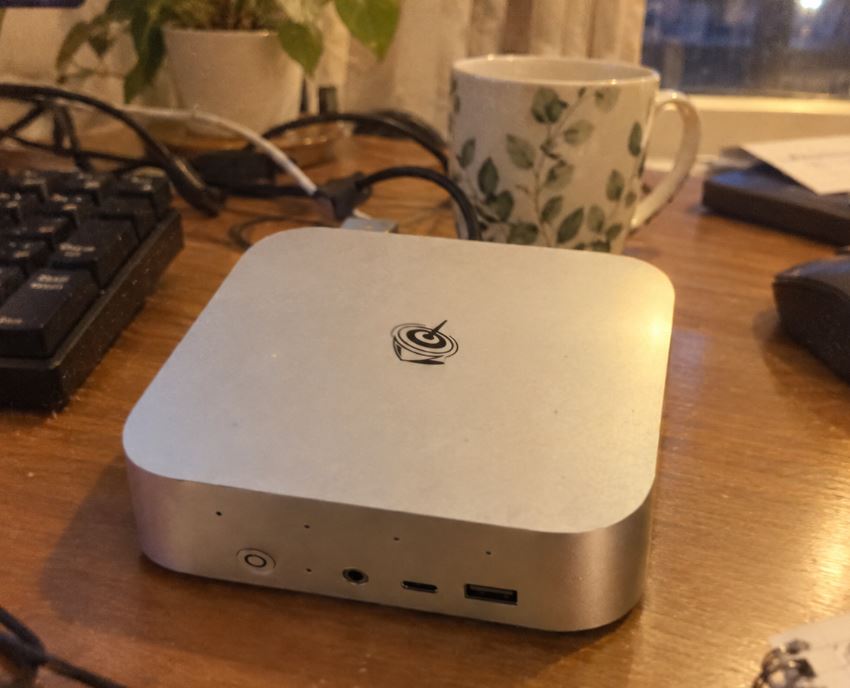
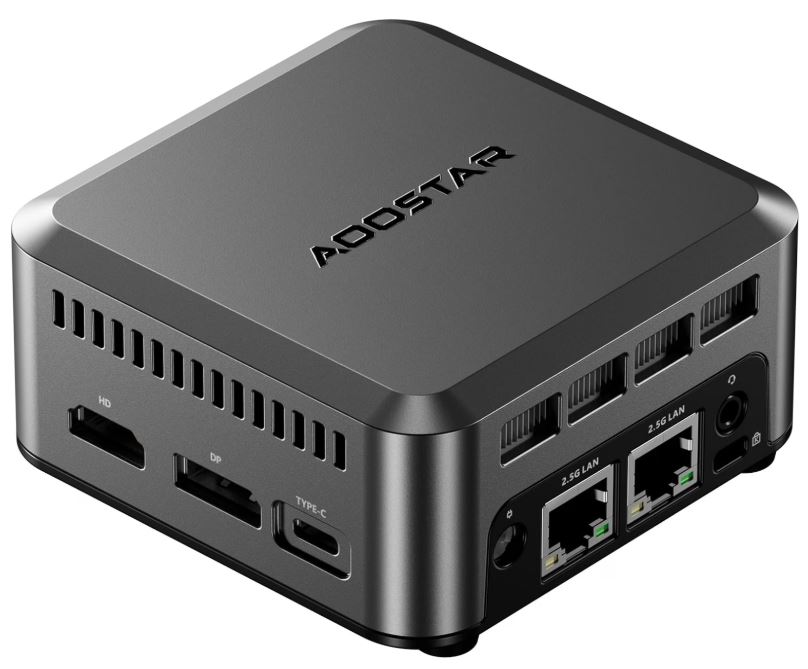
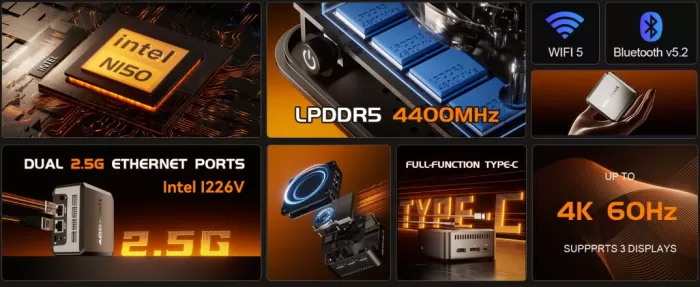
It's surprising as soon as you take it out of the box: its dimensions of only 89 × 89 mm make it one of the smallest computers on the market, fitting in the palm of your hand.
It is built on a good quality matte polycarbonate chassis, very lightweight but structurally firm.
The internal layout makes use of every cubic millimeter, placing the air extraction grilles on the sides and top to maintain constant airflow.
Screen and Multimedia
The video output section is one of its greatest strengths:
-
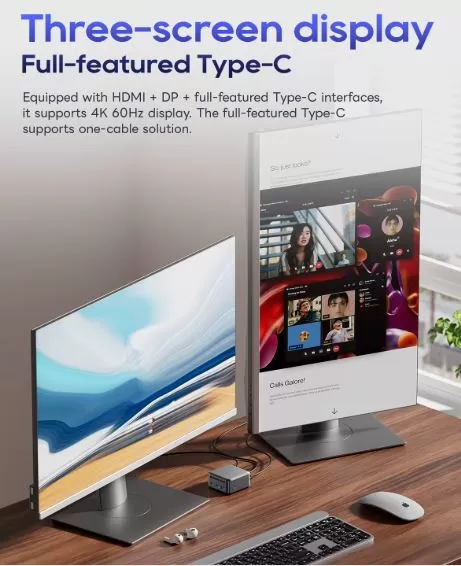
Triple 4K display at 60Hz: Allows you to connect up to three monitors simultaneously using its HDMI 2.0, DisplayPort and USB-C ports.
-
Media playback: The integrated Intel UHD GPU effortlessly handles hardware decoding of 4K video on YouTube, Netflix, or Plex, with very low resource consumption.
Performance and Software
-
Windows and Linux Experience: The Intel N150 delivers impressive responsiveness for office tasks, document editing, heavy multi-tab browsing, and multimedia playback. It runs Windows 11 Pro smoothly. Furthermore, it's an ideal candidate for server distributions like Proxmox VE, OpenWrt, or Debian, instantly recognizing all network hardware.
-
Impact of LPDDR5 Memory: By using LPDDR5 memory at high frequencies (~4400-4800 MHz), the system bandwidth far exceeds that of traditional mini PCs equipped with basic DDR4.
-
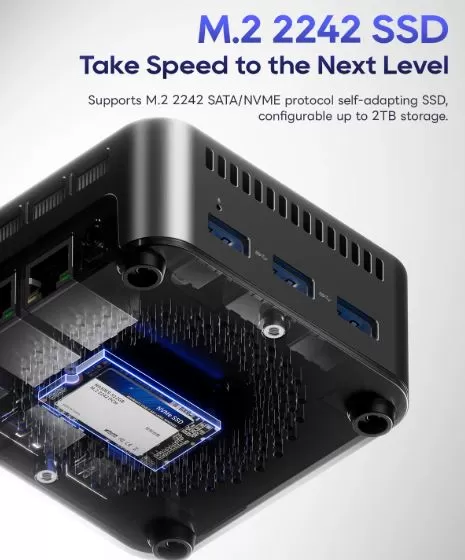
M.2 2242 storage: The compact 42mm form factor dictates the type of drive. If you use the SATA interface variant, speeds will be around 500 MB/s, while if you install a compatible NVMe drive in this format, you can achieve read speeds of up to 1,800-2,000 MB/s.
Energy Consumption and Cables
Thanks to Intel's refined manufacturing process for its N-series chips, energy efficiency is outstanding:
-
Idle power consumption: Only 6W – 8W.
-
Power consumption under medium load: Between 14W and 18W.
-
Maximum peak consumption ( Stress Test ): ~28W.
The front USB-C port with Power Delivery (PD) allows it to be powered by compatible chargers or monitors that deliver power through the same video cable, reducing cabling on the desktop.
Temperature and Noise (Actual Thermal)
-
Thermal Management: Under normal workloads, temperatures remain between 40°C and 55°C. In prolonged stress tests, the processor may register peaks near 72°C–75°C, well below the thermal danger limit.
-
Noise Level: The internal fan is extremely quiet at idle. Under maximum load, it generates a slight breeze that is easily muffled in any office or living room environment.
Connectivity and Extras
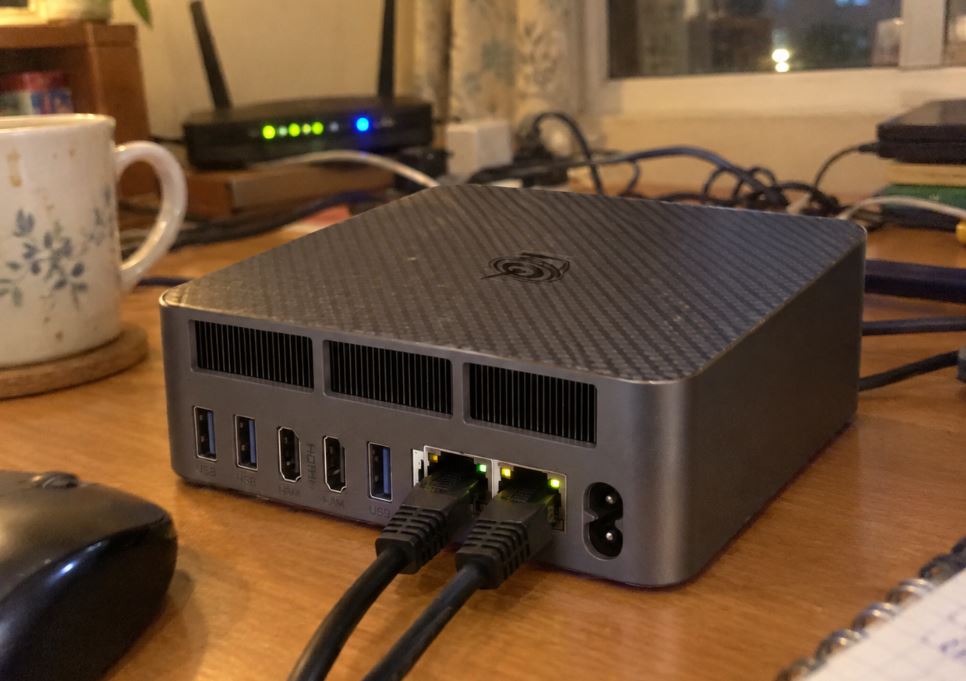
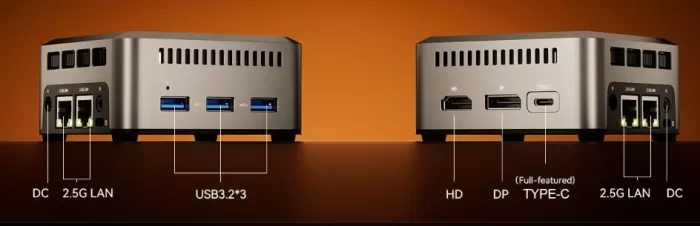
The selection of connectors is extraordinary for a chassis less than 9 cm:
-
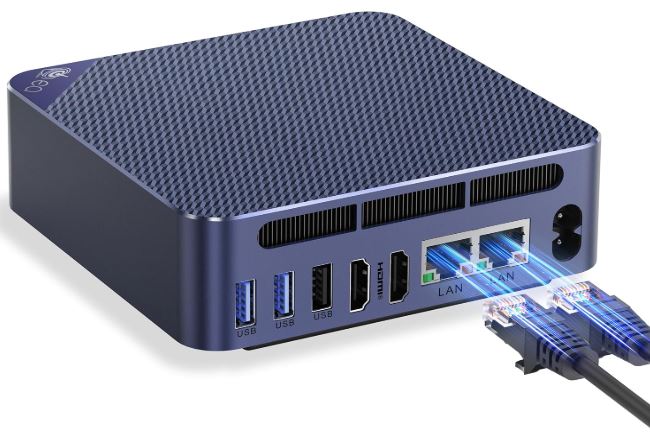
2x 2.5 GbE LAN Ports (RJ45): The real differentiator of this model. It allows speeds of up to 2,500 Mbps over cable, ideal for use as a neutral router, firewall (pfSense), or for joining high-speed networks.
-
1x USB-C Full-Featured: Supports data transfer, DisplayPort video output and Power Delivery input.
-
3x USB 3.2 Type-A: For connecting external drives, keyboards or mice without worrying about speed.
-
1 x Audio jack, 1 x HDMI and 1 x DP.
-
Wireless Connectivity: Includes Wi-Fi 5 and Bluetooth 4.2 or 5.2 depending on the seller. It's adequate for standard use, although you'll miss Wi-Fi 6 if you rely exclusively on heavy wireless connections.
Expansion and Upgrades
At this point it is crucial to know its design limitations:
-
RAM Memory: 0 Expansion Slots. The 12 GB of LPDDR5 RAM are soldered directly to the motherboard and cannot be upgraded.
-
SSD Storage: It has a single M.2 2242 (short form factor) slot. The stock drive can be replaced by installing a higher capacity M.2 2242 NVMe/SATA SSD of up to 2 TB.
-
"No space for 2.5" drives": Does not allow mounting conventional 2.5" SATA hard drives or SSDs.
Comparison with Direct Competitors
| Feature | AOOSTAR N1 PRO (N150) | Intel N100 Standard Mini PC | GenMachine Ren5000 (Ryzen 5 5500U) |
| Processor | Intel N150 (4C/4T, 3.6 GHz) | Intel N100 (4C/4T, 3.4 GHz) | AMD Ryzen 5 5500U (6C/12T) |
| RAM | 12 GB LPDDR5 (Soldered) | 8GB/16GB DDR4 (1x Slot) | Up to 64 GB DDR4 (2x Dual Slots) |
| LAN ports | 2x 2.5 GbE | 1x 1GbE or 1x 2.5GbE | 1x 1GbE |
| SSD Form Factor | M.2 2242 (Short format) | M.2 2280 (Standard) | M.2 2280 NVMe PCIe 3.0 |
| Chassis Size | 89 × 89 × 42 mm | 115 × 102 × 41 mm | 128 × 128 × 42 mm |
| Purchase link | View offer AOOSTAR N1 PRO | View offer Intel N100 Mini PC | View offer GenMachine Ren5000 |
User Reviews on Portals
Reviewing the ratings from the tech community and buyers in import stores:
-
Networking Enthusiasts: This is one of the most highly recommended mini PCs on HomeLab subreddits. The presence of dual 2.5G ports with stable Intel drivers is the main reason to buy it for building home routers or Proxmox nodes.
-
Appreciation for the size: Users highlight that it can literally be hidden anywhere or carried in a backpack without adding weight.
-
Recurring complaint: The limitation of the M.2 socket to the short form factor 2242 makes it difficult to find high-capacity SSD deals at prices as affordable as standard 2280 drives.
Technical Tests (Guideline Values)
Estimated performance of the Intel N150 platform with LPDDR5:
-
Geekbench 6:
-
Single-Core: ~1,200 – 1,250 points.
-
Multi-Core: ~2,650 – 2,750 points.
-
-
Network Performance (iperf3 per 2.5G LAN):
-
Transfer rate: ~2.35 Gbps real sustained without packet loss.
-
Very responsive processor and RAM performance (Geekbench 6: ~1,230 ST / ~2,700 MT):
Thanks to the combination of the Intel N150 chip and high-speed LPDDR5 memory (~4400-4800 MHz), this system outperforms many budget mini PCs based on DDR4 in terms of fluidity. It delivers flawless performance in desktop tasks, intensive web browsing, 4K playback, and light virtualization (Docker containers or micro-VMs).
Outstanding and stable network performance (iperf3: ~2.35 Gbps actual):
Network testing is the device's strongest point. The two Intel i226-V 2.5 GbE controllers practically utilize 100% of the interface bandwidth without packet drops or unusual latency, making it an ideal machine for routing (OpenWrt/pfSense) or as a compute node in clusters.
Thermal and storage commitment:
Under sustained maximum workloads, temperatures remain within safe ranges (~74 °C) with very low noise levels. However, disk performance testing reveals its main limitation: if equipped with a factory-installed M.2 2242 SATA drive, speeds are capped at ~500 MB/s, making it highly advisable to replace it with a 2242 form factor NVMe drive to avoid hindering file transfer speeds.
Gaming and Emulation
-
PC Games: Only suitable for 2D titles ( Stardew Valley, Terraria ) or classic eSports at 720p on low settings.
-
Emulation: Excellent up to consoles of the PSP, PS1, and N64. On GameCube and PS2, it will require low native resolution settings to maintain stable frame rates.
Frequently Asked Questions (FAQ)
Can I upgrade the RAM to 16GB or 32GB in the future?
No. The LPDDR5 memory is soldered to the motherboard and there are no physical slots for additional modules.
Is it suitable for setting up a NAS server with multiple hard drives?
Not like a NAS with internal mass storage, since it only supports one M.2 2242 SSD. However, it's perfect as a compute server connected via a 2.5G network to a standalone NAS.
Can it be powered by a mobile phone charger or power bank?
Yes, provided that the charger or battery delivers Power Delivery (PD) protocol of at least 36W at 12V through the USB-C port.
Final Conclusion
The AOOSTAR N1 PRO is a highly specialized mini PC. Whether you need a desktop computer for office work that takes up minimal space or want versatile networking hardware with dual 2.5G LAN for server projects, it offers unbeatable value.
If, on the other hand, you're looking for local mass storage or to upgrade components over time, you'll want to look at options with standard M.2 2280 chassis and interchangeable RAM memory sockets.
Where to Buy
🛒 Buy the AOOSTAR N1 PRO at the best price:
🛠️ Recommended accessories and discs: