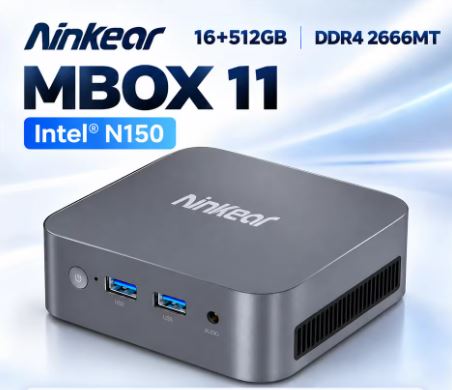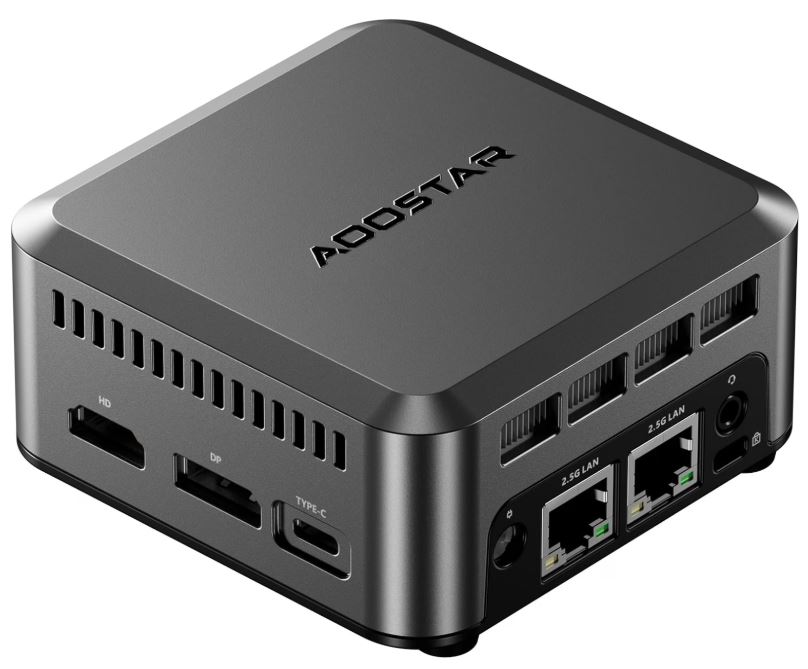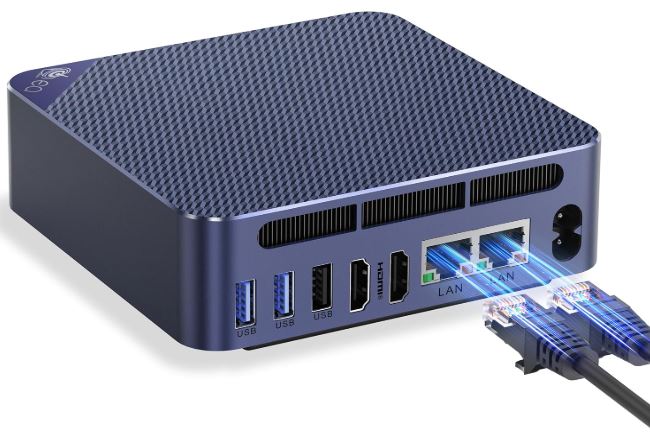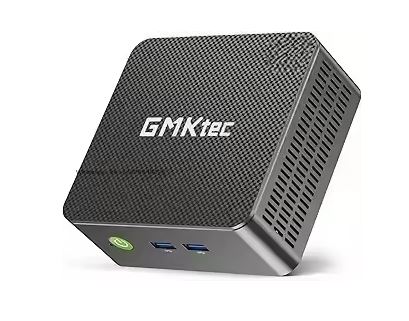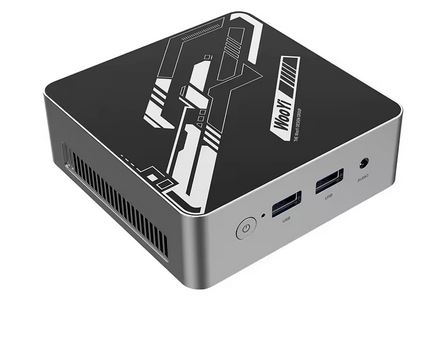
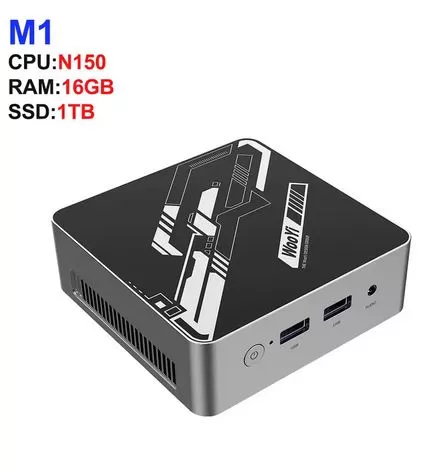
The M1 Mini PC and GK3 PLUS models with Intel Twin Lake N150 ( SEE PURCHASE DETAILS HERE ) are two compact, quiet and efficient mini PCs designed for office, multimedia and home use, with 4K support and Windows 11 Pro as standard.
Its price-performance ratio is hard to match in this segment: for between $194 and $311 you get a device capable of smooth multitasking, 4K playback, light retro emulation and consumption of less than 25W.
✔️ Pros:
-
Intel N150 up to 3.6 GHz, a clear improvement over the N100
-
4K 60Hz real: HDMI + VGA (GK3 PLUS), HDMI + DP (M1)
-
Windows 11 Pro included as standard
-
Very low power consumption (~12–25 W), ideal for 24/7 use
-
Expandable: RAM up to 32GB and additional SSD bay
❌ Contras:
-
Integrated GPU lacks the power for modern gaming
-
No DisplayPort output on the GK3 PLUS (only HDMI + VGA)
-
Bluetooth 4.2 on the GK3 PLUS (somewhat outdated)
👉 VIEW Prices and Availability
📦 Unboxing and box contents
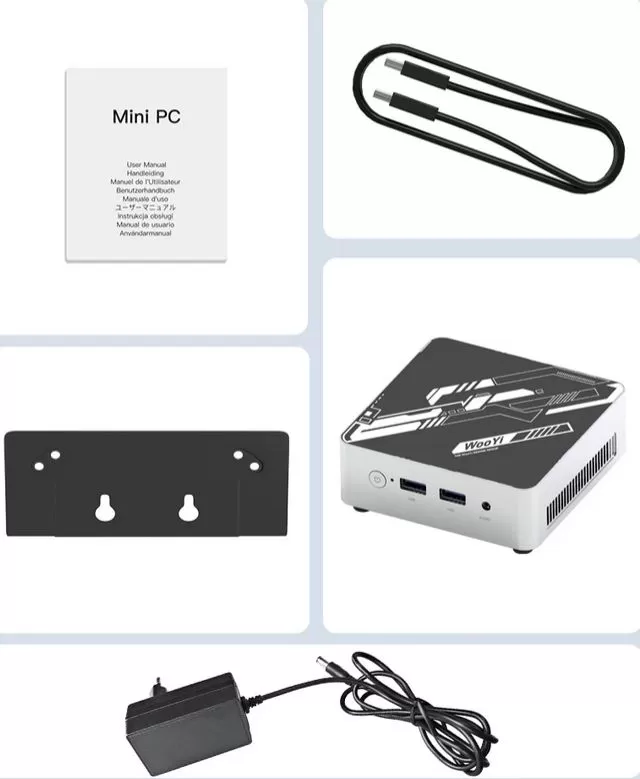
The box arrives in compact and well-protected packaging. Inside we find:
-
🖥️ Mini PC M1 or GK3 PLUS according to the model ordered
-
🔌 Power adapter (12V DC)
-
📎 Cable HDMI
-
🔩 VESA mount for rear monitor mounting
-
📄 Basic manual in English and warranty card
-
🖱️ Mouse and keyboard not included
The first impression is positive: the device feels solid and comes ready to connect. The initial Windows 11 Pro boot takes a few minutes for updates, but it's fully operational in less than an hour.
🧾 Key technical specifications table
(Combined data from AliExpress listings, reviews, and manufacturer)
| Feature | M1 Mini PC | GK3 PLUS |
|---|---|---|
| Processor | Intel Twin Lake N150, 4C/4T, hasta 3,6 GHz | Intel Twin Lake N150, 4C/4T, hasta 3,6 GHz |
| Available RAM | 8GB or 16GB DDR4 SODIMM | 8GB or 16GB DDR4 SODIMM |
| Storage | 128GB, 512GB or 1TB M.2 NVMe | 512GB M.2 NVMe |
| GPU | Intel UHD, 24 EUs, hasta 1 GHz | Intel UHD, 24 EUs, hasta 1 GHz |
| Video output | HDMI 2.0 + DisplayPort 1.4 (dual 4K 60 Hz) | HDMI 4K 60 Hz + VGA |
| Red | WiFi 5 + Gigabit Ethernet RJ45 | WiFi dual band + Ethernet RJ45 |
| Bluetooth | BT 4.2 / 5.x depending on batch | BT 4.2 |
| USB | 2x USB 3.0 + 2x USB 2.0 | USB 3.0/2.0 |
| Audio | Jack 3,5 mm | Jack 3,5 mm |
| Operating system | Windows 11 Pro | Windows 11 Pro |
| Consumption | ~12–25 W | ~12–25 W |
| Price (AliExpress) | ~194$ (8GB/128GB) a ~311 $ (16GB/1TB) | ~245 $ (8GB/512GB) a ~276 $ (16GB/512GB) |
👉 VIEW Prices and Availability
🧱 Design and build quality
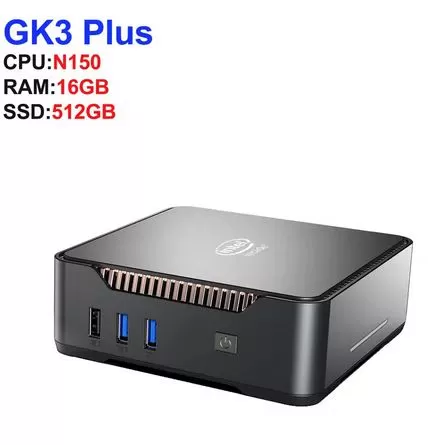
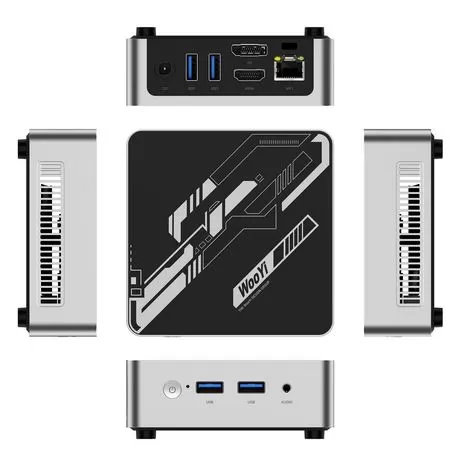
Both models follow the typical aesthetic of Chinese OEM mini PCs in this segment: a matte black ABS plastic casing, a compact, cube-like design, and rounded edges. They don't have the weight or premium feel of a high-end Beelink or GEEKOM, but there's also nothing that creaks or warps when pressed.
The size is truly tiny, smaller than a thick external hard drive, making it easy to hide behind the monitor with the included VESA mount or carry in a backpack.
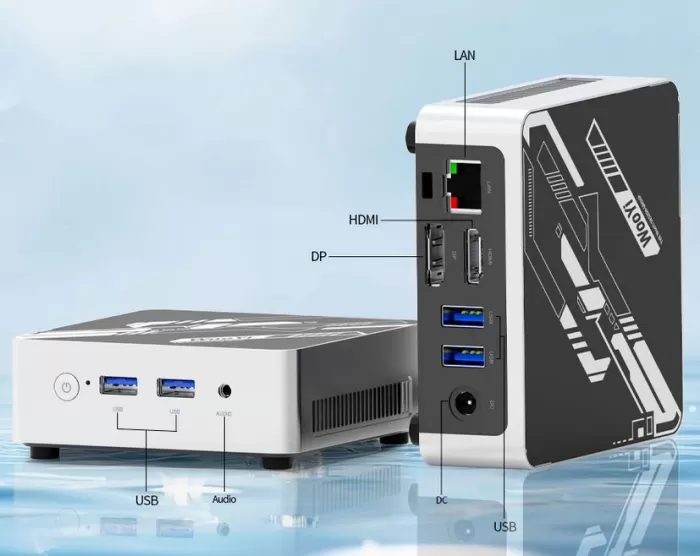
The ports are well distributed on the front and back, accessible without contortions.
The only notable difference between the two is that the M1 includes a DisplayPort output while the GK3 PLUS opts for VGA, making it more versatile with older monitors or projectors.
📺 Screen and multimedia
Both models stand out for their true 4K 60Hz output capability. In tests with 4K monitors, video playback on YouTube, Netflix, and local 4K content was completely smooth, without any micro-stuttering, thanks to hardware decoding support for modern formats such as AV1, VP9, and HEVC.
The audio depends on the monitor connected via HDMI or external speakers via the 3.5 mm jack.
There are no internal speakers, but the integrated sound card is clean, with no distortion or background noise. For a compact desktop setup with a good monitor, the multimedia experience is frankly good for the price.
⚙️ Performance and software
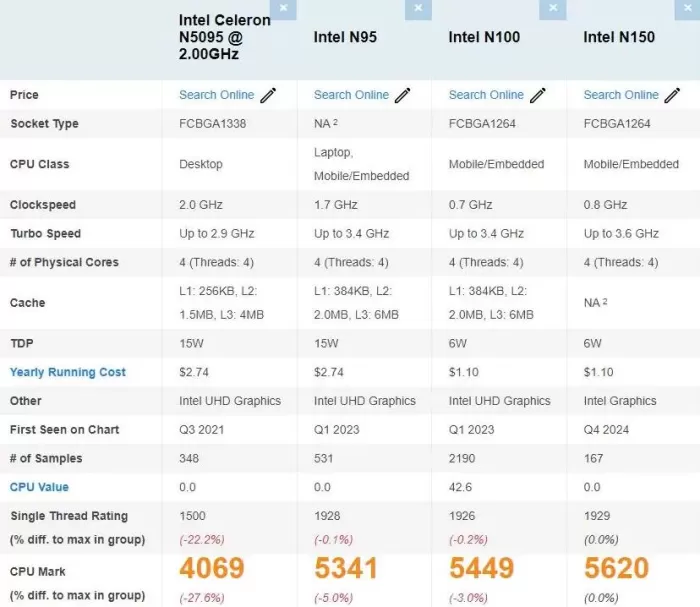
The Intel N150 (Twin Lake) is a 10–15% improvement over the N100, with its 4 cores running at up to 3.6 GHz and the GPU at 1 GHz compared to the N100's 750 MHz. In everyday use, this translates to:
-
🌐 Browsing with 15–20 tabs open: smooth and lag-
-
📊 Office suite (Office, Google Workspace, Canva, Zoom): no problems
-
🎬 4K H.265/AV1 video playback: flawless
-
🖥️ Light to medium multitasking: very comfortable with 16 GB of RAM
-
💻 Boot time from complete shutdown: ~30 seconds
Windows 11 Pro comes pre-installed and activated. There is some minor bloatware (pre-installed Microsoft apps), but the first boot leads to a standard Windows session with initial updates. No problems have been reported with Linux or Ubuntu if you prefer alternatives to Microsoft's operating system.
🔌 Energy consumption and cables
The N150's TDP is a mere 6W under normal conditions, and in practice, the device's total power consumption ranges from 12W at idle to 25W under load, making it ideal for leaving on all day without worrying about your electricity bill. It comes with:
-
DC adapter included
-
HDMI cable included
-
No Ethernet cable included in the box (have one on hand if you prefer a wired network)
🌡️ Temperature and noise (actual thermal)
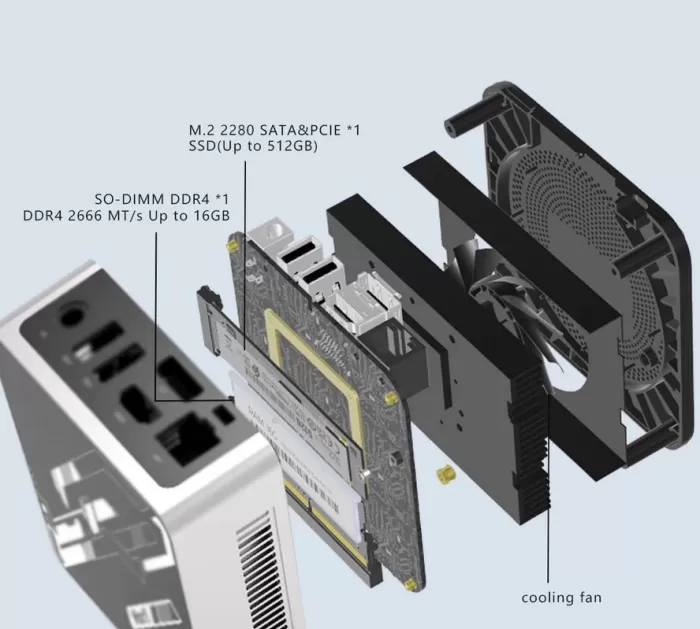
The system features an active but low-profile fan. In normal use, it is virtually inaudible; only under sustained load is a slight hum noticeable, which is not bothersome in a typical work environment. Compared to previous versions of the GK3 PLUS (N95), the N150 model is noticeably quieter, according to users.
In stress tests with the N150 in similar cases, temperatures remained within acceptable ranges: the CPU hovered around 65–75 °C under sustained heavy load, with no noticeable thermal throttling during everyday tasks. The key to keeping it cool is to avoid placing it in closed drawers or spaces without minimal ventilation.
📡 Connectivity and extras
Available ports and connectivity:
-
🔗 2x USB 3.0 + 2x USB 2.0
-
🖥️ HDMI 4K 60 Hz (both models) + DP 1.4 (M1) or VGA (GK3 PLUS)
-
🌐 1x Gigabit Ethernet RJ45
-
📶 WiFi dual band (2,4 + 5 GHz) / WiFi 5
-
🔵 Bluetooth 4.2–5.x depending on batch
-
🎧 3.5mm audio jack
It does not include: 5G/LTE, SD card reader, USB-C, NFC, fingerprint sensor, or IP certification. For most home and office uses, the connectivity is more than sufficient, although if you need multiple independent displays with modern outputs, the M1 is clearly a better option thanks to its DisplayPort.
🔧 Expansion and upgrades
One of the most interesting aspects of this type of mini PC:
-
RAM: It comes with one DDR4 SODIMM slot. The practical maximum is 16 GB DDR4 3200 MHz (N150 DDR4 platform). If you buy the 8 GB model and later want to upgrade, simply replace it with a 16 GB module of any brand (Crucial, Kingston).
-
Primary SSD: M.2 2280 NVMe PCIe 3.0 hot-swappable slot; you can easily replace it with a larger one.
-
Secondary SSD: Some GK3 PLUS models include a second M.2 2242 SATA slot for an additional drive, ideal for backups or extra storage. Always confirm with the seller's specifications whether the specific batch includes this feature.
-
Neither model has a 2.5" SATA bay .
-
Without Wi-Fi, easily upgradeable (soldered or internal module not easily accessible).
🆚 Comparison with direct competitors
(Indicative data from similar models)
| Model | CPU | RAM/SSD | Video | Wi-Fi | Approx. price |
|---|---|---|---|---|---|
| M1 Mini PC / GK3 PLUS N150 | N150, 3,6 GHz | 8–16 GB DDR4 / 512GB–1 TB | HDMI + DP/VGA 4K | WiFi 5 | ~227–311 $ |
| Beelink EQ14 N150 | N150, 3,6 GHz | 16GB DDR5 / 500GB | HDMI + DP 4K | WiFi 5 | ~199–229 $ |
| GMKtec G3 Plus N150 | N150, 3,6 GHz | 8–16 GB DDR4 / 256–512 GB | Dual HDMI 4K | WiFi 6 | ~150–200 $ |
| Soayan MN-N5 N150 | N150, 3,6 GHz | 12 GB LPDDR5 soldered / 256 GB | 2x HDMI + DP 4K triple | WiFi 5 | ~199 $ |
💡 Note: The GMKtec G3 Plus stands out for including WiFi 6 and dual HDMI at a lower price, and the Beelink EQ14 for using DDR5. The M1 and GK3 PLUS models compensate with included Windows 11 Pro and sometimes with options for more storage.
⭐ Reviews on well-known websites
Actual reviews of this type of mini PC with N150 are consistently positive across different platforms:
-
AliExpress: Overall ratings for the GK3 PLUS and similar devices range from 4.4 to 4.7 out of 5, with buyers highlighting the fast boot time, everyday performance, and 4K experience.
-
Reddit (r/MiniPCs): Users in the N150 miniPC thread note that it's a "real but modest improvement" over the N100, especially in graphics and idle power. Many choose it for use as a light home server, HTPC, or secondary desktop.
-
YouTube (lon.tv, ETA Prime, BudgetBuilds): Independent reviewers agree that the N150 is noticeably quieter than previous versions of the GK3 and equivalents, and that performance in everyday tasks and multimedia is solid.
-
theinsidereview.com and minipc-review.com: They highlight the ease of initial setup, the smoothness of multitasking and the 4K capability as strengths, and the integrated GPU as a natural limitation.
-
Most common criticism: the first boot with Windows 11 can take 1+ hour for updates, and some miss having more USB-C ports or an SD card reader.
📊 Technical tests
Benchmarks of virtually identical models with Intel N150 yield consistent results:
-
Cinebench R23 (reference N150): ~3,500–4,000 multi-core points; clearly outperforms the N100 and approaches low TDP Ryzen 5 processors in light tasks.
-
PassMark CPU single-thread: ~2,200–2,400, a 10–15% improvement over the N100 (~1,800–2,000).
-
3DMark TimeSpy (GPU): The Intel UHD GPU at 1 GHz with DDR4 achieves modest but functional results for 4K multimedia and light graphics; with DDR5 it improves thanks to the greater bandwidth.
-
NVMe PCIe 3.0 SSD speed: sequential reads around 2,000–3,000 MB/s and writes at 1,500–2,500 MB/s, more than enough for everyday use.
-
Actual measured power consumption: between 12–25 W depending on load, with occasional slightly higher peaks under maximum stress.
-
Temperature under load: ~65–75 °C on CPU, with barely audible fan and no throttling during normal tasks.
🎮 Gaming and emulation
The N150 isn't a gaming GPU, but it offers significantly more than its price suggests in retro emulation:
-
🕹️ 2D indie games / classic emulators (NES, SNES, GBA, PS1, PSP): run perfectly at 60 fps.
-
🎮 GameCube / Wii (Dolphin): the vast majority of the catalog runs smoothly; Mario Kart, Simpsons Hit & Run, Need for Speed... all smooth and fully playable.
-
📀 PlayStation 2 (PCSX2): With basic settings, games like GTA San Andreas, Vice City, or Final Fantasy X run at 25–60 FPS depending on the title; very demanding action games may drop below 60 FPS.
-
🎯 Nintendo Switch (Yuzu/Ryujinx): only very lightweight titles; don't expect smooth gameplay in demanding games.
-
🖥️ Modern PC Gaming: indie games and titles from several years ago at 720p or 1080p low with minimum settings (Dave the Diver ~40 fps, GTA V on low settings).
❓ Frequently Asked Questions (FAQ)
Can I upgrade the RAM after buying it?
Yes: models with N150 DDR4 have one SODIMM slot, and the practical maximum is 16 GB DDR4 3200 MHz. If you buy the 8 GB model, changing the module is very easy.
Does it support two monitors simultaneously?
The M1 Mini PC (HDMI + DP) can use two independent 4K monitors. The GK3 PLUS uses HDMI + VGA, which allows for two displays, but the VGA does not support 4K.
Does it come with genuine, activated Windows?
Yes, Windows 11 Pro comes pre-installed and activated on most units. Several users confirm that the activation is valid.
Can Linux be installed?
No problem, Ubuntu and other distributions work well without additional drivers in most versions.
Can I add an additional SSD?
Some GK3 PLUS models have a second M.2 2242 SATA slot; for the M1, it depends on the batch. Please confirm with the seller.
Is the N150 better than the N100?
Yes, it's about 10–15% faster in CPU and GPU performance, with better energy efficiency and lower idle noise. For most uses, the difference is noticeable, though not dramatic.
🏁 Final conclusion
The M1 Mini PC and the GK3 PLUS with Intel Twin Lake N150 are the ideal choice for :
-
Users looking for a compact and quiet desktop PC for daily work, office tasks, and browsing.
-
HTPC enthusiasts who want smooth 4K playback with minimal power consumption.
-
Retro gamers interested in emulating PS2, GameCube and classic consoles.
-
Users who want Windows 11 Pro ready to use without additional installations.
-
Those who need a second computer, a room PC, an HTPC server, or a computer for a family member.
They are not ideal for professional video editing, modern gaming, 3D rendering, or high-performance workstations.
Alternatives to consider: If you're looking for something more powerful for a slightly higher price, the GMKtec G3 Plus offers WiFi 6 and a lower price; the Beelink EQ14 has DDR5 and is somewhat more efficient; if you want to upgrade to Ryzen for gaming/advanced emulation, Minisforum's $300–$400 range with Ryzen 5 is the next step up.
🛒 Where to buy?
🛍️ AliExpress – GK3 PLUS Intel N150: