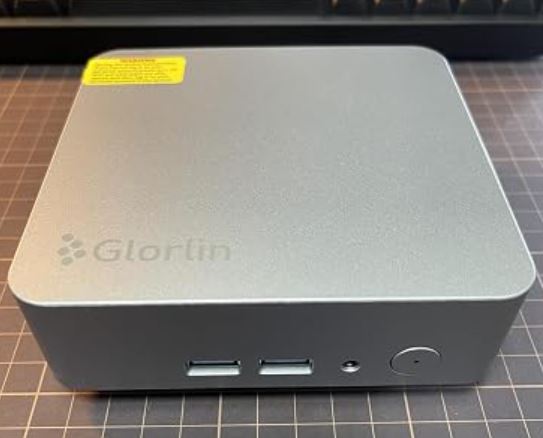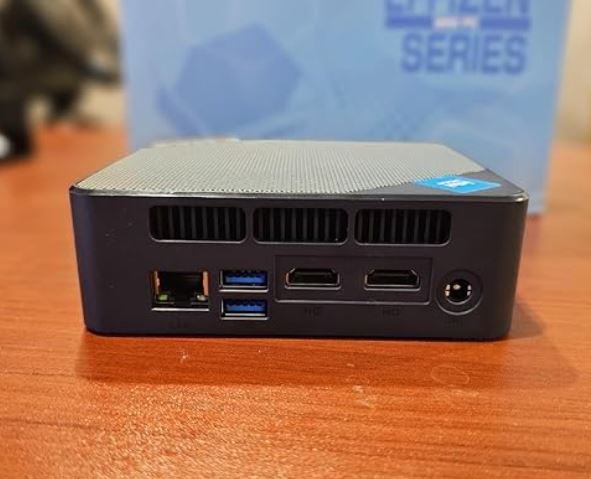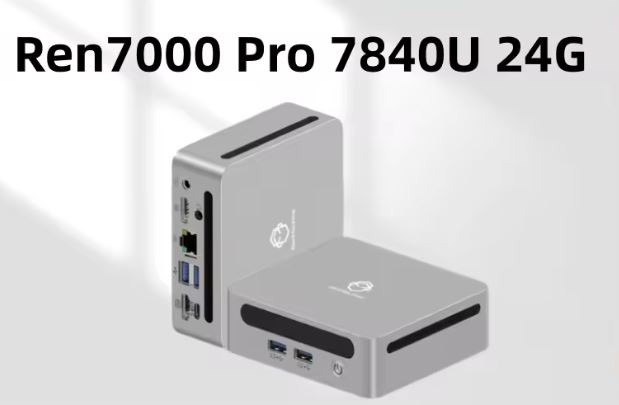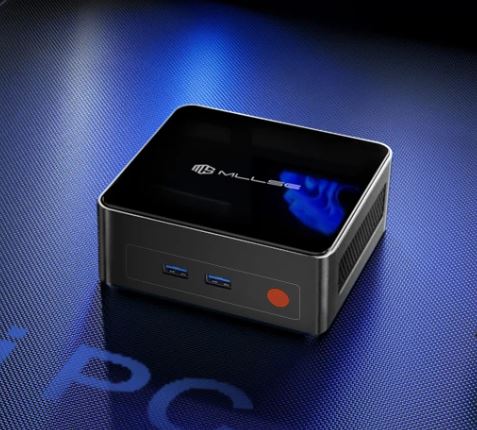
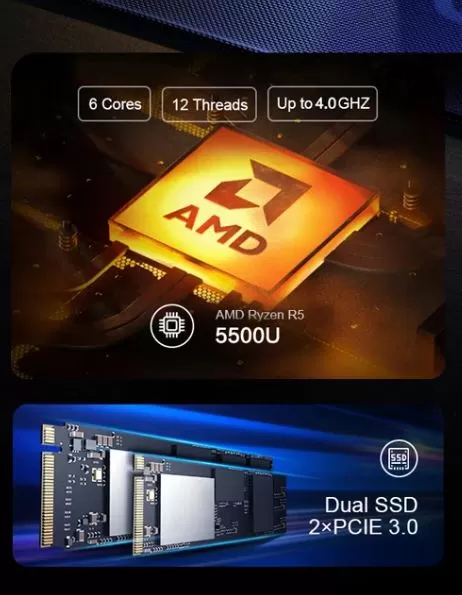
The MLLSE G1 is one of the most interesting options in the 2025-2026 budget mini PC range. With an AMD Ryzen 5 5500U processor (6 real cores), 16 GB of dual-channel DDR4 RAM, and support for triple 4K displays, it offers unbeatable value for money starting at €170.
✅ Pros:
-
Solid AMD Ryzen 5 5500U processor for office work and casual gaming
-
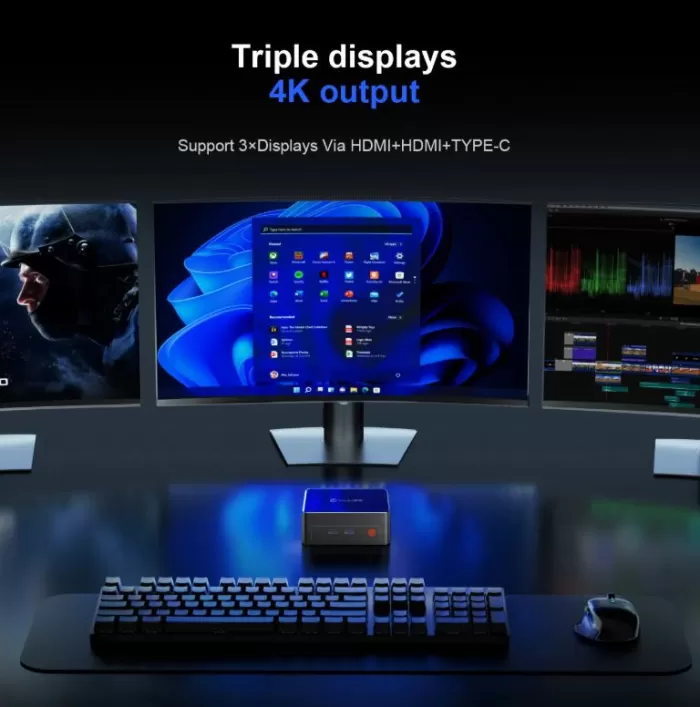
Triple video output (2× HDMI 2.0 + USB-C)
-
2 slots SODIMM ampliables + 2 ranuras M.2 NVMe
-
Windows 11 Pro included
-
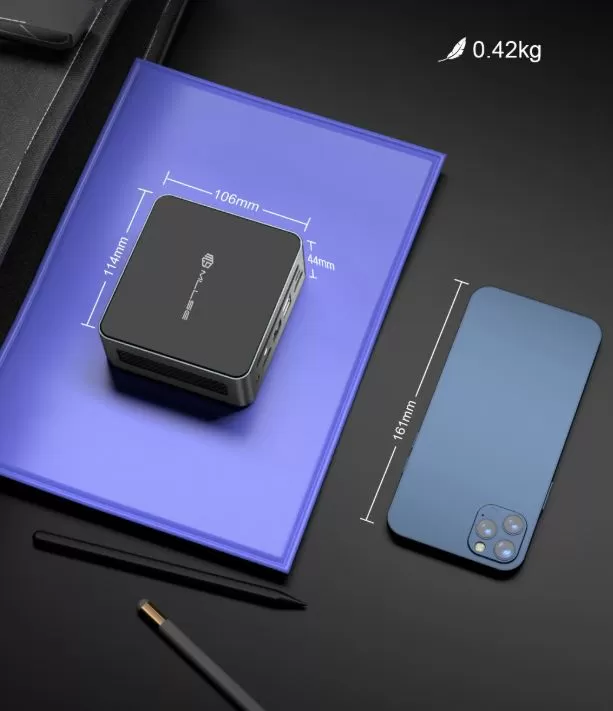
Very compact design (106×114×44 mm, 420 g)
❌ Contras:
-
WiFi 5 and BT 4.2 are somewhat outdated compared to competitors
-
External power supply (takes up space)
🏁 Quick conclusion: Ideal for home use, office, second monitor, HTPC, or retro emulation. It's not for serious gaming, but it's more than enough for everything else.
👉 See Prices and Availability of the MLLSE G1 Mini PC →
📦 Unboxing and Box Contents
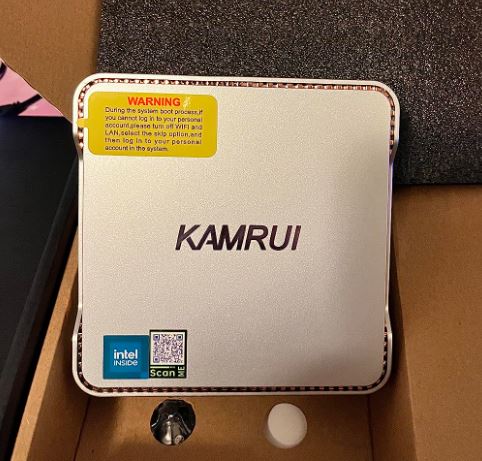
Upon opening the box, the MLLSE G1 arrives well protected with foam. The usual contents include:
-
🖥️ Mini PC MLLSE G1
-
🔌 External power adapter (19V)
-
📺 Cable HDMI
-
🔩 VESA mounting bracket
-
📄 User manual and warranty card
The VESA mount is a very useful feature that allows you to mount it behind any compatible monitor, keeping your desk completely clear (consult the seller).
📊 Technical Specifications
| Component | Specification |
|---|---|
| Processor | AMD Ryzen 5 5500U, 6C/12T, up to 4.0 GHz, 7nm |
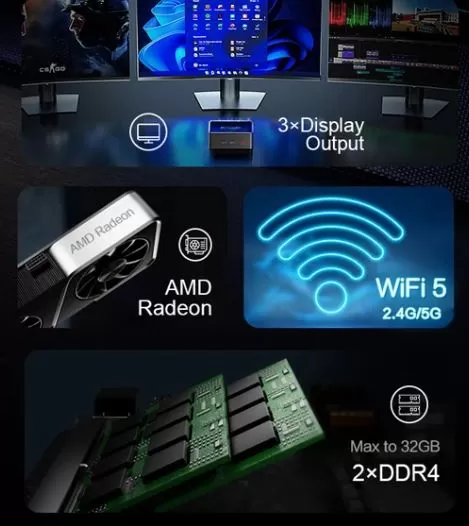
| Integrated GPU | AMD Radeon Vega 7 @ 1800 MHz |
| RAM | 16 GB DDR4-3200, 2× slot SODIMM |
| Storage | SSD M.2 2242 NVMe 512GB (PCIe 3.0) |
| 2.º slot M.2 | M.2 2280 NVMe PCIe 3.0 (empty) |
| Video outputs | 2× HDMI 2.0 (4K@60Hz) + USB-C (DP) |
| USB | 2× USB 3.0 + 2× USB 2.0 |
| Red | WiFi 5 (2.4/5 GHz) + BT 4.2 + LAN Gigabit |
| Audio | Jack 3.5 mm |
| SO | Windows 11 Pro (activated) |
| Dimensions | 106×114×44 mm, 0.42 Kg |
| Feeding | External source |
🎨 Design and Construction Quality
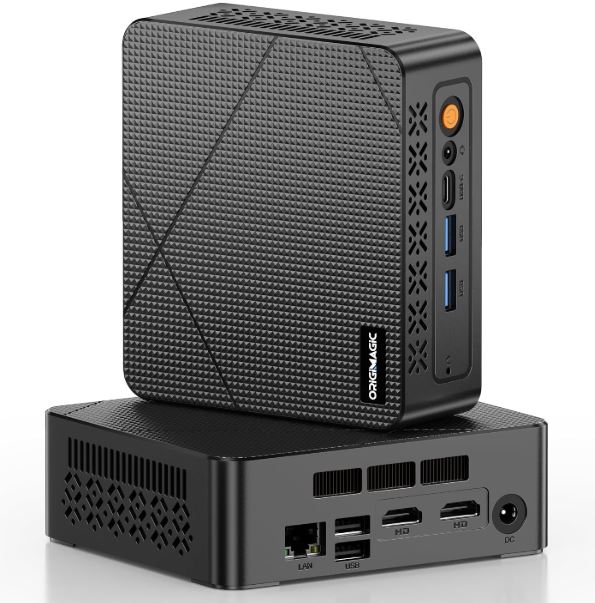
The MLLSE G1 features a matte black design with mid-to-high-quality plastic finishes. It's remarkably small—fitting in the palm of your hand—and at just 420 grams, it's extremely lightweight.
The ventilation grilles are distributed at the top and bottom to facilitate airflow.
It doesn't have the premium feel of an Intel NUC, but for the price, it's very solid and functional. The included VESA mount is a practical advantage that many competitors don't offer.
🖥️ Screen and Multimedia
One of the great advantages of the MLLSE G1 is its ability to connect three monitors simultaneously thanks to its two HDMI 2.0 outputs and USB-C port with DisplayPort output.
All outputs support 4K resolution at 60Hz, making it an excellent choice for multi-screen work setups or as an HTPC connected to the TV.
For streaming video playback (Netflix, YouTube, Plex), performance is smooth and without drops.
Audio is output via the 3.5 mm jack or HDMI; it has no internal speakers.
⚙️ Performance and Software
MLLSE G1 Mini PC
The AMD Ryzen 5 5500U, with 7nm Zen 2 architecture and 6 real cores, offers performance far superior to the Celeron or Pentium processors that populate cheap mini PCs.
In everyday use—browsing, Office, video conferencing, light photo editing—it runs completely smoothly. Even with 20 Chrome tabs open, the system shows no signs of strain thanks to the 16 GB of RAM in a dual-channel configuration. Windows 11 Pro comes pre-installed and activated, with a low level of bloatware for a Chinese-branded device.
It is recommended to perform a basic cleaning with tools such as Debloater to optimize startup.
🔌 Energy Consumption and Cables
The Ryzen 5 5500U has a base TDP of 15W, which translates to very efficient power consumption for a desktop PC.
At rest, the device consumes around 8-10W ; under medium load (office work), it rises to 25-35W ; and under maximum sustained load it can reach 45-50W.
The external 19V power supply is the only aesthetic "flaw," as it takes up extra space on the power strip. However, it is included in the box.
🌡️ Temperature and Noise (Actual Thermal)
The MLLSE G1 features an active cooling system with a fan that, under normal operating conditions, is virtually inaudible.
Under sustained load, the fan becomes somewhat more audible but never becomes annoying.
Processor temperatures remain between 45-65°C under normal use and can reach 85-90°C in prolonged benchmarks without significant throttling, which is within normal parameters for this type of compact chassis.
🔗 Connectivity and Extras
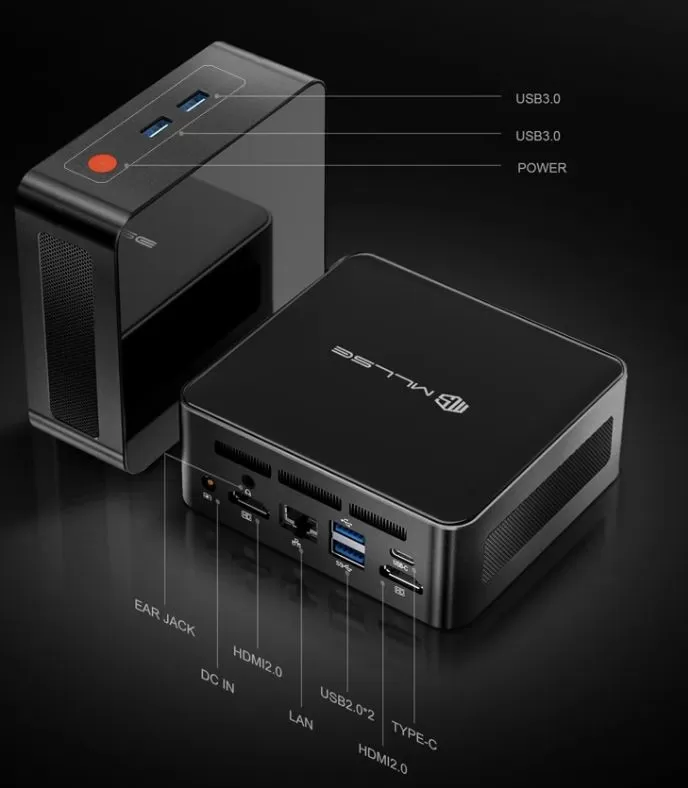
The port panel is quite complete for a mini PC of this size:
-
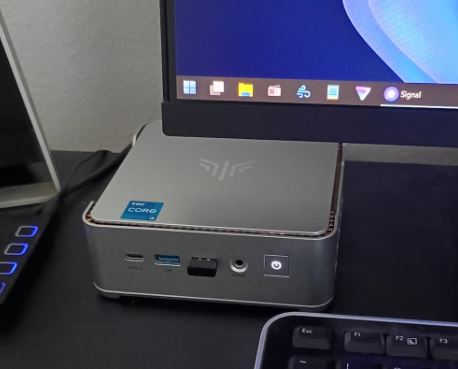
Frontal: 2× USB 3.0, 1× jack audio 3.5 mm
-
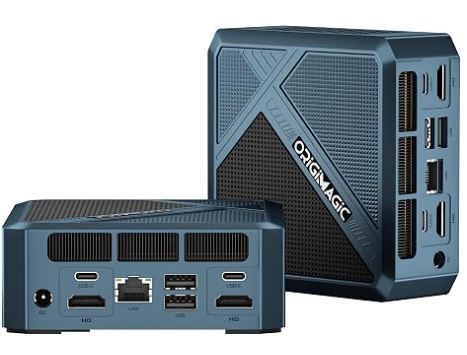
Rear: 2× HDMI 2.0, 1× USB-C (data + video), 2× USB 2.0, 1× Gigabit LAN RJ45
-
WiFi 5 (802.11ac, dual-band 2.4/5 GHz)
-
Bluetooth 4.2
❌ It does not include an SD card reader, USB4/Thunderbolt port, NFC, fingerprint sensor, or any type of IP certification. For modern connectivity, WiFi 5 and BT 4.2 work well, although if you need WiFi 6 or BT 5.x, you should look at newer versions like the MLLSE G1 Pro.
🔧 Expansion and Upgrades
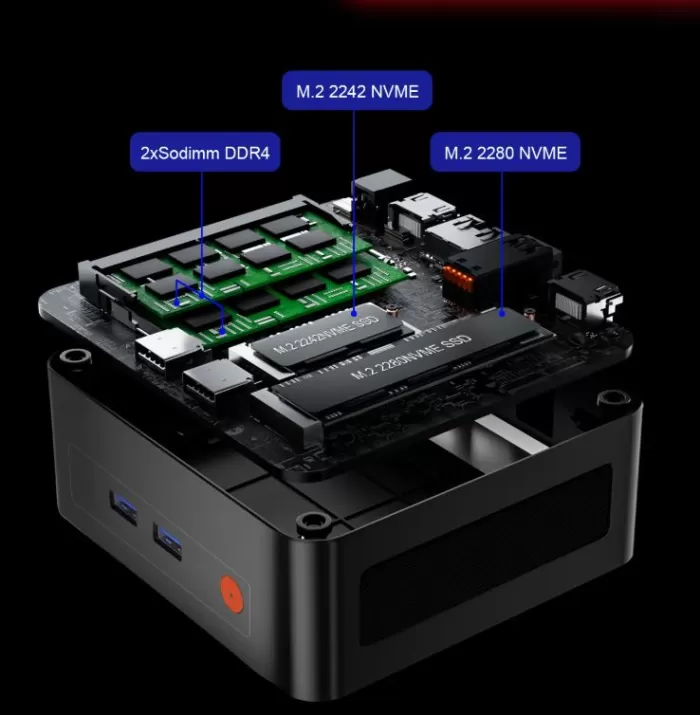
One of the strengths of the MLLSE G1 is its capacity for expansion:
-
RAM: 2 SODIMM DDR4 slots. Comes with 16 GB (2 x 8 GB in dual channel). Expandable up to 32 GB (2 x 16 GB). Dual channel configuration is recommended to maximize the performance of the integrated GPU.
-
Primary SSD: M.2 2242 NVMe PCIe 3.0 with 512 GB installed. Replaceable with a faster drive, although the 2242 form factor is more limited in availability.
-
2. SSD: Free M.2 2280 NVMe PCIe 3.0 slot, where you can install an SSD up to 2 TB without any problems. 👉 See compatible SSDs on AliExpress
-
❌ It does not have an internal 2.5" SATA drive bay.
🆚 Comparison with Direct Competitors
| Model | CPU | RAM/SSD | WiFi | BT | Approx. price |
|---|---|---|---|---|---|
| MLLSE G1 | Ryzen 5 5500U (Zen2, 6C) | 16/512 GB | WiFi 5 | 4.2 | ~170€ |
| MLLSE G1 Pro | Ryzen 7 5700U (Zen3, 8C) | 16/512 GB | WiFi 6 | 5.2 | ~220€ |
| Beelink SER5 | Ryzen 5 5500U (Zen2, 6C) | 16/500 GB | WiFi 6 | 5.0 | ~195€ |
| Minisforum UM560 | Ryzen 5 5625U (Zen3, 6C) | 16/512 GB | WiFi 6 | 5.2 | ~210€ |
| GMKtec NucBox M5 | Ryzen 7 5700U | 16/512 GB | WiFi 6 | 5.2 | ~200€ |
The MLLSE G1 wins on price, but loses out on wireless connectivity compared to rivals like the Beelink SER5 or the Minisforum UM560. If budget isn't a constraint, the MLLSE G1 Pro with Ryzen 7 5700U and WiFi 6 is a more compelling upgrade.
💬 Reviews on Well-Known Pages
MLLSE G1 ratings on sales platforms are mostly positive:
-
Newegg: 4.5/5 stars based on 117 seller reviews. Buyers highlight the ease of setup, smooth office performance, and good price.
-
AliExpress: Positive reviews regarding fast delivery from European warehouses and overall product satisfaction. Some users mention that it comes with Windows 11 Pro properly activated. Some of the comments:
-
I'm impressed by the quality. Excellent product and workmanship. It comes with Windows 11 and is easy to install. I'm using Linux as a standalone system, so I installed it alongside the Windows 11 operating system (which I don't use). Everything works perfectly from the start. It's completely silent, absolutely perfect. The NUC includes a mounting plate that allows you to attach it to the back of your monitor using the VESA mounting holes.
-
Excellent PC, really small, quiet, and fast; as soon as it's turned on, it starts loading Windows automatically and does so quickly. It comes with a German plug and, with an adapter, is perfect for Italy. It has more than enough ports to connect a printer, headphones, keyboard, and a USB hub. Very satisfied, super fast shipping.
-
Very fast delivery (2 days), very attractive design. Plenty of connectors on the back; this device can easily handle standard media. As for speed, fluidity, and overall impression, it's very positive. This little machine is powerful enough to replace a laptop or even a desktop computer. It's not really designed for hardcore gamers or CAD experts, but it performs very well for everyday use.
-
-
Reddit forums (r/MiniPCs): The community agrees that the Ryzen 5 5500U is a capable processor for emulation and multitasking. Upgrading to 32GB of RAM is recommended for intensive use, although 16GB is sufficient for standard tasks.
-
Androidpc.es: They highlight the triple video output, the dual M.2 slot and the competitive price as the device's strengths.
🧪 Technical Tests
The first thing I did when I turned on the MLLSE G1 was run a battery of benchmarks to see if the numbers lived up to the price. And the short answer is: yes, and by a wide margin than expected.
CPU performance — Pleasant surprise:
In Cinebench R23, the Ryzen 5 5500U scored around 1,050 points in single-core and 7,200 in multi-core. To put this into context: an Intel Celeron N5105, which powers many mini PCs in this price range, barely reaches 2,500 points in multi-core. That's almost three times the multi-threaded performance. When I used it to export a long document with LibreOffice or compress a large folder, the difference was truly noticeable—no lag, no fan overheating, no drama.
In Geekbench 6, the ~1,400 single and ~6,800 multi-core scores confirm that the processor performs consistently, without any unusual spikes or drops. There was no aggressive throttling in the short tests.
GPU performance — It gets the job done, nothing fancy:
The integrated Radeon Vega 7 at 1800 MHz isn't going to win any awards, but it doesn't disappoint for what it is. In 3DMark Time Spy, I scored between 900 and 1,000 points, and in Fire Strike, it hovered around 2,600-2,800. These numbers are roughly equivalent to a discrete NVIDIA MX450, which isn't bad at all for an integrated GPU in a €170 system. For casual gaming, light video editing, and emulation, the Vega 7 performs admirably.
One important detail I noticed: dual-channel RAM makes a real difference in graphics performance. With both 8GB modules running in parallel (as they come from the factory), the integrated GPU takes advantage of double the memory bandwidth. If you ever upgrade your RAM, be sure to always install the modules in pairs to avoid losing this benefit.
Storage — The relative weak point:
The included M.2 2242 NVMe SSD achieved approximately 1,900-2,100 MB/s read and 1,400 MB/s write speeds in CrystalDiskMark. These are respectable figures for PCIe 3.0, although the 2242 form factor (shorter than the standard 2280) somewhat limits replacement options. On the plus side, the second M.2 2280 slot is free and ready for a faster or higher-capacity SSD, making upgrades a breeze.
My overall impression after the tests:
This mini PC performs exactly as a well-configured Ryzen 5 5500U should, without artificial power limitations or strange firmware. What surprised me most was its consistency: there are no absurd spikes or unexpected drops. It's a predictable, stable machine that delivers on its promises. For the price, it's hard to ask for more.
🎮 Gaming and Emulation
The Ryzen 5 5500U with Radeon Vega 7 can handle many titles surprisingly well at 720p-1080p resolution:
🟢 Works well (720p, medium-low settings):
-
Minecraft, Stardew Valley, Among Us, CS:GO, League of Legends
-
Fortnite (720p, low settings): 40-50 fps
-
GTA V (720p, good): ~45-55 fps
-
FIFA/EA FC (1080p, bajo): 60 fps
🟡 Playable with compromises:
-
Cyberpunk 2077 (720p, bajo): 25-35 fps
-
Elden Ring (720p, bajo): ~30 fps
🔴 Not recommended:
-
AAA titles in Ultra/1080p
🕹️ Retro emulation — Real strength:
-
PS1/PSP/N64/DS/GBA: No problems, stable 60 fps
-
PS2 (PCSX2): Most games run at 60 fps in 1080p
-
PS3 (RPCS3): Titles such as God of War, Tekken Tag Tournament 2, and Dragon Ball Raging Blast are playable at 30-60 fps with appropriate settings
-
Nintendo Switch (Yuzu/Ryujinx): 2D and less demanding titles run well; demanding 3D titles are inconsistent.
-
GameCube/Wii (Dolphin): Perfect 1080p emulation
❓ Frequently Asked Questions (FAQ)
Can it drive 3 monitors at once?
Yes. It has 2× HDMI 2.0 and 1× USB-C (DP), allowing triple simultaneous output at 4K@60Hz.
Does it come with Windows 11 activated?
Yes, it includes Windows 11 Pro activated from the factory.
Can the RAM be upgraded?
Yes, up to 32 GB DDR4 using two SODIMM modules. Maintaining dual channel improves graphics performance.
What SSD can I add to the second slot?
Any M.2 2280 NVMe PCIe 3.0. The Samsung 970 Evo Plus, WD Black SN770, or equivalent models from AliExpress work perfectly.
Does it support Linux?
Yes, it is compatible with Linux distributions such as Ubuntu or Fedora.
How much power does it consume in standby mode?
Approximately 8-10W, very energy efficient.
Is WiFi 5 sufficient for normal use?
For 4K streaming, video calls, and browsing, WiFi 5 is perfectly adequate. You'll only notice the difference with WiFi 6 on heavily congested networks or with massive file transfers.
🏁 Final Conclusion
The MLLSE G1 with a Ryzen 5 5500U is a very solid buy if you're looking for a versatile mini PC for under €200. It's ideal for:
-
👩💼 Office and working from home (Office, video calls, multitasking)
-
📺 HTPC (media center connected to the TV)
-
🎮 Retro emulation (PS2, PS3, GameCube, N64)
-
🖥️ Triple monitor setup for productivity
-
💡 Lightweight home server (Plex, Home Assistant)
It's not recommended if you're looking for high-quality AAA gaming or need WiFi 6/BT 5.x. In that case, increase your budget to the MLLSE G1 Pro with a Ryzen 7 5700U.
🛒 Where to buy it?
You can find the MLLSE G1 at the best price on AliExpress, often with shipping from warehouses in Europe to receive in less than 5-7 business days.