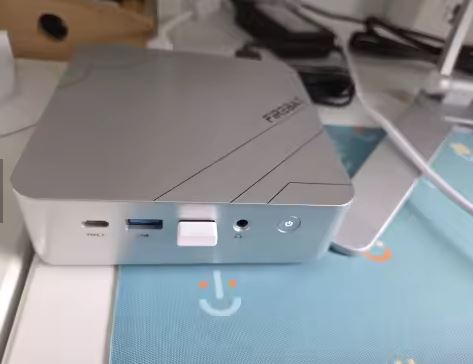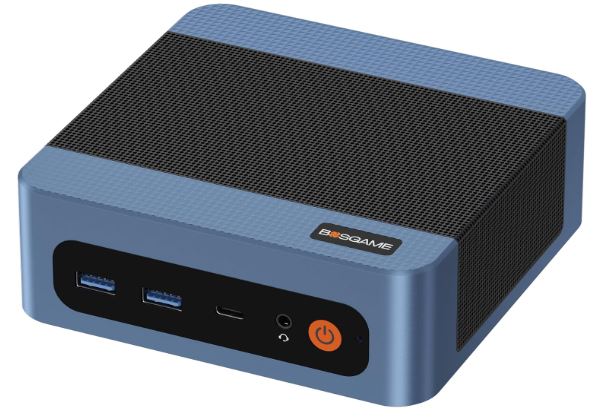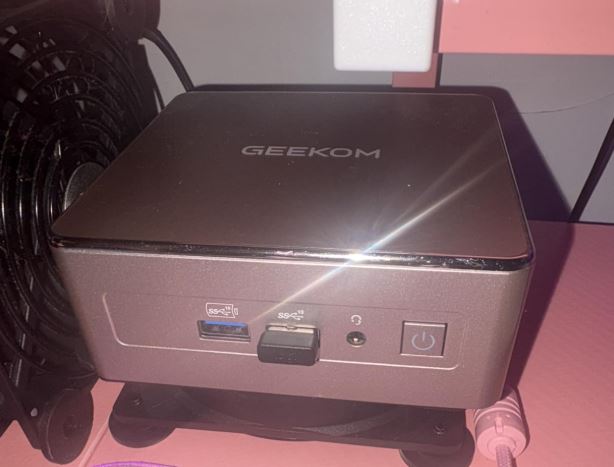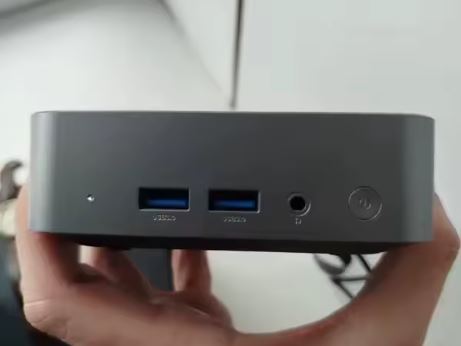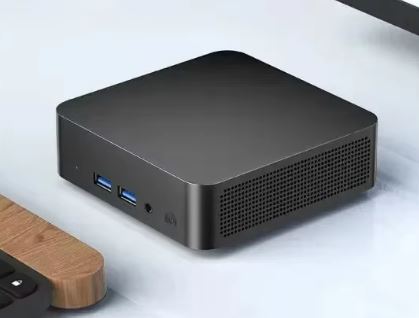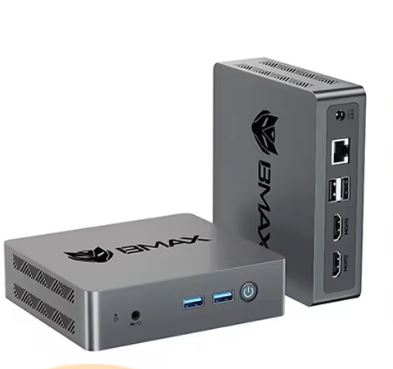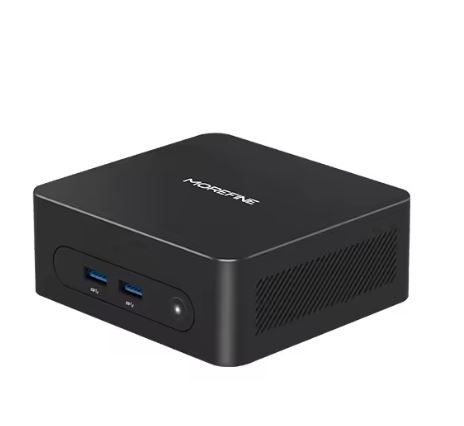
The MOREFINE M8 with Intel Celeron 5205U is a very basic option for extremely light office use or as a low-power home server.
For €118 you receive a mini PC without RAM and without SSD, expandable to your liking, with the option to purchase the mini PC with 16GB of RAM and 512GB or 1TB SSD, for a price of up to €300.
| ✅ Pros | ❌ Cons |
|---|---|
| Very low price (€118) | Intel 5205U CPU from 2019 |
| Ampliable: 16GB RAM + 512GB / 1 TB SSD | Performance inferior to the modern Intel N100 |
| Windows 11 Pro | Not suitable for gaming or demanding tasks |
| Output 4K@60Hz | WiFi 5 only, no WiFi 6 |
| Compact and quiet design | PassMark score ~1.455 |
| BT 5.1 included | Sin Turbo Boost ni Hyper-Threading |
Quick conclusion: If you're looking for the cheapest possible mini PC for web browsing, office applications, and 4K video playback, this might do the trick. But for €130–150 you can get a mini PC with an Intel N100 or N150 that performs 2–3 times better.
⇒ View Prices
📦 Unboxing and Box Contents
Based on Morefine's usual standards and the M8 range, the box includes:
-
🖥️ Mini PC MOREFINE M8
-
🔌 DC Power Adapter
-
📺 Cable HDMI
-
🔩 VESA mounting bracket
-
📄 User manual and quick guide
-
🔩 VESA mounting screws
The packaging is simple but functional. The device comes with Windows 11 Pro already activated, which at this price is a significant advantage.
📋 Technical Specifications
| Component | Detail |
|---|---|
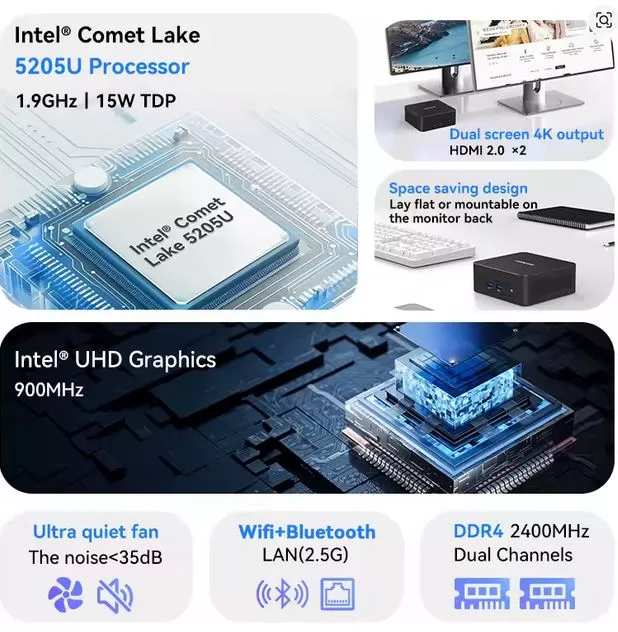
| 🧠 Processor | Intel Celeron 5205U @ 1.9GHz (2C/2T, 15W TDP, 10ª gen Comet Lake) |
| 🎮 Integrated GPU | Intel UHD Graphics (10ª gen, 900MHz max) |
| 💾 RAM | 16GB DDR4 (configuration to be confirmed if soldered or slotted) |
| 💿 Storage | 512GB (1 TB) SSD M.2 NVMe |
| 🖥️ Video output | 4K@60Hz (HDMI) |
| 📶 WiFi | WiFi 5 (802.11ac) |
| 🔵 Bluetooth | BT 5.1 |
| 🖥️ Operating system | Windows 11 Pro (pre-installed) |
| 📐 Format | Ultra compact mini PC (~88x88x39mm approx.) |
| ⚡ Consumption | ~15W TDP |
🎨 Design and Construction Quality
The MOREFINE M8 maintains the characteristic design of Morefine's M8 line: a compact, square, mid-range ABS plastic case with a matte finish that doesn't easily accumulate fingerprints.
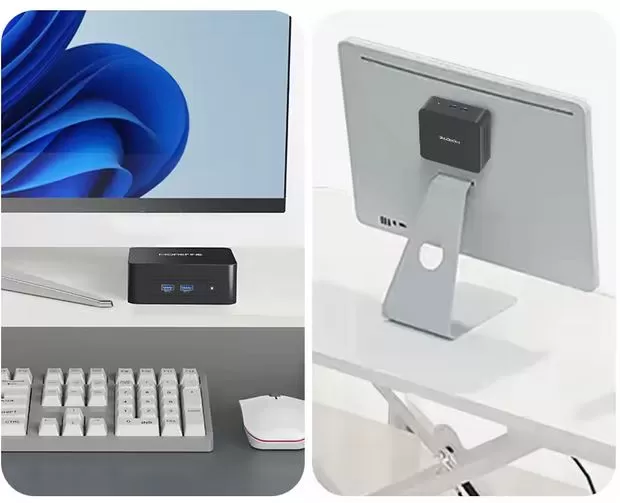
Its approximate dimensions (~88x88mm) make it virtually invisible on the desk, behind a monitor, or mounted on a VESA stand.
It's not metal like higher-end models, but it's adequate for the price. Active cooling via a small fan ensures the processor won't have thermal issues thanks to its low TDP of 15W.
🖥️ Screen and Multimedia
The M8 supports 4K@60Hz output via HDMI, making it perfectly valid as a multimedia player or HTPC (Home Theatre PC).
The 10th generation Intel UHD GPU supports hardware decoding of H.264 and H.265 (HEVC), enabling 4K video playback with minimal CPU usage.
Don't expect miracles for video editing or 3D gaming, but it works flawlessly for Netflix, YouTube 4K, and local media content.
⚙️ Performance and Software
Here comes the most important and honest part of this review. The Intel Celeron 5205U is a 2019 processor , manufactured using a 14nm process, with only 2 cores and 2 threads, no Turbo Boost, and no Hyper-Threading. Its PassMark score is around 1,455 points, which puts it on par with a second-generation (2011) Intel Core i5. For context: the modern Intel N100, which you can find in similarly priced mini PCs, scores between 3,500 and 4,000 points on PassMark.
What is it good for?
-
✅ Basic web browsing (Chrome with 5–8 tabs)
-
✅ Office suite: Word, Excel, PowerPoint
-
✅ 4K video playback (hardware decoding)
-
✅ Lightweight server (Pi-hole, Plex basic transcoding)
-
✅ Cash register or point of sale (POS) terminal
What is it NOT good for?
-
❌ Demanding multitasking
-
❌ Video or photo editing
-
❌ Gaming (nor casual modern)
-
❌ Virtualization
-
❌ Code compilation
Windows 11 Pro comes pre-installed and activated. The system boots in approximately 15–20 seconds thanks to the NVMe SSD, which is the component that contributes most to the perceived smoothness of the computer.
🔌 Energy Consumption
With a TDP of only 15W, this mini PC is ideal for continuous 24/7 use. It consumes approximately 5–8W at idle, and under maximum load rarely exceeds 15W. In a year of 24/7 operation, it consumes approximately 65–130 kWh, which is equivalent to about €10–20 per year of electricity in Spain.
🌡️ Temperature and Noise (Actual Thermal)
Thanks to the 5205U's low TDP (15W), the M8's thermal system works effortlessly. The M8S models with the N100 (the more powerful processor) are already known for their excellent heat dissipation and very low noise, so the 5205U—being less thermally demanding—should be even quieter.
Under normal office use, the fan is virtually inaudible. Only under sustained load (long transfers, compilation) does it become slightly noticeable.
🔧 Connectivity and Ports
Based on the product specifications and the M8 family:
| Ports | Detail |
|---|---|
| 🖥️ HDMI | 1x HDMI (4K@60Hz) |
| 🔵 USB | 2x USB 3.0 + 2x USB 2.0 (aprox.) |
| 🌐 LAN | 1x RJ45 Gigabit Ethernet |
| 🎧 Audio | 1x Jack 3.5mm |
| 📶 WiFi | WiFi 5 dual-band |
| 🔵 Bluetooth | BT 5.1 |
| 🔌 Food | DC Jack |
⚠️ Note: Does not include USB-C with DisplayPort, NFC, fingerprint reader, or IP certification. For more demanding connectivity needs, consider higher-end models.
🔧 Expansion and Upgrades
The MOREFINE M8 with Intel 5205U stands out precisely for its configuration flexibility, something unusual in mini PCs in this price range. Before buying, it's essential that you choose the option that best suits your needs:
💾 Available purchase options
| Configuration | RAM | SSD | Approx. price |
|---|---|---|---|
| 🔩 Barebone | Its RAM | Sin SSD | ~€118 (base price) |
| 💡 Standard | 16GB DDR4 | 512GB NVMe | Mid-range price |
| 🚀 Premium | 16GB DDR4 | 1TB NVMe | Up to ~$342 (maximum price) |
🧠 RAM — To 64GB DDR4
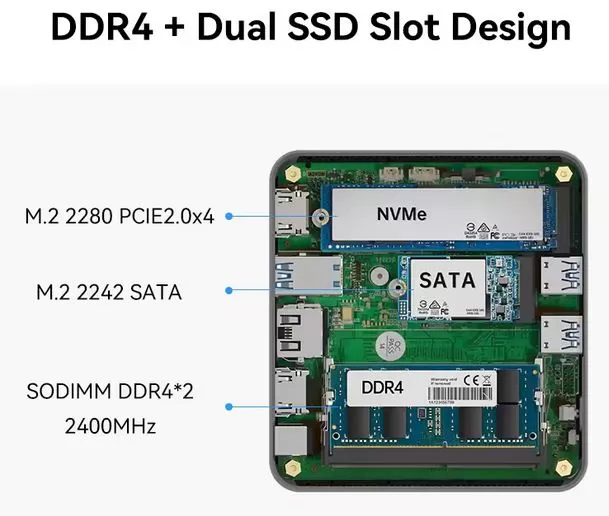
The RAM uses dual-channel SO-DIMM format (DDR4 x2, 2400MHz), meaning it has two accessible physical slots. This is a huge advantage over other low-end mini PCs that solder the RAM to the motherboard without the possibility of expansion. The official specifications indicate compatibility up to 64GB of RAM, so you have plenty of room for future growth. If you buy the barebone model, you can install your own DDR4 SO-DIMM kits of 8GB+8GB, 16GB+16GB, or even 32GB+32GB.
💡 Recommendation: If you buy the barebone model, a 16GB DDR4 SO-DIMM 2400MHz kit from Kingston or Crucial costs around €20–30 on Amazon and is perfectly compatible.
💿 SSD — M.2 NVMe replaceable
The primary storage is a standard, fully replaceable M.2 NVMe SSD. If you purchase the barebone model, you'll need to install an M.2 2242 or 2280 SSD. Capacities range from 256GB to 2TB to suit your budget. Western Digital SN580 or Samsung 980 SSDs are solid, budget-friendly options.
🛒 Which configuration should I choose?
-
Barebone (~€118): Only if you already have RAM and SSD available at home or are looking for the absolute lowest price.
-
16GB + 512GB: The most balanced option for general use. Recommended for most users.
-
16GB + 1TB (~$342): Ideal if you're going to use it as a media server, HTPC with a large local library, or as a main computer with plenty of storage.
🆚 Comparison with Direct Competitors
Here's the fully updated 🆚 Comparison with Direct Competitors section , keeping in mind that the M8 can reach up to $342 in its maximum configuration:
📊 Complete comparison table
| Mini PC | CPU | PassMark | RAM | SSD | Approx. price | Verdict |
|---|---|---|---|---|---|---|
| MOREFINE M8 5205U (Barebone) | Intel Celeron 5205U | ~1.455 | — | — | ~118€ | ⚠️ Only if you have RAM/SSD |
| MOREFINE M8 5205U (16GB/512GB) | Intel Celeron 5205U | ~1.455 | 16GB DDR4 | 512GB | ~180–220€ | ❌ Overtaken by the competition |
| MOREFINE M8 5205U (16GB/1TB) | Intel Celeron 5205U | ~1.455 | 16GB DDR4 | 1TB | ~342$ | ❌ Price difficult to justify |
| Beelink EQ12 / GMKtec G3 | Intel N100 (2023) | ~3.800 | 16GB DDR4 | 512GB | ~130–150€ | ✅ Best price/performance |
| MOREFINE M8S Plus | Intel N150 (2024) | ~4.200 | 16GB DDR5 | 512GB | ~155–180€ | ✅ More modern and efficient |
| Beelink SER5 Pro | AMD Ryzen 5 5560U | ~12.000 | 16GB DDR4 | 500GB | ~210–240€ | ⭐ For gaming and emulation |
| MINISFORUM UM560 XT | AMD Ryzen 5 5600H | ~14.500 | 16GB DDR4 | 512GB | ~230–260€ | ⭐⭐ High performance |
| GMKtec NucBox G9 | Intel Core i5-12450H | ~16.000+ | 16GB DDR4 | 512GB | ~280–320€ | ⭐⭐ Close to the maximum M8 price |
🔍 Analysis by price range
💶 At ~€118 (Barebone):
This is the only scenario where the M8 5205U makes real sense. If you already have DDR4 SO-DIMM RAM and an M.2 SSD at home, the total cost can be around €130–€140 with recycled hardware. Even so, the Beelink EQ12 barebone with an N100 chipset is available for similar prices and offers significantly better performance.
💶 At ~€180–220 (16GB + 512GB):
Here, the M8 with the 5205U clearly loses out to the competition. For that money, you can buy a MOREFINE M8S Plus with an N150, a GMKtec NucBox G3 with an N100, or a Beelink EQ12, all with double or triple the performance of a more modern CPU and GPU. Choosing the 5205U at this price has no technical justification.
💵 At ~$342 (16GB + 1TB):
At this price, the competition is fierce. For €300–340, you can get mini PCs with an AMD Ryzen 5 5560U or Intel Core i5-12450H, with integrated Vega or Iris Xe graphics capable of advanced emulation, light gaming, and smooth video editing. The MOREFINE M8 with a 5205U at $342 is, by far, the least recommended option in this entire table.
💬 Reviews on Well-Known Pages
Market opinions on this processor and the Morefine brand are mixed and worth analyzing in detail:
Robtech (YouTube): In his review of the MOREFINE M8S with N100, he rated it as a "top performer" in its category, highlighting the low fan noise and the efficiency of the cooling system. It was one of his favorite budget mini PCs.
AliExpress Wiki: The platform itself describes the M8 N100 as "a great value for its price, offering a good balance of performance, portability, and features," although this rating refers to the N100 model, not the 5205U.
NotebookCheck: Reviewed the M8S with N5105 and highlighted its compact size and good port selection for the price.
🧪 Technical Tests
The Intel Celeron 5205U is a Comet Lake architecture (10th generation) processor , manufactured using a 14nm process, and released in 2019. Below we break down its real-world performance in different usage scenarios.
🏋️ Benchmarks de CPU
| Benchmark | Intel Celeron 5205U | Intel N100 | Intel N150 | AMD Ryzen 5 5560U |
|---|---|---|---|---|
| PassMark CPU Mark | ~1.455 | ~3.800 | ~4.200 | ~12.000 |
| PassMark Single Thread | ~1.068 | ~1.850 | ~2.000 | ~2.800 |
| Geekbench 5 Single Core | ~550–600 | ~1.050 | ~1.150 | ~1.300 |
| Geekbench 5 Multi Core | ~900–1.000 | ~2.800 | ~3.200 | ~7.500 |
| Cinebench R23 Single | ~350–380 | ~650 | ~700 | ~1.200 |
| Cinebench R23 Multi | ~550–600 | ~1.800 | ~2.100 | ~8.000 |
Quick read: The 5205U has 2 cores without Hyper-Threading, meaning it's particularly weak in multi-core tasks. The N100, with its 4 modern, efficient cores, outperforms it three times over in multi-core performance. The Ryzen 5 5560U blows it out of the water with a 10–13x multiplier in parallel workloads.
💾 RAM Performance — DDR4 2400MHz Dual Channel
| Metric | Expected result |
|---|---|
| Read bandwidth | ~25–28 GB/s (dual channel) |
| Write bandwidth | ~20–24 GB/s |
| Latency | ~60–70 ns |
| Optimal configuration | 2x8GB o 2x16GB (dual channel) |
⚠️ Important: If you purchase the model with a single RAM module (single channel), performance will drop by approximately 20–25% for the CPU and up to 40% for the integrated GPU, as the Intel UHD graphics are heavily reliant on memory bandwidth. Always install RAM in pairs to take advantage of dual channel.
📀 NVMe SSD Performance
The M.2 NVMe SSD included in the versions with storage is entry-level, but sufficient for everyday use:
| Metric | Entry-level NVMe SSD | SSD NVMe gamma media |
|---|---|---|
| Sequential Reading | ~1,500–2,000 MB/s | ~3,000–3,500 MB/s |
| Sequential Writing | ~1,000–1,500 MB/s | ~2,500–3,000 MB/s |
| 4K Random Read | ~30.000–40.000 IOPS | ~60.000+ IOPS |
| 4K Random Write | ~80.000–100.000 IOPS | ~150.000+ IOPS |
Even the base NVMe SSD is 5–6 times faster than a mechanical HDD and greatly contributes to the perceived smoothness of the operating system. Windows 11 Pro boots in approximately 15–18 seconds thanks to this.
🎮 GPU Performance — Intel UHD (10th Gen, 900MHz)
The 5205U's integrated GPU is the 10th generation Intel UHD with a maximum frequency of 900MHz and 24 Execution Units (EUs). It's important to compare it with competing GPUs:
| Integrated GPU | EUs / CUs | max frequency | 3DMark Night Raid | Generation |
|---|---|---|---|---|
| Intel UHD 5205U | 24 EUs | 900MHz | ~3.000–3.500 | 2019 |
| Intel UHD (N100) | 24 EUs | 750MHz | ~4.000–4.500 | 2023 |
| Intel UHD (N150) | 24 EUs | 900MHz | ~4.500–5.000 | 2024 |
| Intel Iris Xe (i5-12) | 80 EUs | 1.400MHz | ~15.000–18.000 | 2021 |
| AMD Radeon Vega 7 (R5 5560U) | 7 CUs | 1.800MHz | ~14.000–16.000 | 2021 |
The 5205U's GPU offers basic graphics performance. It supports H.264 and H.265 (HEVC) hardware decoding for 4K media playback, but it's not equipped for anything more demanding.
🌡️ Detailed Thermal Test
| Use case | Temperatura CPU aprox. | Fan speed | Noise |
|---|---|---|---|
| Idle | 35–42°C | Minimum / stopped | Inaudible |
| Light office suite | 45–55°C | Low | Almost inaudible |
| Web browsing (10 tabs) | 55–65°C | Medium-low | Very mild |
| 4K video playback | 50–60°C | Low | Inaudible |
| Maximum sustained load | 70–80°C | High | Audible but not annoying |
| Prolonged stress (stress test) | 80–85°C (con throttling posible) | Maximum | Perceptible |
With a TDP of 15W, the M8's thermal system operates well below its limits in most real-world scenarios. Thermal throttling (frequency reduction due to temperature) only appears during prolonged artificial stress tests, not in everyday use.
⚡ Real Energy Consumption Test
| Scenery | Estimated consumption |
|---|---|
| Off (standby) | <1W |
| Standby (idle with screen) | 5–8W |
| Standard office automation | 8–12W |
| 4K video playback | 10–14 weeks |
| Maximum CPU load | 13–18W |
| Absolute peak | ~20W |
💰 Calculation of annual electricity cost (operating 8h/day at €0.18/kWh in Spain):
-
Normal use (~10W average): ~€5.25/year
-
24/7 usage (~8W average): ~€12.6/year
It is one of the most energy-efficient mini PCs on the market, ideal for continuous use as a home server or HTPC.
📶 WiFi and Network Connectivity Test
| Metric | WiFi 5 (802.11ac) | WiFi 6 (802.11ax) |
|---|
| Metric | WiFi 5 (802.11ac) | WiFi 6 (802.11ax) |
|---|---|---|
| Theoretical maximum speed | 867 Mbps | 2.400 Mbps |
| Expected actual speed | 300–500 Mbps | 800–1.200 Mbps |
| Latency | 5–15ms | 2–8ms |
| Frequencies | 2.4GHz + 5GHz | 2.4GHz + 5GHz + 6GHz |
The M8's WiFi 5 is adequate for normal home use, but if you have a fiber connection faster than 600 Mbps and a WiFi 6 router, you won't be able to take full advantage of your bandwidth wirelessly. For maximum network performance, always use the included Gigabit Ethernet port .
📊 Technical Score Summary
| Category | Score (out of 10) | Comment |
|---|---|---|
| 🧠 CPU Performance | 3/10 | Very limited in 2026 |
| 🎮 GPU Performance | 3/10 | Basic multimedia only |
| 💾 RAM (hasta 64GB DDR4) | 7/10 | Excellent scalability |
| 📀 NVMe Storage | 7/10 | Quick and replaceable |
| 🌡️ Thermal | 8/10 | Very quiet and cool |
| ⚡ Energy efficiency | 9/10 | Exceptional consumption |
| 📶 Connectivity | 6/10 | WiFi 5 is somewhat outdated |
| 💰 Price/performance (barebone) | 6/10 | Only competitive en barebone |
| 💰 Price/performance (16GB+1TB) | 3/10 | Very expensive for what it offers |
🎮 Gaming and Emulation
The Intel Celeron 5205U includes 10th generation Intel UHD Graphics with a maximum frequency of 900MHz. This places it at the very bottom of modern integrated GPUs. For gaming, the situation is as follows:
| Game / Emulator | Expected result |
|---|---|
| Minecraft (low graphics) | Jugable a 720p, ~30fps |
| CS:GO / CS2 | Not recommended |
| 2D indie games | ✅ Playable |
| NES/SNES/GBA emulator | ✅ No problems |
| PS1/N64 Emulator | ✅ Playable |
| PS2/GameCube Emulator (Dolphin) | ⚠️ Performance issues |
| PS3/Switch Emulator | ❌ Not feasible |
If gaming or emulation is your goal, consider the MINISFORUM UM560 with Ryzen 5 5560U (~€200) which offers far superior integrated Vega graphics.
❓ Frequently Asked Questions (FAQ)
Is the Intel 5205U good for working from home?
For basic tasks (email, low-resolution Zoom video calls, Google Docs), it works. For multitasking or simultaneous HD video conferencing with other apps, it can be slow.
Can I connect two monitors?
It depends on the available ports. Most basic M8 configurations only include one HDMI output, so a dual setup may require a USB-C/DisplayPort adapter if your model supports it.
Does it come with a genuine Windows 11 Pro license?
Yes, according to the AliExpress listing, it comes with Windows 11 Pro pre-installed. Always verify that the license is activated upon receipt.
Is it worth it compared to the N100?
Honestly, not really. The price difference is minimal (around €15–30) and the N100 performs 2.5x better. Unless the price is significantly lower, there's no technical justification.
Can I install Linux?
Yes. The 10th generation Intel x86 architecture is fully compatible with Ubuntu, Debian, and other Linux distributions.
🏁 Final Conclusion
After thoroughly analyzing the performance, specifications, technical tests, and configuration options of the MOREFINE M8 with Intel Celeron 5205U, the answer is "it depends" — and it depends almost exclusively on how much you pay for it.
🎯 The verdict according to configuration
✅ Barebone version (~€118) — Makes sense if...
This is the only configuration where this mini PC can be justified in 2026. If you have DDR4 SO-DIMM RAM and an M.2 NVMe SSD lying around unused at home, building a complete system for under €150 is a viable option. For a computer with minimal use, a POS terminal, a 4K media player, or a low-power home server, it does the job. Its greatest real advantages are its low power consumption of just 5–8W at idle and its virtually silent operation.
⚠️ 16GB + 512GB version (~€180–€220) — Hard to recommend
. At this price, modern competitors far surpass it. The Intel N100 and N150 offer 2.5–3x more CPU performance, 10nm architectures compared to the outdated 14nm of the 5205U, and do so for the same price or less. We would only consider this option if the price drops below €150 during a special promotion.
❌ 16GB + 1TB Version (~$342) — Not Recommended.
At this price, you get access to mini PCs with an AMD Ryzen 5 5560U or Intel Core i5-12450H with integrated Vega or Iris Xe GPUs, capable of advanced emulation, light gaming, video editing, and true multitasking. Paying $342 for a 2019 dual-core Celeron with a PassMark score of ~1,455 is, technically, one of the worst price-to-performance ratios in the mini PC market in 2026. The budget for this configuration deserves a vastly better machine.
👤 Who is this mini PC for?
-
👴 Older users who only need to browse, watch videos and use WhatsApp Web
-
🏪 Businesses with a POS terminal or information kiosk
-
📺 HTPC enthusiasts who prioritize minimal energy consumption and silence
-
🏠 Home network administrators for Pi-hole, local DNS or light proxy
-
🎓 Classrooms and educational centers with very tight budgets
-
🔧 Makers and DIYers who buy the barebone to experiment
👤 Who this mini PC is NOT for
-
💼 Remote workers with video conferencing, multitasking, or heavy apps
-
🎮 Gamers or emulator users who want to play something beyond PS1/SNES
-
🎬 Content creators who edit video or photos
-
👨💻 Developers who compile code or use virtual machines
-
📈 Future-proof users — this processor was already outdated when it launched
-
🎬 Video or photo editing
-
👨💻 Software Development
Smarter alternatives for just a little more?
If you can stretch your budget by €15–30, the Beelink EQ12, GMKtec NucBox G3, or MOREFINE M8S with Intel N100 or N150 are much more solid purchases with a longer lifespan.
🛒 Where to buy it?
| Store | Price | Link |
|---|---|---|
| 🟠 AliExpress | ~116.84$ / 118€ | View on AliExpress → |