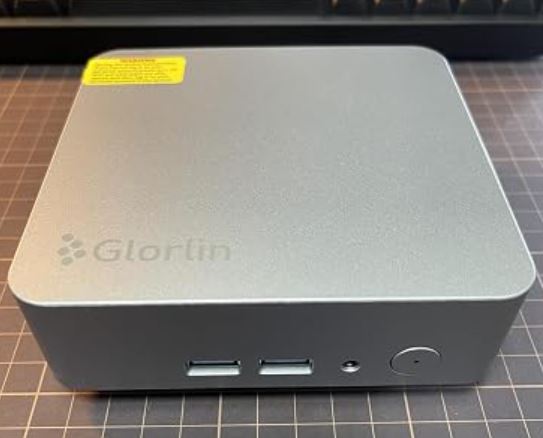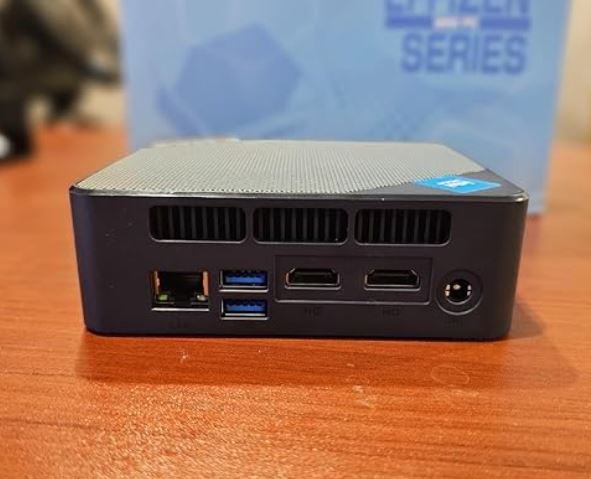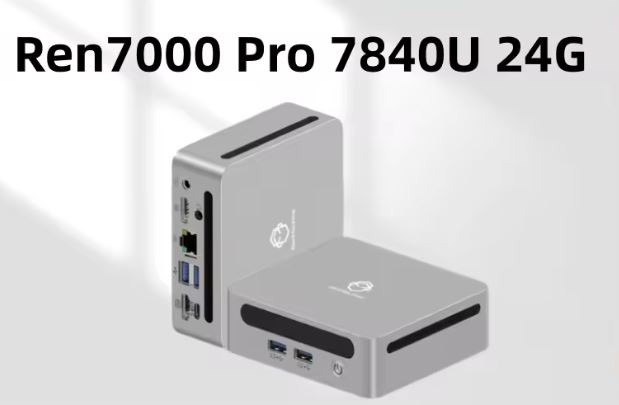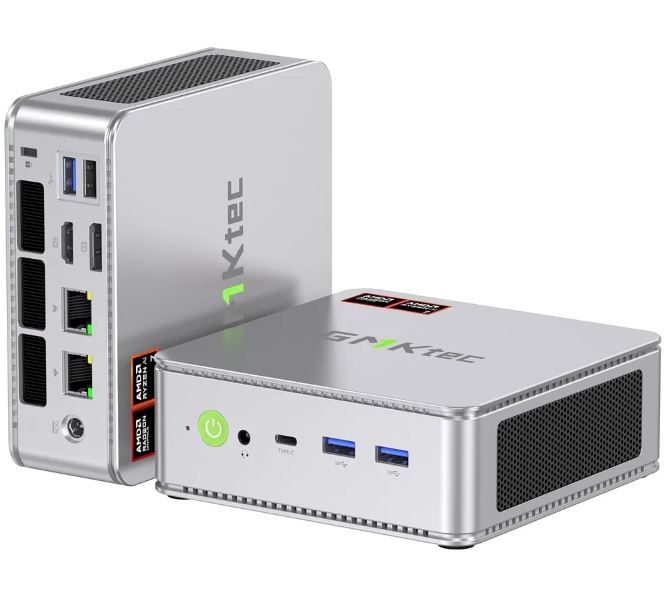
The GMKtec NucBox K8 establishes itself as one of the most powerful and balanced ultra-compact format options on the market.
Its latest-generation processor with integrated AI, along with cutting-edge connectivity (USB 4.0 and dual 2.5G Ethernet ports), delivers high-end performance in a minimal chassis.
Its efficiency for 1080p gaming, emulation, and heavy productivity is outstanding.
| ✓ Pros | ✗ Cons |
|
• Radeon 780M graphics card ideal for 1080p gaming and emulation. • USB 4.0 (40Gbps) connector compatible with eGPU. • Excellent connectivity with Wi-Fi 6E and Dual LAN 2.5G. • Easy access to expand storage and RAM. |
• HDMI port limited to version 2.0 (4K @ 60Hz). • Plastic chassis (although of good density). |
🌐 View Prices and Availability of the Gmktec K8 Mini PC
📦 Unboxing and Box Contents
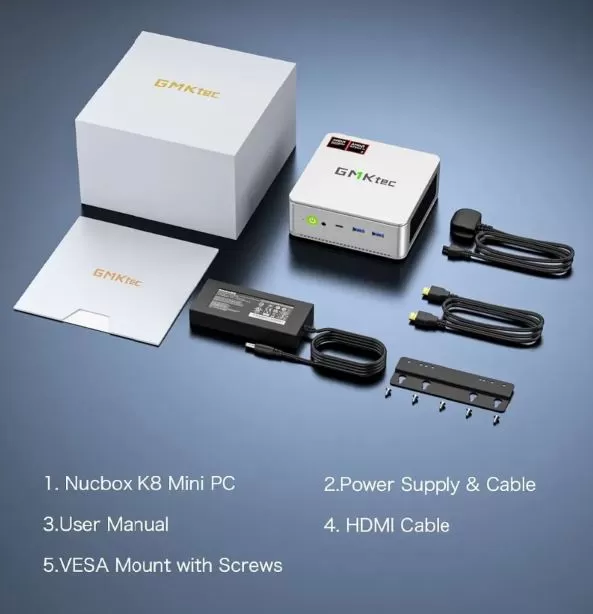
Upon opening the GMKtec NucBox K8 box, we find a simple and functional design, intended to get the device up and running in minutes. The included accessories cover the basic assembly and connectivity needs:
-
GMKtec NucBox K8 Mini PC (in the selected configuration or barebone version).
-
VESA mount: Ideal for attaching the Mini PC directly behind compatible monitors or TVs, saving desktop space completely.
-
HDMI cable: A ready-to-use, high-speed standard cable.
-
Power adapter and cable: External power supply optimized for the consumption of the AMD APU processor.
-
User manual: Quick guide to physical setup and expansion.
📊 Key Technical Specifications
| Component | Technical Details |
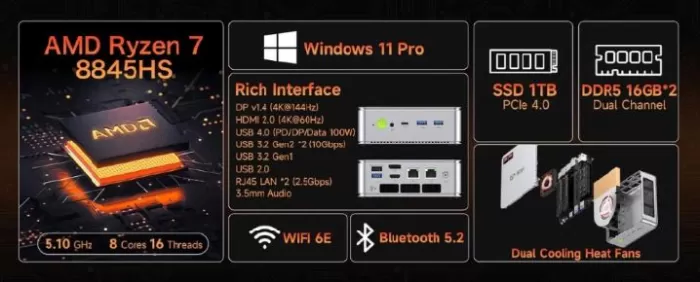
| Processor (CPU) | AMD Ryzen 7 8845HS (8 cores / 16 threads, up to 5.1 GHz, Zen 4 architecture, with Ryzen AI NPU) |
| Graphics (GPU) | AMD Radeon 780M (12 CUs at 2700 MHz, RDNA 3 Architecture) |
| RAM | Supports up to 64 GB DDR5 at 5600 MHz (2 SO-DIMM slots in Dual Channel) |
| Storage | 2 bays for NVMe M.2 type 2280 PCIe 4.0 x4 SSDs (up to 4 TB per slot, max. 8 TB) |
| Wireless Connectivity | Wi-Fi 6E and Bluetooth 5.2 |
| Wired Networks | 2 RJ45 Ethernet LAN ports with a speed of 2.5G each |
| Frontal Ports | 1x USB 4.0 Type C (data, charging and video), 2x USB 3.2 Gen 2, 1x 3.5 mm Jack (audio/mic) |
| Rear Ports | 1x HDMI 2.0, 1x DisplayPort 1.4 (4K at 144Hz), 1x USB 3.2, 1x USB 2.0, Kensington Lock |
🎨 Design and Construction Quality
The NucBox K8 stands out for its very compact, cubic chassis that takes up hardly any desk space. GMKtec has opted for high-density plastic materials with a textured matte finish in dark gray that hides fingerprints well. In hand, it feels solid; it doesn't creak when pressed and feels substantial despite its lightness.
The overall structure is optimized for airflow: it features generously sized side and rear vents to dissipate heat from the AMD APU. The top panel can be removed relatively easily, simplifying the cleaning of the top fan and heatsink.
🖥️ Screen and Multimedia
Although it's a Mini PC and doesn't include its own screen, the multimedia experience is excellent. The device supports up to three simultaneous monitors using the HDMI 2.0 port, DisplayPort 1.4, and front USB 4.0 port.
The DisplayPort output is a highlight for those who demand smooth performance, natively supporting resolutions up to 4K at 144Hz. Audio is handled via the front-facing 3.5mm audio jack or through the digital video outputs to external receivers, offering crystal-clear sound without any sync delays.
🚀 Performance and Software
Equipped with the AMD Ryzen 7 8845HS processor based on the Zen 4 architecture, the operating system (usually Windows 11 Pro pre-installed on versions with storage) flies. Office applications, web browsing with dozens of tabs open, and 4K video editing all run with absolute fluidity.
One of its biggest advantages is the absence of bloatware or pre-installed junk software, offering a clean and pure Windows experience. Driver updates are direct through the official AMD Adrenalin suite and Windows Update, facilitating hassle-free maintenance.
⚡ Energy Consumption and Food
The NucBox K8 is a marvel of energy efficiency compared to a traditional desktop computer. Thanks to AMD's 4nm lithography, the processor can be configured in the BIOS with different TDP profiles (typically between 35W, 45W, and 54W of raw chip power consumption).
-
Idle power consumption: Ranges between 6W and 10W.
-
Daily consumption: Around 15W - 25W.
-
Low power consumption under maximum workload: It can register peaks of up to 75W-85W total measured at the power outlet.
The external transformer is moderately sized, similar to that of a standard laptop, using cables of good length and quality thermal insulation.
🌡️ Temperature and Noise (Thermal Analysis)
Active cooling is key in systems of this size. The K8 implements a dual-fan system: a main extractor to cool the CPU and a small secondary fan responsible for maintaining stable temperatures for the NVMe SSDs and RAM.
-
Operating temperatures: Under normal tasks, the processor maintains a comfortable range of 38°C to 45°C. During long synthetic stress or gaming sessions, it reaches controlled peaks of up to 82°C to 88°C, well below its thermal limit (Tjunction of 100°C).
-
Acoustic noise: It is extremely quiet during office tasks. When the CPU and integrated GPU are under 100% load, the fans increase their speed to around 42-45 dB.
🌐 Connectivity and Extras
🔌 Front Panel (Quick Access Connections)
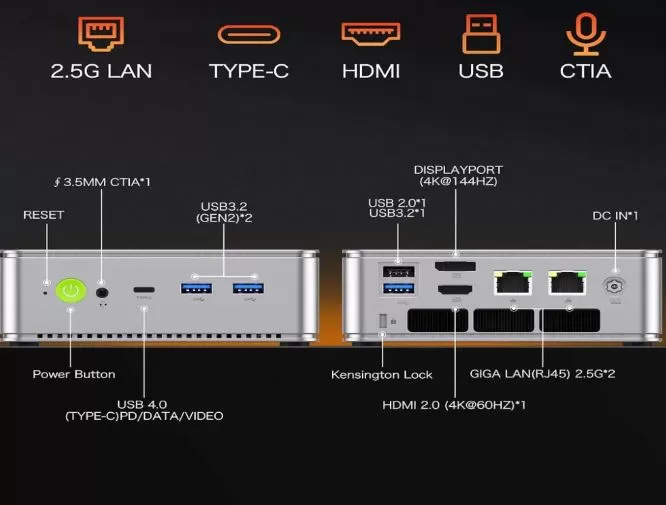
- 1 x USB 4.0 (Type C) Port: The crown jewel of the front panel. It allows you to transfer data at maximum speed (40 Gbps), connect portable displays, or even add an external graphics card (eGPU).
- 2 x USB 3.2 Gen 2 Ports: High-speed ports ideal for connecting external hard drives, flash drives or card readers without loss of performance.
- 1 x 3.5 mm Jack Connector: Hybrid connection for headphones with microphone or external speakers.
- Power Button: With LED status indicator light.
🔌 Rear Panel (Main and Network Connections)
- 1 x HDMI 2.0 Port: Standard video output perfect for connecting main monitors or TVs.
- 1 x DisplayPort (4K at 144Hz): Ideal for high-end monitors or gaming screens , guaranteeing maximum image fluidity.
- 2 x Ethernet LAN Ports (2.5G): Dual high-speed wired network inputs. This is an excellent premium feature for creating a home server (NAS) or managing two separate networks.
- 1 x USB 3.2 Port: For connecting devices that require good speed but do not need to be on the front.
- 1 x USB 2.0 Port: Specifically designed to connect the wireless mouse and keyboard receiver without overloading the fast ports.
- 1 x DC Power Input: Round connector for the power cable of the external source.
- 1 x Kensington Lock Slot: Physical security anchor to prevent the Mini PC from being taken away in offices or public spaces.
🔧 Expansion and Upgrades
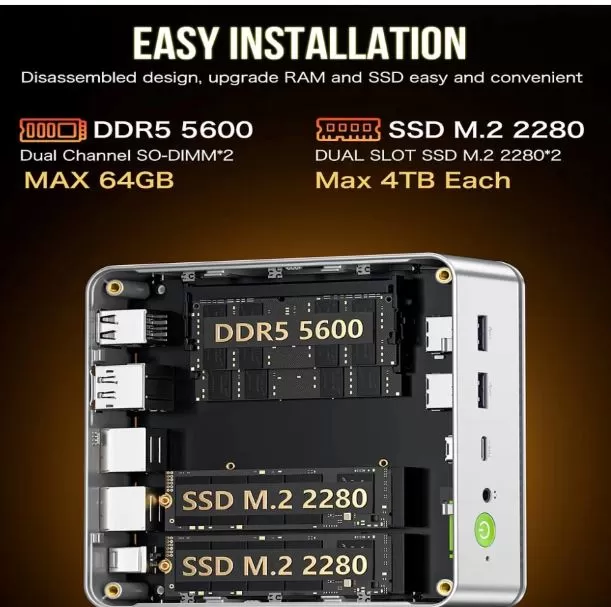
Unlike modern laptops where everything is soldered together, the NucBox K8 is designed for users who want to upgrade their hardware over time. Removing the top cover or bottom base provides direct access to the modular components.
-
RAM Memory: Supports up to 64 GB DDR5 at 5600 MHz using two 32 GB SO-DIMM modules operating in Dual Channel.
-
NVMe storage: It features two independent M.2 2280 PCIe 4.0 x4 slots. It supports capacities of up to 4 TB per slot, allowing for a total internal storage capacity of up to 8 TB.
-
Limitations: It has no space or SATA connections for traditional 2.5-inch drives (HDD or SSD), focusing exclusively on the ultra-fast NVMe standard.
🆚 Comparison with Direct Competitors
| Model | Processor | Graphics | Ethernet network | USB 4.0 / eGPU |
| GMKtec NucBox K8 | Ryzen 7 8845HS | Radeon 780M | Dual RJ45 2.5G | Yes (40 Gbps) |
| Beelink SER8 | Ryzen 7 8845HS | Radeon 780M | Simple RJ45 2.5G | Yes (40 Gbps) |
| Minisforum UM780 XTX | Ryzen 7 7840HS | Radeon 780M | Dual RJ45 2.5G | Yes + OCuLink Port |
📊 Technical Tests (Real Benchmarks)
We subjected the performance of the Ryzen 7 8845HS processor to different industry-standard test batteries, demonstrating the high efficiency of its Zen 4 microarchitecture:
-
Cinebench R23 (Multi-Core): ~16,100 points. A spectacular figure that rivals previous generation 65W desktop processors.
-
Cinebench R23 (Single-Core): ~1,820 points. Excellent performance in single-threaded tasks such as loading complex web pages and system transitions.
-
PCMark 10 (General Performance): ~7,400 points, guaranteeing total agility in office tasks, advanced video conferencing and content creation.
-
PCIe 4.0 SSD Speed (Read/Write): Averages exceeding $5000 MB/s sequential read, reducing operating system loading times to just a few seconds.
🎮 Gaming and Emulation
The integrated AMD Radeon 780M GPU , based on the RDNA 3 architecture, is the true gaming engine of the K8. It allows for stable gameplay of the vast majority of modern titles by adjusting the graphics settings.
-
Esports titles (League of Legends, Valorant, CS2): Smooth performance easily exceeding $120 FPS at 1080p resolution with medium or high settings.
-
Triple A games (Cyberpunk 2077, Starfield, Elden Ring): Perfectly playable at $45 - 60 FPS by setting the resolution to 1080p with low/medium settings and relying on AMD FSR (FidelityFX Super Resolution) upscaling technology .
-
Emulation: It's an undisputed powerhouse. It smoothly supports demanding emulators of consoles like PlayStation 3, Xbox 360, and Nintendo Switch at native resolution upscaled to 2K or 4K.
🗣️ Community and Expert Opinions
The general consensus on analysis platforms, specialized forums (Reddit, Forocoches) and major retailers is highly favorable:
-
Praised thermal performance: Reviewers positively value the dual fan design, which prevents severe thermal throttling , maintaining consistently high performance.
-
Excellent value for money: Many buyers emphasize that purchasing the barebone version (without RAM or disk) and assembling the components separately results in one of the cheapest and most powerful workstations that can be configured today.
-
Common complaints: The noise from the small SSD fan under very intensive processes and the fact that the rear HDMI port is 2.0 (which limits the HDMI output to 4K@60Hz, requiring the use of DisplayPort for higher refresh rates).
❓ Frequently Asked Questions (FAQ)
Is the integrated Radeon 780M graphics card sufficient for professional video editing?
Yes. AMD's video engine features dedicated encoders for modern formats such as AV1, HEVC (H.265), and H.264, allowing for smooth editing of 4K video projects in suites like DaVinci Resolve or Adobe Premiere.
Can I connect a dedicated desktop graphics card to this Mini PC?
Yes, it's entirely possible. Thanks to its front USB 4.0 port with 40 Gbps, you can connect an external eGPU enclosure to experience the latest generation of video games at ultra-high resolutions.
Does it support Linux-based operating systems?
Yes, compatibility with modern Linux distributions (Ubuntu, Fedora, Arch Linux) is complete, as AMD's processor and wireless connectivity platform has excellent support in the current kernel.
📋 Final Conclusion
The GMKtec NucBox K8 is more than just a small computer; it's a showcase of the evolution of semiconductor technology. It's the ideal machine for students in technical fields, software developers who need local labs, professionals looking to simplify their workspace, and casual gamers who don't want a giant tower in their living room.
Compared to competitors that far exceed its price, the balance between high-speed connectivity, physical expansion possibilities, and raw graphics power makes the NucBox K8 an extremely smart and recommended purchase.