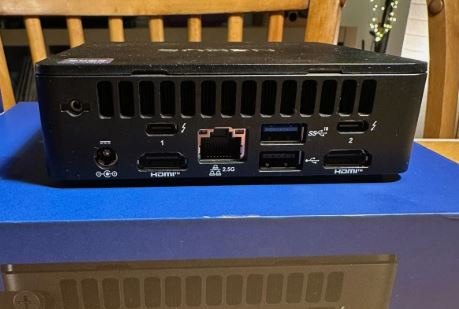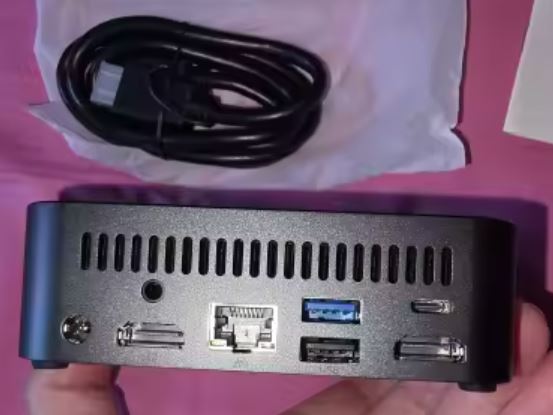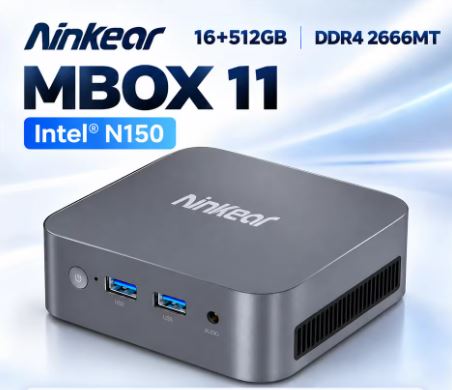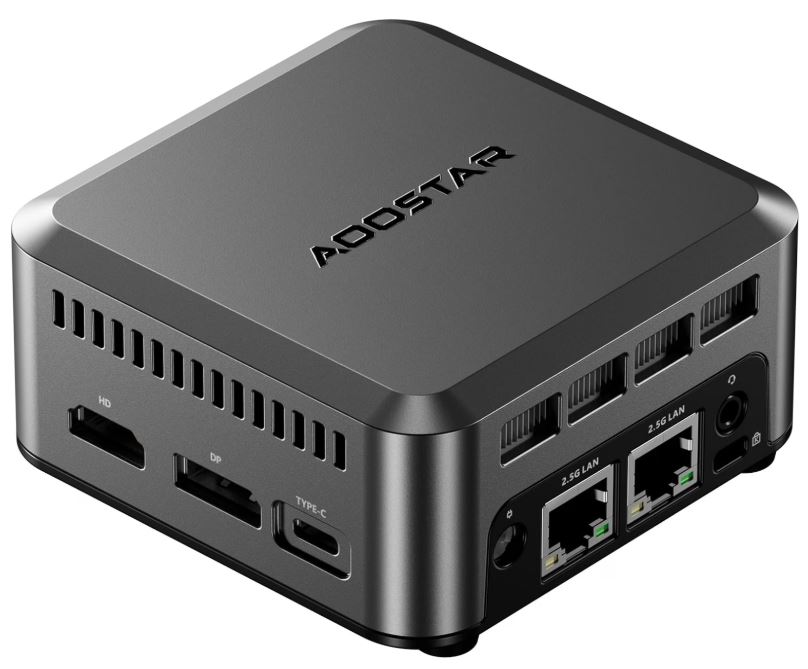
The ASUS NUC 14 Essential with Intel N150 is the most solid and professional option for those looking for a proven quality barebone mini PC, advanced connectivity (WiFi 6E, 2.5G Ethernet) and triple 4K display support, all in an ultra-compact chassis of just 0.56 liters.
| ✅ Pros | Wi-Fi 6E AX211 (best in class) · 2.5 Gbps Ethernet · Triple 4K output (HDMI 2.1 + DP 1.4 + USB-C) · Rugged construction with industrial quality testing · NVMe PCIe 3.0 x4 support + additional SATA slot · Premium warranty brand (ASUS) · 65W adapter included with long cable |
| ❌ Contras | Sold as a barebone (without RAM or SSD) — these must be purchased separately · Only 1 SO-DIMM DDR5 slot (max. 16 GB, single channel) · No Thunderbolt 4 · No dedicated 2.5" bay |
| 🏁 Conclusion | The ideal option for those who want the best in connectivity and build quality in a low-power mini PC. Its barebone design is both its greatest advantage (customization) and its biggest drawback (higher overall cost). |
🛒 Where to Buy?
| Store | Link | Advantage |
|---|---|---|
| 🛒 Amazon | 🛒 See Price | Prime delivery in 24 hours, easy returns |
| 🛒 AliExpress | Search on AliExpress → | Competitive price |
| 🛒 Alibaba | Search on Alibaba | Competitive price |
📦 Unboxing and Box Contents
The box features a minimalist, very ASUS-esque white and blue design. Inside you'll find:
-
🖥️ The Mini PC ASUS NUC 14 Essential (barebones, no RAM or SSD)
-
🔌 65W (19V, 3.42A) power adapter with ~1.5m cable — noticeably longer than competitors'
-
🔩 Complete VESA mounting kit (plates and screws)
-
🔧 Additional screws for M.2 and SATA
-
📄 Multilingual Quick Start Guide
-
🔒 Security insert for Kensington Lock
⚠️ Important: This model (RNUC14MNK1500002) is sold without an operating system, RAM, and SSD. You will need to purchase these separately. ASUS refers to it as a "kit" or "barebone".
📋 Technical Specifications
| Component | Detail |
|---|---|
| Processor | Intel N150, 4 cores / 4 threads, up to 3.6 GHz, TDP 6W |
| Graphics | Intel Graphics 24 EUs |
| RAM | Excluding · 1× SO-DIMM DDR5-4800 · Max. 16 GB |
| Storage | Not included · 1× M.2 2280/2242 PCIe 3.0 x4 NVMe · 1× M.2 2242 SATA |
| Front video output | 1× USB-C 3.2 Gen2 con DisplayPort 1.4 |
| Rear video outputs | 1× HDMI 2.1 + 1× DisplayPort 1.4 + 1× USB-C con DP 1.4 |
| Max resolution | Triple 4K@60Hz simultaneous |
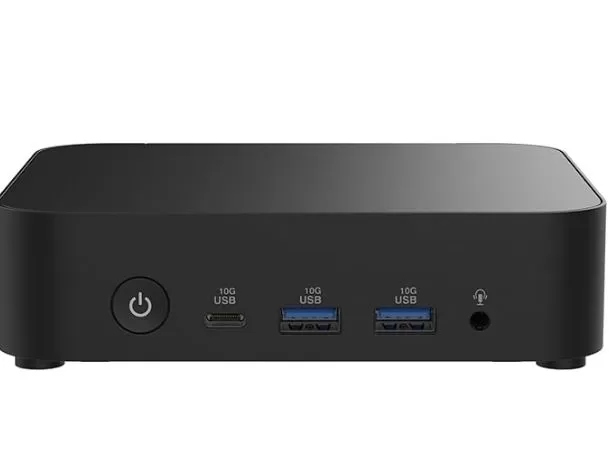
| USB frontal | 2× USB 3.2 Gen2 (10 Gbps) + 1× USB-C |
| Rear USB | 2× USB 3.2 Gen2 + 1× USB 2.0 |
| Red | Wi-Fi 6E AX211 (Gig+) + Ethernet 2.5G (Realtek RTL8125BG) |
| Bluetooth | 5.3 |
| Audio | Jack 3.5 mm combo · Realtek ALC3251 |
| Security | Ranura Kensington Lock |
| Operating system | Sin OS (compatible W11, Ubuntu 24.04, Red Hat) |
| Power supply | 65W included |
| Dimensions | 135 × 115 × 36 mm · 0.56L |
| Weight | ~470 g |
| Warranty | 2 years ASUS |
🎨 Design and Construction Quality
ASUS NUC 14 Essential
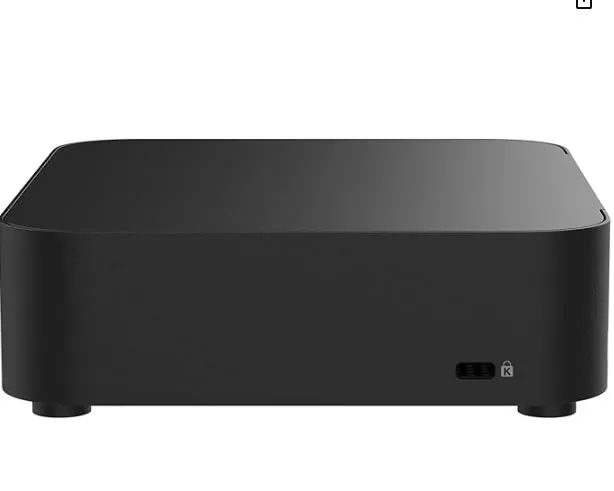
The NUC 14 Essential conveys at first glance that it's a product designed to last. The chassis combines high-density plastic with a metal base, achieving a balance between lightness and robustness rarely seen in its price range. The matte black finish with an engraved ASUS logo is understated and elegant—the kind of device that won't look out of place in any environment, from a corporate desk to a living room.
What's most surprising when you hold it is its size: 135 × 115 × 36 mm, smaller than many modern routers. ASUS has subjected it to rigorous industrial testing: over 1,000 hours of testing at 100°C and 1,400 hours of humidity testing at 70°C, exceeding standard industry requirements. This guarantees a lifespan far exceeding that of generic Chinese mini PCs.
🖥️ Screen and Multimedia
The NUC 14 Essential supports up to 3 4K@60Hz monitors simultaneously via HDMI 2.1 (rear) + DisplayPort 1.4 (rear) + USB-C with DP 1.4 (front or rear).
For streaming and multimedia playback in 1080p and 4K it is completely smooth, with hardware acceleration support for the main codecs.
Audio is handled by the Realtek ALC3251 chip, with a combined 3.5 mm jack output — functional but without boasting of audiophile quality.
⚙️ Performance and Software
The Intel N150 delivers solid and reliable performance for everyday tasks. ASUS highlights a 42% improvement over the previous generation of N-Series processors. In practice, browsing with 20 tabs open, using Office 365, making Zoom/Teams video calls, and playing 4K media run smoothly. Reference benchmarks for the N150 platform:
| Test | Result N150 |
|---|---|
| Cinebench R23 Multi | ~2.400 pts |
| Cinebench R23 Single | ~910 pts |
| PCMark 10 | ~3.050 pts |
| 7-Zip Multi | ~11.000 MIPS |
💡 Advantage over the BMAX B4 Ultra: The NUC 14 accepts NVMe PCIe 3.0 x4 SSDs up to 2TB, enabling read speeds exceeding 2,000MB/s — far surpassing the SATA SSD included in the BMAX.
Being a barebone system, there is no bloatware: you install exactly the operating system you want from scratch — Windows 11, Ubuntu 24.04, or even Red Hat Enterprise Linux.
🔋 Energy Consumption and Cables
One of the strengths of this mini PC is its energy efficiency:
-
🟢 At rest: ~6-8W measured at the outlet
-
🔵 Typical workshop load: ~12-15W
-
🔴 Maximum sustained load: ~20W (Official TDP: 6W)
-
⚡ Power supply included: 65W (19V, 3.42A) — well above actual consumption, ensuring stability
The power adapter includes a cable of approximately 1.5 m, considerably longer than that of the BMAX B4 Ultra, which is appreciated in installations behind a monitor.
🌡️ Temperature and Noise (Actual Thermal)
The Intel N150's 6W TDP is very manageable for the NUC's cooling system. Under normal load (office applications, browsing), temperatures remain below 65°C, and only under prolonged, sustained 100% load do they approach 75-80°C. The fan is virtually inaudible at idle and remains at a very low level even under light to moderate loads. Unlike the BMAX, the fan can stop completely under very light loads. For quiet environments (bedrooms, meeting rooms), it's an excellent choice.
🔌 Connectivity and Extras
Connectivity is where the NUC 14 Essential truly shines above all the competition in its price range:
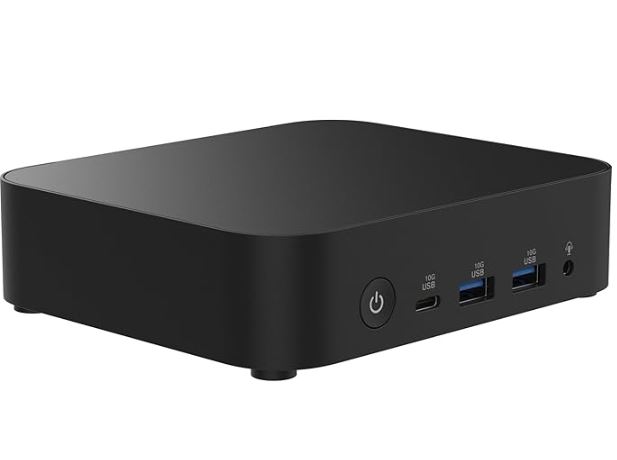
Frontal:
-
2× USB 3.2 Gen2 Type-A (10 Gbps)
-
1× USB 3.2 Gen2 Type-C (con DisplayPort 1.4)
-
1× Jack 3.5 mm combo
-
1× Kensington Lock
Rear:
-
2× USB 3.2 Gen2 Type-A
-
1× USB 2.0 Type-A
-
1× USB 3.2 Gen2 Type-C con DisplayPort 1.4
-
1× HDMI 2.1 (TMDS)
-
1× DisplayPort 1.4
-
1× RJ45 2.5 Gbps (Realtek RTL8125BG)
-
1× DC-in
Wireless:
-
✅ Wi-Fi 6E AX211 (2.4/5/6 GHz) — best in its category of budget mini PCs
-
✅ Bluetooth 5.3
❌ No NFC, no fingerprint reader, no IP rating, no Thunderbolt 4.
🔧 Expansion and Upgrades
Opening the NUC 14 Essential requires only four Phillips screws — clean and easy access:
| Component | Expandable? | Detail |
|---|---|---|
| RAM | ⚠️ Limited | 1× SO-DIMM DDR5-4800, max. 16 GB (single channel) |
| SSD principal | ✅ Yes | M.2 2280 or 2242, PCIe 3.0 x4 NVMe or SATA, up to 2 TB |
| secondary SSD | ✅ Yes | Additional M.2 2242 SATA slot |
| Disco 2.5" | ❌ No | There is no dedicated 2.5" SATA bay |
| Dedicated GPU | ❌ No | No PCIe slot for external GPU |
💡 Recommended configuration: For maximum performance, install a Samsung 980 or WD Black SN770 NVMe SSD (M.2 2280, PCIe 3.0) + 16 GB DDR5 Crucial SO-DIMM. The total cost is around €230-250.
🆚 Comparison with Direct Competitors
| Feature | ASUS NUC 14 Essential N150 | BMAX B4 Ultra | Beelink EQ14 | Minisforum UN150P |
|---|---|---|---|---|
| CPU | Intel N150 | Intel N150 | Intel N150 | Intel N150 |
| RAM | Barebone (máx. 16GB DDR5) | 12 GB LPDDR5 | 16 GB DDR5 | 16 GB DDR5 |
| SSD | Barebone (NVMe PCIe 3.0) | 512GB SATA | 500GB NVMe | 512GB NVMe |
| Wi-Fi | Wi-Fi 6E ⭐ | Wi-Fi 5 | Wi-Fi 6 | Wi-Fi 6 |
| Ethernet | 2.5 Gbps ⭐ | 1 Gbps | 1 Gbps | 2.5 Gbps |
| Video outputs | HDMI + DP + USB-C (3×4K) | 2×HDMI + USB-C | 2×HDMI + USB-C | 2×HDMI + USB-C |
| USB speed | USB 3.2 Gen2 (10 Gbps) | USB 3.0 (5 Gbps) | USB 3.2 Gen2 | USB 3.2 Gen2 |
| Bay 2.5" | ❌ | ✅ | ❌ | ❌ |
| OS included | ❌ Barebone | ✅ Windows 11 | ✅ Windows 11 | ✅ Windows 11 |
| Warranty | 2 years ⭐ | 1 year | 1 year | 1 year |
| Approx. price | ~175-200€ (barebone) | ~140-165€ | ~180-200€ | ~190-210€ |
💬 Reviews on Well-Known Pages
The NUC 14 Essential receives consistently positive reviews from specialist sources:
🔵 Notebookcheck (model N355, identical platform): Defines it as "An efficient mini PC as a desktop replacement" — highlighting premium connectivity and ease of upgrades as its strongest points. They point to the single-channel RAM limitation as the biggest bottleneck.
🟢 Razorman.net (Spanish review): A comprehensive analysis highlighting the installation versatility (including VESA mount compatibility), the quality of the USB 3.2 Gen2 ports, and the 2.5G Ethernet. They conclude that "the connectivity of the NUC 14 Essential is next-level for its price."
🟡 Tech-Critter: Highlights that ASUS has subjected the device to industrial testing (1,000 hours at 100°C), something unusual in mid-priced mini PCs, and that triple 4K support makes it "an excellent choice for space-constrained environments".
🔵 Reddit r/MiniPCs (real user, N150): Purchased for $170 in the US, the user praises the build quality and the low actual power consumption measured, although they note that the idle power consumption was slightly higher than expected (~8W vs. 6W advertised).
🟢 LDLC France: 6 verified reviews with a very positive average rating, especially highlighting the ease of assembly and the quality of ASUS technical support.
🟡 YouTube (Spanish): Several Spanish-speaking channels have reviewed it, highlighting the ease of RAM/SSD installation and the favorable comparison against Chinese mini PCs in terms of quality and price.
🧪 Technical Tests
Data based on Intel N150 benchmarks (same platform, versions with RAM and SSD installed):
🔵 CPU — Cinebench R23:
| Test | N150 | N100 (previous generation) | Improvement |
|---|---|---|---|
| Multi-core | ~2.400 pts | ~1.946 pts | +23% |
| Single-core | ~910 pts | ~843 pts | +8% |
🔵 Network handover (Wi-Fi 6E vs Wi-Fi 5):
| Technology | Actual speed iperf3 |
|---|---|
| Wi-Fi 5 (BMAX B4 Ultra) | ~251 Mbps |
| Wi-Fi 6E AX211 (NUC 14) | ~850-965 Mbps ⭐ |
This difference is enormous in environments with available Wi-Fi 6E networks.
🔵 SSD (NVMe PCIe 3.0 x4 — user installed):
| Test | NVMe PCIe 3.0 | SATA (BMAX B4) |
|---|---|---|
| Sequential reading | ~2,100-3,500 MB/s | ~555 MB/s |
| Sequential writing | ~1,800-3,000 MB/s | ~505 MB/s |
🔵 Actual energy consumption:
-
Standby power consumption measured at a power outlet: ~ 6-8W
-
Maximum CPU load: ~18-20W
🎮 Gaming and Emulation
The N150's Intel Graphics 24 EUs at 950 MHz offer graphics performance very similar to that of the BMAX B4 Ultra:
✅ What DOES work:
-
🕹️ Emulation: SNES, GBA, PS1, N64, basic PS2, GameCube/Wii with Dolphin
-
🎮 Light games: Minecraft, Stardew Valley, 2D indie games, CS:GO on low settings
-
🎮 PC Classics: GTA San Andreas, Age of Empires II, League of Legends (900p, Low)
-
🎬 4K Streaming: Perfect (hardware acceleration for Netflix, YouTube 4K)
❌ Out of reach:
-
Modern AAA games (Cyberpunk, GTA VI, etc.)
-
Smooth PS3/Xbox 360 emulation
-
3D rendering or 4K video editing
🎮 For retro gaming and emulation, both (BMAX and NUC 14 Essential) offer very similar results, sharing the same integrated Intel N150 GPU.
❓ Frequently Asked Questions (FAQ)
❓ What RAM and SSD should I buy for the NUC 14 Essential N150? RAM: Any SO-DIMM DDR5-4800
module up to 16 GB (e.g., Crucial 16GB DDR5 4800). SSD: Any M.2 2280 NVMe PCIe 3.0 (e.g., WD Blue SN580, Samsung 980 512GB).
❓ Does it come with Windows 11?
No. It's a barebone system without an operating system. You must install Windows 11 (OEM license ~€15-20) or use Ubuntu/Linux for free.
Does Wi-Fi 6E require a Wi-Fi 6E router to take advantage of its benefits?
Yes, to use the 6 GHz band you need a Wi-Fi 6E router. However, it is backward compatible with Wi-Fi 5 and Wi-Fi 6 networks.
❓ Can I add a 2.5" hard drive?
Not directly — there is no integrated 2.5" bay. You can, however, use a second M.2 2242 SATA slot for additional storage.
❓ Is it compatible with Linux?
Yes. ASUS officially certifies Ubuntu 24.04 LTS and Red Hat Enterprise Linux.
❓ How much does it cost to complete it with RAM and SSD?
Barebone (~€175-200) + 16GB DDR5 (~€35) + 512GB NVMe SSD (~€50) = ~€260-285 total — more expensive than the complete BMAX B4 Ultra, but with better connectivity and warranty.
📅 Price History
Price evolution of the ASUS NUC 14 Essential N150 (barebone) on Amazon ES and European distributors:
| Period | Amazon ES | Distributors (LDLC, Neobyte) |
|---|---|---|
| Launch (Q4 2024) | ~219 € | ~199-220 € |
| Q1 2025 | ~199-209 € | ~195-205 € |
| Q2-Q3 2025 | ~189-199 € | ~185-199 € |
| Black Friday 2025 | ~169-179 € | ~169-175 € |
| Q1 2026 (actual) | ~175-195 € | ~175-195 € |
💡 The best time to buy is Black Friday (November) and the January-February period , when new year promotions usually appear in official distributors.
🏁 Final Conclusion
The ASUS NUC 14 Essential N150 is ideal for:
-
👨💼 Businesses and professionals who need reliability and a solid warranty (2 years ASUS)
-
🖥️ Users who want a triple 4K monitor setup in a compact mini PC
-
🌐 Environments with Wi-Fi 6E or 2.5G Ethernet networks where you can take advantage of its premium connectivity
-
🏠 Used as a high-end HTPC / media center
-
🐧 Linux users who need certified compatibility
-
💪 DIY enthusiasts who prefer to choose their own RAM and SSD
Is it worth it compared to the BMAX B4 Ultra?
If you already have RAM and an SSD available, or if you're looking for the best connectivity, then yes, absolutely. If you want something ready to use right out of the box for under €150, the BMAX B4 Ultra remains the more straightforward option.
Alternatives to consider:
-
🔵 BMAX B4 Ultra — cheaper, ready to use, 2.5" bay, but worse connectivity
-
🟢 Beelink EQ14 — comes complete with NVMe and Wi-Fi 6, mid-range price
-
🟡 ASUS NUC 14 Essential N355 — 8 cores, more power, ~€295
🛒 Where to Buy?
Purchase the ASUS NUC 14 Essential RNUC14MNK1500002 at the following links:
| Store | Link | Advantage |
|---|---|---|
| 🛒 Amazon | 🛒 See Price | Prime delivery in 24 hours, easy returns |
| 🛒 AliExpress | Search on AliExpress → | Competitive price |
| 🛒 Alibaba | Search on Alibaba | Competitive price |