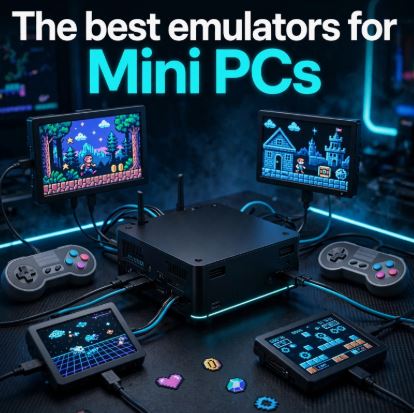
A Mini PC can replace several retro consoles in a small, quiet, and easy-to-install computer next to the TV.
With the right model you can play games from NES, Mega Drive and PlayStation to PS2, GameCube, Wii U and a selection of PS3 and Xbox 360 titles.
The mini PC brand should be based on the most demanding console you want to emulate: an Intel N100 is perfectly adequate for retro gaming and PSP, while the AMD Radeon 680M, 780M, and 890M iGPUs offer much more headroom for PS2, GameCube, Wii, Wii U, and heavier systems.
Currently, there are already systems with Ryzen AI 9 HX 370 and Radeon 890M, such as the GMKtec EVO-X1 and Minisforum models.
Which Mini PC do you need?
| Emulation objective | Recommended hardware | Main consoles |
|---|---|---|
| Economical retrofit | Intel N100, 16 GB RAM | NES, SNES, Mega Drive, PS1, N64, Dreamcast, PSP |
| Quality-price balance | Ryzen 7 7735HS, Radeon 680M, 32GB RAM | PS2, GameCube, Wii and Wii U |
| Advanced emulation | Ryzen 7 8845HS or Ryzen 9 8945HS, Radeon 780M, 32 GB RAM | PS2/GC/Wii/U at high resolution; select PS3 and Xbox 360 |
| Maximum power with iGPU | Ryzen AI 9 HX 370, Radeon 890M, 32/64 GB RAM | Greater headroom for demanding systems and graphics scaling |
For any Mini PC with integrated graphics, install or choose dual-channel RAM. In practice, 16 GB is sufficient for classic retro gaming, but 32 GB is a much more advisable purchase for models with Radeon 680M, 780M, or 890M graphics because the integrated graphics use some of the system RAM.
What is a FrontEnd for gaming on a mini PC?
A frontend is the interface that organizes your game collection and automatically opens the appropriate emulator. It doesn't replace the emulator itself ; it functions as a unified visual menu so you don't have to search for ROMs and manually launch PCSX2, Dolphin, or PPSSPP.
Practical example
Without a frontend, on Windows you would have to:
-
Open PCSX2 to play God of War II.
-
Close PCSX2 and open Dolphin for Mario Kart Wii.
-
Open PPSSPP for God of War: Ghost of Sparta.
-
Search for each game file in different folders.
With a frontend, you turn on the Mini PC and see a library organized by console:
-
Nintendo Entertainment System
-
Super Nintendo
-
Mega Drive
-
PlayStation
-
Nintendo 64
-
Dreamcast
-
PlayStation 2
-
GameCube
-
Wii
-
PSP
-
PlayStation 3
You select, for example, The Legend of Zelda: The Wind Waker with the controller and the frontend opens Dolphin with the configuration you have prepared.
A frontend needs emulators installed and configured to run games. The frontend organizes and launches the games; the emulator is the program that actually replicates the console's functionality.
The best Frontends
Batocera Linux
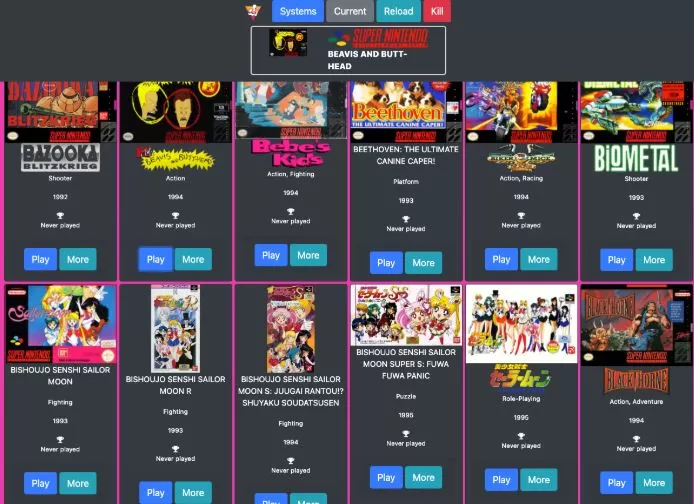
Batocera is the best option for turning a Mini PC into a retro gaming console. You can install it on an SSD or boot from a fast USB drive, and its interface is designed to use a controller, TV, game covers, videos, and game lists without relying on Windows.
Batocera supports a wide range of emulation platforms and applications. PS3 emulation is only available on x86_64 computers, not on Raspberry Pi or other ARM boards.
Ideal for playing:
-
Super Mario World — Super Nintendo
-
Sonic the Hedgehog 2 — Mega Drive
-
Metal Slug 3 — Neo Geo
-
Castlevania: Symphony of the Night — PlayStation
-
Mario Kart 64 — Nintendo 64
-
Crazy Taxi — Dreamcast
-
God of War II — PlayStation 2
-
The Legend of Zelda: The Wind Waker — GameCube
RetroBat
RetroBat is the best choice if you want to keep Windows as your primary operating system. It brings together RetroArch, PCSX2, Dolphin, PPSSPP, Cemu, RPCS3, and other emulators under an EmulationStation-based interface.
It's a recommended option if you want to use the Mini PC for emulation, Steam, multimedia services, browsing, or desktop tasks without having to restart the computer to change the operating system.
LaunchBox and Big Box
LaunchBox excels at organizing large collections of ROMs and PC games. Its paid version, Big Box, transforms the library into a living room experience with videos, filters, cover art, and full controller navigation.
It's especially interesting if you want to unify emulation, Steam, GOG, Epic Games, and PC titles into a single interface.
RetroArch
RetroArch is the essential frontend for classic systems. It uses emulation kernels to run vintage consoles from a common interface, with features like quick save, rewind, CRT shaders, button remapping, and achievements.
It's excellent for 8, 16, 32 and 64 bits, but for PS2, GameCube, Wii, Wii U, PS3 or Xbox 360 it's usually better to use standalone emulators.
The best emulators for mini PCs
PCSX2 for PlayStation 2
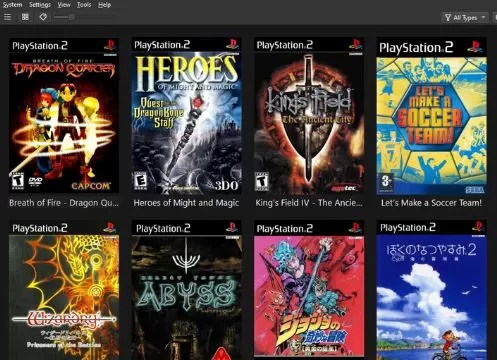
PCSX2 is the reference emulator for PS2. It allows you to increase the internal resolution, apply widescreen patches, improve filters, and play with modern controllers.
For moderate performance, PCSX2 recommends a CPU with AVX2, six physical cores, 16 GB of RAM, and a GPU that supports Vulkan 1.3, Direct3D 12, or OpenGL 4.6. Final results will vary depending on the game and the internal resolution used.
PS2 games worth trying:
-
God of War and God of War II
-
Shadow of the Colossus
-
Gran Turismo 4
-
Final Fantasy X
-
Metal Gear Solid 3: Snake Eater
-
Kingdom Hearts II
-
Burnout 3: Takedown
-
Dragon Quest VIII
Dolphin for GameCube and Wii
Dolphin is the most recommended emulator for Nintendo GameCube and Wii. It offers mature compatibility, resolution upscaling, modern controllers, improved textures, and support for numerous visual settings.
GameCube and Wii games:
-
The Legend of Zelda: The Wind Waker
-
The Legend of Zelda: Twilight Princess
-
Mario Kart: Double Dash!!
-
Super Mario Galaxy
-
Mario Kart Wii
-
Metroid Prime
-
Resident Evil 4
-
F-Zero GX
PPSSPP for PSP
PPSSPP is one of the lightest and easiest-to-use emulators. An Intel N100 Mini PC can already run much of its catalog at a higher resolution than the original handheld console.
PSP Games:
-
God of War: Ghost of Sparta
-
God of War: Chains of Olympus
-
Crisis Core: Final Fantasy VII
-
Persona 3 Portable
-
Burnout Legends
-
Tekken: Dark Resurrection
-
Monster Hunter Freedom Unite
-
Patapon 2
Cemu for Wii U
Cemu is the best alternative for emulating Wii U. Mini PCs with Radeon 680M, 780M, and 890M graphics are very suitable options for playing at 1080p and applying visual enhancements when the game allows it.
Wii U games:
-
The Legend of Zelda: Breath of the Wild
-
Mario Kart 8
-
Super Mario 3D World
-
Donkey Kong Country: Tropical Freeze
-
Bayonetta 2
-
Xenoblade Chronicles X
-
New Super Mario Bros. U
RPCS3 for PlayStation 3
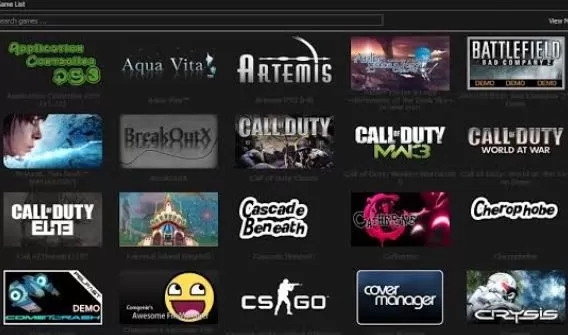
RPCS3 is the most advanced PS3 emulator, but it requires a fast CPU and its performance varies considerably from game to game. Before buying a Mini PC specifically for PS3, always check the compatibility status of the game you want to play.
PS3 games you can try on a powerful Mini PC:
-
Demon's Souls
-
Skate 3
-
Person 5
-
Catherine
-
LittleBigPlanet
-
Rayman Origins
-
Dragon's Crown
-
Ni no Kuni: Wrath of the White Witch
For this platform, you'll need at least a modern Ryzen 7 with Radeon 780M graphics, 32GB of RAM, and good cooling. It's unrealistic to expect the entire PS3 library to run equally well.
Xenia for Xbox 360
Xenia allows you to play Xbox 360 games on Windows. It's a project that has improved significantly, although compatibility and performance still vary depending on the game.
Xbox 360 games you can try:
-
Lost Odyssey
-
Blue Dragon
-
Banjo-Kazooie: Nuts & Bolts
-
Kameo: Elements of Power
-
Forza Horizon
-
Red Dead Redemption
-
Halo 3
-
Gears of War
A Mini PC with a Radeon 780M or Radeon 890M offers the best starting point without a dedicated GPU. Update your drivers and check the game's compatibility before installing it.
Affordable Mini PCs for emulation
Beelink Mini S12 Pro
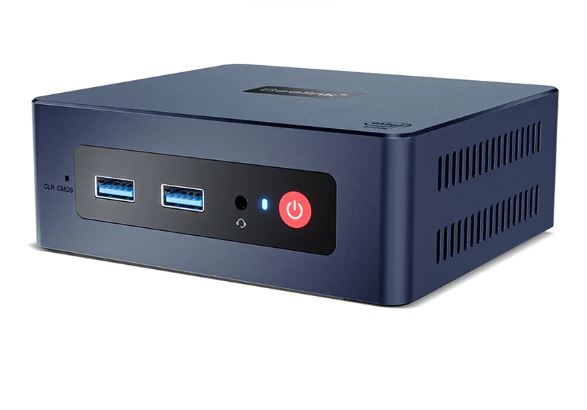
The Beelink Mini S12 Pro with Intel N100 is one of the most affordable options for creating a retro gaming console. It's compatible with NES, SNES, Mega Drive, PC Engine, Game Boy, Game Boy Advance, PS1, N64, Dreamcast, and PSP.
This isn't the right machine if your primary goal is to play PS2, GameCube, Wii, or Wii U games. It can run some lightweight titles, but you'll need to play at native resolution and adjust the settings.
Recommended purchase: View Mini PCs with Intel N100
GMKtec G3 Plus
The GMKtec G3 Plus is another interesting option within the Intel N100 platform. It offers a compact form factor, low power consumption, and sufficient performance for a large retro library with Batocera or RetroBat.
It's a logical purchase if you want to play Super Mario 64, The Legend of Zelda: Ocarina of Time, Tekken 3, Crash Team Racing, SoulCalibur, Marvel vs. Capcom 2 and Neo Geo or CPS2 arcade games.
Recommended purchase: See GMKtec G3 Plus and N100 Mini PCs
Mid-range Mini PCs
Beelink SER6 Pro with Radeon 680M
The Beelink SER6 Pro, based on a Ryzen 7 7735HS and Radeon 680M, is one of the most balanced configurations for emulating PS2, GameCube, Wii, and Wii U. It represents a clear leap forward compared to the Intel N100, especially when increasing the internal resolution in PCSX2 and Dolphin.
With this type of hardware you can enjoy God of War II, Gran Turismo 4, F-Zero GX, Metroid Prime, Super Mario Galaxy, Mario Kart 8 and The Legend of Zelda: Breath of the Wild with a more consistent experience.
Recommended purchase: See Ryzen 7 7735HS Mini PCs with Radeon 680M on AliExpress
Minisforum UM773 Lite
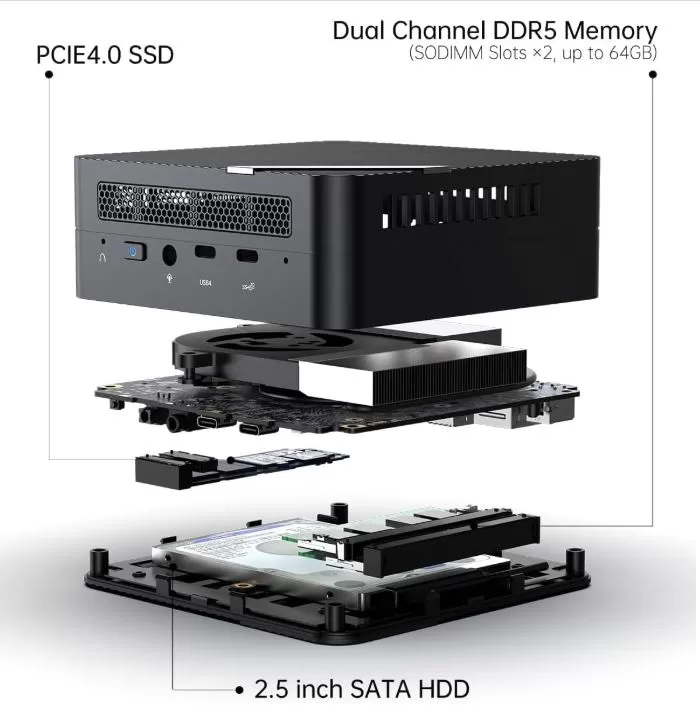
The Minisforum UM773 Lite is another alternative based on a Ryzen 7 7735HS and Radeon 680M. If you find it at a better price or with more RAM and storage than the SER6 Pro, it could be an excellent purchase for a mid-range emulation console.
Its expected performance is outstanding on PS2, GameCube, Wii and Wii U, while PS3 and Xbox 360 will depend on the optimization and compatibility of each title.
Recommended purchase: See Minisforum UM773 Lite on AliExpress
Powerful Mini PCs
Beelink SER8 with Radeon 780M
The Beelink SER8 with Ryzen 7 8845HS and Radeon 780M is an excellent choice for those looking to play PS2, GameCube, Wii, and Wii U games at high resolution. It also offers more headroom for experimenting with compatible PS3 and Xbox 360 games.
Performance doesn't make PS3 or Xbox 360 emulation universal: some titles will run very well, while others will still require adjustments or fail to achieve a stable speed.
Recommended purchase: Check out Mini PCs with Ryzen 7 8845HS and Radeon 780M on AliExpress
Minisforum UM890 Pro
The Minisforum UM890 Pro features an AMD Ryzen 9 8945HS with Radeon 780M graphics. It's a high-end configuration for emulation, productivity, light video editing, Steam, and everyday use, thanks to its eight cores and 16 threads.
For emulation, it stands out for its good performance on PS2, GameCube, Wii, and Wii U with graphical enhancements. On PS3, Xbox 360, and other demanding platforms, the experience will continue to vary from game to game.
Recommended purchase: Check out the Minisforum UM890 Pro and Ryzen 9 8945HS Mini PCs on AliExpress
GMKtec EVO-X1 and Radeon 890M Mini PCs
Systems with a Ryzen AI 9 HX 370 and Radeon 890M, such as the GMKtec EVO-X1, represent one of the most powerful options available without a dedicated graphics card. This model is sold with configurations of 32 GB or 64 GB of LPDDR5 RAM, up to 4 TB of SSD storage, and OCuLink connectivity.
They are an ideal option if you want the maximum possible performance for PS2, GameCube, Wii, and Wii U at high resolutions, as well as improved performance on compatible PS3 and Xbox 360 systems. The Ryzen AI 9 HX 370 features 12 cores and 24 threads, while the Radeon 890M boasts 16 compute units clocked at up to 2,900 MHz, according to the specifications of a Minisforum model.
Recommended purchase: Check out Mini PCs with Radeon 890M on AliExpress
Recommended accessories
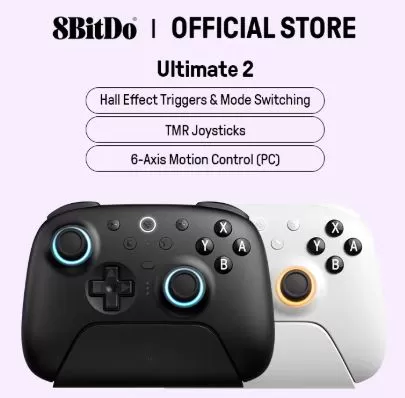
A Mini PC doesn't need many accessories, but these noticeably improve the living room experience:
Final recommendation based on budget
-
Low budget: Buy an Intel N100 with 16GB of RAM and install Batocera; it's perfect for retro gaming, PS1, N64, Dreamcast, and PSP.
-
Best value for money: buy a Ryzen 7 7735HS with Radeon 680M and 32 GB of RAM; it's the most balanced option for PS2, GameCube, Wii and Wii U.
-
High-end without dedicated graphics: look for a Ryzen 7 8845HS or Ryzen 9 8945HS with Radeon 780M and 32 GB of RAM for higher resolution and better possibilities on PS3/Xbox 360.
-
Maximum integrated power: Choose a Ryzen AI 9 HX 370 with Radeon 890M if you want the highest possible graphics performance in a compact form factor. AliExpress listings include configurations like the GMKtec EVO-X1 and Minisforum with this combination.
Remember to use only BIOS, firmware, and game copies that have been legally extracted from your own consoles and discs.