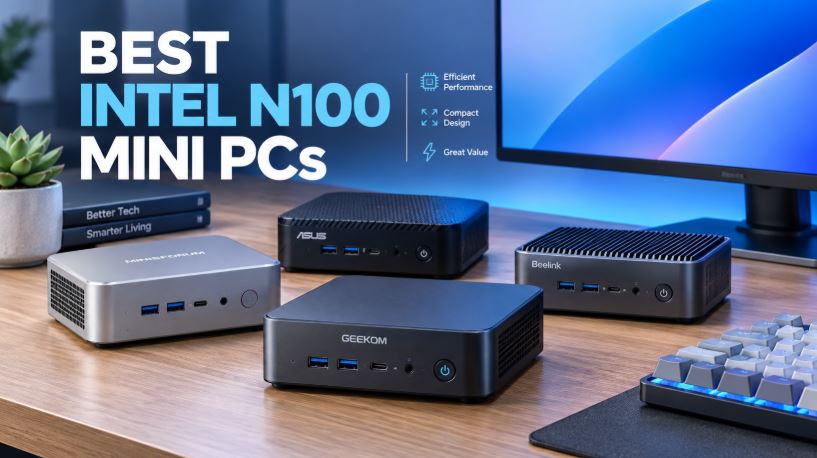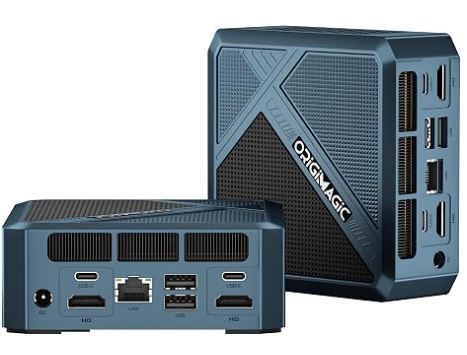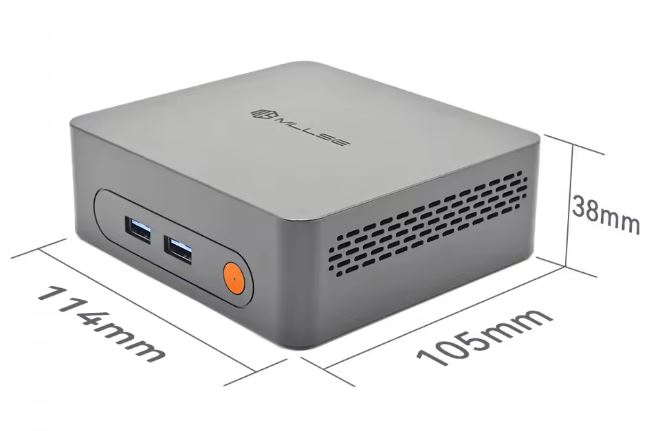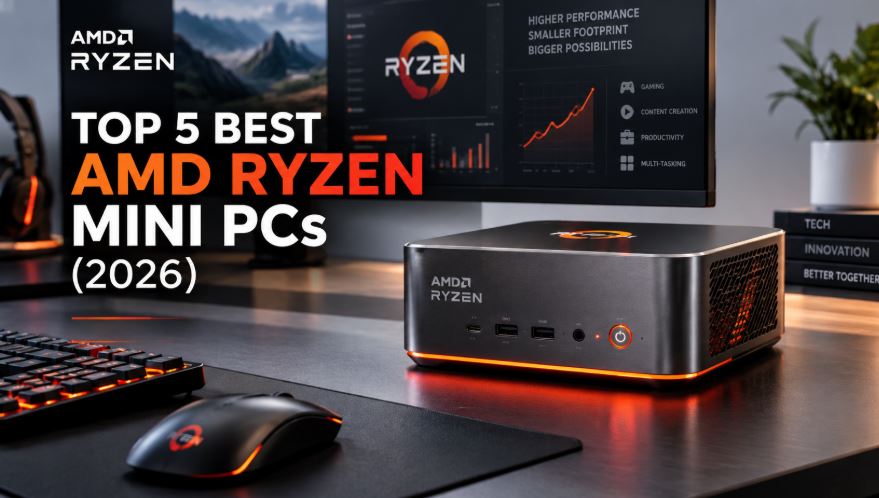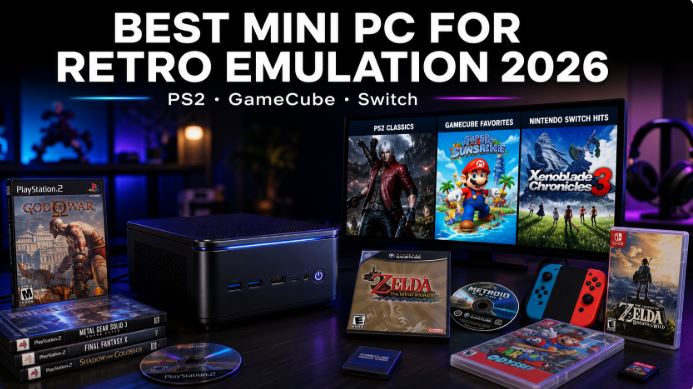
If you're looking for the best mini PC for retro emulation in 2026, the short answer is this: you need an AMD Ryzen processor with a Radeon 780M GPU (RDNA 3) to emulate PS2, GameCube, and Nintendo Switch smoothly and with good visual quality. Models with Intel N100 or N150 processors fall short for Switch and PS3, although they perform well with PS1, SNES, and N64.
In this guide you'll find everything you need: what hardware really matters, which mini PCs to buy according to your budget, which emulators to install, and how to configure them to get the most out of them.
Why a Mini PC for Emulation
A mini PC outperforms TV boxes and Chinese consoles in almost every aspect that matters for emulation:
-
Actual single-core performance: Emulators are primarily single-threaded; the higher the boost clock, the more FPS you get.
-
Powerful integrated GPU: The Radeon 780M (RDNA 3) allows upscaling to 4K resolution on PS2 and GameCube with active filters
-
Expandable RAM: RPCS3 (PS3) needs 4-8 GB for shader cache alone; 16 GB is the reasonable minimum
-
Versatility: The same device can be used as a media center, Plex server, or desktop PC
-
Size: It fits behind the TV like an Apple TV, but with the power of a gaming laptop
What Hardware Do You Really Need?
Not all processors are created equal for emulation. This table summarizes what you can expect depending on the chip:
| Processor | PS2 Performance | GameCube/Wii | Nintendo Switch | Approx. price |
|---|---|---|---|---|
| Intel N100 / N150 | ⚠️ Fair (40-50 FPS in demanding games) | ⚠️ Limited | ❌ Not viable | ~150-250 € |
| Ryzen 5 5600U | ✅ Good (60 FPS in most cases) | ✅ Good | ⚠️ Simple games | ~280-350 € |
| Ryzen 7 7735HS (Radeon 680M) | ✅✅ Excellent, 1440p | ✅✅ 4K with improvements | ✅ 1080p in most cases | ~€450-550 |
| Ryzen 7/9 8845HS / 8945HS (Radeon 780M) | 🏆 Maximum, 4K | 🏆 4K 60 FPS | 🏆 The best option | ~€600-650 |
The golden rule: single-threaded performance is the most important factor. A Ryzen 9 8945HS boosted to 5.2 GHz outperforms any Intel N-series processor for emulation, regardless of the core count.
The 3 Best Mini PCs for Emulation in 2026
🥇 Best Overall — GMKtec K11
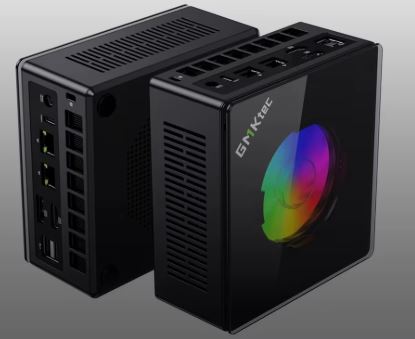
The GMKtec K11 with a Ryzen 9 8945HS is the king of mini PC emulation in 2026. It combines a 5.2 GHz single-core boost clock with the Radeon 780M (12 RDNA 3 CUs), the best iGPU available in this form factor. It maintains its boost clocks consistently under sustained load, which is critical during long sessions where other models experience thermal throttling.
| Specification | Detail |
|---|---|
| CPU | AMD Ryzen 9 8945HS (8C/16T, 5.2 GHz boost) |
| GPU | Radeon 780M (12 RDNA 3 CUs) |
| RAM | 32 GB DDR5 (expandable to 64 GB) |
| Storage | 1 TB PCIe 4.0 NVMe |
| Connectivity | 2× 2.5GbE + WiFi 6E |
| Consumption | ~18 W standby / ~80 W load |
| Price | ~€639 |
Performance in emulators:
-
PCSX2 (PS2): 4K upscaled, stable 60 FPS across the entire catalog
-
Dolphin (GameCube/Wii): 4K with graphical enhancements, full speed
-
Ryujinx (Switch): Most games at native 1080p/4K
-
RPCS3 (PS3): 90-100% compatibility, 60 FPS in most titles
-
Cemu (Wii U): Excellent, 60 FPS at 4K
✅ Who it's for: Emulation enthusiasts who want the best for PS3 and Switch, or who also want to use the device as a home server.
❌ Who it's not for: If you're only going to emulate up to PS2/GameCube, you're paying too much.
→ See Review of the GMKtec K11 mini PC
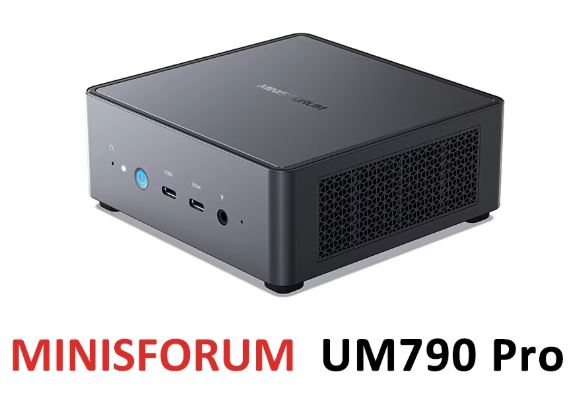
🥈 Best Value for Money — Minisforum UM790 Pro
The Minisforum UM790 Pro with Ryzen 9 7940HS offers virtually the same GPU (Radeon 780M, 12 RDNA 3 CUs) as the K11 at a significantly lower price. Its RPCS3 and Ryujinx benchmark results are within 5% of the K11's in real-world tests. The main difference is the cooling system, which is slightly noisier under load (~35 dBA).
| Specification | Detail |
|---|---|
| CPU | AMD Ryzen 9 7940HS (8C/16T, 5.2 GHz boost) |
| GPU | Radeon 780M (12 RDNA 3 CUs) |
| RAM | 32 GB DDR5 (expandable to 64 GB) |
| Storage | 1 TB PCIe 4.0 NVMe |
| Connectivity | 1× 2.5GbE + WiFi 6E |
| Consumption | ~15 W standby / ~65 W load |
| Price | ~€380-500 |
✅ Who it's for: Anyone who wants a Radeon 780M without paying the K11 price; also ideal as a media server or work PC.
❌ Who it's not for: If fan noise bothers you during long sessions, the K11 manages heat better.
→ See Review of the Minisforum UM790 Pro mini PC
→ Buy mini PC Minisforum UM790 Pro
🥉 Budget Option — BOSGAME P4 (Ryzen 7 5825U)
For those who prioritize PS2 and GameCube without needing demanding Switch or PS3 performance, the BOSGAME P4 with Ryzen 7 5825U is the smart choice. Its Radeon Vega 8 is a generation older, but it performs perfectly well at 60 FPS on PS2 at 1080p.
| Specification | Detail |
|---|---|
| CPU | AMD Ryzen 7 5825U (8C/16T, 4.5 GHz boost) |
| GPU | Radeon Vega 8 |
| RAM | 16-32 GB DDR4 |
| Storage | 512 GB NVMe |
| Price | ~300-400 € |
✅ Who it's for: Users focused on the PS2/GameCube/Wii era with a tight budget.
❌ Who it's not for: If the Switch and PS3 are your main targets, the Vega 8 falls short.
→ See Review of the BOSGAME P4 mini PC
Quick Comparison of Models
| Feature | GMKtec K11 | Minisforum UM790 Pro | BOSGAME P4 |
|---|---|---|---|
| CPU Boost | 5.2 GHz | 5.2 GHz | 4.5 GHz |
| GPU | Radeon 780M (RDNA 3) | Radeon 780M (RDNA 3) | Radeon Vega 8 |
| max RAM | 64 GB DDR5 | 64 GB DDR5 | 32 GB DDR4 |
| PS2 4K | ✅ | ✅ | ⚠️ 1080p |
| GameCube 4K | ✅ | ✅ | ✅ |
| Switch 1080p+ | ✅ | ✅ | ⚠️ Limited |
| PS3 | ✅ | ✅ | ⚠️ Partial |
| Price | ~€639 | ~€380-500 | ~300-400 € |
Complete list of mini PCs for Retro Emulation
🏆 High-End — For Emulating PS3, Switch and More
1. GMKtec K11 — Ryzen 9 8945HS · Radeon 780M (The most powerful)
The absolute benchmark for emulation in 2026. Runs PS2 at 4K, GameCube at 4K, Switch and PS3 at 60 FPS without problems.
2. Minisforum UM790 Pro — Ryzen 9 7940HS · Radeon 780M (Best value for money)
Same Radeon 780M as the K11 at a lower price. Ideal for those who want full emulation without paying a premium price.
3. GMKtec K8 Plus — Ryzen 7 8845HS · Radeon 780M + OCuLink (Most scalable)
The only mini PC under €500 with OCuLink PCIe Gen4 for connecting an external GPU. Perfect if you want to play PS4 or PC gaming without limitations in the future.
💰 Mid-Range — PS2 and GameCube Perfect, Switch Partial
4. GMKtec M6 Ultra — Ryzen 5 7640HS · Radeon 760M (Best overall value)
The best value mini PC of 2026: USB4, dual 2.5G LAN, WiFi 6E, and up to 128GB DDR5 for ~€300. Ideal for PS2/GameCube emulation and simultaneous daily use.
5. Beelink SER5 Max — Ryzen 7 7735HS · Radeon 680M (Trusted Brand)
One of the most reliable brands on the market. The Radeon 680M performs very well on PS2 and GameCube at 1080p-1440p, and holds its own on the Switch in less demanding games.
6. BOSGAME P4 — Ryzen 7 5825U · Radeon Vega 8 (The budget option for PS2/GameCube)
The most affordable option for emulating PS2 and GameCube at 1080p with perfect smoothness. Not suitable for demanding Switch systems, but perfect for the 6th and 7th generation of consoles.
7. GMKtec K12 — Ryzen 7 8745HS · Radeon 780M + OCuLink (The surprise for less than €300)
The most complete mini PC for under €300: Radeon 780M (RDNA 3), OCuLink, and up to 32GB of DDR5 RAM. Emulates PS2 and GameCube at 4K, and Switch at 1080p with medium settings.
🪙 Entry-Level — PS1, SNES, N64, PS2 Basic
8. BMAX B5 A Pro — Ryzen 7 5825U · Radeon Vega 8 (Great price)
Virtually identical to the BOSGAME P4 chip, with good build quality and a very affordable price (~€230). Excellent for classic retro emulation up to PS2 and GameCube on moderate settings.
9. ACEMAGIC K1 — Ryzen 5 6600H · Radeon 660M (Emulation up to basic PS2)
At around €220, it offers a 6-core Zen 3+ processor, Radeon 660M graphics, and WiFi 6E. It smoothly runs PS1, SNES, N64, GBA, and PS2 games at native resolution or 2x with minor adjustments.
10. BMAX B4 Turbo — Intel N150 · 16 GB LPDDR5 (Basic Silent Emulation)
Virtually silent operation (fanless), minimal power consumption (~15 W). Its Intel N150 processor handles emulators up to PS1, SNES, and N64 smoothly; PS2 games run well at native resolution.
📊 Quick Buy Table
| Mini PC | Chip | GPU | Emulation | Price | Buy |
|---|---|---|---|---|---|
| GMKtec K11 | Ryzen 9 8945HS | Radeon 780M | PS3/Switch/4K | ~€639 | AliExpress |
| Minisforum UM790 Pro | Ryzen 9 7940HS | Radeon 780M | PS3/Switch/4K | ~€450 | AliExpress |
| GMKtec K8 Plus | Ryzen 7 8845HS | Radeon 780M | Switch/PS2/4K + OCuLink | ~€425 | AliExpress |
| GMKtec K12 | Ryzen 7 8745HS | Radeon 780M | Switch/PS2/4K + OCuLink | ~€290 | AliExpress |
| GMKtec M6 Ultra | Ryzen 5 7640HS | Radeon 760M | PS2/GameCube/Standard Switch | ~€300 | AliExpress |
| Beelink SER5 Max | Ryzen 7 7735HS | Radeon 680M | PS2/GameCube 1440p | ~€409 | AliExpress |
| BOSGAME P4 | Ryzen 7 5825U | Radeon Vega 8 | PS2/GameCube 1080p | ~€350 | AliExpress |
| BMAX B5 A Pro | Ryzen 7 5825U | Radeon Vega 8 | PS2/GameCube basic | ~€230 | AliExpress |
| ACEMAGIC K1 | Ryzen 5 6600H | Radeon 660M | PS1/SNES/PS2 basic | ~€220 | AliExpress |
| BMAX B4 Turbo | Intel N150 | UHD 24EU | Silent PS1/SNES | ~€195 | AliExpress |
💡 Buying tip: All prices are indicative and may vary depending on RAM/SSD configuration and flash sales. Always check the link for the most up-to-date price. For models with Radeon 780M (K11, K8 Plus, K12), prioritize the 32GB DDR5 configuration if you plan to emulate Switch and PS3 simultaneously.
Essential Emulators in 2026
To build a complete emulation machine, these are the programs you need:
-
RetroArch — Basic all-in-one frontend for NES, SNES, GBA, N64, PS1 and PS2
-
PCSX2 (Nightly version) — The most mature and compatible PS2 emulator, with almost 100% of the catalog by 2026
-
Dolphin (standalone) — GameCube and Wii; native support for 4K and widescreen hacks
-
Ryujinx — Nintendo Switch; the most active project after Yuzu's closure in 2024
-
RPCS3 — PS3; requires powerful hardware but works surprisingly well
-
Cemu — Wii U; the most mature emulator of its generation
⚠️ Legal note: To use these emulators legally, you must own the original consoles and games. BIOS and ROMs must be extracted from your own computers.
How to Configure PCSX2 for PS2 to its Maximum Performance
The key to achieving a stable 60 FPS on PS2 lies in these settings:
Graphics API: Always use Vulkan on AMD (Radeon 680M/780M). It offers the best performance and lowest latency in 2026. DirectX 12 is an alternative on Intel; OpenGL only as a last resort.
Recommended internal hardware resolution:
| Hardware | Resolution |
|---|---|
| Intel N100 | Native (1×) — do not scale |
| Ryzen 5 5600U | 2× Native (~720p) |
| Ryzen 7 7735HS (680M) | 4× Native (~1440p) |
| Ryzen 7/9 8845HS (780M) | 6× Native (~4K) |
Additional key settings:
-
Anisotropic Filtering: 16× for maximum sharpness in textures
-
Shader Compilation: Async mode to eliminate micro-stuttering
-
Half-Pixel Offset: Enabled (corrects edges in many games)
-
Blending Accuracy: Basic (performance) or Medium (quality)
-
NTSC vs PAL tip: NTSC games run at 60 Hz; PAL games at 50 Hz — always look for the NTSC-U version for maximum performance
Configure Dolphin for GameCube and Wii
Dolphin is the most mature emulator on the market and works excellently with a Ryzen mini PC:
-
Graphic backend: Vulkan on AMD, DirectX 12 on Intel
-
Internal resolution: 3× (1080p) in mid-range, 4-6× (4K) in Radeon 780M
-
Widescreen Hack: Activate it
Graphics → Hacksto play in 16:9 format -
Dual Core Mode: Always enabled for better performance
-
Accurate CPU Emulation: Disabled unless a specific game requires it
The most demanding GameCube titles like Metroid Prime or F-Zero GX run at 4K/60 FPS without problems on any mini PC with Radeon 680M or higher.
Setting up Ryujinx for Nintendo Switch
Since Yuzu shut down in 2024, Ryujinx is the recommended Switch emulator in 2026. It requires the system keys from your original Nintendo Switch console.
Key settings:
-
Graphics Backend: Vulkan (AMD) or SPIRV (Intel)
-
Resolution Scale: 2× for 1080p, 3× for 1440p on Radeon 780M
-
Anti-aliasing: FXAA or SMAA at high range
-
Enable VSync: Enabled to prevent tearing
-
PPTC (precompiled code cache): Enabled to reduce stuttering on first run
💡 The Switch needs at least 16GB of RAM and a 6+ core processor for a smooth experience. The Ryzen 9 8945HS or 7940HS are ideal candidates for a mini PC.
Best Games to Try on Each Console
PS2 — Best performing titles on mini PC:
-
God of War I and II
-
Shadow of the Colossus
-
Gran Turismo 4
-
Metal Gear Solid 3: Snake Eater
-
Kingdom Hearts I and II
-
GTA San Andreas, Vice City and III
GameCube — Essential Classics:
-
The Legend of Zelda: The Wind Waker and Twilight Princess
-
Metroid Prime 1 and 2
-
Super Mario Sunshine
-
F-Zero GX
-
Resident Evil 4
Nintendo Switch — Ryujinx Compatibility:
-
The Legend of Zelda: Breath of the Wild and Tears of the Kingdom
-
Mario Kart 8 Deluxe
-
Super Mario Odyssey
-
Pokémon Scarlet/Violet (improved compatibility in 2026)
-
Fire Emblem: Three Houses
Recommended Storage and Accessories
One aspect that is often overlooked is storage:
-
Switch: Games range from 1 to 16 GB each — plan for at least 1 TB of dedicated storage
-
PS3: ISO files can take up between 5 and 50 GB per game
-
PS2/GameCube: Much lighter, 500 GB is enough for hundreds of titles
-
Recommendation: 2TB external USB 3.0 SSD to store your library without using up internal storage
Compatible controllers:
-
DualShock 4 / DualSense (PS4/PS5): Automatic Bluetooth connection, natively recognized
-
Xbox One/Series: Fully compatible via USB or Bluetooth
-
Generic USB controllers: They work with manual mapping in all emulators
Frequently Asked Questions
Can a mini PC with an Intel N100 emulator emulate a PS2?
Yes, but with limitations. The N100 works with 2D games and less demanding PS2 titles, but with intense 3D games like God of War or Shadow of the Colossus, it will drop below 60 FPS. The minimum recommended processor for 100% PS2 performance is a Ryzen 5 5600U.
How much RAM do I need for emulation?
16 GB is the practical minimum. RPCS3 (PS3) uses 4-8 GB just for shader cache, and Ryujinx (Switch) needs another 4-6 GB. With 32 GB, you have enough headroom for emulation and a media server simultaneously.
Is emulation legal?
Emulation itself is legal. What you need are the original console BIOS files and game copies (ROMs/ISOs). Always extract these from your own computer.
Which Switch emulator should you use in 2026?
Ryujinx is the top recommendation for 2026. The Yuzu project was shut down in 2024, but Ryujinx continues with active development and constantly expanding compatibility.
Mini PC or Chinese retro handheld console?
The mini PC wins in raw power, versatility, and hardware lifespan. Handheld consoles like the Anbernic or Powkiddy are interesting to carry in your pocket, but they can't compare in performance to a Ryzen 7 for a PS3 or Switch.
Conclusion: Choosing by Budget
-
Under €350: Ryzen 5 5600U (BOSGAME P4 or similar) — Perfect for PS2 and GameCube, limited for Switch
-
€350-500: Minisforum UM790 Pro (Radeon 780M) — the most balanced option for everything
-
Over €550: GMKtec K11 (Ryzen 9 8945HS) — the ultimate no-compromise solution for PS3, Switch and everything above
With the right software and proper setup, any of these mini PCs becomes the ultimate retro console that fits in the palm of your hand and far surpasses what the original consoles offered back in the day.