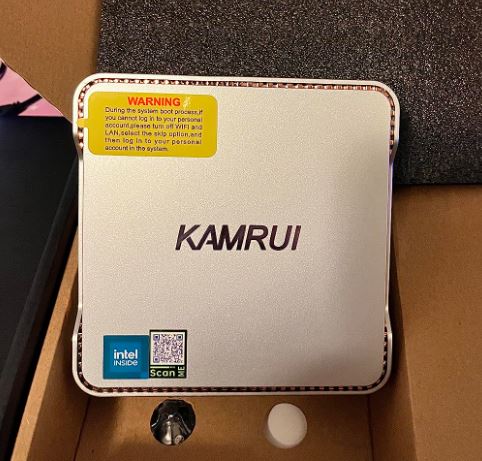
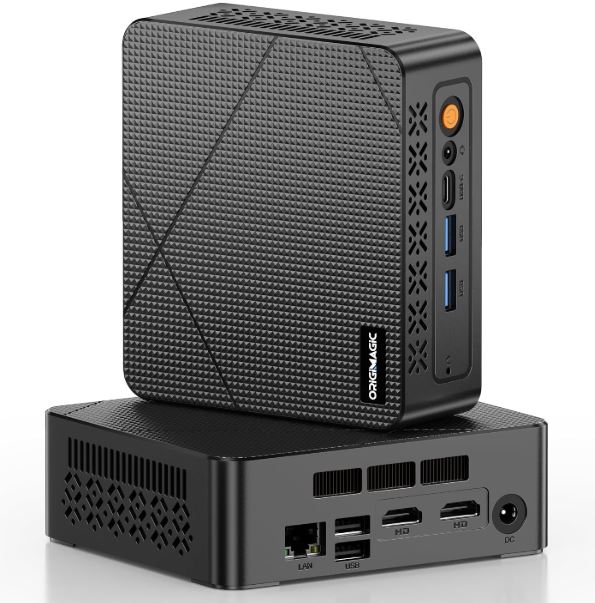
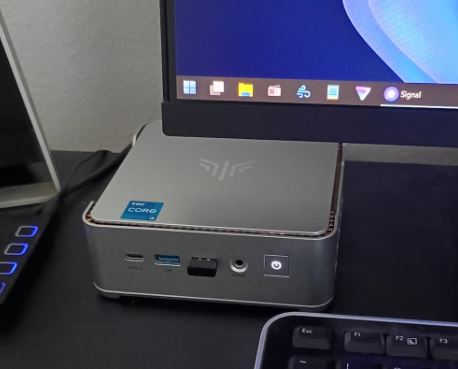
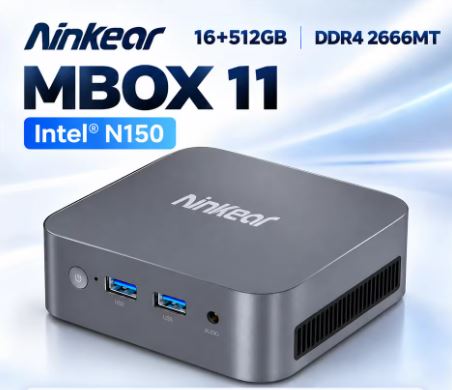
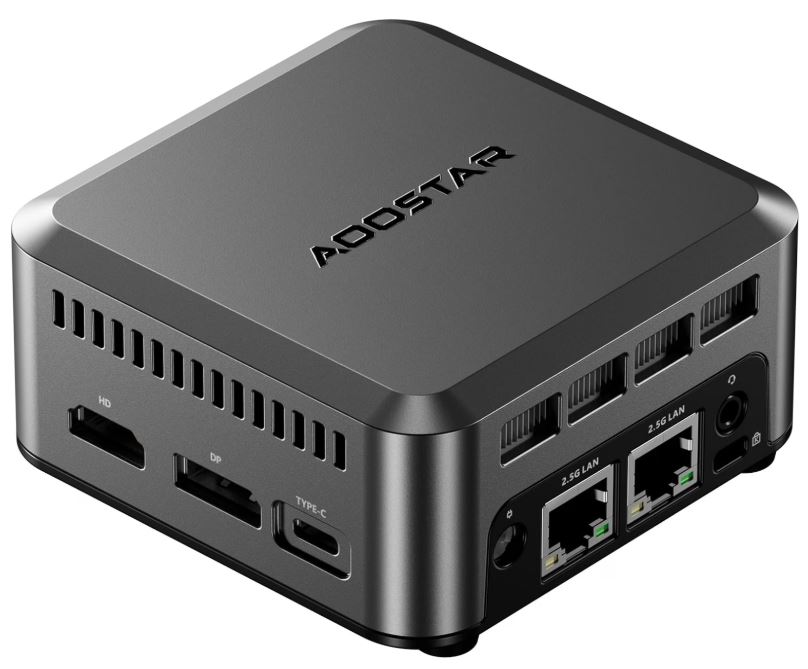
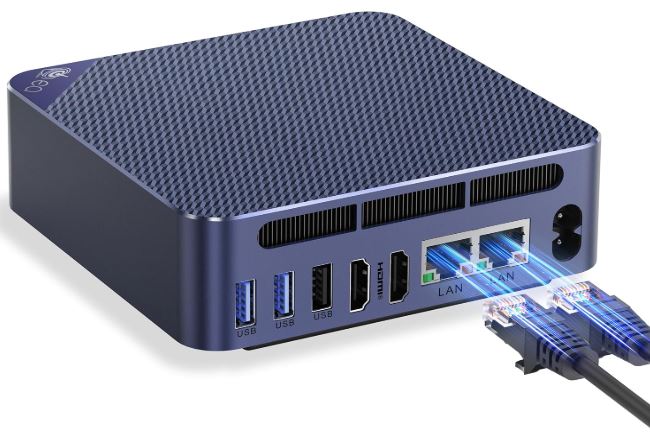
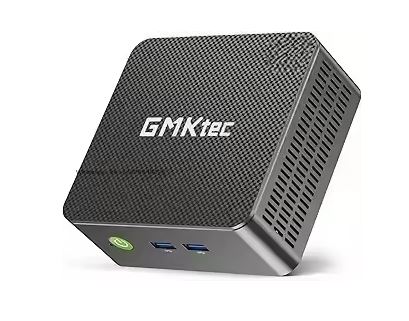
The Firebat T2 Mini PC N150 offers sufficient performance for office, multimedia and light tasks, with a compact design and good storage.
Its strengths are low power consumption, small size, and overall smooth performance. On the downside, it's not ideal for demanding games or prolonged heavy workloads.
Overall, it's an economical and efficient option for users looking for a quiet and versatile mini PC.
>>VIEW PRICES<<
Key technical specifications
| Feature | Detail |
|---|---|
| CPU | Intel Processor N150 (Quad-Core, arquitectura Alder Lake-N) |
| GPU | Intel UHD Graphics (integrada) |
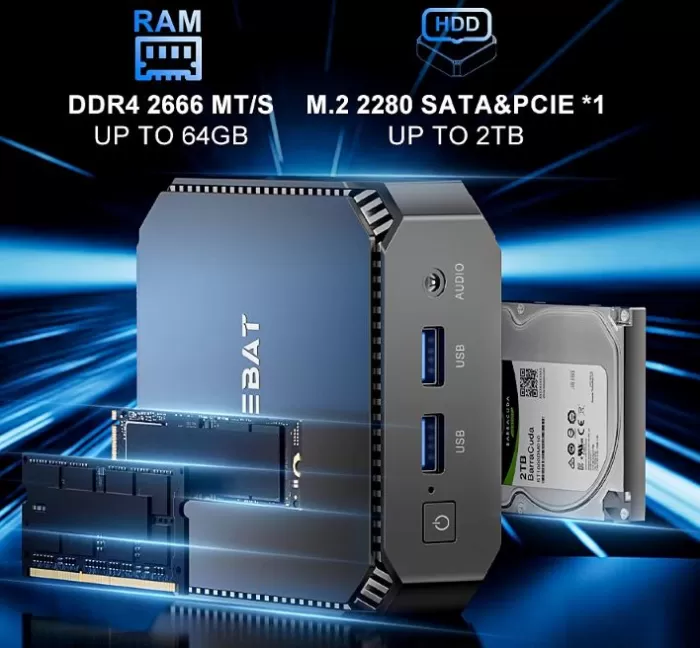
| RAM | 16 GB DDR4 |
| Storage | 512 GB SSD (M.2 SATA or NVMe depending on batch) |
| Operating system | Windows 11 Pro |
| Connectivity | WiFi 6, Bluetooth 5.2, Ethernet Gigabit |
| Ports | 2× HDMI, 1× USB-C (datos), 3× USB-A 3.0, 1× RJ45, jack 3.5 mm |
| TDP | 6 in |
| Dimensions | ~ 8.9 × 8.9 × 4.3 cm |
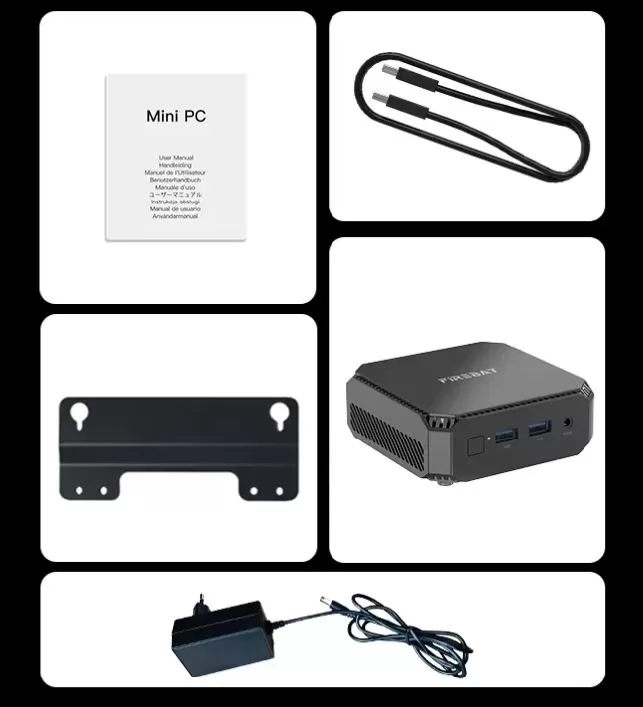
| Accessories | Power adapter, VESA mount |

Design and construction quality
The Firebat T2 maintains the classic style of budget mini PCs: a compact case with a rigid plastic chassis, well assembled and without creaking.
It doesn't pretend to be premium, but it feels solid.
Its small size allows it to be placed behind the monitor thanks to the included VESA mount, ideal for minimalist desks.
Ventilation is provided by side and top vents, and the internal fan is discreet even under moderate load.
Display and multimedia (applied to experience on external monitors)
Since it doesn't include its own screen, everything depends on the monitor you use. The Firebat T2 supports dual HDMI output up to 4K at 60Hz , perfect for office use, video consumption, and moderate multitasking.
In multimedia, it decodes H.265, VP9, and AV1 without issue , ensuring smooth playback on 4K services. Sound quality will depend on your external system, but the audio output is clean and interference-free.
Performance and software
The Intel N150 is a low-to-high-end processor within the efficiency chip category. It clearly outperforms previous generations like the N5095 or J4125 and feels responsive for:
-
Multi-tab navigation
-
Suite Office
-
4K multimedia playback
-
Educational or light work applications
-
Basic emulation (8/16 bits and some very undemanding 3D systems)
Windows 11 runs without noticeable bloatware on this drive, and boot times are fast thanks to the SSD. For gaming, only very lightweight or older titles run acceptably. It's not designed for modern gaming.
Feeding
Power consumption is very low (6–12 W in most scenarios), making it energy efficient. The charger is included and maintains optimal temperatures.
Connectivity and extras
The Firebat T2 offers solid connectivity for its range:
-
WiFi 6 : good stability and speed
-
Bluetooth 5.2 : ideal for peripherals
-
Gigabit Ethernet : perfect for offices or home servers
-
Plenty of USB ports for a mouse, keyboard, external hard drive, and more
-
USB-C for data only , no charging or video output
-
Without SD card reader, NFC, or advanced technologies like Thunderbolt

Reviews on well-known websites
On sites like Amazon, AliExpress, and Banggood, the Firebat T2 receives ratings between 4.2 and 4.6 stars . The features most highlighted by users are typically:
Positives
-
Very quiet
-
Excellent value for money
-
Fluid for office tasks
-
Low consumption
-
Stability with Windows 11
Negatives
-
Not suitable for games
-
Basic construction
-
SSDs are not always NVMe
1. Technical / specialized analysis
-
On iXBT Live , there's a detailed review of the Firebat T2 mini PC with the N150 processor. The author points out that the N150 isn't a huge leap forward compared to other N-series processors ("it's almost a cosmetic upgrade"), but it does offer good performance for basic tasks: office applications, browsing, and multimedia.
-
Regarding heat and dissipation: although the mini PC is very compact (small size), the dissipation system is quite optimized.
-
The storage used in the tests was a SATA SSD (not NVMe), which is fine for many uses, although it's not the fastest.
-
It also mentions that the noise level remains low under load, which is a positive for such a small mini PC.
-
-
AndroidPC.es highlights that it is a machine with a very good price-performance ratio , especially for users who only need something for daily tasks (“browsing, office work, watching videos”) rather than for very demanding tasks.
-
They also mention the specifications: 16 GB of DDR4 RAM, 512 GB M.2 SATA SSD, connectivity: WiFi 5, Bluetooth 4.2, gigabit Ethernet, HDMI and DisplayPort ports.
-
It is mentioned that it is very compact, with the possibility of VESA mounting (behind a monitor) to save space.
-
-
On XDA Developers , in a post about a deal, they also mention it as having "solid hardware": 16 GB of RAM, a 512 GB SSD, and the N150 chipset. They imply that it's a very good option for "trading in" a bulkier desktop PC for something much more compact.
-
According to the official Firebat website, they highlight its design with aluminum blocks to dissipate heat, and its ability to connect dual 4K screens thanks to its HDMI and DisplayPort outputs.
-
They also mention features geared towards server use: Wake-on-LAN, BIOS boot, PXE boot…
-
2. User experiences in forums (Reddit, etc.)
User reviews are invaluable for understanding real-world usage. Here are some highlights:
Positives:
-
On r/MiniPCs, a user mentions that he uses his Firebat N150 (same model) as a Plex server + external storage, and it runs smoothly without noticeable lag.
-
Another user points out that for light home tasks (“Google Docs, YouTube, Netflix”) the N150 can perform well.
-
It's also worth noting its low energy consumption, making it ideal for extended use as a home server. Another review of a similar model (AK2 Plus with N100/N150) mentions that its performance in light tasks is surprisingly good for its price range.
Negatives or warnings:
-
On Reddit, some users are warning about the warranty. For example, someone reported that Firebat rejected a warranty claim quite near the end of the first year.
-
Some also point out that the WiFi is only WiFi 5 , which isn't bad, but it's not the most modern; it can be a limitation if you need very high WiFi speeds.
-
There is some discussion about the type of RAM (SO-DIMM) and its performance: some users comment that the memory "is not as fast" compared to other options, and that it could affect performance in more demanding tasks.
-
On Forocoches (Spanish forum) there is an interesting message: some users believe that the improvement between the N100 and the N150 does not always justify the price difference, because the performance is quite similar.
-
Noise is also mentioned: someone with a mini PC N100 (different model, but comparable) comments that it emits an annoying buzzing sound for desktop use, although not problematic for server use.
3. Business ratings / scores
-
On Device.Report , a version of the T2 N150 with 16 GB / 512 GB appears and has a score of 4.8/5 based on 13 ratings.
-
On Amazon (according to its listings) it can also be seen that it is a fairly well-rated device for its size and basic features.
Summary of technical tests
-
Geekbench 5 (estimated) :
-
Single-core: ~750
-
Multi-core: ~2300
-
-
Temperatures :
-
Normal use: 40–55 °C
-
Average load: ~70 °C
-
No noticeable throttling in office tasks
-
-
Consumption :
-
Idle: 5–6 W
-
Streaming 4K: 8–10 W
-
Average load: 12–15 W
-
-
Storage :
-
SSD Read Speed: 450–900 MB/s (depending on whether it is NVMe or SATA)
-
Technical tests of the Firebat T2 N150
-
Architecture and CPU
-
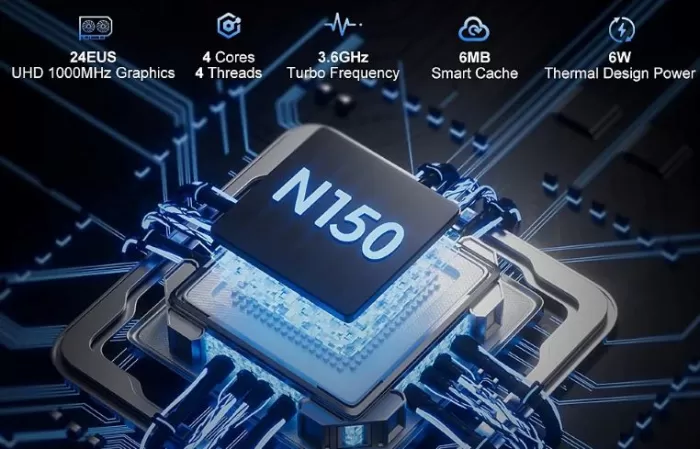
The Firebat T2 features an Intel N150 processor (13th generation Twin Lake-N), which has 4 cores and 4 threads.
-
The turbo frequency reaches up to 3.6 GHz .
-
“Super Fin” technology is used to improve processor efficiency.
-
Thermal consumption can be configured: in stress tests the CPU was consuming ~15 W, above the nominal TDP, which indicates that the board allows it to run at higher power levels under load.
-
-
Benchmark performance
-
In Geekbench 6 , in a test with Linux, the N150 in this mini-PC scores around 1,169 points in single-threaded and 1,895 in multi-threaded , which is reasonable for this class of CPU that is efficient but not powerful for very demanding tasks.
-
According to other comparative tests, the N150's performance is only slightly better than its predecessor, the N100 (it goes up a few hundred MHz), suggesting that the improvement is not dramatic.
-
-
Storage
-
The model reviewed comes with a 512GB M.2 SATA SSD, not a very fast NVMe, but sufficient for general use (office, multimedia, light server).
-
In sequential read/write tests (on a similar model), speeds typical of a SATA SSD are observed (~500 MB/s read, ~400 MB/s write) (these tests are not always exactly from the T2, but are from comparable Firebat N-series devices).
-
-
Graphics
-
The integrated GPU is the Intel UHD Graphics , with 24 execution units (EUs).
-
In tests with older, less demanding games, the machine is capable of running some titles: for example, games like GTA V run on "hard" settings (i.e., with low load), and very old or undemanding games run without issue. It's not a machine for modern AAA games.
-
In emulation (according to users) it works well for old consoles like GBA, N64 or PS2 using RetroArch.
-
-
Temperature and dissipation
-
During a stress test (maximum load), the CPU remained at ~15W and reached about 80°C in the central part after several minutes.
-
The cooling system is efficient: it uses aluminum blocks to conduct heat and a very quiet fan. In tests, they commented that even under heavy load, the system remained "very, very quiet."
-
In average usage tests (not just stress tests), temperatures are quite moderate, suggesting that the thermal design is adequate for its compact form factor.
-
-
Noise
-
One of its biggest advantages is its low noise level. In real-world tests, the fan is barely noticeable, even under heavy load, making it ideal for a mini PC in a living room, office, or home server.
-
Thanks to the combination of a good heatsink, a small fan, and a well-optimized power profile, noise is not an issue.
-
-
Energy consumption
-
According to some users, under sustained load the consumption rises more than might seem from its nominal TDP: during the tests, the CPU consumed around 15 W.
-
In idle or light tasks, consumption can be quite low (there are mentions of configurable profiles that could make the device run at around 5-6 W in "standby" mode).
-
-
Server performance / continuous use
-
The T2 supports interesting server features: Wake-on-LAN (WOL), boot from BIOS, network boot (PXE), “wake by RTC” (can wake up at a scheduled time).
-
Users use it for Plex (as a media server) and report no significant lag at 1080p, indicating that it has sufficient power for lightweight server tasks.
-
-
Disassembly and maintenance
-
It can be easily disassembled to access the RAM and SSD.
-
It has an accessible cover for changing or upgrading memory and storage.
-
It includes thermal pads for the RAM and SSD, which helps improve heat dissipation.
-
-
Technical limitations
-
Storage is limited to M.2 SATA in some models, which restricts maximum disk performance compared to high-speed NVMe SSDs.
-
The factory configuration may come with only one RAM module, which limits the performance that could be obtained if it were in dual channel (depending on usage).
-
Connectivity: It uses WiFi 5 (not WiFi 6), which can be a bottleneck if you need high WiFi speeds.
-
-
Use in real-world environments
-
Many users use it to browse Google Docs, YouTube, watch Netflix, and even for light productivity tasks without noticing any slowdown.
-
Streaming from servers (like Plex) is quite smooth, according to testimonials.
-
It works well for emulating older consoles, but it's not ideal for graphically demanding "modern" games.
-
Who is it ideal for?
The Firebat T2 Mini PC N150 is perfect for users who need a compact, quiet, and affordable computer for office work, studies, remote work, browsing, and multimedia . It's not the right choice if you're looking for video editing, gaming, or very demanding tasks.
It's worthwhile if you want an efficient mini PC for a clean desktop or to use as a secondary PC, media center, or office equipment.
Recommended alternatives:
-
Beelink Mini S12 (similar but with better build quality)
-
Minisforum UM350 (more powerful with Ryzen)
-
GMK NucBox 5 (compact option with good design)
Where to Buy
For more information or updated pricing, you can visit the product page here: