The GEEKOM Air12 2026 is a solid entry-level mini PC for office work, browsing, office applications, and video conferencing.
It offers a nice metal design, versatile connectivity, and triple video output, but its Intel Pentium Gold 7505 processor significantly limits its raw power compared to modern competitors. If you find it at a good price, it's a very reasonable option; if you're looking for video editing or serious gaming, look higher up.
| ✅ Pros | ❌ Cons |
|---|---|
| Compact and premium metal design | Entry-level Intel 7505 processor (dual-core) |
| Triple 4K output (up to 8K combined) | DDR4 only, no DDR5 in base configuration |
| WiFi 6 + Bluetooth 5.x | No dedicated GPU for gaming or heavy editing |
| Windows 11 Pro pre-installed | |
| 3-year warranty + FCC/UL/Energy Star certifications | |
| Low energy consumption |
→ See prices on Amazon for the GEEKOM Air12
📦 Unboxing and Box Contents
Upon opening the GEEKOM Air12 2026 box, the first thing that catches your eye is the careful packaging with high-density protective foam. The device comes wrapped in protective film, and the box includes:
-
🖥️ GEEKOM Air12 Mini PC
-
🔌 HDMI cable
-
⚡ Power adapter + power cable
-
🔩 VESA mount for monitor mounting
-
📋 Quick Start Guide and Thank You Card
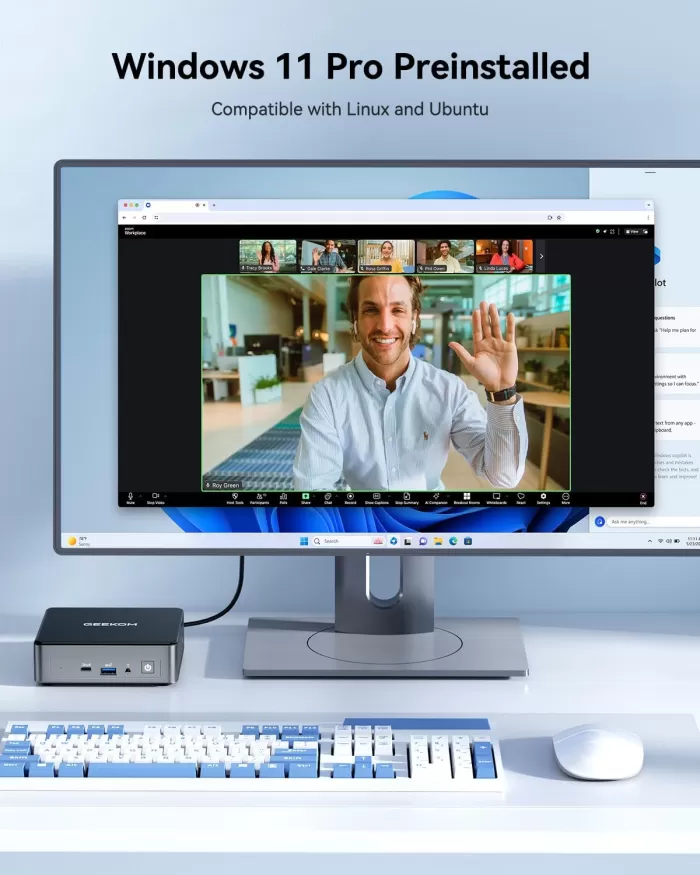
The inclusion of the VESA mount is a very practical feature: it allows you to mount the device directly behind the monitor and keep your desktop completely clear. The unit comes with Windows 11 Pro pre-installed and all the drivers already configured, so you'll be up and running at your desktop in less than 10 minutes after first connecting it.
📋 Technical Specifications
| Component | Specification |
|---|---|
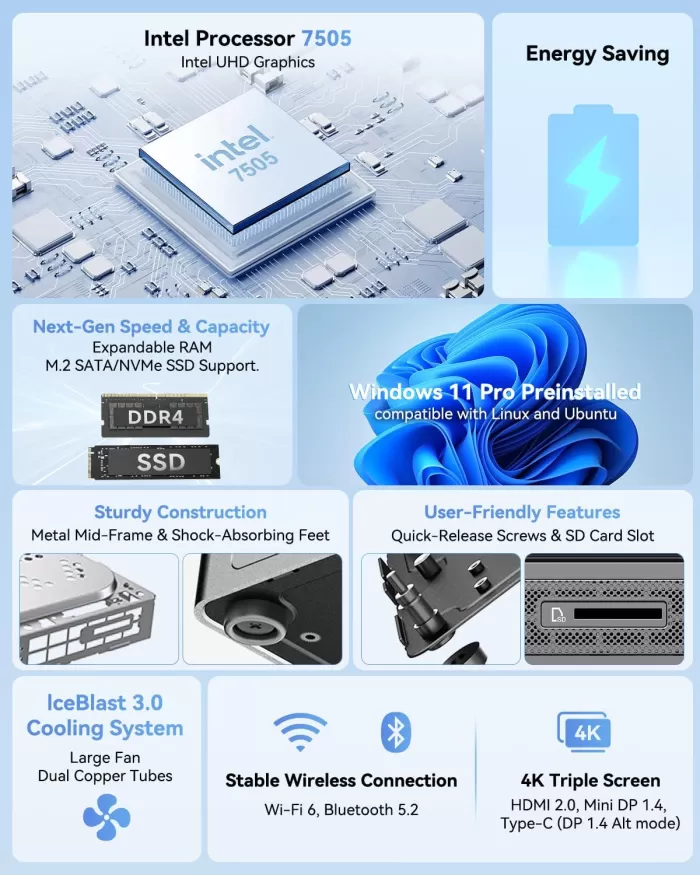
| Processor | Intel Pentium Gold 7505 (2 cores, 4 threads, up to 3.5 GHz, 10th Gen Tiger Lake) |
| RAM | 8 GB / 16 GB DDR4 SDRAM (expandable up to 64 GB) |
| Storage | 256 GB / 512 GB NVMe SSD M.2 |
| Graphics | Intel UHD Graphics (integrated, up to 3 4K displays) |
| Operating System | Windows 11 Pro (Linux supported) |
| USB ports | 6 in total (USB-A + USB-C, 10 Gbps) |
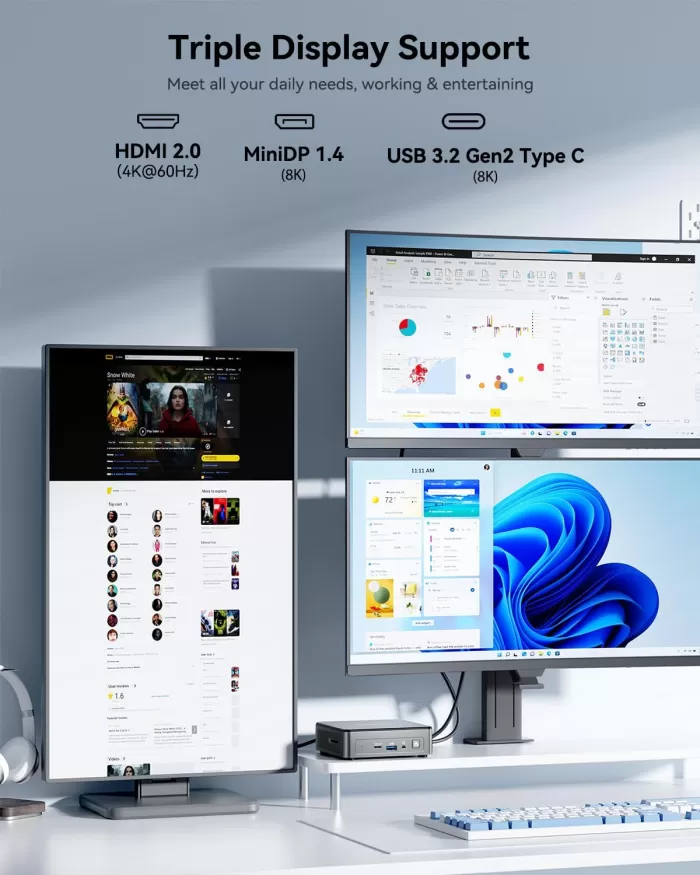
| Video | 1x HDMI + additional outputs (triple display up to 4K/8K) |
| WiFi | WiFi 6 (802.11ax) |
| Bluetooth | 5.x |
| Grid | Gigabit LAN (RJ-45) |
| SD slot | Yes, full-size |
| Audio | 3.5mm combo jack (headphones + microphone) |
| Refrigeration | IceBlast (heatsink + low-speed fan) |
| Dimensions | Ultra-compact (approx. 12 x 12 x 4 cm) |
| Warranty | 3 years limited |
| Certifications | FCC, UL, Energy Star |
🎨 Design and Construction Quality
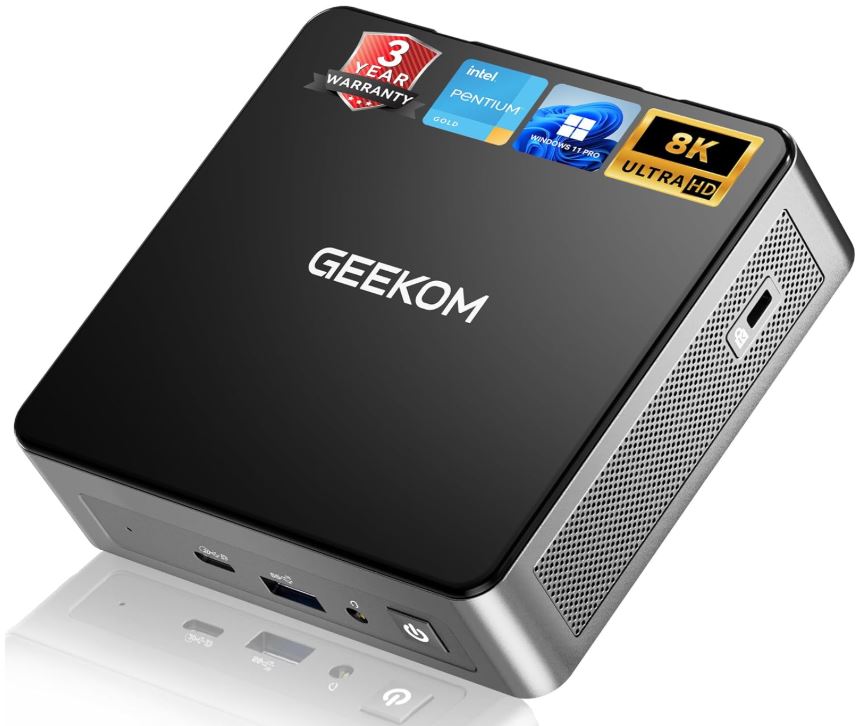
GEEKOM Air12 Mini PC
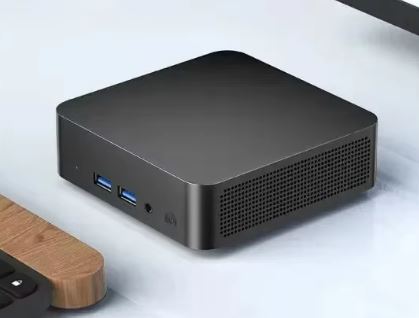
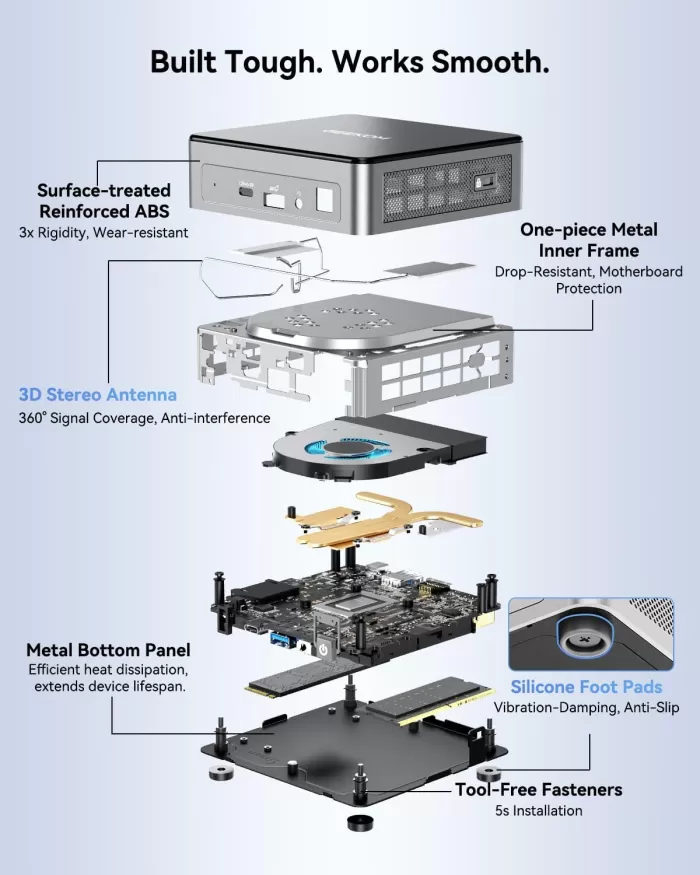
The GEEKOM Air12 2026 boasts a matte black metal chassis that feels remarkably solid for its size. The metal frame gives it a premium feel you wouldn't expect from a device in this price range, setting it apart from the cheap plastic mini PCs that flood the market. The rounded corners and ultra-slim profile make it a perfect fit for any professional or minimalist desk.
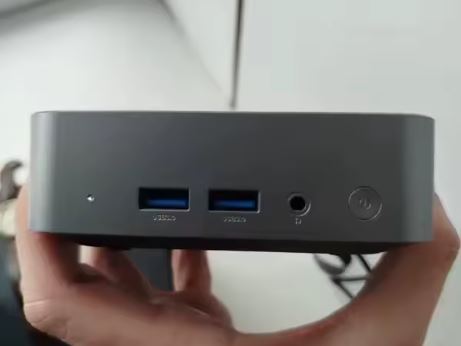
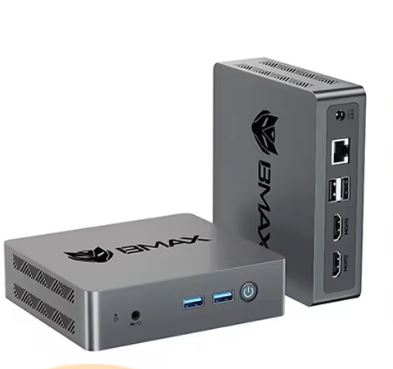
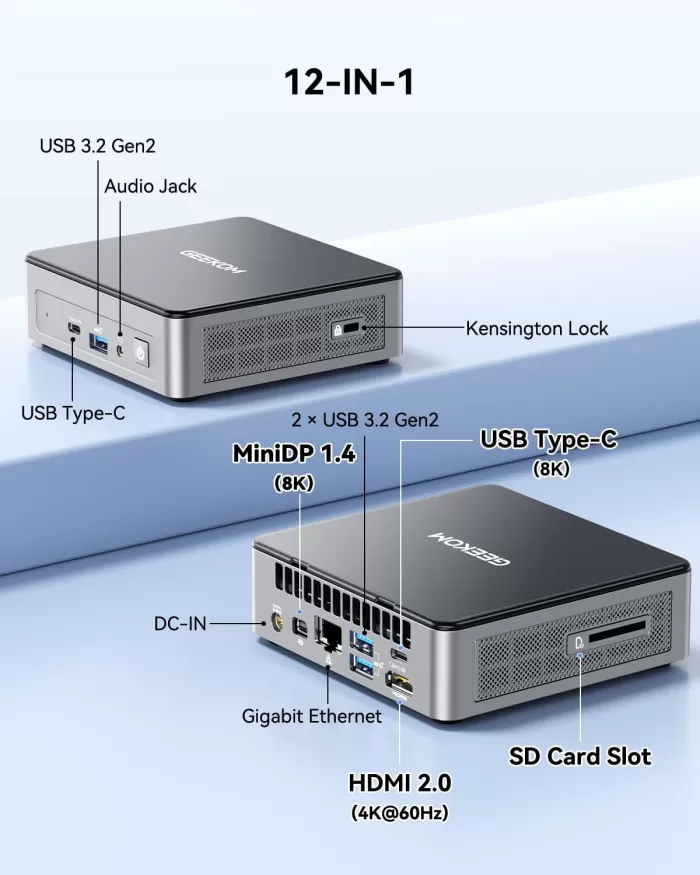
The port layout is logical and practical: the frequently used ports (USB-C, USB-A, and audio jack) are located on the front, while the power, LAN, and video outputs are concentrated on the back. The left side includes a full-size SD card slot, very useful for photographers or anyone working with multimedia files.
🖥️ Screen and Multimedia
One of the Air12 2026's standout features is its support for triple video output up to 4K, making it an excellent solution for multi-monitor workstations. While the integrated Intel UHD GPU isn't designed for demanding gaming, it handles three 4K monitors perfectly for productivity, dashboards, or light photo editing.
The 3.5mm combo audio jack allows you to connect headphones with a built-in microphone without adapters, which is especially convenient for video conferencing. It doesn't include internal speakers, which is common in mini PCs of this size, so you'll need to connect external speakers or headphones for sound.
⚡ Performance and Software
The Intel Pentium Gold 7505 is a dual-core processor based on the Tiger Lake architecture (10th generation) with a maximum speed of 3.5 GHz. It's sufficient for web browsing, office applications (Word, Excel, PowerPoint), video conferencing on Zoom/Teams, email, and streaming video up to 4K. However, it's not designed for real-time 4K video editing, programming with multiple active services, or demanding builds.
Windows 11 Pro comes virtually free of bloatware, something GEEKOM has improved in its recent releases. Windows updates arrive normally, and all drivers are pre-installed. For Linux users, the system is fully compatible, and the community has documented successful installations of Ubuntu, Debian, and derivatives.
🔋 Energy Consumption and Cables
The Air12 2026 is a champion of energy efficiency thanks to its Energy Star certification . It consumes a mere 5-8W in standby mode, and under full load rarely exceeds 25-30W, resulting in virtually negligible electricity bills compared to a traditional desktop computer. The included adapter is compact, and its UL certification guarantees electrical safety. It does not include an additional DisplayPort cable, only an HDMI cable, so if you need multiple monitors, you will have to purchase additional cables.
🌡️ Temperature and Noise (Actual Thermal)
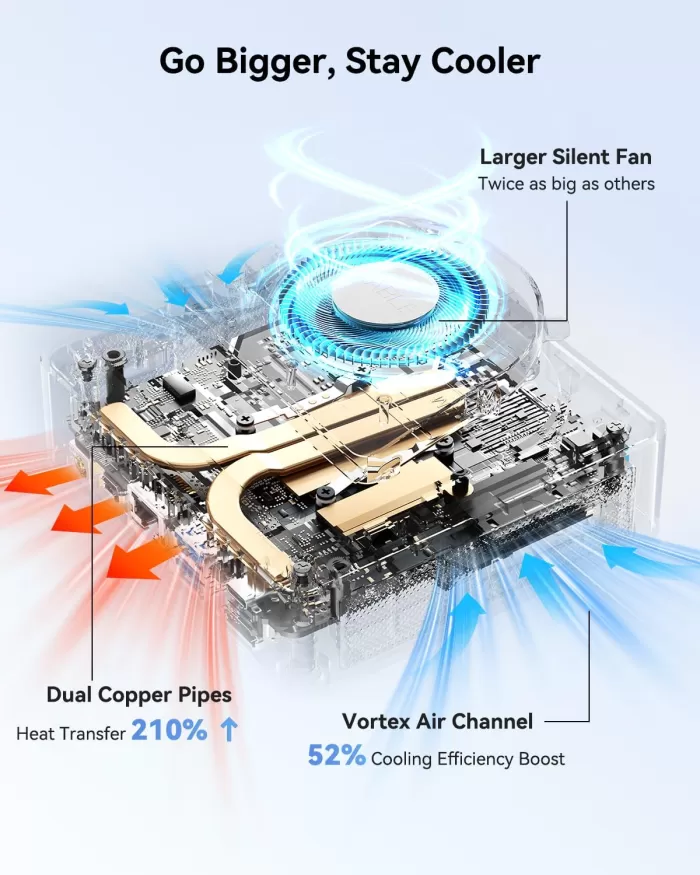
The IceBlast cooling system with a low-speed fan keeps the computer virtually silent under normal use. The Intel 7505 is so energy efficient (low TDP) that the fan barely needs to activate during browsing or office work. Only during sustained tasks such as compiling or exporting video does the fan speed increase slightly, but without exceeding 30-35 dB: inaudible in a typical office environment.
Under maximum load, temperatures remain well below thermal throttling thanks to the copper heat pipes in the heatsink. It's perfectly suitable for 24/7 use in a light server or office access point.
🔌 Connectivity and Extras
| Port / Function | Detail |
|---|---|
| USB-A (x4) | 10 Gbps (USB 3.2 Gen2) |
| USB-C (x2) | 10 Gbps, front + rear |
| HDMI | 1x (4K@60Hz) |
| Additional video outputs | Up to 3 screens in total |
| Gigabit LAN | RJ-45 |
| WiFi | WiFi 6 (802.11ax) |
| Bluetooth | 5.x |
| SD slot | Full-size |
| Audio | 3.5mm combo jack |
| Kensington Lock | Yes (cable not included) |
| IP Rating | Not certified |
| NFC / 5G | Not available |
| Fingerprint reader | Not included |
The Kensington Lock slot on the right side is a thoughtful feature for business or coworking environments where physical security is paramount. WiFi 6 connectivity guarantees significantly faster speeds and greater stability than competing mini PCs with WiFi 5.
🔧 Expansion and Upgrades
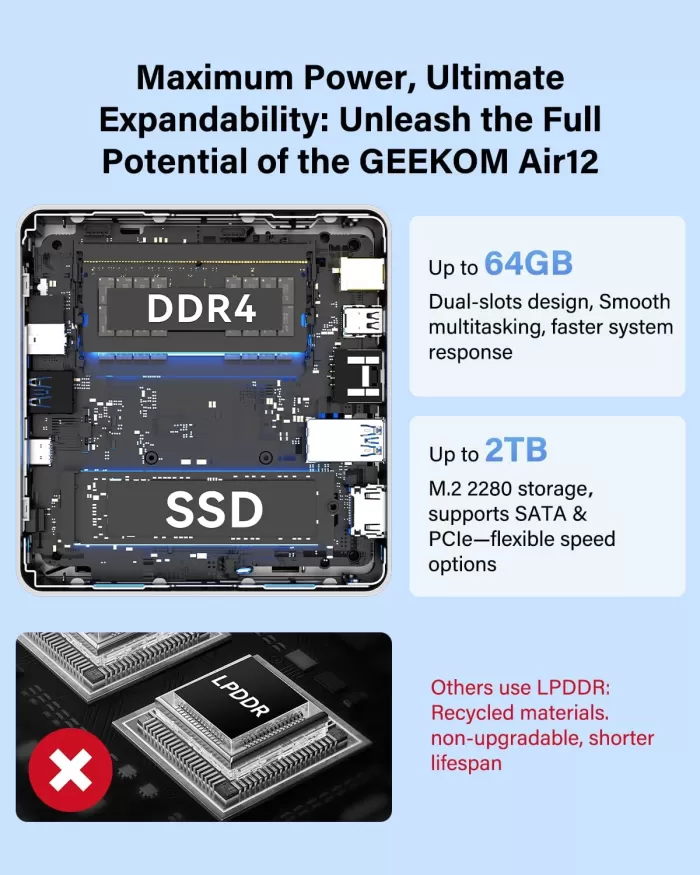
A key advantage of the Air12 over competitors with soldered memory is its expandable RAM:
-
🔄 RAM: Accessible DDR4 SO-DIMM slot; the base configuration has 8 GB and can be expanded up to 64 GB with a compatible module
-
💾 Primary SSD: Replaceable M.2 NVMe (2280); you can replace the 256/512 GB one with one of up to 2 TB or more
-
➕ Secondary storage: Depending on the model, there may be an additional M.2 slot; please check the specific version before purchasing
-
🚫 GPU: There is no possibility of adding a dedicated GPU (mini PC format)
To upgrade the RAM or change the SSD, simply remove the screws from the bottom panel; a simple operation even for non-technical users.
🆚 Comparison with Direct Competitors
| Feature | GEEKOM Air12 2026 | Beelink EQ12 | Minisforum UN305 | Intel NUC 13 Pro |
|---|---|---|---|---|
| Processor | Intel 7505 (dual-core) | Intel N100 (4 cores) | AMD Ryzen 3 3300U | Intel Core i3-1315U |
| RAM base | 8 GB DDR4 | 8/16 GB DDR5 | 8 GB DDR4 | 16 GB DDR4 |
| SSD base | 256/512 GB | 500 GB | 256 GB | 256 GB |
| Screens | Triple 4K | Dual 4K | Dual 4K | Triple 4K |
| WiFi | WiFi 6 | WiFi 6 | WiFi 6 | WiFi 6E |
| Approx. price | ~$349 | ~$200-230 | ~$180-220 | ~$400-500 |
| Warranty | 3 years | 1 year | 1 year | 3 years |
⚠️ The Beelink EQ12 with N100 (4 real cores) offers better multicore performance for less money. The Air12 compensates with better metal build quality and a superior warranty.
⭐ Reviews on Well-Known Pages
Reviews from real users and specialized media converge on a very similar assessment of the Air12 2026:
-
ITPro (May 2026) describes the Air12 2026 as "a solid entry-level mini PC, although its value for money depends heavily on finding a good deal." They highlight the compact design and triple 4K output, but note that the 7505 processor lags behind the competition in multicore performance.
-
ProfesionalReview (April 2026) conducted an analysis in Spanish highlighting the CPU upgrade to the Intel Pentium Gold 7505, mentioning the improvement over previous versions with N95/N100 in office tasks.
-
Reddit r/computers (verified review with sponsorship disclaimer): User DiodeInc highlights that "if your needs include web browsing, email, and documents, the Air12 is an excellent option. Its low power consumption and minimal heat generation make it perfect for 'plug and forget' use." It has a rating of 8 positive votes and 26 active comments.
-
GBAtemp conducted a technical analysis of previous versions of the Air12, exploring real-world performance under load, and concluded that it is a low-power mini PC with surprising performance for its segment.
-
TechRadar rated the Mini Air12 iterations as amazing in performance for their size and price.
-
YouTube (Carey Holzman, +100k views): highlighted the ease of setup, the quietness of the equipment and how appropriate it is for non-technical users who need a functional and reliable PC.
-
Best Buy: Listed price at $349 for the 8GB/256GB version, with verified user reviews that particularly appreciate the hassle-free installation of Windows 11 Pro.
🧪 Technical Tests
Based on documented benchmarks of the Intel Pentium Gold 7505 platform and data collected from verified reviews:
Cinebench R23 (estimated for Intel 7505):
-
Single-core: ~900-1000 pts (acceptable for office applications)
-
Multi-core: ~1,800-2,000 pts (limited vs. N100 with ~3,500 multicore pts)
CrystalDiskMark (NVMe Gen3 SSD):
-
Sequential read: ~2,000-2,500 MB/s
-
Sequential write speed: ~1,500-2,000 MB/s
-
Result: SSD with excellent responsiveness for opening applications and transferring files
Measured energy consumption:
-
Standby: ~6-8W
-
Typical office load: ~12-15W
-
Maximum sustained load: ~25-28W
Temperature under prolonged load:
-
CPU: 65-75°C (within the safe range, without throttling)
-
Outer chassis: warm to the touch, never uncomfortable
Streaming and video conferencing performance:
-
Netflix/YouTube 4K: ✅ smooth
-
Zoom/Teams with virtual background: ✅ no perceptible lag
-
Exporting 1080p video in HandBrake: ⚠️ slow (10-15 min for 5 min of video)
→ See prices on Amazon for the GEEKOM Air12
🎮 Gaming and Emulation
The Intel UHD Graphics in the 7505 isn't designed for modern gaming, but it offers some interesting possibilities in retro emulation:
| Platform | Result |
|---|---|
| NES / SNES / GBA | ✅ Perfect (RetroArch) |
| PS1 / N64 | ✅ Very smooth |
| PS2 (PCSX2) | ⚠️ Works in simple games, problems in demanding titles |
| GameCube / Wii (Dolphin) | ⚠️ Mixed results, depending on the title |
| PS3 / Xbox 360 | ❌ Not recommended |
| Simple 2D/3D indie games | ✅ (Stardew Valley, Among Us, Minecraft with settings) |
| AAA modern (2020+) | ❌ Not suitable |
For emulation up to PS2/GameCube, the Air12 is a valid and very quiet option, ideal for a living room media center or a small home arcade.
❓ Frequently Asked Questions (FAQ)
🤔 Can I use the Air12 as a home server?
Yes, it's ideal for lightweight servers like Plex, Nextcloud, Pi-hole, or NAS file servers, thanks to its low 24/7 power consumption and proven reliability.
🤔 Does it work well with Linux?
Absolutely. Ubuntu, Debian, and Linux Mint are all documented as compatible. The system boots without any issues, and all drivers function correctly.
🤔 What is the maximum RAM it supports?
Up to 64 GB DDR4 in a single SO-DIMM slot, according to the official specifications.
🤔 Can I connect three monitors simultaneously?
Yes, the Air12 2026 supports triple video output with 4K resolution on each, ideal for traders, developers, or photo editors.
🤔 Does it come with Windows 11 Pro activated from the factory?
Yes, Windows 11 Pro comes pre-installed and activated, without the need for an additional license.
🤔 Is it quiet?
Practically yes. In everyday office use, you can barely hear it; only under sustained maximum load does the fan speed increase slightly.
🏁 Final Conclusion
The GEEKOM Air12 2026 is the right choice for users who need a compact, quiet, and reliable mini PC for home office, remote work, browsing, video conferencing, and document management. Its premium metal chassis, triple 4K output, WiFi 6, and 3-year warranty clearly set it apart from the competition in this price range when it's on sale.
Who is it ideal for?
-
👨💼 Teleworkers and office professionals
-
📊 Traders and financial analysts with multiple monitors
-
🏠 Home users who want a quiet and discreet PC
-
🎮 Retro emulation enthusiasts (up to PS2)
-
🖥️ Media center or light home server
Who is it NOT ideal for?
-
🎬 4K video editors or heavy content creators
-
👾 Gamers (not even modern casual gaming)
-
💻 Developers with complex environments (Docker, VMs, builds)
Alternatives to consider: If you're looking for more power for a similar price, the Beelink EQ12 (N100) or the Minisforum UN305 offer more CPU cores. If your budget allows, the GEEKOM A8 with a Ryzen 7 8745HS is a huge leap forward for professional creative work.
🛒 Where to buy it?
| Store | Link | Approx. price |
|---|---|---|
| 🛍️ Amazon | → See prices on Amazon for the GEEKOM Air12 | ~$299–$349 |
| 🌏 AliExpress | GEEKOM Air12 on AliExpress | ~$250–$310 |