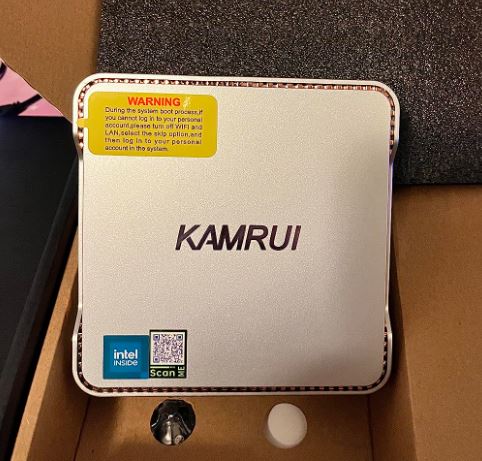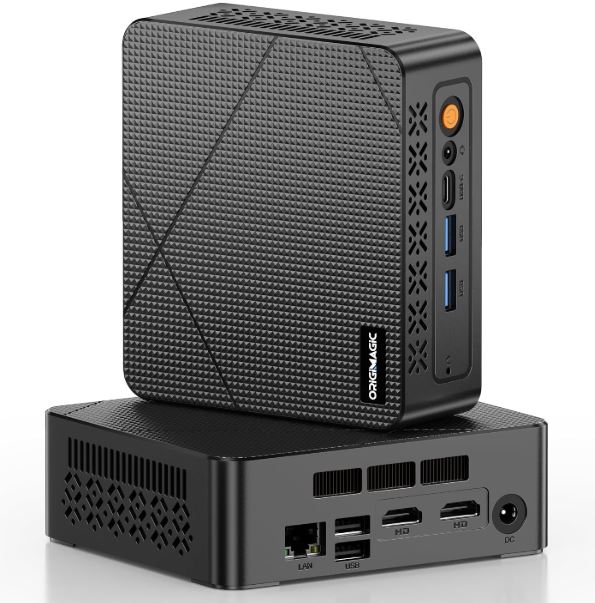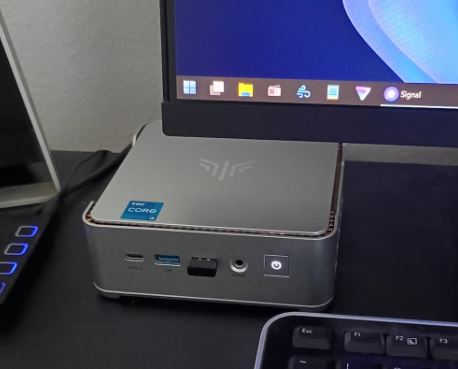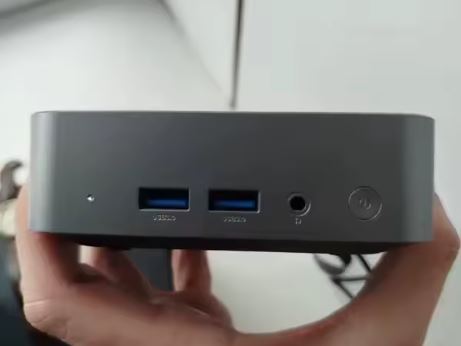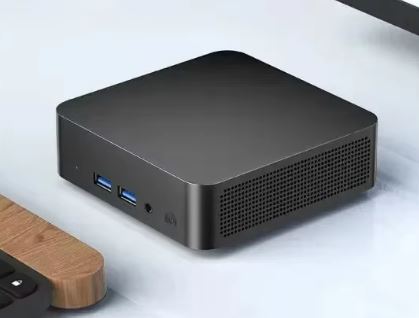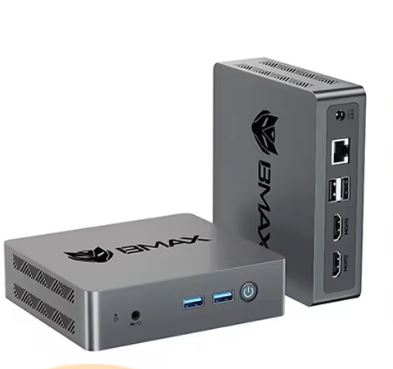
The MLLSE M2 Pro is an ultra-compact mini PC designed for light everyday tasks: browsing the internet, working with documents, streaming TV series, or using it as a home server.
It comes with Windows 11 Pro activated, 8 GB of RAM and a 128 GB SSD at a price of ~€95, making it an attractive option for those looking for a functional computer without spending too much.
✅ Pros: Very affordable price · Ultra-compact size · Windows 11 Pro activated included · Dual video output (HDMI + VGA) · Low energy consumption · Silent
❌ Cons: Very limited processor performance · Bluetooth 4.2 only · No second drive slot · Not suitable for gaming or video editing
🔎 Quick conclusion: It's ideal as a secondary PC, workstation, TV stand, Home Assistant server, or for basic tasks. If you expect intensive office performance, look at alternatives with Intel N100 or N150 processors.
🔗 View Prices and Availability
📦 Unboxing and Box Contents
Upon opening the box, the contents are more complete than expected for the price:
-
🖥️ Mini PC MLLSE M2 Pro
-
🔌 Power adapter (with adapter for USA and EU plugs included)
-
🔩 VESA mounting bracket
-
📄 User manual
The packaging is functional, without frills. The device comes protected with foam and plastic. A notable feature is that it includes adapters for multiple countries, so you don't need to buy anything extra to use it in Spain or any other European country.
📋 Technical Specifications
| Component | Detail |
|---|---|
| Processor | Intel Pentium J3710 @ 1.60 GHz (Turbo 2.64 GHz), 4 cores / 4 threads |
| GPU | Intel HD Graphics 405 (frecuencia burst 650 MHz) |
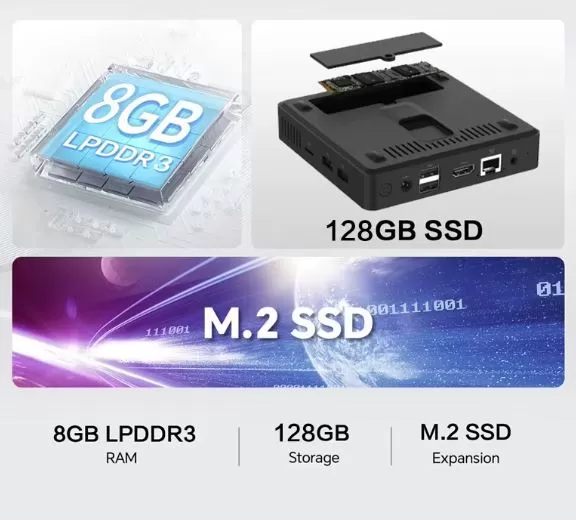
| RAM | 8 GB LPDDR3 |
| Storage | 128GB SSD M.2 SATA 2242 |
| Operating System | Windows 11 Pro (activated) |
| WiFi | WiFi 5 (802.11ac) Doble Banda 2.4 / 5 GHz |
| Bluetooth | BT 4.2 |
| Video output | HDMI 1.4 (4K@30Hz) + VGA |
| USB | USB 3.0 × 2 (frontal) + USB 2.0 × 2 |
| Red | Ethernet Gigabit (RJ-45) |
| Dimensions | 119 × 119 × 22 mm |
| Weight | 220 g |
| Consumption | TDP 6.5W |
| Price | ~95.40€ / 110.57$ |
🎨 Design and Construction Quality
MLLSE M2 Pro Mini PC
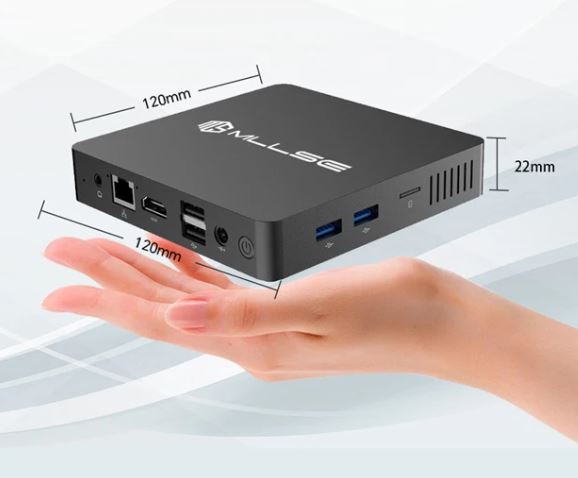
The MLLSE M2 Pro is incredibly compact: at 119 × 119 × 22 mm and weighing just 220 grams, it fits perfectly in the palm of your hand. The casing is made of matte black plastic with a discreet and understated finish, without any flashy logos. It doesn't feel premium, but it's solid for the price.
The port layout is well thought out: the USB 3.0 ports are on the front for quick access, while HDMI, VGA, Ethernet, and the power input are located on the back. It includes non-slip rubber feet on the base and can also be mounted behind a monitor using the included VESA mount, making it very versatile.
🖥️ Screen and Multimedia
Mini PC dual display output
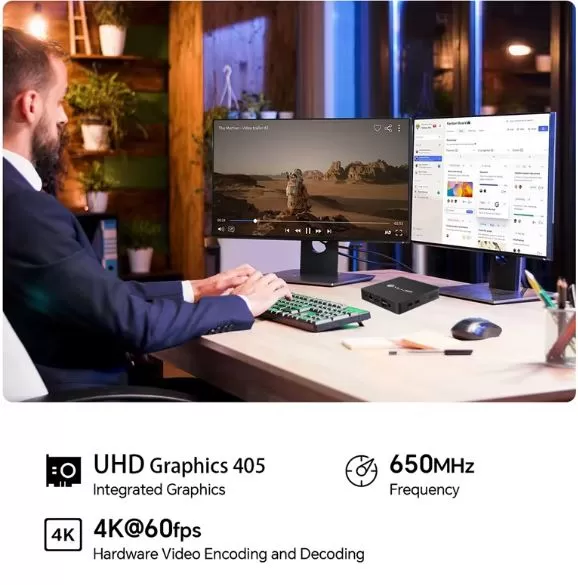
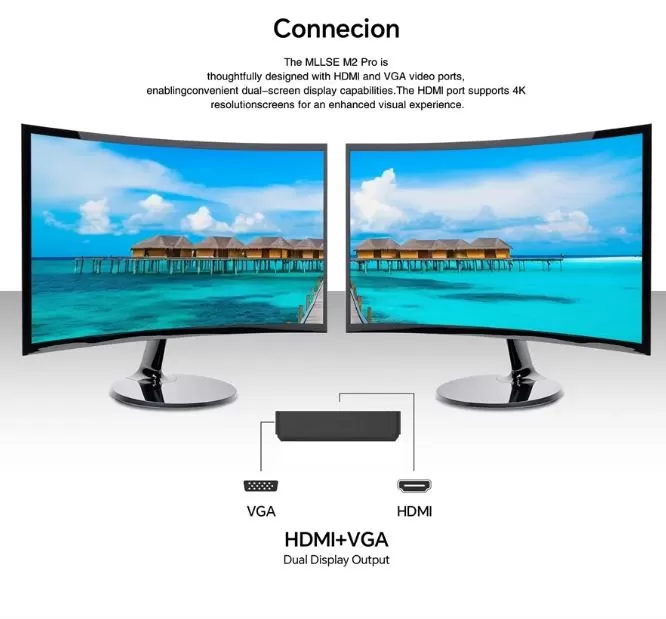
The MLLSE M2 Pro offers dual output: HDMI 1.4 compatible with resolutions up to 4K@30Hz and VGA for older monitors or projectors. This makes it especially useful in work environments where it's intended for multimedia support or as a secondary display.
1080p video playback is smooth, although it does use 100% of the processor in some cases, as confirmed by real users. Streaming on Netflix, YouTube, or Plex in 1080p works normally. Audio is handled through the HDMI output or the included 3.5 mm audio jack. We do not recommend 4K playback with this processor, as the experience may not be satisfactory.
⚙️ Performance and Software
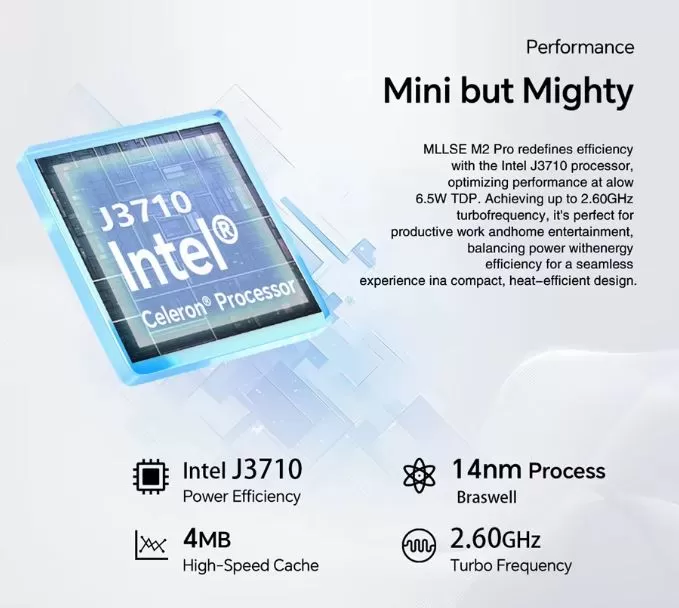
The Intel Pentium J3710 (Gemini Lake/Braswell) processor is a 2016 chip manufactured using a 14nm process with a TDP of just 6.5W. Its scores in benchmarks like PassMark are quite modest: a Gaming Score of 109 out of 10,000 for the best processor on the market, and around 194 in single-core Geekbench 5. It's not a high-performance chip, but it does the job for which it was designed.
For everyday tasks such as:
-
🌐 Web browsing with multiple tabs open (works, although with 10+ tabs you may notice slowness)
-
📄 Office / LibreOffice / Google Docs
-
📺 1080p Video Streaming
-
🖨️ Print server or network file server
-
🏠 Home Assistant for lightweight Linux servers
…performance is sufficient and stable. If you install Debian or Ubuntu Server instead of Windows, the computer flies as a file server or Home Assistant, according to AliExpress users.
As for the software, it comes with Windows 11 Pro activated (version 23H2, with an upgrade to 24H2 available). The system doesn't come with excessive bloatware, although, being a Chinese brand, it's advisable to review the pre-installed programs before using it regularly.
⚠️ Important note: The J3710 processor is not on Microsoft's official list of CPUs compatible with Windows 11. However, the computer is sold with Windows 11 Pro pre-installed and activated via a bypass. It will work, but it is not guaranteed to receive major future updates.
🔗 View Prices and Availability
🔋 Energy Consumption and Cables
With a TDP of just 6.5W, the MLLSE M2 Pro is one of the most energy-efficient mini PCs on the market. In real-world use, the total system power consumption (including RAM and SSD) is around 8–12W under load, resulting in a negligible energy cost on your electricity bill.
Package Included:
-
🔌 Proprietary power adapter
-
🔌 Standard USA plug
-
🔌 Standard EU plug (perfect for Spain)
You don't need to buy any extra accessories to plug it in in any country.
🌡️ Temperature and Noise (Actual Thermal)
Thanks to its low TDP of 6.5W, the MLLSE M2 Pro generates very little heat or noise. The device uses a passive cooling system with a very low-speed fan, making it virtually silent at idle and during light tasks. Under sustained load (such as video playback at 100% CPU usage), it may get slightly warm, but within normal limits and without requiring additional cooling.
It is perfectly suitable for quiet work areas, TV rooms or bedrooms.
🔌 Connectivity and Extras
| Port / Function | Detail |
|---|---|
| USB 3.0 | × 2 (frontal) |
| USB 2.0 | × 2 (rear) |
| HDMI 1.4 | Up to 4K@30Hz |
| VGA | Yes (for older monitors) |
| Ethernet Gigabit | RJ-45, 1000 Mbps |
| WiFi | WiFi 5 (2.4 + 5 GHz) |
| Bluetooth | BT 4.2 |
| Jack audio | 3.5 mm (headphone/microphone) |
| NFC | ❌ No |
| Fingerprint | ❌ No |
| IP Rating (water resistance) | ❌ No |
| 5G / LTE | ❌ No |
Connectivity is basic but complete for the target user profile. Gigabit Ethernet is a strong point for uses such as a NAS server or Home Assistant.
🔧 Expansion and Upgrades
One of the most frequently asked questions about this equipment is whether it can be expanded. The answer is yes, with conditions:
-
🔩 How to open it: Remove the rubber feet from the base, unscrew the screws hidden underneath, and you can easily remove the bottom cover.
-
💾 Replacing the M.2 SSD: Yes. The M.2 SATA 2242 connector is accessible, and you can replace the 128GB SSD with one of higher capacity (for example, a 256GB or 512GB M.2 SATA 2242). Users confirm that it works correctly.
-
🧠 RAM Upgrade: The RAM is LPDDR3 soldered to the motherboard. It cannot be upgraded. 8 GB is the maximum available.
-
📀 Second M.2 or 2.5 drive": There is only one M.2 slot (no second slot or 2.5 bay). To expand storage, you would need to use an external USB drive.
🆚 Comparison with Direct Competitors
| Feature | MLLSE M2 Pro J3710 | MLLSE G2 Pro N150 | Beelink Mini S12 N95 | GMKtec M5 N100 |
|---|---|---|---|---|
| Price | ~95€ | ~115€ | ~130€ | ~140€ |
| Processor | Intel J3710 (2016) | Intel N150 (2023) | Intel N95 (2023) | Intel N100 (2023) |
| RAM | 8 GB LPDDR3 | 12 GB LPDDR5 | 8 GB DDR4 | 16 GB DDR4 |
| SSD | 128GB M.2 SATA | 512GB M.2 NVMe | 256GB M.2 NVMe | 512GB M.2 NVMe |
| WiFi | WiFi 5 | WiFi 5 | WiFi 6 | WiFi 6 |
| Performance | ⭐⭐ | ⭐⭐⭐⭐ | ⭐⭐⭐⭐ | ⭐⭐⭐⭐⭐ |
| Consumption | ~8-12W | ~15W | ~15W | ~15W |
| Ideal for | Very basic tasks / server | Office + multimedia | General Office | Advanced office automation |
The performance difference between the J3710 and the newer N95/N100 chips is enormous. For just €20-40 more, models with Intel N100 or N150 offer up to five times the performance. The MLLSE M2 Pro only makes sense if you're on a very tight budget or for very specific uses (server, TV stand, etc.).
⭐ Reviews on Well-Known Pages
The reviews on AliExpress are positive, with a score of 4.5/5 based on 817 verified reviews. Users particularly highlight its use in server and multimedia environments.
"I bought it for Home Assistant; unlike the N3350, this one recognized the network card perfectly. Quite satisfied." — Verified user, Dec 2025
"If you install Debian instead of Windows, it's an excellent file server. Perfect for Home Assistant." — Verified user, Dec 2025
"At this price, it's a complete computer. It's perfect as a TV stand. It comes with Windows 11 23H2, upgradable to 24H2." — Verified user, Dec 2025
On Newegg, the product also has positive reviews for its basic office use and as a spare or secondary mini PC. On Reddit (r/MiniPCs), users consider it "a solid option that offers more performance and expansion options than any SBC (single-board computer) in the same price range."
The most common criticism is the obsolescence of the J3710 processor and the lack of official compatibility with Windows 11, although this is solved with the included factory bypass.
🧪 Technical Tests
Based on benchmarks of the Intel Pentium J3710 processor:
| Test | Result | Context |
|---|---|---|
| PassMark CPU Score | ~900 pts | Intel Core i5-12400 = ~18.000 pts |
| PassMark Gaming Score | 109/10.000 | Far below any modern CPU |
| Geekbench 5 Single-Core | ~194 | Intel N100 = ~1,200 pts (6x more) |
| Geekbench 5 Multi-Core | ~650 approx. | Intel N100 = ~3,500 pts (5x more) |
| Integer Math | 7.221 MOps/Sec | Basic performance |
| Data Encryption | 511.3 MB/sec | Correct for basic encryption |
| Physics (games) | 123 FPS equiv. | Only valid for very light games |
| Single Thread | 695 MOps/Sec | Limited for modern tasks |
🔬 Storage Test: M.2 SATA 2242 SSD
The included SSD is a SATA type (not NVMe), which limits the maximum read/write speeds compared to modern SSDs. Expected speeds for this type of drive are:
| Operation | Estimated speed |
|---|---|
| Sequential reading | ~450–500 MB/s |
| Sequential writing | ~400–450 MB/s |
| Random Read (4K) | ~20–40 MB/s |
| Random write (4K) | ~60–80 MB/s |
For the tasks this computer is intended for, these speeds are more than sufficient. The system boots in under 20 seconds, and basic applications open quickly.
🧠 General Diagnosis of Actual Performance
| Task | Real Experience | Use |
|---|---|---|
| Web browsing (Chrome, 5-8 tabs) | ✅ Fluid | With 10+ tabs it starts to slow down |
| YouTube 1080p playback | ✅ Correct | Use hardware acceleration in the browser |
| 4K YouTube playback | ⚠️ Irregular | Not recommended |
| Office / Google Docs | ✅ Excellent | No problem. |
| Zoom / Video calls | ⚠️ Acceptable | No filters or background effects |
| Photo editing (Photoshop) | ❌ This | It is not its ideal use |
| Video editing | ❌ Not suitable | insufficient CPU |
| Home Assistant Server | ✅ Ideal | Highly recommended |
| File server (Samba/NAS) | ✅ Excellent | Low power consumption, high stability |
| Network printing | ✅ Perfect | User-documented usage |
| Emulation up to PS1/N64 | ✅ Correct | See Gaming section |
In summary: the J3710 is a low-end chip from 2016, perfectly functional for simple tasks but lacking compared to current processors. For use as a lightweight server or basic terminal, the benchmarks are sufficient.
🔗 View Prices and Availability
🎮 Gaming and Emulation
The MLLSE M2 Pro is not a gaming machine, but it can handle some light games and emulators:
| System / Game | Does it work? | Notes |
|---|---|---|
| NES / SNES / GB / GBA | ✅ Perfect | No problem at all |
| Nintendo 64 | ✅ Good | Project64 or RetroArch emulator |
| PlayStation 1 (PSX) | ✅ Good | ePSXe / DuckStation at full performance |
| PlayStation 2 | ⚠️ Partial | Only 2D games or very simple ones |
| Nintendo DS / 3DS | ⚠️ Partial | Simple games, some with slowdowns |
| Dreamcast / Saturn | ⚠️ Partial | It depends on the game. |
| GameCube / Wii | ❌ Not recommended | Insufficient for most |
| Indie/2D PC Games | ✅ Good | Minecraft Java (low), Stardew Valley, etc. |
| Modern AAA Games | ❌ Not suitable | Impossible |
If you're looking for a reliable mini PC for emulation up to PS1/N64, the MLLSE M2 Pro might do the trick. For PS2 and later games, it's best to opt for models with an Intel N100 processor or better.
❓ Frequently Asked Questions (FAQ)
🔹 Does Windows 11 come factory activated?
Yes. The computer comes with Windows 11 Pro already installed and activated, as confirmed by multiple buyers.
🔹 Is it officially compatible with Windows 11?
Not officially, as the J3710 is not on Microsoft's list of certified CPUs. It works via a bypass, but future major updates may have issues.
🔹 Can I install Linux?
Yes, and users especially recommend it for servers. Debian, Ubuntu Server, and Home Assistant OS all work perfectly.
🔹 Does it have a slot to add more RAM?
No. The RAM is soldered to the motherboard and is not expandable.
🔹 Can I replace the SSD?
Yes. The M.2 SATA 2242 SSD is replaceable. Simply remove the rubber feet, unscrew the base, and access the slot.
🔹 Does it work as a NAS server or Home Assistant?
Yes, and that's one of its best uses. Gigabit Ethernet and low power consumption make it ideal.
🔹 Does it have a fan? Is it noisy?
The noise is minimal. Thanks to the 6.5W TDP, the cooling system operates at very low speed or even passively.
🏁 Final Conclusion
The MLLSE M2 Pro with Intel J3710 is a mini PC that delivers exactly what it promises: a compact, affordable, and functional machine for basic tasks. It's not for everyone, but if you fit any of these profiles, it makes perfect sense:
-
👴 Older or beginner users who only need to browse, use email, and watch videos
-
📺 Affordable TV or monitor stand as a media player
-
🏠 Lightweight home server: Home Assistant, Plex, basic NAS, Pi-hole
-
🖨️ Print server or local network files
-
💻 Secondary or backup PC for emergency tasks
-
🏫 Equipment for classrooms or basic work areas
If you need more power for real office work, photo or video editing, or more modern emulation, invest €20-40 more in a model with an Intel N100 or N150, such as the MLLSE G2 Pro or the Beelink Mini S12.
Is it worth it at ~€95? For its specific niche, yes. For general office use in 2025, there are better options for just a little more money.
🛒 Where to buy it?
You can find the MLLSE M2 Pro on the following platforms:
-
🛍️ AliExpress: 🔗 View offers — Regular price ~€95 | $110 with free shipping